APR71 - Uncategorized PRIME3 - Free user manual and instructions
Find the device manual for free APR71 PRIME3 in PDF.


| Product Type | Portable Bluetooth Radio / Speaker |
| Brand | PRIME3 |
| Model | APR71 |
| Dimensions (W x H x D) | 265 x 105 x 180 mm |
| Weight | 1.26 kg |
| Power Source | DC 5V, 500mA (or 500mA-1A) |
| Battery Type | 3600mAh, 3.7V rechargeable Li-ion |
| Charging Time | Approximately 4 hours (at 5V/500mA) |
| Music Playback Time | Approximately 7 hours |
| Bluetooth Version | 4.2 |
| Bluetooth Range | Up to 10 meters (without obstacles) |
| FM Frequency Range | 87.5 - 108.00 MHz |
| FM Presets | Up to 99 stations |
| Output Power | 10W |
| Supported Audio Formats (USB) | MP3, WMA |
| USB Support | FAT16/FAT32, max 32GB |
| Auxiliary Input | Yes (3.5mm AUX IN) |
| Accessories Included | 1 x USB charging cable |
| Cleaning Instructions | Clean only with a dry cloth |
| Safety Warnings | Do not expose to heat, water, or electromagnetic radiation; keep 10 cm from pacemakers |
| Warranty | Battery not covered under warranty for capacity degradation |
Frequently Asked Questions - APR71 PRIME3
User questions about APR71 PRIME3
0 question about this device. Answer the ones you know or ask your own.
Ask a new question about this device
Download the instructions for your Uncategorized in PDF format for free! Find your manual APR71 - PRIME3 and take your electronic device back in hand. On this page are published all the documents necessary for the use of your device. APR71 by PRIME3.
USER MANUAL APR71 PRIME3
natural_image
Exterior view of a gray PRIME³ portable radio with two front speakers and control knobs (no visible text or symbols on the device body)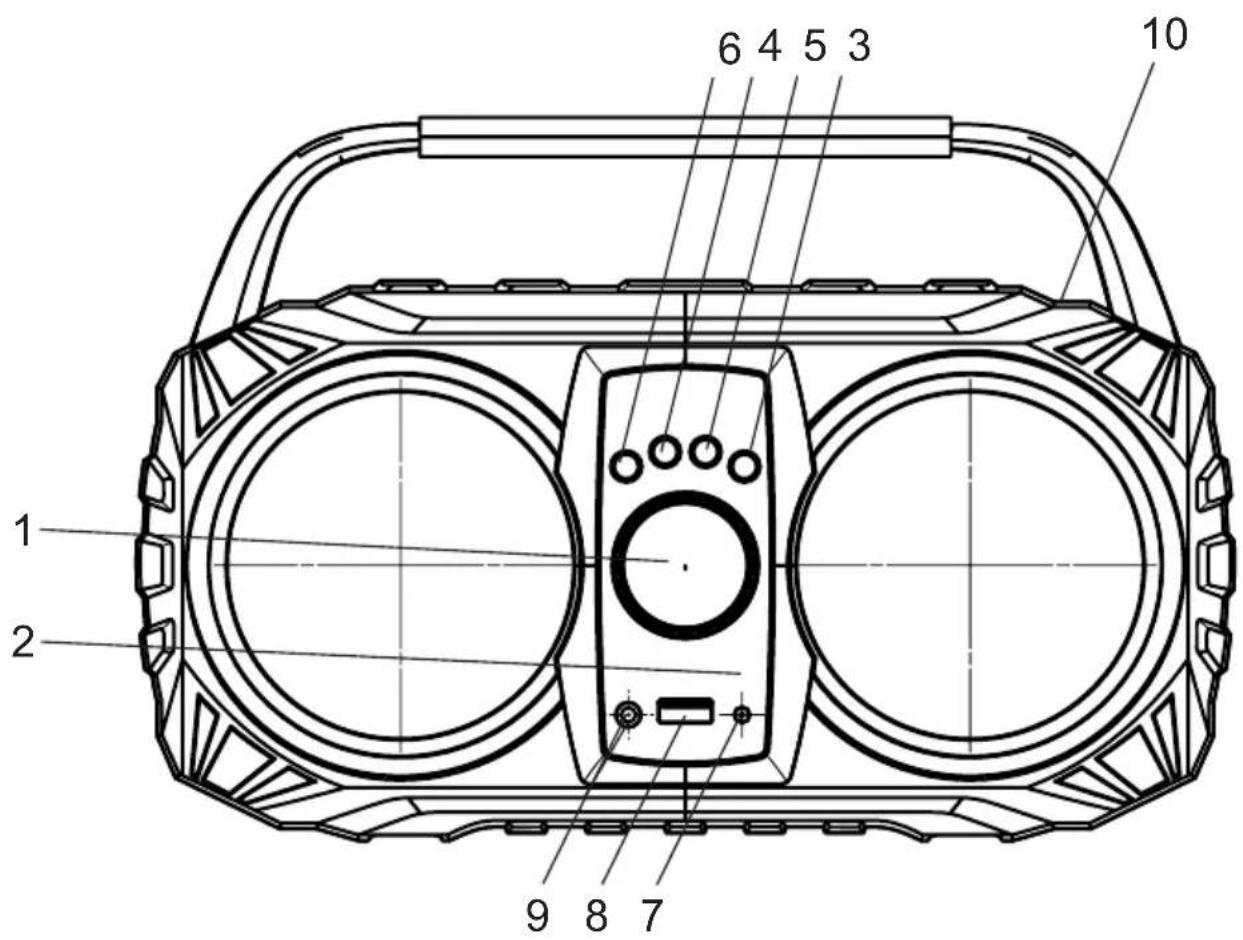
Important notes
- Use in accordance with the instruction manual.
- Do not install the device near any heat sources such as radiators, heat registers, stoves or other apparatus (including amplifiers) that generate heat.
- Clean only with a dry cloth.
- Do not cover or obstruct ventilation holes on speakers' grill.
- Do not expose the device to dripping or splashing.
- Use only original accessories specified by manufacturer.
- This product is not a toy, can be used by children only under supervision of adults.
- Do not expose the device to excessive heat such as sunshine, fire or the like.
- Do not use during lighting storms.
- Do not expose the device to electromagnetic radiation.
- In order to prevent hearing loss, do not listen to music for prolonged periods of time.
- Remember to do not use electronic devices in distance smaller than 10cm from pacemaker.

Hereby, 2N-Everpol Sp. z o.o., declares that this equipment is in compliance with the essential requirement and other relevant provisions of Directive 2014/53/EU. Declaration of conformity can be obtained from the product page at wResponsible Party: 2N-Everpol Sp.z o.o., Puławska 403A, 02-801 Warsaw, Poland, Phone: +48 22 331 99 59, E-mail: info@prime3.eu.
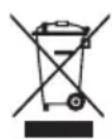
When this crossed-out wheeled bin symbol is attached to a product it means that the product is covered by the European Directive 2012/19/EU. Please inform yourself about the local separate collection system for electrical and electronic products. Used appliance should be delivered to the dedicated collecting points due to hazardous components, which may affect the environment. Do not dispose this appliance In the common waste bin.
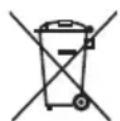
Your product contains batteries covered by the European Directive 2006/66/EG, which cannot be disposed with normal household waste. Please inform yourself about the local rules on separate collection of batteries because correct disposal helps to prevent negative consequences for the environmental and human health.

Your products is designed a manufactured with high quality materials and components, which can be recycled and reused.

Bluetooth™
Recording and playback of material might require consent. See Copyright Act 1956 and The Performer's Protection Acts 1958 to 1972. The Bluetooth® word mark and logos are registered trademarks owned by Bluetooth SIG, Inc. and any use of such marks by us is under license. Other trademarks and trade names are those of their respective owners.
Many thanks for buying our product. This model includes below main features.
- Bluetooth function for audio streaming playback.
• Built-in rechargeable battery. - PLL FM radio with presets memory (up to 99 stations).
- MP3/WMA playback function.
- Aux playback function.
- USB slot.
List of controls:
This unit had built-in rechargeable lithium battery inside. Before start the playing, please follow up below step for charging.
- Using the supplied USB cable to connect the speaker with your USB charger (USB adaptor or USB output port like on PC, USB rating output: 5V, 500mA, other USB charger with current between 500mA-1A). The connector should be connected with the DC 5V power jack on the front panel of speaker, and another terminal connect with USB charger. Then plug your USB charger into the household AC power.
- The charging LED will light on in red colour during charging, and the red colour LED will off when the battery is fully charged.
- The speaker will switch off automatically when the battery powers exhausted please arrange recharge for playing.
Important: We recommend connect the USB charger with rating output spec at DC 5V/500mA, or between 500mA-1A current USB power. The general USB output on PC (personal computer) is 5V/500mA (please reference your PC spec for checking). There may have some charging noise or abnormal function from speaker if the charging current is too low. If it happened, please remove the charging power and put the speaker in a while, then the speaker will reset the function in normal. Please kindly note this is not malfunction.
Notes:
Your battery lifetime will last longer if you follow up below simple guidelines for charging and storing.
a. For charging first time, charge it at least 10 hours.
b. Recharge and store the unit within the temperature range of 5°C\~35°C (40°F\~95°F).
c. Do not charge longer than 24 hours. Excessive charging or discharging may shorten the battery's life.
d. Battery life naturally shortens slowly over time.
e. Please turn off the speaker if long time not to use. f. he speaker can play music during charging.
g. Due to prolong charging and discharging, the unit battery life will be affected and playback time will also be shortened. We cannot guarantee the same playback consistently throughout and this is not include in our warranty and service.
Bluetooth operation
The speaker includes Bluetooth function which allows you to wireless playback the audio with other Bluetooth device like smart phone etc. Please follow up below for the operation:
- Power on the unit by rotating the volume knob on the front panel of the device clockwise. The "Blue" writing on the display will flare quickly which means the speaker is ready to pair with other device.
- Enable the Bluetooth function on your Bluetooth device, and search the available Bluetooth device (please reference your device manual for the operation).
- Check the available Bluetooth device on the menu list of your device, and select "P3_NEON" in order to start pairing. Please key-in "0000" (4 zero) in case of a password required during pairing. The "Blue" writing becomes stable when the pairing is successful.
- Select and play the music on your Bluetooth device. Then the sound will output from speaker.
- During Bluetooth playback, use the external device or speaker controls to adjust volume or change files.
- Short press Skip/forward button to skip to the next track.
- Short press Skip/backward button to return to the previous track.
Notes:
a. All Bluetooth devices are not guaranteed to pair successfully due to different design and brand.
b. The Bluetooth best working distance is within 10 meters without any obstacle in between.
c. In case the speaker does not pair with other device successfully and no further operation, the speaker auto off after about 10 minutes, please power on the unit again for operation.
FM radio operation
- Before listen to the radio, please try to move the unit next to the window as you can, and put the FM antenna up to get better reception.
- Power on the unit by rotating the volume knob on the front panel of the device clockwise, and short press the Mode button to enter FM radio mode.
- Short press the Play/Pause button to auto-scan and save the available FM station; short press it again to stop scanning.
- Press Skip forward button to select next preset station.
- Press Skip backward button to select the last preset station.
· In FM mode, you can press Mode button to switch to a different source. - Switch off the device by rotating the volume knob on the front panel of the device anticlockwise, once you finished using it.
AUX IN
Using the Aux cable connect the AUX jack on the speaker rear panel with the line out or headphone jack on any other external audio player like mp3 player etc. Power on the speaker and short press the Mode button to enter the AUX IN playback mode; select and play the music from your external audio player, then the sound will output from the speaker.
Notes:
· In AUX IN mode, the main control is on external audio player side or front panel of the device.
- AUX IN mode is available only after connecting AUX cable.
USB
- Plug in USB mass storage to a USB slot on the front panel of the device.
- Press Skip/backward button to return to the previous track.
- Press Skip/forward to skip to the next track.
Please make sure your USB device is FAT16 or FAT32 file system, and your music file is MP3 format.
Important notes: The max supported USB device is 32GB. An extent USB cable for playing connection is not recommend, because that will impact the audio signal input.
Trouble shooting
- The unit cannot power on.
a. Please charge the unit and try again.
b. Please contact the service centre if the issue remains. - There is no or intermittent sound output in Bluetooth mode. a. Please turn off the Bluetooth, and re-pair with the speaker.
a. Please put your Bluetooth device closer to the speaker. - No available FM station or background noise in FM.
a. Please plug on the 3.5mm stereo audio cable and re-scan the available FM station.
b. Please tune to another FM station for listening.
c. Please try to move the unit next to the window in order to get better reception.
Specification:
Power source: DC5V, 500mA; (or DC 5V, rating current between 500mA-1A)
Bluetooth version 4.2, best working distance within 10 meters
FM Radio with 99 memory presets
USB playback- support music formats: MP3, WMA (not guarantee all such files)
AUX IN
FM Frequency: 87.5\~108.00MHz
Output power: 10W
Battery power: 3600mAh, 3.7V rechargeable li-ion battery
Charging time: approximately 4 hour based on DC5V, 500mA input.
Music playback time: \~7 hours.
Accessory: 1 pcs x USB charging cable
Dimensions: 265x105x180mm
Weight: 1,26kg
(The above specs may update without prior notice)
WICHTIGE INFORMATIONEN
02-801 Warsaw, Poland
phone: +48 22 331 99 59
e-mail: info@prime3.pl
www.prime3.pl
In case of questions or problems
please contact our service.
Tel. 00 48 22 331 99 54
E-mail: info@prime3.pl
All rights reserved. All brand names are registered trademarks of their
respective owners. Specifications are subject to change without prior notice.
Brand : PRIME3
Model : APR71
Category : Uncategorized