SFH71 - Uncategorized PRIME3 - Free user manual and instructions
Find the device manual for free SFH71 PRIME3 in PDF.


| Brand | PRIME3 |
| Model | SFH71 |
| Product Type | Uncategorized Electronic Device |
| Dimensions (approx.) | 15 cm x 10 cm x 5 cm |
| Weight (approx.) | 0.5 kg |
| Power Supply | 100-240V AC, 50/60Hz |
| Power Consumption | 15 W (typical) |
| Main Functions | Basic operation, on/off, mode selection (if applicable) |
| Control Type | Push buttons or rotary knob (user manual needed) |
| Display | LED indicators (if applicable) |
| Material | ABS plastic, metal components |
| Cable Length | 1.5 m (approx.) |
| Operating Temperature | 5°C to 40°C |
| Storage Temperature | -20°C to 60°C |
| Humidity Range | 10% to 90% RH (non-condensing) |
| Maintenance | Wipe with a dry, soft cloth. Do not use abrasive cleaners. |
| Safety | Do not expose to water or moisture. Keep away from heat sources. |
| Spare Parts Availability | Contact manufacturer or authorized service centers |
| Repairability | User-replaceable parts: none. Professional repair recommended. |
| Warranty | 1 year (check specific conditions in manual) |
| Certifications | CE, RoHS (typical) |
Frequently Asked Questions - SFH71 PRIME3
User questions about SFH71 PRIME3
0 question about this device. Answer the ones you know or ask your own.
Ask a new question about this device
Download the instructions for your Uncategorized in PDF format for free! Find your manual SFH71 - PRIME3 and take your electronic device back in hand. On this page are published all the documents necessary for the use of your device. SFH71 by PRIME3.
USER MANUAL SFH71 PRIME3
natural_image
Exterior view of a black EPRIME3 electric heating fan with visible grille and control knobs (no text or symbols on device body)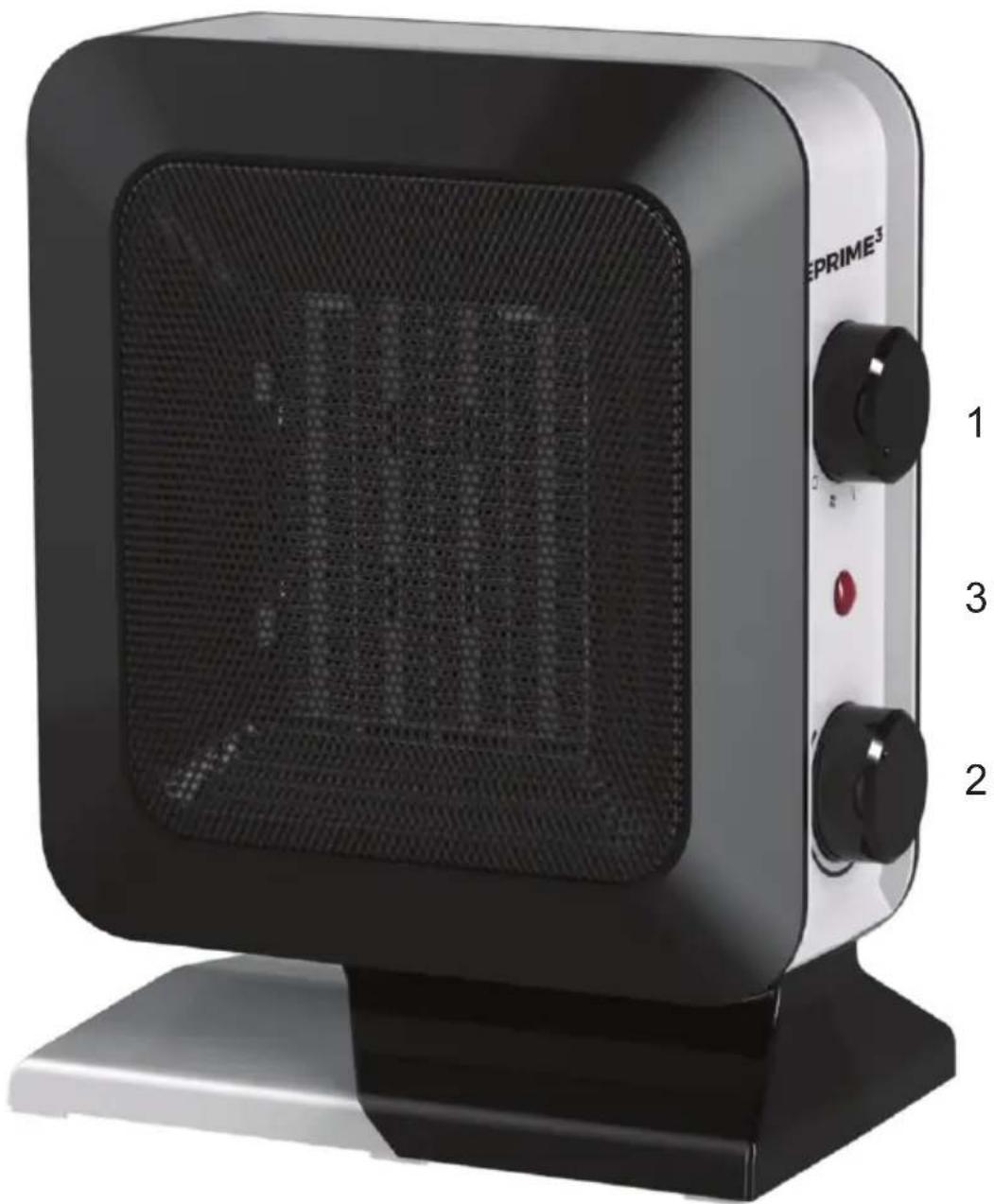
natural_image
Exterior view of a black EPRIME³ electric heating power supply unit (no visible text or symbols on the device body)Important notes
Before using this device read the instruction manual and follow the instructions inside. The manufacturer is not liable for any damages caused by the misuse of this device due to inappropriate handling. Please keep this manual for future reference.
- This device is for domestic use only. Do not use for any other purposes.
- The device should only be connected to an socket with values corresponding to the values on the rating label.
- It is necessary to check, if total current consumption of all devices plugged into the wall outlet does not exceed the fuse in the circuit.
- If you are using an extension cord, make sure that the total power consumption of the equipment plugged into the extension cord does not exceed the extension cord power rating. Extension cords should be arranged in such a way as to avoid tripping hazards.
- Do not let cord hang over edge of counter, or touch any hot surface.
- The device is not designed to be controlled via an external timer, separate remote control, or other equipment that can turn the device on automatically.
- Before maintenance work always disconnect the unit from the power supply.
- When unplugging the power cord from electrical outlet, hold it by the plug only and remove the plug carefully. Never pull the cable as it may cause damage to the plug or power cord. Damage to the power cord or plug can lead to an electrocution hazard.
- Never leave the product connected to the power source without supervision.
- Never put the power cable, the plug or the whole device into the water or any other liquids.
- The device should be cleaned regularly complying with the recommendations described in the section on cleaning and maintenance.
- Do not place the device near sources of heat, flame, an electric
heating element or a hot oven. Do not place on any other device.
- This equipment can be used by children aged 8 years and over under as long as supervision is provided. People with reduced physical or mental capabilities, as well as people with no previous experience of using this equipment must be supervised and made aware of the risks. The instruction manual should be used as a reference for the safe use of this equipment. Children should not play with the equipment. Children without ensured supervision should not be allowed to perform the cleaning and maintenance of equipment.
- Additional precautions should be taken when using this device in the presence of children or pets. Do not allow children to play with the device.
- Never use the product close to combustibles.
- Never expose the product to atmospheric conditions such as direct sun light or rain, etc. Never use the product in humid conditions (like bathroom or camping house).
- The power cable should be periodically checked for damage. If the power cable is damaged the product should be taken to a professional service location to be fixed or replaced to prevent any hazards from arising.
- Never use the product with a damaged power cable or if it was dropped or damaged in any other way or if it does not work properly. Do not try to repair the defected product by yourself as it can lead to electric shock. Always return the damaged device to a professional service in order to repair it. All the repairs should only be performed by authorized service professionals. Any attempted unauthorised repairs performed can be a hazard to the user.
- Only Original accessories should be used, as well as accessories recommended by the manufacturer. Using accessories which are not recommended by the manufacturer may result in damage of the device and may render the device unsafe for use.
-
Notice: Do not cover the device or obstruct air inlets or outlets of the heater.
-
Do not use in rooms below 6m2.
- Do not use in areas with increased humidity, bathrooms, showers etc.
- Remember to maintain a 50 cm distance from furniture, curtains or other objects when using the heater.
- Heater can operate only in vertical position.
- Always turn the thermostat controller to minimum and switch the heater off before unplugging the device.
- This product is only suitable for well-insulated spaces or occasional use.

Device is compliant with EU directives:
- Low voltage directive (LVD)
- Electromagnetic compatibility (EMC)
Device marked CE mark on rating label
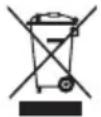
When this crossed-out wheeled bin symbol is attached to a product it means that the product is covered by the European Directive 2012/19/EU. Please inform yourself about the local separate collection system for electrical and electronic products. Used appliance should be delivered to the dedicated collecting points due to hazardous components, which may affect the environment. Do not dispose this appliance In the common waste bin.
TECHNICAL SPECIFICATIONS OF THE APPLIANCE
IInput voltage: 220-240V\~50Hz
Output power: 1400W
-
On/Off knob.
-
Thermostat regulation knob.
-
LED indicator.
SAFETY FEATURES
-
In case of overheating, thermostat will turn off the device. Unplug the heater and wait until it cools down. Find the cause of overheating. Heater can be plugged in and switched back on after cooling down.
-
If the device tips over, a safety switch will automatically switch it off. Put it back in vertical position in order to switch it on.
Use
Fan heater has 3 settings:
- Cool blow (only fan is operating)
2.700W (medium heat)
- 1400W (maximum heat)
Thermostat allows adjusting the temperature of heating. Fan heater will maintain the chosen temperature.
CLEANING AND MAINTENANCE
Before cleaning the heater make sure that it has been switched off, unplugged from the power socket. Make sure the device has cooled down sufficiently.
Air inlets and outlets should be free of dust. Clean with dump cloth and wipe dry.
WICHTIGE INFORMATIONEN
natural_image
Black and white photo of a hand holding a three-pin electric shaver (no text or symbols visible)SRS11
natural_image
Close-up of a black and white hairbrush with a metallic clip, mounted on a base (no text or symbols visible)STR11
natural_image
Close-up of a modern air purifier with ventilation grille and control knob (no text or symbols visible)SAP21
natural_image
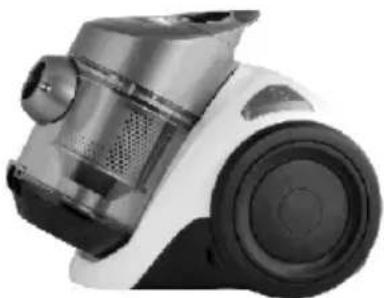
Close-up of a white and black vacuum cleaner with visible speaker grille and control panel (no text or symbols)SVC31
PRIME ^3
2N-Everpol Sp. z o.o.
ul. Pulawska 403A
02-801 Warsaw, Poland
phone: +48 22 331 99 59
e-mail: info@prime3.pl
www.prime3.pl
In case of questions or problems
please contact our service.
Tel. 00 48 22 331 99 54
E-mail: info@prime3.pl
All rights reserved. All brand names are registered trademarks of their
respective owners. Specifications are subject to change without prior notice.
Brand : PRIME3
Model : SFH71
Category : Uncategorized