WK250S - Kitchen scale Eldom - Free user manual and instructions
Find the device manual for free WK250S Eldom in PDF.


| Type of product | Digital kitchen scale with measuring cup |
| Brand | Eldom |
| Model | WK250S |
| Power supply | 2x AAA batteries (1.5V each) |
| Maximum weight | 5000 g |
| Maximum volume | 1.5 L |
| Weight accuracy | 1 g (g mode), 1/8 oz (lb-oz mode), 1/8 cup (cup mode) |
| Measurement accuracy (overall) | ±15 g |
| Measurement functions | Weight and volume (water, milk, oil, flour) |
| Unit options | g, lb-oz, ml, fl-oz, cups |
| Tare function | Yes, via [ZERO] button |
| Container material | Plastic |
| Container removable | Yes, via blockade button |
| Display type | LCD |
| Auto-off | After 30 seconds standby |
| Low battery indicator | "Lo" displayed |
| Overload error | "Err" displayed |
| Cleaning container | Removable, hand wash with mild detergent |
| Cleaning base | Wipe with damp cloth |
| Dishwasher safe | No |
| Submersible | No |
| Max product temperature | 70°C |
| Storage conditions | Dark, dry place; do not press with other objects |
| Intended use | Household only, not for professional use |
| Warranty | Details in appendix |
Frequently Asked Questions - WK250S Eldom
User questions about WK250S Eldom
0 question about this device. Answer the ones you know or ask your own.
Ask a new question about this device
Download the instructions for your Kitchen scale in PDF format for free! Find your manual WK250S - Eldom and take your electronic device back in hand. On this page are published all the documents necessary for the use of your device. WK250S by Eldom.
USER MANUAL WK250S Eldom
DIGITAL MEASURING CUP SCALE
ELEKTRONICKÁ KUCHYŃSKÁ VÁHA S ODMĚRKOU
natural_image
Green and silver digital kitchen scale with a digital display (no text or symbols visible)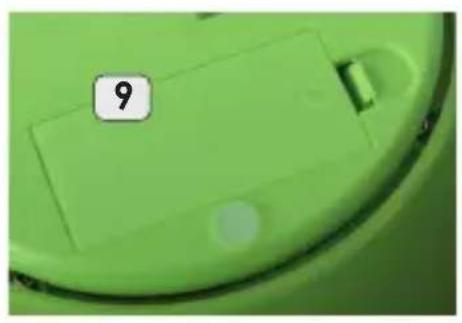
natural_image
Close-up of a green circular object with a numbered label '9' on its surface (no other text or symbols visible)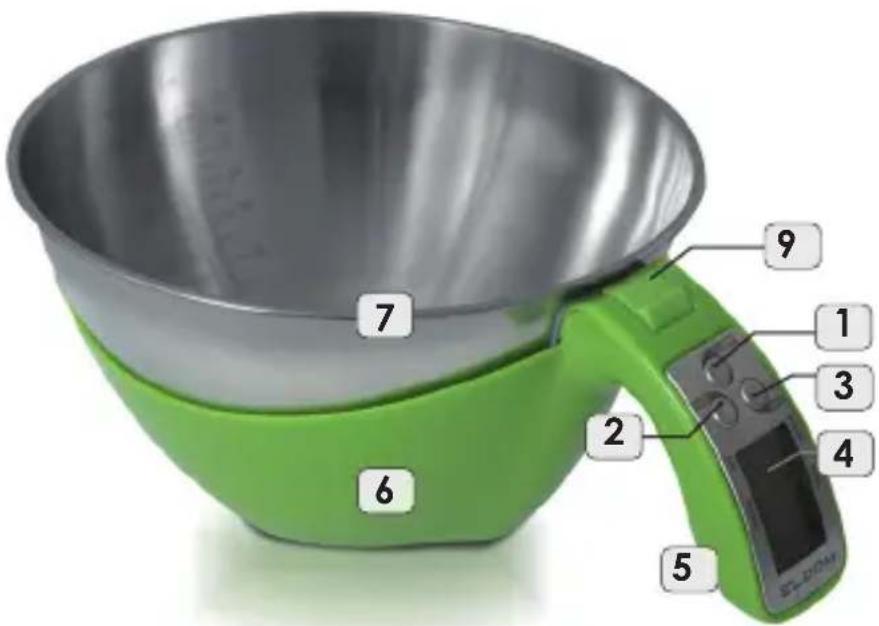
OPIS OGÓLNY
natural_image
Close-up of a green plastic container with a numbered label '9' on the lid (no other text or symbols visible)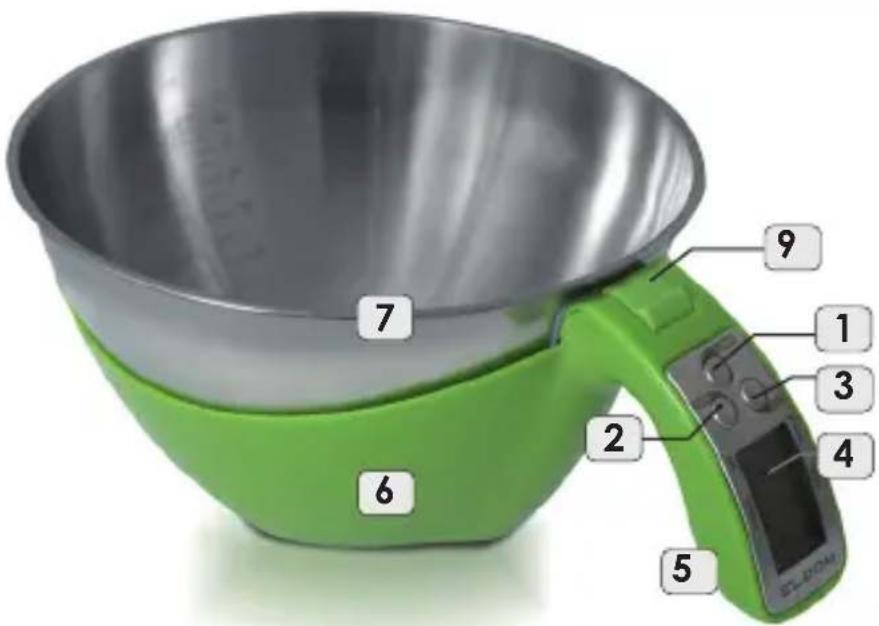
GENERAL DESCRIPTION
- Switch/tare
- [MODE] button
- selection of the product type
- [UNIT] button - change of the unit
- LCD Displayer
- Holder
- Base
- Container with a scale
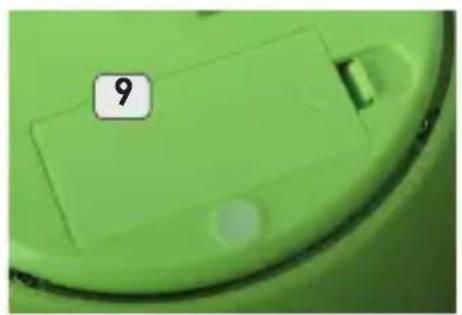
- Battery cover
- Container blockade button
TECHNICAL DATA
- power: 2xAAA
- volume: 1,5 l
- scales max: 5000g,
- exactness of the scale, depending on the selected unit of measurement: 1g, 1/8 ounce, 1/8 cup
- exactness of measurement: ±15 g
USAGE OF THE DEVICE
Electronic kitchen scales WK250S was designed with the use of the latest technologies and assemblies. It allows to make the measurement of the weight and volume of powder and liquid components of the dishes being prepared.
LAUNCH
The scales requires the power supply by means of 2 alkali batteries AAA (1,5V). The batteries belong to the equipment of the scales.
Before the first use, the batteries should be inserted.
- open the battery cover (8) located at the bottom of the device.
- insert batteries paying attention to polarisation
- close the battery cover (8)
The scales operates properly only when it is placed on a stable and flat surface.
In order to switch off the device, push the [ON/OFF] button (1) for about 3 seconds. The scales switches on automatically after 30 seconds of standby.
MEASUREMENT OF THE WEIGHT
Put the scales on a flat, hard and stable surface.
- switch on the device with single push of the button (1)
- wait until "0" appears on the displayer.
- with the [UNIT] (3) button, select the unit of the weight: grammas (g) or pounds-ounces (lb-oz)
- place the product in the container (7)
- read out the result of the measurement
MEASUREMENT OF THE VOLUME
- switch on the device with single push of the button (1)
- wait until "0" appears on the displayer
- select one of the products indicated: water, milk, oil or flour, by pushing the [MODE] (2) button a few times
- with the [UNIT] (3) button select the measurement unit. Depending on the selected type of the product, there are the following measurement units available: grammas (g), milliliters (ml), pounds-ounces (oz/floz) or cups (CUP).
- place the product in the container (7)
- read out the result of the measurement
The exactness of the indications on the displayer for pounds-ounces (lb-oz) and cups (CUP) is 1/8. In order to obtain a wider scope and larger exactness, milliliters (ml) or grammas (g) should be selected as the measurement unit and change again into pounds-ounces and cups, if need be.
NOTE: The measurement of volume is translated by the processor of the device on the basis of the weight and density of a given component. On the market, there are different types of milk, oil, sugar or flour available.
There may be certain deviations admitted in the measurement of volume depending on the type of the product available. Thus, the value of volume indicated on the displayer of the pot may be treated by orientation.
TARE (setting zero)
The device enables the measurement and mixing of different components in one container (7). In order to weigh each component separately, after putting and weighing the first component, one should apply tare function by pushing the [ZERO] (1) button. The displayer (4) will zero a given value and in its lower part, symbol "T" will be visible.
Now you can add another component. The weight or the volume of the latter is measured. Similarly, other components of a given recipe should be dealt with.
Resignation from Tare Function
In order to complete the tare function (when the displayer (4) shows "0" and symbol "T"), you should press the [ZERO] (1) button in order to restore the initial weight or volume (value before application of the tare function). The symbol "T" will disappear from the displayer.
NOTE:
- mixing the components in the container (7) is easy and comfortable, however during the activity, you should avoid pressing the bottom of the base as delicate assemblies were placed there. Extensive power of pressure on the base may permanently damage the weight, changing the results of the measurement
- temperature of the products weighed may not exceed 70^ C
Before pouring out the products from the container (7), it is recommended to take it off from the base (6).
For that purpose, the blockade button (9) should be taken away.
ERROR MESSAGES ON THE DISPLAYER
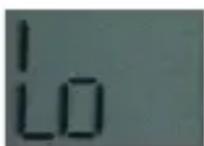
LOW BATTERY INDICATOR (Lo)
- Necessity to replace the battery is signaled with the message "Lo"
REPLACING THE BATTERY:
- Open the battery cover located on the bottom of the handle.
- Remove the battery.
- Insert a new battery (pay attention to the polarity)
- Close the cover.
Dispose of the old batteries by putting them into special containers for batteries.
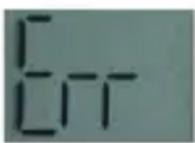
ERROR (Err)
- The device is overload. The weight of the product or the volume in the pot exceeds maximum scope of the measurement.
CLEANING AND MAINTENANCE
- the device must not be submerged in water nor cleaned in a dishwasher
- the container (7) may be cleaned under running water after taking off the base (6). For that purpose, the blockade button (9) should be taken away Clean with cold or warm water with a delicate cleaning agent.
- holder (5) and the base (6) should be cleaned with wet cloth.
- do not use strong cleaning agents nor those destroying the surface
In order to extend the life of the device, the scales should not be overload with products nor liquids, if the device is not used.
SAFETY INSTRUCTIONS
- for home use only
- keep the scale in dark and dry place
- while storing do not press with other objects
- the precision of the scales measurements depends on the way of its maintenance
- do not flop it down
- repairs can be made only by authorized service center. All modifications or use of parts other than original is forbidden and may have adverse effects on the operational safety of the appliance
- the company Eldom Sp. z o.o. shall not be liable for any damage caused by inappropriate use of the appliance
ENVIRONMENTAL PROTECTION
- the appliance is made of materials which can be recycled,
- it should be handed over to the applicable collection point for the recycling of electrical and electronic equipment
WARRANTY
- this appliance is designed for domestic use only,
- it cannot be used for professional purposes or for other than the intended use,
-improper use will nullify the guarantee.Warranty details in the appendix
ELEKTRONICKÁ KUCHYŃSKÁ VÁHA S ODMĚRKOU WK250S
natural_image
Close-up of a green circular object with a numbered label '9' on its surface (no other text or symbols visible)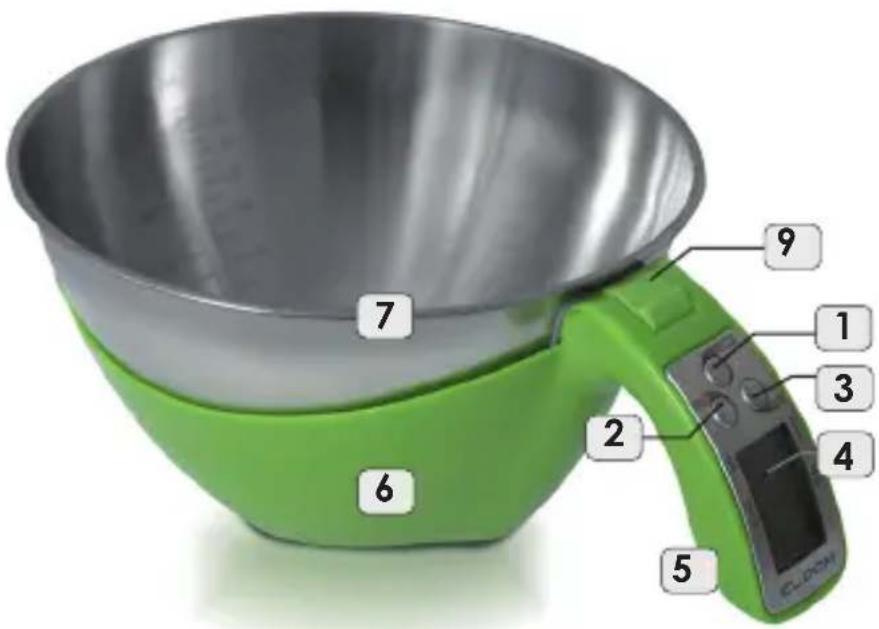
CELKOVÝ POPIS
natural_image
Close-up of a green plastic container with a white label showing the number 9 (no other text or symbols visible)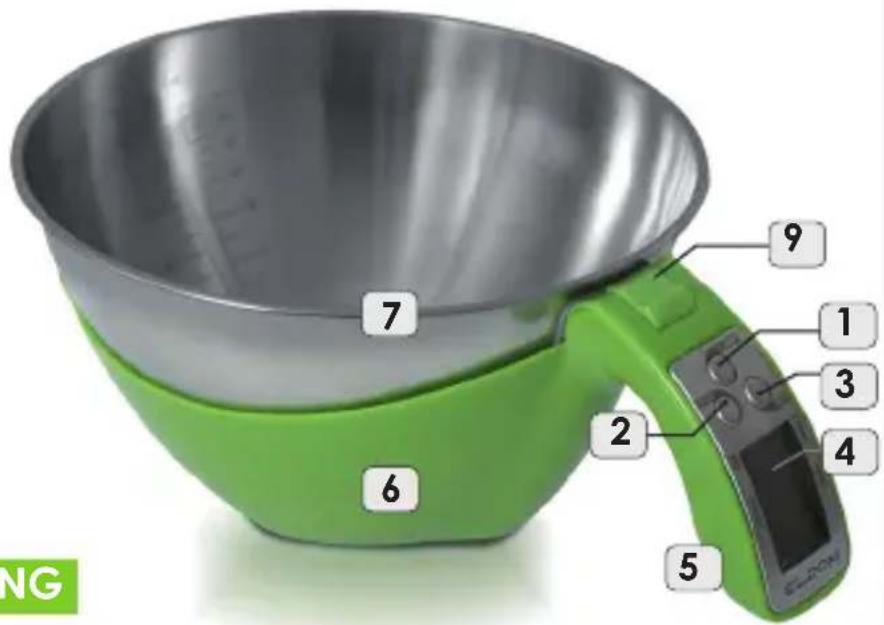
natural_image
Close-up of a green plastic container with a white label showing the number 9 (no other text or symbols visible)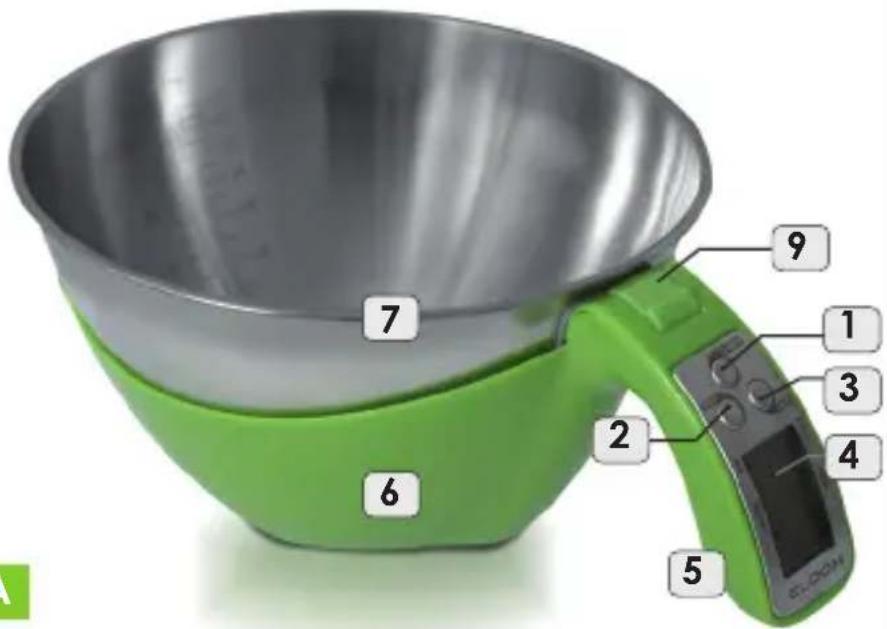
- OPIS OGÓLNY
- GENERAL DESCRIPTION
- TECHNICAL DATA
- USAGE OF THE DEVICE
- LAUNCH
- MEASUREMENT OF THE WEIGHT
- MEASUREMENT OF THE VOLUME
- TARE (setting zero)
- NOTE:
- ERROR MESSAGES ON THE DISPLAYER
- LOW BATTERY INDICATOR (Lo)
- ERROR (Err)
- CLEANING AND MAINTENANCE
- SAFETY INSTRUCTIONS
- ENVIRONMENTAL PROTECTION
- WARRANTY
- ELEKTRONICKÁ KUCHYŃSKÁ VÁHA S ODMĚRKOU WK250S
- CELKOVÝ POPIS
Brand : Eldom
Model : WK250S
Category : Kitchen scale