WiFi Single Switch - Home Automation Evolveo - Free user manual and instructions
Find the device manual for free WiFi Single Switch Evolveo in PDF.


| Product Type | Smart WiFi Switch |
| Model | WiFi Single Switch |
| Brand | Evolveo |
| Category | Home Automation |
| Dimensions | 4.5 x 4.5 x 2.5 cm |
| Weight | 50 g |
| Power Supply | AC 100-240V, 50/60Hz |
| Maximum Load | 10 A (resistive) |
| Connectivity | Wi-Fi 802.11 b/g/n, 2.4 GHz |
| App Control | Via Evolveo Smart Life app |
| Voice Control | Compatible with Amazon Alexa, Google Assistant |
| Main Functions | Remote on/off, scheduling, timer, scene control |
| Material | Flame retardant ABS plastic |
| Safety Protection | Overload and overheat protection |
| Operating Temperature | 0°C to 40°C |
| Humidity | ≤ 80% RH (non-condensing) |
| Maintenance | Wipe with a dry, soft cloth; avoid water and solvents |
| Repairability | No user-serviceable parts; contact support for issues |
| Certifications | CE, RoHS |
Frequently Asked Questions - WiFi Single Switch Evolveo
User questions about WiFi Single Switch Evolveo
0 question about this device. Answer the ones you know or ask your own.
Ask a new question about this device
Download the instructions for your Home Automation in PDF format for free! Find your manual WiFi Single Switch - Evolveo and take your electronic device back in hand. On this page are published all the documents necessary for the use of your device. WiFi Single Switch by Evolveo.
USER MANUAL WiFi Single Switch Evolveo
natural_image
White rectangular electronic device with three vertical lines and a small green indicator on the front face (no text or symbols visible)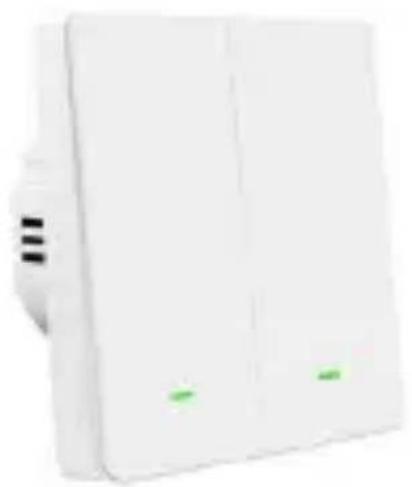
natural_image
White rectangular electronic device with two green indicator lights on the side (no visible text or symbols)CZ
SK
EN
HU
RO
DE
IT
SI
BEZPEČNOSTNÍ UPOZORNĚNÍ A POKYNY
Obecná upozornění:
VAROVÁNÍ: NEBEZPEČÍ ÚRAZU ELEKTRICKÝM PROUDEM
3) Odstraňte panel
natural_image
Line drawing of a device with a hand inserting a cable into a housing (no text or symbols)4) Montáž vypínače
5) Připevněte panel
natural_image
Line drawing of two hands holding a tablet device (no text or symbols)6) Zapněte jistič
Smart Life
Tuya
Copyright © Abacus Electric, s.r.o.
www.evolveo.com
www.facebook.com/EvolveoCZ
BEZPEČNOSTNÉ UPOZORNENIA A POKYNY
Všeobecné upozornenia:
VAROVANIE: RIZIKO ÚRAZU ELEKTRICKÝM PRÚDOM
3) Odstraňte panel
Odstráňte kryt spínacieho panela.
natural_image
Line drawing of a hand inserting a cable into a device component (no text or symbols)5) Pripevnite panel
natural_image
Line drawing of two hands holding a tablet device (no text or symbols)6) Zapnite istič
Zapnite istič a otestujte funkčnost' spínača.
STIAHNITE SI APLIKÁCIU A SPÁRUJTE JU
Smart Life
Tuya
- Otvorte aplikáciu Smart Life a zaregistrujte sa (ak ste sa ešte nezaregistrovali).
- Pripojte mobilný telefón k sieti WiFi 2,4 GHz.
-
Po pripojení k napájaniu bude prepínač blikat' červenou farbou, čo znamená, že je v režime párovania.
-
Ak uplynie interval párovania, stlačte tlačidlo na vypínači na 5 sekúnd.
- Otvorte aplikáciu Smart Life a t'uknite na modré "+" v pravom hornom rohu a vyhl'adajte inteligentný vypínač "Single Switch" alebo "Dual Switch" výberom položky "Pridat' zariadenie" v časti "Elektrické" → "Vypínač (Wi-Fi)" alebo použite funkciu automatického vyhl'adávania zariadení.
- Potom postupujte podl'a pokynov v aplikácii
RESET
Stlačte a podržte tlačidlo napájania na 5 sekúnd.
RIEŠENIE PROBLÉMOV
The smart switch is used to control the lights in the house at any time and from anywhere using a mobile app. It has options such as remote control of lights, integration with voice assistants, or time scheduling. The Smart Switch is a modern and safe solution for the smart home.
THE MOST UP-TO-DATE VERSION OF THE USER MANUAL
Due to the ongoing innovation of EVOLVEO products
and changes in legislation, you can always find the most up-to-date version of this user manual on the website
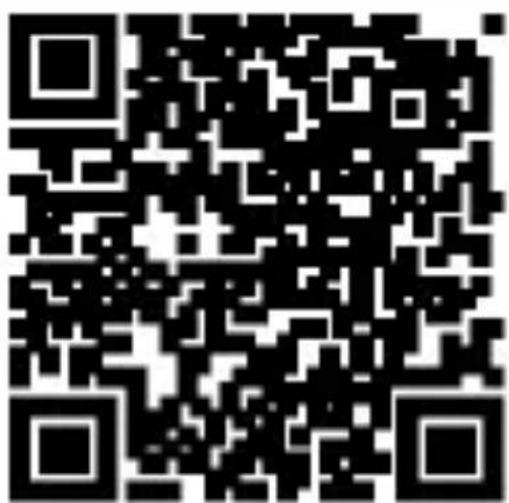
www.evolveo.com, or by simply scanning the QR code shown below with your mobile phone:

SAFETY WARNINGS AND INSTRUCTIONS
General warnings:
- It must not be used in areas where 6 A circuit breakers are present.
PACKAGING CONTENT
- Switch
- Bolts
- User manual
SPECIFICATIONS
- Voltage range: AC 100 - 240 V \~ 50/60Hz
• Maximum switching load: 500 W/switch
• Maximum current: 10 A / 250 V
• Power line: live/neutral (500 W/switch) - Material: Flame retardant V0, class PC
- Connection: Wi-Fi 2.4GHz + BT
• Size: 86 × 86 × 35 mm - Weight: 126 g
• LED indicator: green/red
DEGREE OF PROTECTION AGAINST ELECTRIC SHOCK:
Class II - Protection against electric shock is provided by double or reinforced insulation.
INSTALLATION

WARNING: RISK OF ELECTRIC SHOCK
This appliance must only be installed by a qualified person. Improper installation may result in injury or damage to the appliance.
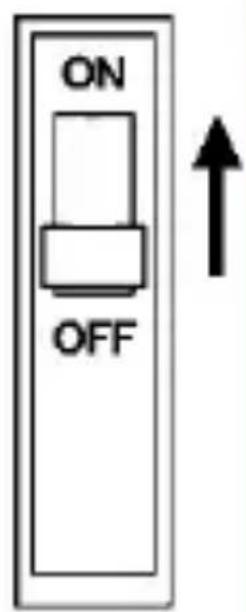
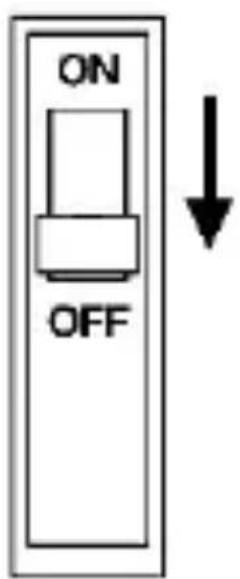
1) Turn off the circuit breaker
Turn off the circuit breaker and use an electrical tester to test that the power is off.
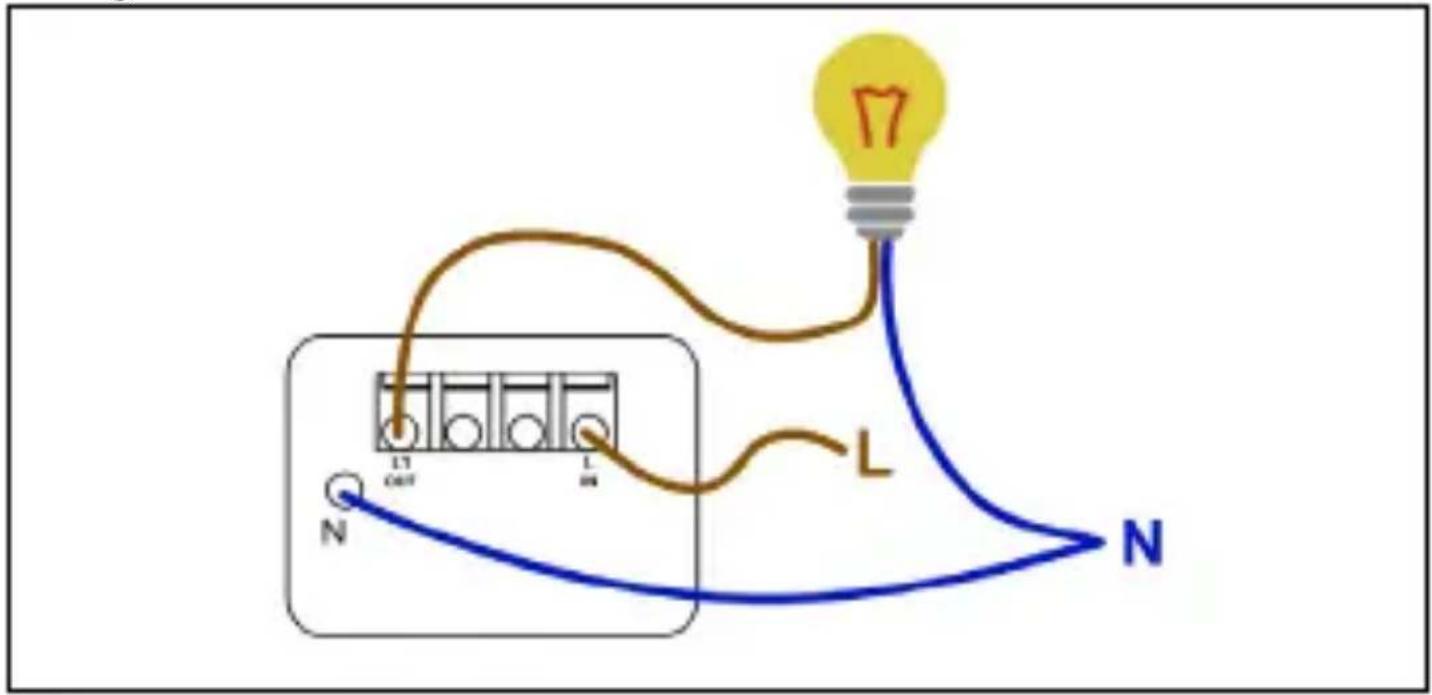
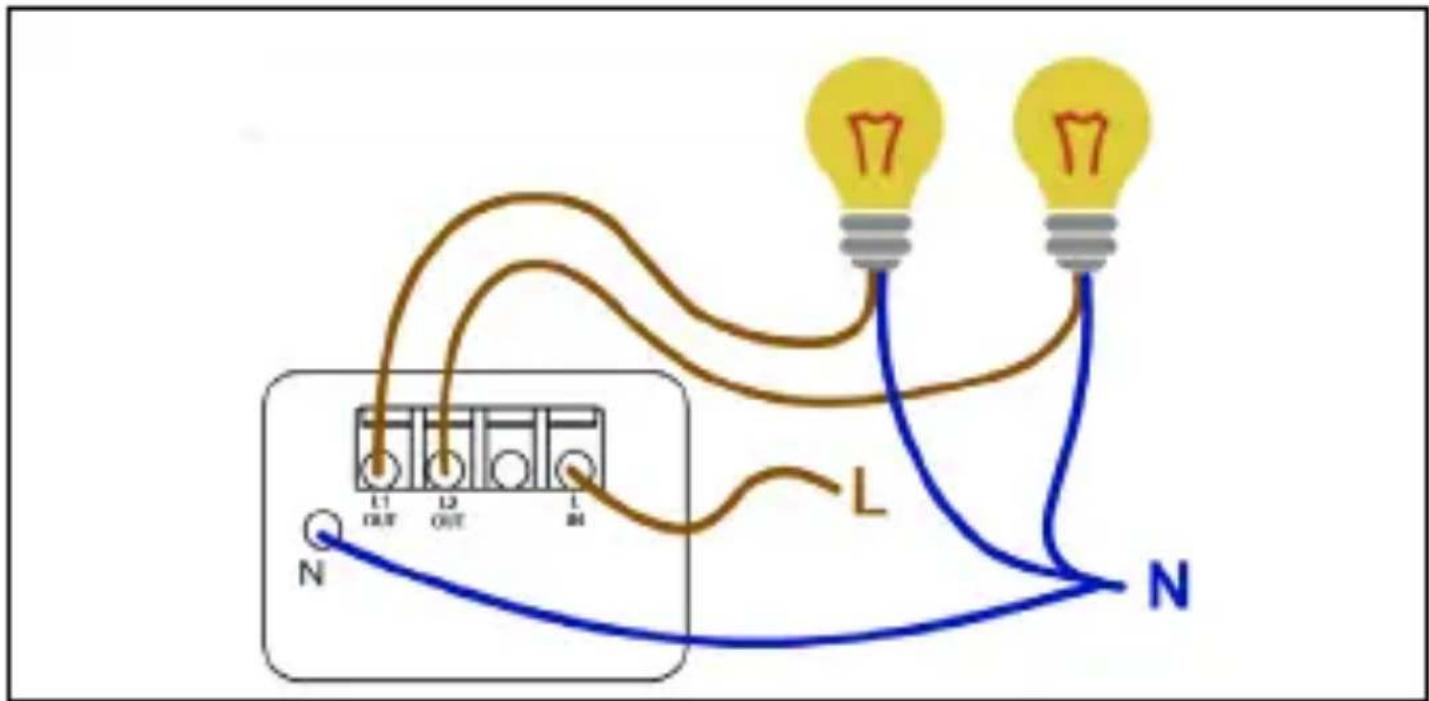
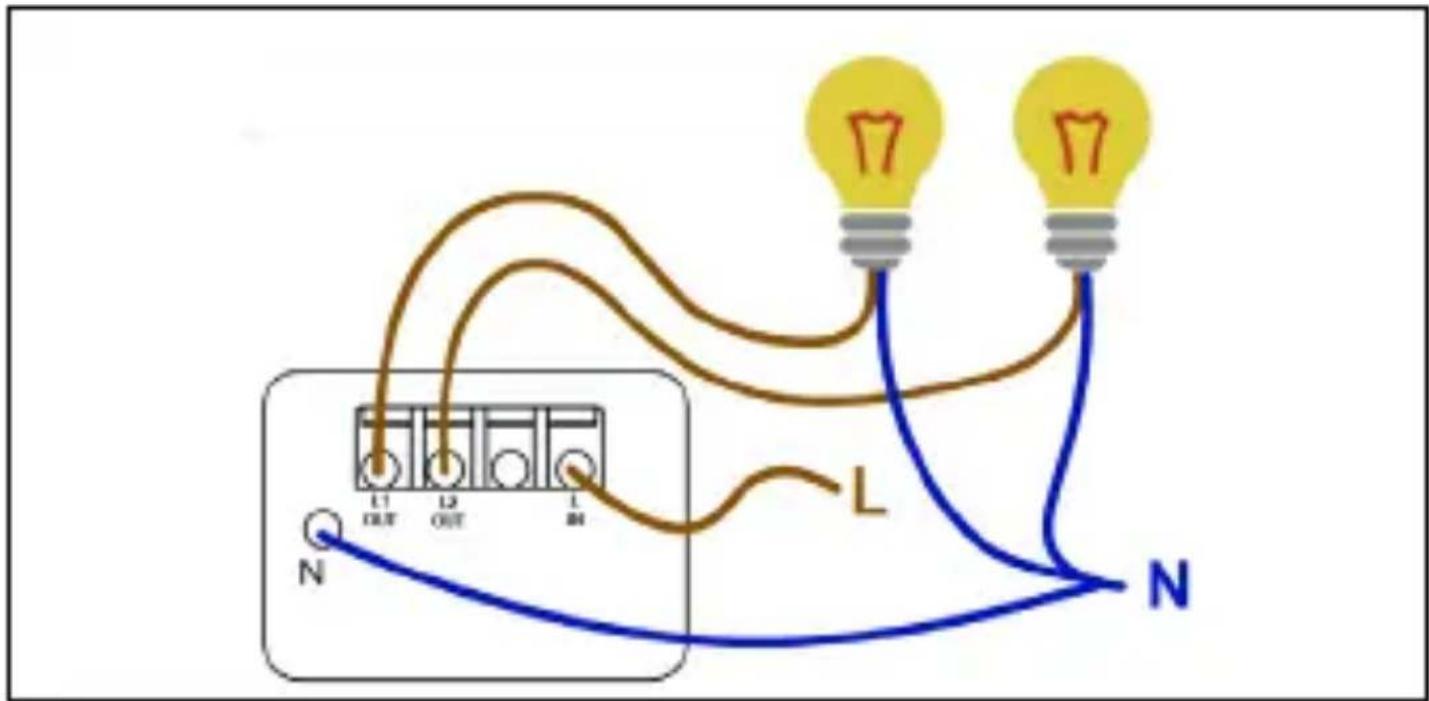
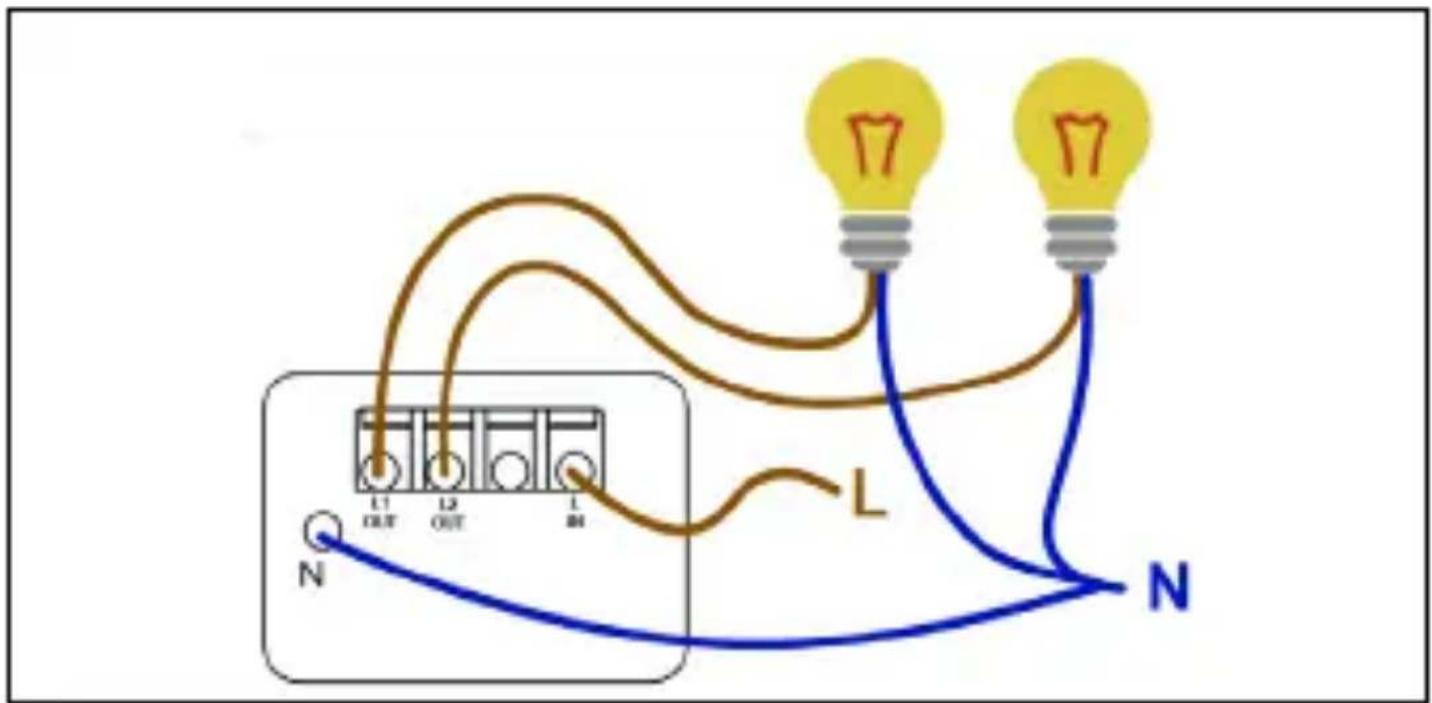
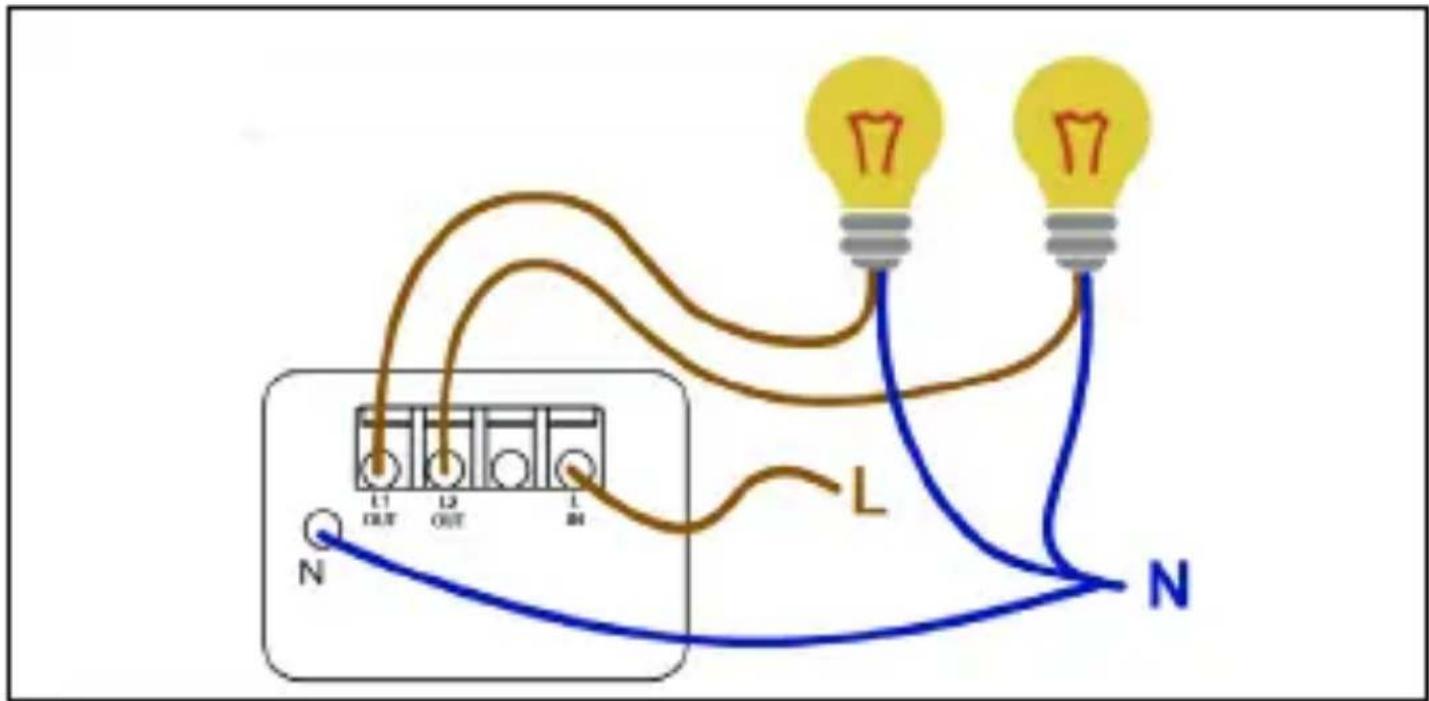
2) Wiring diagram
Single Switch
Dual Switch
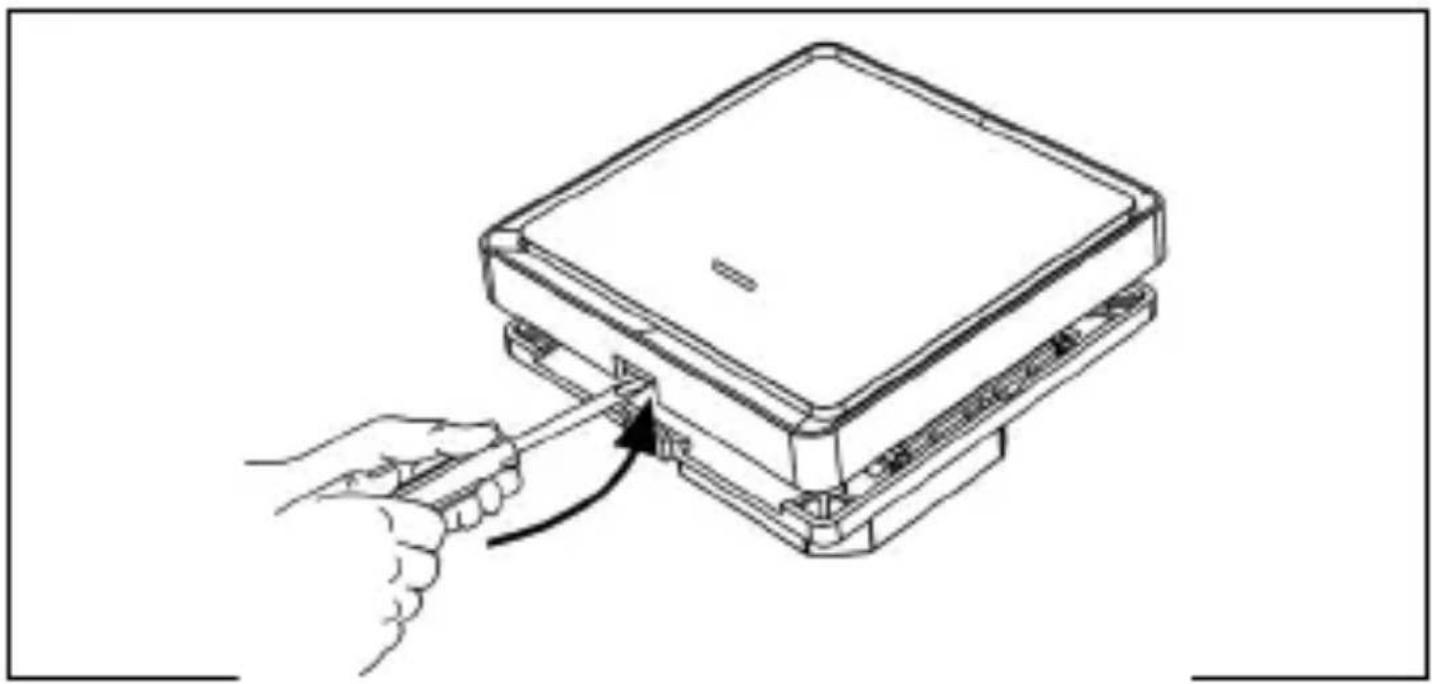
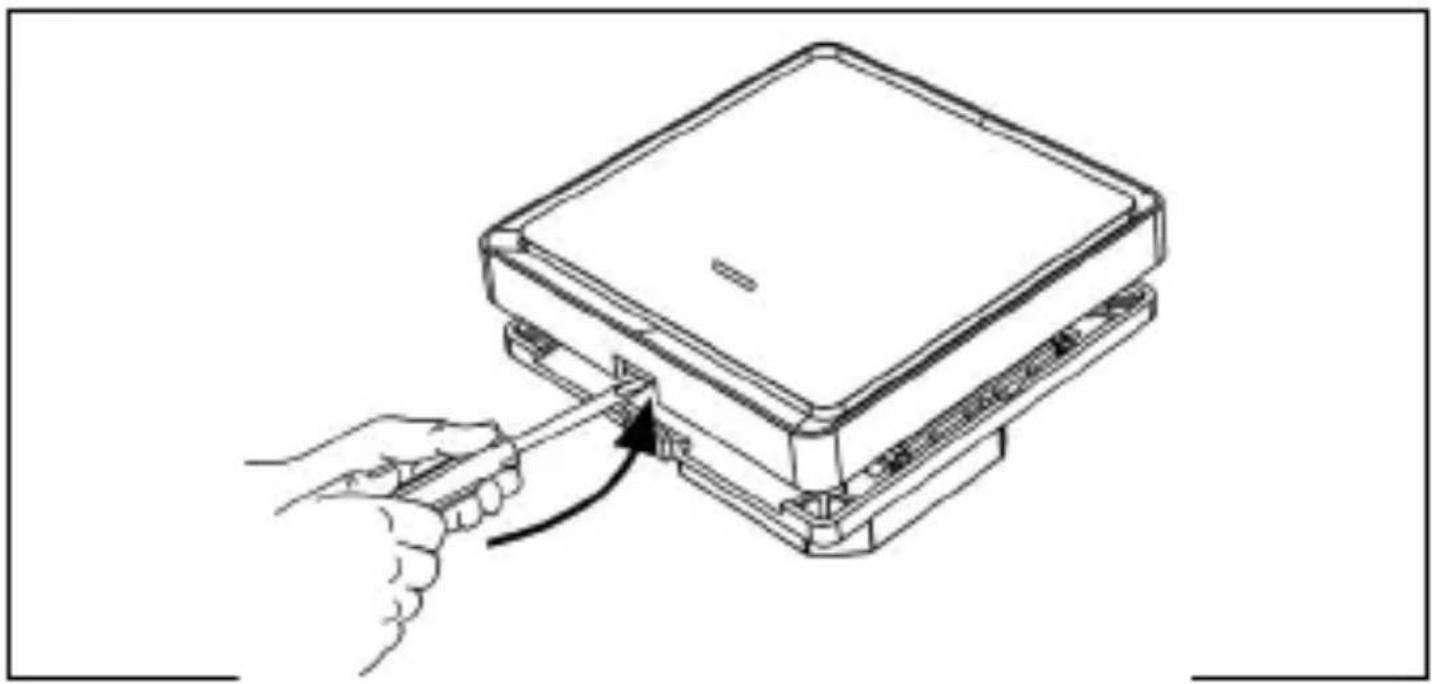
3) Remove the panel
Remove the switch panel cover.
natural_image
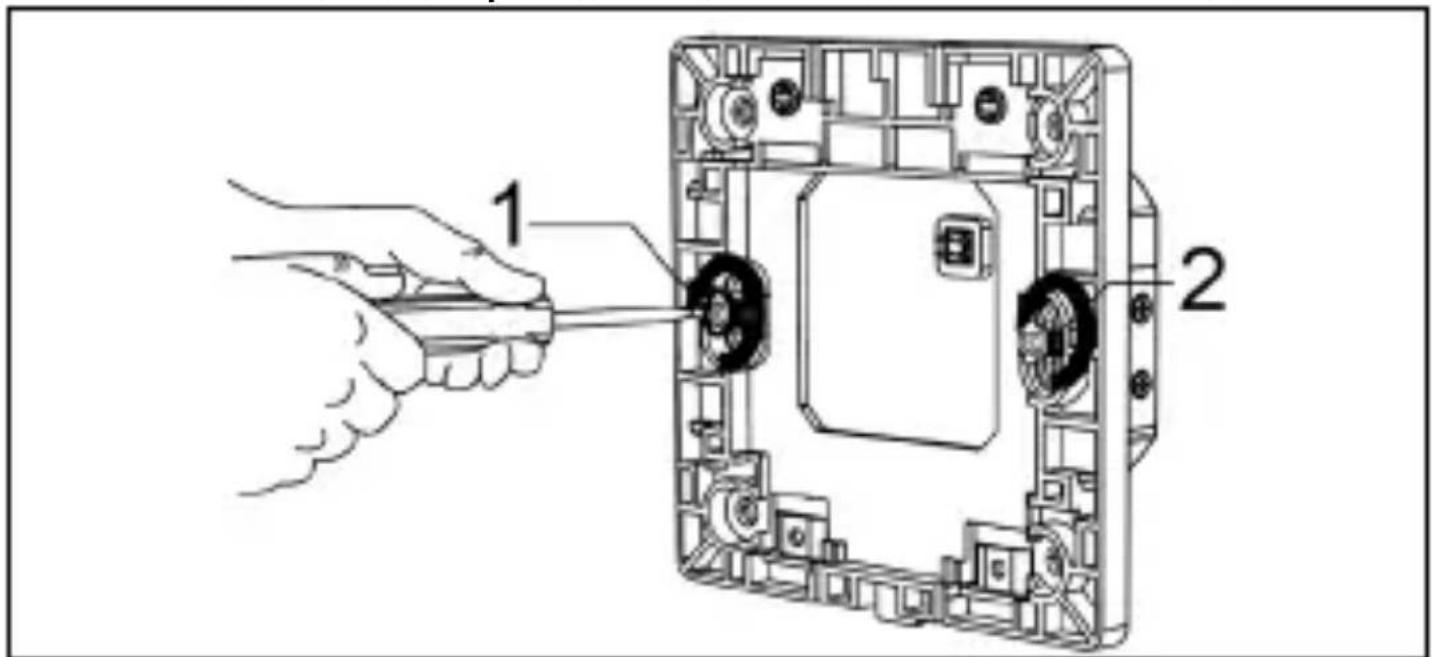
Line drawing of a hand inserting a cable into a device component (no text or symbols)4) Switch installation
Use the screws provided to secure the switch.
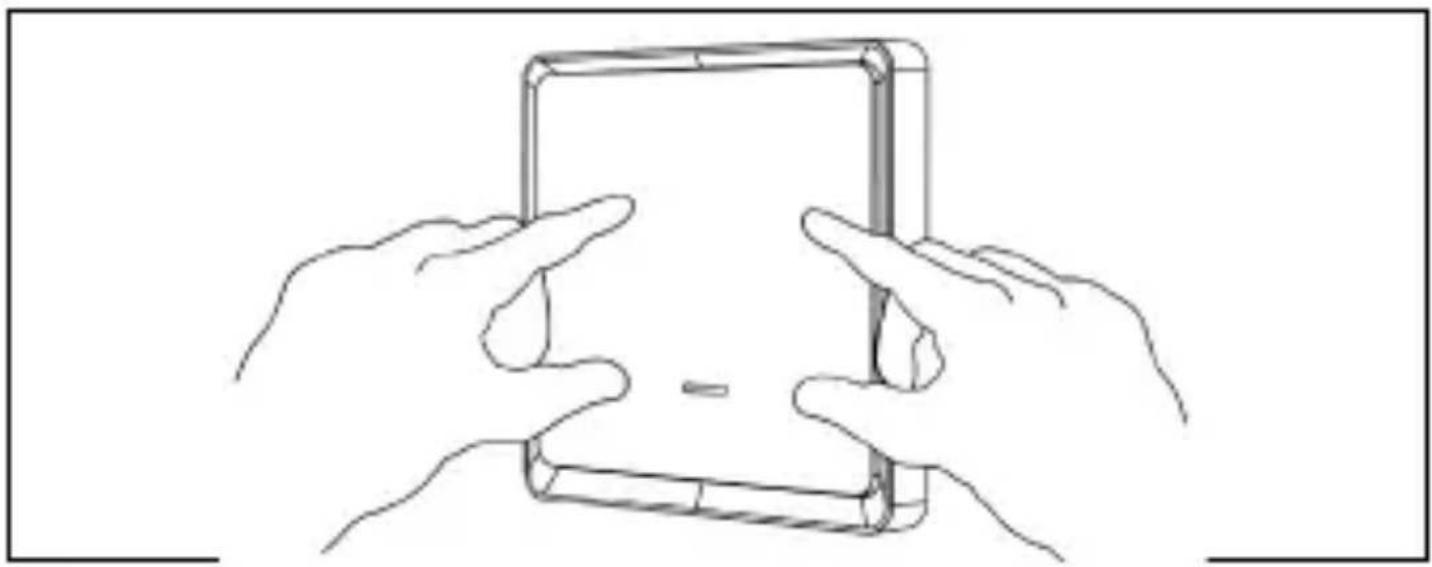
5) Attach the panel
Attach the panel cover to the switch by snapping it on.
natural_image
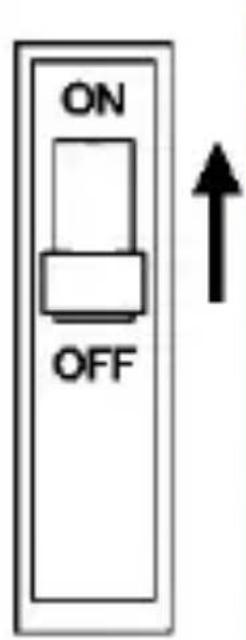
Line drawing of two hands holding a tablet device (no text or symbols)6) Turn on the circuit breaker
Turn on the circuit breaker and test the functionality of the switch.
DOWNLOAD THE APP AND PAIR IT
- The smart switch must first be successfully installed and connected to the power supply.
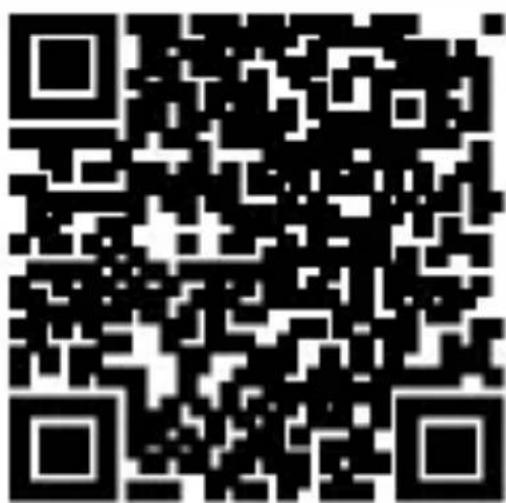
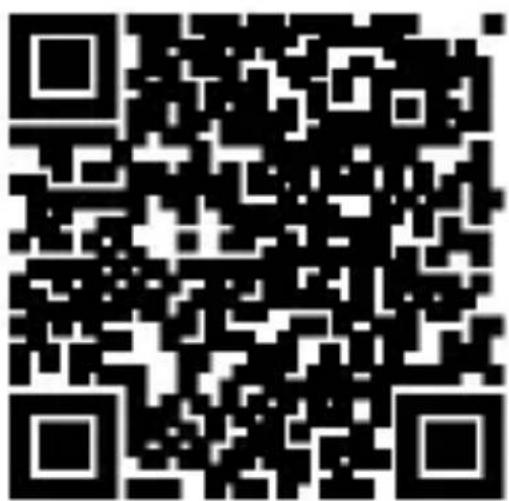
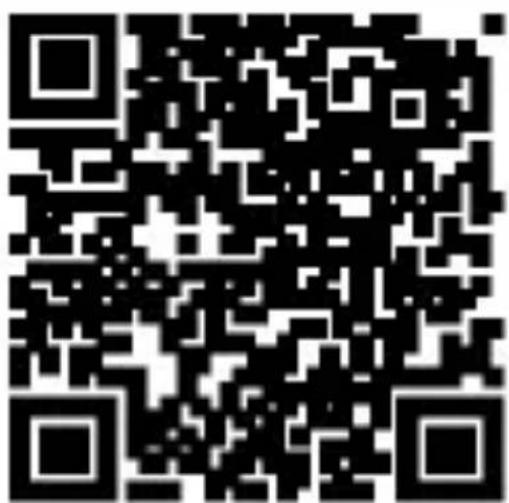
- Scan the QR code below with your mobile phone and download the Smart Life app. You can also search for the app manually in the App Store (Apple) or Google Play (Android) under the name "Smart Life".

Smart Life
Tuya
- Open the Smart Life app and register (if you haven't registered yet).
- Connect your mobile phone to a 2.4 GHz WiFi network.
-
The switch will flash red when connected to power, indicating that it is in pairing mode.
-
If the pairing interval has elapsed, press the button on the switch for 5 seconds.
- Open the Smart Life app and tap the blue "+" at the top right to search for the Smart Switch "Single Switch" or "Dual Switch" by selecting "Add Device" under "Electrical" → "Switch (Wi-Fi)", or use the automatic device search function.
- Then follow the instructions in the app
RESET
Press and hold the power button for 5 seconds.
PROBLEM SOLVING
What is the control range? The distance between the product and the Wi-Fi router or gateway does not exceed 25 meters. If dividing walls are present, consider their material and thickness as they may affect communication. Users may need to adjust router or gateway placement or increase the number of routers for optimal product communication.
Will the switch work without a network connection? In the event of a disconnection from the network, the switch will be without the ability to use all application controls, smart links and other network functions during this time. Local control will remain unaffected.
If the switch does not turn on, check that it is connected to the neutral wire as this switch requires this connection to operate. A missing neutral line at the designated location will prevent the switch from functioning.
Can't connect to the app? Make sure your mobile phone and the device are on the same Wi-Fi network. Make sure the device is powered and in pairing mode with a strong signal for effective communication.

Disposal: The crossed-out container symbol on the product, in the accompanying documentation or on the packaging means that in EU countries, all electrical and electronic equipment, batteries and accumulators must be disposed of separately at the
end of their useful life as separated waste. Do not dispose of these products in unsorted municipal waste.
CE DECLARATION OF CONFORMITY
Abacus Electric, s.r.o. hereby declares that the EVOLVEO WiFi Single Switch and WiFi Dual Switch phone meets the requirements of the standards and regulations that are relevant for the type of device.
The full text of the Declaration of Conformity can be found at http://ftp.evolveo.com/ce/
Importer / Manufacturer
Abacus Electric, s.r.o.
Planá 2, 370 01, Czech Republic
Producer / Producer / Manufacturer / Gyártó
Made in P.R.C.
Copyright © Abacus Electric, s.r.o.
www.evolveo.com
www.facebook.com/EvolveoCZ
All rights reserved. The appearance and technical specifications of the product are subject to change without notice.
BEVEZETÉS
CSOMAGOLÁSI TARTALOM
Dual Switch
3) Távolítsa el a panelt
natural_image
Line drawing of a device with a hand inserting a cable into a housing (no text or symbols)natural_image
Line drawing of two hands holding a tablet device (no text or symbols)Smart Life
Tuya
Copyright © Abacus Electric, s.r.o.
www.evolveo.com
www.facebook.com/EvolveoCZ
AVERTISMENTE ŞI INSTRUCTIUNI DE SIGURANTĂ
AVERTISMENT: RISC DE ŞOC ELECTRIC
3) Scoateți panoul
natural_image
Line drawing of a device with a hand connecting its cable to a rectangular box (no text or symbols)5) Ataşati panoul
natural_image
Line drawing of two hands holding a tablet device (no text or symbols)Smart Life

Tuya
Copyright © Abacus Electric, s.r.o.
www.evolveo.com
www.facebook.com/EvolveoCZ
Dual Switch
natural_image
Line drawing of a device with a hand inserting a cable into a housing (no text or symbols)natural_image
Line drawing of two hands holding a tablet device (no text or symbols)Smart Life

Tuya
Dual Switch
natural_image
Line drawing of a device with a hand connecting its cable to a rectangular box (no text or symbols)natural_image
Line drawing of two hands holding a tablet device (no text or symbols)SCARICARE L'APP E ACCOPPIARLA
Smart Life
Tuya
Copyright © Abacus Electric, s.r.o.
www.evolveo.com
www.facebook.com/EvolveoCZ
VARNOSTNA OPOZORILA IN NAVODILA
Splošna opozorila:
OPOZORILO: NEVARNOST ELEKTRIČNEGA UDARA
3) Odstranite ploščo
natural_image
Line drawing of a hand inserting a cable into a device component (no text or symbols)5) Pritrdite ploščo
natural_image
Line drawing of two hands holding a tablet device (no text or symbols)Pametno življenje

Tuya
Copyright © Abacus Electric, s.r.o.
www.evolveo.com
www.facebook.com/EvolveoCZ


- BEZPEČNOSTNÍ UPOZORNĚNÍ A POKYNY
- Obecná upozornění:
- VAROVÁNÍ: NEBEZPEČÍ ÚRAZU ELEKTRICKÝM PROUDEM
- 4) Montáž vypínače
- 5) Připevněte panel
- 6) Zapněte jistič
- BEZPEČNOSTNÉ UPOZORNENIA A POKYNY
- Všeobecné upozornenia:
- VAROVANIE: RIZIKO ÚRAZU ELEKTRICKÝM PRÚDOM
- 3) Odstraňte panel
- 5) Pripevnite panel
- 6) Zapnite istič
- RESET
- RIEŠENIE PROBLÉMOV
- THE MOST UP-TO-DATE VERSION OF THE USER MANUAL
- SAFETY WARNINGS AND INSTRUCTIONS
- General warnings:
- PACKAGING CONTENT
- SPECIFICATIONS
- DEGREE OF PROTECTION AGAINST ELECTRIC SHOCK:
- INSTALLATION
- WARNING: RISK OF ELECTRIC SHOCK
- 1) Turn off the circuit breaker
- 2) Wiring diagram
- 3) Remove the panel
- 4) Switch installation
- 5) Attach the panel
- 6) Turn on the circuit breaker
- PROBLEM SOLVING
- CE DECLARATION OF CONFORMITY
- BEVEZETÉS
- CSOMAGOLÁSI TARTALOM
- 3) Távolítsa el a panelt
- AVERTISMENTE ŞI INSTRUCTIUNI DE SIGURANTĂ
- AVERTISMENT: RISC DE ŞOC ELECTRIC
- 3) Scoateți panoul
- 5) Ataşati panoul
- VARNOSTNA OPOZORILA IN NAVODILA
- Splošna opozorila:
- OPOZORILO: NEVARNOST ELEKTRIČNEGA UDARA
- 3) Odstranite ploščo
- 5) Pritrdite ploščo
Brand : Evolveo
Model : WiFi Single Switch
Category : Home Automation