BC54LRLB2101 - Air purifier Be Cool - Free user manual and instructions
Find the device manual for free BC54LRLB2101 Be Cool in PDF.


| Product Type | Air Purifier |
| Brand | Be Cool |
| Model | BC54LRLB2101 |
| Wi-Fi Connectivity | Yes (2.4 GHz) |
| Smart App | Tuya Smart (iOS/Android) |
| Control Method | App and manual button |
| Pairing Indicator | Flashing LED during pairing |
| Standby Mode | Press button for 5 seconds to initiate pairing |
| Power Supply | Standard AC outlet |
| Filter Type | Not specified in manual (typical HEPA) |
| Coverage Area | Not specified |
| Noise Level | Not specified |
| Dimensions | Not specified |
| Weight | Not specified |
| Language Support | Multi-language (DE, EN, etc.) |
| Manual Pages | 7 |
Frequently Asked Questions - BC54LRLB2101 Be Cool
User questions about BC54LRLB2101 Be Cool
0 question about this device. Answer the ones you know or ask your own.
Ask a new question about this device
Download the instructions for your Air purifier in PDF format for free! Find your manual BC54LRLB2101 - Be Cool and take your electronic device back in hand. On this page are published all the documents necessary for the use of your device. BC54LRLB2101 by Be Cool.
USER MANUAL BC54LRLB2101 Be Cool
The developers of the app are constantly striving to improve the app, therefore changes in the operation may occur.
You can download the latest version of the WIFI app user guide from the QR code below.
BITTE SCANEN
PLEASE SCAN
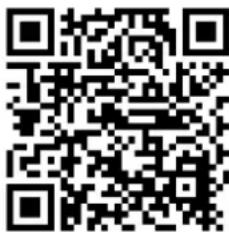
ALLGEMEINES

Thank you for purchasing our air purifier.
These instructions apply to air purifiers with WLAN function.
Please read these instructions carefully before operating the unit and keep them for future reference.
Do not disconnect the WLAN module from the unit yourself.
Technical updates may result in deviations between the actual functions and the instructions. We ask for your understanding. You should therefore compare with the actual state of the unit.
CONFIGURATION OF THE W-LAN CONNECTION
Download the APP:
- Go to the APP Store (Apple) or Google Play Store (Android) on your smartphone.
- Search for "Tuya Smart" in the search box and then download the application.
- The app should be installed automatically on your smartphone.
- After installation, open the app and proceed as described in the table:
| Click on "Register | |
| ← Registrieren nach HandynummerAnmeldung per E-MailSwitzerland +41E-MailVerifizierungsquote abrufenAnmeldung steht für ZustimmungDienstleistungsvertrag undDatenschutzrichtlinie | Enter your email address to register.Click on "Retrieve verification code".The verification code will be sent to the e-mail address you entered.Enter the code in the field provided within 60 seconds.After verification, you must create a password.After that, the registration is complete. |
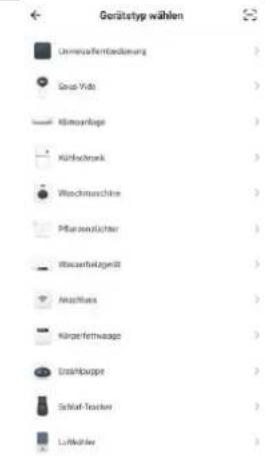 | Click on the ""+"" at the top right of the screen to add an appliance.Go to the category "Small household appliance" and search for "Air purifier". | ||
← Gerät hinzufügen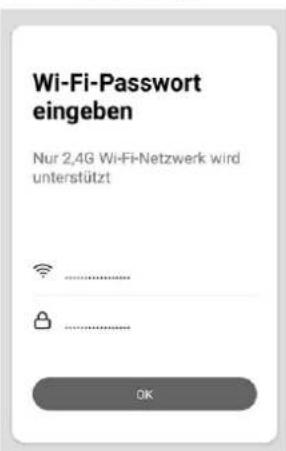 | After you have selected the device category "Air purifier", you must connect your wifi to the app.Make sure that your smartphone is connected to the desired network.Enter the correct wifi password. | ||
← Gerät hinz... Kompatibilitätsmodus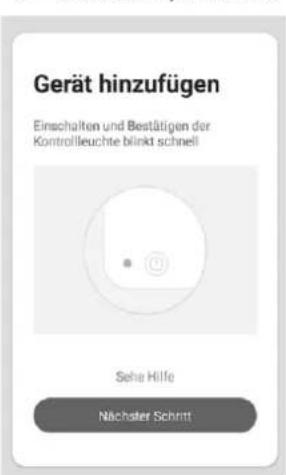 | Now press the button on the air purifier for 5 seconds when the unit is in standby mode.The LED should now flash.Click on "Confirm that the indicator flashes quickly" in the app to set a check mark.Click on "continue | ||
← Gerät hinzufügen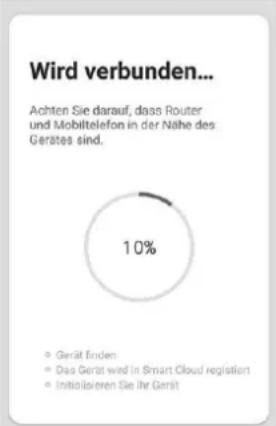 | The app now searches for your air purifier.And tries to connect the device with the app.Now wait until the app is connected to the device.This can take up to two minutes.After the successful connection, follow the further instructions in the application. | ||
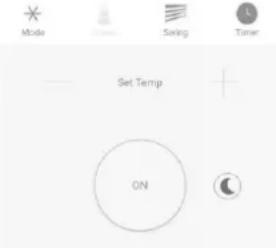
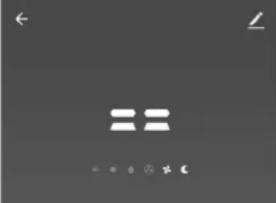 | After a successful connection, the operating screen should appear on your smartphone. | ||
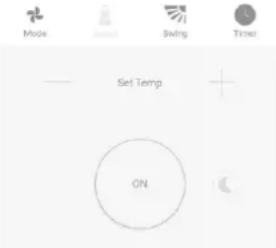 | |||
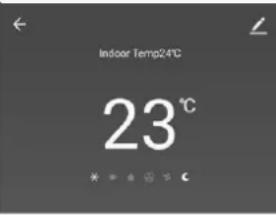 | You can now control all functions via the app.Click on the "Edit" icon at the top right to change the name of the device to your liking.TIP:It has proven useful to name devices according to their location. (e.g. Air Purifier Living Room) | ||
 |
Brand : Be Cool
Model : BC54LRLB2101
Category : Air purifier