
Q10 - Digital Camera PENTAX - Free user manual and instructions
Find the device manual for free Q10 PENTAX in PDF.


| Product type | Digital camera |
| Brand | PENTAX |
| Model | Q10 |
| Power supply | Rechargeable lithium-ion battery D-LI68 / AC adapter K-AC115 (optional) |
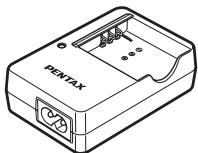
| Charger | Battery charger D-BC68P (included) |
| Compatible lenses | Q-mount lenses |
| Exposure modes | P (Program AE), Av (Aperture priority), Tv (Shutter priority), M (Manual), TAv (Shutter and aperture priority) |
| Scene modes | Portrait, Landscape, Macro, Night scene, Sunset, Blue sky, Forest, etc. |
| Stabilization | Shake Reduction (camera shake reduction) |
| Built-in flash | Yes, modes: Auto, Red-eye reduction, Slow sync, 2nd curtain sync, Forced flash, Flash off |
| Video recording | Yes, up to Full HD |
| Storage media | SD / SDHC / SDXC memory card |
| Connectivity | USB 2.0, HDMI (Type D), AV terminal |
| Operating temperature | 0 °C to 40 °C |
| Lens cleaning | Use a brush to remove dust. Never use solvents or spray. |
| Sensor cleaning | Contact PENTAX after-sales service (fee-based) |
| Safety | Do not disassemble the camera; avoid shocks and humidity; do not look through the lens at the sun. |
| Warranty | 12 months from the date of purchase |
| Included accessories | Strap, charger D-BC68P, power cable, software (CD-ROM), body cap, hot shoe cover, instruction manual |
Frequently Asked Questions - Q10 PENTAX
User questions about Q10 PENTAX
0 question about this device. Answer the ones you know or ask your own.
Ask a new question about this device
Download the instructions for your Digital Camera in PDF format for free! Find your manual Q10 - PENTAX and take your electronic device back in hand. On this page are published all the documents necessary for the use of your device. Q10 by PENTAX.
USER MANUAL Q10 PENTAX
natural_image
Line drawing of a Pentax SR camera with lens and control knobs (no text or symbols on body)

SILKYPIX®
The Excellent digital development technology





HDMI ^TM
HIGH-DEFINITION MULTIMEDIA INTERFACE
Sur-impression....122
natural_image
Line drawing of a mechanical clamp or spring with two bands and a handle (no text or symbols)Courroie O-ST131
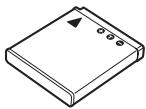
Batterie lithium-ion rechargeable D-LI68
natural_image
Line drawing of a PENTAX device with ports and internal components (no text or symbols beyond branding)natural_image
Line drawing of a straight cord with multiple leads (no text or symbols)natural_image
Line drawing of a coiled electrical cable with two connectors (no text or symbols)Câble USB I-USB7

⑥ ▶ (Bouton Lecture)
Bascule en mode lecture. (p.66)
⑨ Av (Bouton Correction IL)
③ ▶ (Bouton Lecture)
⑤ Av (Bouton Correction IL)
natural_image
Black-and-white photo of two children with visible facial features and camera settings (no readable text or symbols)natural_image
Black-and-white beach scene with palm trees and distant buildings under cloudy sky (no visible text or symbols)Affichage standard
INFO

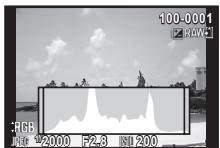
Affichage histogramme
INFO


INFO
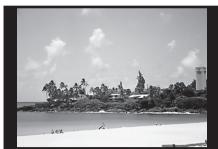
natural_image
Black-and-white beach scene with palm trees, rocks, and a lighthouse under a cloudy sky (no text or symbols visible)Aucun aff. d'info
INFO

natural_image
Diagram of a rope knot being tied with a connector (no text or symbols)natural_image
Illustration of a Pentax medical device with attached cable and connector (no text or symbols)natural_image
Diagram of an open electronic device showing internal components and directional arrows (no text or symbols)3
4 Fermez la trappe de protection.
natural_image
Illustration of a device with a cable and a switch, showing internal components (no text or symbols)natural_image
Diagram of a DSLR camera showing internal components and an external screen (no text or symbols)natural_image
Diagram of a DSLR camera showing internal components and an open lid (no text or symbols)
natural_image
Line drawing of a DSLR camera with directional arrows indicating motion (no text or symbols)
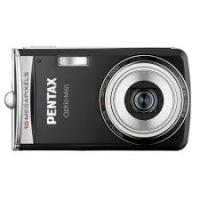
Brand : PENTAX
Model : Q10
Category : Digital Camera