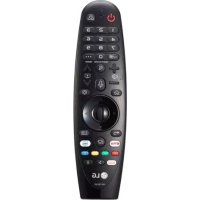
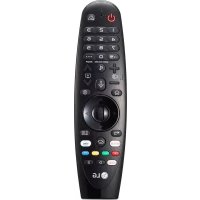
Magic AN-MR400 - Remote control LG - Free user manual and instructions
Find the device manual for free Magic AN-MR400 LG in PDF.


| Product Type | Remote Control |
| Model | Magic AN-MR400 |
| Brand | LG |
| Compatible Devices | LG Smart TVs (2012-2016 models) |
| Connectivity | Bluetooth, RF (Radio Frequency) |
| Power Source | 2 AA batteries (1.5V each) |
| Battery Life | Approximately 6 months with normal use |
| Dimensions (W x H x D) | 150 x 40 x 20 mm |
| Weight | 60 g (without batteries) |
| Main Functions | Power, Volume, Channel, Navigation, OK, Back, Home, Settings, Numbers, Media controls, Voice search, Gesture/pointer mode |
| Special Features | Voice recognition, Motion control (gyroscope), Wheel button for scrolling |
| Indicator Lights | LED indicator for pairing/battery status |
| Operating Range | Up to 10 meters (depending on environment) |
| Sensor Type | Accelerometer, Gyroscope |
| Material | Plastic (ABS) |
| Color | Black |
| Included in Box | Remote control, user manual, 2 AA batteries (may vary) |
| Compliance | CE, FCC, RoHS |
| Warranty | 1 year (manufacturer warranty) |
| Maintenance | Wipe with a soft dry cloth; avoid liquids and solvents |
| Safety Precautions | Do not disassemble, expose to heat/moisture, or use damaged batteries |
| Spare Parts | Batteries (standard AA); replacement remote available from LG |
| Repairability | Not user-serviceable; contact LG support for issues |
| Country of Origin | China |
Frequently Asked Questions - Magic AN-MR400 LG
User questions about Magic AN-MR400 LG
0 question about this device. Answer the ones you know or ask your own.
Ask a new question about this device
Download the instructions for your Remote control in PDF format for free! Find your manual Magic AN-MR400 - LG and take your electronic device back in hand. On this page are published all the documents necessary for the use of your device. Magic AN-MR400 by LG.
USER MANUAL Magic AN-MR400 LG
Please read this manual carefully before operating your set and retain it for future reference.
AN-MR400
Remote control (AN-MR400G)
RF Dongle (AN-MR400D)
ACCESSORIES
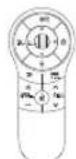
Magic Remote Control and Alkaline Batteries (AA) (Depending on country)


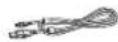
Owner's Manual RF Dongle RF Dongle Cable Velcro
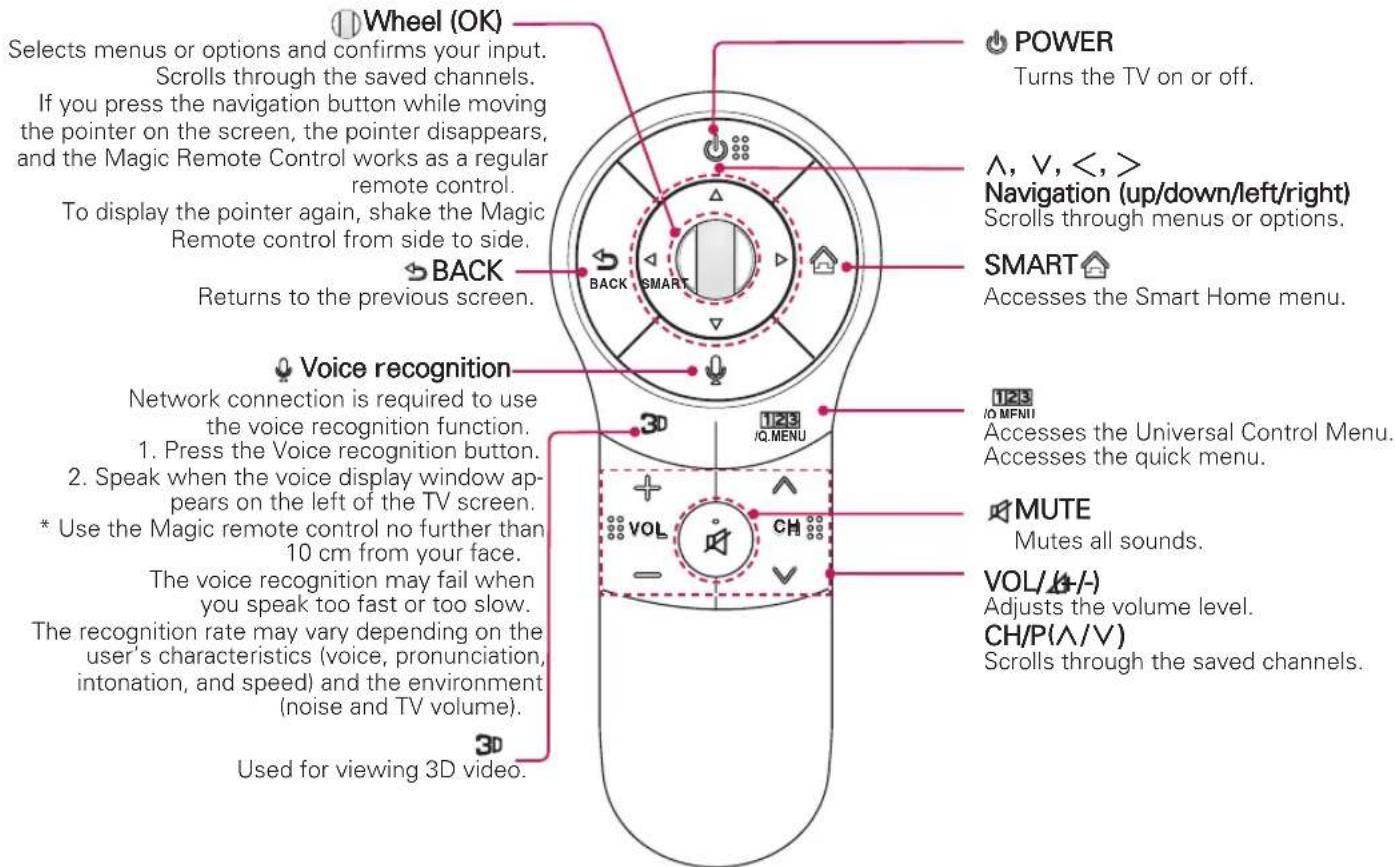
REMOTE DESCRIPTION
text_image
Wheel (OK) Selects menus or options and confirms your input. Scrolls through the saved channels. If you press the navigation button while moving the pointer on the screen, the pointer disappears, and the Magic Remote Control works as a regular remote control. To display the pointer again, shake the Magic Remote control from side to side. BACK Returns to the previous screen. POWER Turns the TV on or off. Λ, V, <, > Navigation (up/down/left/right) Scrolls through menus or options. SMART Accesses the Smart Home menu. Voice recognition Network connection is required to use the voice recognition function. 1. Press the Voice recognition button. 2. Speak when the voice display window ap- pears on the left of the TV screen. * Use the Magic remote control no further than 10 cm from your face. The voice recognition may fail when you speak too fast or too slow. The recognition rate may vary depending on the user's characteristics (voice, pronunciation, intonation, and speed) and the environment (noise and TV volume). Used for viewing 3D video. 123 /Q.MENU VOL CH 123 /O MENI Accesses the Universal Control Menu. Accesses the quick menu. MUTE Mutes all sounds. VOL/(A/-) Adjusts the volume level. CH/P(Λ/V) Scrolls through the saved channels.* Image shown may differ from your product.
* If the TV you purchased does not support 3D, the 3D button has no function.
- Non 3D models: LN**, PN**, MS53*, MS73*
Installing Batteries
■ Please read this manual carefully and use the TV correctly.
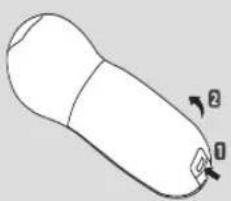
Press the end of the battery cover, slide it back and lift the cover as shown below.
To replace batteries, open the battery cover, replace Alkaline batteries (1.5 V AA) matching and ends to the label inside the compartment, and close the battery cover. Be sure to point the remote control at the remote control sensor on the TV.
To remove the batteries, perform the installation actions in reverse. Don't mix old or used batteries with new ones. Close the cover securely.
natural_image
Simple line drawing of a rounded object with two arrows labeled 1 and 2 pointing to its side (no text or symbols beyond labels)RF DONGLE
LA97**/ LA96**/ LA88**/ LA86**/ LA79**/ LA74**/ LA71**/ LA69**/ LA68**/ LA66**(LA6600 Except for Korea) / LA64**(Japan, Asia, Australia, Middle East, Africa) / LA6250(Korea) / LA6205(Brazil, Mexico, USA, Canada) / LA620*(Japan, Asia, Australia, Middle East, Africa) / LN6100(Middle East, Africa) / LN5750(Brazil, Mexico, USA, Canada), LN570*(Korea, Middle East, Africa) / PH67**/ PH66** / PH47**/ PN47** models do not require RF dongle connection. RF Dongle is built in TV.
text_image
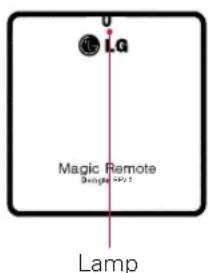
LG Magic Remote Single 4000 Lamp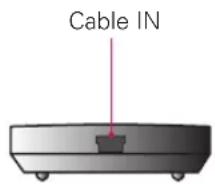
text_image
Cable ININSTALLING THE RF DONGLE
Image shown may differ from your TV.
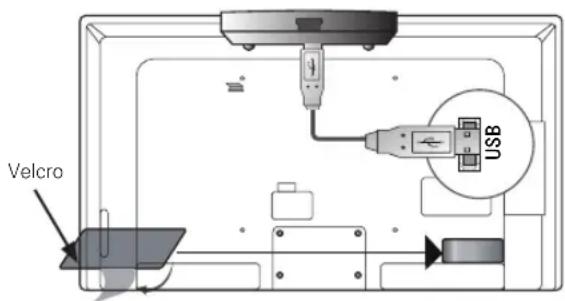
1 Locate the designated Velcro attachment location on the TV. Then tear off the protection paper and attach the Velcro. (The attachment location is different depending on the TV model you own)
2 Connect the RF Dongle Cable plug on the RF Dongle to a USB or USB Apps jack on the TV.
text_image
Velcro USB*Attach the RF Dongle aligning with the upper left corner bracket.
3 Attach the RF Dongle to the velcro as shown above and then turn on the TV.
4 Turn your TV on and wait 20 seconds. Now, register the Magic Remote Control with your TV.
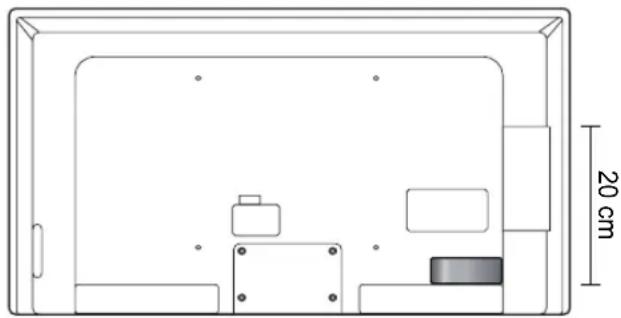
* If the RF Dongle for the wireless media box is attached, attach the RF Dongle for the Magic Remote Control on the below right of the back of the TV.
* To avoid wireless interference, keep the distance between the Wi-Fi dongle and the remote RF dongle over 20 cm.
natural_image
Technical line drawing of a rectangular enclosure with internal compartments and a 20 cm dimension label (no text or symbols beyond the scale)RF SPECIFICATION
The Magic Remote Control communicates with the RF Dongle using Bluetooth Version 3.0.
■ Output Power (Max.) : 10 dBm or lower
■ Maximum Communication Distance : Line of Open Sight approx. 10 m (30 ft)
Frequency Range : 2.400 GHz - 2.4835 GHz
Data Rate (Max.) : 3 Mbps
PRECAUTIONS TO TAKE
Use the remote control within the specified range (within 10 m or 30 ft). You may experience communication failures when using the device outside the coverage area or if there are obstacles within the coverage area.
- You may experience communication failures depending on the accessories.
Devices such as a microwave oven and wireless LAN operate in the same frequency band (2.4 GHz) as the Magic Remote Control. This may cause communication failures.
The Magic Remote Control may not work properly if a wireless router (AP) is within 1 meter of the TV. Your wireless router should be more than 1 m away from the TV.
- Do not disassemble or heat the battery.
- Do not drop the battery. Avoid avoid extreme shocks to the battery.
- Inserting the battery the wrong way may result in explosion.
REGISTERING
To use the Magic Remote Control, pair it with your TV first.
How to register the Magic Remote Control

1 Put batteries into the Magic Remote Control and turn the TV on.
2 Point the Magic Remote Control at your TV and press the WHEEL (OK) on the remote control.
* If the TV fails to register the Magic Remote Control, try again after turning the TV off and back on.
How to Re-register the Magic Remote Control

Press the BACK and SMART at the same time, for five seconds, to unpair the Magic Remote Control with your TV.
If you wish to re-register the remote, press the WHEEL (OK) on the remote control.
HOW TO USE
flowchart
graph LR
    A[" "] --> B[" "]
    B --> C[" "]
natural_image
Illustration of a hand pressing down on a circular device with a curved arrow indicating rotation (no text or symbols)
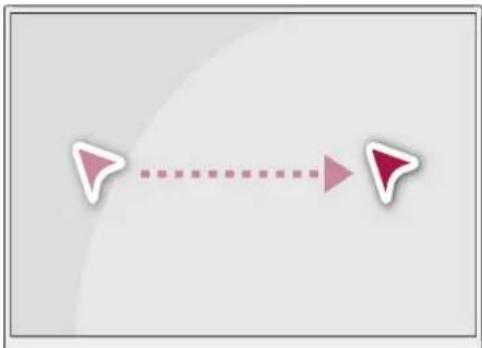
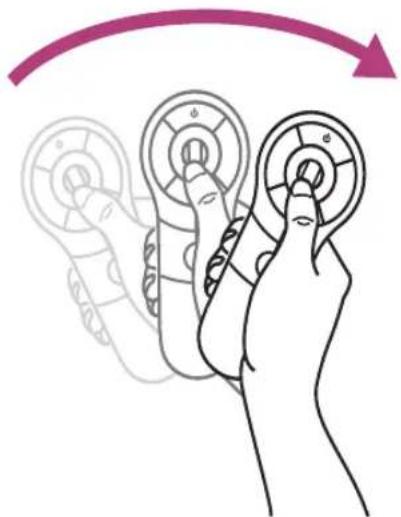
* Shake the Magic Remote Control slightly to the right and left or press SMART, 📁, CMENU buttons to make the pointer appear on the screen.
* Shake the Magic Remote Control slightly to the right and left to make the pointer appear on the center of screen.
* If the pointer has not been used for a certain period of time, it will disappear.
* The wheel also functions as the 'OK' button when pressed.
* You can change channels and scroll through menus using the Wheel.
* You can just move your wrist to move the pointer instead of moving your whole arm.
* The Magic Remote Control depletes batteries faster than a normal remote due to the additional features. You may wish to use rechargeable batteries.
* If the pointer loses its calibration, set down the remote for a couple of minutes to let it recalibrate.

LG
Life's Good