
OPTIO S60 - Digital Camera PENTAX - Free user manual and instructions
Find the device manual for free OPTIO S60 PENTAX in PDF.


| Product type | Compact digital camera with built-in zoom |
| Dimensions (W × H × D) | 89 × 58.5 × 27.5 mm (excluding protruding parts) |
| Weight | 135 g (without batteries or memory card); 185 g (with batteries and card) |
| Power supply | 2 AA batteries (alkaline, lithium, Ni-MH, nickel-manganese) or 1 CR-V3 battery; D-AC5 AC adapter (optional) |
| Sensor type | 1/2.5-inch CCD, 6.36 megapixels (total), 6.0 effective megapixels |
| Lens | Focal length 5.8–17.4 mm (equiv. 35–106 mm in 35 mm); aperture f/2.6–f/4.8 |
| Optical zoom | 3x |
| Digital zoom | Up to 2.6x (combined with optical zoom: up to 8x) |
| LCD display | 2.5-inch TFT color LCD, 115,000 pixels, approx. 100% coverage |
| Capture modes | Auto select, program, portrait, landscape, night scene, video, digital effect, photo (9 sub-modes) |
| File formats | Still image: JPEG (Exif 2.2); Video: AVI (Motion JPEG) with sound; Sound: WAV (PCM) |
| Storage media | Built-in memory 11 MB + SD memory card |
| ISO sensitivity | Auto, 80, 160, 320, 400 |
| Shutter speed | Approx. 1/2000 s to 4 s |
| Flash | Range: wide-angle 0.2–4.9 m (ISO 400); telephoto 0.2–2.8 m (ISO 400) |
| Connections | USB, AV output (NTSC/PAL), DC input |
| Video output system | NTSC or PAL (mono) |
| Care | Clean with a soft, dry cloth; do not use solvents; store in a dry, ventilated place |
| Safety | Do not disassemble; avoid shocks and strong pressure; do not touch the tripod mount, sand, water; follow battery instructions |
| Spare parts and repairability | AA batteries, SD cards, D-AC5 AC adapter, E/F remote control (optional); repair by authorized PENTAX service center |
| Warranty | 12 months (see terms) |
Frequently Asked Questions - OPTIO S60 PENTAX
User questions about OPTIO S60 PENTAX
0 question about this device. Answer the ones you know or ask your own.
Ask a new question about this device
Download the instructions for your Digital Camera in PDF format for free! Find your manual OPTIO S60 - PENTAX and take your electronic device back in hand. On this page are published all the documents necessary for the use of your device. OPTIO S60 by PENTAX.
USER MANUAL OPTIO S60 PENTAX
natural_image
Line drawing of a Pentax digital camera with lens and control buttons (no text or symbols on body)
PictBridge
6 Lecture/suppression/édition
natural_image
Line drawing of a digital camera with lens and control buttons (no text or symbols)Appareil photo Optio S60

natural_image
Line drawing of a U-shaped object with a loop and handle (no text or symbols)Courroie O-ST20 (*)

natural_image
Simple line drawing of a circular disc with concentric rings (no text or symbols)natural_image
Line drawing of a coiled electrical plug with two connectors (no text or symbols)Câble AV I-AVC7 (*)
natural_image
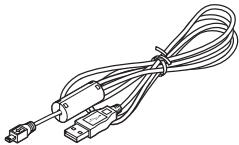
Line drawing of a multi-pin cable with connectors and connectors (no text or symbols)Câble USB I-USB7 (*)
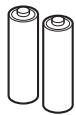
Deux piles alcalines AA
natural_image
Black-and-white photo of a sitting dog on grass, no visible text or symbols
[Menu ▶ Lecture] Menu
natural_image
Black-and-white photo grid showing a person standing in front of a building and water, with a downward arrow at the bottom (no text or symbols)Aucune icône
natural_image
Simple curved line drawing without any text, numbers, or symbolsNeutre
natural_image
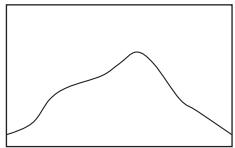
Simple line drawing of a single smooth curve peaking slightly above the x-axis (no text or symbols)Lumineux
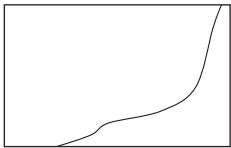
natural_image
Simple curved line drawing without any text, numbers, or symbols
natural_image
Black-and-white landscape photo of a desert with mountains and a rocky outcrop, no visible text or symbolsnatural_image
Black-and-white photo of a courtyard with buildings and a person, no visible text or symbolsnatural_image
Grayscale photo of a plant with visible roots and leaves, no text or symbols present
natural_image
Black-and-white landscape photo of a desert canyon with rocky peaks and distant hills, overlaid with camera control buttons (no readable text or symbols)
natural_image
Black-and-white cityscape photo showing a road with a street lamp and two buildings in the background (no visible text or symbols)
natural_image
Outdoor scene with a building and trees, no visible text or symbols

natural_image
Exterior view of a residential area with houses and a grassy field (no signage or text visible)natural_image
Exterior view of a courtyard with traditional buildings and a person walking (no signage or text visible)
Affichage normal
Aucune icône
natural_image
Black-and-white outdoor photo of a courtyard with buildings and a person walking (no visible text or symbols)natural_image
Black-and-white outdoor photo of a rural courtyard with houses and trees, no visible text or symbols▶ bouton de lecture 14, 34, 36, 37, 38
?/Fn bouton 14, 36, 37
PICT (mode photo) 53
(mode portrait) 56
▲ (mode paysage) 56
(mode nocturne) 55
mode vidéo) 57
Bouton OK 14, 36, 37
C
Cadence d'image 78
Carte mémoire SD 21
Musée (mode photo) 53
N
N° fichier 84
Neige (mode photo) 53
Netteté 80
Paysage Portrait (mode photo) 53
PictBridge 108, 128
Pile 16
For customers in USA
STATEMENT OF FCC COMPLIANCE
This device complies with Part 15 of the FCC Rules. Operation is subject to the following two conditions: (1) This device may not cause harmful interference, and (2) this device must accept any interference received, including interference that may cause undesired operation.
Changes or modifications not approved by the party responsible for compliance could void the user's authority to operate the equipment.
This equipment has been tested and found to comply with the limits for a Class B digital device, pursuant to part 15 of the FCC Rules.
These limits are designed to provide reasonable protection against harmful interference in a residential installation. This equipment generates, uses and can radiate frequency energy and, if not installed and used in accordance with the instructions, may cause harmful interference to radio communications. However, there is no guarantee that interference will not occur in a particular installation.
If this equipment does cause harmful interference to radio or television reception, which can be determined by turning the equipment off and on, the user is encouraged to try to correct the interference by one or more of the following measures:
- Reorient or relocate the receiving antenna.
Increase the separation between the equipment and receiver.
Connect the equipment into an outlet on a circuit different from that to which the receiver is connected.
* Consult the dealer or an experienced radio/TV technician for help.
For customers in Canada
This Class B digital apparatus meets all requirements of the Canadian Interference - Causing Equipment Regulations.
Declaration of Conformity
According to 47CFR, Parts 2 and 15 for
Class B Personal Computers and Peripherals
We: Pentax Imaging Company A Division of PENTAX of America, Inc.
Located at: 600 12 ^th Street, Suite 300 Golden, Colorado 80401 U.S.A. Phone: 303-799-8000 FAX: 303-790-1131
Declare under sole responsibility that the product identified herein complies with 47CFR Parts 2 and 15 of the FCC rules as a Class B digital device. Each product marketed is identical to the representative unit tested and found to be compliant with the standards. Records maintained continue to reflect the equipment being produced can be expected to be within the variation accepted, due to quantity production and testing on the statistical basis as required by 47CFR §2.909.
Operation is subject to the following two conditions: (1) This device may not cause harmful interference, and (2) This device must accept any interference received, including interference that may cause undesired operation. The above named party is responsible for ensuring that the equipment complies with the standards of 47CFR §15.101 to §15.109.
Product Name: PENTAX Digital Still Camera
Model Number: Optio S60
Contact person: Customer Service Manager
Date and Place: September 2005, Colorado

natural_image
Symbol of a trash bin crossed with no text or numbers, representing waste sorting or disposal (no text present)PENTAX Imaging Company A Division of PENTAX of America, Inc.
(Headquarters)
600 12th Street, Suite 300 Golden, Colorado 80401, U.S.A.
(Distribution & Service Center)
16163 West 45th Drive, Unit H Golden, Colorado
80403, U.S.A. (http://www.pentaximaging.com)
PENTAX Canada Inc. 1770 Argentina Road Mississauga, Ontario L5N 3S7, CANADA (http://www.pentaxcanada.ca)

for your precious moments
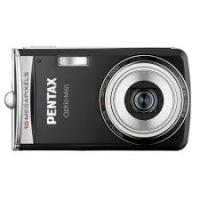
Brand : PENTAX
Model : OPTIO S60
Category : Digital Camera