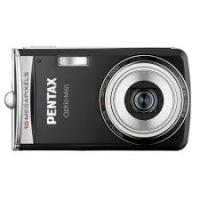
USER MANUAL OPTIO S30 PENTAX
natural_image
Line drawing of a digital camera with lens and control buttons (no text or symbols)
Lecture/suppression/édition 82
natural_image
Line drawing of a digital camera with lens and control buttons (no text or symbols)
Appareil photo
Optio S40/S30

natural_image
Line drawing of a U-shaped object with a loop and handle (no text or symbols)
Courroie
O-ST20 (*)

natural_image
Simple line drawing of a circular object with concentric rings (no text or symbols)
natural_image
Line drawing of a coiled cable with two connectors (no text or symbols)
Câble AV
I-AVC7 (*)
natural_image
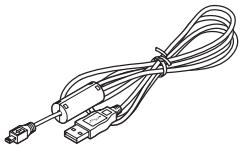
Line drawing of a multi-pin electrical connector with coiled cable (no text or symbols)
Câble USB I-USB7 (*)

Deux batteries AA
natural_image
Black-and-white photo of a sitting lion with camera frame, no visible text or symbols

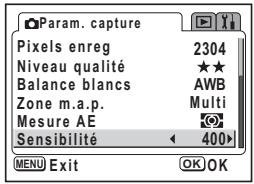
Écran suivant
Écran suivant
Écran suivant
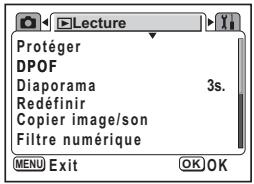
![PENTAX OPTIO S30 - Menu [▶ Lecture] - 2](/content/2020/05/87231/images/17f0f4a16a2f5b6983fdc3cae532454d9fd6f902b9c42765ece192d0191c8e1a.jpg)
natural_image
Grayscale outdoor scene with blurred buildings and a smiley face icon, no readable text or symbols
![PENTAX OPTIO S30 - Menu [▶ Lecture] - 3](/content/2020/05/87231/images/2a5d5d39e3f04a742affb452744521532fa7ced2382f2796c37e6a1aabc183bc.jpg)
natural_image
Black-and-white photo of a blurred outdoor scene with buildings and a camera interface overlay (no readable text or symbols)
natural_image
Grayscale abstract image with blurred shapes and small icons, no readable text or symbols
natural_image
Grayscale outdoor scene with a small icon showing a square and a downward arrow, no readable text or symbols present.
natural_image
Grayscale outdoor scene with a flagpole and two small square icons, no visible text or symbols
natural_image
Exterior view of a modern office building (no signage)
![PENTAX OPTIO S30 - Menu [▶ Lecture] - 4](/content/2020/05/87231/images/334200fc795f638548831d6d60851490e2b33c7af882cd2b40a92f6bceef0aef.jpg)
natural_image
Exterior view of a building with two white rectangular cutouts (no signage or text visible)
![PENTAX OPTIO S30 - Menu [▶ Lecture] - 5](/content/2020/05/87231/images/e05d43f19621327f06f2594e6177725aeb4036c26ef190764871e79342cb8534.jpg)
flowchart
graph TD
    A["Écran ACL désactivé"] --> B["Affichage activé"]
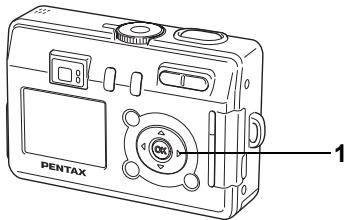
![PENTAX OPTIO S30 - Menu [▶ Lecture] - 7](/content/2020/05/87231/images/515c9db9f9e770937770591792552cba5d2ab3dd057710c83925aea8cd4e471d.jpg)
PICT
![PENTAX OPTIO S30 - Menu [▶ Lecture] - 8](/content/2020/05/87231/images/294f14263baf89c7f2a8a7dfc1fde20fb6e2767a24e3a82e7a8c4c75c709ba34.jpg)
![PENTAX OPTIO S30 - Menu [▶ Lecture] - 9](/content/2020/05/87231/images/ea49549b1898056e34592d7dc44cc07139f9ba76378b44bae126a148014e3cd7.jpg)
![PENTAX OPTIO S30 - Menu [▶ Lecture] - 10](/content/2020/05/87231/images/c0ba00d236957799b031ee572e762772927fd6aadc1336002040e47ae655e26f.jpg)
![PENTAX OPTIO S30 - Menu [▶ Lecture] - 11](/content/2020/05/87231/images/1dc03e94f337ac107af81a69ac8d67d9b99267e3ac5f6afe367e60882f2c47c2.jpg)
![PENTAX OPTIO S30 - Menu [▶ Lecture] - 12](/content/2020/05/87231/images/3b59ce1767dde434eb1a1ceb9bfb221293993d930af6a3bc8024a92ad684afc5.jpg)

retardateur
![PENTAX OPTIO S30 - Menu [▶ Lecture] - 14](/content/2020/05/87231/images/c2bdf0b03e157a17052048aa08ff199f6a26f1d93e1230b1c82b2046fa0a7709.jpg)
natural_image
Grayscale outdoor scene with buildings and a fence, no visible text or symbols
natural_image
Aerial view of a shark in flight with camera app interface (no readable text or symbols)
natural_image
Black-and-white photo of a rural courtyard with buildings and trees, no visible text or symbols
Affichage activé
natural_image
Grayscale outdoor scene with buildings and a person, no visible text or symbols
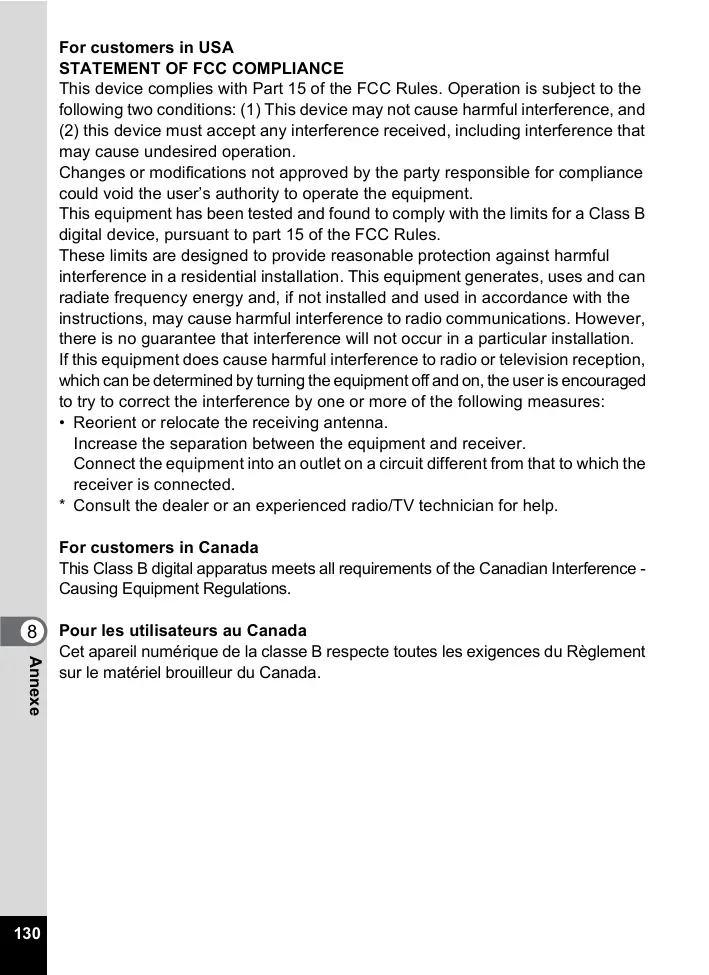
For customers in USA
STATEMENT OF FCC COMPLIANCE
This device complies with Part 15 of the FCC Rules. Operation is subject to the following two conditions: (1) This device may not cause harmful interference, and (2) this device must accept any interference received, including interference that may cause undesired operation.
Changes or modifications not approved by the party responsible for compliance could void the user's authority to operate the equipment.
This equipment has been tested and found to comply with the limits for a Class B digital device, pursuant to part 15 of the FCC Rules.
These limits are designed to provide reasonable protection against harmful interference in a residential installation. This equipment generates, uses and can radiate frequency energy and, if not installed and used in accordance with the instructions, may cause harmful interference to radio communications. However, there is no guarantee that interference will not occur in a particular installation. If this equipment does cause harmful interference to radio or television reception, which can be determined by turning the equipment off and on, the user is encouraged to try to correct the interference by one or more of the following measures:
- Reorient or relocate the receiving antenna.
Increase the separation between the equipment and receiver.
Connect the equipment into an outlet on a circuit different from that to which the receiver is connected.
* Consult the dealer or an experienced radio/TV technician for help.
For customers in Canada
This Class B digital apparatus meets all requirements of the Canadian Interference - Causing Equipment Regulations.
According to 47CFR, Parts 2 and 15 for
Class B Personal Computers and Peripherals
We:
Pentax Imaging Company
A Division of PENTAX of America, Inc.
Located at:
600 12 ^th Street, Suite 300
Golden, Colorado 80401 U.S.A.
Phone: 303-799-8000 FAX: 303-790-1131
Declare under sole responsibility that the product identified herein complies with 47CFR Parts 2 and 15 of the FCC rules as a Class B digital device. Each product marketed is identical to the representative unit tested and found to be compliant with the standards. Records maintained continue to reflect the equipment being produced can be expected to be within the variation accepted, due to quantity production and testing on the statistical basis as required by 47CFR §2.909. Operation is subject to the following two conditions: (1) This device may not cause harmful interference, and (2) This device must accept any interference received, including interference that may cause undesired operation. The above named party is responsible for ensuring that the equipment complies with the standards of 47CFR §15.101 to §15.109.
Product Name:
PENTAX Digital Still Camera
Model Number:
Optio S40
Contact person:
Customer Service Manager
Issued Date and Place:
February, 2004, Colorado
Revised Date and Place:
April, 2004, Colorado
(Revised for Company Name change)
According to 47CFR, Parts 2 and 15 for
Class B Personal Computers and Peripherals
We:
Pentax Imaging Company
A Division of PENTAX of America, Inc.
Located at:
600 12 ^th Street, Suite 300
Golden, Colorado 80401 U.S.A.
Phone: 303-799-8000 FAX: 303-790-1131
Declare under sole responsibility that the product identified herein complies with 47CFR Parts 2 and 15 of the FCC rules as a Class B digital device. Each product marketed is identical to the representative unit tested and found to be compliant with the standards. Records maintained continue to reflect the equipment being produced can be expected to be within the variation accepted, due to quantity production and testing on the statistical basis as required by 47CFR §2.909. Operation is subject to the following two conditions: (1) This device may not cause harmful interference, and (2) This device must accept any interference received, including interference that may cause undesired operation. The above named party is responsible for ensuring that the equipment complies with the standards of 47CFR §15.101 to §15.109.
Product Name: PENTAX Digital Still Camera
Model Number: Optio S30
Contact person: Customer Service Manager
Date and Place: April, 2004, Colorado
PENTAX Corporation 2-36-9, Maeno-cho, Itabashi-ku, Tokyo 174-8639, JAPAN (http://www.pentax.co.jp/)
PENTAX Europe GmbH (European Headquarters)
Julius-Vosseler-Strasse, 104, 22527 Hamburg, GERMANY (HQ - http://www.pentaxeurope.com) (Germany - http://www.pentax.de)
PENTAX U.K. Limited PENTAX House, Heron Drive, Langley, Slough, Berks SL3 8PN, U.K.
(http://www.pentax.co.uk)
PENTAX France S.A.S. 12/14, rue Jean Poulmarch, 95106 Argenteuil Cedex, FRANCE
PENTAX Benelux B.V. (for Netherlands)
Spinveld 25, 4815 HR Breda, NETHERLANDS
(http://www.pentax.nl)
(for Belgium & Luxembourg)
Weiveldlaan 3-5, 1930 Zaventem, BELGIUM
(http://www.pentax.be)
PENTAX Imaging Company
A Division of PENTAX of America, Inc.
600 12 ^th Street, Suite 300
Golden, Colorado 80401, U.S.A.
(http://www.pentax.com)
PENTAX Canada Inc. 1770 Argentina Road Mississauga, Ontario L5N 3S7, CANADA
(http://www.pentaxcanada.ca)

for your
precious moments
Copyright © PENTAX Corporation 2004
FOM 01.05.2004 Printed in Belgium