L04SM216E - Uncategorized Logik - Free user manual and instructions
Find the device manual for free L04SM216E Logik in PDF.


| Product Type | Refrigerator-Freezer |
| Brand | Logik |
| Model | L04SM216E |
| Dimensions (H x W x D) | 84 cm x 55 cm x 58 cm |
| Net Weight | 35 kg |
| Energy Efficiency Class | E |
| Annual Energy Consumption | 180 kWh |
| Cooling System | Static (manual defrost) |
| Fridge Capacity | 80 L |
| Freezer Capacity | 30 L |
| Power Supply | 220-240 V ~ 50 Hz |
| Power Consumption | 150 W |
| Climate Class | N-ST (16°C to 38°C) |
| Noise Level | 42 dB |
| Refrigerant | R600a |
| Main Features | Adjustable thermostat, reversible door, removable shelves, vegetable drawer, ice cube tray |
| Cleaning and Maintenance | Wipe interior with mild detergent, clean condenser coils annually, defrost freezer when ice exceeds 5 mm |
| Safety Instructions | Keep ventilation openings clear, do not use extension cords, disconnect before cleaning |
| Spare Parts Availability | Thermostat, shelves, door gasket, LED bulb (if applicable) available from authorized service centers |
| Warranty | 1 year (subject to registration) |
Frequently Asked Questions - L04SM216E Logik
User questions about L04SM216E Logik
0 question about this device. Answer the ones you know or ask your own.
Ask a new question about this device
Download the instructions for your Uncategorized in PDF format for free! Find your manual L04SM216E - Logik and take your electronic device back in hand. On this page are published all the documents necessary for the use of your device. L04SM216E by Logik.
USER MANUAL L04SM216E Logik
natural_image
Black and white photo of a LOGO grater with a flat lid (no visible text or symbols)Contents
GB
Safety Warnings 5
Unpacking....15
Product Overview 16
First Time Use 16
Sandwich Making....17
Remove the Cooking Plates....17
Cleaning and Maintenance....18
Specifications....18
Innhold
NO
Do not touch the surface of the appliance during operation.
- This appliance can be used by children aged from 8 years and above and persons with reduced physical, sensory or mental capabilities or lack of experience and knowledge if they have been given supervision or instruction concerning use of the appliance in a safe way and understand the hazards involved. Children shall not play with the appliance. Cleaning and user maintenance shall not be made by children without supervision.
- Keep the appliance and its mains cable out of the reach of children less than 8 years old.
- Your appliance should be used in such a way that it is protected from moisture e.g., condensation, splashed water etc. Do not place or store your appliance where it can fall or be pulled into water or any other liquid. Do not reach for the appliance if it has fallen in any water or any other liquid. Unplug immediately. Stand your appliance on a stable, level surface during use. Do not allow your appliance to sit on top of the mains cable.
• Make sure that children cannot touch the appliance when hot or pull the mains cable.
- It is dangerous to insert fingers or objects other than bread into the appliance.
- Bread may burn. Your appliance must not be used near or below curtains or other combustible materials. It must be watched when in use. Do not leave your appliance unattended. Your appliance should be placed away from heat sources such as radiators, gas/electric res and direct sunlight.
- Keep the mains cable away from any heated surfaces.
- Use the appliance only for its intended use, as described in this manual.
- Do not use outdoors.
- Never use your appliance if it is damaged in any way. Do not remove any xed covers.
- Never use this appliance if it is not working properly, or if it has been dropped or damaged.
- If the mains cable is damaged it must be replaced by the manufacturer, its service agent, or similarly qualified persons in order to avoid a hazard.
- Make sure the unit is earthed properly during use. Use of any extension sockets must have an earth connection.
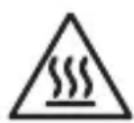
FORSIKTIG: Varm overflate
Thank you for purchasing your new Logik Sandwich Maker.
We recommend that you spend some time reading this instruction manual in order to fully understand all the operational features it offers.
Read all the safety instructions carefully before use and keep this instruction manual for future reference.

Unpacking
Remove all items from the packaging. Retain the packaging. If you dispose of it please do so according to local regulations.
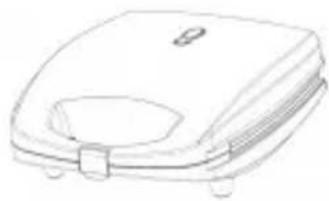
The following items are included:
natural_image
Line drawing of a flat-screen toilet or sink with a handle and mounting feet (no text or symbols)The Main Unit

Waffle Plate x2
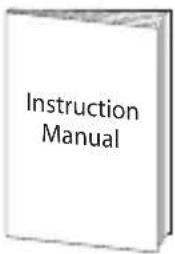
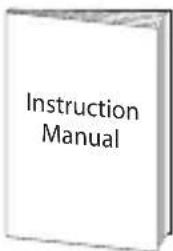
Instruction Manual

Grill Plate x2

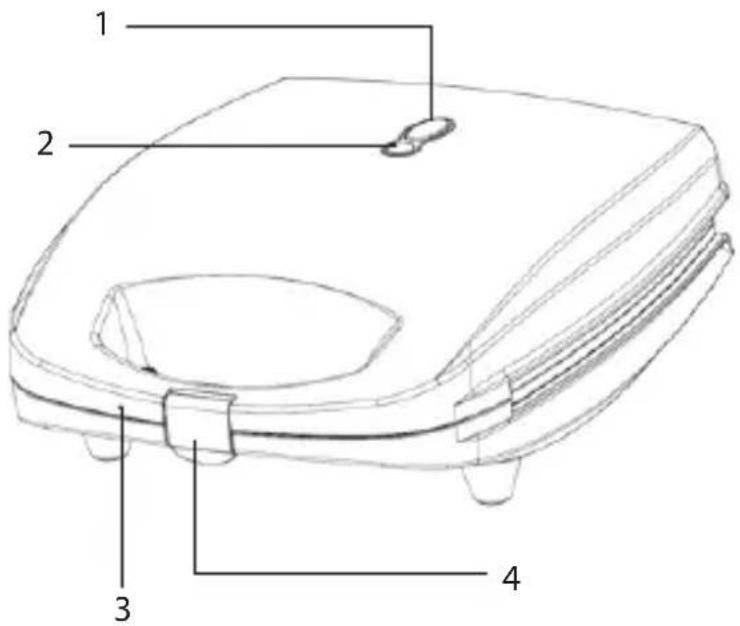
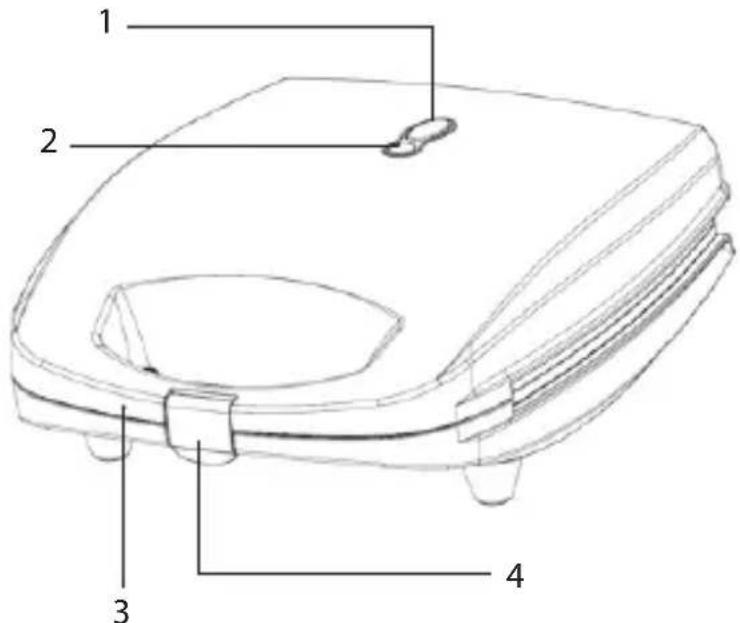
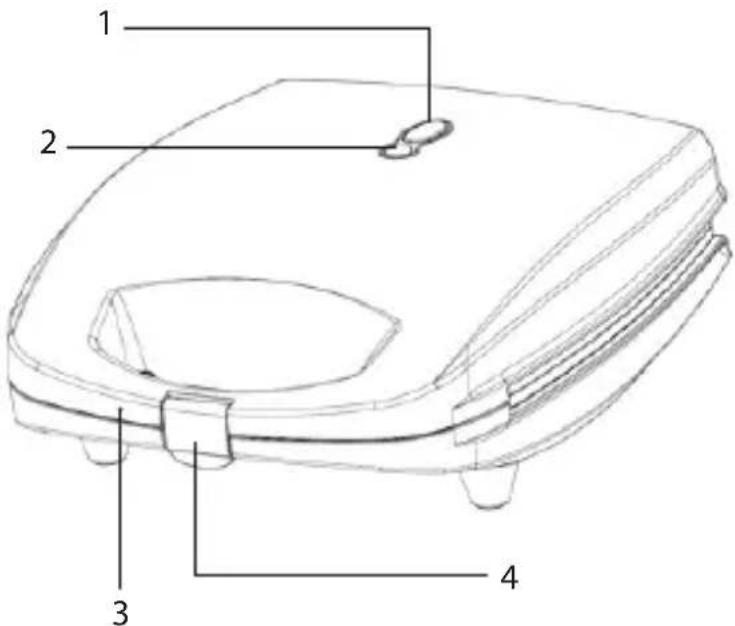
Product Overview
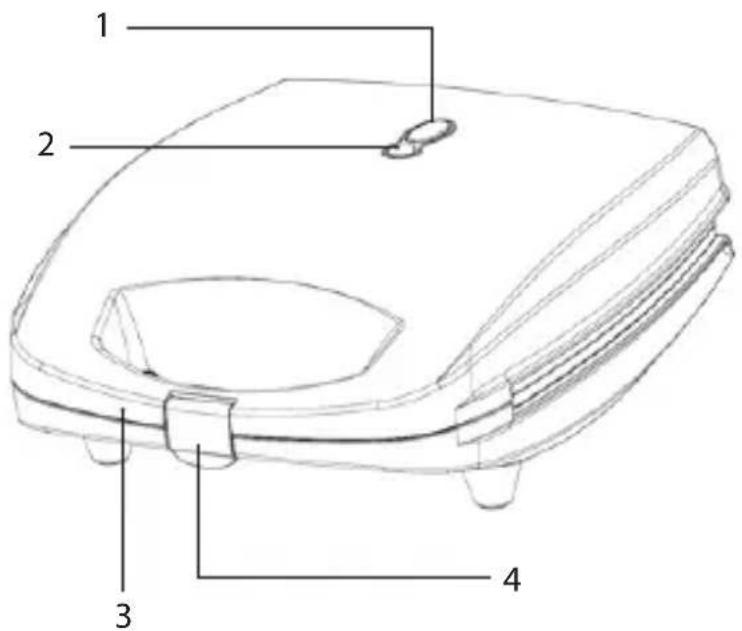
-
Ready Light Indicator
-
Handle
-
Power Indicator
-
Handle Lock

First Time Use

Do not connect to the mains socket yet. Do not put bread on it yet.
- Open up your sandwich maker by releasing the handle locking clip and lifting up the top half of the sandwich maker.
- Clean the surface of the cooking plates with a damp cloth and wipe dry.
- Smear a layer of butter, margarine or cooking fat over the plates.
- Gently squeeze the handles together and close the handle lock.
- Connect the plug to the mains socket. The Ready Light Indicator will light up, indicating the unit has begun heating.
- When the Ready Light Indicator goes off, unplug from the mains socket.

When the unit is heated for the first time, it may emit slight smoke or odour. This is normal.

Sandwich Making
-
Choose the cooking plates to use.
-
Preheat the unit first. The Ready Light Indicator will illuminate until the sandwich maker reaches the correct cooking temperature. The Ready Light Indicator will go off.
-
Open your sandwich maker and place your bread on the lower half of the cooking plates.
-
Close the handles together and lock the handles.
-
The Ready Light Indicator will turn on. The unit starts to cook. When the Ready Light Indicator goes off, check if the bread is cooked and suits your taste. If not, you can cook again for a few more minutes.

- Never use a metal object to remove your toasted sandwich as it may damage the cooking plates. Use a plastic spatula.
- Your toasted sandwich should be ready in approximately 3-6 minutes. Open the sandwich maker with caution as it will be hot.
- If you have finished, remember to unplug the mains plug from the mains socket.

Remove the Cooking Plates

Always unplug the unit and allow it to cool before removing the cooking plates.
- Open the sandwich maker.
- Push up the 4 plate release buttons as indicated in the diagram. Then slide the plates out and lift out.
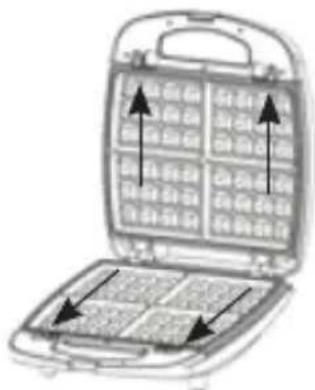

Cleaning and Maintenance
Do not use harsh cleaners, solvents or scouring pads as they may damage the casing.
- Fully unplug the plug from the mains socket. Wait until the sandwich maker has cooled down before cleaning.
- Clean the surface of the cooking plates with a damp cloth and wipe dry. Make sure you do not allow water to seep into the controls or heating elements.

Specifications
| Model L04SM216E | |
| Rated Voltage 220-240V~ 50Hz | |
| Power Consumption 920W |
Features and specifications are subject to change without prior notice.
natural_image
Line drawing of a square-shaped object with a handle and four legs, resembling a microwave or oven (no text or symbols)Hovedenheten

Vaffelplate x2
Bruksanvisning

Grillplate x2
NO
Produktoversikt
-
Klarlysindikator
-
Håndtak
-
Strømindikator
-
Håndtakslås

Førstegangsbruk

NO

natural_image
Line drawing of a square toilet with a handle and side buttons (no text or symbols)Huvudenhet

Våffeljärn x2
Bruksanvisning

Grillplatta x2

Produktöversikt
SE

natural_image
Line drawing of a rectangular appliance with a handle and side legs (no text or symbols)Laite

Vohvelilevy x2
Käyttöopas

Grillilevy x2


natural_image
Line drawing of a flat-screen griddle or toilet (no text or symbols)Hovedenheden

Vaffelplade x2
Brugervejledning

Grillplade x2
DK

Produktoversigt
natural_image
Open toolbox containing a grid of small objects with arrows pointing to specific compartments (no text or symbols visible)
The symbol on the product or its packaging indicates that this product must not be disposed of with your other household waste. Instead, it is your responsibility to dispose of your waste equipment by handing it over to a designated collection point for the recycling of waste electrical and electronic equipment. The separate collection and recycling of your waste equipment at the time of disposal will help conserve natural resources and ensure that it is recycled in a manner that protects human health and the environment.
For more information about where you can drop off your waste for recycling, please contact your local authority, or where you purchased your product.
NO
www.lefdal.com/support
SE www.elgiganten.se/support
- Contents
- Innhold
- FORSIKTIG: Varm overflate
- Unpacking
- Product Overview
- First Time Use
- Do not connect to the mains socket yet. Do not put bread on it yet.
- Sandwich Making
- Remove the Cooking Plates
- Cleaning and Maintenance
- Specifications
- NO
- Produktoversikt
- Førstegangsbruk
- Produktöversikt
- SE
- DK
- Produktoversigt
Brand : Logik
Model : L04SM216E
Category : Uncategorized