
Timer 9880 - Kitchen scale OBH NORDICA - Free user manual and instructions
Find the device manual for free Timer 9880 OBH NORDICA in PDF.


| Product Type | Digital Kitchen Scale with Timer |
| Model | Timer 9880 |
| Brand | OBH Nordica |
| Maximum Capacity | 5 kg (5000 g) |
| Minimum Capacity | 2 g |
| Accuracy | +/- 1.0% |
| Display | Large LCD digital display |
| Weighing Units | g, oz, ml, fl. oz |
| Power Supply | 3 x AAA batteries (not included) |
| Auto-On Function | Yes, by pressing center or placing >500 g load |
| Auto Switch-Off | Yes, after approx. 60 seconds of inactivity |
| Tare/Reset Function | Yes, for sequential weighing |
| Timer Function | Yes, countdown with alarm (1 minute beep) |
| Overload Indication | Displays "EEEE" |
| Low Battery Indication | Displays "Lo" |
| Material | Plastic |
| Cleaning | Wipe with slightly damp cloth, then dry |
| Safety Precautions | Do not immerse in water, keep away from heat, use only new batteries |
| Warranty | According to current law, with proof of purchase |
| Intended Use | Household use only |
Frequently Asked Questions - Timer 9880 OBH NORDICA
User questions about Timer 9880 OBH NORDICA
0 question about this device. Answer the ones you know or ask your own.
Ask a new question about this device
Download the instructions for your Kitchen scale in PDF format for free! Find your manual Timer 9880 - OBH NORDICA and take your electronic device back in hand. On this page are published all the documents necessary for the use of your device. Timer 9880 by OBH NORDICA.
USER MANUAL Timer 9880 OBH NORDICA
Kitchen scale with built-in timer function

natural_image
Black digital kitchen scale with rice beans placed on top (no visible text or symbols)
Built-in
timer function

Auto-on function

Capacity 5 kg / 1 g increment

Large LCD display
Bruksanvisning – svenska ....sida 3 – 7
OBH Nordica Denmark A/S
Ole Lippmanns Vej 1
2630 Taastrup
Tlf.: 43 350 350
www.obhnordica.dk
Tekniske data
OBH Nordica 9880
OBH Nordica Norway AS
Postboks 5334 Majorstuen
0304 Oslo
Tlf: 22 96 39 30
www.obhnordica.no
Tekniske data
OBH Nordica 9880
OBH Nordica Electronic Kitchen Scale
Safety instructions
- Read the instruction manual carefully before use, and save it for future use.
- The appliance must not be immersed into water or other liquids. Should it get wet, it must be wiped off immediately, as liquids contain minerals which may result in rust in the electronic parts or which may totally destroy the electronic parts.
- If the appliance gets dirty, the dirt can be wiped off with a slightly humid cloth, and then wiped with a dry cloth.
- This appliance can be used by children and persons with reduced physical, sensory or mental capabilities, or lack of experience and knowledge, if they have been given supervision or instruction concerning the use of the appliance in a safe way by a person responsible for their safety and they understand the hazards involved.
- Children shall be supervised to ensure that they do not play with the appliance.
- Do not place the appliance on or near hotplates, open fire or the like.
- The appliance should only be used under supervision.
- The appliance is not for outdoor use.
- The appliance must not be used if it has been dropped on the floor, or if it is clear that the appliance is damaged.
- Use only new batteries of the correct size. Used batteries should always be removed, as they may leak chemicals which may damage the circuits of the appliance.
- The batteries must be removed from the appliance before it is scrapped.
- In the event of battery leakage, prevent skin contact and dispose batteries according to local law
-
The appliance is for domestic use only.
-
If the appliance is used for other purposes than intended, or is it not handled in accordance with the instruction manual, the full responsibility for any consequences will rest with the user. Any damages to the product or other things are not covered by the warranty.
Before use
Before you use the electronic kitchen scale for the first time, please read this instruction manual thoroughly and keep it for future use.
About scales
There are several types of scales:
- The traditional, mechanical scale that registers the weight on the basis of spring action and where subsequently the weight can be read from a dial.
- The digital scale which is in fact also a mechanical scale with the exception that weight is read from a display.
- The modern, electronic scale which performs weighing by means of an electronic sensor and converts the weight electronically for display reading. The advantage of the electronic scale over the mechanical or digital scales is first and foremost that it performs far more accurate weight measurements – and will continue to do so. The mechanical and digital scales become increasingly inaccurate over time, partly due to worn springs in these types of scales.
Please note that electronic scales are sensitive to major temperature fluctuations. Inaccuracies may occur if the scale is cold. Consequently, the scale works best at normal room temperature
Mounting and changing of batteries
The scale takes 3 pcs of AAA batteries (not included in the delivery) to be inserted in the kitchen scale before use.
For mounting of the batteries, open the cover at the underside by pressing the plastic flap on the cover and then remove it. The batteries can now be inserted or replaced by inserting them in accordance with the instructions in the battery compartment. Make sure to position the batteries with the +pole and the -pole correctly. Mount the battery cover. Exchange the batteries when the display shows "Lo".
Prior to weighing
Let the kitchen scale adapt to the ambient temperature before use. Position the scale on an even surface and switch on the scale by shortly pressing the middle of the scale. The maximum capacity of the scale is 5000 g and the minimum capacity is 2 g.
Select the weighing unit (g, oz, ml, fl. oz) by pressing the "min/unit" button until the wanted unit is displayed. The scale is now ready for use.
Use
Turn on the scale by shortly pressing with your hand in the middle of the scale until the display is on. Wait until "0g" is displayed; alternatively, press the "tare" button to reset the scale. Next, put the ingredient to be weighed in the middle of the scale. Within a few seconds the weight will be displayed. The scale comprises an "auto on" function, which means that you can even activate the scale by placing a product that weights more than 500 g direct on the scale.
If the scale is overloaded (a load of more than 5 kg), the display will read "EEEE". Remove surplus ingredients from the scale and read the correct weight on the display.
If the scale is activated with nothing on, the intensity of the display will turn down after about 20 seconds and go out completely after another approx. 40 seconds.
Weighing with reset-function (weighing unit g)
The scale comprises a practical reset-function in order to weigh one ingredient at a time in the same bowl/container. Switch on the scale by shortly pressing with your hand in the middle of the scale until the display is activated and wait until the display reads "0g" and position the bowl/container on the scale. Press the "tare" button to reset the scale. Put the first ingredient in the bowl and reset the scale by pressing the "tare" button. After resetting the scale is ready for weighing of the next ingredient.
If the last ingredient weighed is removed after resetting, the weight will be displayed as a negative number. Press the "tare" button and the scale is ready for weighing. If the scale has not been reset after weighing of the last ingredient and the ingredient is removed, the scale will show "0g" again.
Note that "TARE" will only be displayed if the total weight of the bowl/container with contents exceeds 600 g.
Timer function (weighing unit g)
- Activate the scale by shortly pressing with your hand at the middle of the scale and wait until the scale reads "0g"; alternatively press the "tare" button until the scale reads "0g".
- Press the "reset" button to proceed to setting mode. The display shows a timer icon in the upper left corner as well as "00:00". (Note: If you have already used the timer function, the latest setting will be displayed. Press the "reset" button for about 2 seconds to reset).
- Press the min/unit button to set the number of minutes and press the "sec" button to set the number of seconds
- Confirm the settings by pressing the "reset" button. The countdown starts.
Note: You can temporarily stop, alternatively resume the countdown by pressing the "reset" button during the actual countdown.
When the countdown has finished, the scale will emit a beep signal for about 1 minute. You can turn off the signal by pressing any button.
If the timer function is not activated, the intensity of the display will turn down after about 20 seconds and turn off completely after another approx. 10 seconds.
Switching between timer function and weighing function
- If you use the weighing function and want to switch over to the timer function, press the "reset" button to turn off the weighing function.
- If you want to switch back from the timer function to the weighing function, press the "tare" button; the display will be fully on and "0g" will be displayed at little later.
Note: If you switch from timer function to weighing function while the timer is counting down, the countdown will continue.
Environmental considerations and disposal of batteries

When disposing of batteries it is essential to take the environment into consideration. Used batteries must never be disposed of with domestic garbage. Used batteries marked with the icon indicating separate waste collection must be returned to one of the authorized collection points. Batteries must be removed from the appliance before it is disposed of. Also take care that the batteries are not expired or become worn-out since there may then be a risk that the batteries will leak acid. Check the validity date printed on the batteries.
Disposing of the appliance
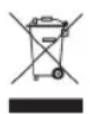
Legislation requires that all electrical and electronic equipment must be collected for reuse and recycling. Electrical and electronic equipment marked with the symbol indicating separate collection of such equipment must be returned to a municipal waste collection point.
Warranty
Claims according to current law. Any claim shall be accompanied by the cash receipt with purchase date. When raising a claim the appliance must be returned to the store of purchase.
OBH Nordica AB
Löfströms Allé 5
Tel: +46 08-629 25 00
www.obhnordica.se
Technical data
OBH Nordica 9880
Maximum weight 5 kg with 1 g interval
The appliance should be disposed of as electronic waste
Reset function
Timer function
LCD digital display
Auto on function
Automatic switch-off
3 AAA batteries (not included)
Accuracy: +/- 1.0%

These instructions are subject to alterations and improvements.
OBH NORDICA

natural_image
Black digital kitchen scale with LCD display and a pile of raw food items in the background (no visible text or symbols on main device)SE/CS/9880/UVN_161213


- OBH Nordica Denmark A/S
- Tekniske data
- OBH Nordica Norway AS
- OBH Nordica Electronic Kitchen Scale
- Safety instructions
- Before use
- About scales
- Mounting and changing of batteries
- Prior to weighing
- Use
- Weighing with reset-function (weighing unit g)
- Timer function (weighing unit g)
- Switching between timer function and weighing function
- Environmental considerations and disposal of batteries
- Disposing of the appliance
- Warranty
- OBH Nordica AB
- Technical data
- OBH NORDICA
Brand : OBH NORDICA
Model : Timer 9880
Category : Kitchen scale