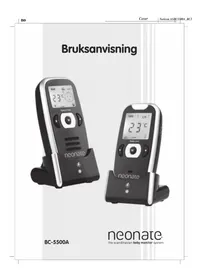
BC-5500A - Baby monitor Neonate - Free user manual and instructions
Find the device manual for free BC-5500A Neonate in PDF.


| Product Type | Baby Audio Monitor |
| Brand | Neonate |
| Model | BC-5500A |
| Communication Range (Open Space) | 800 meters |
| Channels / Digital Codes | 2 channels + 16 digital codes (32 sub-channels) |
| Temperature Sensor Range | -19°C to +149°C |
| Power Supply | 5V 1A switching power supply (included), 3.7V Li-Polymer rechargeable battery (installed) |
| Charging Time | Approximately 4 hours |
| Battery Life (Typical) | Depends on usage; night light and vibration reduce battery life |
| Key Features | Hidden antenna; professional digital coding; temperature indication on both units; night light on transmitter; adjustable microphone sensitivity; out-of-range alert; Hi/Lo temperature alert; vibration alert; LED sound level meter; illuminated keypad; rechargeable batteries |
| Function: Voice Activation | Transmitter activates on sound; adjustable sensitivity; standby when quiet |
| Function: Night Light | Can be set permanently ON via switch |
| Function: Vibration Alert | Receiver vibrates when baby cries; useful in noisy environments |
| Function: Temperature Alerts | User-settable upper and lower limits; visual and audible alarm |
| Function: Out-of-Range Alert | Audible and visual alarm if receiver out of range for >2 minutes |
| Display | Large LCD with automatic backlight; shows temperature, battery status, channel, sound level, etc. |
| Accessories Included | 2x 5V 1A power supplies, 2x rapid chargers, 2x neck straps, user manual |
| Repairability / Spare Parts | Battery pack replaceable; no serviceable parts inside cabinet |
| Safety | Not a medical device; follow warnings; use only supplied adapter; keep away from heat/moisture |
| Maintenance | Remove batteries if not used for long; disconnect power when not in use; clean with dry cloth |
| Storage Temperature | -9°C to +50°C |
Frequently Asked Questions - BC-5500A Neonate
User questions about BC-5500A Neonate
0 question about this device. Answer the ones you know or ask your own.
Ask a new question about this device
Download the instructions for your Baby monitor in PDF format for free! Find your manual BC-5500A - Neonate and take your electronic device back in hand. On this page are published all the documents necessary for the use of your device. BC-5500A by Neonate.
USER MANUAL BC-5500A Neonate
BC-5500A

neonate.
the scandinavian baby monitor system
BC-5000A Manual_Noricon AS
1. Bruk med batteripakke
Sender Lader Mottaker
- ON/OFF- og nattlysbryter
- Opp-/ned-tast
- Modustast
- Nattlys
- Mikrofum
- ON/OFF- or vibrationsbrater
-
Opp-/ncd-tast
-
Modustast
- Høyttaler
- Ladekontaktplater
- Ladeindikator
- Likestromsstønsel (DC)
- Ladeplugger
LCD-skjerm
BC-5506 (Manus) Nervin AS
Vasilianlochiness Off
1. Battcridrift
Sender Oplader Modtager
vibrationsfunxhoferen
Thank you for purchasing our BC-5500A baby monitor. Your unit has been manufactured and checked under the strictest possible quality control to ensure that each monitor leaves the factory in perfect condition. In the unlikely event you find any defects or have any problem, please contact your dealer, our branch or service center.
Please read this manual carefully to obtain maximum performance & extended service life from the unit.
Features
- Long communication range of 800m in open space
- Hidden antenna facilitates more trendy outlook
- 2 channels + 16 digital codes (total 32 sub-channels) provide high degree of immunity from interference
• Professional digital coding system guarantees interference free operation from conventional PMR radios - Baby's room temperature indication on both transmitter and receiver
- Battery status indicator and low battery alert on both transmitter and receiver
- Battery status indicator of transmitter shown on receiver screen to alert parents
• Night light on transmitter
• Digitally adjustable microphone sensitivity on transmitter
• Audio and visual alert for out-of-range on receiver - Audio and visual Hi/Lo temperature alert (range selectable by parents) on receiver
• Digital volume control on receiver
• Vibration alert on receiver
• LED sound level meter on receiver
• Automatic back-lighted and large size LCD for easy viewing - Illuminated keypad
- Receiver and Transmitter incorporate with rechargeable Li polymer battery
• Intelligent rapid charger for both transmitter and receiver
WARNING
The BC-5500A baby monitor should not be regarded as a medical device. Premature babies or those considered to be at risk should be under the supervision of your doctor or health personnel.
Direct supervision of your baby at a regular interval by a responsible adult is strongly recommended in addition to using the BC-5500A.
BC-5500.1 Manual_Norizon AS BC-5500.1 Manual_Norizon AS
POWER SUPPLY

1. Operation from battery pack
The Li polymer battery pack is already installed in the unit. To exchange battery pack, press and open the battery cover in the direction as shown, take out the battery pack and disconnect the socket.

2. Operation from AC mains using the intelligent rapid charger
Connect the output plug of the supplied 5V switching power supply to the DC jack. If the rapid charger, make sure the polarity is correct. Place the unit into the rapid charger. The charging indicator will light up red. Adjust the position of unit in case the indicator does not light up. Once the battery is fully charged up (normally it takes around 4 hours), the indicator turns steady green. Either you can take the unit out or keep placing it in the rapid charger will cause no damage to the battery. The segments within the battery status indicator as shown on the LCD will flash in turn when the battery is being charged.
CAUTION: BESURE THE BATTERY IN THE UNIT IS RECHARGEABLE TYPE BEFORE PLACING IT IN THE RAPID CHARGER, OTHERWISE EXPLOSION MAY RESULT.
IF THERE IS NO BATTERY PACK INSTALLED IN THE UNIT, THE CHARGING INDICATOR ⑪ WILL NOT LIGHT UP WHEN THE UNIT IS PLACED INSIDE CHARGER. HOWEVER, THE UNIT STILL FUNCTION NORMALLY.
CONTROLS LAYOUT

Transmitter Charge Stand Receiver
- Power ON/OFF and night light switch
- Up/Down button
- Mode button
- Night Light
- Microphone
- Power ON/OFF and vibration switch
-
Up/Down button
-
Mode button
- Speaker
- Charging contacts plates
- Charging indicator
- DC jack
- Charging pins
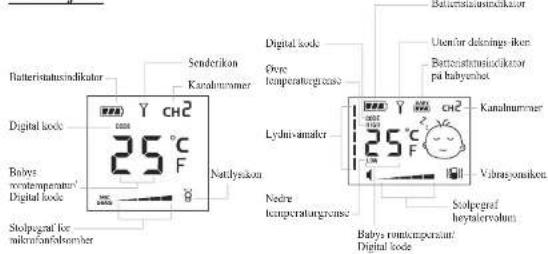
LCD Screen

Transmitter LCD
Receiver LCD

Baby Sleeping Icon Baby Crying Icon
Baby Crying Icon
Baby Crying Graphie
BC5500A_BC39_manual_Eng_Page 48 | Noricon AS
BC550MA_BC39_manual_Eng_Page 49 | Noricon AS
BC-55061 Manual_Norican AS BC-55061 Manual_Norican AS
OPERATION
TRANSMITTER
- Setting of channel, digital code and Out-of-range alert function.
a. Set the power ON/OFF switch ⑧ ON position to turn on the unit. The LCD screen shows up. Press and hold mode button for at least 5 seconds before releasing to enter into programming mode. The LCD will show following :

Flashing

Light up steadily

b. Use Up/Down button ⑧ select a desired channel (total 2 channels to choose from). Each press of the button will cause the channel no. to advance or retreat one press and hold the Up or Down button will cause the channel no. to scroll up or down rapidly. Confirm your selection by pressing the mode button . The LCD will show following :

c. Now select the digital code (total 16 digital codes to choose from) using the Up/Down button . ②h press of the button will cause the digital code to advance or retreat one step. Press and hold the Up or Down button w# cause the digital code to scroll up or down rapidly. Confirm your selection by pressing the mode button . ③ Remember the channel and digital code you have selected as you need to program the same in the receiver. The LCD will show the following :

c. Use Up/Down button ② select the Out-of-range alert function. On means this function is enabled while OFF means this function is disabled. When set to OFF, the level of emitted radiation is reduced, however, the receiver will not provide an alarm when it falls outside the communication range of transmitter. Confirm your selection by pressing the mode button . The LCD will show following:
f. This baby monitor is equipped with a professional grade digital coding system which filters off all the unwanted interference to guarantee the parents will hear no other signal except their own baby. Under normal situation, it is only necessary to program the channel and digital code once. If in the unlikely event your next door neighbour also has the same model of baby monitor and program with the same channel and digital code, then you may need to select a new channel and digital code or otherwise you will hear each other's baby. Repeat the above steps a to c, besure you also program the receiver with the same new channel and digital code.
-
The sensor inside the unit will detect the baby's room temperature and its current reading is shown on the LCD screen of both transmitter as well as receiver. The normal operating range of the temperature sensor is -19°C to 149°C. Temperature outside this range will also be shown in the LCD screen except with less accuracy. In case there is a sudden temperature change (eg, you bring the transmismitter from indoor to outdoor during winter time), the sensor may need to take 30-40 minutes before it can settle to the new environment and show the correct reading on the LCD screen.
-
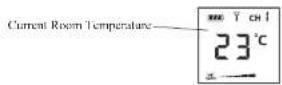
When the power ON/OFF switch ① is set at ON position, a momentarily press of the mode button ③ will cause the LCD screen to show the different settings in a cyclic order:
![graph TD A["Current baby's room temperature is 23°C"] --> B["23°C"] B --> C["On"] B --> D["01"] C --> E["Out-of-range alert function is enabled"] D --> F["C111 and digital code 01 is selected"]](/content/2026/05/865330/images/024d0675caa377bd61fb73cea9c64620356781461b09162ee1fc2115e5d94d17.jpg)
A screen showing operating channel/digital code, or out-of-range alert setting will a automatically return to screen showing baby's room temperature after 5 seconds if no further button is pressed.
-
Place the transmitter about 1 m from the crib with the microphone ⑤ facing towards the baby.
-
Adjust the microphone sensitivity using the up/down button ② such that the unit will be set to transmit whenever the microphone ③ picks up a sound at your desirable loudness level. The microphone sensitivity bar graph in the LCD will also change correspondingly. More segment of bar graph shown means the unit is more sensitive to sound.
-
Once the unit is in transmit mode, the transmit icon Y will be shown. The transmitter will return to standby mode a few seconds after the microphone ③ stops picking up any sound and the transmit icon does off.
- When the Out-of-range alert function is set to On, the transmitter will transmit a signal to the receiver at regular intervals even when the microphone ⑤ does not pick up any sound. The transmit icon Y will blink correspondingly in the LCD.
BC5500A BC39 manual Eng Page 50 Noricon AS
BC-55064 Manual_Nirivin AS
- The night light ④ can be set permanently ON by moving the power ON/OFF switch ① to position, the night light icon will be shown in the LCD.
- The condition of the battery is shown by the battery status indicator When the battery power is being consumed, the segments within the battery status indicator gradually falls. Once the indicator becomes empty, it will start flashing, reminding the parents to charge up the battery using the rapid charger. When the transmitter is switched on and placed in the rapid charger, the segments within the battery status indicator will flash in turn while battery is being charged. Once charging is completed, the flashing will stop and all three segments show steady up indicating the battery is full. The same battery indicator can also be seen on the receiver screen for the parents to monitor the battery level of the transmitter.
- Each time a button is pressed, the keypad will be illuminated and the LCD will be backlighted to facilitate operation under dark environment.
RECEIVER
- Setting of channel, digital code, upper/lower temperature limit and Out-of-range alert function.
a. Set the power ON/OFF switch ⑯ON position to turn on the unit. The LCD screen will show up and become backlighted. Press and hold mode button for⑧ at least 5 seconds before releasing to enter into programming mode. The LCD will show following:
Flashing
Light up steadily

b. Use Up/Down button select a channel same as the transmitter. Each press of the button will cause the channel no. to advance or retreat one step. Press and hold the Up or Down button with cause the channel no. to scroll up or down rapidly. Confirm your selection by pressing the mode button . LCD will show following:

50
BC5500A BC39 manual Eng Page 51 Noricon AS
BC-55064 Manuel Norixon AS
c. Now select the same digital code as the transmitter using the Up/Down button Each press of the button will cause the digital code to advance or retreat one step. Press and hold the Up or Down button will cause the digital code to scroll up or down rapidly. Confirm your selection by pressing the mode button, The LCD will show following:
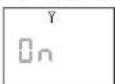
d. Now select the same setting for Out-of-range alert function as per the transmitter using Up/Down button . If 6 different setting is selected, either false alarm will be heard or no alarm will be provided even when receiver falls beyond the communication range of transmitter. Confirm your selection by pressing the mod button . If 6 LCD will show following:

Out-of-range alert Out-of-range alert setting in Transmitter setting in Receiver Remarks
| ON | ON | Alarm function normally | ||
| ON | OFF | No alarm even when out of range | ||
| OFF | ON | Always give alarm no matter out of range or not | ||
| OFF | OFF | No alarm even when out of range | ||
e. Using the Up/Down button ② set the upper temperature limit above which the unit will provide a temperature alarm. Each press of the button will cause the temperature to advance or retreat one step. Press and hold the Up or Down button will cause the temperature to scroll up or down rapidly. The allowed selectable temperature range is -14°C to +49°C. In case OFF is selected, no upper temperature limit is set. Confirm your selection by pressing the mode button . The LCD will show the following:

51
BC-5500.1 Manual_Norizon AS BC-5500.1 Manual_Norizon AS
f. Using the Up/Down button ③et the lower temperature limit below which the unit will provide a temperature alarm. The allowed selectable temperature range is -19°C to +44°C. In case you have made an illogical entry (e.g. you select 15°C as upper limit and 23°C as lower limit), the unit will not accept your entry and will automatically correct it to be a setting 2°C below the upper limit (e.g. 13°C). In case OFF is selected, no lower temperature limit is set. Confirm your selection by pressing the mode button . ④ LCD will show the following:
Temperature indication has not yet been received from baby unit

Or
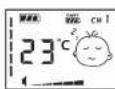
l'temperature indication received
N.B. It is recommended to have at least ±5°C between the settings of upper and lower temperature limit from the current temperature reading, otherwise the temperature alarm can often be heard whenever the baby's room temperature changes slightly.
- A momentarily press of the mode button ⑧ will cause the LCD screen to show the different settings in a cyclic order :
![graph TD A["Lower temperature limit is set at 16°C"] --> B["23°C"] B --> C["CUI and digital code 01 is selected"] C --> D["Upper temperature limit is set at 29°C"] D --> E["Out-of-range alert function is enabled"] E --> F["29°C"] F --> G["On"] G --> H["CHI and digital code 01 is selected"] H --> I["…](/content/2026/05/865330/images/7a0308dff58a577517af5ecf848d29bcec68ede54bd45ec757cde73f5f0c0dc8.jpg)
A screen showing the channel/digital code; the out-of-range alert setting; the upper temperature limit setting or the lower temperature limit setting will automatically return to screen showing the baby's room temperature after 5 seconds if no further button is pressed.
- Place the receiver at a reasonable distance away from the transmitter to avoid feedback. Too close a distance will create a screeching sound at the speaker ⑨
- Once the unit receives a signal from the transmitter, the LCD will become backlighted and the sound level meter in the LCD will show up. The louder the baby's voice, the more number of segments will be shown. This feature is useful in case the parents prefer to turn down the speaker volume to keep the environment quiet. In addition, the LCD will show the baby crying icons alternately. Once the unit stops receiving signal from transmitter, the LCD will show the baby sleeping icon and the sound level meter will go off.
- The speaker volume can be adjusted using the Up/Down button ⑦. The volume bar graph in the LCD will also change correspondingly. More segment of bar graph shown means higher volume from speaker ⑨. When no segment is shown on the LCD, the speaker ⑩ totally muted
- This unit is equipped with a vibrating alert. Set the power ON/OFF switch ⑤ to □ position, the vibration icon □ will also show up in the LCD. Once the received baby's voice is loud enough, the vibrator starts functioning. This feature is useful when the parent is working under very noisy environment (e.g. Vacuum cleaning). To save battery power, it is recommended not to use the vibrating alert frequently.
- When the out-of-range alert function is set to On in both transmitter and receiver, once he receiver is beyond the communication range of the transmitter for over 2 minutes, a n out-of-range alarm will be heard. The sound level meter starts flashing together with the out-of-range icon to alert the parents. Besides, the temperature reading will how -°C. The alarm and icon will go off only when the receiver falls back within the communication range of transmitter.
N.B. This alarm will also be heard in case the transmitter is switched off, or its battery has run down, or its power is cut off, or the channel/digital code setting is different between the transmitter and receiver, or the out-of-range alert setting is different between transmitter and receiver.
- Whenever the baby's room temperature falls outside the range as preset by the upper a nd lower temperature limits, an alarm will be heard. Depending on whether the upper o r lower limit is exceeded, the correspondingly icou (HIGH OR LOW) will show up and the current temperature reading start flashing in the I.CI.
- The condition of the rechargeable battery pack is shown by the battery status indicator W. hen the battery power is being consumed, the segments within the battery status indicator gradually falls. Once the indicator becomes empty, its starts flashing and an alarm will be heard, reminding the parents to charge up the battery using the rapid charger. W. hen the receiver is switched on and placed in the rapid charger, the segments within the battery status indicator will flash in turn while battery is being charged. Once charging is completed, the flashing will stop and all three segments show steady up indicating the battery is full.
BC5500A_BC39_manual_Eng_ Page 54 | Noricon AS
BC-5506 (Manual_Nivicon AS
-
When only one segment is left within its battery status indicator, the transmitter will send out a signal to the receiver and a low battery alarm will be heard to alert the parents. Once the transmitter battery status indicator becomes totally empty the 📄️ icon starts flashing together with low battery alarm, urging the parent to recharge battery for the transmitter.
-
Each time a button is pressed, the keypad will become illuminated to facilitate operation under dark environment.
-
The loudness of the alarms (low battery temperature alarm and our range alarm) is fixed and independent from adjustment of the speaker volume.
-
Both unit can be carried around by installing the neck strap as shown.

PRECAUTIONS
- Use only the supplied switching power supply, use of other adapters may cause damage to the BC-5500A baby monitor
- When not using the monitor for as long period of time, remove all batteries from the transmitter and receiver to avoid damage due to battery leakage.
- Disconnect the switching power supply from the wall outlet when the monitor is not to be operated.
- The BC-5500A is best performed within a temperature range of -9°C to +50°C.
- Do not leave the monitor expose to strong sunlight for a long time or nearby any heat source, moisture and excessive dusty environment.
- Do not open the cabinet, no serviceable part inside.
STANDARD ACCESSORIES
a. SV 1A switching power supply x 2
b. Rapid charger x 2
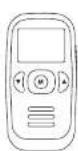
c. Transmitter unit
d. Receiver unit
e. 3.7V Li-Polymer rechargeable
battery pack x 2 (installed in unit)
f. Neck strap x 2
g. User manual

C
d

[Non-Text]

54

b

9
BC5500A_BC39_manual_Eng_Page 55 | Noricon AS
BC-55094 Manual_Naricon 48
TROUBLE SHOOTING GUIDE
| Problem | Possible Causes | Solution |
| Transmitter has no transmission- Battery has run down | - Mic sensitivity is too low using up/down button- Recharge battery using charger stand | 2 |
| Transmitter always on | - Mic sensitivity is too high | - Adjust mic sensitivity lower using up down button 2 such that transmitter become voice activated |
| Out-of-range alarm always on | - Channel or digital code setting is different in transmitter and receiver- Transmitter's battery has run down- Out-of-range alert setting in transmitter is Off but setting in receiver is On- Distance between transmitter and receiver exceeds the operating range- Vibration or highlight is turned ON without given the units a 0,5 sec pause in OFF-mode before turning the functions ON (see section 6.) | - Set the same channel and digital code in both transmitter and receiver- Recharge battery using charger stand- Change Out-of-range alert setting in transmitter to On |
| - Move the transmitter and receiver closer together- Turn the baby unit or/and parentunit OFF in minimum 0,5 sec before turning the vibration or highlight function on. | ||
| Out-of-range alarm sometimes on | - Interference from other devices operating on same channel | - Switch to another channel |
| No Out-of-range alarm | - Setting of Out-of-range alert in both transmitter and receiver is Off- Setting of Out-of-range alert in transmitter is On bar in receiver is Off | - Change both settings to On- Change setting in receiver to On |
| Temperature alarm always on | - The upper and lower temperature limit is set too close to the current reading | - Set the upper and lower temperature limit around 5°C difference from current reading |
| Always showing low battery alert | - Battery has run down- Battery pack is damaged | - Recharge battery using charger stand- Replace with new battery pack |
| Battery life is short | - Night light is permanently switched on- Vibration alert is switched on | - Switch off night light- Switch off vibration alert |
| Many static noise and interference | - Transmitter is located near other electrical appliances | - Remove the electrical appliances or re-locate the transmitter far away from source of interference or change to another channel |
| Too short communication range | - Many steel structures between transmitter and receiver- Transmitter battery has run down | - Re-locate transmitter or receiver- Recharge battery using charger stand |
55
EC DECLARATION OF CONFORMITY - NEONATE BC-5500A
EC DECLARATION OF CONFORMITY
Noricon AS
Thorleifs allé 22
NO-0489 Oslo
Norway
Declare that the following product
Product Description: BABY AUDIO MONITOR
Model Name: BC-5500A
Brand Name: NEONATE
Is in conformity with the following relevant harmonised standards
Radio: EN 300220-1 V2.1.1 (04/2006), EN 300220-2 V2.1.2 (06/2007)
EMC: EN 301489-1 V1.8.1 (04/2008), EN 301489-3 V1.4.1 (08/2002)
Safety: EN 60065:2002 / A1:2006/A11:2008
Health EN 50371 (2002)
Following the provisions of Council Directive 99/05/EC on radio equipment and telecommunications terminal equipment and the mutual recognition of their conformity.
Name: Glenn Ulverud
Position: CEO
Place and date of issue
Oslo, 11.08.2010
Signature

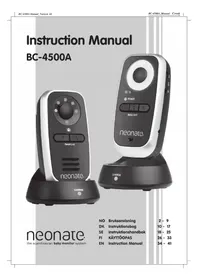
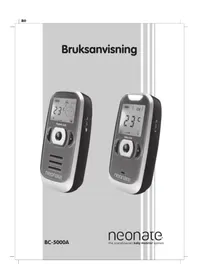
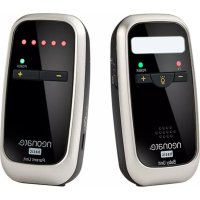

Brand : Neonate
Model : BC-5500A
Category : Baby monitor