Basic BC4600D - Baby monitors Neonate - Free user manual and instructions
Find the device manual for free Basic BC4600D Neonate in PDF.


User questions about Basic BC4600D Neonate
0 question about this device. Answer the ones you know or ask your own.
Ask a new question about this device
Download the instructions for your Baby monitors in PDF format for free! Find your manual Basic BC4600D - Neonate and take your electronic device back in hand. On this page are published all the documents necessary for the use of your device. Basic BC4600D by Neonate.
USER MANUAL Basic BC4600D Neonate
the scandinavian baby monitor system

text_image
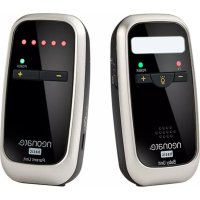
neonate® basic Baby Unit T2 POWER - + - + - + neonate® basic Parent UnitQUICKGUIDE
ENGLISH NORSK DANSK SVENSKA SUOMEA POLSKIEDEUTSCHFRANÇAIS NEDERLANDS ITALIANO
neonate.
the scandinavian baby monitor system
DECLARATION OF CONFORMITY
Noricon AS
Nandrups vei 1 b
0490 Oslo
NORGE
Declares that the following produkt:
Model Neonate BC-4600D is compliant with the following relative harmonized
standards:
• EN 60065:2002+A1:2006+A11:2008+A2:2010+A12:2011
• EN 62311:2008
• EN 301 389-1 V1.9.2 (2011-09)
• EN 489-3 V1.6.1 (2013-08)
• EN 300 220-2 V2.4.1 (2012-05)
In accordance with the requirements set forth by the R&TTE directive (1999/05/EC) regarding radio and telecommunications terminal equipment and mutual recognition of their conformity.
Name: Glenn Ulverud
Position: CEO
Date: 28.01.2017
Olen Ulen
Signature

ENGLISH
Connecting power supply to baby and parent unit
The baby and parent unit is powered either by the supplied AC adapter or rechargeable Li-polymer battery that is already installed in the unit. When the AC adapter is plugged into the parent unit, it will simultaneously charge the battery while providing power to the unit.
Pairing (connecting) units
Note! PU and BU are already paired and ready to use out of the box. Nevertheless, we recommend you to pair the units again to ensure a private connection.
1 Parent unit: Press and hold the (+) button and set the ON/OFF switch to ON position. Do not release the (+) button before the power indicator start flashing.
② Baby unit: Press and hold the (+) button and set the ON/OFF switch to ON position. Do not release the (+) button before the power indicator start flashing.
3 Baby unit: Press (+) button to confirm the pairing between PU and BU. Two beeps (sound) will confirm that the units are paired. The power indicators on both BU and PU now show steady green (or red if power is low).
Adjusting the speaker volume on parent unit
Parent unit: Use the (-)/(+) buttons to adjust the volume. The number of LED's shows current volume level. When volume is turned all the way down (volume = OFF) no LED lights are lit.
Adjusting the microphone sensitivity of the baby unit
Baby unit must be turned on.
Baby unit: Use the (-)/(+) buttons to adjust the sensitivity of the microphone. The transmit indicator flashes from one to five times to show the current microphone sensitivity. One flash means the lowest sensitivity, five flashes means highest sensitivity. When sensitivity is turned up, lower sounds are detected easier. When the sensitivity is turned down, the sound has to be louder for the microphone and thereby the baby unit to be activated.
Turn on night light on baby unit / Change night light brightness
Baby unit: Press the ☐ -button to turn the night light ON, change the brightness or switch OFF the night light.
Alarms / Warnings / Indicators (LED lights)
OUT-OF-RANGE alarm/alert is activated in parent unit after 30 seconds when/if
1 baby- and parent unit is beyond communication range
② when baby unit is turned off
3 baby unit cannot send signal to parent unit (example; if baby unit is defect)
A sound alarm will be activated and all LED lights will flash.
LOW BATTERY alarm/alert - when/if baby or parent unit's battery power level falls below a certain limit (3.4V), the power indicator goes from green to red light. When battery power in parent unit is even lower, a sound alarm will be activated in parent unit.
When the Baby or Parent unit is recharging (using AC adapter) the power indicator light flashes red. When the Baby or Parent unit is fully charged;
- if the units are turned ON - the power indicator light is lit green
- if the units are switched OFF - the power indicator light is turned off
When the Parent unit is receiving audio signal from the Baby unit, the number of LED lights that illuminate show the volume of child's voice.
When the Baby unit transmits sound, the transmit indicator (TX) light is red.