
ABTS-636 - Uncategorized AKAI - Free user manual and instructions
Find the device manual for free ABTS-636 AKAI in PDF.


| Product Type | Portable Karaoke Speaker |
| Brand | AKAI |
| Model | ABTS-636 |
| Power Source | DC 9V (via included adaptor) |
| Power Consumption | 40W |
| RMS Power | 40W |
| Bluetooth Version | 4.2 |
| Bluetooth Frequency | 2402-2480 MHz |
| Bluetooth Range | 10m |
| FM Frequency | 87.5-108.0 MHz |
| Battery Type | Li-Ion 2000mAh, 7.4V |
| Speaker Drivers | 1 x 6.5" + 4 x 2.5" |
| Frequency Response | 55Hz-20kHz |
| Dimensions (WxHxD) | 220 x 220 x 645 mm |
| EQ Modes | Pop, Classical, Jazz, Rock |
| Light Modes | 12 pre-set effects + color selection |
| Voice Changer | Yes, with pitch and formant adjustment |
| Microphone Inputs | 2 (MIC1, MIC2) 1/4" jacks |
| USB Port | For USB playback |
| Line Input | 3.5mm auxiliary input |
| Remote Control | Included, range 6m, 60° angle |
| App Control | Speaker Pro app (iOS/Android) |
| Included Accessories | AC adaptor, wired microphone, car charger, remote control |
| Safety | Do not expose to moisture, use specified voltage, avoid covering |
| Maintenance | Clean with dry cloth; no solvents |
| Disposal | Recycle per local regulations (WEEE) |
Frequently Asked Questions - ABTS-636 AKAI
User questions about ABTS-636 AKAI
0 question about this device. Answer the ones you know or ask your own.
Ask a new question about this device
Download the instructions for your Uncategorized in PDF format for free! Find your manual ABTS-636 - AKAI and take your electronic device back in hand. On this page are published all the documents necessary for the use of your device. ABTS-636 by AKAI.
USER MANUAL ABTS-636 AKAI
Important Safety Instructions
- To assure the finest performance, please read this manual carefully. Keep it in a safe place for future reference.
- Locate this unit away from other electrical appliances, motors, or transformers to avoid humming sounds.
- Do not expose this unit to sudden temperature changes from cold to hot. Do not locate this unit in an environment with high humidity (i.e. a room with a humidifier) to prevent condensation inside this unit, which may cause an electrical shock, fire, damage to this unit, and/or personal injury.
- Avoid installing this unit where foreign objects may fall into this unit and/or this unit may be exposed to liquid dripping or splashing. Never place objects on top of this unit as they may cause damage to the unit or discolor it.
- Never place candles, lit objects or containers with liquids such as vases on the unit, as doing so is extremely hazardous, may cause personal injury and/or major damage to the unit.
- Do not cover this unit with a newspaper, tablecloth, curtain, etc. in order not to obstruct heat radiation.
- If the temperature inside this unit rises, it may cause fire, damage to this unit, and/or personal injury.
- Do not operate this unit upside down as it may overheat and cause damage.
- Do not use force on switches, knobs and/or cords.
- When disconnecting the power cable from the wall outlet, grasp the plug; do not pull the cable.
- Do not clean this unit with chemical solvents as these may damage the finish. Use a clean, dry cloth.
- Only the voltage specified on this unit may be used. Using this unit with a higher voltage than specified is dangerous and may cause fire, damage to this unit and/or personal injury. We will not assume any liability for damage resulting from use of this unit with a
voltage other than specified.
-
To prevent damage by lightning, keep the power cable and outdoor antennas disconnected from a wall outlet or this unit during a lightning storm.
-
CAUTION: NEVER attempt to open this unit to modify, fix or repair this unit! Refer all service, repairs and maintenance to an authorized service center.
-
Excessive sound pressure from earphones and headphones can cause hearing loss.
NOTE
This unit may be submitted to changes in specifications, characteristics and/or operation without prior notice to the user, in order to continue improving and developing its technology.
Content of box:
Upon opening the package, please check for the following items:
1 x Speaker
1 x Adaptor
1 x Wired Microphone
1 x Car Charger
1 x Remote control
Product overview
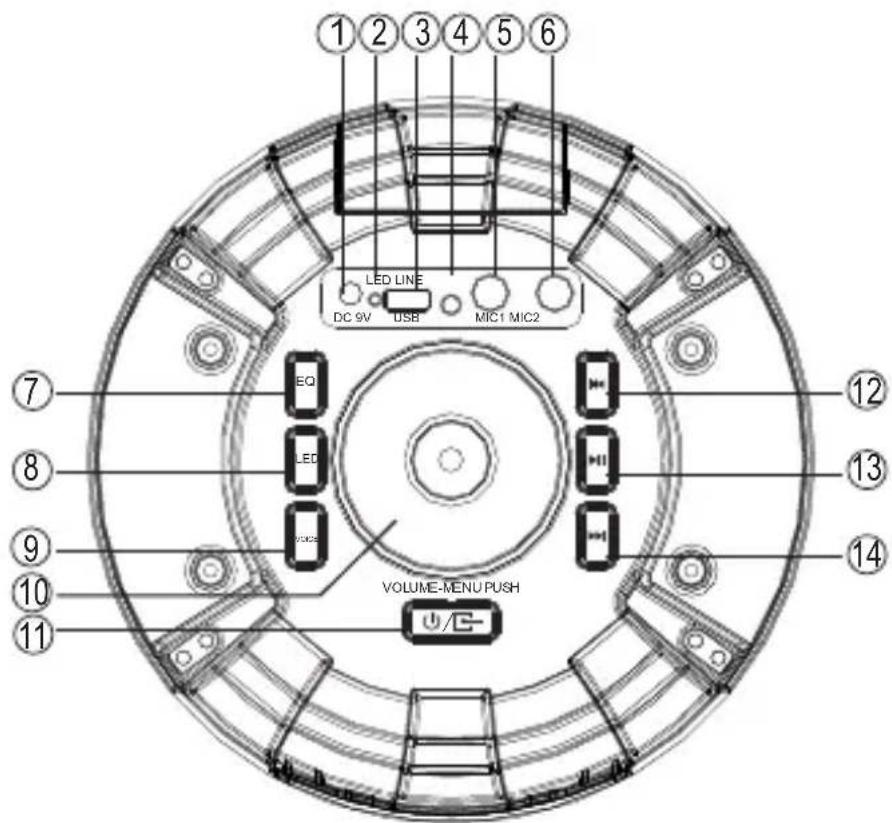
- DC interface
- Charging Indicator RED=Charging GREEN=Full Charged
- USB Port
- Line Input
- MIC 1: Microphone input
- MIC 2: Microphone input
- EQ sound effect mode button
- Light mode selection
-
Voice Changer
-
VOLUME-/+&MENU PUSH: Master volume adjustment&Menu selection button &PUSH knob enter menu.
-
Power/Input Key
-
Previous track
-
Play/Pause (In FM mode, hold for 3 seconds the device will enter into automatic scan)
-
Next track
Remote control
- On/Off
- Master volume +/-
- Previous/VOL-
- LED button
- EQ button Press EQ button on the remote to select EQ modes: Pop, Classical, Jazz and Rock.
- Voice Changer
- Signal input button
- Next/VOL+
- Play/ Pause
- Mute button
- MIC Priority

Instructions
- Remote control should be available within 6 meters and 60 degree.
- The remote should be pointed straight on the direction of the speaker receiver. No obstacles must be placed between the remote control and the unit.
- Remote control might be unavailable under strong light, In this case, remote controller should be removed from the strong light.
Power source
- Please charge the unit at least 4 hours before first time using.
- Long press the POWER/INPUT button on the panel to switch on or off the speaker.
Charge the battery
When the battery is charging, the CHARGE STATUS lights red. After the battery has fully charged, the light turns to be green.
- Connect the AC adaptor to the DC IN JACK of the speaker firmly, and plug it into a wall outlet.
- When the battery is fully charged, first disconnect the AC adaptor from the speaker, then from the wall outlet.
- The speaker works normally when charging.
Power/input button
Press POWER/INPUT button on the front panel to select the mode (LINE, USB, BT OR FM).
Previous/next button
By pressing PREVIOUS/NEXT button on the front panel, you can select a specific song from the play list.
Pause/play button
To stop playing the current track, please press PAUSE/PLAY button on the front panel. Press it once again to continue playing.
Volume-menu push
Adjust volume; PUSH knob enter menu: BA/TR/IU(lb,It)/EC/dL/bO light mode/When selecting light mode, there are 12 light modes for selection/LED light mode switch(ON/OFF) (circulating).
EQ Button
Press EQ button on the top panel to select EQ modes: Pop, Classical, Jazz and Rock.
Mic 1/2 jack
Plug in microphone directly for playing.
USB jack
Insert USB card directly for playing.
Line in jack
- Connect an audio cable (not included) to the LINE IN JACK of the speaker and to the audio output socket on the external audio devices such as MP3 player, CD-Player, etc, then select LINE by pressing the POWER/INPUT button on the front panel.
- Play from an external audio device.
FM functions
- Press POWER/INPUT to select FM radio.
- Press PLAY/PAUSE button on front panel for automatic searching and saving the radio stations.
Press PREVIOUS/NEXT button to select a specific radio station.
Bluetooth
Please press POWER/INPUT button on control panel to select Bluetooth mode.
Simultaneously open the Bluetooth setting on your phone, tablet or any other bluetooth enabled audio device and select "ABTS-636"(no need to match code), the unit and device will then connect via Bluetooth. Press the "next song" and "previous song" button on the control panel to select the song, press" play/pause" button to control the playing status.
To control the device via your phone, please find and install the app "Speaker Pro".
"Speaker- Pro" Application
Open the App "Speaker Pro" on your phone, there are 7 function icons on the main page :
- Bluetooth Music play
- USB card play
- Light control colour, brightness and light flash mode
4.FM Radio - Control Bluetooth connect
6.Line In input - mute - Equalizer, volume adjustment for music, Microphone and quitar input.

(1) Bluetooth Music play
Press to enter into Bluetooth Music play page, Press "Pick songs to play" to Pick Song page to choose the song you want to play, press "Done" to return to Bluetooth Music play page, also you can operate pause, play, backward, forward&volume adjustment, repeat, random play. Press "Back" to return to the main page.
(2) USB play
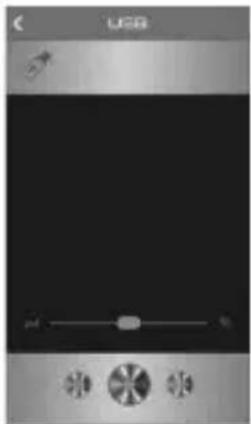
When inserting an USB into the speaker, press to enter the USB play page. To choose a song and play music on the USB, press "Play" to enter into the play control page, where you can operate pause, play, backward, forward & volume adjustment. Press "List" to return to USB list page, press "Back" to return to the main page.
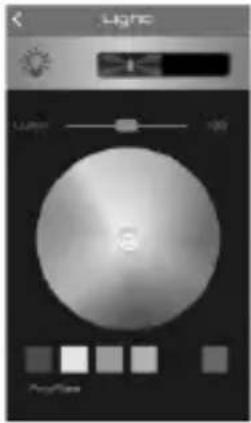
(3) Colours light control, brightness and colour change mode

Press to enter into Light Control page, you can select any colour to show the light colour on the speaker, as well as adjust the brightness of the light.
To go back to main page, press " <" in the left corner.
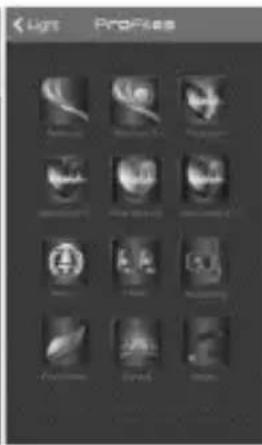
Press "Profiles" to enter into Light Effect mode page, you can choose from a total of 12 pre-set light effect modes. To return to Light Control page, press "Light" in the left corner.
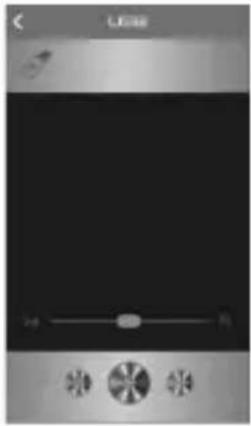
(4) FM Radio

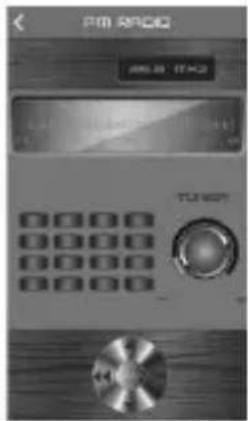
Press to enter into FM radio mode, press SCAN to enter into radio program automatic scan. Press ◀◀▶ for radio program manual scan, Top and bottom trimming, Turn the TUNER button radio station can be adjusted. Slide around to adjust radio frequency between 87.5MHz\~108.0MHz.

(1)

natural_image
Digital audio player interface with playback controls and sound wave icons (no readable text or symbols)(2)

(3)

(4)
(5) Bluetooth connection
Press to enter into Bluetooth Control connection page, then click "Speaker Pro BLE" to connect to the speaker.
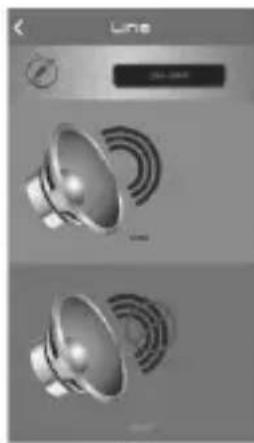
(6) Line In input - mute
Press to enter into Line IN input page, press to mute music, press insert a line continue play. Press "Back" to main page.
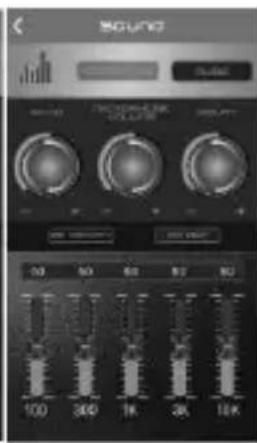
(7) Equalizer and Volume Adjustment
Press to enter the Sound Set page to adjust the music and microphone volume.
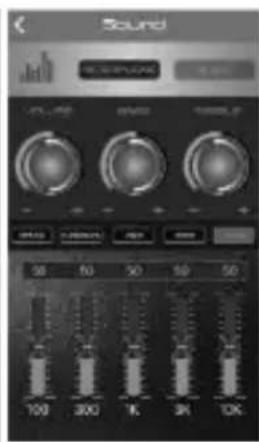
Press MUSIC to adjust the volume, bass and treble. There are 4 pre-set EQ modes to
choose from: Pop, Classical, Jazz or Rock. You can also press G-EQ to access the graphic equalizer to set up your preferred equalizer specification.
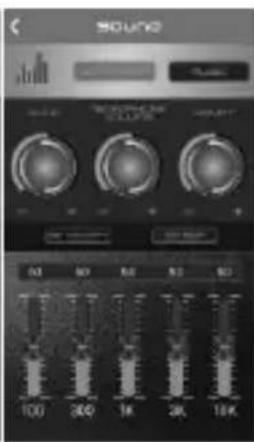
Press MICROPHONE to adjust ECHO, MICROPHONE VOLUME, DELAY, MIC
PRIORITY and MIC DSP.
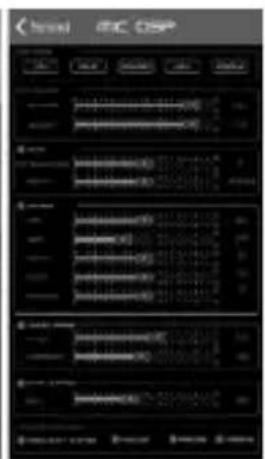
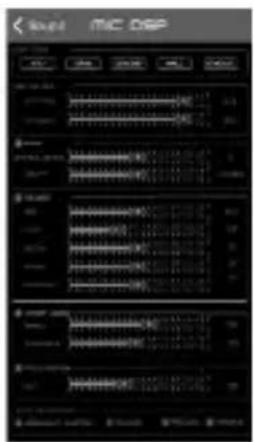
Under the MIC DSP function, are 5 DSP modes to choose from: KTV, CAVE, CONCERT, HALL or STADIUM. Here you can also adjust the following functions:
MIX VOLUME: Adjust BYPASS and/or EFFECT mode. Swipe left and right to adjust.
ECHO: Adjust ATTENUATION and/or DELAY mode.
REVBER: Adjust DRY, WET, WIDTH, ROOM and/or DAMPING mode.
VOICE CHANGE: Adjust PITCH and/or FORMANT mode.
PITCH SHIFTER: Adjust KEY mode.
HOWLING CONTROL: There are 4 options to choose from: FREQUENCY SHIFTER, HOWLING, PRECISE or MASSIVE.

(5)

natural_image
Two speakers with sound waves, shown in grayscale (no text or symbols visible)(6)

(7)

(8)
Technical specifications:
• Power Source DC9V
• Power Consumption 40W
- RMS Power 40W
- Bluetooth version 4.2
• Bth. channel emission power 2dbm
- Bluetooth frequency 2402MHz-2480 MHz
• FM frequency 87.5-108.0
- Battery type Li-Ion 2000 mAh, 7.4 V
- Speakers 1^6.5'' + 4^2.5''
- Bluetooth range 10m
• Frequency response 55Hz-20kHz
- Dimensions (WxHxD) 220 × 220 × 645mm

natural_image
Symbol of a trash bin with crossed lines indicating no waste, and a solid black rectangle below (no text or labels)DISPOSAL OF WASTE ELECTRICAL AND ELECTRONIC EQUIPMENT
This symbol on the product or packaging means that the product should not be treated as household waste. Do not throw garbage at the end of its life, but take it to a collection center for recycling. In this way you will help to protect the environment and be able to prevent any negative consequences that it would have on the environment and
human health. To find your nearest collection center:
- Contact local authorities;
- Access the website: www.mmediu.ro ;
- Request additional information from the store where you purchased the product.
IMPORTER: SC INTERVISION TRADING-RO SRL
Street I.C Bratianu, no. 48-52, building A, floor. 5, room 504-505, Pitesti City, Arges County, Romania Post code: 110121
MANUALUL UTILIZATORULUI
(5)
natural_image
Two speakers with sound waves, no visible text or symbols(6)

(7)

(8)
natural_image
Symbol of a trash bin with crossed lines indicating no waste, and a solid black rectangle below (no text or labels)Pop, Classical, Jazz and Rock.
natural_image
Two identical speaker icons with sound waves, displayed in a minimalist design interface (no text or symbols)(6)

(7)

(言)

(1)
natural_image
Digital display screen with a black screen and control buttons (no readable text or symbols)(2)
(3)


(4)
natural_image
Simple line drawing of a trash bin with crossed lines and a circular component, no text or symbols present.(1)
natural_image
Mobile phone interface showing a black screen with a slider and control buttons (no readable text or symbols)(2)

(3)

(4)
(5)

natural_image
Two speakers with sound waves, no visible text or symbols(6)
(7)


- Important Safety Instructions
- NOTE
- Content of box:
- Product overview
- Remote control
- Instructions
- Power source
- Charge the battery
- Power/input button
- Previous/next button
- Pause/play button
- Volume-menu push
- EQ Button
- Mic 1/2 jack
- USB jack
- Line in jack
- FM functions
- Bluetooth
- "Speaker- Pro" Application
- Bluetooth Music play
- USB play
- Colours light control, brightness and colour change mode
- FM Radio
- Bluetooth connection
- Line In input - mute
- Equalizer and Volume Adjustment
- PRIORITY and MIC DSP.
- Technical specifications:
- DISPOSAL OF WASTE ELECTRICAL AND ELECTRONIC EQUIPMENT
- IMPORTER: SC INTERVISION TRADING-RO SRL
- MANUALUL UTILIZATORULUI
Brand : AKAI
Model : ABTS-636
Category : Uncategorized