
ROTTO BIAŁY WG40 - Ventilateur domestique Eldom - Free user manual and instructions
Find the device manual for free ROTTO BIAŁY WG40 Eldom in PDF.


| Product Type | Domestic Fan |
| Model | ROTTO BIAŁY WG40 |
| Brand | Eldom |
| Color | White |
| Fan Diameter | 40 cm (approx.) |
| Power Source | Mains (220-240 V, 50 Hz) |
| Power Consumption | Approx. 50 W |
| Speed Settings | 3 speeds |
| Oscillation | Yes |
| Tilt Adjustment | Yes, manual tilt |
| Dimensions (approx.) | Height: 130 cm, Width: 45 cm, Depth: 45 cm |
| Weight | Approx. 5 kg |
| Cord Length | 1.5 m |
| Noise Level | Approx. 55 dB (max speed) |
| Safety Features | Overheat protection, stable base |
| Cleaning | Wipe with damp cloth; do not immerse |
| Spare Parts | Replacement blades, grille, motor |
| Warranty | 2 years (EU) |
| Included Accessories | Fan unit, base, blade set, front/rear grille |
| Energy Class | Class A (typical) |
Frequently Asked Questions - ROTTO BIAŁY WG40 Eldom
User questions about ROTTO BIAŁY WG40 Eldom
0 question about this device. Answer the ones you know or ask your own.
Ask a new question about this device
Download the instructions for your Ventilateur domestique in PDF format for free! Find your manual ROTTO BIAŁY WG40 - Eldom and take your electronic device back in hand. On this page are published all the documents necessary for the use of your device. ROTTO BIAŁY WG40 by Eldom.
USER MANUAL ROTTO BIAŁY WG40 Eldom
natural_image
Black desktop fan with mesh grille and red indicator lights (no visible text or symbols)Eldom Sp. z o.o.
WENTYLATOR POKOJOWY WG40

OPIS OGÓLNY
natural_image
Diagram of a fan with labeled parts (A–E), showing internal structure and fan blade geometry (no text or symbols beyond labels)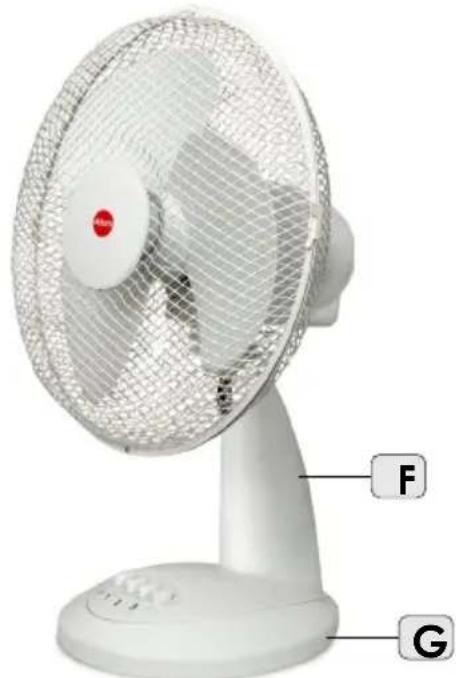
natural_image
White desktop fan with mesh grille and labeled parts F and G (no text or symbols on fan body)DANE TECHNICZE
natural_image
Close-up of a white electric fan with labeled buttons (M, H, J) and a numeric keypad on the front panel (no readable text or symbols beyond labels)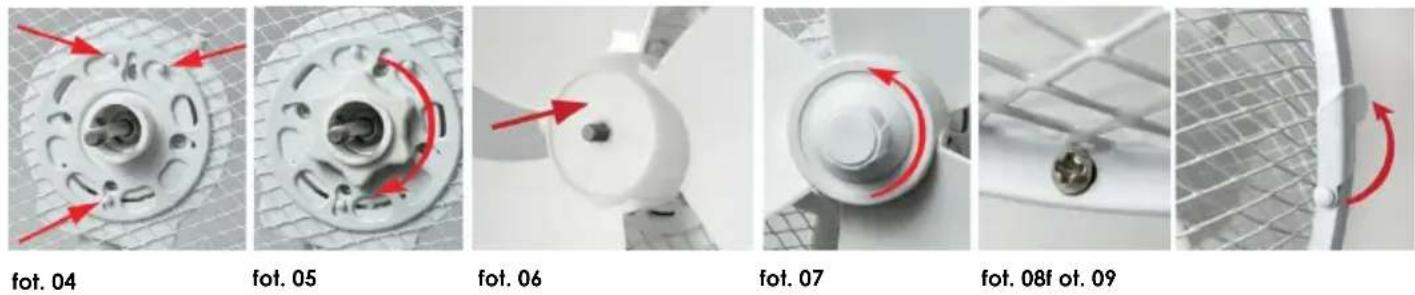
Before the first use, please read all these instructions carefully:
- The cord should be plugged into the power supply of parameters indicated in the data plate.
- Please, do not plug too many appliances to a single electric circuit.
- WARNING: do not use close to bathtubs, showers, swimming pools and other water containers.
- The unit is designed to operate at a household.
- Place the unit on a flat and dry surface.
- Do not inert fingers or any other objects into the inlet and outlet holes.
- Do not place the unit near cushions or curtains.
- Working fan must be always supervised, especially, when there are children nearby.
- Leaving a room where a fan operates, switch it off.
- Do not spray any insect killers or similar agents near the operating fan.
- Do not use the appliance under high temperature (exceeding 40oC), in localizations where the humidity rate is high (e.g. bathroom) and localizations where explosive atmosphere occurs.
- Before switching the unit on make sure all its elements are correctly fixed. Under no circumstances one may switch the unit on before it has been completely assembled!
- Do not cover the protective mesh.
- Do not use the appliance as a hanger.
-
In case the power cord is damaged it must be replaced by the manufacturer's authorized service center.
-
The device can be used by children aged 8 and older and by persons with limited physical, sensory or mental capabilities, or persons without sufficient experience and knowledge only under supervision or if previously instructed on the safe use of the appliance and the possible risks. Children shall not play with the appliance. Cleaning and maintenance that are the responsibility of the user shall not be carried out by children without supervision. Protect the appliance and the power cord against children under 8 years old.
-
The unit may be repaired by a manufacturer's authorized service center only (list of the centers attached and available on the website: www.eldom.eu). All modifications or use of non-original spare parts or any other elements is prohibited and makes use of the unit hazardous.
-
The device can be repaired only by authorized service center. Any upgrades or any use of non-original spare parts or equipment components is prohibited and endanger the safety of use.
-
Eldom Sp. z o.o. shall not be held liable for any damage caused by any improper use of the device.
ENVIRONMENTAL PROTECTION
- the device is made of materials that can be reused or recycled
- it should be handed to the special collection point, that deals with collection and recycling of electronic and electric devices.
WARRANTY
- the device is intended for private use in a household,
- it cannot be used for professional purposes,
- the guarantee does not cover damage caused by improper operation. The guarantee terms are provided in the annex.
INSTRUCTION MANUAL ROOM FAN WG40

GENERAL DESCRIPTION
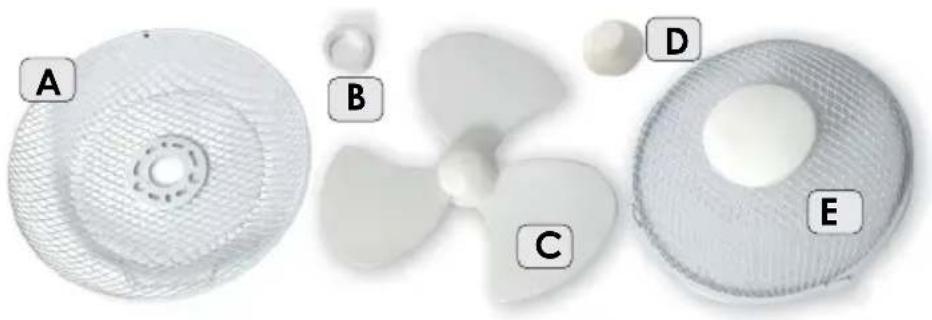
A. Protective mesh - rear
B. Nut
C. Airscrew
D. Nut securing the airscrew
E. Protective mesh - front
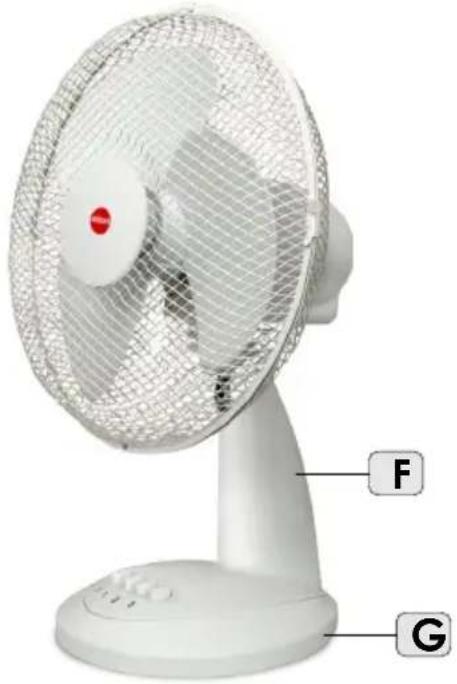
F. ArmH. Shank
G. Base
H. Oscillation switch
I. Body
J. Switch and gears: I, II and III
natural_image
Three white plastic fan components labeled A, B, C, D, E, showing different sizes and surfaces (no text or symbols beyond labels)TECHNICAL DATA
- power: 40W
- supply voltage: 230V \~ 50Hz
ASSEMBLY AND THE APPLIANCE OPERATION
Before the first use, unpack the unit and put particular elements together.
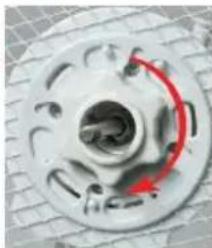
- unscrew the nuts (B,D) from the body's shaft (I)
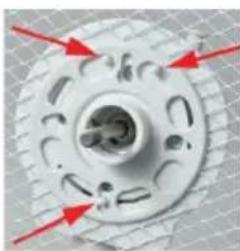
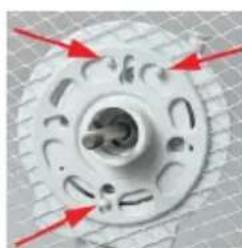
- fix the rear protective mesh (A). Adjust the holes in the mesh to the clamps of the body, fig. 04
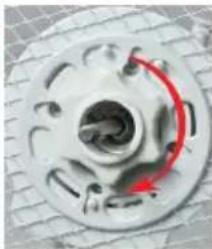
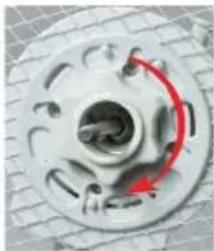
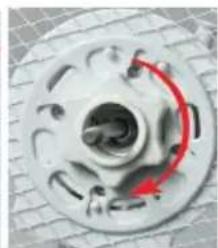
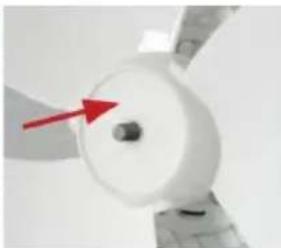
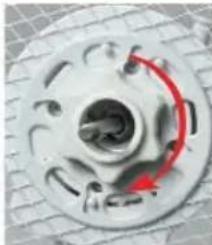
- fix the nut (B), twisting it clockwise, fig. 5
natural_image
White desktop fan with mesh grille and labeled parts F and G (no text or symbols on fan body)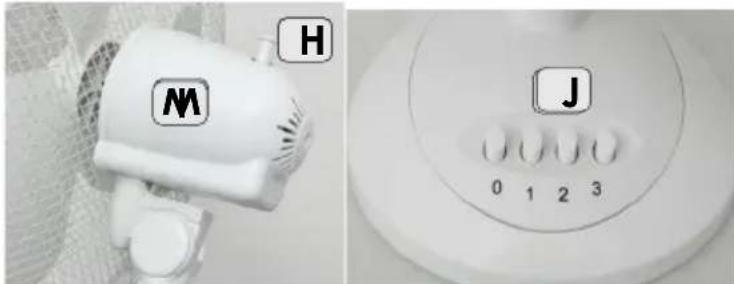
natural_image
Close-up of a white hair dryer with labeled buttons (M, H, J) and a numeric keypad on the front panel (no readable text or symbols beyond labels)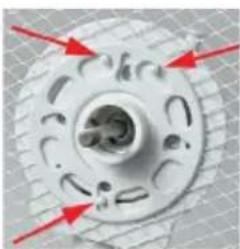
natural_image
Close-up of a mechanical component with red arrows pointing to features (no visible text or symbols)fot. 04
natural_image
Close-up of a mechanical component with red curved arrow indicating rotation (no text or symbols visible)fot. 05
natural_image
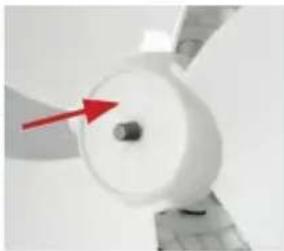
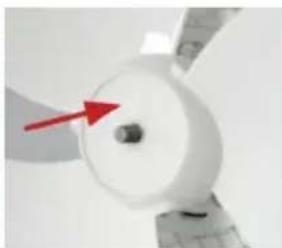
Close-up of a white propeller with a red arrow pointing to its center (no text or symbols visible)fot. 06
natural_image
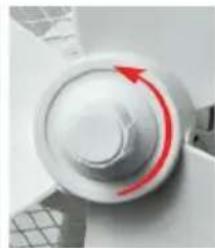
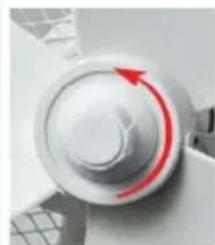
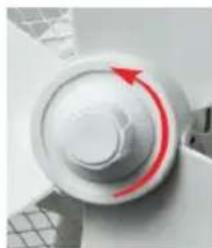
Close-up of a white mechanical knob with a red circular arrow indicating rotation (no text or symbols visible)fot. 07
natural_image
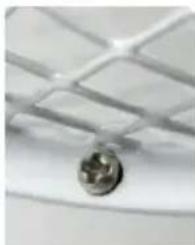
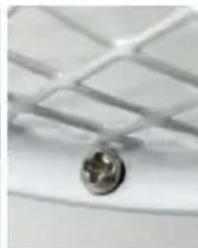
Close-up of a ceiling-mounted fixture with a metallic knob (no visible text or symbols)fot. 08f ot. 09
natural_image
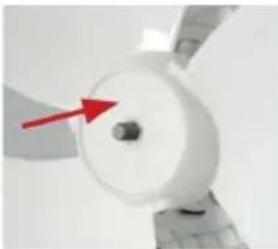
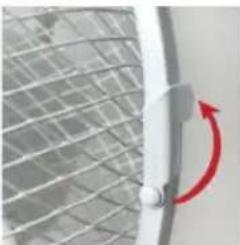
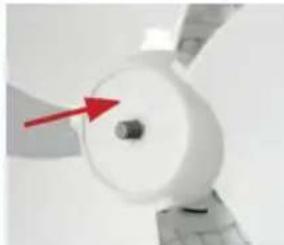
Close-up of a white panel with a red circular arrow indicating rotation or adjustment, against a grid-patterned background (no text or symbols)- slide the airscrew (C) on the pin, fig. 6
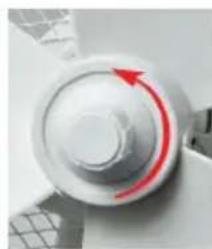
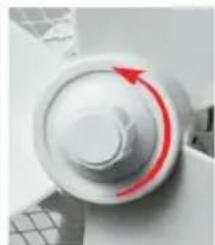
- secure the airscrew with the nut (D), twisting it counterclockwise, fig. 7
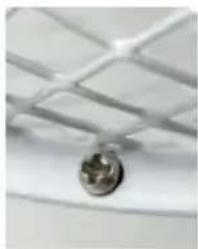
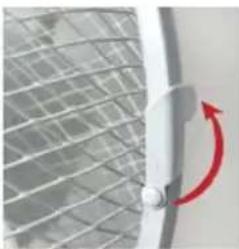
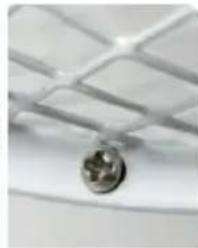
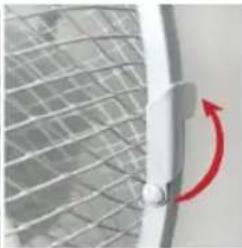
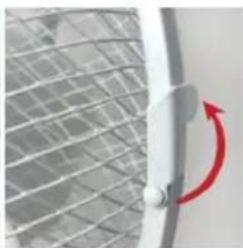
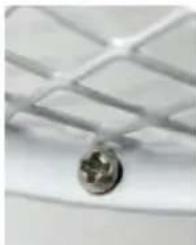
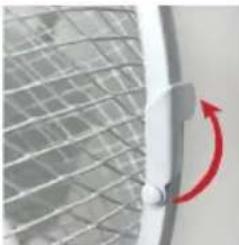
- fix the front protective mesh (E). Couple both meshes in the bottom part due to a bolt, protect by clamps,
fig. 8 and 9
- put the unit on a stable and even surface
Select the fan rotation speed (press "1", „2" or "3") with the switch (J).
After press the "0" position, the appliance is turned off.
Undependably on selected speed, it is possible to select the circulation option after pressing the button (H).
To switch the above function off, pull the button out (H).
CLEANING AND MAINTENANCE
- before cleaning unplug the hair-dryer and wait until it cools down com pletely
- never immerse the hair-dryer in water
- casing and power cord can be cleaned with soft dry or slightly damp cloth
- the air inlet and outlet should be cleaned with soft brush
BEZPEČNOSTNÍ DOPORUČENÍ
natural_image
Diagram of a fan with labeled parts (A–E), showing internal structure and components without any text or symbols.TECHNICKÉ ÚDAJE
natural_image
White desktop fan with mesh grille and labeled parts F and G (no text or symbols on fan body)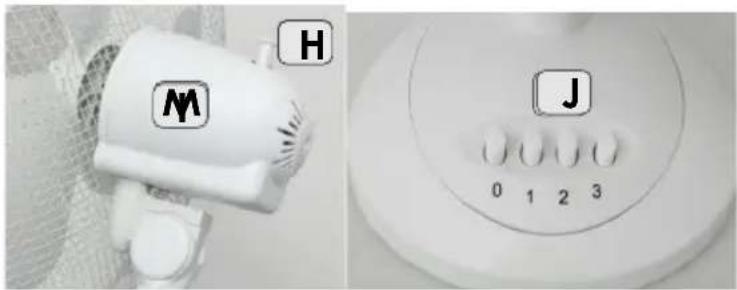
natural_image
Close-up of a mechanical component with red directional arrows indicating rotation or force (no text or symbols)fot. 04
natural_image
Close-up of a car wheel with red motion arrows indicating clockwise motion (no text or symbols)fot. 05
natural_image
Close-up of a white cylindrical mechanical component with a red arrow pointing to its center (no text or symbols visible)fot. 06
natural_image
Close-up of a white circular mechanical component with a red curved arrow indicating rotation (no text or symbols visible)fot. 07
natural_image
Close-up of a ceiling-mounted metal fixture with a circular component (no visible text or symbols)fot. 08f ot. 09
natural_image
Close-up of a metal door handle with a red circular arrow indicating rotation (no text or symbols visible)natural_image
Three white fan components labeled A, B, C, D, E showing different fan designs (no text or symbols beyond labels)TECHNISCHE DATEN
natural_image
White desktop fan with mesh grille and labeled parts F and G (no text or symbols on fan body)GEBRAUCHSANWEISUNG
natural_image
Close-up of a mechanical component with red directional arrows indicating force or movement (no text or symbols)fot. 04
natural_image
Close-up of a car brake disc with red curved arrow indicating clockwise motion (no text or symbols)fot. 05
natural_image
Close-up of a white cylindrical device with a red arrow pointing to its center (no visible text or symbols)fot. 06
natural_image
Close-up of a white mechanical knob with a red curved arrow indicating rotation (no text or symbols visible)fot. 07
natural_image
Close-up of a ceiling-mounted grid fixture with a metallic knob (no text or symbols visible)fot. 08f ot. 09
natural_image
Close-up of a metal rod with a red circular arrow indicating rotation (no text or symbols visible)natural_image
White desktop fan with mesh grille and labeled parts F and G (no text or symbols on fan body)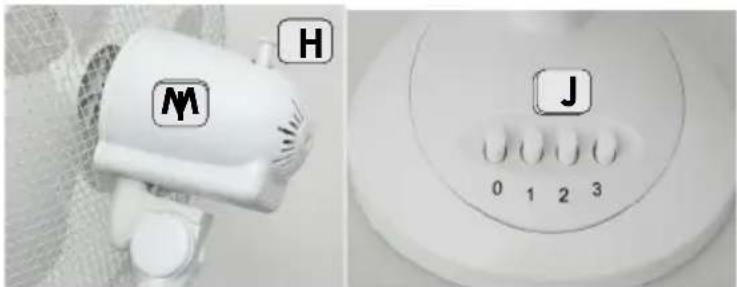
natural_image
Close-up of a white fan with labeled buttons (M, H, J) and a numeric keypad on the front panel (no readable text or symbols beyond labels)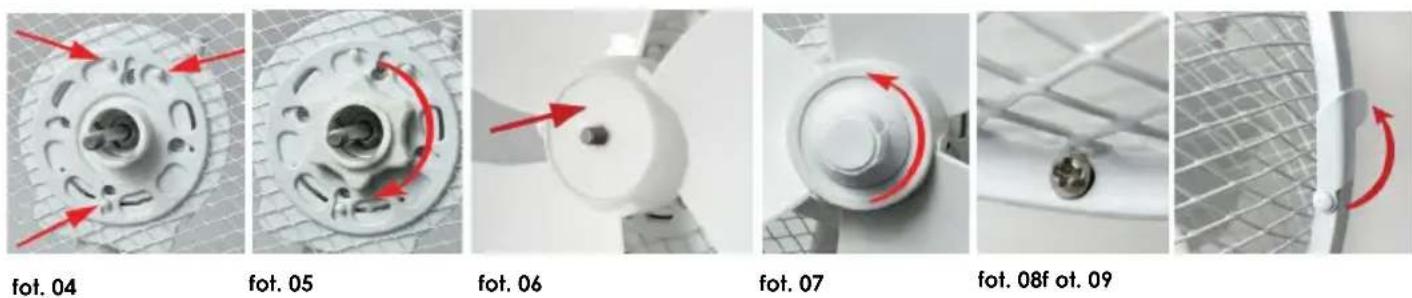
natural_image
Diagram of a fan with labeled parts (A–E), showing internal structure and components without any text or symbols.TECHNICKÉ ÚDAJE:
natural_image
White desktop fan with mesh grille and labeled parts F and G (no text or symbols on fan body)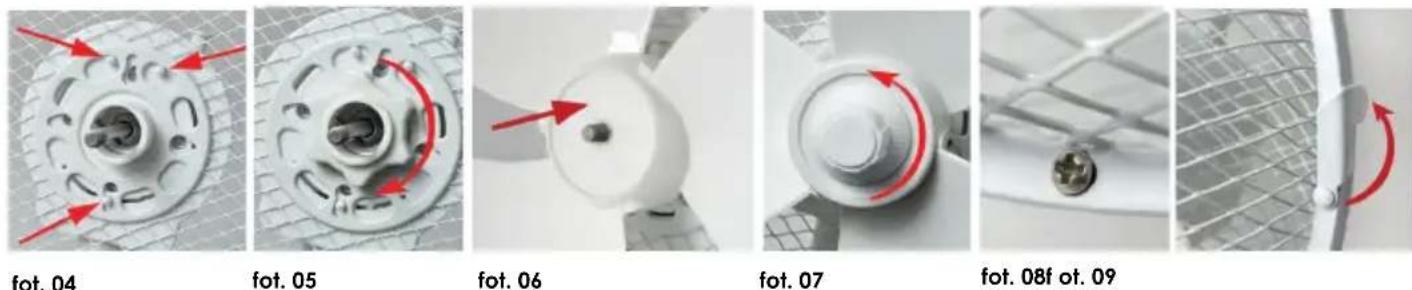
natural_image
Diagram of five labeled components (A–E) of a fan or propeller assembly, showing internal structure and mounting points (no text or symbols beyond labels)MÜSZAKI ADATOK
natural_image
White desktop fan with mesh grille and labeled parts F and G (no text or symbols on fan body)natural_image
Close-up of a white electric fan with labeled buttons (M, H, J) and a numeric keypad (0–3), no readable text or symbols beyond labels.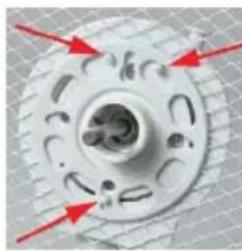
natural_image
Close-up of a mechanical component with red arrows pointing to features (no text or symbols visible)fot. 04
natural_image
Close-up of a mechanical component with red curved arrow indicating rotation or direction (no text or symbols visible)fot. 05
natural_image
Close-up of a white turbine or propeller with a red arrow pointing to its center (no text or symbols visible)fot. 06
natural_image
Close-up of a white circular mechanical component with a red curved arrow indicating rotation (no text or symbols visible)fot. 07
natural_image
Close-up of a metallic screw head mounted on a grid-patterned ceiling (no text or symbols visible)fot. 08f ot. 09
natural_image
Close-up of a metal panel with a red circular arrow indicating rotation (no text or symbols visible)natural_image
Diagram of a fan with labeled parts A through E, showing internal structure and components (no text or symbols beyond labels)ESPECIFICACIONES
natural_image
White desktop fan with mesh grille and labeled parts F and G (no text or symbols on fan body)natural_image
Two white industrial fan components labeled M and H, shown from different angles (no text or symbols on the fan body)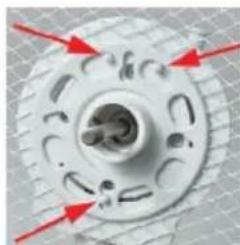
natural_image
Close-up of a mechanical component with red arrows pointing to features (no visible text or symbols)fot. 04
natural_image
Close-up of a car wheel rim with red motion arrows indicating clockwise motion (no text or symbols)fot. 05
natural_image
Close-up of a white wind turbine blade with a red arrow pointing to the center (no text or symbols visible)fot. 06
natural_image
Close-up of a white mechanical component with a red curved arrow indicating rotation (no text or symbols visible)fot. 07
natural_image
Close-up of a metallic pendant with a circular button, mounted on a grid-patterned ceiling (no text or symbols visible)fot. 08f ot. 09
natural_image
Close-up of a metal grate with a red curved arrow indicating rotation (no text or symbols)广力云智慧零售收银系统


- WENTYLATOR POKOJOWY WG40
- OPIS OGÓLNY
- DANE TECHNICZE
- ENVIRONMENTAL PROTECTION
- WARRANTY
- INSTRUCTION MANUAL ROOM FAN WG40
- GENERAL DESCRIPTION
- TECHNICAL DATA
- ASSEMBLY AND THE APPLIANCE OPERATION
- CLEANING AND MAINTENANCE
- BEZPEČNOSTNÍ DOPORUČENÍ
- TECHNICKÉ ÚDAJE
- TECHNISCHE DATEN
- GEBRAUCHSANWEISUNG
- TECHNICKÉ ÚDAJE:
- MÜSZAKI ADATOK
- ESPECIFICACIONES
Brand : Eldom
Model : ROTTO BIAŁY WG40
Category : Ventilateur domestique