
Base2 - Headphones Lamax - Free user manual and instructions
Find the device manual for free Base2 Lamax in PDF.


| Product Type | Wireless Headphones |
| Brand | Lamax |
| Model | Base2 |
| Color | Black |
| Dimensions | 180 x 160 x 70 mm |
| Weight | 150 g |
| Power Source | Built-in rechargeable lithium-ion battery, 3.7V, 300mAh |
| Battery Life | Up to 20 hours |
| Charging Time | Approx. 2 hours via Micro USB |
| Connectivity | Bluetooth 5.0 |
| Bluetooth Range | Up to 10 meters |
| Driver Size | 40 mm |
| Frequency Response | 20 Hz - 20 kHz |
| Impedance | 32 Ohms |
| Sensitivity | 105 dB |
| Features | Built-in microphone, volume control, multifunction button |
| Included Accessories | Micro USB charging cable, user manual |
| Care and Cleaning | Wipe with soft dry cloth, avoid liquids |
| Safety | Avoid extreme temperatures, do not disassemble |
| Spare Parts | Not available separately; contact support |
| General | Suitable for music, calls, and media |
Frequently Asked Questions - Base2 Lamax
User questions about Base2 Lamax
0 question about this device. Answer the ones you know or ask your own.
Ask a new question about this device
Download the instructions for your Headphones in PDF format for free! Find your manual Base2 - Lamax and take your electronic device back in hand. On this page are published all the documents necessary for the use of your device. Base2 by Lamax.
USER MANUAL Base2 Lamax
natural_image
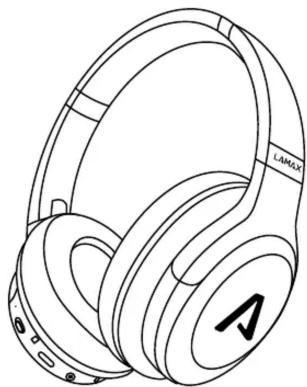
Line drawing of a LAMAX headphones with no text or symbols on the ear (pure technical line)Controls
| Power on | Move up to Power on position |
| Power off | Move up to Power off position |
| Play / Pause | Press |
| Next track | Hold for 2 seconds |
| Previous track | Hold for 2 seconds |
| Volume up | Press |
| Volume down | Press |
| Answer / End call | Press |
| Reject Call | Hold for 2 seconds |
| Activate mobile assistant | Double press |
Power on
To turn the headphones on, slide 📄 up to the Power on position. Switching on is accompanied by an audible notification and a blue-red flashing indicator LED.
Power off
To turn the headphones off, slide 📄 down to the Power off position. Switching off is accompanied by an audible alert and the LED goes off.
Pairing
-
The headphones automatically go into pairing mode the first time you turn them on. This is indicated by the LED alternately flashing red and blue.
-
On your device, turn Bluetooth on and locate and select LAMAX Base2 in the list of available Bluetooth devices. After successfully pairing, there is an audible notification and the blue flashing LED.
If you have problems with pairing, remove the headphones from the list of paired devices on your phone. Hold + for 6 seconds. Then pair as described in step 1.
Charging
To charge, plug the USB-C cable into the headphones, then plug the other end of the cable into a USB charger with a maximum voltage of 5V. The LED will glow red when charging, after a full charge the LED will turn off.
Parameters
| Wireless technology | Bluetooth 5.3 |
| Bluetooth range | up to 15 metres |
| Supported codecs | AAC, SBC |
| Battery capacity | 500 mAh |
| Headphone charging time | 2,5 hours |
| Playback time | up to 48 hours |
| Weight | 220 g |
Printing errors reserved.
The latest version of the user guide can be downloaded here: https://lamax-electronics.com/base2/manual


LAMAX Base2
natural_image
Line drawing of a LAMAX headphones with no text or symbols on the ear itselfSteuerung
natural_image
Line drawing of a LAMAX headphones with no text or symbols on the ear itselfOvládání
natural_image
Line drawing of a LAMAX headphones with no text or symbols on the ear (pure technical line)Ovládanie
natural_image
Line drawing of a LAMAX headphones with no text or symbols on the ear (pure technical line)Obstuga
natural_image
Line drawing of a LAMAX headphones with no text or symbols on the ear (pure technical line)Vezérlés
natural_image
Line drawing of a LAMAX headphones with no text or symbols on the ear (pure technical line)Upravljanje
| Viklop | Premaknite IID v položaj za vklop |
| Izklop | Premaknite IID navzdol v položaj za izklop |
| Predvajati / Premor | Pritisnite |
| Naslednja skladba | 2 sekundi pridržite |
| Prejšnja skladba | 2 sekundi pridržite |
| VOL + | Pritisnite |
| VOL - | Pritisnite |
| Sprejeti / končati klic | Pritisnite |
| Zavrniti klic | 2 sekundi pridržite |
| Aktiviranje mobilnega asistenta | 2x pritisnite |
Vklop
natural_image
Line drawing of a LAMAX headphones with no text or symbols on the ear (pure technical line)Upravljanje


Brand : Lamax
Model : Base2
Category : Headphones