
RTEU 901 - Thermostat AEG - Free user manual and instructions
Find the device manual for free RTEU 901 AEG in PDF.


| Product Type | Digital Clock Thermostat |
| Brand | AEG |
| Model | RTEU 901 |
| Dimensions | Approx. 85 x 85 x 30 mm |
| Weight | Approx. 150 g |
| Power Supply | 2 x AA batteries |
| Display | Digital LCD |
| Control | Rotary knob with push-to-confirm |
| Functions | Programmable thermostat with comfort and setback temperatures |
| Programmable Periods | 2 setback periods (P1, P2) with selectable days and times |
| Temperature Range | Comfort temperature adjustable; setback up to 4°C lower |
| Clock | 7-day programmable clock |
| Installation | Wall-mounted |
| Maintenance | Clean with a dry cloth; do not use liquids |
| Safety | For indoor use only; avoid moisture |
| Spare Parts | Contact AEG support |
Frequently Asked Questions - RTEU 901 AEG
User questions about RTEU 901 AEG
0 question about this device. Answer the ones you know or ask your own.
Ask a new question about this device
Download the instructions for your Thermostat in PDF format for free! Find your manual RTEU 901 - AEG and take your electronic device back in hand. On this page are published all the documents necessary for the use of your device. RTEU 901 by AEG.
USER MANUAL RTEU 901 AEG
Beknopte beschrijving digitale klokthermostaat OCC1991
Bedieningsknop heeft 2 functies:

draaien: aanpassen van instellingen
drukken: bevestigen van wijzigingen
Instellen van dag en tijd
• Druk 5 seconden de knop in, tot SET verschijnt.
Draai aan de knop naar Menu 2 (M 2 onder in beeld).
• Druk op de knop: tijd gaat knipperen.
Draai aan de knop naar de juiste tijd.
• Druk op de knop om te bevestigen (dagnummer onder in beeld gaat knipperen).
Draai aan de knop naar juiste dagnummer (1 is maandag, 2 is dinsdag etc.).
• Druk op de knop om te bevestigen.
Draai aan de knop tot END verschijnt.
• Druk op de knop: u bent terug in het startscherm.
Instellen van comforttemperatuur
Draai aan de knop (temperatuur gaat knipperen).
Draai aan de knop naar de gewenste comforttemperatuur.
• Druk op de knop: u bent terug in het startscherm.
Instellen van de nacht / verlagingtemperatuur
• Druk 5 seconden de knop in, tot SET verschijnt.
Draai aan de knop naar Menu 3 (M3 onder in beeld).
Druk op de knop: temperatuur gaat knipperen.
Draai aan de knop naar de gewenste spaartemperatuur
(advies: stel spaartemperatuur max. 4°C lager in dan de comforttemperatuur)
• Druk op de knop om te bevestigen.
Draai aan de knop tot END verschijnt.
• Druk op de knop: u bent terug in het startscherm.
Instellen van de spaarperiode(s)
• Druk 5 seconden de knop in, tot SET verschijnt.
• Druk op de knop: P1 verschijnt in beeld.
1. Druk op de knop: dagnummers verschijnen onder in beeld.
2. Draai aan de knop tot de gewenste dag(en) in beeld staan.
3. Druk op de knop: tijd verschijnt in beeld.
4. Draai aan de knop tot gewenste tijdstip van aanvang spaarperiode,
5. Druk op de knop: tijd verschijnt in beeld.
6. Draai aan de knop tot gewenste tijdstip van einde spaarperiode.
• Druk op de knop: P2 verschijnt in beeld.
---- Herhaal vanaf 1 voor instellen nieuwe spaarperiode.
Draai aan de knop tot END verschijnt.
• Druk op de knop: u bent terug in het startscherm.
Fabrieksinstelling:
P1 maandag t/m zondag (1t/m7) 23.00 uur uit / 6.00 uur aan (volgende ochtend!)
P2 maandag t/m vrijdag (1t/m5) 9.00 uur uit / 15.00uur aan
Continue temperatuur instellen (programmering wordt uitgeschakeld)
Druk op de knop: temperatuur verschijnt in beeld.
Draai aan de knop tot de gewenste temperatuur bereikt is.
• Druk op de knop: deze temperatuur blijft continue in beeld
• Terug naar programmering: druk 2 x op de knop: u bent terug in het startscherm.
Systeem volledig uitschakelen.
• Druk twee maal achter elkaar op de knop: OFF verschijnt in beeld.
Systeem terug inschakelen.
• Druk op de knop: u bent terug in het startscherm.

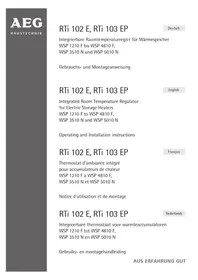
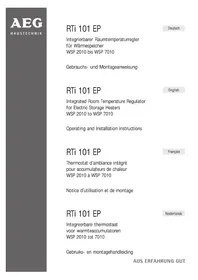
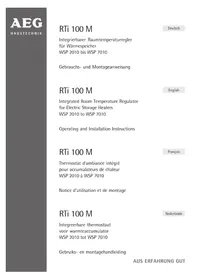
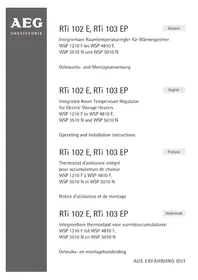
- Beknopte beschrijving digitale klokthermostaat OCC1991
- Bedieningsknop heeft 2 functies:
- Instellen van dag en tijd
- Instellen van comforttemperatuur
- Instellen van de nacht / verlagingtemperatuur
- Instellen van de spaarperiode(s)
- Fabrieksinstelling:
- Continue temperatuur instellen (programmering wordt uitgeschakeld)
- Systeem volledig uitschakelen.
- Systeem terug inschakelen.
Brand : AEG
Model : RTEU 901
Category : Thermostat