
MJU 700 - Digital Camera OLYMPUS - Free user manual and instructions
Find the device manual for free MJU 700 OLYMPUS in PDF.


Pick your language and provide your email: we'll send you a specifically translated version.
| Product type | Compact digital camera |
| Brand | OLYMPUS |
| Model | MJU-700 |
| Sensor resolution | 7.1 megapixels (1/2.5 inch) |
| Optical zoom | 3x (35-105 mm equivalent) |
| Digital zoom | 4x |
| LCD screen | 2.5 inches, 115,000 pixels |
| Image stabilization | Digital (Digital Image Stabilizer) |
| Shooting modes | Auto, Program, Portrait, Landscape, Night, Sport |
| Recording format | JPEG, AVI (Motion JPEG) |
| Storage media | XD Picture Card (up to 2 GB) |
| Power supply | Rechargeable lithium-ion battery LI-12B (3.7 V, 600 mAh) |
| Dimensions (W x H x D) | 97 x 56 x 27 mm |
| Weight (with battery and card) | 165 g |
| Connections | USB 2.0, video output (PAL/NTSC) |
| Maintenance and cleaning | Clean the body with a soft dry cloth. Use a blower for the lens. Avoid humidity and extreme temperatures. |
| Safety | Do not expose to water. Turn off the device before removing the battery or card. |
| Spare parts and repairability | Battery LI-12B, charger, USB cable, wrist strap. Repair possible by authorized centers. |
Frequently Asked Questions - MJU 700 OLYMPUS
How to transfer photos from the OLYMPUS MJU 700 to a computer?
Connect the camera to the computer with the provided USB cable. Turn on the camera in Playback mode. The computer will detect it as a removable drive. Copy the files to your hard drive.
What type of memory card does the MJU 700 use?
The MJU 700 uses Olympus xD Picture Card (up to 2 GB). Insert the card into the slot next to the battery.
How to change the battery?
Turn off the camera. Open the battery compartment on the bottom. Replace the battery LI-12B respecting the polarity. Close the cover.
How to use the optical zoom?
In shooting mode, use the zoom ring around the shutter button: turn towards T (telephoto) to zoom in and W (wide-angle) to zoom out. The optical zoom offers 3x magnification.
What to do if the camera does not turn on?
Check that the battery is charged and inserted correctly. Plug in the charger and wait a few minutes. If the problem persists, reset the camera by removing the battery and card for 30 seconds.
How to reset to factory settings?
Go to the Setup menu (key icon), select Reset or Factory settings. Confirm. All settings will return to default values.
How to delete photos?
In playback mode, display the photo to delete. Press the Delete button (trash icon). Confirm with Yes. To delete all photos, use the Delete all menu.
How to avoid blurry photos?
Use the image stabilizer (menu). Hold the camera firmly with both hands. In low light, use Night mode or a tripod. Press the shutter halfway to lock focus.
How to format a memory card?
Insert the card into the camera. Go to Setup > Format. Confirm the operation. Caution: This action erases all data on the card.
Where to find the full manual for the MJU 700?
The original manual in PDF format is available for download on notice-facile.com. You can also request a translation in your language via the dedicated form.
User questions about MJU 700 OLYMPUS
0 question about this device. Answer the ones you know or ask your own.
Ask a new question about this device
No questions yet. Be the first to ask one.
Download the instructions for your Digital Camera in PDF format for free! Find your manual MJU 700 - OLYMPUS and take your electronic device back in hand. On this page are published all the documents necessary for the use of your device. MJU 700 by OLYMPUS.
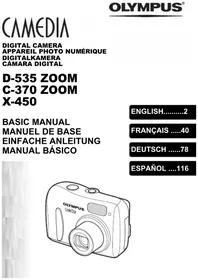
USER MANUAL MJU 700 OLYMPUS
Manual assistant
Powered by Anthropic
Waiting for your message
Product information
Brand : OLYMPUS
Model : MJU 700
Category : Digital Camera