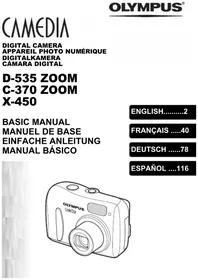
C-5000 ZOOM - Digital Camera OLYMPUS - Free user manual and instructions
Find the device manual for free C-5000 ZOOM OLYMPUS in PDF.


Pick your language and provide your email: we'll send you a specifically translated version.
| Product Type | Compact digital camera |
| Brand | OLYMPUS |
| Model | C-5000 ZOOM |
| Resolution | 5 megapixels |
| Optical zoom | 3x (35mm equivalent: 38-114 mm) |
| Digital zoom | 4x |
| Screen | 1.8-inch LCD (approx. 134,000 pixels) |
| Focus | Autofocus, manual possible |
| Shooting modes | Auto, program, aperture priority, shutter priority, manual, portrait, landscape, sports, night |
| ISO sensitivity | Auto, 64, 100, 200, 400 |
| Storage | xD-Picture Card (16 MB - 512 MB) |
| Power supply | 4 AA batteries or rechargeable Ni-MH battery |
| Dimensions (W x H x D) | 105 x 57 x 39 mm |
| Weight | 195 g (without batteries and card) |
| Connectivity | USB 1.1, video output (NTSC/PAL) |
| Maintenance and cleaning | Wipe the exterior with a soft dry cloth. Clean the lens with a blower or microfiber cloth. |
| Safety | Do not expose to humidity, do not disassemble. Use recommended battery type. |
| Spare parts and repairability | Available from OLYMPUS or authorized repairers. Check compatibility. |
| General information | User manual available for download at notice-facile.com |
Frequently Asked Questions - C-5000 ZOOM OLYMPUS
What is the procedure to format a memory card?
Turn on the camera, insert the card, then press the MENU button. Go to the 'Settings' tab (key icon) and select 'Format'. Confirm with OK. Note: formatting erases all data.
How to set the date and time?
Press MENU, choose the 'Settings' tab (key icon), select 'Date/time', then adjust the values with the up/down buttons and confirm with OK.
What types of batteries are recommended?
It is recommended to use AAA alkaline batteries (LR06) or AAA rechargeable Ni-MH batteries. Avoid zinc-carbon batteries.
How to transfer photos to a computer?
Connect the camera to the computer using the supplied USB cable. Turn on the camera in 'Playback' mode. The computer will recognize the camera as a removable drive. Copy the files to your hard disk.
Why are photos blurry?
Check that the focus is correct (half-press the shutter button). Make sure the ISO sensitivity is suitable for the ambient light. Use a tripod if necessary or activate the stabilizer if available.
How to change the shooting mode?
Turn the dial on top of the camera to select the desired mode: Auto, P (program), A (aperture priority), S (shutter priority), M (manual), or scene modes.
The memory card is not recognized, what to do?
Check that the card is inserted correctly (orientation). Try to format the card in the camera or use another compatible xD-Picture Card.
How to delete individual photos?
Switch to playback mode, display the photo to delete, then press the 'Delete' button (often a trash can). Confirm with OK.
How to clean the lens?
Use a blower to remove dust, then gently wipe with a microfiber cloth in circular motions. Avoid any liquid.
Where can I find the full manual?
The full manual is available for free in PDF format at notice-facile.com for the OLYMPUS C-5000 ZOOM model.
User questions about C-5000 ZOOM OLYMPUS
0 question about this device. Answer the ones you know or ask your own.
Ask a new question about this device
No questions yet. Be the first to ask one.
Download the instructions for your Digital Camera in PDF format for free! Find your manual C-5000 ZOOM - OLYMPUS and take your electronic device back in hand. On this page are published all the documents necessary for the use of your device. C-5000 ZOOM by OLYMPUS.