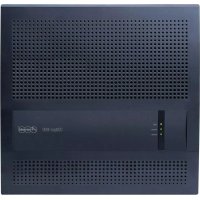
TSA-a/b - Accessoires pour téléphone portable Auerswald - Free user manual and instructions
Find the device manual for free TSA-a/b Auerswald in PDF.


Pick your language and provide your email: we'll send you a specifically translated version.
| Product Type | Telephone System Adapter |
| Brand | Auerswald |
| Model | TSA-a/b |
| Dimensions (approx.) | 120 x 80 x 30 mm |
| Weight (approx.) | 150 g |
| Power Supply | Powered via telephone line (PSTN/ISDN) |
| Connection Type | RJ11/RJ45 ports for a/b interface |
| Compatibility | Analog telephones, PBX systems |
| Main Function | Converts digital PBX signals to analog telephone signals |
| LED Indicators | Power and line status |
| Mounting | Desktop or wall-mountable |
| Operating Temperature | 0 °C to 40 °C |
| Storage Temperature | -20 °C to 60 °C |
| Humidity | 20% to 80% non-condensing |
| Maintenance | Clean with dry cloth; avoid liquids |
| Safety | Use only with compatible telephone systems; do not open device |
| Spare Parts | Power adapter (if applicable) and connection cables |
| Reparability | Service by authorized technicians only |
| Certifications | CE, RoHS |
| Included Accessories | User manual, RJ11 cable |
Frequently Asked Questions - TSA-a/b Auerswald
What is the Auerswald TSA-a/b used for?
The TSA-a/b is a telephone adapter that connects analog telephones to digital PBX systems, converting a/b interface signals.
How do I connect the TSA-a/b?
Connect the TSA-a/b to your PBX using an RJ45 cable for the line input, and connect your analog telephone to the RJ11 port marked 'Phone'.
Does the TSA-a/b require external power?
No, it is powered directly by the telephone line (PSTN/ISDN). No external power adapter is needed.
Is the TSA-a/b compatible with all analog phones?
Yes, it works with standard analog telephones, fax machines, and modems that use an a/b interface.
How do I know if the TSA-a/b is working?
Check the LED indicators: a steady green light indicates power and line connection. If the LED is off, check cable connections.
Can I mount the TSA-a/b on a wall?
Yes, the device has mounting holes on the back. Use suitable screws to attach it securely to a wall.
What should I do if there is no dial tone?
Ensure all cables are firmly connected. Try a different RJ11 cable and test the telephone on another line to isolate the issue.
How do I clean the TSA-a/b?
Use a soft, dry cloth to wipe the exterior. Do not use water, solvents, or abrasive cleaners.
Where can I find the user manual?
The user manual is available for free download in PDF format from notice-facile.com or the Auerswald support website.
Is the TSA-a/b compatible with VoIP?
No, the TSA-a/b is designed for traditional PBX systems with analog ports. For VoIP, use an ATA (Analog Telephone Adapter) instead.
User questions about TSA-a/b Auerswald
0 question about this device. Answer the ones you know or ask your own.
Ask a new question about this device
No questions yet. Be the first to ask one.
Download the instructions for your Accessoires pour téléphone portable in PDF format for free! Find your manual TSA-a/b - Auerswald and take your electronic device back in hand. On this page are published all the documents necessary for the use of your device. TSA-a/b by Auerswald.