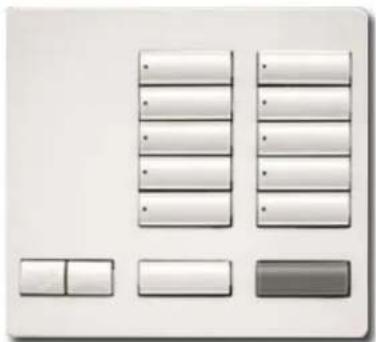
RR-T10RL-SW - Home Automation Lutron - Free user manual and instructions
Find the device manual for free RR-T10RL-SW Lutron in PDF.


User questions about RR-T10RL-SW Lutron
0 question about this device. Answer the ones you know or ask your own.
Ask a new question about this device
Download the instructions for your Home Automation in PDF format for free! Find your manual RR-T10RL-SW - Lutron and take your electronic device back in hand. On this page are published all the documents necessary for the use of your device. RR-T10RL-SW by Lutron.
USER MANUAL RR-T10RL-SW Lutron
RadioRA® 2 Tabletop Designer Keypads
RadioRA® 2 Tabletop Designer Keypads provide homeowners with a simple and elegant way to operate lights, shade / draperies, motorized screens, and many other devices.
RadioRA® 2 Keypads feature large, easy-to-use buttons, plus a unique backlit engraving option that makes the Keypads readable any time of the day or night. The Keypad buttons are rounded, allowing engraving to be displayed at an upward angle, increasing readability.
The versatile design of RadioRA® 2 Tabletop Designer Keypads allows them to be mounted on a wall, placed on top of a table, or used as a cordless Keypad. The Keypads can be powered by a DC adapter (see Low-Voltage Transformer spec P/N 369561, included with -RR models) or with 2 AAA batteries.
Models
| Model Number* Description Frequency Region | |||
| RR-T5RL-XX* | 5 button with Raise / Lower, All On and All Off. | 434 MHz | North America, Brazil (BA models only |
| RR-T5RL-XX*-BA | |||
| RR-T10RL-XX* | 10 button with Raise / Lower, All On and All Off. | ||
| RR-T10RL-XX*-BA | |||
| RR-T15RL-XX* | 15 button with Raise / Lower, All On and All Off. | ||
| RR-T15RL-XX*-BA | |||
| RRK-T5RL-XX* | 5 button with Raise / Lower, All On and All Off. | 868 MHz Europe | |
| RRK-T10RL-XX* | 10 button with Raise / Lower, All On and All Off. | ||
| RRK-T15RL-XX* | 15 button with Raise / Lower, All On and All Off. | ||
| RK-T5RL-XX*-E Engraved Replacement Kit |
| RK-T10RL-XX*-E Engraved Replacement Kit |
| RK-T15RL-XX*-E Engraved Replacement Kit |
* See Colors and Finishes below.
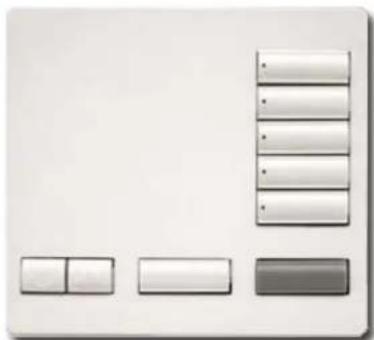
natural_image
Pure diagram of a device layout with no text, numbers, or symbols5 Button
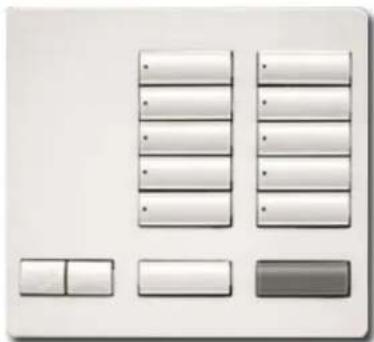
natural_image
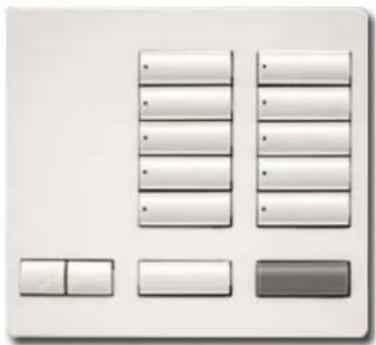
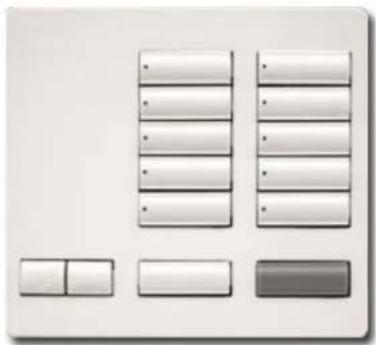
Pure diagram of a grid layout with no text, numbers, or symbols10 Button
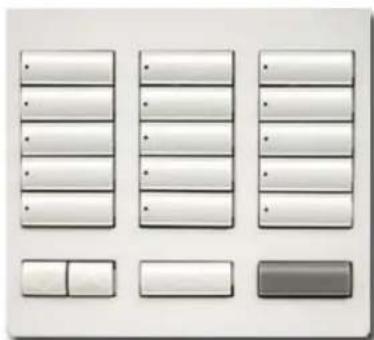
text_image
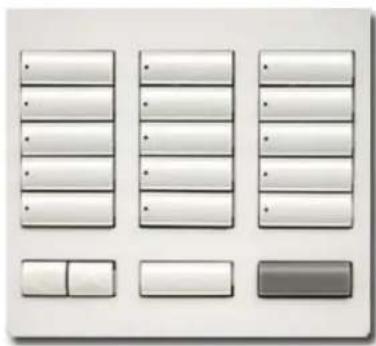
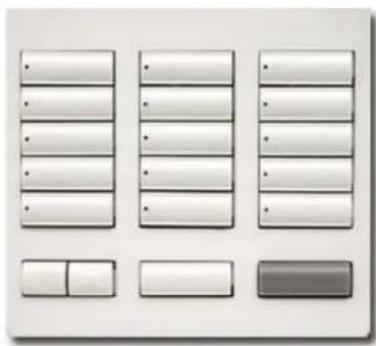
Screenshot of a software interface with a grid of blank input fields and a highlighted button15 Button
Colors and Finishes

Snow SW

Midnight
MN
RadioRA® 2 Tabletop Designer Keypads
Specifications
| Model Numbers Keypads: RR-T5RL-XX, RR-T5RL-XX-BA, RR-T10RL-XX,RR-T10RL-XX-BA, RR-T15RL-XX, RR-T15RL-XX-BA, RRK-T5RL-XX,RRK-T10RL-XX, RRK-T15RL-XXReplacement Kits: RK-T5RL-XX-E, RK-T10RL-XX-E, RK-T15RL-XX-E | |
| Power | Adapter Powered: 9 V--- 300 mASee Low-Voltage Transformer spec (Lutron P/N 369561)Battery powered: 2 AAA alkaline (included) 1.5 V each |
| Typical Power Consumption | 0.6 WTest conditions: all backlights on medium intensity, nightlight mode enabled, six LEDs on (two presets active per column), Keypad powered by 9 V--- adapter. |
| Regulatory Approvals | Tabletop Keypad (-RR only): cULus Listed / FCC certified / IndustryCanada certifi ed / COFETEL certifi ed / ASEP certifi ed / CRC certifi ed /INDOTEL certifi ed / SUTEL certifi edTabletop Keypad (-BA only): ANATEL certifi edTabletop Keypad (-RRK only): CE markedAdapter (T120-9DC-3-BL or -WH): cULus Listed; NOM certifi ed |
| Environment Ambient operating temperature: 32 °F to 104 °F (0 °C to 40 °C),0% to 90% humidity, non-condensing. Indoor use only. | |
| Communications | Tabletop Designer Keypads communicate with the system through Radio Frequency (RF) and must be located within 30 ft (9 m) of a repeater.System devices operate on frequencies between 431.0 MHz to 437.0 MHz or 868.125 MHz to 869.850 MHz. |
| ESD Protection Tested to withstand electrostatic discharge without damage or memory loss, in accordance with IEC 61000-4-2. | |
| Surge Protection Tested to withstand surge voltages without damage or loss of operation,in accordance with IEEE C62,41-1991 Recommended Practice on Surge Voltages in Low-Voltage AC Power Circuits. | |
| Power Failure Power failure memory: should DC or battery power be interrupted, theKeypad will return to its previous state when power is restored. | |
| Mounting Mounting bracket included for optional wall mount applications. | |
| Warranty 1 Year Limited Warranty. http://www.lutron.com/resiinfo | |
Design Features
- At the press of a single button, lights fade ON or OFF to desired levels and shades/draperies open or close to desired positions.
- Light levels and shade/drapery positions can be fi ne-tuned by pressing and holding the raise/lower buttons.
- Programmable to select whole-house or single-room preset levels or positions.
-
Adjustable backlight intensity.
-
Prepaid engraving included. Redeemable for one engraved button kit.
- Two "Wake-up" options for cordless operation:
— "Wake-up and Activate" (default) - Single button press will "wake up" and activate selected button.
—“Wake-up Only” - Single button press will “wake-up” and show status. Subsequent press will activate button.
RadioRA® 2 Tabletop Designer Keypads
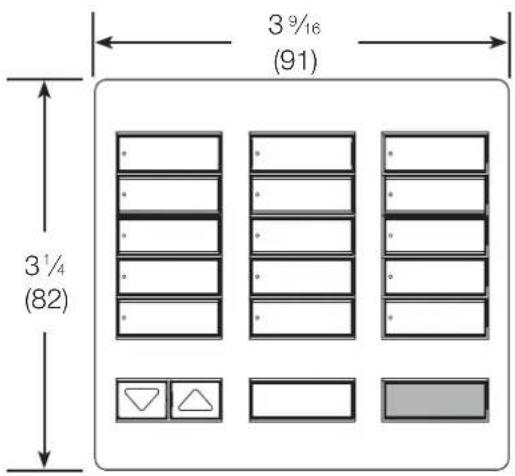
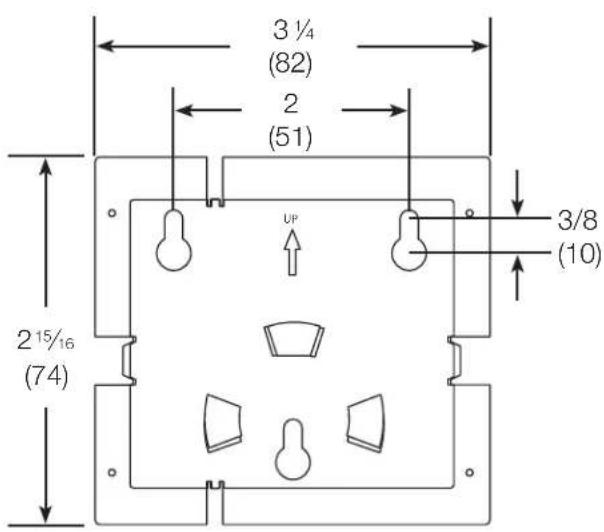
Dimensions
All dimensions are shown as in (mm)
Keypad Front View
text_image
3 9/16 (91) 3 1/4 (82)Keypad Side View

text_image
1 (25) 3/4 (18)Mounting Bracket Front View
text_image
3 ¼ (82) 2 (51) UP 3/8 (10) 2¹⁵/₁₆ (74)Mounting Bracket Side View
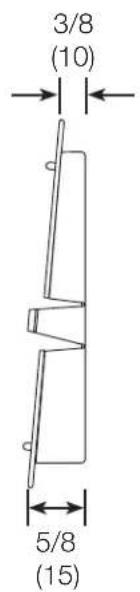
text_image
3/8 (10) 5/8 (15)RadioRA® 2 Tabletop Designer Keypads
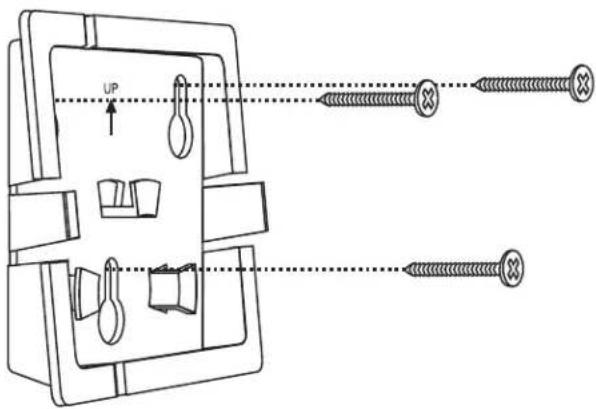
Wall Mounting (optional)
Attach mounting bracket to wall using the supplied wall anchors and screws.
text_image
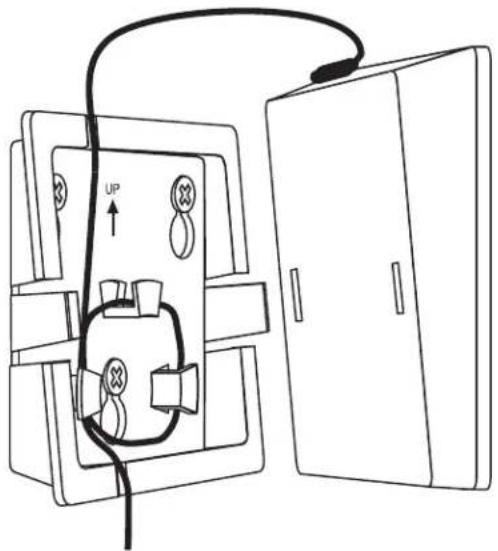
UPIf using a DC adapter, wrap excess cord around the cord holder and snap Keypad onto the mounting bracket.
natural_image
Diagram of an electrical device with a fuse and open door, showing internal components and wiring (no text or symbols)Operation
text_image
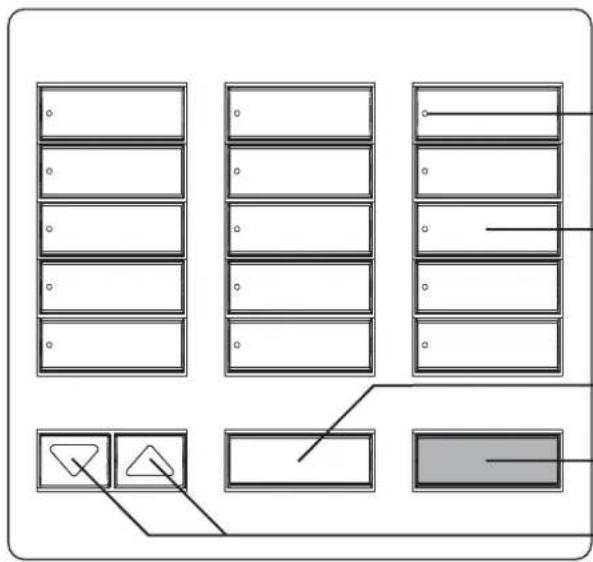
Diagram showing a grid layout with labeled boxes and directional arrows, likely representing a layout or control panel.Status LEDs
Show which Keypad button has been activated.
Keypad Buttons
Press to activate desired levels or positions.
All On Button
Turn all lights to full on and shades / draperies to open.
-All Off Button
Turn all lights off and shades / draperies to closed.
Raise/Lower Buttons
Lights increase or decrease in intensity and shades / draperies move towards the open or close limit.
Botoneras de sobremesa RadioRA® 2 Designer
natural_image
Minimalist diagram with four rectangular blocks and a vertical bar, no text or symbols present5 botones
natural_image
Pure diagram of a computer interface with no text, numbers, or symbols10 botones
text_image
User interface button layout with placeholder text and control buttonsnatural_image
Minimalist diagram with four rectangular blocks and a vertical bar, no text or symbols present5 boutons
natural_image
Pure diagram of a software interface with no text, numbers, or symbols10 boutons
text_image
User interface button layout with placeholder text and control buttonsnatural_image
Minimalist diagram with three rectangular blocks and a vertical bar, no text or symbols present5-Tasten-Ausführung