
42IQI - Hi-Fi System KICKER - Free user manual and instructions
Find the device manual for free 42IQI KICKER in PDF.


| Product Type | Bluetooth Interface for KICKER Series IQ Amplifiers |
| Brand | KICKER |
| Model | 42IQI |
| Dimensions (approx.) | 100 x 60 x 25 mm |
| Weight (approx.) | 150 g |
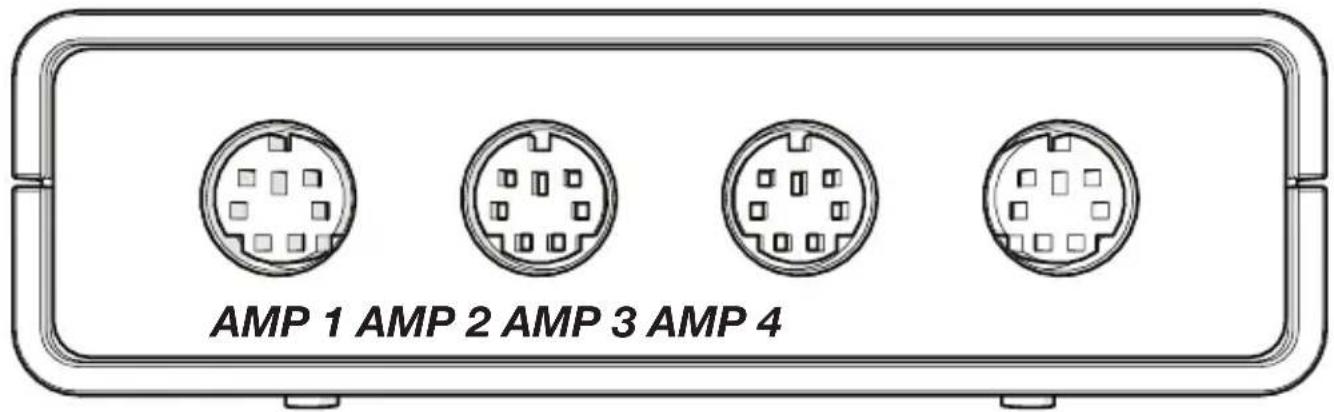
| Power Supply | Via IQ amplifier (AMP 1 connection), no +12V or ground connection needed |
| Connectivity | Bluetooth, DIN cable (included) for amplifier connection |
| Main Functions | Bluetooth audio streaming, hands-free calls with microphone and button, DSP configuration via TWEEQ app, daisy-chaining up to 4 IQ amplifiers |
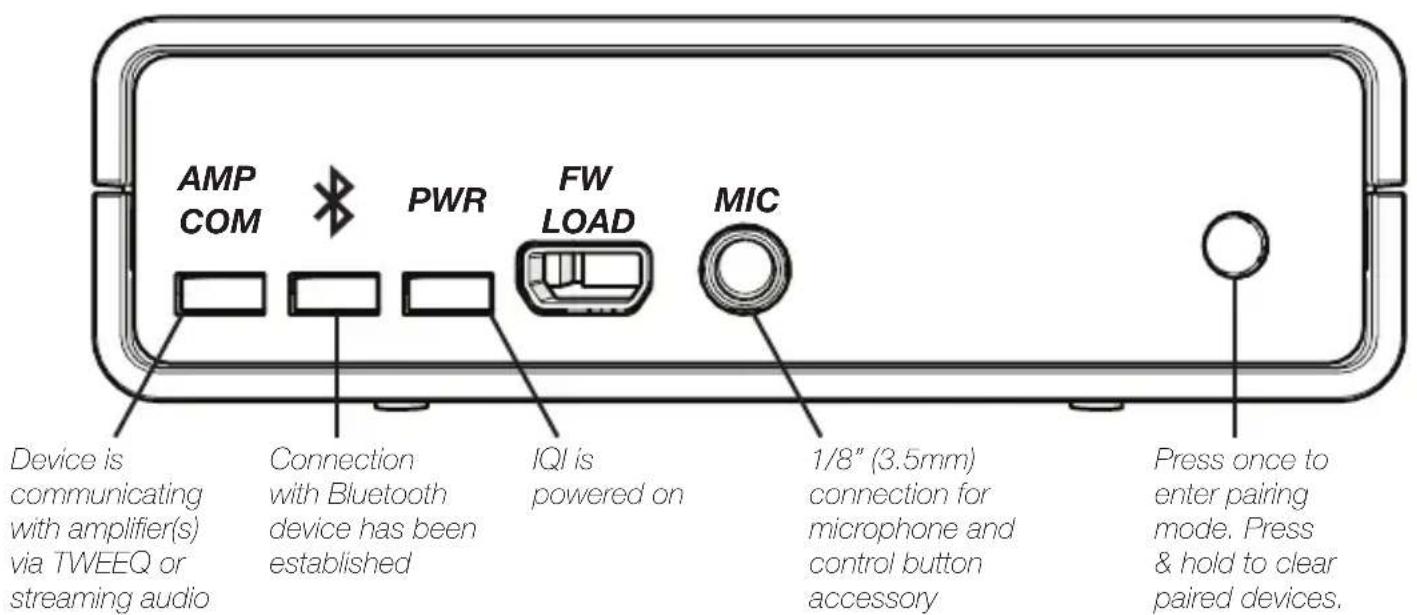
| LED Indicators | PWR (power), Bluetooth (connection), AMP COM (streaming active) |
| Microphone Input | 3.5 mm jack (MIC) for included microphone and control button |
| Bluetooth Pairing Button | Yes, on the unit |
| Number of Simultaneous Bluetooth Devices | Up to 4 |
| Configuration App | KICKER TWEEQ (iOS available, Android coming soon) |
| Maintenance and Cleaning | Clean with a soft dry cloth. Avoid liquids. |
| Safety | Caution: prolonged operation with distortion or clipping can cause overheating and fire hazard. |
| Spare Parts | Not specified. Contact KICKER customer service. |
| Repairability | Not specified. Refer to warranty or authorized service center. |
| Warranty | According to the laws of the country of purchase. See www.kicker.com/warranty. |
Frequently Asked Questions - 42IQI KICKER
User questions about 42IQI KICKER
0 question about this device. Answer the ones you know or ask your own.
Ask a new question about this device
Download the instructions for your Hi-Fi System in PDF format for free! Find your manual 42IQI - KICKER and take your electronic device back in hand. On this page are published all the documents necessary for the use of your device. 42IQI by KICKER.
USER MANUAL 42IQI KICKER
KICKER's new IQI provides wireless integration for the IQ-series amplifiers through Bluetooth Wireless Technology, truly unlocking the raw power and robust design of your IQ amplifier. This Quick-Start guide will briefly cover the features and setup of your IQI, including:
• Using your Bluetooth audio device as the source unit, negating any need for a messy installation
- Staying hands-free with the microphone and multi-function button
- Making your music come alive with KICKER's new TWEEQ software
- Chaining up to 4 IQ amps and controlling them with your mobile device
NOTE: FW LOAD is for internal KICKER use
Mounting
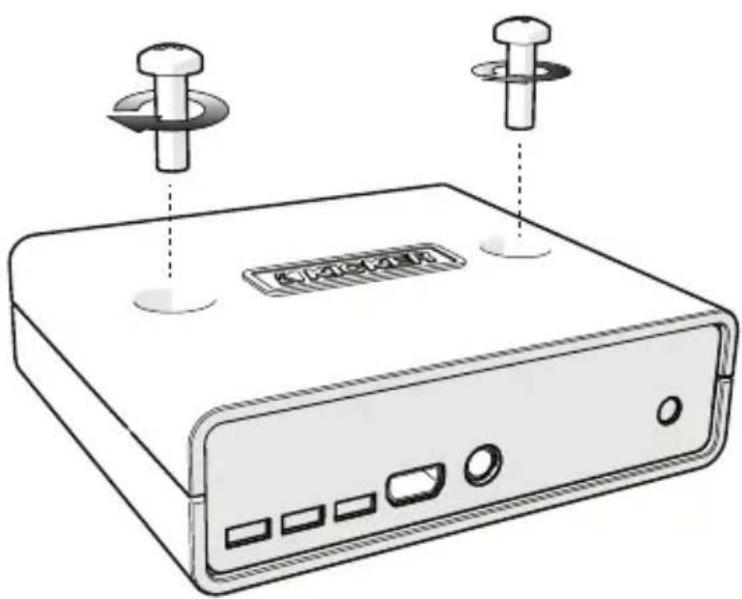
Mount the IQI to the desired location using the included screws. KICKER recommends a dry, shaded location near the amplifier. Do not drill into any electronics, wiring, or vehicle mechanisms.
natural_image
Illustration of a beige electronic device with two pins and a label on the front panel (no text or symbols on the device body)Wiring
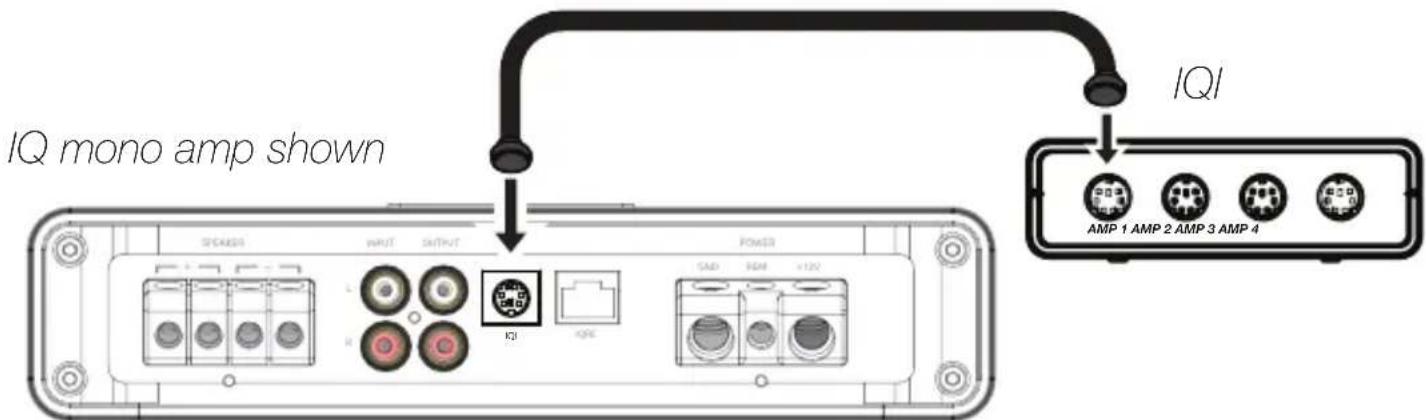
The IQI draws power from the IQ amplifier on AMP 1, so there is no need to make +12V or ground connections. Connect the IQI to your IQ amp(s) using the included DIN cable(s). You will see the PWR LED on the IQI become active when the amplifier is on.
Bluetooth Operation
With your amplifier(s) and IQI powered on and connected via the included DIN cable(s), press the Pairing button - short press - on the IQI. The Bluetooth icon will begin blinking. Set your Bluetooth audio device to scan for available connections.
Select “IQI” and use [0,0,0,0] for the passcode if prompted. You may pair up to four devices. The Bluetooth LED on the front of the IQI will be solid when connected. You are now ready to use the IQ’s DSP with the TWEEQ app, and stream music directly to your amp(s) using your favorite app or streaming service! When streaming or using TWEEQ, the AMP COM LED will be active.
Hands-Free Operation
Connect the supplied microphone and control-button jack to the connection labeled “MIC” on the front of the IQI. Any phone calls will now be routed through your audio system - simply use the control button to answer and hang up! You may also enter pairing mode by pressing and holding the control button.

Software Setup (iOS)

TWEEQ is a new DSP software configuration tool for the IQ-series amps. Because the smartest amp demands the smartest application, we've developed TWEEQ in-house with our customer's needs at the forefront of the creation process. The IQ amplifiers are fully-functional without TWEEQ, but to get the most out of your new KICKER amp, use it on your iPad or iPhone through the IQI and hear the difference!
Installation
Download and install KICKER TWEEQ from the Apple store. KICKER is currently developing an Android-based version of the app to be available on Google Play.
Setup
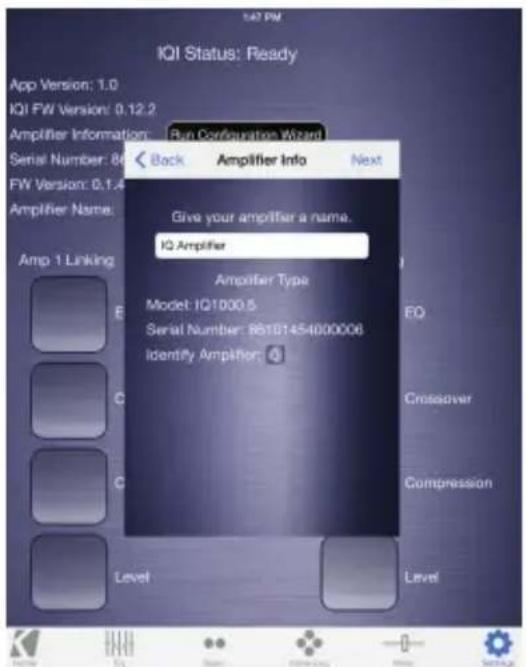
Power on your IQ amplifier and IQI. Pair the IQI with your phone or tablet and run TWEEQ. You will be prompted to begin the configuration wizard. Click next to begin scanning for any connected amplifiers.
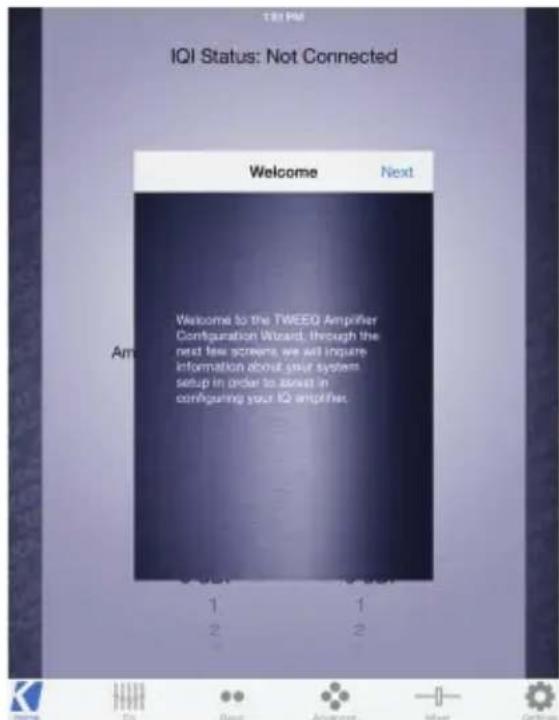
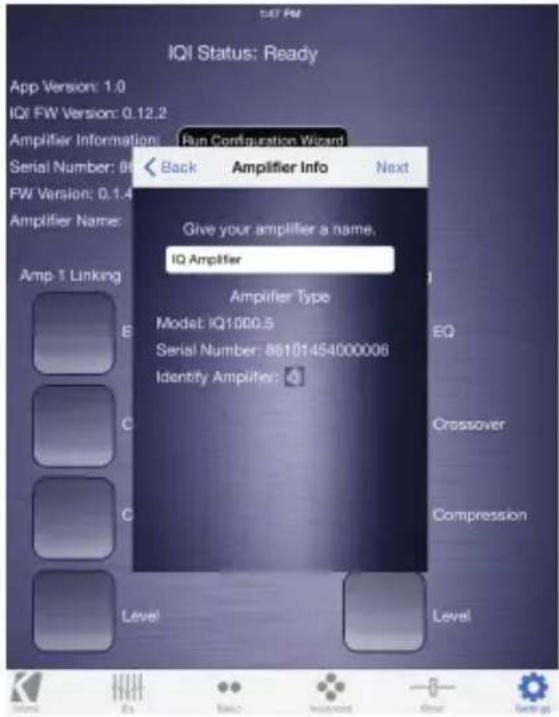
TWEEQ will scan and identify all connected amplifiers. KICKER has support for multi-amp installations using the IQI accessory. You may toggle between amps from the 'HOME' screen.
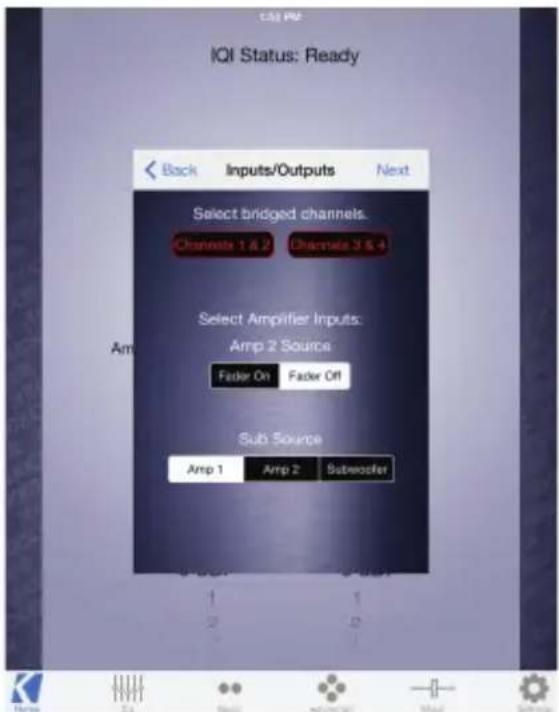
Choose to bridge the channels if both channels are used to drive a common load. Turn the FADER ON if you are running two sets of inputs to the amplifier. Turn the FADER OFF if you want to drive all channels from a single stereo input. For example, turn the FADER ON if you are only using AMP 1 as your input source. Select the input source for the subwoofer signal, if applicable.
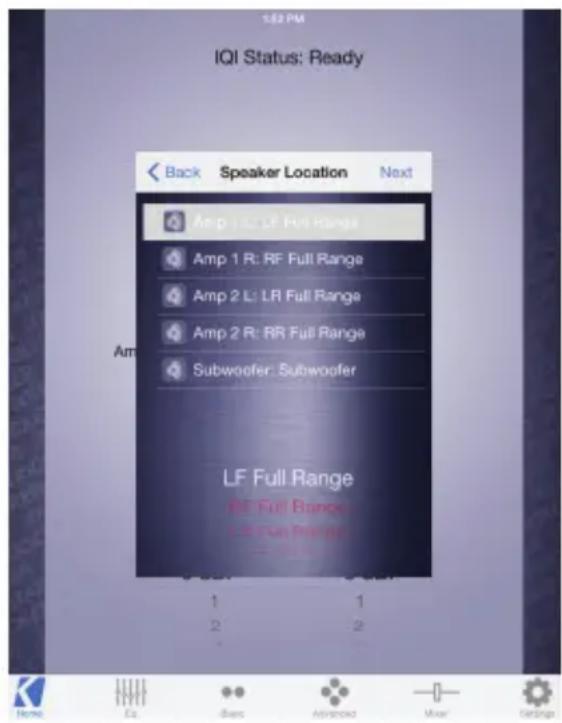
Select the type of driver used by each channel. This will assist the TWEEQ software in automatically configuring your crossover. See reference chart.
Driver XOVER Type
Full Range No XOVER
Midrange High-pass
Midbass Band-pass
Sub Band-pass
Tweeter High-pass
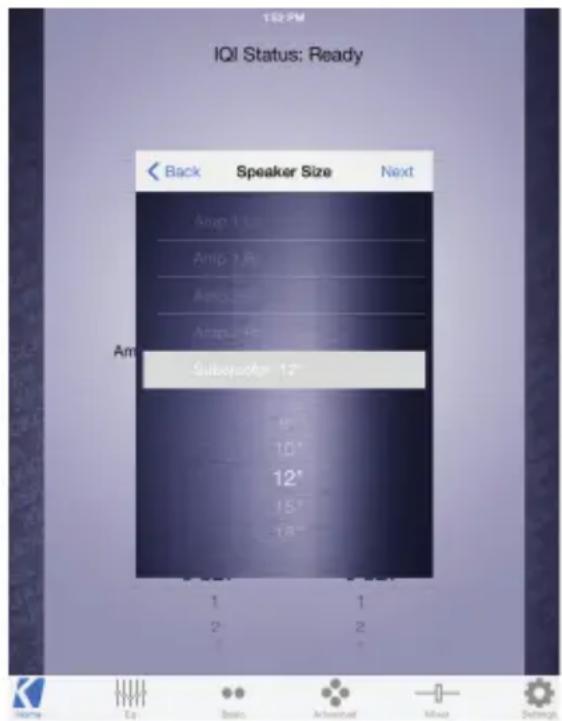
Select the speaker-size for each channel. This further assists the software in configuring your crossover. If you have selected to use a Full-Range signal in the previous window, and you have a 2 or 4 channel IQ, you will not see this dialog box.
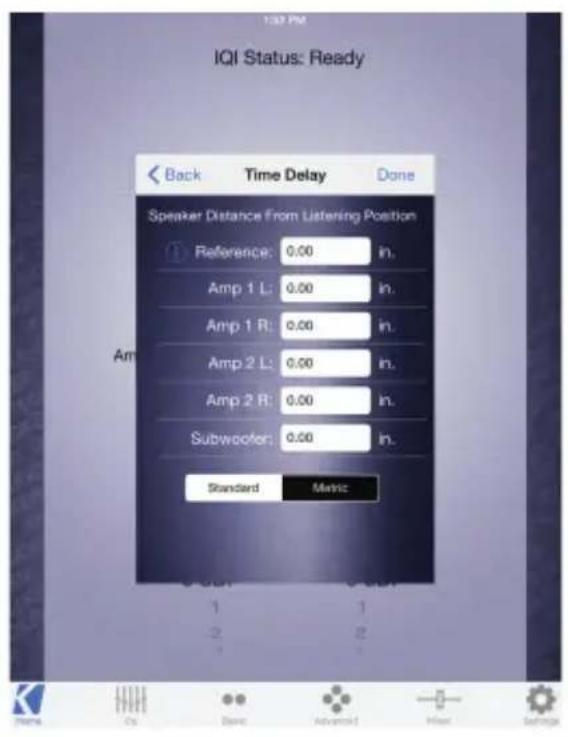
Set the distance of each speaker from the primary listening position. This will automatically configure the correct time-delay for each speaker to present the best sound-stage. The Reference Speaker setting should be set if there is a speaker in use that is not connected to the IQ amplifier currently being configured, and whose speaker is farthest from the listening position.
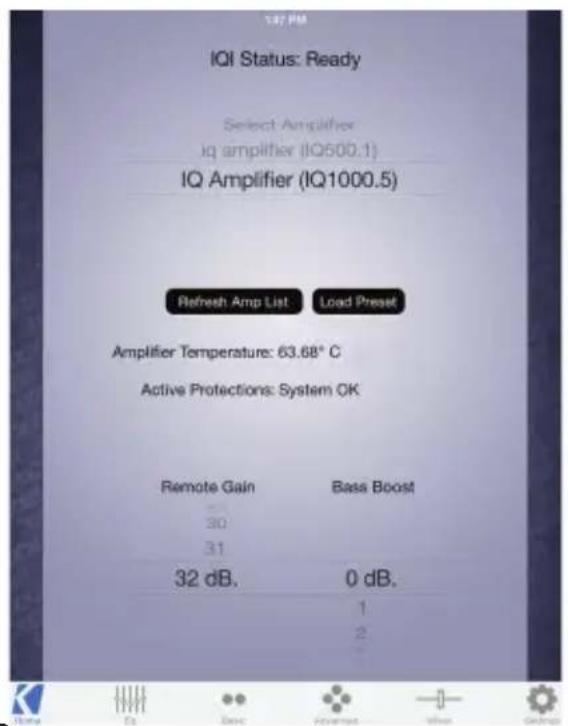
The ‘HOME’ screen will display all connected IQ amps, their operating temperature, remote gain and bass boost settings. Use the ‘Load Preset’ button to apply a previously configured preset to the IQ amplifier that is currently selected.
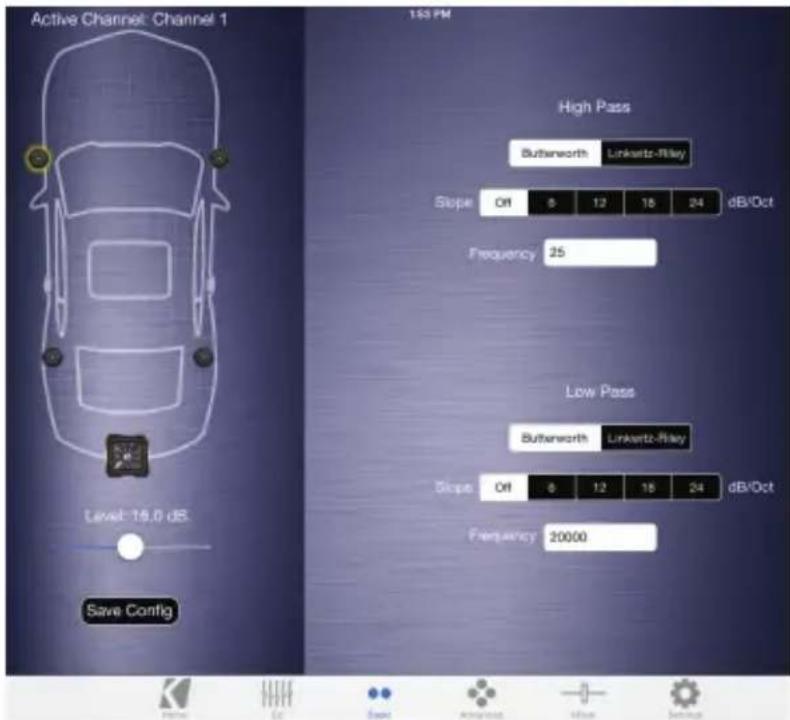
Congratulations! Your IQ Amplifier has been automatically configured using the TWEEQ Wizard. You may save this preset by selecting 'Save Config'. It is recommended that you save this initial configuration for restoration and A/B listening purposes.
You may continue to fine-tune the DSP for your specific application(s), including adjusting the EQ, Time-Delay, Input Mixer and Crossover settings. For complete instructions on the KICKER TWEEQ application, download the full manual from www.kicker.com/support.
|QI+C-20150109
natural_image
Illustration of a beige electronic device with two circular pins and a central display (no text or symbols)Cableado
natural_image
Simple line drawing of a cable with a connector (no text or symbols)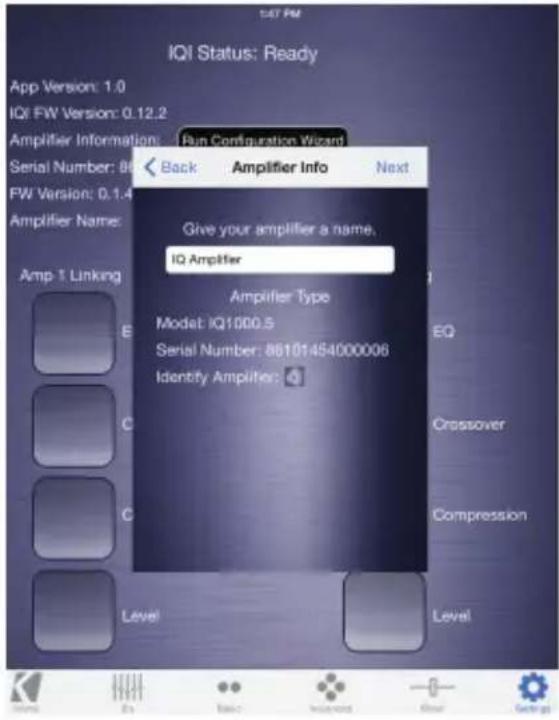
natural_image
Illustration of a beige electronic device with two pins and a display screen (no text or symbols)Verkabelung
natural_image
Simple line drawing of a medical or laboratory device with a bulb and cable (no text or symbols)Softwarekonfiguration (iOS)
natural_image
Illustration of a beige electronic device with two pins and a label on the front panel (no text or symbols on the device body)Câblage
natural_image
Simple line drawing of a medical device with a curved cable and connector (no text or symbols)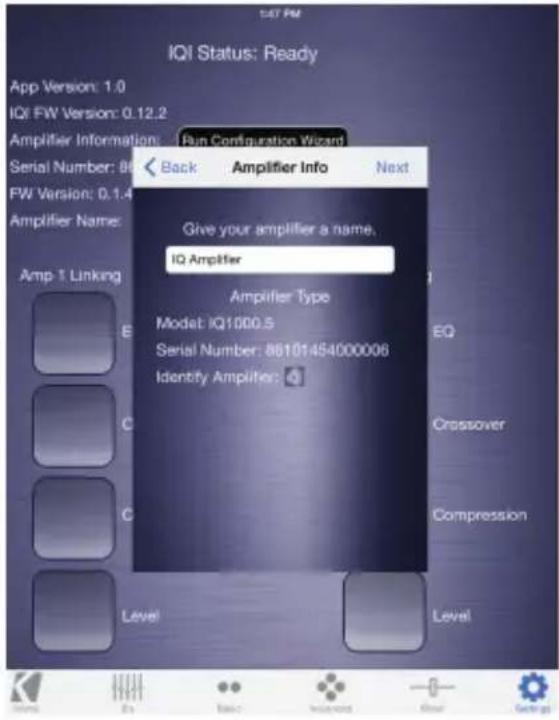
KICKER products are warranted against defects. Duration and terms of warranty depend on the laws in the country in which it was purchased. For details see your local KICKER Dealer or www.kicker.com/warranty.
Our goods come with guarantees that cannot be excluded under the Australian Consumer Law. You are entitled to a replacement or refund for a major failure and for compensation for any other reasonably foreseeable loss or damage. You are also entitled to have the goods repaired or replaced if the goods fail to be of acceptable quality and the failure does not amount to a major failure.
WARNING: KICKER products are capable of producing sound levels that can permanently damage your hearing! Please use common sense when controlling volume.

Brand : KICKER
Model : 42IQI
Category : Hi-Fi System