
DIVO G25CR - Microwaves CANDY - Free user manual and instructions
Find the device manual for free DIVO G25CR CANDY in PDF.


| Product Type | Microwave with grill |
| Brand | Candy |
| Model | DIVO G25CR |
| Capacity | 25 liters |
| External dimensions (H×W×D) | 281 × 483 × 425 mm |
| Cavity dimensions (H×W×D) | 240 × 340 × 344 mm |
| Net weight | 14.5 kg approx |
| Power supply | 230 V ~ 50 Hz |
| Microwave consumption | 1400 W |
| Grill consumption | 1000 W |
| Microwave power | 900 W |
| Operating frequency | 2450 MHz |
| Main functions | Microwave cooking, grill, combination, quick weight defrost, crisp frying, multi-stage cooking, 6 auto menus, timer |
| Control type | Electronic with rotary knob and buttons |
| Display | LED digital |
| Turntable | Yes, glass |
| Child safety | Yes, key lock |
| Mute function | Yes, sound deactivation |
| Cleaning and maintenance | Clean with a damp cloth and mild detergent; glass tray and roller ring dishwasher safe; do not use steam cleaner |
| Spare parts and repairability | Repair by qualified personnel only; lamp replaceable by a dealer |
| General information | Household use only; do not install above a heat source; do not use in a cabinet; grounding required |
Frequently Asked Questions - DIVO G25CR CANDY
User questions about DIVO G25CR CANDY
0 question about this device. Answer the ones you know or ask your own.
Ask a new question about this device
Download the instructions for your Microwaves in PDF format for free! Find your manual DIVO G25CR - CANDY and take your electronic device back in hand. On this page are published all the documents necessary for the use of your device. DIVO G25CR by CANDY.
USER MANUAL DIVO G25CR CANDY
natural_image
Line drawing of a microwave oven with control panel and front-mounted dish (no text or symbols)DIVO G25CO
DIVO G25CB
DIVO G25CC
DIVO G25CMB
DIVO G25CG
DIVO G25CR
Express cooking....10
Cottura a Microonde....10
Grill....11
PANELLO DI CONTROLLO
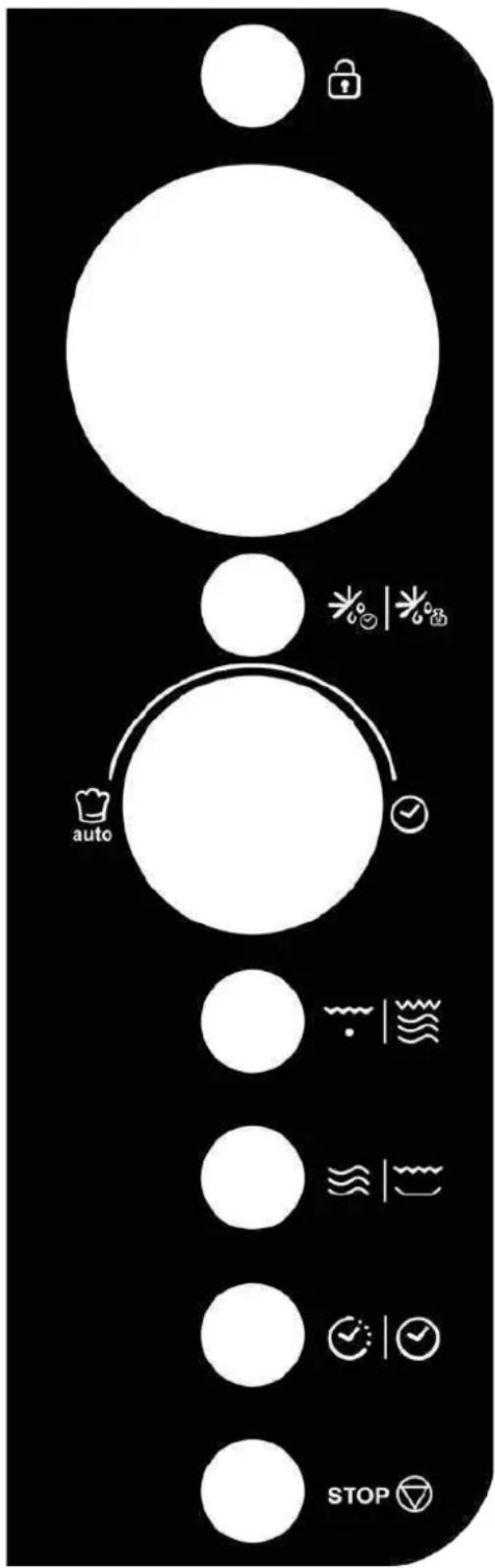
flowchart
graph TD
    A[" "] --> B[" "]
    B --> C["auto"]
    C --> D[" "]
    D --> E[" "]
    E --> F[" "]
    F --> G["STOP"]
    style A fill:#fff,stroke:#000
    style B fill:#fff,stroke:#000
    style C fill:#fff,stroke:#000
    style D fill:#fff,stroke:#000
    style E fill:#fff,stroke:#000
    style F fill:#fff,stroke:#000
    style G fill:#fff,stroke:#000
- DISPLAY
Microwave Oven Instructions
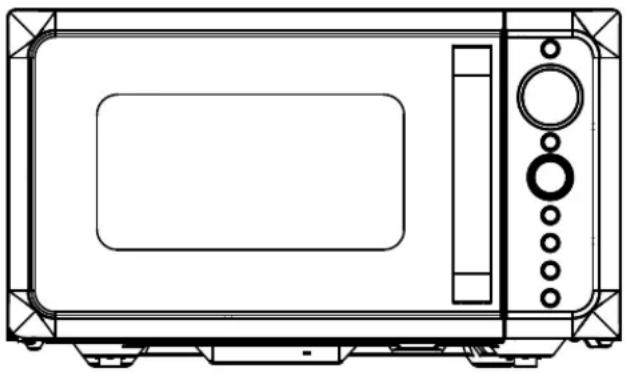
natural_image
Line drawing of a microwave oven with control panel and buttons (no text or symbols)DIVO G25CO
DIVO G25CB
DIVO G25CC
DIVO G25CMB
DIVO G25CG
DIVO G25CR
CE
By placing the mark on this product, we are confirming compliance to all relevant European safety, health and environmental requirements which are applicable in legislation for this product.
WASTE MANAGEMENT AND ENVIRONMENTAL PROTECTION
This appliance is labelled in accordance with European Directive 2012/19/EU regarding electric and electronic appliances (WEEE). The WEEE contain both polluting substances (that can have a negative effect on the environment) and base elements (that can be reused.) It's important that the WEEE undergo specific treatments to correctly remove and dispose of the pollutants and recover all the materials. Individuals can play an important role in ensuring that the WEEE do not become an environmental problem; it is essential to follow a few basic rules:
- The WEEE should not be treated as domestic waste;
- The WEEE should be taken to dedicated collection areas managed by the town council or a registered company.
In many countries, domestic collections may be available for large WEEEs. When you buy a new appliance, the old one can be returned to the vendor who must accept it free of charge as a one-off, as long as the appliance is of an equivalent type and has the same functions as the purchased appliance.
PRECAUTIONS TO AVOID POSSIBLE EXPOSURE TO EXCESSIVE MICROWAVE ENERGY
- Do not attempt to operate this oven with the door open since open-door operation can result in harmful exposure to microwave energy. It is important not to defeat or tamper with the safety interlocks.
- Do not place any object between the oven front face and the door or allow soil or cleaner residue to accumulate on sealing surfaces.
- Do not operate the oven if it is damaged. It is very important that the oven door close properly and that there is no damage to the
a) Door (including any bents),
b) Hinges and latches (broken or loosened),
c) Door seals and sealing surfaces. - The oven should not be adjusted or repaired by anyone except qualified service personnel.
Content
PRECAUTIONS TO AVOID POSSIBLE EXPOSURE TO EXCESSIVE MICROWAVE ENERGY ....2
Content 2
IMPORTANT SAFETY INSTRUCTIONS....3
Installation Guide .... 5
GROUNDING INSTRUCTIONS 5
Radio Interference 6
Before Calling For Service 6
Cooking Techniques 6
Cooking Utensils Guide....6
Specifications 7
Product Diagram....7
Control Panel 8
Operation Instructions 9
Setting clock time 9
Timer function 9
Express cooking....9
Microwave cooking 9
Grill....10
Combination cooking....10
Speed defrost....10
Weight defrost....10
Crisp fried function....10
Multi-stage cooking 10
Mute function.... 11
Child lock....11
Auto cook....11
Cleaning and Care 12
IMPORTANT SAFETY INSTRUCTIONS
When using electrical appliance basic safety precautions should be followed, including the following: WARNING!--To reduce the risk of burns, electric shock, fire, injury to persons or exposure to excessive microwave energy:
- Read all instructions before using the appliance and keep for future reference.
- Use this appliance only for its intended use as described in the manual. Do not use corrosive chemicals or vapors in this appliance. This type of oven is specifically designed to heat, cook or dry food. It is not designed for industrial or laboratory use.
- Do not operate the oven when empty.
- Do not operate this appliance if it has a damaged cord or plug, if it is not working properly, or if it has been damaged or dropped. If the supply cord is damaged, it must be replaced by the manufacturer or its service agent or a similarly qualified person in order to avoid a hazard.
- WARNING!--Only allow children to use the oven without supervision when adequate instructions have been given so that the child is able to use the oven in a safe way and understands the hazards of improper use.
-
WARNING!--When the appliance is operated in the combination mode, children should only use the oven under adult supervision due to the temperatures generated
-
To reduce the risk of fire in the oven cavity:
When heating food in plastic or paper container, check the oven frequently to the possibility of ignition.
Remove wire twist-ties from paper or plastic bags before placing bag in oven.
If smoke is observed, switch off or unplug the appliance and keep the door closed in order to stifle any flames.
Do not use the cavity for storage purposes. Do not leave paper products, cooking utensils, or food in the cavity when not in use.
The microwave oven is intended for heating food and beverages. Drying of clothing and heating of warming pads, slippers, sponges, damp cloth and similar may lead to risk of injury, ignition or fire.
-
WARNING!--Liquid or other food must not be heated in sealed containers since they are liable to explode.
-
Microwave heating of beverage can result in delayed eruptive boiling, therefore care has to be taken when handle the container.
-
Do not fry food in the oven. Hot oil can damage oven parts and utensils and even result in skin burns.
-
Eggs in their shell and whole hard-boiled eggs should not be heated in microwave ovens since they may explode even after microwave heating has ended.
-
Pierce foods with heavy skins such as potatoes, whole squashes, apples and chestnuts before cooking.
-
The contents of feeding bottles and baby jars should be stirred or shaken and the temperature should be checked before serving in order to avoid burns.
-
Cooking utensils may become hot because of heat transferred from the heated food. Potholders may be needed to handle the utensil.
-
Utensils should be checked to ensure that they are suitable for use in microwave oven.
-
WARNING!--It is hazardous for anyone other than a trained person to carry out any service or repair operation which involves the removal of any cover which gives protection against exposure to
microwave energy.
- This Microwave complies with EN 55011/CISPR 11, in this standard it belong to Class B Group 2 classification. Group 2 equipment: group 2 contains all ISM RF equipment in which radio-frequency energy in the frequency range 9 kHz to 400 GHz is intentionally generated and used or only used locally, in the form of electromagnetic radiation, inductive and/or capacitive coupling, for the treatment of material, for inspection/analysis purposes, or for transfer of electromagnetic energy. Class B equipment is equipment suitable for use in locations in residential environments and in establishments directly connected to a low voltage power supply network which supplies buildings used for domestic purposes.
- This appliance is not intended for use by persons (including children) with reduced physical, sensory or mental capabilities, or lack of experience and knowledge, unless they have been given supervision or instruction concerning use of the appliance by a person responsible for their safety.
- Children should be supervised to ensure that they do not play with the appliance.
- The microwave oven is only used in freestanding.
- WARNING!--Do not install oven over a range cook top or other heat-producing appliance. if installed could be damaged and the warranty would be avoid.
- The microwave oven shall not be placed in a cabinet.
- The door or the outer surface may get hot when the appliance is operating.
- WARNING!--Accessible parts may become hot during use. Young children should be kept away.
- During use the appliances becomes hot. Care should be taken to avoid touching heating elements inside the oven, for cooking ranged and ovens.
- The temperature of accessible surfaces may be high when the appliance is operating.
- Appliance is not to be used by children or persons with reduced physical, sensory or mental capabilities, or lack of experience and knowledge, unless they have been given supervision or instruction.
- WARNING!--If the door or door seals are damaged, the oven must not be operated until it has been repaired by a competent person.
- The instructions shall state that appliances are not intended to be operated by means of an external timer or separate remote-control system.
- The microwave oven is for household use only and not for commercial use.
- Never remove the distance holder in the back or on the sides, as it ensures a minimum distance from the wall for air circulation.
- Please secure the turntable before you move the appliance to avoid damages.
- CAUTION!--It is dangerous to repair or maintain the appliance by no other than a specialist because under these circumstances the cover have to be removed which assures protection against microwave radiation. This applies to changing the power cord or the lighting as well. Send the appliance in these cases to our service centre.
- The microwave oven is intended for defrosting, cooking and steaming of food only.
- Use gloves if you remove any heated food.
- Caution! Steam will escape, when opening lids or wrapping foil.
- This appliance can be used by children aged from 8 years and above and persons with reduced physical, sensory or mental capabilities or lack of experience and knowledge if they have been given supervision or instruction concerning use of the appliance in a safe way and understand the hazards involved. Children shall not play with the appliance. Cleaning and user maintenance shall not be made
by children unless they are aged from 8 years and above and supervised.
- If smoke is emitted, switch off or unplug the appliance and keep the door closed in order to stifle any flames.
Installation Guide
- Make sure that all the packing materials are removed from the inside of the door.
- WARNING!--Check the oven for any damage, such as misaligned or bent door, damaged door seals and sealing surface, broken or loose door hinges and latches and dents inside the cavity or on the door. If there is any damage, do not operate the oven and contact qualified service personnel.
- This microwave oven must be placed on a flat, stable surface to hold its weight and the heaviest food likely to be cooked in the oven.
- Do not place the oven where heat, moisture, or high humidity are generated, or near combustible materials.
- For correct operation, the oven must have sufficient airflow. Allow minimum 20cm of free space necessary above the top surface of the oven and 5cm at both sides. The microwave oven rear plate must be placed close to the wall. Do not cover or block any openings on the appliance. Do not remove feet.
- Do not operate the oven without glass tray, roller support, and shaft in their proper positions.
- Make sure that the power supply cord is undamaged and does not run under the oven or over any hot or sharp surface.
- The socket must be readily accessible so that it can be easily unplugged in an emergency.
- Do not use the oven outdoors.
GROUNDING INSTRUCTIONS
This appliance must be grounded. This oven is equipped with a cord having a grounding wire with a grounding plug. It must be plugged into a wall receptacle that is properly installed and grounded. In the event of an electrical short circuit, grounding reduces risk of electric shock by providing an escape wire for the electric current. It is recommended that a separate circuit serving only the oven be provided. Using a high voltage is dangerous and may result in a fire or other accident causing oven damage.
WARNING!--Improper use of the grounding plug can result in a risk of electric shock.
Note:
-
If you have any questions about the grounding or electrical instructions, consult a qualified electrician or service person.
-
Neither the manufacturer nor the dealer can accept any liability for damage to the oven or personal injury resulting from failure to observe the electrical connection procedures.
The wires in this cable main are colored in accordance with the following code:
Green and Yellow = EARTH
Blue = NEUTRAL
Brown = LIVE
Radio Interference
Operation of the microwave oven can cause interference to your radio, TV, or similar equipment. When there is interference, it may be reduced or eliminated by taking the following measures:
- Clean door and sealing surface of the oven.
- Reorient the receiving antenna of radio or television.
- Relocate the microwave oven with respect to the receiver.
- Move the microwave oven away from the receiver.
- Plug the microwave oven into a different outlet so that microwave oven and receiver are on different branch circuits.
Before Calling For Service
Before asking for service, please check each item below:
- Check to ensure the oven is plugged in securely. If not, remove the plug from the outlet, wait 10 seconds, and plug it in again securely.
- Check for a blown circuit fuse or a tripped main circuit breaker. If these seem to be operating properly, test the outlet with another appliance.
- Check to ensure the control panel is programmed correctly and the timer is set.
- Check to ensure the door is securely closed, engaging the door lock system. If the door is not properly closed, the microwave energy will not flow inside.
IF NONE OF THE ABOVE RECTIFIES THE SITUATION, THEN CONTACT A QUALIFIED TECHNICIAN. DO NOT TRY TO ADJUST OR REPAIR THE OVEN YOURSELF.
Cooking Techniques
- Arrange food carefully. Place thickest areas towards outside of dish.
- Watch cooking time. Cook for the shortest amount of time indicated and add more as needed. Food severely overcooked can smoke or ignite.
- Cover foods while cooking. Covers prevent spattering and help foods to cook evenly.
- Turn foods over once during microwave cooking to speed cooking of such foods as chicken and hamburgers. Large items like roasts must be turned over at least once.
- Rearrange foods such as meatballs halfway through cooking both from top to bottom and from the center of the dish to the outside.
-
Microwave cannot penetrate metal. Only use utensils that are suitable for use in microwave ovens. Metallic containers for food and beverages are not allowed during microwave cooking. This requirement is not applicable if the manufacturer specifies size and shape of metallic containers suitable for microwave cooking.
-
Microwave cannot penetrate metal, so metal utensils or dishes with metallic trim should not be used.
-
Do not use recycled paper products when microwave cooking, as they may contain small metal fragments which may cause sparks and/or fires.
- Round /oval dishes rather than square/oblong ones are recommend, as food in corners tends to overcook.
- Narrow strips of aluminum foil may be used to prevent overcooking of exposed areas. But be careful don't use too much and keep a distance of 1 inch (2.54cm) between foil and cavity.
The list below is a general guide to help you select the correct utensils.
| COOKWARE | MICROWAVE | GRILL | COMBINATION |
| Heat-Resistant Glass | Yes | Yes | Yes |
| Non Heat-Resistant Glass | No | No | No |
| Heat-Resistant Ceramics | Yes | Yes | Yes |
| Microwave-Safe Plastic Dish | Yes | No | No |
| Kitchen Paper | Yes | No | No |
| Metal Tray | No | Yes | No |
| Metal Rack | No | Yes | No |
| Aluminum Foil & Foil Containers | No | Yes | No |
Specifications
| Power Consumption: | 230V/50Hz, 1400W(Microwave) |
| 1000W(Grill) | |
| Rated Microwave Power Output: | 900W |
| Operation Frequency: | 2450MHz |
| Outside Dimensions: | 281mm(H)×483mm(W)×425mm(D) |
| Oven Cavity Dimensions: | 240mm(H)×340mm(W)×344mm(D) |
| Oven Capacity: | 25Litres |
| Net Weight: | Approx.14.5kg |
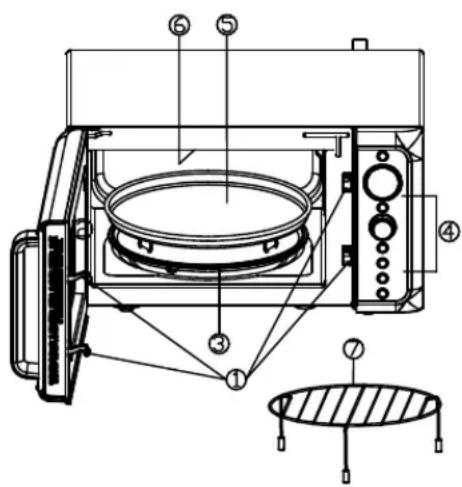
Product Diagram
- Door Safety Lock System
- Oven Window
- Roller Ring
- Control Panel
- Bake Tray
- Grill Heater
- Metal Rack
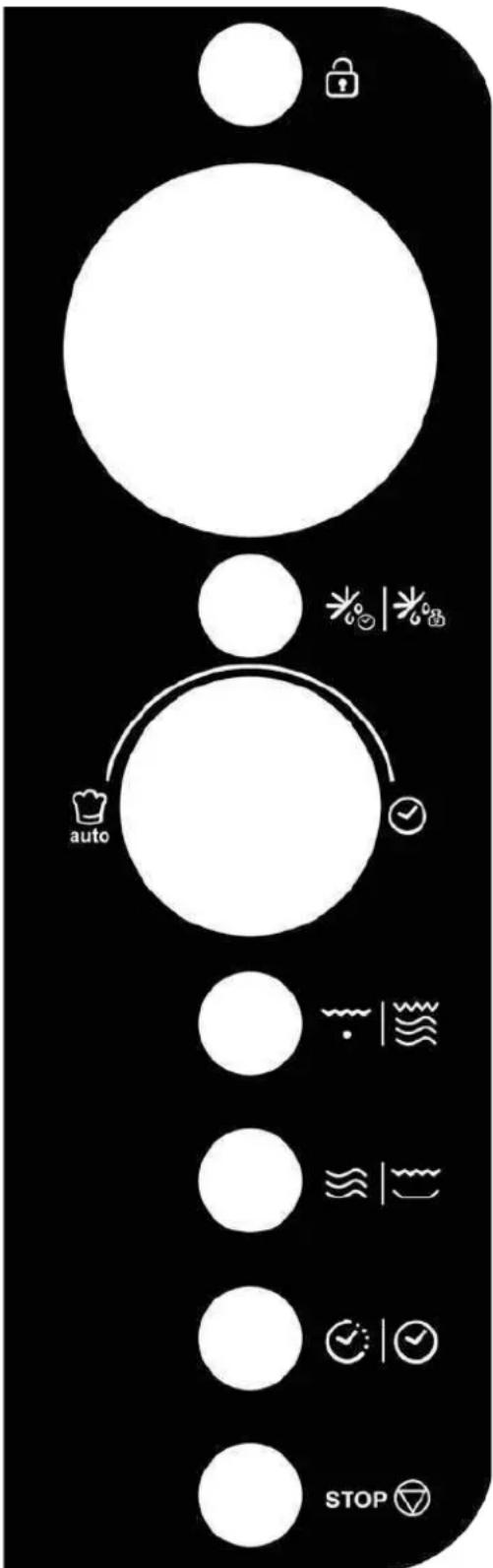
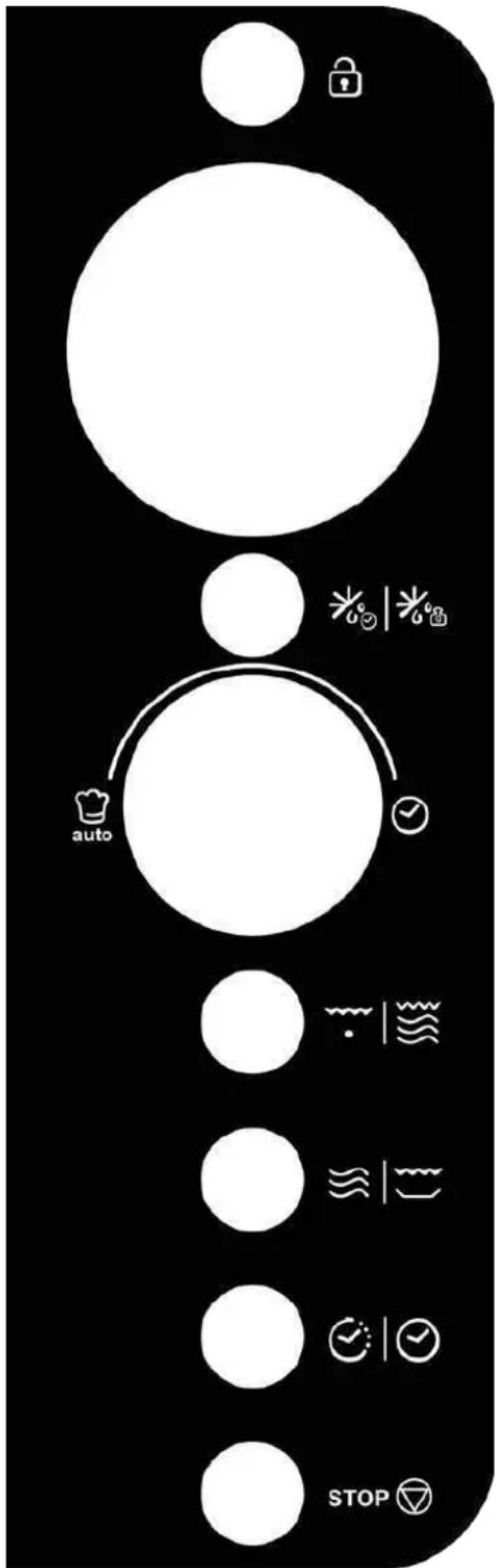
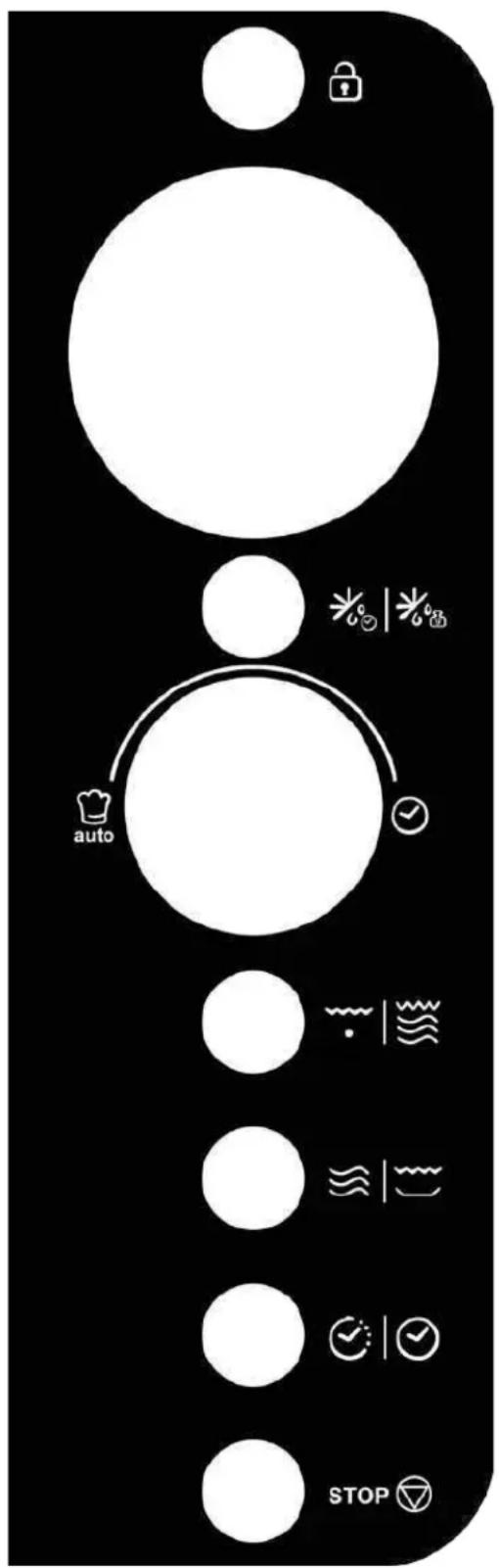
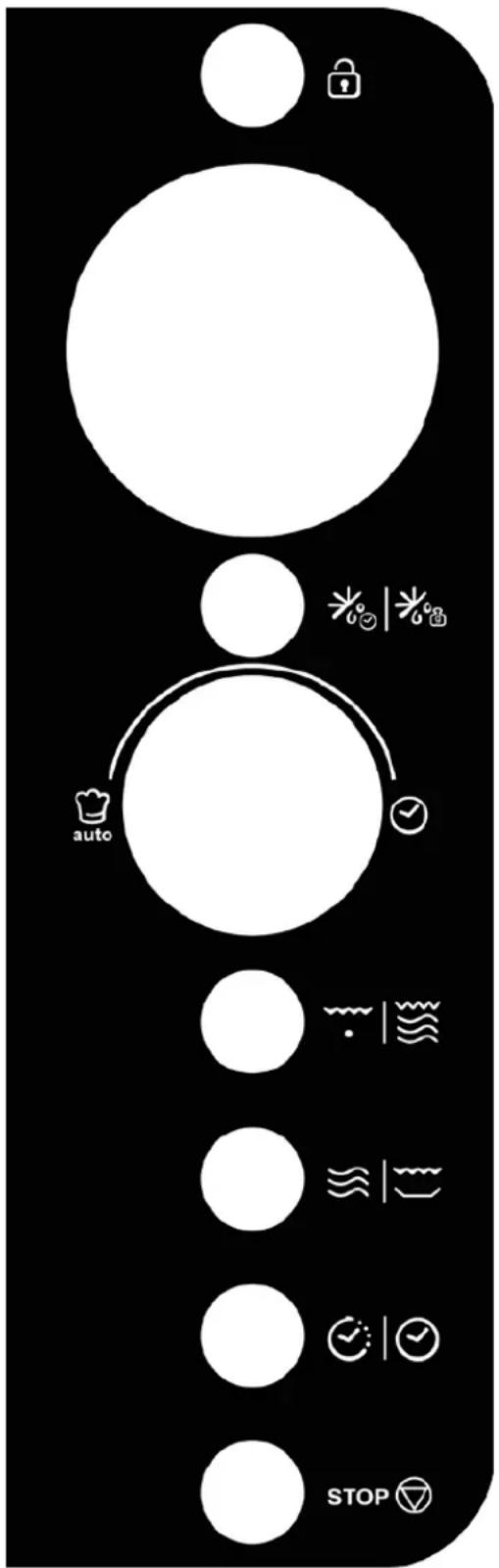
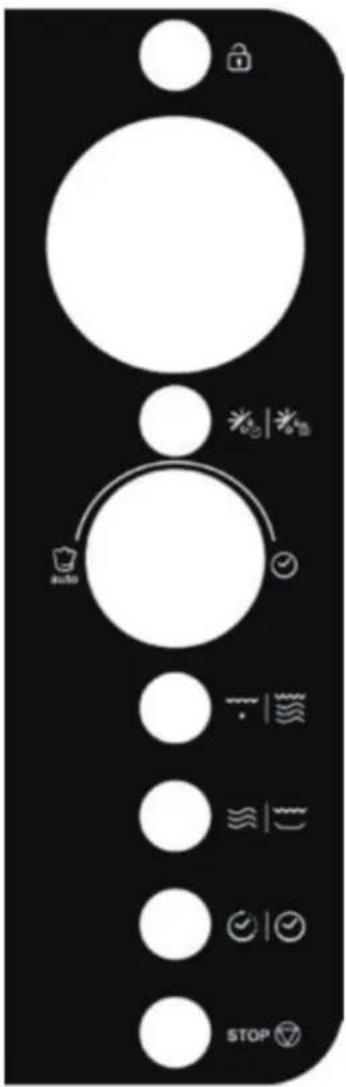
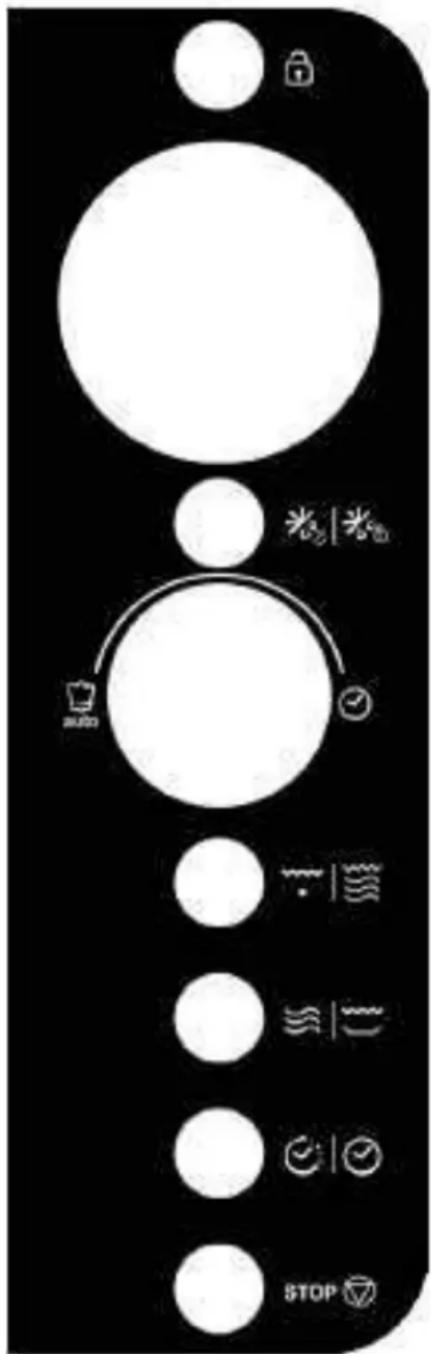
Control Panel
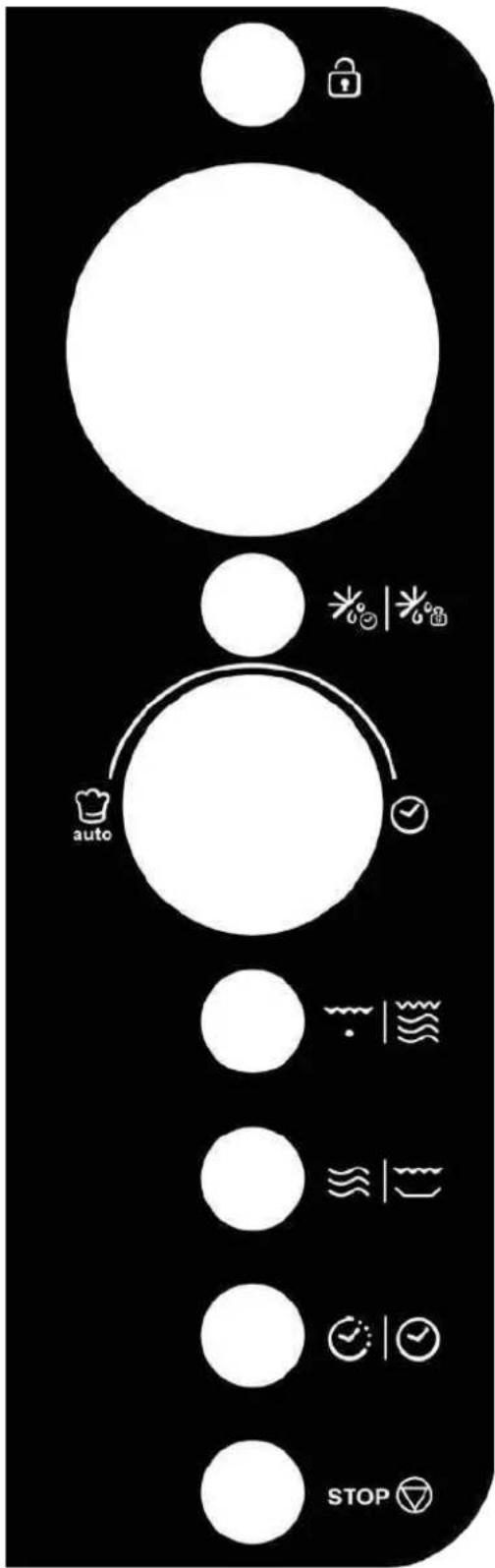
flowchart
graph TD
    A[" "] --> B[" "]
    B --> C[" "]
    C --> D[" "]
    D --> E[" "]
    E --> F[" "]
    F --> G[" "]
    G --> H[" "]
    H --> I[" "]
    I --> J[" "]
    J --> K[" "]
    K --> L[" "]
    L --> M[" "]
    M --> N[" "]
    N --> O[" "]
    O --> P[" "]
    P --> Q[" "]
    Q --> R[" "]
    R --> S[" "]
    S --> T[" "]
    T --> U[" "]
    U --> V[" "]
    V --> W[" "]
    W --> X[" "]
    X --> Y[" "]
    Y --> Z[" "]
    Z --> AA[" "]
    AA --> AB[" "]
    AB --> AC[" "]
    AC --> AD[" "]
    AD --> AE[" "]
    AE --> AF[" "]
    AF --> AG[" "]
    AG --> AH[" "]
    AH --> AI[" "]
    AI --> AJ[" "]
    AJ --> AK[" "]
    AK --> AL[" "]
    AL --> AM[" "]
    AM --> AN[" "]
    AN --> AO[" "]
    AO --> AP[" "]
    AP --> AQ[" "]
    AQ --> AR[" "]
    AR --> AS[" "]
    AS --> AT[" "]
    AT --> AU[" "]
    AU --> AV[" "]
    AV --> AW[" "]
    AW --> AX[" "]
    AX --> AY[" "]
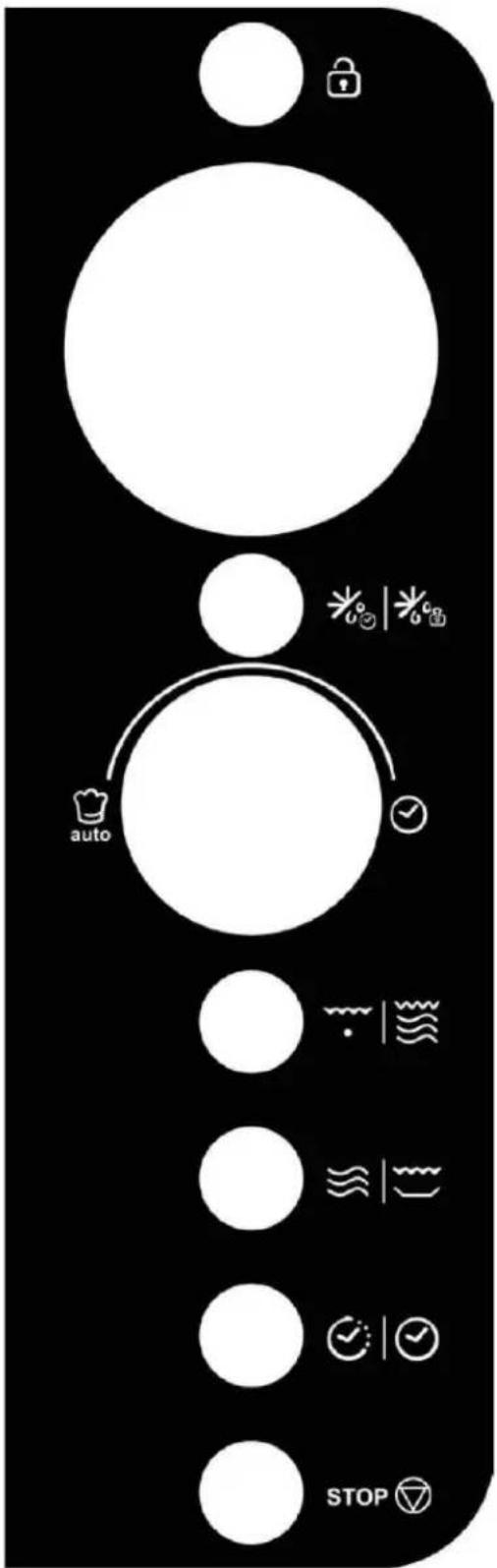
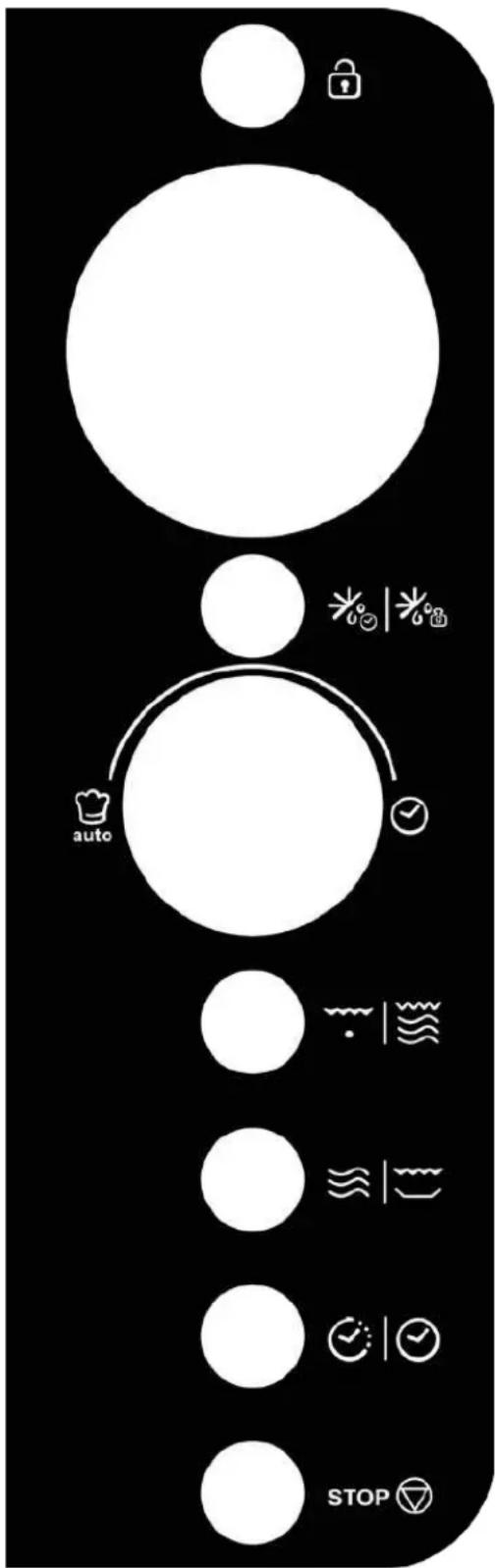
- DISPLAY
Cooking time, power, indicators and clock time are displayed.
MUTE/LOCK
Use to mute function and child lock.
- DEFROST
Use to set speed defrost or weight defrost.
- MENU/TIME (knob)
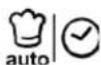
Turn to set time or select auto cook menus.
Press to start cooking program.
Simply press it a number of times to set cooking time and cook immediately at full power level.
- GRILL/COMB.
Use to set grill or combination cooking program.
- MICRO/CRISP ≈ | ≈
Use to set microwave cooking program.
Use to set crisp fried program.
- CLOCK/TIMER
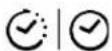
Use to set the time of clock.
Use to set timer function.
- STOP

Press to reset the oven before setting a cooking program.
Press once to temporarily stop cooking, or twice to cancel cooking altogether.
Operation Instructions
When the oven first plugged in, beep will sound and the display will show "1: 00" and "C".
In the process of cooking set, broke about 20 seconds the oven will return to standby mode.
During cooking, if press STOP pad once, the program will be paused, and then press MENU/TIME knob once to resume, but if you press STOP twice, the program will be cancelled.
➢ After ending cooking, the screen will display End with sound every two minutes until user press any pad or open the door.
SETTING CLOCK TIME
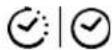
The clock works in 12 or 24 hour cycle, just press the CLOCK/TIMER pad to select.
- In standby mode, press and hold CLOCK/TIMER pad for 3 seconds to select 12 hour clock, press the pad again to select 24 hour clock.
- Turn the MENU/TIME knob until the correct hour is displayed.
- Press CLOCK/TIMER pad once
- Turn the MENU/TIME knob until the correct minute is displayed.
- Press CLOCK/TIMER pad to confirm.
NOTE: During cooking, you can check the current time of the clock by pressing CLOCK/TIMER pad.
TIMER FUNCTION
- In standby mode or during cooking, press CLOCK/TIMER pad once.
- Turn the MENU/TIME knob to enter desired time. The longest time is 95 minutes.
- Press MENU/TIME pad to confirm.
NOTE: When the countdown ends, the buzzer will beep to remind you. You can check the countdown time by pressing CLOCK/TIMER pad, but if STOP pad is pressed when the display shows the time, the function can be cancelled.
EXPRESS COOKING
Use this feature to program the oven to microwave food at 100% power conveniently. In standby mode, press MENU/TIME knob a number of times to set cooking time(each press for 30 seconds, and up to 10 minutes). The oven starts working automatically at full power.
NOTE: During cooking, you can also add cooking time by pressing MENU/TIME knob.
MICROWAVE COOKING
- Press MICRO/ CRISP repeatedly to select cooking power level.
- Turn the MENU/TIME knob clockwise to set the cooking time. The longest time is 95 minutes.
- Press MENU/TIME pad.
Press the MICRO/CRISP pad repeatedly to select power level:
| PressMICRO/CRISP | Cooking Power (Display) |
| Once | 100% (100) |
| Twice | 80% (80) |
| 3 times | 60% (60) |
| 4 times | 40% (40) |
| 5 times | 20% (20) |
| 6 times | 0% (00) |
NOTE: You can check the cooking power level during cooking by pressing MICRO/CRISP pad.
GRILL
- Press GRILL/COMB. pad once.
- Turn the MENU/TIME knob to set the cooking time. The longest time is 95 minutes.
- Press MENU/TIME pad.
COMBINATION COOK ING
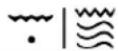
- Press GRILL/COMB. twice or thrice to select "Co-1" or "Co-2".
- Turn the MENU/TIME knob to set the cooking time.
- Press MENU/TIME pad to start.
SPEED DEFROST
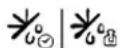
- In standby mode, press the DEFROST pad once.
- Turn the MENU/TIME knob to enter defrosting time from 10' to 95 minutes.
- Press MENU/TIME pad.
NOTE: During defrosting process, the system will pause and sound to remind user to turn food over, after that, press MENU/TIME knob to resume.
WEIGHT DEFROST

- In standby mode, press the DEFROST pad twice.
- Turn the MENU/TIME knob to enter food weight from 100gr to 1400gr.
- Press MENU/TIME pad.
NOTE: During defrosting process, the system will pause and sound to remind user to turn food over, after that, press MENU/TIME knob to resume.
CRISP FRIED FUNCTION
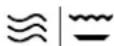
- In standby mode, press and hold the MICRO/CRISP pad for 3 seconds, on display appers CAI-5.
- Turn the MENU/TIME knob to enter cooking time.
- Press MENU/TIME pad.
NOTE: During cooking, the system will pause and sound to remind user to turn food over, after that, press MENU/TIME knob to resume.
MULTI-STAGE COOKING
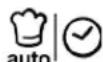
Your oven can be programmed for up to 3 automatic cooking sequences.
Suppose you want to set the following cooking program.
Microwave-cooking
Microwave-cooking (with lower power level)
- Open the door and place the food into the oven, close it.
- Input the first stage of microwave cooking program.
- Input the second stage of microwave cooking program.
- Press MENU/TIME knob to confirm.
NOTE: Express cooking, weight defrost, speed defrost, crisp fried and auto cook menus can't be set in multi-stage cooking.
MUTE FUNCTION

To Set: In standby mode, press MUTE/LOCK pad once, the display will show "oFF" for 3 seconds. At this time, all programs and pads have no prompt sound, and then the oven will return to standby mode.
To Cancel: In mute mode, press MUTE/LOCK pad once, the display will show "on" for 3 seconds, a beep will sound. At this time, the sound of all programs and pads return to normal, and then the oven will return to standby mode.
CHILD LOCK

Use to prevent unsupervised operation of the oven by little children.
To set: In standby mode, press and hold MUTE/LOCK pad for 3 seconds, the oven will auto enter child lock mode and lock indicator light "☐" appears on the display. In the lock state, all pads are disabled.
To cancel the child proof lock: Press and hold MUTE/LOCK pad for 3 seconds, the indicator light "🔒" will come off, or open the door.
AUTO COOK

For food or the following cooking mode, it is not necessary to program the time and the cooking power. It is sufficient to indicate the type of food that you want to cook as well as the weight or servings of the food.
- Turn MENU/TIME knob anti-clockwise to select the code of food.
- Press MENU/TIME knob once.
- Turn the MENU/TIME knob to enter food weight.
- Press MENU/TIME knob to confirm.
Auto cook menus:
| Code | Menu | NOTE:The result of auto cooking depends on factors such as fluctuation of voltage, the shape and size of food, your personal preference as to the doneness of certain foods and even how well you happen to place food in the oven. If you find the result at any rate not quite satisfactory, please adjust the cooking time a little bit accordingly. |
| A-1 | Fresh Vegetable (g) | |
| A-2 | Pastry (475g) | |
| A-3 | Spaghetti (g) | |
| A-4 | Fish (g) | |
| A-5 | Pizza (g) | |
| A-6 | Meat (g) |
Cleaning and Care
- Turn off the oven and unplug the power cord from the wall when cleaning.
- Keep the inside of the oven clean. When food splatters or spilled liquids adhere to oven walls, wipe with a damp cloth. Mild detergents may be used if the oven gets very dirty. Avoid using spray or other harsh cleaners. They may stain, streak or dull the door surface.
- The outside of the oven should be cleaned with a damp cloth. To prevent damage to the operating parts inside the oven, water should not be allowed to seep into the ventilation openings.
- Wipe the door and window on both sides, the door seals and adjacent parts frequently with a damp cloth to remove any spills or spatters. Do not use abrasive cleaner.
- A steam cleaner is not be used.
- Do not allow the control panel to become wet. Clean with a soft, damp cloth. When cleaning the control panel, leave oven door open to prevent oven from accidentally turning on.
- If steam accumulates inside or around the outside of the oven door, wipe with a soft cloth. This may occur when the microwave oven is operated under high humidity condition. And it is normal.
- It is occasionally necessary to remove the glass tray for cleaning. Wash the tray in warm sudsy water or in a dishwasher.
- The roller ring and oven floor should be cleaned regularly to avoid excessive noise. Simply wipe the bottom surface of the oven with mild detergent. The roller ring may be washed in mild, soapy water or in a dishwasher. When removing the roller ring, be sure to replace it in the proper position.
- Remove odors from your oven by combining a cup of water with the juice and skin of one lemon in a microwaveable bowl. Microwave for 5 minutes. Wipe thoroughly and dry with a soft cloth.
- If the light bulb burns out, please contact customer service to have it replaced.
- The oven should be cleaned regularly and any food deposits should be removed. Failure to maintain the oven in a clean condition could lead to deterioration of surface that could adversely affect the life of the unit and could possibly result in a hazardous situation.
- Please do not dispose of this appliance into the domestic rubbish bin; it should be disposed to the particular disposal center provided by the municipalities.
- When the microwave oven with grill function is first used, it may produce slight smoke and smell. This is a normal phenomenon, because the oven is made of a steel plate coated with lubricating oil, and the new oven will produce fumes and odor generated by burning the lubricating oil. This phenomenon will disappear after a period of using.
natural_image
Line drawing of a microwave oven with control panel and front-mounted dish (no text or symbols)DIVO G25CO
DIVO G25CB
DIVO G25CC
DIVO G25CMB
DIVO G25CG
DIVO G25CR
CE
Schalttafel
flowchart
graph TD
    A["Lock"] --> B["auto"]
    B --> C["STOP"]
    style A fill:#fff,stroke:#000
    style B fill:#fff,stroke:#000
    style C fill:#fff,stroke:#000
• ANZEIGE
natural_image
Line drawing of a microwave oven with control panel and buttons (no text or symbols)DIVO G25 CO
DIVO G25 CB
DIVO G25 CC
DIVO G25 CMB
DIVO G25 CG
DIVO G25 CR
CE
GUIDE DES USTENSILES....7
SPÉCIFICATIONS 8
NOM DES PIÈCES 8
Panneau de contrôle
flowchart
graph TD
    A[" "] --> B[" "]
    B --> C["auto"]
    C --> D[" "]
    D --> E[" "]
    E --> F["STOP"]
    style A fill:#fff,stroke:#000
    style B fill:#fff,stroke:#000
    style C fill:#fff,stroke:#000
    style D fill:#fff,stroke:#000
    style E fill:#fff,stroke:#000
    style F fill:#fff,stroke:#000
- ÉCRAN DE MENU D'ACTION
natural_image
Line drawing of a microwave oven with control panel and front-mounted dish (no text or symbols)DIVO G25CO
DIVO G25CB
DIVO G25CC
DIVO G25CMB
DIVO G25CG
DIVO G25CR
CE
Control Panel
PANTALLA
- MENÚ / HORA (mando)
NOTE: When the countdown ends, the buzzer will beep to remind you. You can check the countdown time by pressing RELOJ/TEMPORIZADOR pad, but if PARAR pad is pressed when the display shows the time, the function can be cancelled.
COCINA EXPRESA
natural_image
Line drawing of a microwave oven with control panel and front-mounted dish (no text or symbols)DIVO G25 CO
DIVO G25 CB
DIVO G25 CC
DIVO G25 CMB
DIVO G25 CG
DIVO G25 CR
Kezelőpanel
• DISPLAY
natural_image
Line drawing of a microwave oven with control panel and buttons (no text or symbols)DIVO G25CO
DIVO G25CB
DIVO G25CC
DIVO G25CMB
DIVO G25CG
DIVO G25CR
Stikalna plošča
flowchart
graph TD
    A["Lock"] --> B["auto"]
    B --> C["STOP"]
    D["Water"] --> E["Recovery"]
    F["Light"] --> G["Check"]
    H["Balance"] --> I["Stop"]
ZASLON
natural_image
Line drawing of a microwave oven with control panel and door (no text or symbols)DIVO G25 CO
DIVO G25 CB
DIVO G25 CC
DIVO G25 CMB
DIVO G25 CG
DIVO G25 CR
CE
Ovládací panel
flowchart
graph TD
    A[" "] --> B[" "]
    B --> C["auto"]
    C --> D[" "]
    D --> E[" "]
    E --> F["STOP"]
    style A fill:#fff,stroke:#000
    style B fill:#fff,stroke:#000
    style C fill:#fff,stroke:#000
    style D fill:#fff,stroke:#000
    style E fill:#fff,stroke:#000
    style F fill:#fff,stroke:#000
- DISPLEJ
natural_image
Line drawing of a microwave oven with control panel and side-mounted dish (no text or symbols)DIVO G25 CO
DIVO G25 CB
DIVO G25 CC
DIVO G25 CMB
DIVO G25 CG
DIVO G25 CR
CE
DÔLEŽITÉ BEZPEČNOSTNÉ POKYNY
Ovládací panel
flowchart
graph TD
    A[" "] --> B[" "]
    B --> C["auto"]
    C --> D[" "]
    D --> E[" "]
    E --> F[" "]
    F --> G["STOP"]
- DISPLAY
Zobrazuje sa čas varenia, výkon, indikátory a hodiny.
- MENU/LOCK
natural_image
Line drawing of a microwave oven with control panel and front-mounted dish (no text or symbols)DIVO G25CO
DIVO G25CB
DIVO G25CC
DIVO G25CMB
DIVO G25CG
DIVO G25CR
natural_image
Simple line drawing of a trash bin with no text or symbolsINSTRUCTIUNI DE SIGURANTĂ IMPORTANTE....3
Ghid de instalare....4
INSTRUCTIUNI DE ÎMPĂMÂNTARE 5
Panou Control
DISPLAY
FUNCTIA "CRISP FRIED" (
natural_image
Line drawing of a microwave oven with control panel and buttons (no text or symbols)DIVO G25 CO
DIVO G25 CB
DIVO G25 CC
DIVO G25 CMB
DIVO G25 CG
DIVO G25 CR
Πίνακας ελέγχου
• OΘONH

- PANELLO DI CONTROLLO
- - DISPLAY
- Microwave Oven Instructions
- CE
- WASTE MANAGEMENT AND ENVIRONMENTAL PROTECTION
- PRECAUTIONS TO AVOID POSSIBLE EXPOSURE TO EXCESSIVE MICROWAVE ENERGY
- Content
- IMPORTANT SAFETY INSTRUCTIONS
- Installation Guide
- GROUNDING INSTRUCTIONS
- Radio Interference
- Before Calling For Service
- Cooking Techniques
- Specifications
- Product Diagram
- Control Panel
- MUTE/LOCK
- - DEFROST
- - MENU/TIME (knob)
- - GRILL/COMB.
- - MICRO/CRISP ≈ | ≈
- - CLOCK/TIMER
- - STOP
- Operation Instructions
- SETTING CLOCK TIME
- TIMER FUNCTION
- EXPRESS COOKING
- MICROWAVE COOKING
- GRILL
- COMBINATION COOK ING
- SPEED DEFROST
- WEIGHT DEFROST
- CRISP FRIED FUNCTION
- MULTI-STAGE COOKING
- MUTE FUNCTION
- CHILD LOCK
- AUTO COOK
- Cleaning and Care
- Schalttafel
- • ANZEIGE
- Panneau de contrôle
- - ÉCRAN DE MENU D'ACTION
- PANTALLA
- - MENÚ / HORA (mando)
- COCINA EXPRESA
- Kezelőpanel
- • DISPLAY
- Stikalna plošča
- ZASLON
- Ovládací panel
- - DISPLEJ
- DÔLEŽITÉ BEZPEČNOSTNÉ POKYNY
- - MENU/LOCK
- Panou Control
- DISPLAY
- FUNCTIA "CRISP FRIED" (
- Πίνακας ελέγχου
Brand : CANDY
Model : DIVO G25CR
Category : Microwaves