
DynaPix LT-32DR9BU - Television JVC - Free user manual and instructions
Find the device manual for free DynaPix LT-32DR9BU JVC in PDF.
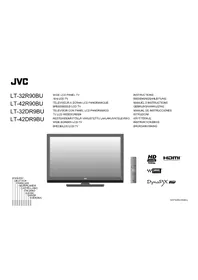


| Product Type | LED TV |
| Brand | JVC |
| Model | DynaPix LT-32DR9BU |
| Screen Size | 32 inches |
| Resolution | 1366 x 768 (HD Ready) |
| Display Technology | LED |
| Refresh Rate | 50 Hz / 60 Hz |
| Energy Efficiency Class | A+ |
| Power Consumption (On) | 35 W (typical) |
| Power Consumption (Standby) | < 0.5 W |
| Dimensions (with stand) | 732 x 480 x 180 mm |
| Weight (with stand) | 5.5 kg |
| VESA Mount | 200 x 200 mm |
| Digital Tuner | DVB-T/T2/C/S/S2 |
| Analog Tuner | PAL/SECAM |
| HDMI Inputs | 2 x HDMI |
| USB Inputs | 1 x USB 2.0 |
| Composite Input | 1 x AV (shared with component) |
| Component Input | 1 x YPbPr |
| Headphone Output | 1 x 3.5 mm |
| Audio Output | Optical out, Headphone |
| Speaker Power | 2 x 8 W |
| Remote Control | RM-C344 |
| Accessories Included | Remote, batteries, stand, user manual |
Frequently Asked Questions - DynaPix LT-32DR9BU JVC
User questions about DynaPix LT-32DR9BU JVC
0 question about this device. Answer the ones you know or ask your own.
Ask a new question about this device
Download the instructions for your Television in PDF format for free! Find your manual DynaPix LT-32DR9BU - JVC and take your electronic device back in hand. On this page are published all the documents necessary for the use of your device. DynaPix LT-32DR9BU by JVC.
USER MANUAL DynaPix LT-32DR9BU JVC
INSTRUCTION MANUAL
INSTRUCTION MANUAL


GGT0202-003A-L
OPERATING INSTRUCTIONS
LT-32R90BU LT-42R90BU (R90)
Digital Video Broadcasting
Trade Mark of the DVB Digital Video Broadcasting Project (1991 to 1996) Number : 5227, 5808
JVC


2
Getting Started

select
Next page

Start "Auto"


DigiPure: Off (p. 27)
DigiPure: A (p. 27)
| CC | Channel (Kanal, Sender) |
| CC 41/CC 241 | S41 |
| CC 75/CC 275 | X |
| CC 76/CC 276 | Y, R3 |
| CC 77/CC 277 | Z, ITALY C, R4 |
| CC 78/CC 278 | Z+1, R5 |
| CC Frequenz (MHz) | |
| CC 110 | 116-124 |
| CC 111 | 124-132 |
| CC 112 | 132-140 |
| CC 113 | 140-148 |
| CC 114 | 148-156 |
| CC 115 | 156-164 |
| CC 116 | 164-172 |
| CC 123 | 220-228 |
| CC 124 | 228-236 |
| CC 125 | 236-244 |
| CC 126 | 244-252 |
| CC 127 | 252-260 |
| CC 128 | 260-268 |
| CC 129 | 268-276 |
| CC 130 | 276-284 |
| CC 131 | 284-292 |
| CC 132 | 292-300 |
| CC 133 | 300-306 |
| CC 141 | 306-311 |
| CC 142 | 311-319 |
| CC 143 | 319-327 |
| CC 144 | 327-335 |
| CC 145 | 335-343 |
| CC 146 | 343-351 |
| CC 147 | 351-359 |
| CC 148 | 359-367 |
| CC 149 | 367-375 |
| CC 150 | 375-383 |
| CC 151 | 383-391 |
| CC 152 | 391-399 |
| CC 153 | 399-407 |
| CC 154 | 407-415 |
| CC 155 | 415-423 |
| CC 156 | 423-431 |
| CC 157 | 431-439 |
| CC 158 | 439-447 |
| CC 159 | 447-455 |
| CC 160 | 455-463 |
| CC 161 | 463-469 |
Technical data

Brand : JVC
Model : DynaPix LT-32DR9BU
Category : Television