
JLC32BC3000 - Television JVC - Free user manual and instructions
Find the device manual for free JLC32BC3000 JVC in PDF.


Pick your language and provide your email: we'll send you a specifically translated version.
| Type of Product | LED Television |
| Brand | JVC |
| Model | JLC32BC3000 |
| Screen Size (Diagonal) | 32 inches (80 cm) |
| Display Resolution | 1366 x 768 pixels (HD Ready) |
| Display Technology | LED with edge-lit backlight |
| Aspect Ratio | 16:9 |
| Refresh Rate | 60 Hz |
| Tuner | Digital (DVB-T/T2, DVB-C) and Analog |
| Audio Output | 2 x 8 W |
| Connectivity | 2 x HDMI, 1 x USB, 1 x SCART, Component (YPbPr), Composite, RF In, Headphone Jack, CI+ Slot |
| Energy Efficiency Class | A (typical for 2014 model) |
| Power Consumption (Operating) | Approx. 45 W |
| Power Consumption (Standby) | Less than 0.5 W |
| Dimensions (Without Stand) | Approx. 735 x 440 x 80 mm (W x H x D) |
| Dimensions (With Stand) | Approx. 735 x 490 x 210 mm (W x H x D) |
| Weight (Without Stand) | Approx. 5.5 kg |
| Weight (With Stand) | Approx. 6.2 kg |
| VESA Wall Mount Pattern | 200 x 100 mm |
| Cleaning Instructions | Wipe the screen with a soft, dry, lint-free cloth. Avoid using water or chemical cleaners on the display. |
| Safety & Compliance | CE, RoHS certified; designed for indoor use only |
| Repairability | Spare parts available for at least 7 years after end of production, in line with EU eco-design regulations. |
| General Information | Free user manual available for download in PDF format from the manufacturer website and manual repositories. |
Frequently Asked Questions - JLC32BC3000 JVC
How do I connect external devices like a DVD player or game console?
Use the HDMI ports for high-quality digital audio and video. Simply connect the device to any available HDMI input, then select the corresponding source using the SOURCE button on the remote.
Can I mount this TV on a wall?
Yes, the JLC32BC3000 is compatible with a VESA 200 x 100 mm wall mount. Always use a mount rated for at least the TV's weight (approx. 6.2 kg with stand) and follow the instructions in the manual for safe installation.
How do I perform a factory reset?
Go to Menu > Setup > System Reset. Enter the PIN (if prompted, the default is usually 0000) and confirm. This will restore all settings to their factory defaults and remove any tuned channels.
What file formats does the USB port support?
The USB media player supports common formats such as AVI, MP4, MKV, JPEG, and MP3. For the most stable playback, use a FAT32-formatted USB drive. Large files may need to be stored on NTFS, which is also supported in many cases.
Why is there no sound when I use headphones?
Plugging headphones into the headphone jack automatically disables the internal speakers. If you still hear no sound, check the volume level and the connection. Note that headphones output a fixed level; adjust volume with the TV remote.
How can I improve the picture quality for SD channels?
The TV's upscaling technology processes SD signals. To optimize, set the picture mode to Standard and enable Noise Reduction from the picture settings. Adjust sharpness to a moderate level to avoid artifacts.
Does this TV support Wi-Fi or Ethernet?
No, the JLC32BC3000 does not have built-in Wi-Fi or an Ethernet port. It is a basic TV with no smart features. To use internet services, connect an external streaming device via HDMI.
How do I enable subtitles while watching TV?
Press the SUBTITLE button on the remote control to toggle subtitles on or off. For digital channels, subtitles are broadcast as part of the DVB stream. Make sure the subtitle language is set in the menu.
What is the best way to clean the TV screen?
Use a soft, dry, microfibre cloth and gently wipe the screen in circular motions. Do not use water, alcohol, or chemical cleaners, as they may damage the anti-glare coating.
Where can I download the user manual?
You can download the free PDF manual from the JVC official website under the support section, or from trusted manual repositories such as notice-facile.com. Just search for the model JLC32BC3000.
User questions about JLC32BC3000 JVC
0 question about this device. Answer the ones you know or ask your own.
Ask a new question about this device
No questions yet. Be the first to ask one.
Download the instructions for your Television in PDF format for free! Find your manual JLC32BC3000 - JVC and take your electronic device back in hand. On this page are published all the documents necessary for the use of your device. JLC32BC3000 by JVC.
USER MANUAL JLC32BC3000 JVC

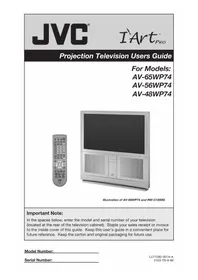
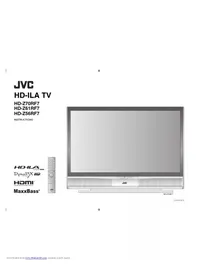
Manual assistant
Powered by Anthropic
Waiting for your message
Product information
Brand : JVC
Model : JLC32BC3000
Category : Television