
LT-42P789 - Television JVC - Free user manual and instructions
Find the device manual for free LT-42P789 JVC in PDF.


Pick your language and provide your email: we'll send you a specifically translated version.
| Brand | JVC |
| Model | LT-42P789 |
| Product Type | LCD Television |
| Screen Size | 42 inches (106.7 cm) |
| Display Resolution | Full HD (1920 x 1080) |
| Aspect Ratio | 16:9 |
| Refresh Rate | 60Hz |
| Dimensions (W x H x D, without stand) | Approx. 101 cm x 64 cm x 10 cm |
| Dimensions with Stand | Approx. 101 cm x 69 cm x 22 cm |
| Weight without Stand | Approx. 14.5 kg |
| Weight with Stand | Approx. 16.5 kg |
| Power Consumption (Active) | 150W |
| Power Consumption (Standby) | < 1W |
| Power Input | AC 110-240V, 50/60Hz |
| Audio Output | 2 x 8W |
| HDMI Ports | 3 |
| USB Port | 1 |
| Tuner | ATSC / NTSC |
| VESA Wall Mount Pattern | 400 x 400 mm |
| Cleaning Instructions | Wipe with a soft dry cloth; avoid chemical solvents. |
| Safety Warning | Keep ventilation slots unobstructed; unplug during storms. |
| Repairability | User-replaceable fuse and stand; advanced repairs require a certified service center. |
Frequently Asked Questions - LT-42P789 JVC
How do I connect a cable box or satellite receiver to my JVC LT-42P789?
Use an HDMI cable for the best picture quality. Plug one end into the HDMI output on your receiver and the other into an HDMI input (HDMI 1, 2, or 3) on the TV. Press Source on the remote and select the matching HDMI port.
What should I do if the screen displays 'No Signal'?
First verify that the source is correct and that the cable is firmly connected to both the TV and the device. Try a different HDMI port or component input. Restart both the TV and the connected device to restore the signal.
How can I wall-mount my JVC LT-42P789?
Measure the VESA distance (400 x 400 mm), choose a compatible wall bracket. Attach the bracket securely to a sturdy wall. Use two people to lift the TV and fix it onto the bracket following the mount's instructions.
How do I clean the LCD screen without damaging it?
Turn off and unplug the TV. Gently wipe the screen with a soft microfibre cloth. If needed, slightly dampen the cloth with water and wipe in one direction. Never spray liquids directly onto the panel.
Can I view photos or videos from a USB stick?
Yes, insert the USB flash drive into the USB port on the side of the TV. Press Media or use the smart menu to open the media player. Select the files you want to view. Supported formats include JPEG, MP3, and MP4.
How do I set parental controls?
Press Menu on the remote, select Settings, then go to Parental Control or Lock. Enter the default PIN 0000 (unless changed) and set restrictions for channels or inputs.
What picture mode is recommended for sports or movies?
For sports, choose Sports or Dynamic mode to boost brightness and contrast. For movies, select Cinema or Movie mode for more accurate colors and balanced brightness.
How do I reset the TV to factory settings?
Navigate to Menu > Settings > System and select Factory Reset. You will be prompted to confirm the reset. After the reset, all personal settings and channel presets will be erased.
Why is there no sound from the speakers?
Check that the TV is not muted and the volume is above zero. If using external devices, verify their audio output settings. If using HDMI ARC, ensure the audio return channel in the TV settings is enabled.
Does this TV have an energy-saving mode?
Yes, go to Menu > Settings > Power and enable Energy Saving or Eco mode. This reduces consumption by lowering backlight intensity. The TV typically consumes 150W in active mode and <1W in standby.
User questions about LT-42P789 JVC
0 question about this device. Answer the ones you know or ask your own.
Ask a new question about this device
No questions yet. Be the first to ask one.
Download the instructions for your Television in PDF format for free! Find your manual LT-42P789 - JVC and take your electronic device back in hand. On this page are published all the documents necessary for the use of your device. LT-42P789 by JVC.
USER MANUAL LT-42P789 JVC

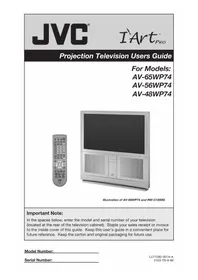
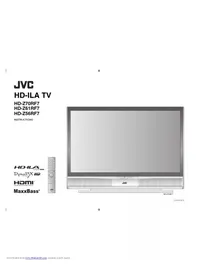
Manual assistant
Powered by Anthropic
Waiting for your message
Product information
Brand : JVC
Model : LT-42P789
Category : Television