
Punto P 286 - Vacuum Cleaner KING - Free user manual and instructions
Find the device manual for free Punto P 286 KING in PDF.


| Product Type | Canister Vacuum Cleaner |
| Brand | KING |
| Model | Punto P 286 |
| Power Supply | 220-240 V ~ 50/60 Hz |
| Power Consumption | 1200 W |
| Dust Container Capacity | 1.5 L |
| Filtration System | Washable cartridge filter, motor filter, exhaust filter |
| Nozzles Included | Floor head (with brush adjustment), combination nozzle |
| Accessories | Flexible hose, extension tube, crevice tool, brush nozzle |
| Cord Length | 5 m |
| Cord Rewind | Automatic with button |
| Weight | 4.5 kg |
| Dimensions (L x W x H) | 35 x 25 x 30 cm |
| Noise Level | 75 dB |
| Suction Control | Not adjustable (on/off) |
| Overheat Protection | Yes (automatic shut-off) |
| Maintenance | Empty dust container when full; wash filters regularly |
| Replacement Filter | Cartridge filter (non-replaceable – clean only) |
| Safety Features | Thermal cut-off, child safety lock (not specified) |
| Warranty | 2 years (manufacturer warranty) |
Frequently Asked Questions - Punto P 286 KING
User questions about Punto P 286 KING
0 question about this device. Answer the ones you know or ask your own.
Ask a new question about this device
Download the instructions for your Vacuum Cleaner in PDF format for free! Find your manual Punto P 286 - KING and take your electronic device back in hand. On this page are published all the documents necessary for the use of your device. Punto P 286 by KING.
USER MANUAL Punto P 286 KING
natural_image
Red background with a white crown and circular swirl design (no text or symbols)king
P 286
Punto
Elektrikli Süpürge
Vacuum Cleaner
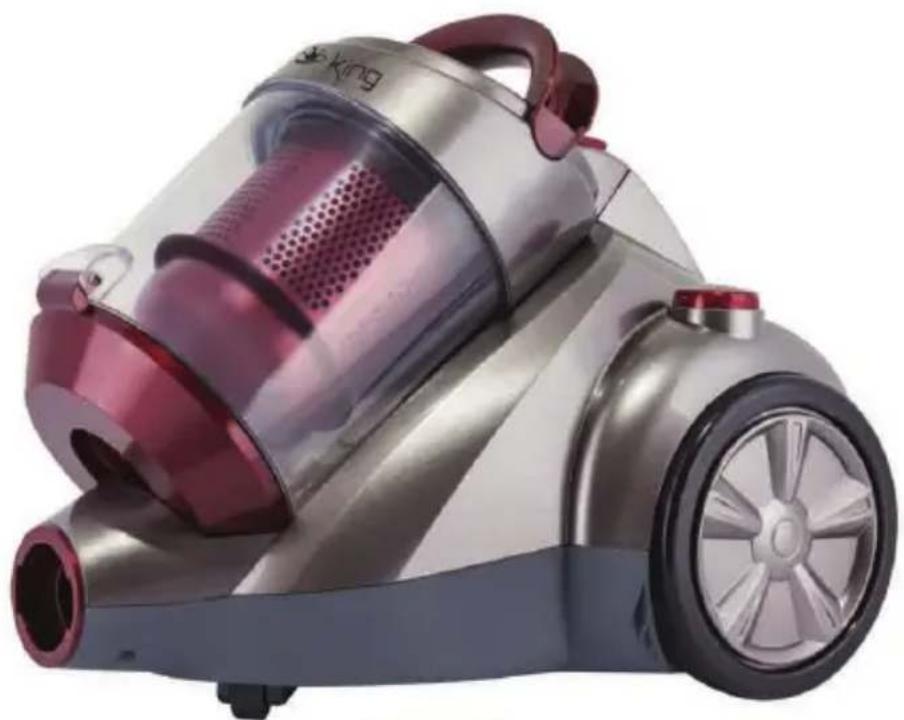
natural_image
Exterior view of a modern vacuum cleaner with pink filter and silver casing (no visible text or symbols)
GARANTI

natural_image
Red background with a white crown and ring (no text or symbols)king
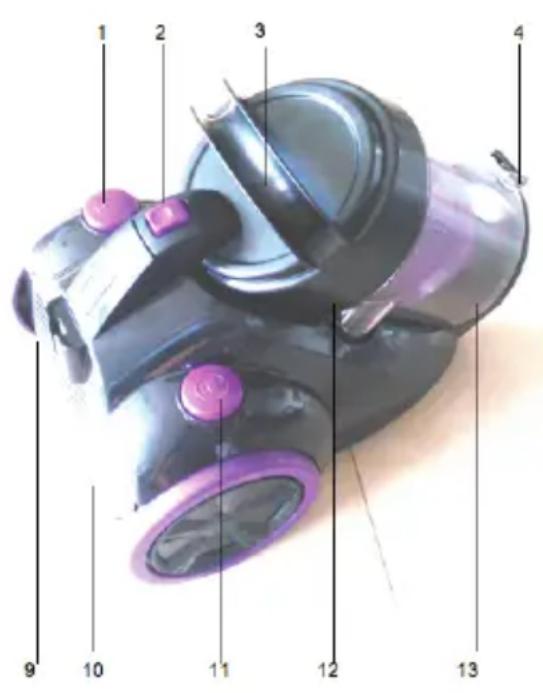
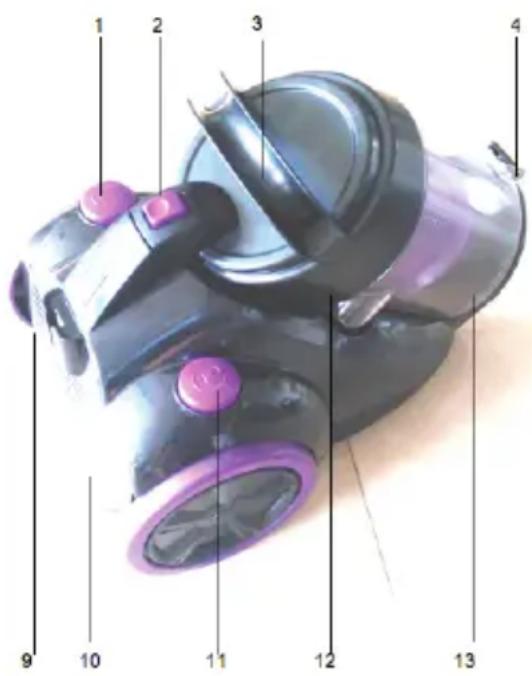
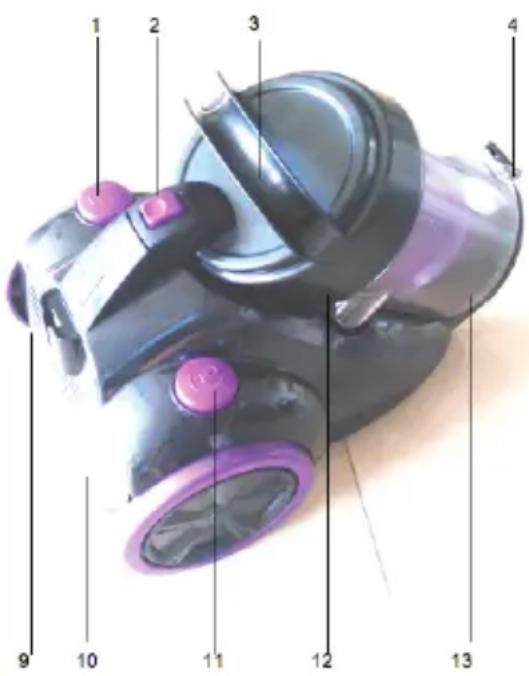
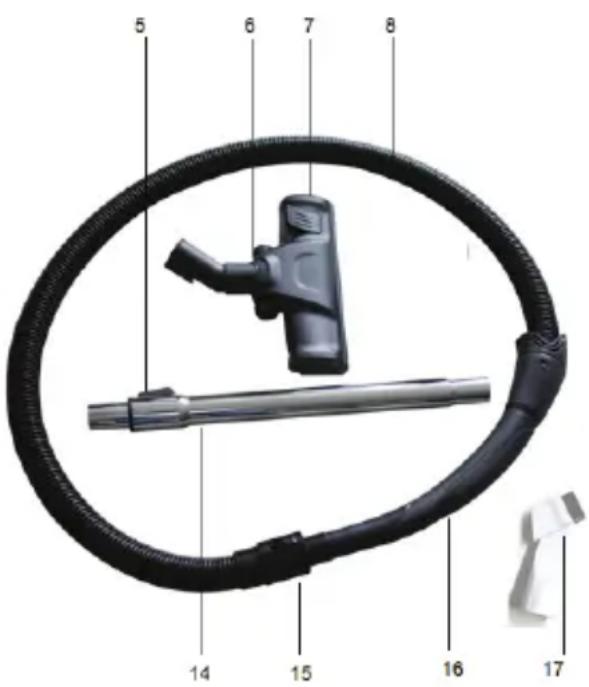
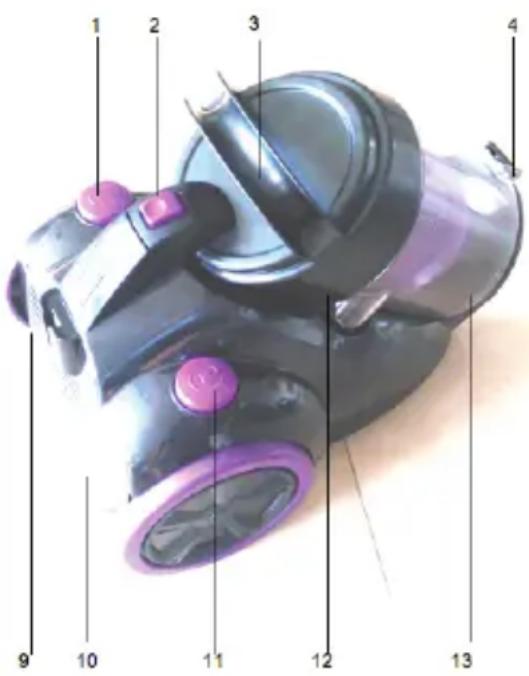
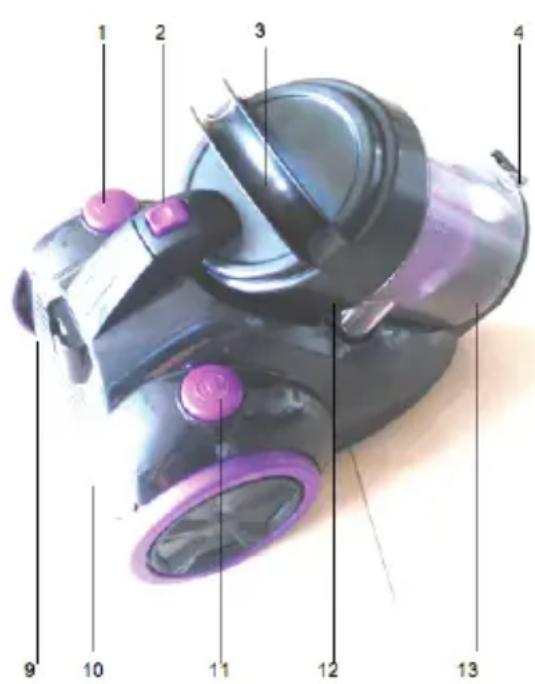
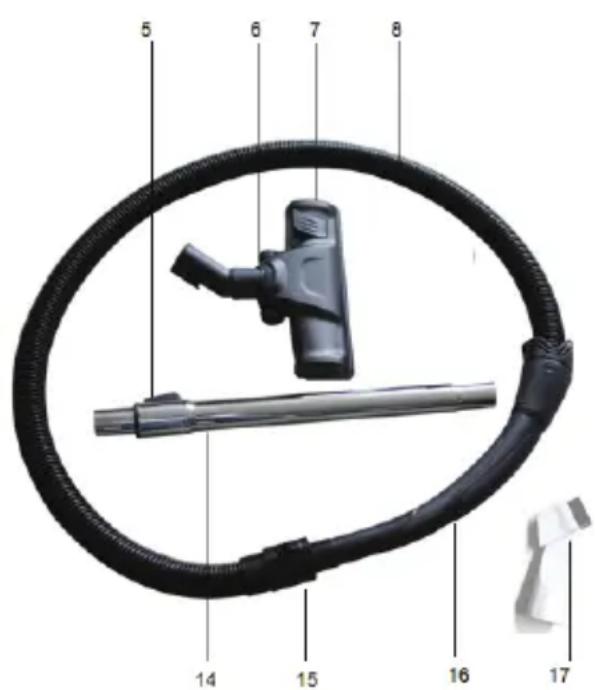
MAIN PARTS
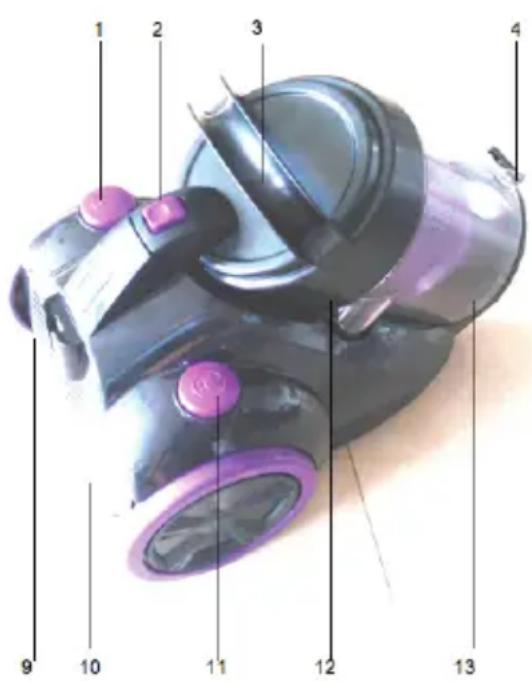
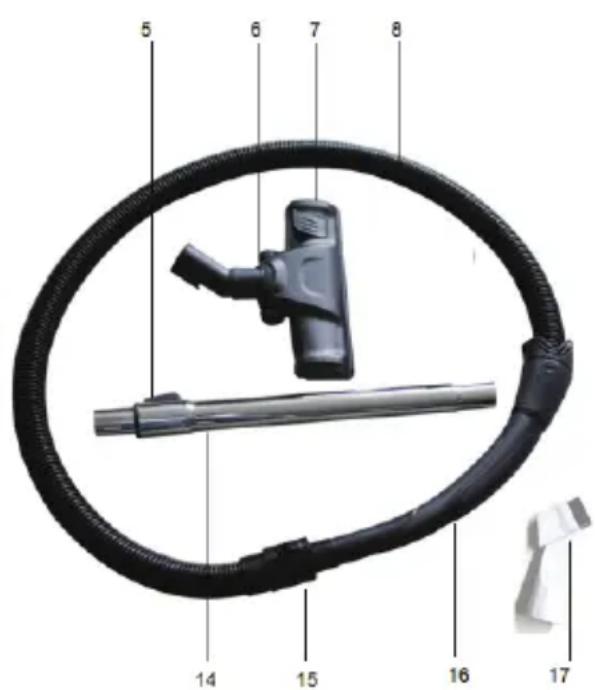
1 ON/OFF button
2 Dust container release button
3 Carrying handle
4 Dust container catch
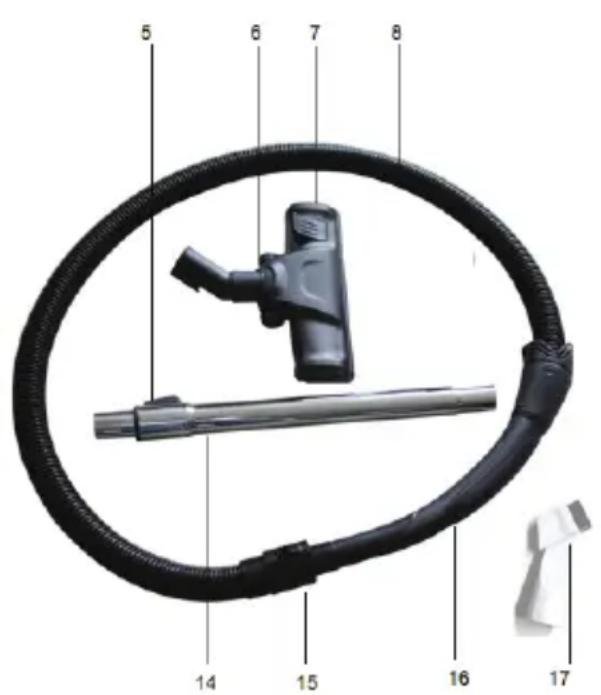
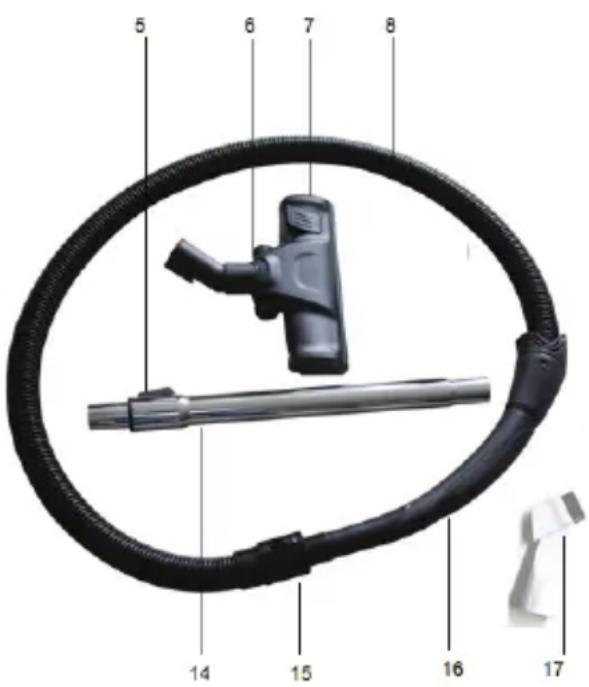
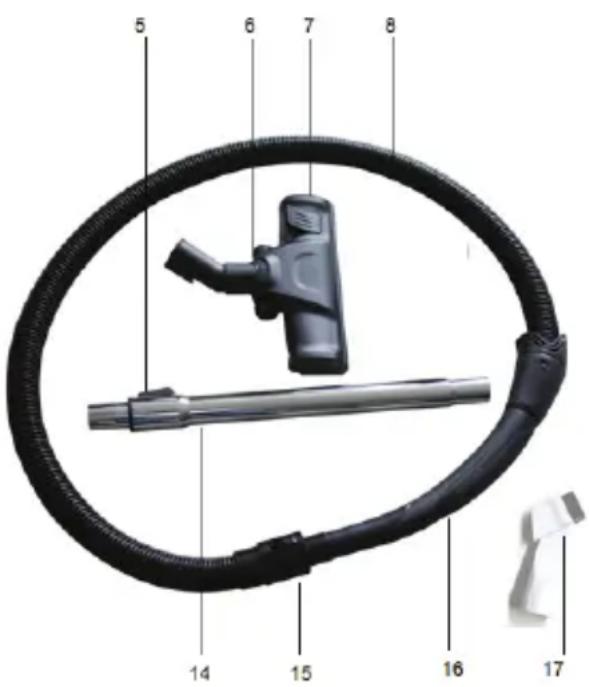
5 Extension tube button
6 Floor head
7 Floor head adjustment lever
8 Flexible hose
9 Outlet filter cover
10 Power cable
11 Cable rewind button
12 Dust container cover
13 Dust container
14 Extension tube
15 Flexible hose coupling
16 Flexible hose handle
17 Combination nozzle
king
IMPORTANT SAFEGUARDS
Before using the electrical appliance, the following basic precautions should always be followed:
- Switch off and unplug when not in use and before emptying or cleaning the appliance.
- To reduce the risk of electric shock, do not use outdoors or on wet surfaces.
3.Do not allow to be used as a toy. Close attention is necessary when used by near children. - Use only as described in this manual. Use only manufacture's recommended attachments.
5.Do not use with damaged cord or plug. If vacuum cleaner is not working as it should, has been dropped, damaged, left outd<oors, or dropped into water, enter it to KING service center. - Do not pull or carry on cord, use cord as a handle, close door on cord, or pull cord around sharp edges or corners. Do not run vacuum cleaner over cord. Keep cord away from heated surfaces.
7.Do not unplug by pulling on cord. To unplug, grasp the plug, not the cord.
8.Do not put any object into openings. Do not use with any opening blocked. Keep free of dust, lint, hair and anything that may reduce airflow. - Keep hair, loose clothing, fingers and all parts of body away from openings and moving parts.
- Do not use to pick up HARD AND SHARP objects such as glass, coins or screw or in areas where they may be present.
- Do not pick up anything that is burning or smoking, such as cigarettes, matches, or hot ashes.
12.Do not use without dust bag and/or filter in place. - Turn off all controls before unplugging.
- Use extra care when cleaning on stairs.
- Do not use to pick up flammable or combustible liquids, such as gasoline, or use in areas where they may be present.
- Do not use to pick up flammable or combustible liquids, such as gasoline, or use in areas where they may be present.
17.Do not pick up toxics such as bleach, ammonia.
18.Do not place an appliance on or near a hot gas or on a heated oven. - Unplug before connecting the hose. Hold plug when rewinding onto cord reel. Do not allow plug to whip when rewinding.
- Use only in dry places and inside.
21.Do not operate the appliance for other than its intended use. - Store your appliance in a cool, dry place indoors.

natural_image
Red background with a white crown and circular swirl design (no text or symbols)
king
- Do not immerse your appliance into any liquids.
- Keep the noozle and pipe away from your body and face.
- Do not use your appliance to clean your pets.
Note: If the suction, hose or pipe of the device clogged immediately turn off the device and remove the clogging ingredients before you run off.
WARNING!
- Do not place fingers or other objects under the roller guard when using the turbo head.
- Do not run the turbo head off the edge carpets and rugs with fringes.
- Do not run the appliance over the power cable.
- Do not use the appliance to pick up burning or hot objects (e.g. coal, ash, cigarettes etc) of any kind.
- Do not use the appliance to pick up any liquids or use on wet surfaces.
- Do not cover the appliance or restrict air vents.
- Do not use the appliance to pick up sharp objects (e.g. pins, nails, tacks, staples etc) or string.
ASSEMBLY
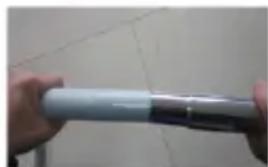
- Align the lugs on the sides of the flexible hose coupling with the slots in the hose socket (fig. 1), insert and push to secure, a click will be heard.
- Fit the curved handle to the end of the extension tube (fig. 2) and push fit the extension tube to the floor head.
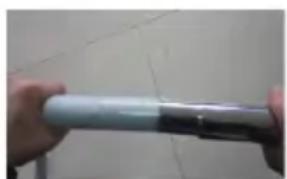
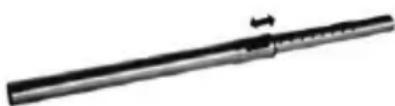
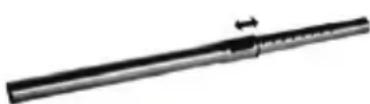
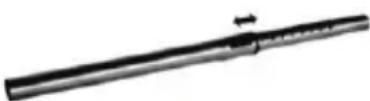
- To adjust the length of the extension tube, press the extension tube button and pull out the inner tube to the required length (fig. 3).
- To remove the extension tube and accessories firmly pull apart.
- To disconnect the flexible hose from the body of the cleaner ensure that vacuum cleaner is switched off. Squeeze the buttons firmly together at the side of the flexible hose at the point where it meets the socket and pull apart.
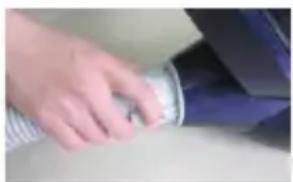
natural_image
Close-up of a hand holding a coiled metal pipe or tube, partially visible against a plain background (no text or symbols)Fig 1
natural_image
Close-up of hands holding a cylindrical object with a dark border (no visible text or symbols)Fig 2
natural_image
Metal rod with a small attached pin or gauge, shown in grayscale (no text or symbols visible)Fig 3
TO USE
- Before use, pull out the cable until the yellow mark on the cable is visible. This is the ideal cable length. Do not extend the cable beyond the RED mark.
- Fit the correct nozzle for the cleaning application (see below) and plug the vacuum cleaner into the mains supply.

natural_image
Red background with a white crown and circular swirl design (no text or symbols)king
-
Press the ON/OFF button to start the vacuum cleaner.
-
Press the ON/OFF button to switch the vacuum cleaner off after use and before disconnecting the plug from the mains supply.
-
Rewind the cable by pressing the cable rewind button. It is advisable to guide the cable with your hand to prevent the cable whipping and damaging the appliance or other household property. If the cable does not rewind completely, pull the cable out a small way and press the rewind button again.
NOZZLE USE
| Nozzle | Cleaning area | |||||||
| Floor & carpets | Furniture | Between cushions | Curtains | Stairs | Walls | Skirting edges | Radiators | |
| Floor head | √ | √ | ||||||
| Combination - brush | √ | √ | √ | √ | ||||
| Combination – crevice tool | √ | √ | √ | √ | √ | |||
Note
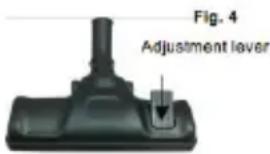
■ To raise or lower the brushes on the floor head (fig. 4) press the floor head lever.
■ When cleaning carpets, raise the brushes on the floor head.
■ When cleaning hard floors, lower the brushes on the floor head.
If using the turbo head to vacuum stubborn objects (e.g. pet hair), do not touch the rotating brush or use on delicate surfaces.
STORAGE
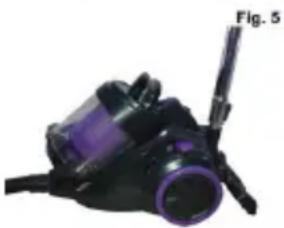
To store the vacuum cleaner tidily when not in use, slide the storage point on the floor head into the socket at the rear of the cleaner (fig. 5).
natural_image
Close-up of a purple and black vacuum cleaner (no visible text or symbols)MAINTENANCE
To ensure your vacuum cleaner works at optimum efficiency ensure that the dust container is emptied and the air filters are washed regularly. Switch off and disconnect from the mains supply before carrying out maintenance.
Emptying the dust container
- When the dust container reaches the MAX line marked on the dust container or when the suction power is reduced, it is time to empty the dust container.
- Switch off and disconnect from the mains supply.
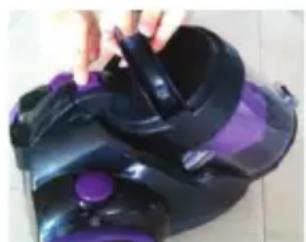
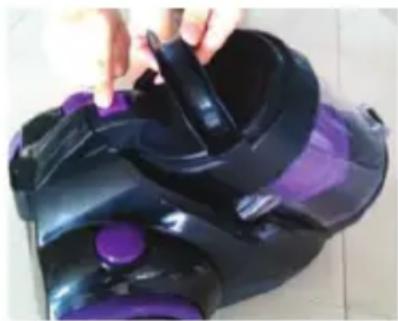
- Press the dust container release button and lift off the dust container using the handle (fig. 6).
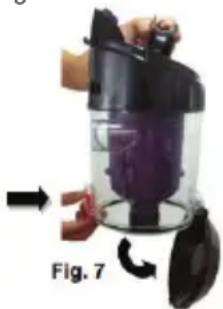
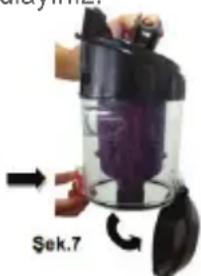
- Position the dust container over a refuse bin, then press the orange button at the side of the container to open the base (fig. 7) and empty the container. Gently tap the container against the side of the bin to remove stubborn dust.

natural_image
Red background with a white crown and circular swirl design (no text or symbols)king
- The inside of the dust container maybe wiped clean with a damp cloth. Dry with a soft dry cloth before closing the flap and refitting the container to the cleaner.
natural_image
Close-up of a black and purple handheld vacuum cleaner with a hand adjusting its grip (no visible text or symbols)Fig. 6
natural_image
Person cleaning a purple cylindrical device with a black lid, labeled Fig. 7 (no text or symbols on the device itself)Cleaning the filters
- The frequency that the filters should be cleaned will depend on appliance usage. For maximum efficiency the cartridge filter should be cleaned every time the dust container is emptied and the exhaust and motor filter every six months. Switch off from the mains supply.
- Remove the dust container from cleaner (fig 6) and empty the dust container (fig.7).
- Lift out the coarse motor filter (fig 11) and wash in cool soapy water, rinse under running water until the water runs clear and air-dry the filter thoroughly (do not force dry). Never wash filters in the washing machine.
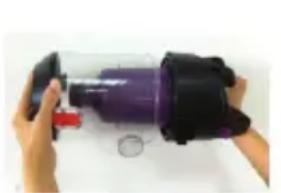
- To clean the cartridge filter, twist the clear part of dust container anticlockwise to separate it from the top handle section (fig. 8).
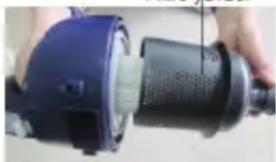
- Tap the filter assembly against a dustbin to remove most of the dust and then twist the filter housing anticlockwise and separate it from the black handle section (fig.9).
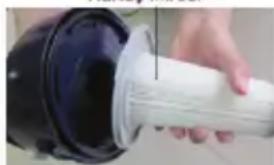
- Twist the filter cartridge anticlockwise and separate from the handle section (fig.10) and wash the cartridge as described in step 3.
- Reverse the above steps and refit the filter cartridge, filter housing and dust container onto the vacuum.
natural_image
Close-up of hands holding a purple cylindrical device with a black housing and red handle, no visible text or symbolsFig. 8
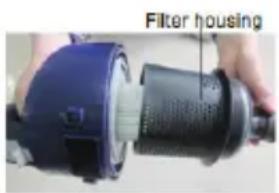
Fig. 9
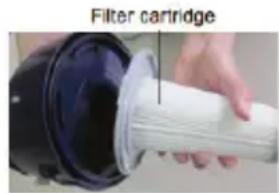
Fig. 10
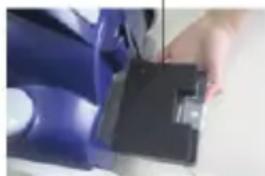
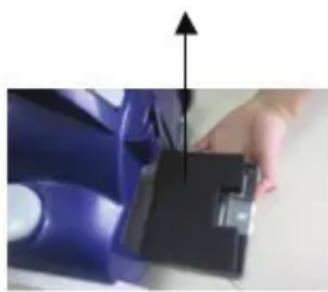
- To clean or replace the air outlet filter, press the catch at the top of the grill cover (fig. 12), lift off the cover. Wash and dry the filter (fig. 13) in accordance with step 3 above.
- Refit the filter and cover into the cleaner.

natural_image
Red background with a white crown and circular orbit design (no text or symbols)king
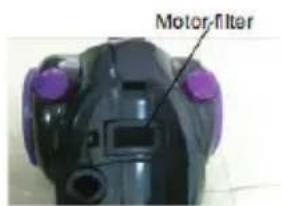
Fig. 11
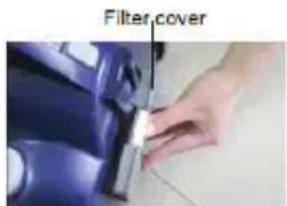
Fig. 12
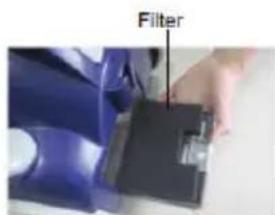
Fig. 13
Notes:
■ Take care of the filter cartridge supplied, as replacements are not available.
■ Should it become necessary to replace the fuse in the plug, please replace with a 13A fuse that conforms with BS 1362.

natural_image
Red background with a white crown and circular swirl design (no text or symbols)king
PARÇALARI
natural_image
Red background with a white crown and circular ring (no text or symbols)king
MONTAJ
natural_image
Close-up of a hand adjusting a small cylindrical object on a surface (no visible text or symbols)Şek1
natural_image
Close-up of hands holding a cylindrical object with a metallic handle (no visible text or symbols)Şek2
Şek3
KULLANIM
natural_image
White crown icon on red background, no text or symbols presentking
Not
natural_image
Close-up of a black and purple handheld vacuum cleaner with a hand adjusting its handle (no visible text or symbols)Sek.6
natural_image
Close-up of a hand holding a black vacuum cleaner with purple liquid, labeled 'Şek.7' (no other text or symbols visible)
natural_image
White crown icon on red background, no text or symbols presentking
natural_image
Close-up of hands holding a purple spray bottle with a black handle and red handle, partially covered by a white circular mark (no text or symbols visible)Şek.8
Filtre yuvası
natural_image
Close-up of a hand holding a black industrial power shaver tool (no visible text or symbols)Şek.9
Kartuş filtresi
natural_image
Close-up of a hand holding a white cylindrical object with a black circular base (no visible text or symbols)Şek.10
natural_image
Close-up of a hand adjusting a blue car seatbelt (no visible text or symbols)Şek.12
Fitre
natural_image
Close-up of a hand operating a blue mechanical device with a black handle (no visible text or symbols)Şek.13
king
Notlar:
natural_image
Red background with a white crown and ring (no text or symbols)king
natural_image
White crown icon on red background, no text or symbols presentking
natural_image
Close-up of a hand adjusting a cylindrical component with a blue and gray border (no visible text or symbols)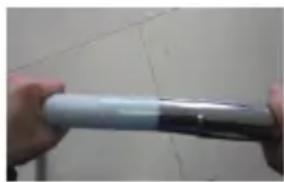
natural_image
Close-up of hands holding a cylindrical object with metallic bands, against a tiled wall (no visible text or symbols)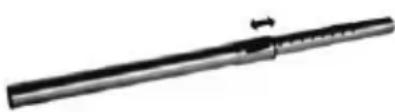
natural_image
Metal rod with a small arrow indicating force or movement (no text or symbols visible)GEBRAUCH
natural_image
Black and purple handheld vacuum cleaner with attached cable (no visible text or symbols)
natural_image
White crown icon on red background, no text or symbols presentking
AUFBEWAHRUNG
natural_image
Two-step photo showing a hand holding a purple plastic bag next to a black vacuum cleaner with a handle, and a close-up of the device being processed (no text or symbols visible)natural_image
White crown icon on red background, no text or symbols presentking
natural_image
Close-up of hands holding a purple cylindrical device with a black housing and red handle, partially visible on a white surface (no text or symbols)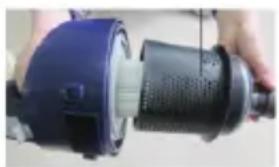
natural_image
Close-up of a hand holding a blue and black industrial device with a perforated shaft (no visible text or symbols)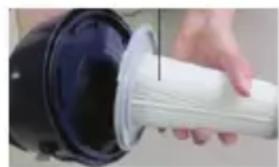
natural_image
Close-up of a hand inserting a white cylindrical device into a black cylindrical device (no text or symbols visible)natural_image
Close-up of a black electronic device with purple buttons and a white screen, no visible text or symbols.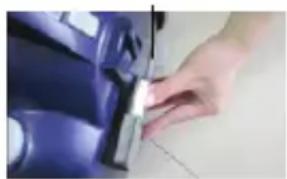
natural_image
Close-up of a hand adjusting a blue car interior panel with a tool (no visible text or symbols)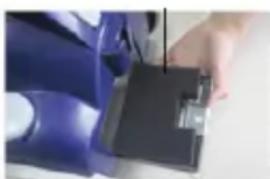
natural_image
Close-up of a hand holding a blue mechanical component with a black housing (no visible text or symbols)Hinweise:
natural_image
Red background with a white crown and ring (no text or symbols)king
natural_image
Red background with a white crown and ring (no text or symbols)king
natural_image
White crown icon on red background, no text or symbols presentking
natural_image
Close-up of a hand holding a coiled metal pipe or tube, with no visible text or symbols.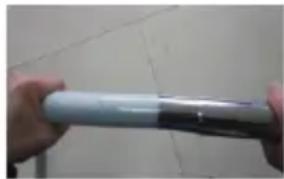
natural_image
Close-up of hands holding a cylindrical object with a metallic rim, against a tiled wall (no visible text or symbols)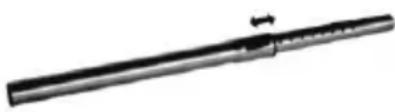
natural_image
Metal mechanical component with a cylindrical shaft and central fastener (no visible text or symbols)TO USE
natural_image
Black and purple handheld vacuum cleaner with handle and spout (no visible text or symbols)
natural_image
Red background with a white crown and ring design (no text or symbols)king
STORAGE
natural_image
Close-up of a hand holding a black vacuum cleaner with purple filter, no visible text or symbols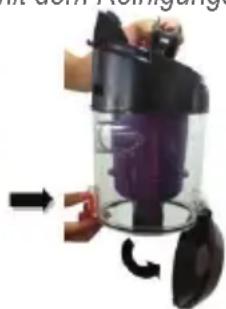
natural_image
Close-up of a hand holding a vacuum cleaner with a purple filter, showing mechanical components and airflow direction (no text or symbols visible)natural_image
White crown icon on red background, no text or symbols presentking
natural_image
Close-up of hands holding a purple cylindrical object with a red handle, partially covered by a black container (no visible text or symbols)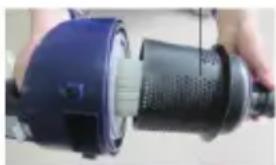
natural_image
Close-up of a hand holding a blue and black industrial vacuum cleaner (no visible text or symbols)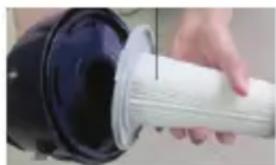
natural_image
Close-up of a hand inserting a white cylindrical component into a black plastic housing (no text or symbols visible)natural_image
Close-up of a black handheld device with purple buttons and a small screen (no visible text or symbols)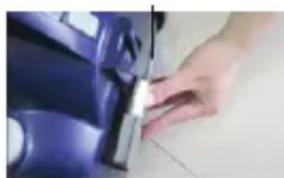
natural_image
Close-up of a hand adjusting a small metallic object on a blue surface (no visible text or symbols)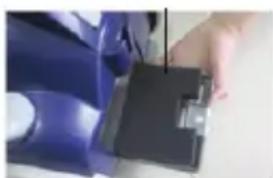
natural_image
Close-up of a hand holding a blue mechanical component with a black clamped part (no visible text or symbols)Hinweise:
natural_image
Red background with a white crown and ring (no text or symbols)king
natural_image
Red background with a white crown and circular swirl design (no text or symbols)king
natural_image
White crown icon on red background, no text or symbols presentking
natural_image
Close-up of hands holding a metallic cylindrical object on a surface (no visible text or symbols)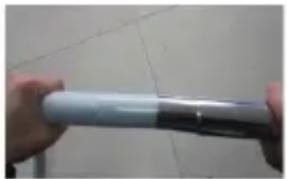
natural_image
Close-up of hands holding a cylindrical object with a metallic rim, against a tiled wall (no visible text or symbols)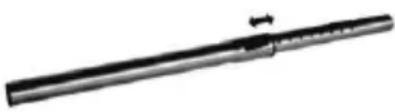
natural_image
Metal mechanical component with a cylindrical shaft and mounting bracket (no visible text or symbols)TO USE
natural_image
Close-up of a black vacuum cleaner with purple filter (no visible text or symbols)
natural_image
White crown icon on red background, no text or symbols presentking
STORAGE
natural_image
Close-up of a hand holding a black and purple handheld device (no visible text or symbols)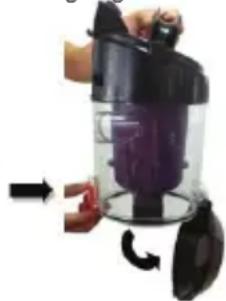
natural_image
Hand holding a black vacuum cleaner with a purple liquid inside, being handled by a hand (no text or symbols visible)natural_image
Red background with a white crown and circular swirl design (no text or symbols)king
Waschmaschine.
natural_image
Close-up of hands holding a purple cylindrical object with a red handle, next to a small circular mark on a white surface (no text or symbols visible)
natural_image
Close-up of a hand holding a blue and black industrial power shaver (no visible text or symbols)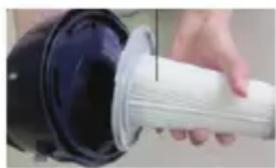
natural_image
Close-up of a hand holding a white cylindrical object with a black base, possibly a device or tool (no visible text or symbols)natural_image
Red background with a white crown and circular ring (no text or symbols)king
أgzاء
كابل الطاقة 10.
.11 زر الترجيع كابل
natural_image
Red background with a white crown and ring design (no text or symbols)king
natural_image
Red background with a white crown and circular ring (no text or symbols)king
natural_image
Close-up of a hand holding a cylindrical object, possibly a mechanical part or tool, with no visible text or symbols.1 alshk

natural_image
Close-up of hands holding a white cylindrical object with a black handle, against a tiled floor (no visible text or symbols)2 الشكل
3.الشكل

natural_image
Red background with a white crown and ring design (no text or symbols)king
لاستخدام
natural_image
Red background with a white crown and circular ring (no text or symbols)king
تحزين:
natural_image
Close-up of a black and purple handheld device with a cable (no visible text or symbols)(5 alشكل)
صيانة:
natural_image
Close-up of a hand holding a black vacuum cleaner with purple liquid inside, being handled by a black plastic cover (no text or symbols visible)(7 اشكل)
natural_image
Close-up of a black and purple handheld vacuum cleaner with a hand adjusting its lid (no visible text or symbols)(6 لشكل)

natural_image
Red background with a white crown and ring design (no text or symbols)king
تنظيف الفلاتر
natural_image
Close-up of hands holding a purple cylindrical device with a red handle, next to a small circular mark on a white surface (no text or symbols visible)(8 alشكل)
natural_image
Red background with a white crown and ring design (no text or symbols)king
تصفية
natural_image
Close-up of a hand holding a blue clipboard with an upward arrow, no visible text or symbols(13 الشكل)
ديافرام
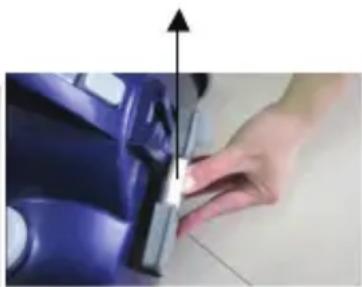
natural_image
Close-up of a hand holding a small object with an upward arrow, next to a blue vehicle (no visible text or symbols)(12 الشكل)
السيرات فلتر
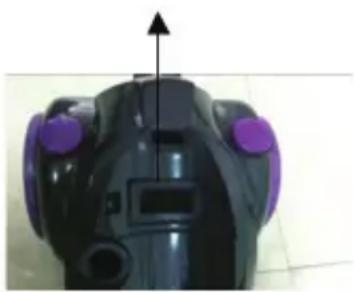
natural_image
Top-down view of a black robotic device with purple buttons and a vertical arrow indicator (no text or symbols)(11 الشكل)
ملاحظات:
natural_image
Symbol of a trash bin with crossed lines indicating no waste or discharge (no text or labels)
Brand : KING
Model : Punto P 286
Category : Vacuum Cleaner