M-50 Super - Solarium Soltron - Free user manual and instructions
Find the device manual for free M-50 Super Soltron in PDF.


User questions about M-50 Super Soltron
0 question about this device. Answer the ones you know or ask your own.
Ask a new question about this device
Download the instructions for your Solarium in PDF format for free! Find your manual M-50 Super - Soltron and take your electronic device back in hand. On this page are published all the documents necessary for the use of your device. M-50 Super by Soltron.
USER MANUAL M-50 Super Soltron
natural_image
Exterior view of a modern cylindrical device with a blue internal channel and yellow highlight (no text or symbols)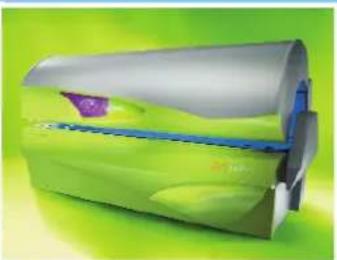
natural_image
Illustration of a green cylindrical device with blue internal components and a purple label on the side (no text or symbols)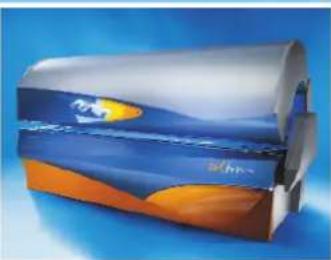
natural_image
Illustration of a cylindrical object with blue and orange wave-like surfaces against a blue background (no text or symbols)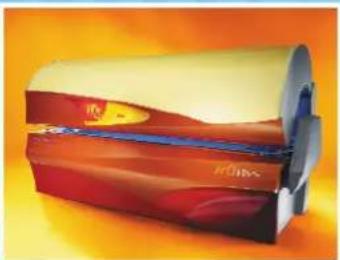
natural_image
Illustration of a cylindrical beverage can with red and yellow contents, no visible text or symbolssoltron THE SUNMAKER
Soltron
800922 / Index „c“ / de / en / 02.2004
M-50 Super
M-50 Turbo Plus
natural_image
3D rendering of a white industrial fan or compressor unit with fan blades and ventilation duct (no text or symbols visible)
text_image
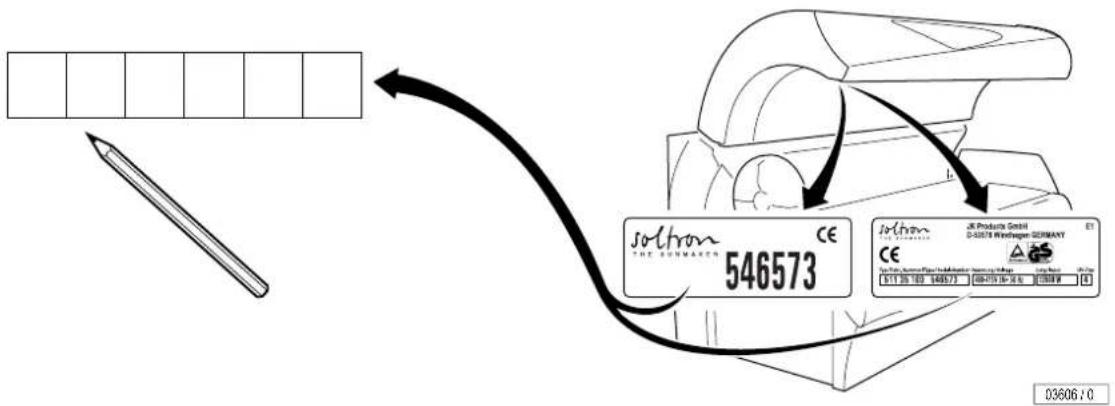
soltron THE BUNWARTH 546573 EUR Product GmbH S-02071 Windwasser GERMANY CE EUR Product GmbH S-02071 Windwasser GERMANY EUR Product GmbH 03606 10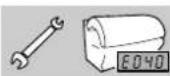


How to use the operating instructions ... 29

Vorwort

text_image
VorwortThe Soltron device you have purchased is a technically advanced and powerful microcomputer control system. Your device was manufactured with the greatest care and precision. It went through numerous quality and safety checks in order to guarantee trouble-free, safe operation. But you too may make a significant contribution to your long-term satisfaction with your device. Following the tips and instructions in the instruction manual will ensure you enjoyment and pleasure with your device.
In case of any questions, we are always at your disposition. ^1)
Your sincerely
Soltron GmbH
- Read and observe the information in this instruction manual. This will enable you to prevent accidents and provide you with a reliable device ready for use.
• Always observe the generally valid legal and further regulations and legal requirements as well as the valid environmental protection regulations, including those of the country in which the system is operated. - The locally valid regulations of professional associations and other regulatory authorities must always be complied with!
Table Of Contents
How to use the instruction manual. 29
Meaning of symbols 30
Guidelines 35
Intended use 35
Safety 36
Export 36
Equipment 37
Accessories 37
Maintenance and care 37
Faults 38
Deenergise device and secure against being switched on again . . . 39
Cleaning 40
Product information 42
Environmental protection information 44
General tanning instructions 45
General safety information 46
Recommended tanning times 47
Manufacturer's guarantee 48
Tanning Table....49
Description/Operation 58
Operating table ...... Fold-out page 57
Overview M-50 58
Overview M-55 59
Accessories 60
Starting device/Functions during start-up 61
Switching UV lamps on and off during tanning. 62
Running time of accent lighting 63
Regulating facial tanner 64
Switching shoulder tanner off and on 65
Switching air conditioning off and on ^1) 66
Regulating body cooling 67
Regulating facial cooling....68
Switching AROMA Dream on and off ^1) 69
Switching AROMA Energy on and off ^1) 70
Switching VITALIZER body nozzle on and off ^1) 71
Switching VITALIZER head nozzle on and off ^1) 72
Selecting music channel ^1) 73
Adjusting volume ^1) 74

Table Of Contents
Technical Data 75
Maintenance .... Fold-out page 77
Maintenance, overview 78
Maintenance intervals, installed lamps and order numbers. 78
Cleaning/replacing UV low-pressure lamps in sunbed base ..... 91
Cleaning/replacing UV low-pressure lamps in shoulder tanner 93
Cleaning/replacing UV low-pressure lamps in side section .....95
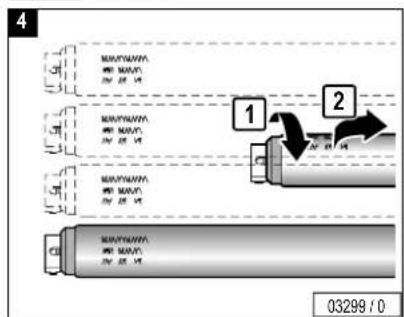
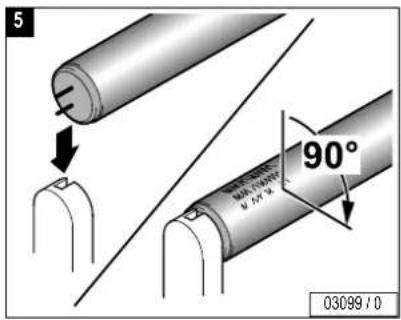
Cleaning/replacing UV low-pressure lamps in canopy 97
Cleaning/replacing interior lighting. 99
Cleaning/replacing UV high-pressure lamps/filter panels in side section 101
Cleaning/replacing UV high-pressure lamps/filter panels in canopy. 104
Cleaning/replacing accent lighting in canopy. 107
Cleaning/replacing accent lighting in front panel 109
Cleaning filter in sunbed base 110
Cleaning/replacing filter mats in canopy 112
Cleaning/replacing filter mats in shoulder tanner 113
Air conditioner: cleaning/replacing filter mats, emptying condensate container 115
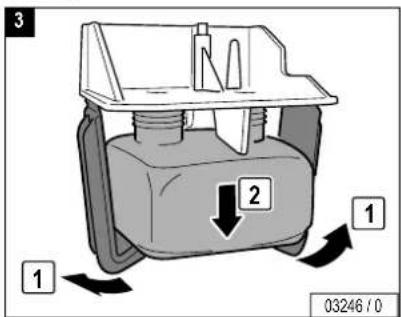
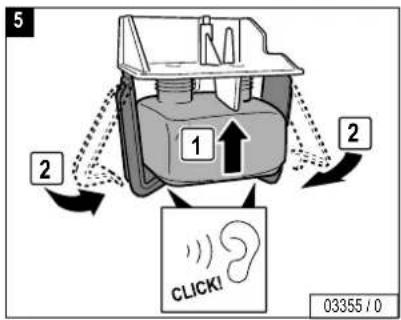
AROMA system: replacing aroma container ..... 117
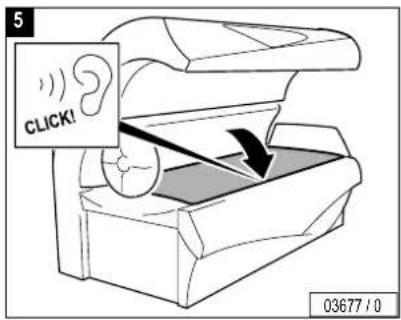
VITALIZER system: replacing canister 119
Presettings 121
Changing presettings with the control panel 125
Changing presettings with a hand-held unit 127
Index 133
Troubleshooting ..... see separate manual

Note: Technical changes are reserved with respect to the illustrations and specifications in this instruction manual. Reprinting and reproduction, in whole or in part, of this manual is only permitted with our previous written approval and with specification of the source.
How to use the instruction manual ...
The chapters "Description/Operation", "Technical Data" and
"Maintenance" in this instruction manual primarily contain graphics and symbols, but only very little text. Important general information and safety precautions are provided here in the first chapter.
There are several types of symbols:
- Chapter symbols (1) (e.g. Operation, Maintenance). These symbols have a black background and are positioned on the outer edge of the page. This chapter symbol can also be used as the page heading (2).
There are two additional symbol groups on the maintenance pages that differ in their positioning:
- Symbols in the top line (3) apply to the entire page. These may be headings or important information.
- Symbols directly over a graphic (4) refer to the work step shown in the graphic.
The meaning of the symbols is explained beginning on Page 30 in this chapter.

text_image
1 2 3 3 1 4 4 4 03174 / 0

Please read and observe ...
text_image
Meaning of symbolsMeaning of symbols
Danger notes:

Danger!
This safety note – warning triangle with the word "Danger" – points out that danger for persons can be expected here (danger to life and limb). Example:

Extreme danger!
Warning! High voltage!

Caution!
This safety note – warning triangle with the word "Caution" – points out that danger for devices, materials and the environment can be expected here.
Important information:

Note:
This symbol does not identify safety notes, but states information for a better understanding of the processes.
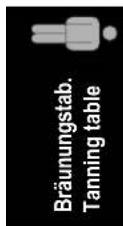
Symbols of tanning table – see Page 49
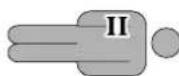
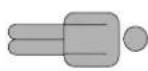
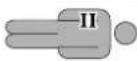
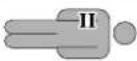
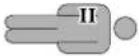
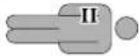
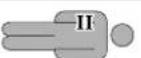
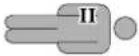
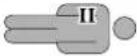
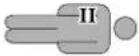
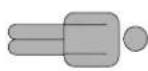
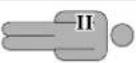
Skin type II:
- Frequent sunburn.
- Can take approx. 10-20 min. of natural sun.
– Max. 60 tanning sessions per year.
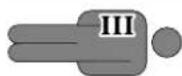
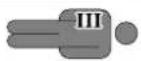
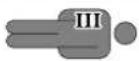
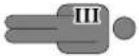
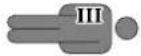
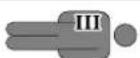
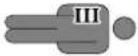
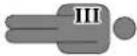
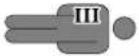
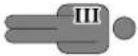
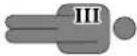
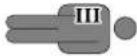
Skin type III:
– Seldom gets a sunburn.
- Can take approx. 20-30 min. of natural sun.
– Max. 43 tanning sessions per year.
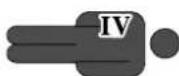
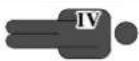
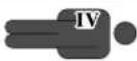
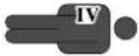
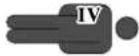
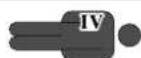
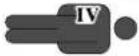
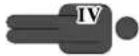
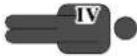
Skin type IV:
– Seldom gets a sunburn.
- Can take approx. 40 min. of natural sun.
– Max. 33 tanning sessions per year.

UV type
The UV type is specified on the device information plate – see Page 2.
Symbols for Description, Operation and Maintenance
General Symbols

Customer service

Danger!
Deenergise device – disconnect from power supply

Danger of burns!
Do not touch, hot surface

Low-pressure lamp(s)

UV low-pressure lamp(s)

Starter for low-pressure lamp(s)
General Symbols

UV high-pressure lamp(s)
Filter panels

Cleaning and disinfectant agents

Part/article number (for orders)
Tanning Table
Operation
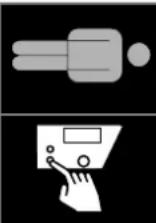
Please read and observe ...
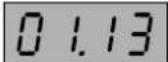
Display of tanning time

Display of run-on time (fan run-on)
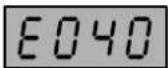
Fault display (example), see separate manual
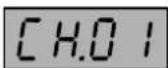
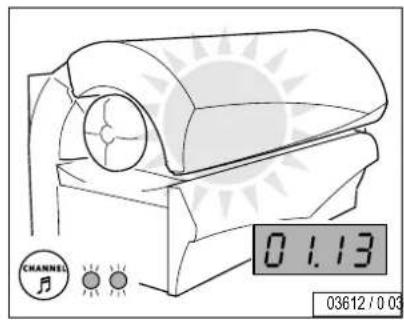
Display of Music Channel 1 (Channel 1) Factory setting: 1 channel Customer service can set up to 7 channels
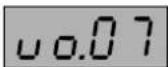
Display when adjusting volume
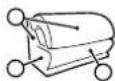
Description
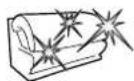
Accent lighting

Body cooling by AQUA SOLAR WITH SKIN ^+ ADDITIVE

Aroma "Dream", "Energy", "Cabin"

Press button

e.g.
-
2s

Press button for 2 seconds

Duration: 3 minutes
Technical data

Please read and observe ...
Maintenance


UV type
The UV type is specified on the device information plate – see Page 2.

Caution, safety switch!

Unscrew/release screw

Tighten/lock screw

Suction cup

Cleaning

Replacing


Clean or replace depending on soiling

Draining

Visual inspection

Air conditioner

Filter/filter mat

Troubleshooting – see separate manual

Please read and observe ...
text_image
Meaning of symbols...
Continuation of work steps on next page

End of work step
Presettings

see page 128
Guidelines
This device was built according to the following guidelines:
- EC directive "Electromagnetic Compatibility" 89/336/EEC (according to the currently valid version).
- Low-Voltage Directives 72/23/EEC (according to the currently valid version).

Note:
Depending on the local utility company, the devices can transmit interference to the power system of the house that impair the audio-frequency remote control system used by the utility company. This can, for example, interfere with the function of night-storage heaters.

Note:
If faults occur due to the operation of the devices, then the operator is responsible for the installation of an audio frequency blocking device in the building electrical installation. Please contact your electrician. The electrician is familiar with the technical connection conditions of your local utility company so that the audio-frequency blocking device can be matched to the power system of your utility company.
Intended use
This device is used for tanning one adult person at a time.
Nursing infants and small children through age 7 years may not use this device.
The following applies for children and teenagers between the ages of 8 and 17 years: Only use tanning devices in agreement with a parent or guardian, or after consulting a physician.
Any other use shall be considered improper. The manufacturer cannot be held liable for damage or injuries resulting from this. The operator bears the sole risk for this.
The proper use also includes compliance with the manufacturer's instructions, operating and maintenance conditions. The device may only be operated, maintained and repaired by persons familiar with these tasks and that have been informed of the dangers involved.
For the maximum permissible load on the acrylic glass panel, please see the Technical Data on Page 76.

Please read and observe ...
Safety

Danger!
Assembly and electrical connection must comply with the national ^1) regulations.
Assembly, installation, upgrading or repair of the device may only be carried out by specially trained and instructed personnel.
- All danger and safety notes attached to the device must be observed!
- No safety equipment (e.g. panel switch) or safety notes may be removed or deactivated which can impair the safe operation of the device!
- The device may only be operated in proper condition!
- The device operating time must be controlled with a timing device in accordance with the standards EN 60335-2-27 and A1 2000 Section 22.108 and 22.109. This timing device must be designed so that the device is automatically switched off at the latest after < 110% of the selected operating time even when the controller fails.
- Do not change, obstruct or block the air inflow and outflow area to the device or make any unauthorised changes to the device. The manufacturer shall bear no liability for damage or injuries resulting from such actions.
- The appliance must not be installed and operated on the shipping pallet! There is a danger of overheating due to the airflow being obstructed.

Caution!
The code for access via the infrared interface is preset in the software of the hand-held unit, and can therefore be used with any unit. Anyone, who downloads the software from the Internet can access the unit date with a hand-held unit. Please note that Customer Service changes the preset access code during initial start-up – see page 127. Please note the new code for future use!
This code is independent of the access code for the preset- tings via the control panel.
Export
We emphasise that these devices are intended for the European market and must not be exported to nor operated in the USA or Canada! The manufacturer shall assume no liability whatsoever in case of non-observance! We explicitly emphasise that high liability risks may occur for the exporter an/or the operator in case of non-observance.
Equipment
The equipment of the devices differs depending on the model.
In this instruction manual all standard and optional components/functions are taken into account which must be observed during operation and/or when performing maintenance.
The control panel is also affected by the differing equipment: Only those buttons are visible that can be operated, i.e. the corresponding function must be part of the equipment of the device.
Accessories
Some accessory parts are taken into account in the maintenance schedule beginning on Page 78, however this does not automatically mean that your device is provided with this equipment.
An overview of the possible accessories is provided in the sales documentation.
Maintenance and care

Extreme danger!
The device must be deenergised when performing maintenance work requiring the opening of the device. See Page 39.
Maintenance and care play a major role in deciding whether the device meets the requirements placed on it in a satisfactory manner. The compliance with the specified maintenance intervals and the careful conducting of the maintenance and care work are therefore absolutely necessary – see Page 78 ff.
The current operating hours of the parts requiring maintenance can be displayed in the Presetting mode – see Page 125 ff.
Remount any protective devices (e.g. filter panels) after completing work.
We point out that the device must be subject to repetitive inspections by our customer service or an approved specialised company every 12 months (from commissioning) to maintain its proper condition!

Caution!
Only use genuine spare parts of the same type! The use of other parts voids the CE conformity! Any liability is excluded in case of damage or injury proven to be the result of the use of non-genuine spare parts.

Please read and observe ...

text_image
FaultsFaults
In the case of a fault, error codes ^1) appear on the display to simplify localising of the fault cause (see separate manual):
- If a fault occurs, the fault code flashes in the display.
- If several faults occur, the fault messages are displayed alternately.
- The fault remedy is acknowledged by pressing the button.
- If the fault cannot be eliminated, inform Customer Service.
Deenergise device and secure against being switched on again

Extreme danger!
If work is to be performed on the devices, they must be deenergised. That means that all live lines must be switched off. Switching off the device alone is insufficient, as certain points may remain energised. Therefore, switch off fuses before performing any work and – if possible –
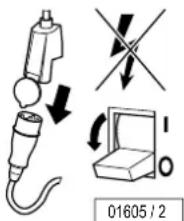
text_image
01605 / 2
Extreme danger!
Severe accidents can occur if the device is mistakenly switched on again. Immediately after deenergising, secure all switches or fuses used for deenergising against being switched on again.
- Lock the fuse box with a padlock.
- In case of circuit breakers which cannot be screwed out, a strip of adhesive tape may be applied over the actuation lever with the wording "Do not switch, danger!".
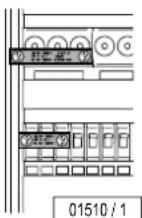
A prohibition sign with the text:
- "Work in progress!"
- "Place: ......"
- "Sign may only be removed by: ......" must always be securely mounted immediately.
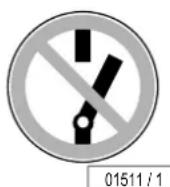

Extreme danger!
Prohibition signs must not be hung on or touch live parts.

Please read and observe ...
Cleaning
Acrylic glass surfaces

Caution!
Do not rub with a dry cloth – danger of scratching! For fast, hygienic proper cleaning of acrylic glass surfaces, use exclusively the specially developed fast disinfectant cleaner Antifect®.
Other cleaning agents, especially concentrated disinfectants or solvents (e.g. Lysoform, ethyl alcohol or other liquids containing alcohol), may not be used for cleaning.
Failure to observe this voids all guarantee claims.
Antifect ^® fast disinfectant cleaner
Antifect concentrate, 250 ml Order No.: ▲ 800 1813
Spray bottle, 1 ltr. (empty) Order No.: ▲ 800 1513
Spray head Order No.: ▲ 800 1613
Mixing container, 5 ltr. (empty) Order No.: ▲ 800 1713

Note:
Follow the manufacturer's instructions for use.
Please read and observe ...
Filter panels and lamps

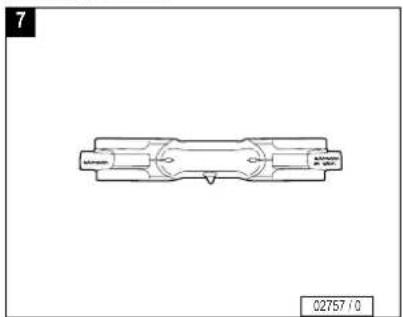
UV high-pressure lamps: Clean bulb with spirit if necessary.

UV low-pressure lamps: Clean with plain water (damp cloth).

Filter panels: Clean with plain water (damp cloth).
Plastic surfaces
For cleaning the other plastic surfaces, it is best to use warm water and a leather cloth. Never use aggressive cleaning agents containing alcohol, e.g. the commercially available Sagrotan, or essential oils. These may lead, in the long run, to damages not covered by the guarantee.
During cleaning a slight discolouration of the leather cloth by the rubber seals must be expected for production-related reasons.

Note:
Prevent damage to the acrylic glass and plastic surfaces. Remove rings, watches, bracelets etc. before the start of cleaning work.
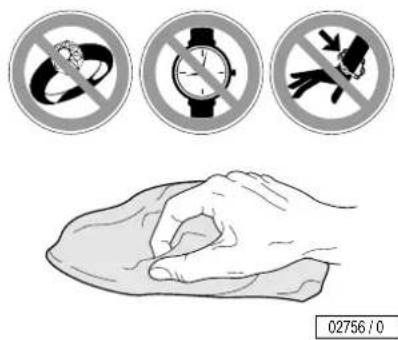
text_image
02756 / 0
Please read and observe ...
Product information
Acrylic glass panels
The acrylic glass panels for the tanning devices are produced of acrylic glass developed especially for this application. The acrylics used are characterised by a particularly high UV permeability and resistance, as well as an easy-care, hygienic surface that is gentle to the skin.
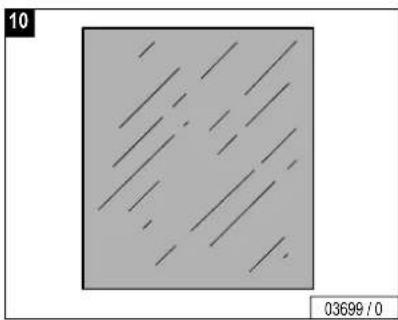
The acrylic glass panels are formed to their shapes for the specific devices in a technically complex production process. Despite state-of-the-art production know-how, the presence of minor spots, air bubbles or streaks in the acrylic panels is unavoidable. In addition, hairline cracks can occur on the bed surface during operation.
These occurrences are material-dependent and are unavoidable in processing, however have no significant effect on the utility value and can therefore not be recognised as defects.

Caution!
Cosmetics or sun screen products must be removed prior to tanning as they can cause damage (e.g. cracks on the surface) when used continuously.
AVS-AROMA VITALIZER SYSTEM
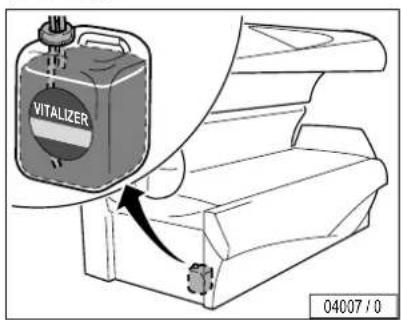
VITALIZER
The VITALIZER function sprays a fine mist of AQUA SOLAR WITH SKIN ^+ ADDITIVE in the interior of the sunbed for body cooling.
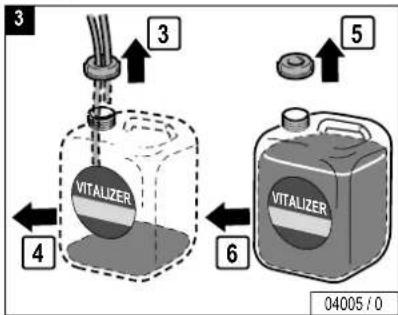
VITALIZER canister 6,000 ml Order No.: ▲ 365 1803

Danger!
Use only genuine Soltron VITALIZER!
Other substances endanger the user.
Do not swallow! Do not top up or mix with other substances!
AROMA
The AVS-AROMA VITALIZER SYSTEM also includes aromas with the scents "Dream" and "Energy", which are distributed via the head nozzles. A third aroma "Cabin" is distributed in the cabin.
"Dream" aroma pot, 100 ml Order No.: ▲ 365 1703
"Energy" aroma pot, 100 ml Order No.: ▲ 365 1603
"Cabin" aroma pot, 100 ml Order No.: ▲ 365 1503
Please read and observe ...
Ultraviolet high pressure lamps
The UV high-pressure lamps used are broadband radiators that can be operated with different wattages (approx. 240-520 W).

The UV high-pressure lamp Art. No. 12541 is operated in devices of the M-50/M-55 line with the respective wattage specified below:
M-50 Super 460 W
M-50 Turbo Plus 500 W
M-55 Super 460 W
M-55 Turbo Plus 500 W


Please read and observe ...
Environmental protection information
Environmental Declaration – The JK Corporate Group

EMAS
GEPRÜFTES
UMWELTM MANAGEMENT
D-141-00000
The JK corporate group is subject to the strict regulations of EC Directive 761/2001 and the standard DIN ISO 14001, and undergoes regular internal and external environment audits performed by trained auditors.
Environmental regulations – disposal of lamps and batteries
UV low-pressure lamps and UV high-pressure lamps contain fluorescent materials and other waste containing mercury. Batteries contain heavy metal compounds.
According to the national waste disposal laws and in accordance with the municipal waste regulations, proof must be provided of the proper disposal of UV lamps and batteries.
Your local sales agency will be happy to assist you with the disposal ^1) of UV lamps and batteries.
- Report the number of UV lamps and batteries to your local agency by telephone or in writing.
- Together with a disposal company, the agency then sees to the collection of the lamps and their proper disposal.
Packaging
All packaging consists of 100 % recyclable materials. Packaging brought into circulation by the JK Corporate Group that is no longer required can be returned to the JK Corporate Group. Your agency partner or dealer will be happy to advise you.
Disposal of recyclable materials
The device has been produced of recyclable materials. When being scrapped later, the device must be disposed of properly. The JK Corporate Group will provide you with information on the content or potential hazards of the materials used.
General tanning instructions
Who can get a tan?
Anyone who also gets a tan in natural sunlight. Persons with sensitive skin even tan more pleasantly and with fewer worries, as the radiation dosage can be exactly defined with sunbeds.
Which tanning times are recommended?
Although there is virtually no reason to worry about sunburn with the UV tanning method, some consideration should initially be given to individual skin sensitivity.

Danger of skin injuries and skin diseases!
Comply with the recommended tanning times, see Page 49.
How many tanning sessions are required?
Here as well, it is naturally dependent on the tanning ability of the skin – as in the sun outdoors. Generally, skin with a normal tanning ability achieves a beautiful, even colour after 3 to 5 tanning sessions of 4 to 10 minutes. The tanning sessions should be scheduled at intervals of every two day. Once you have a tan, 1 to 2 tanning sessions per week are usually sufficient to maintain it.
Should you use sun creme?
No! Cosmetic sun cremes with a sun protection factor (SPF) are intended to filter out the sun's aggressive rays. However, the light of our sunbeds only contains extremely small quantities of comparable rays, making this kind of protection unnecessary. On the contrary, the skin should be thoroughly cleaned and dried before each sunbath.
It is especially recommended that you treat your skin with certain care products. Before tanning (pre sun) and after tanning (après sun). This care products contain a special combination of selected ingredients: Aloe vera extract, jojoba oil, D-panthenol and elastin. It cleans the skin, helps slow the ageing process and provides moisture. The skin becomes smooth, soft and supple. The lotions can be pleasantly massaged in, and are absorbed quickly and deeply into the skin without leaving behind residues.
Please ask your dealer about the care products.
Heat erythema
In isolated cases, a heat erythema can result with sensitive skin, i.e. the skin becomes quite red due to the remaining infrared radiation (thermal radiation). This reddening is not a sunburn and presents absolutely no health danger. The tanning times should be reduced to achieve gradual adaptation.

Please read and observe ...
General safety information

Read the tips for proper tanning carefully.
• Particular caution is advisable for individuals who are especially sensitive to UV radiation, and when certain medications or cosmetics are used.
- Remove cosmetics before tanning and do not use sun screen products.
- See a physician if stubborn swelling, sores or pigmented moles form on the skin.
- UV radiation from the sun or UV devices can cause injuries to the skin or eyes. This biological effect is dependent on the skin sensitivity of the individual.
- The skin can become sunburned when exposed to excessive radiation. Excessive, frequently repeated exposure to UV radiation with sunlight or UV devices can result in premature ageing of the skin and an increased risk of skin tumours.

Danger of skin and eye injuries or skin diseases!
- Some medications for internal or external use can considerably increase the skin's sensitivity to UV radiation. For example: Antibiotics, Sulphonamides, psoralenes such as melanin, vitamin A acid and derivatives. Sunbaths – including those in the sun – should not be taken during and shortly after using preparations of this kind! If in doubt, ask your physician beforehand!
- The unprotected eye can become inflamed on the surface, and in certain cases the retina can be damaged by excessive radiation. Cataracts can form after frequently repeated exposure to radiation. Close your eyes during tanning and use the included protective goggles that block UV (Order No. ▲ 84592).

- The sunbed may never be used when a filter panel is missing or damaged, or the timer is defective!
- The time between two tanning sessions must be at least 48 hours! Do not take an additional sunbath on the same day.
- Increasing tanning also requires an extension of the exposure time (= radiation time) or after a certain degree of tanning has been achieved, a further intensification is not possible. However, the radiation time may not be extended as desired within the scope of the permissible radiation doses! Therefore, only a certain degree of final tanning dependent on the skin type can be achieved without endangering your health.
Recommended tanning times
See the table on Page 49.

Please read and observe ...
Manufacturer's guarantee
Soltron accepts liability for any tanning system defects that arise in accordance with the following regulations on behalf of customers who have purchased an Soltron tanning system for private or commercial utilisation from one of Soltron's sales partners; consumable parts such as UV-high pressure lamps (burner), UV-low pressure lamps (tubes) and starters as well as the acrylic-glass tanning bed itself are not covered by the warranty.
The warranty stipulates that Soltron will eliminate any defects within a time period predetermined by Soltron by repairing or exchanging the defective part.
Claims made in accordance with this warranty can be lodged with Soltron or the Soltron sales partner from whom the product was purchased on presentation of the warranty card or invoice; this warranty is valid for a period of 24 months from the date of purchase.
This does not affect the rights of the customer under the existing guarantee with regard to any claims that the customer might have in accordance with the contract of purchase.
Soltron M-50 Super
 | EfficientTan Super Power 100 W 2 | EfficientTan Super Power 100 W 3 | |||||
 |  |  |  |  |  | ||
 | 1.5 | 5 | 5 | 6 | 6 | 6 | |
| 2.5 | 6 | 6 | 6 | 7 | 7 | ||
| 3.6 | 7 | 8 | 7 | 8 | 9 | ||
| 4.6 | 8 | 9 | 8 | 1 | 0 | 1 | |
| 5.7 | 9 | 1 | 1 | 9 | 1 | ||
| 6.8 | 1 | 0 | 1 | 3 | 1 | ||
| 7.8 | 1 | 2 | 1 | 4 | 1 | ||
| 8.9 | 1 | 3 | 1 | 6 | 1 | ||
| 9.10 | 14 | 18 | 12 | 16 | 21 | ||
| 10.10 | 15 | 19 | 13 | 18 | 23 | ||
| 11.11 | 16 | 21 | 14 | 19 | 25 | ||
| 12.12 | 18 | 23 | 15 | 21 | 27 | ||
Soltron M-50 Super
other
| Time | MaxTan Super Power 100 W | Rating | |---|---|---| | 1 | 4 | 4 | | 2 | 5 | 5 | | 3 | 6 | 7 | | 4 | 7 | 8 | | 5 | 8 | 1 | | 6 | 9 | 1 | | 7 | 1 | 1 | | 8 | 1 | 2 | | 9 | 1 | 3 | | 10 | 10 | 14 | | 11 | 11 | 15 | | 12 | 12 | 17 | | 13 | 13 | 21 | The image contains two rows of data: the first row is a single numerical table (e.g., 'MaxTan Super Power 100 W') and the second row is a time-series table (e.g., 'Rating'). The values in the table are explicitly labeled on each row.3
4
6
Soltron M-50 Turbo Plus
 | EfficientTan Turbo Power 160 W 2 | EfficientTan Turbo Power 160 W 3 | |||||
 |  |  |  |  |  | ||
 | 1.5 | 5 | 5 | 6 | 6 | 6 | |
| 2.5 | 6 | 6 | 6 | 7 | 7 | ||
| 3.6 | 7 | 8 | 7 | 8 | 9 | ||
| 4.6 | 8 | 9 | 8 | 1 | 0 | 1 | |
| 5.7 | 9 | 1 | 1 | 9 | 1 | 1 | |
| 6.8 | 1 | 0 | 1 | 2 | 1 | ||
| 7.8 | 1 | 2 | 1 | 4 | 1 | ||
| 8.9 | 1 | 3 | 1 | 5 | 1 | ||
| 9.10 | 14 | 17 | 12 | 16 | 21 | ||
| 10.10 | 15 | 18 | 13 | 18 | 23 | ||
| 11.11 | 16 | 20 | 14 | 19 | 25 | ||
| 12.12 | 17 | 22 | 15 | 21 | 27 | ||
Soltron M-50 Turbo Plus
 | MaxTan Turbo Power 160 W 4 | |||
 |  |  | ||
 | 1.4 | 4 | 4 | |
| 2.4 | 5 | 5 | ||
| 3.5 | 6 | 7 | ||
| 4.6 | 7 | 8 | ||
| 5.6 | 8 | 1 | 0 | |
| 6.7 | 9 | 1 | 1 | |
| 7.8 | 1 | 0 | 1 | |
| 8.9 | 1 | 1 | 1 | |
| 9.9 | 1 | 2 | 1 | |
| 10.10 13 17 | ||||
| 11.11 14 19 | ||||
| 12.12 16 21 | ||||
3
4
6
Soltron M-55 Super
 | Efficient Tan Super Power 100 W 2 | MaxTan Super Power 100 W 2 | |||||
 |  |  |  |  |  | ||
 | 1.5 | 5 | 5 | 5 | 5 | 5 | |
| 2.5 | 6 | 6 | 5 | 6 | 6 | ||
| 3.6 | 7 | 8 | 6 | 7 | 8 | ||
| 4.6 | 8 | 9 | 6 | 8 | 9 | ||
| 5.7 | 9 | 1 | 1 | 7 | 9 | 1 | |
| 6.8 | 1 | 0 | 1 | 3 | 8 | 1 | |
| 7.8 | 1 | 2 | 1 | 4 | 8 | 1 | |
| 8.9 | 1 | 3 | 1 | 6 | 9 | 1 | |
| 9.10 | 14 | 18 | 10 | 14 | 18 | ||
| 10.10 | 15 | 19 | 10 | 15 | 19 | ||
| 11.11 | 16 | 21 | 11 | 16 | 21 | ||
| 12.12 | 18 | 23 | 12 | 18 | 23 | ||
Soltron M-55 Super
 | EfficientTan Super Power 100 W 3 | MaxTan Super Power 100 W 4 | |||||
 |  |  |  |  |  | ||
 | 1.6 | 6 | 6 | 4 | 4 | 4 | |
| 2.6 | 7 | 7 | 4 | 5 | 5 | ||
| 3.7 | 8 | 9 | 5 | 6 | 7 | ||
| 4.8 | 1 | 0 | 1 | 1 | 6 | 7 | |
| 5.9 | 1 | 1 | 1 | 3 | 6 | ||
| 6.10 | 12 | 15 | 79 | 11 | |||
| 7.10 | 14 | 17 | 8 | 11 | 13 | ||
| 8.11 | 15 | 19 | 9 | 12 | 14 | ||
| 9.12 | 16 | 21 | 9 | 13 | 16 | ||
| 10.13 | 18 | 23 | 10 | 14 | 17 | ||
| 11.14 | 19 | 25 | 11 | 15 | 19 | ||
| 12.15 | 21 | 27 | 12 | 17 | 21 | ||
Soltron M-55 Turbo Plus
 | EfficientTan Turbo Power 160 W 2 | EfficientTan Turbo Power 160 W 3 | |||||
|  | | |  | | ||
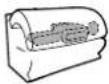 | 1.5 | 5 | 5 | 6 | 6 | 6 | |
| 2.5 | 6 | 6 | 6 | 7 | 7 | ||
| 3.6 | 7 | 8 | 7 | 8 | 9 | ||
| 4.6 | 8 | 9 | 8 | 1 | 0 | 1 | |
| 5.7 | 9 | 1 | 1 | 9 | 1 | 1 | |
| 6.8 | 1 | 0 | 1 | 2 | 1 | ||
| 7.8 | 1 | 1 | 1 | 4 | 1 | ||
| 8.9 | 1 | 2 | 1 | 5 | 1 | ||
| 9.10 | 13 | 17 | 12 | 16 | 21 | ||
| 10.10 | 14 | 18 | 13 | 18 | 23 | ||
| 11.11 | 15 | 20 | 14 | 19 | 25 | ||
| 12.12 | 17 | 22 | 15 | 21 | 27 | ||
Soltron M-55 Turbo Plus
 | MaxTan Turbo Power 160 W 4 | |||
 |  |  | ||
 | 1.4 | 4 | 4 | |
| 2.4 | 5 | 5 | ||
| 3.5 | 6 | 6 | ||
| 4.5 | 7 | 8 | ||
| 5.6 | 8 | 9 | ||
| 6.7 | 9 | 1 | 1 | |
| 7.7 | 1 | 0 | 1 | |
| 8.8 | 1 | 1 | 1 | |
| 9.9 | 1 | 2 | 1 | |
| 10.9 | 1 | 3 | 1 | |
| 11.10 14 18 | ||||
| 12.11 15 20 | ||||
2
4
5
7

Please open this fold-out page.

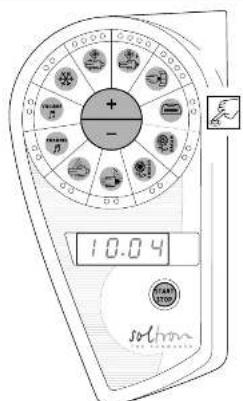
text_image
+ - 10.04 SOLON1534
sothron

M-50 Super M-50 Turbo Plus
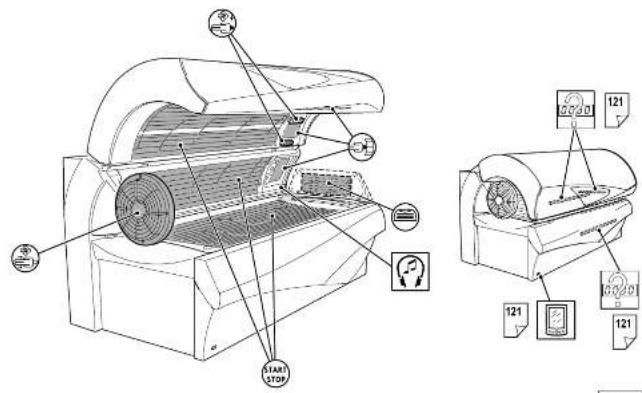
text_image
Technical diagram of an air conditioner unit with labeled components and control panel indicators58
soichron
M-55 Super
M-55 Turbo Plus
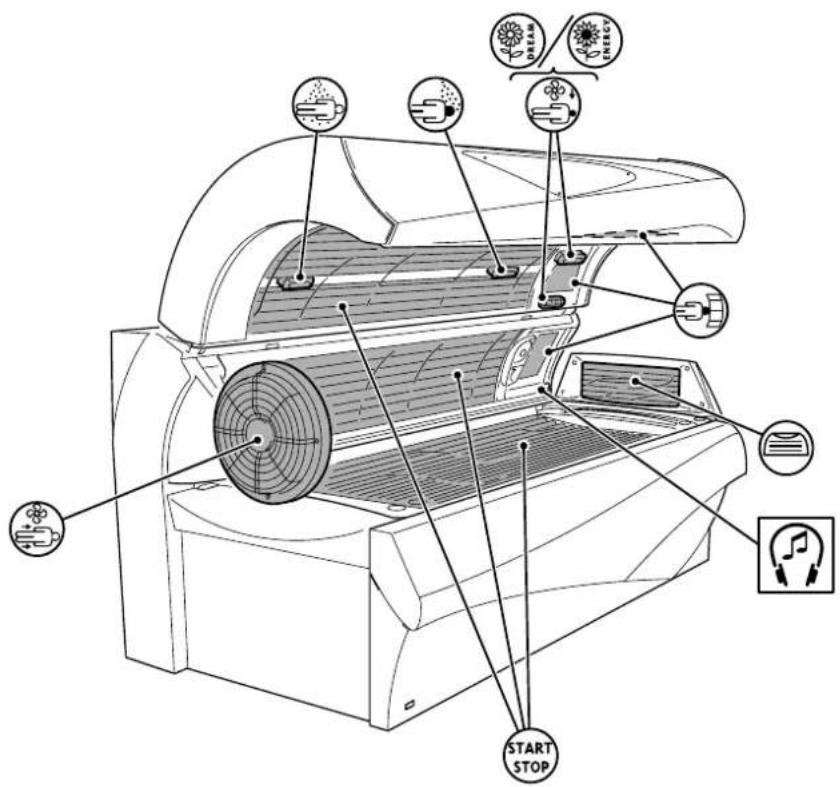
text_image
START STOP
text_image
Diagram of a printer with labeled parts including print, display, and paper icons04004/0
Zubehör
Accessories
natural_image
Line drawing of a mechanical device with a fan and base mount (no text or symbols)03609/0
START
natural_image
Line drawing of a mechanical device with fan and ventilation slots (no text or symbols)
natural_image
Technical line drawing of an air conditioner unit with fan airflow and ventilation duct (no text or symbols)
#

○ ○ ○

#

#

#

natural_image
Line drawing of a mechanical device with a circular component and a digital display showing 0.13 (no text or symbols on the device itself)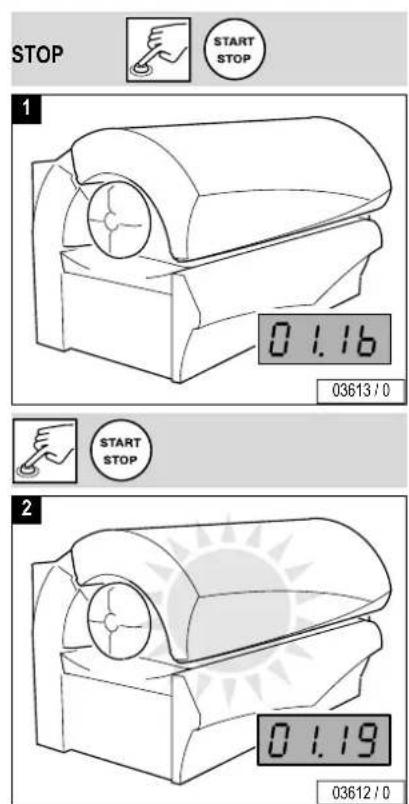
text_image
STOP START STOP 1 0 1.16 03613 / 0 START STOP 2 0 1.19 03612 / 0


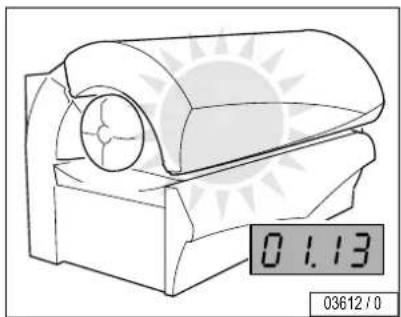
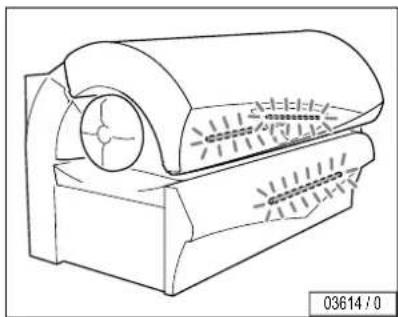
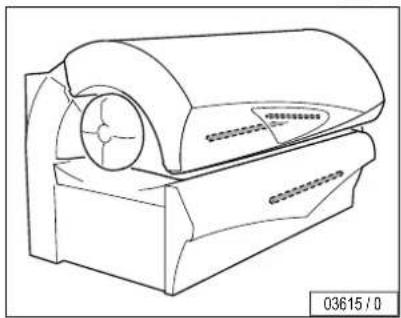
If the UV lamps are switched off during tanning, the tanning time runs on.

Stand-by
natural_image
Technical line drawing of a mechanical device with no visible text or symbols
natural_image
Line drawing of a mechanical device with a circular component and mounting base (no text or symbols)
121
text_image
IR Function 04008 / 0

text_image
01.13 03616 / 0
text_image
1 2 + - 1 03617 / 0 1 2 + - 2 03616 / 0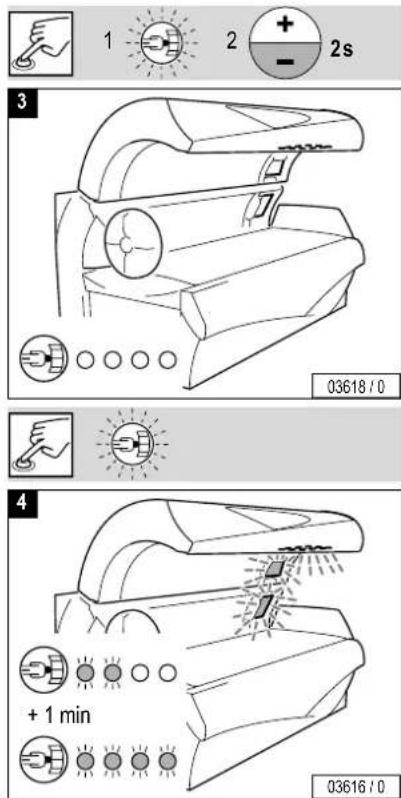
text_image
1 2 + - 2s 3 03618 / 0 4 + 1 min 03616 / 0


text_image
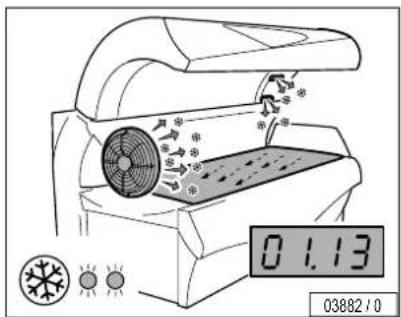
01.13 03619 / 0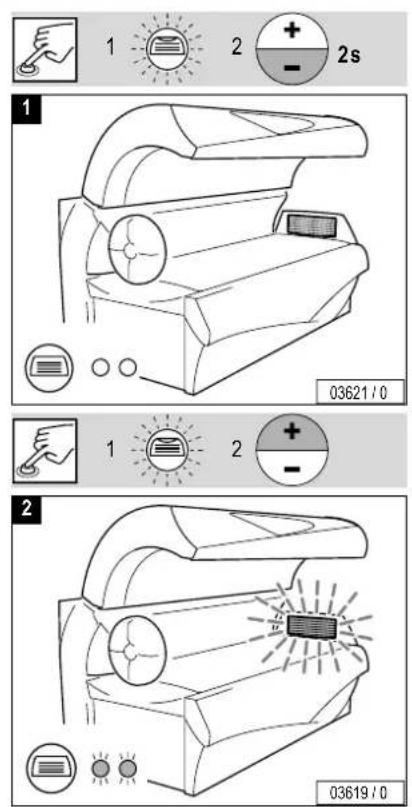
text_image
1 2 + - 2s 03621 / 0 1 2 + - 2 03619 / 0


text_image
01.13 03882/0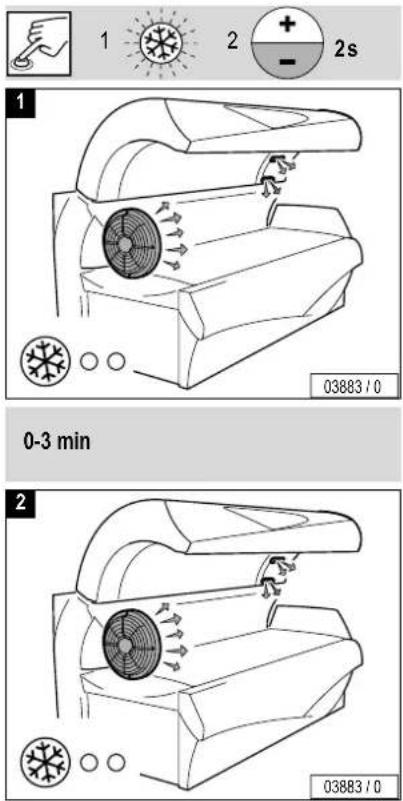
text_image
1 2 + - 2s 1 03883/0 0-3 min 2 03883/0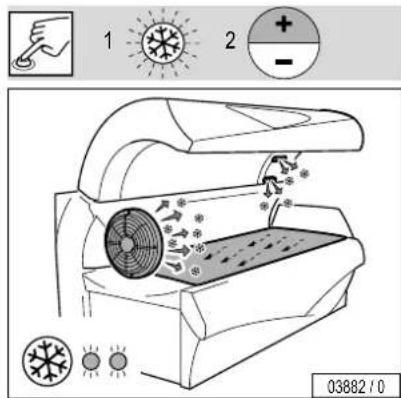
text_image
1 2 + - 03882/10

natural_image
Technical line drawing of a mechanical component with fan and control buttons (no readable text or symbols)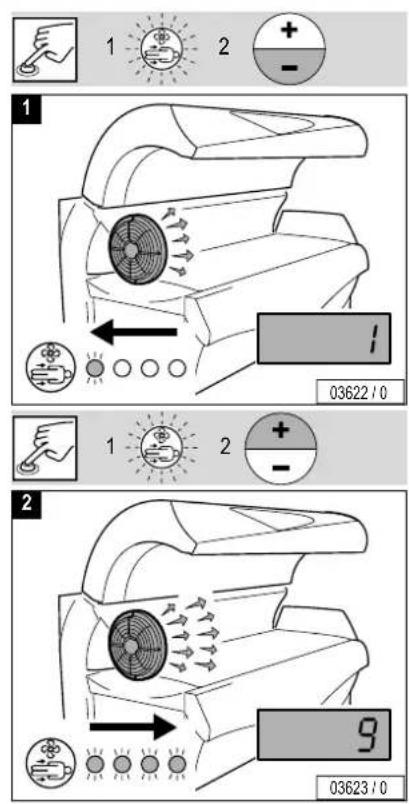
text_image
1 2 + - 1 03622 / 0 1 2 + - 2 9 03623 / 0
Bedienung Operation


text_image
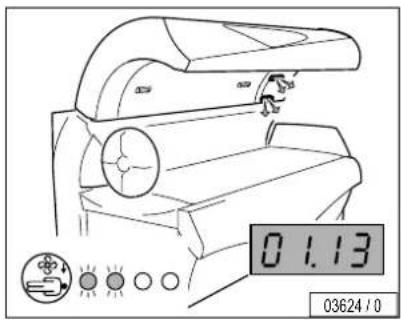
01.13 03624/0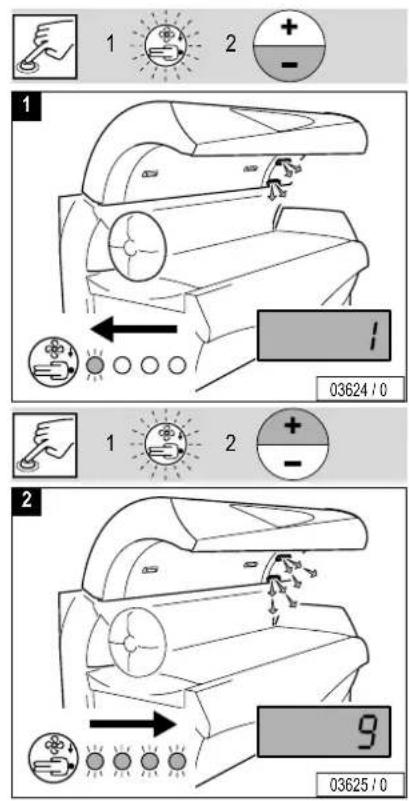
text_image
1 2 + - 1 03624 / 0 1 2 + - 2 9 03625 / 0


natural_image
Technical line drawing of a mechanical component with a circular component and a digital display showing 0.13 (no readable text or symbols)
text_image
1 2 + - 1 03988 / 0 1 2 + - 2s 2 03627 / 0
Bedienung Operation


text_image
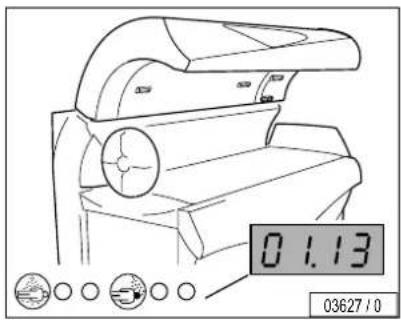
01.13 03627/0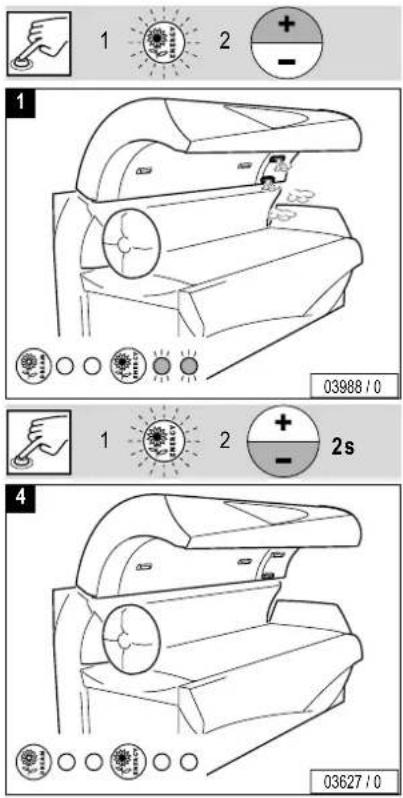
text_image
1 2 + - 1 03988 / 0 1 2 + - 2s 4 03627 / 0
VITA LIZER

natural_image
Technical line drawing of a mechanical component with circular features and a digital display showing 0.13 (no readable text or symbols)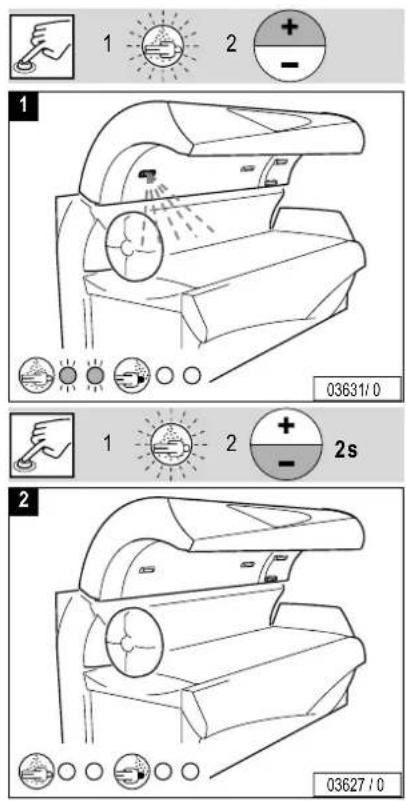
text_image
1 2 + - 1 03631/0 1 2 + - 2s 2 03627/0
Bedienung Operation

VITA LIZER

text_image
01.13 03627/0
text_image
1 2 + - 1 03634 / 0 1 2 + - 2s 2 03627 / 0

natural_image
Line drawing of a portable electronic device with a digital display showing 0.13, no text or symbols present.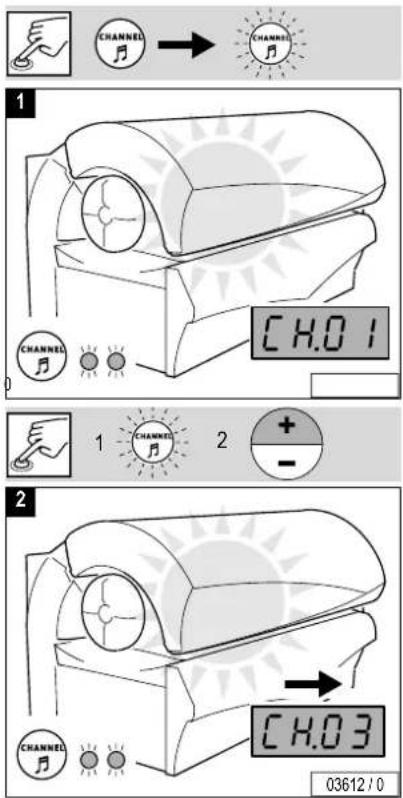
text_image
CHANNEL CHANNEL CHANNEL CHANNEL CHANNEL CHANNEL CHANNEL CHANNEL CHANNEL CHANNEL CHANNEL CHANNEL CHANNEL CHANNEL CHANNEL CHANNEL CHANNEL CHANNEL CHANNEL CHANNEL CHANNEL CHANNEL CHANNEL CHANNEL CHANNEL CHANNEL CHANNEL CHANNEL CHANNEL CHANNEL CHANNEL CHANNEL CHANNEL CHANNEL CHANNEL CHANNEL CHANNEL CHANNEL CHANNEL CHANNEL CHANNEL CHANNEL CHANNEL CHANNEL CHANNEL CHANNEL CHANNEL CHANNEL CHANNEL CHANNEL CHANNEL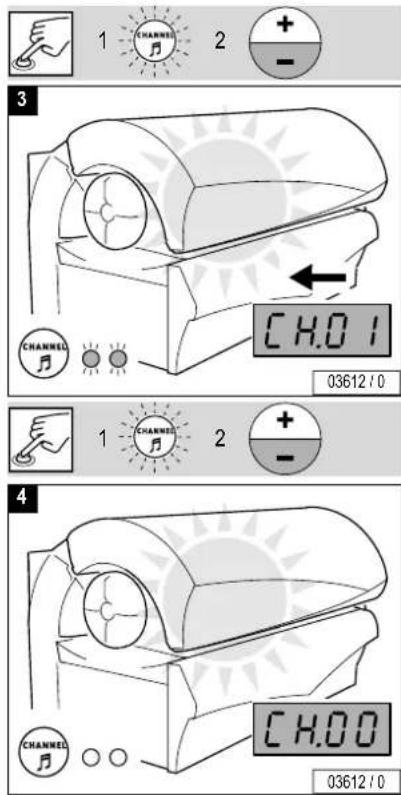
text_image
1 CHANNEL 2 + - 3 CHANNEL CHANNEL CHANNEL CHANNEL CHANNEL CHANNEL CHANNEL CHANNEL CHANNEL CHANNEL CHANNEL CHANNEL CHANNEL CHANNEL CHANNEL CHANNEL CHANNEL CHANNEL CHANNEL CHANNEL CHANNEL CHANNEL CHANNEL CHANNEL CHANNEL CHANNEL CHANNEL CHANNEL CHANNEL CHANNEL CHANNEL CHANNEL CHANNEL CHANNEL CHANNEL CHANNEL CHANNEL CHANNEL CHANNEL CHANNEL CHANNEL CHANNEL CHANNEL CHANNEL CHANNEL CHANNEL CHANNEL CHANNEL CHANNEL CHANNEL channel value: CH.01 03612 / 0 channel value: CH.00 03612 / 0
Bedienung Operation



natural_image
Line drawing of a portable electronic device with a circular button and digital display (no text or symbols on the device itself)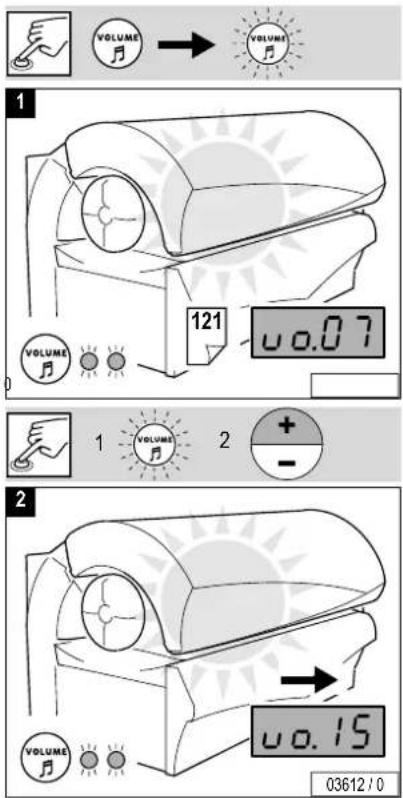
text_image
VOLUME VOLUME 121 0.07 VOLUME VOLUME + - 2 VOLUME VOLUME 03612/0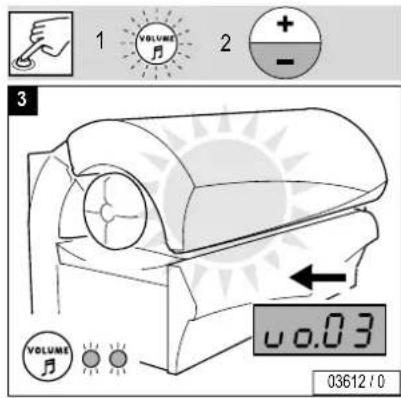
text_image
1 VOLUME 2 + - 3 VOLUME 0.03 03612 / 0

| Gerätetyp:Model: | M-50 Super | M-50 Turbo Plus | M-55 Super | M-55 Turbo Plus |
| Nennleistungsaufnahme: | 9000 W | 12400 W13800 W | 9400 W10800 W | 12900 W14300 W Rated powe |
| Nennspannung:Rated voltage: | 400 - 415V ~3N 400 - 415V ~3N 400 - 415V ~3N 400 - 415V ~3N | |||
| Nennfrequenz:Rated frequency: | 50 Hz 50 Hz 50 Hz 50 Hz | |||
| Nennabsicherung:Rated fusing: | 3 x 16 A (träge) 3 x 25 A (träge) 3 x 25 A (träge) 3 x 35 A (träge)3 x 16 A (time-delay) 3 x 25 A (time-delay) 3 x 25 A (time-delay) 3 x 35 A (time-delay) | |||
| Prüfzeichen:Conformity mark: |  |  |  |  |

text_image
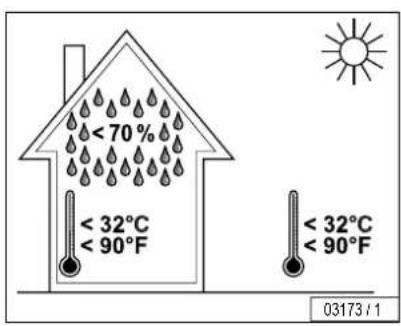
< 70% < 32°C < 90°F < 32°C < 90°F 03173 / 1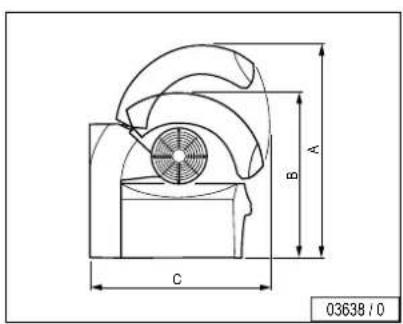
text_image
A B C 03638 / 0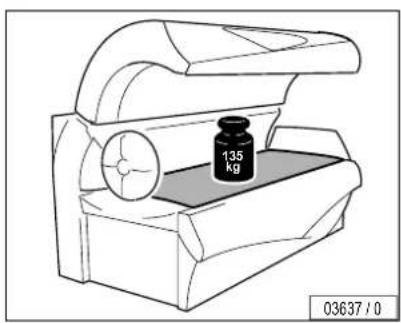
text_image
135 kg 03637 / 0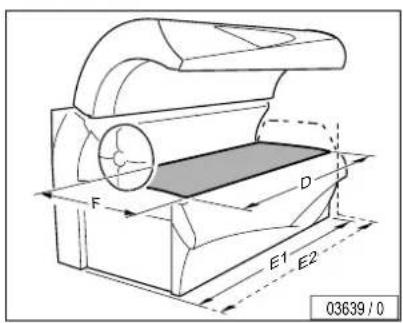
text_image
F D E1 E2 03639 / 0A = 1670 mm
B = 1330 mm
C = 1320 mm
D = 2040 mm
E1 = 2240 mm
E2 = 2340 mm
F = 800 mm

Please open this fold-out page.

text_image
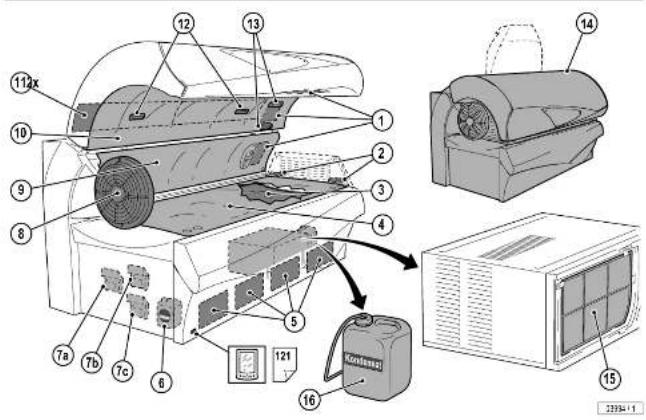
Technical diagram of an air conditioner unit with numbered components and a battery labeled 'Konfessel'solmon
| 4 | ||
| 3 | 6 | |
| 5 | ||
| 3 |
78
soichron


 |  |  |  | |||||
| /AW58 | /50 h | 5 4 x |  |  | | ▲ 51 937 110 |  | |
| 11 2 x |  | ▲ 800 601 112 |  | |||||
| 15 1 x |  | ▲ 51 975 115 |  | |||||
| 2 2 x |  | ▲ 800 278 113 |  | |||||
| 80 – 300 h | 6 1 x | 6000 ml | ▲ 365 1703 | ▲ 365 1803 119 |  | |||
| 300 h 7 | a) b) c) | 100 ml a) Dream: | b) Energy: ▲ 365 1603c) Cabin: ▲ 365 1503 | AROMA | 117 | |||

Lower section, UV low-pressure lamps
natural_image
Technical line drawing of a mechanical device with a circular component and a black arrow indicating a force or movement (no text or symbols)


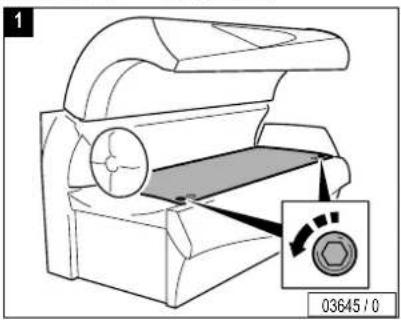
text_image
1 03645 / 0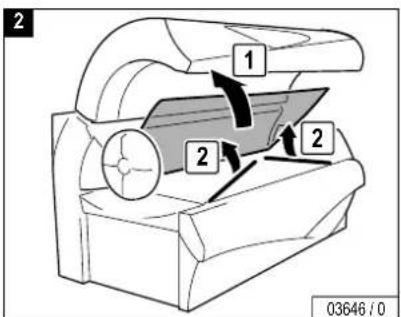
text_image
2 1 2 2 03646 / 0
text_image
3 1 2 1 03647 / 0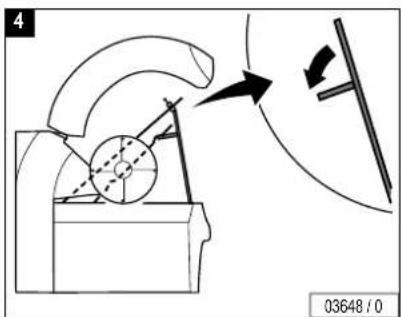
text_image
4 03648 / 0


flowchart
graph TD
    A["Step 1"] --> B["Step 2"]
    B --> C["Step 3"]
    style A fill:#f9f,stroke:#333
    style B fill:#ccf,stroke:#333
    style C fill:#cfc,stroke:#333
    note right of A: 03098 / 0
text_image
7 1 2 3 03649:0
text_image
6 90° 03099 / 0


Schulterbräuner
UV low-pressure lamps
natural_image
Technical line drawing of a mechanical device with a circular component and curved top (no text or symbols)


1
natural_image
Technical line drawing of a mechanical device with a magnified inset showing a circular component (no text or symbols)2
text_image
1 2 2 03646 / 03
natural_image
Pure mechanical diagram showing a gear and cam mechanism without any text or symbols03651/0
4
natural_image
Technical line drawing of a mechanical device with no visible text or symbols...

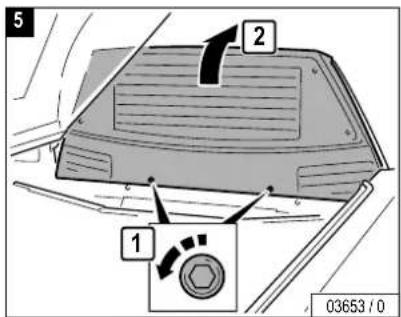
text_image
5 2 1 03653 / 0
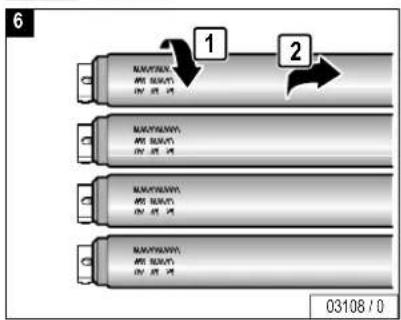
text_image
6 1 2 03108 / 0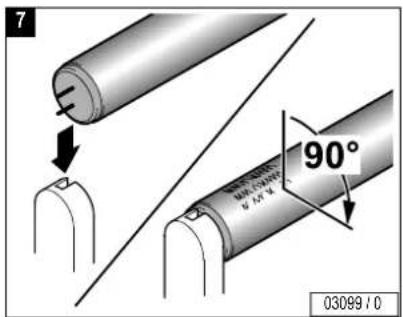
text_image
7 90° 03099 / 0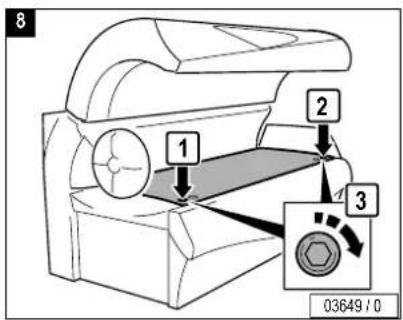
text_image
8 1 2 3 03649 / 0

GB Side section, UV low-pressure lamps
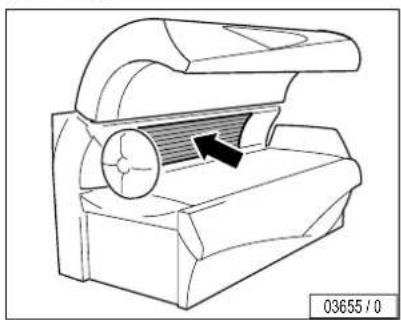
natural_image
Technical line drawing of a mechanical component with an arrow indicating direction (no text or symbols)


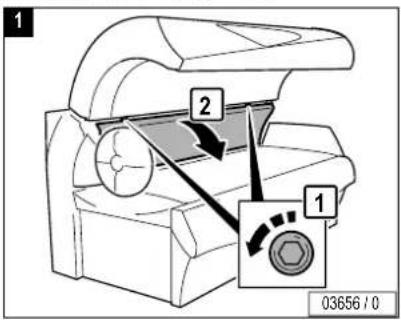
text_image
1 2 1 03656 / 0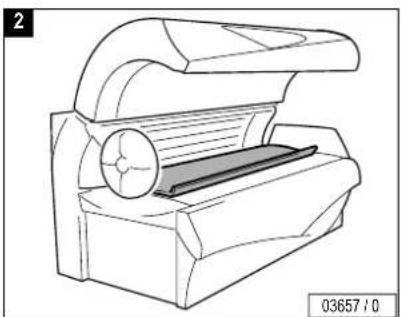
natural_image
Technical line drawing of a mechanical device with no visible text or symbols

text_image
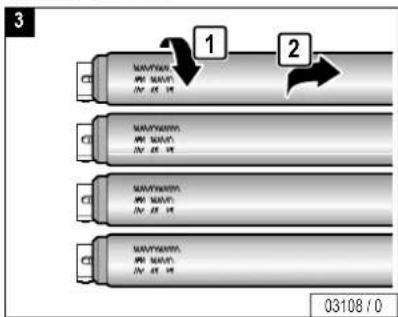
3 NAVYAN MW NAVY IN: 45.10 NAVYAN MW NAVY IN: 45.10 NAVYAN MW NAVY IN: 45.10 NAVYAN MW NAVY IN: 45.10 03108/0

text_image
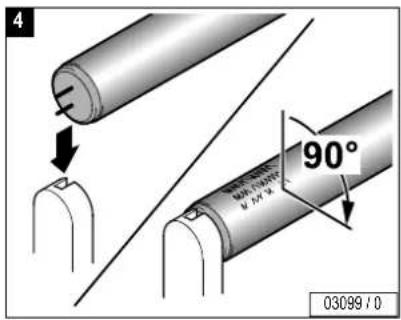
4 90° 03099 / 0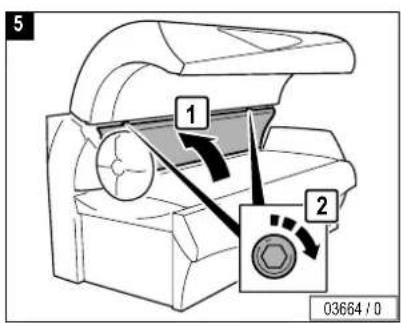
text_image
5 1 2 03664 / 0

natural_image
Technical line drawing of a mechanical component with an arrow indicating direction (no text or symbols)
text_image
1 2 3 1 1 2 3 03659 / 0
natural_image
Mechanical component diagram showing a roller being cut with a downward arrow indicating compression (no text or symbols)
text_image
3 NAVYAN MW NAVY IN: 45.10 NAVYAN MW NAVY IN: 45.10 NAVYAN MW NAVY IN: 45.10 NAVYAN MW NAVY IN: 45.10 1 2 03108/0

text_image
4 90° 03099 / 0
text_image
5 3 1 2 1 3 03661 / 0


Canopy, interior lighting
natural_image
Technical line drawing of a mechanical device with a circular component and textured internal structure (no text or symbols)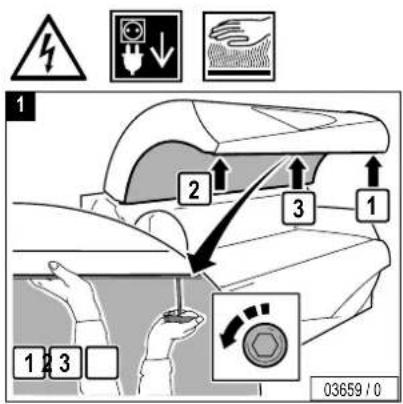
text_image
1 2 3 1 1 2 3 03659 / 0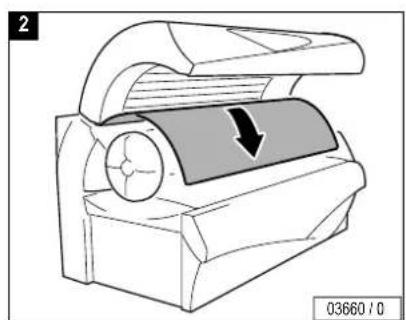
natural_image
Mechanical device diagram showing a rotating component with a downward arrow indicating motion (no text or symbols)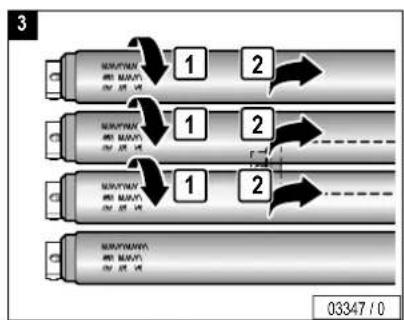
flowchart
graph TD
    A["MUSUFYMAV"] --> B["1"]
    B --> C["2"]
    C --> D["1"]
    D --> E["2"]
    E --> F["1"]
    F --> G["2"]
    G --> H["03347 / 0"]
text_image
4 MAYAWA. MD MAWY. 2V 25 V1 1 2 MAYAWA. MD MAWY. 2V 25 V1 MAYAWA. MD MAWY. 2V 25 V1 03299 / 0

text_image
5 90° 03099 / 0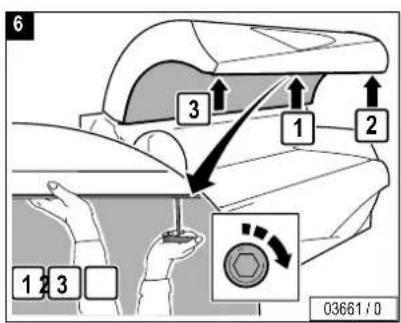
text_image
6 3 1 2 1 3 03661 / 0


Side section, UV high-pressure lamps
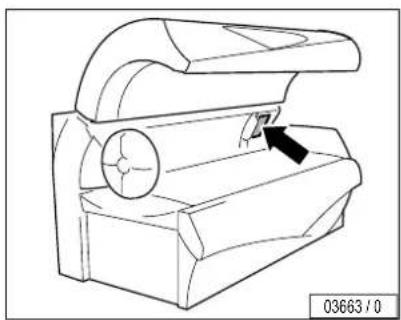
natural_image
Technical line drawing of a mechanical device with an open lid and internal components (no text or symbols)


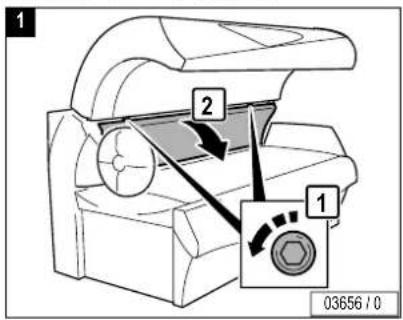
text_image
1 2 1 03656 / 0
natural_image
Technical line drawing of a mechanical device with no visible text or symbols


text_image
3 04286 / 0
text_image
4 1 2 3 04287 / 0

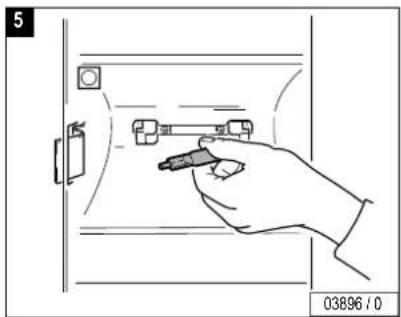
natural_image
Hand holding a tool interacting with a device inside a door frame (no text or symbols visible)
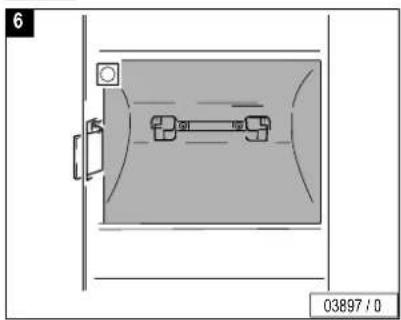
natural_image
Diagram of a room with a door and a small object inside, no visible text or symbols

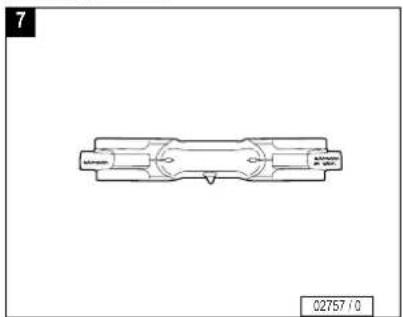
natural_image
Technical line drawing of a mechanical component with no visible text or symbols
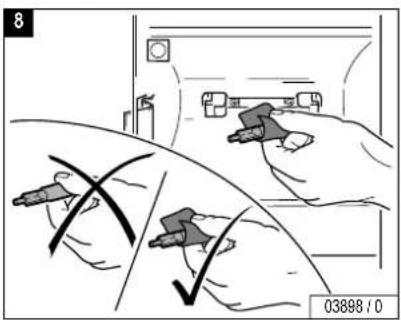
text_image
8 03898 / 0

text_image
9 1 2 03899 / 0
natural_image
Gray square with diagonal white lines on a gray background, no text or symbols present

text_image
11 2 3 1 04288 / 0
text_image
12 CLICK! 03901 / 0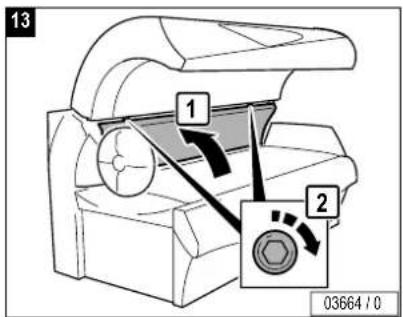
text_image
13 1 2 03664 / 0

Canopy, UV high-pressure lamps
2
3 1
123
03659 / 0
04286 / 0
1
3
2
03665/0
03660/0
04287/0
...

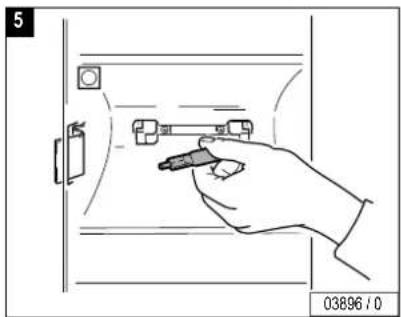
natural_image
Hand holding a pen inserted into a door panel (no text or symbols visible)
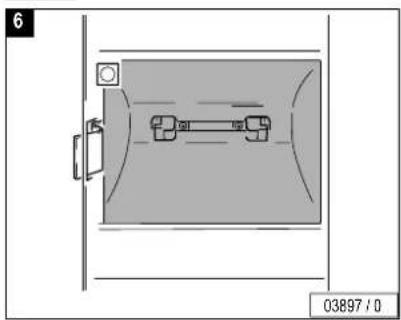
natural_image
Diagram of a room with a door and a horizontal pipe, no text or symbols present

natural_image
Technical line drawing of a mechanical component with no visible text or symbols
text_image
8 03898 / 0

text_image
9 1 2 03899 / 0
natural_image
Gray square with diagonal white lines on a gray background, no text or symbols present


text_image
11 2 3 1 042B8 / 0
text_image
12 CLICK! 03901 / 0
text_image
13 3 1 2 1 3 03661 / 0

GB Accent lighting canopy
text_image
03666 / 0
text_image
1 2 1 03667 / 0
natural_image
Technical line drawing of a mechanical component with triangular features and a base (no text or symbols)
text_image
3 NAMYUM MM SOVIT 04.45.01 1 2 03350/0

text_image
4 90° 03099/0
text_image
5 1 2 03669 / 0

M-55 Super
M-55 Turbo Plus

Accent lighting front panel
natural_image
Technical line drawing of a mechanical device with a circular component and directional arrow (no text or symbols)


text_image
1 1 1 2 03671 / 0

natural_image
Technical line drawing of a car interior showing a handle and lever mechanism (no text or symbols)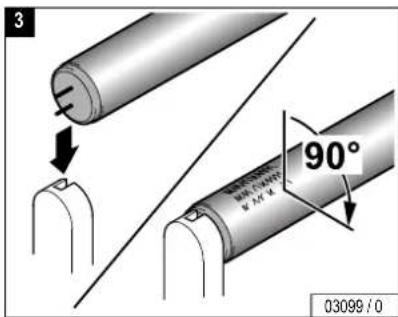
text_image
3 90° 03099 / 0


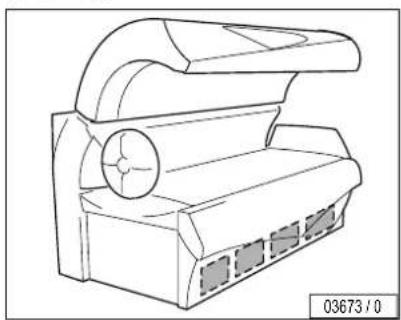
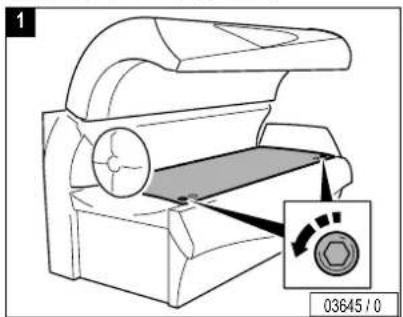
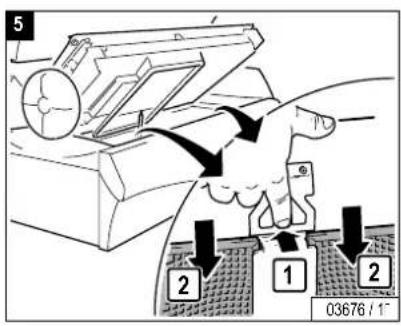
D Unterteil, Filter
GB Lower section, filter
natural_image
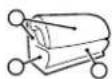
Line drawing of a mechanical device with a circular component and ventilation slots (no text or symbols)
text_image
1 03645 / 0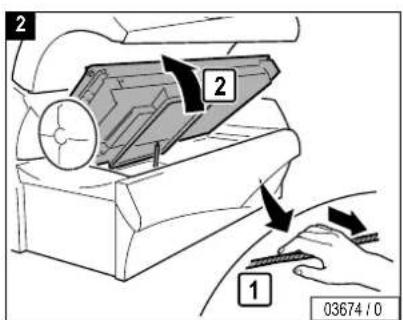
text_image
2 2 1 03674 / 0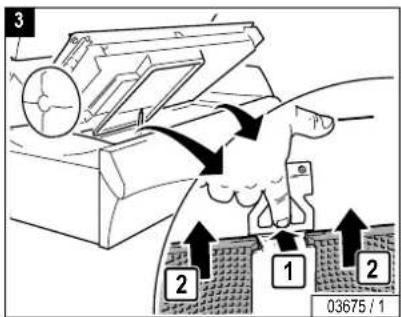
text_image
3 2 1 2 03675 / 1
natural_image
Patterned grid texture with no visible text or symbols, labeled '4' in top-left corner (no readable document content)
text_image
5 2 1 2 03676 / 1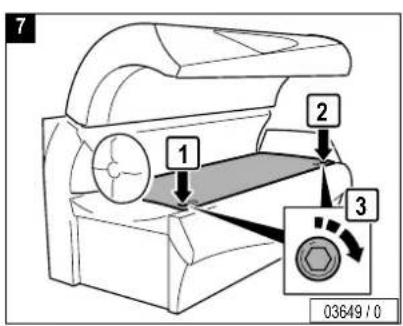
text_image
7 1 2 3 03649 / 0
text_image
6 CLICK! 03677 / 0


natural_image
Technical line drawing of a mechanical component with no visible text or symbols
text_image
1 2 1 03679 / 0
natural_image
Simple 3D rectangular block diagram with no text or symbols on the object itself
natural_image
Technical line drawing of a mechanical device with no visible text or symbols

natural_image
Technical line drawing of a mechanical device with a circular component and curved top (no text or symbols)


text_image
1 03645 / 0
text_image
2 1 2 2 03646 / 0
natural_image
Technical line drawing of a mechanical component with no visible text or symbols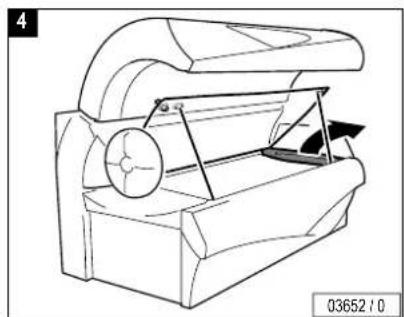
natural_image
Technical line drawing of a mechanical device with a circular component and triangular frame (no text or symbols)

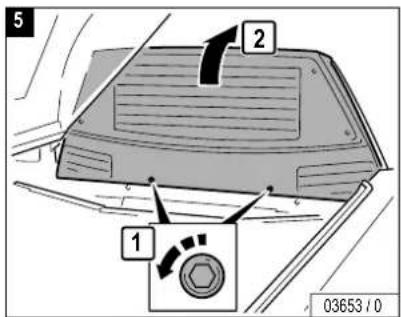
text_image
5 2 1 03653 / 0
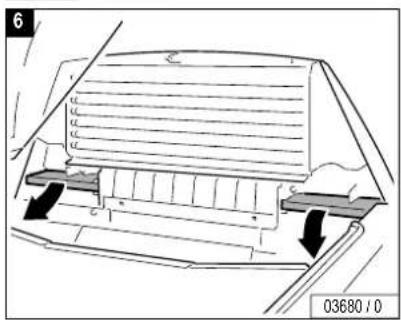
natural_image
Technical diagram of a mechanical component with arrows indicating motion or force, no readable text or symbols present.
natural_image
Simple 3D rectangular block diagram with no text or symbols on the object itself
text_image
8 04061 / 0
text_image
9 CLICK! 03677 / 0


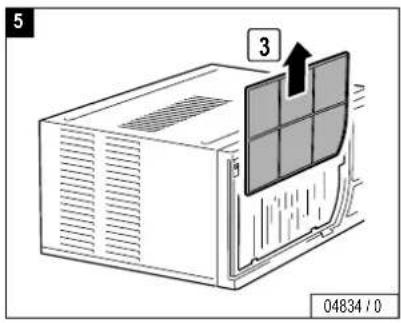
Air condition, condensate and filter mat
natural_image
Technical line drawing of a mechanical component with a circular feature and a dashed box (no text or symbols)


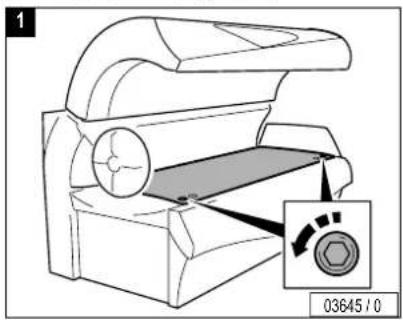
text_image
1 03645/0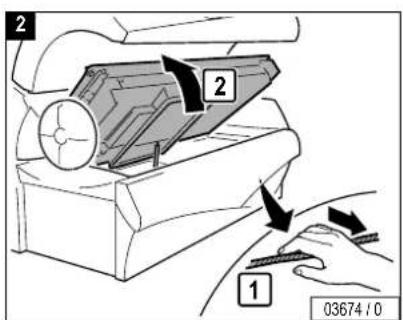
text_image
2 2 1 03674 / 0
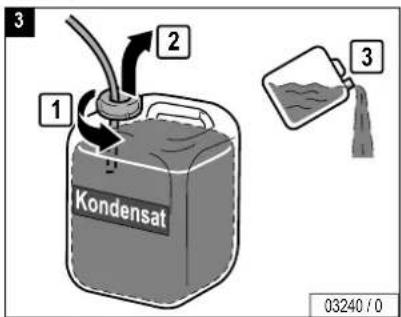
text_image
3 1 2 Kondensat 3 03240 / 0
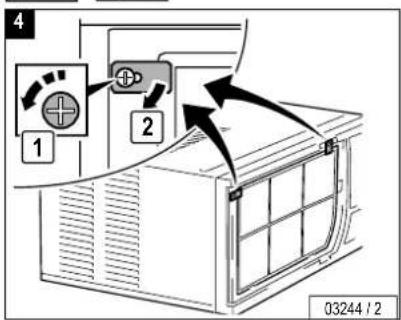
text_image
4 1 2 03244 / 2


text_image
5 3 04834 / 0
text_image
7 CLICK! 03677/0
text_image
6 2x 3 2 1 04841 / 0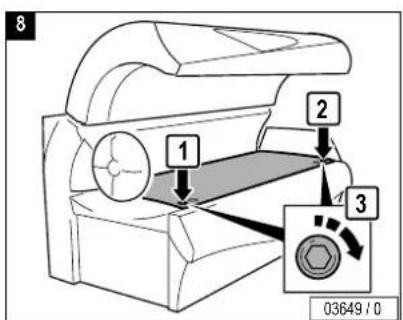
text_image
8 1 2 3 03649/0
AROMA

Unterteil, AROMA

Lower section, AROMA
text_image
03682 / 0


text_image
1 03645 / 0
text_image
2 2 1 03674 / 0
text_image
3 1 2 1 03246 / 0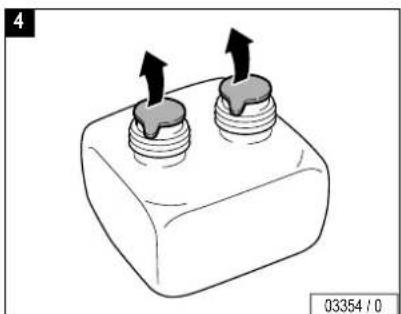
natural_image
Diagram of a mechanical component with two threaded ports and upward arrows indicating force or movement (no text or symbols)
AROMA
text_image
5 1 2 2 CLICK! 03355 / 0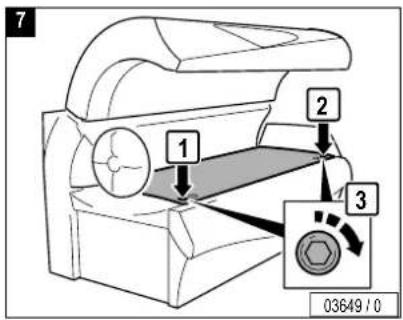
text_image
7 1 2 3 03649 / 0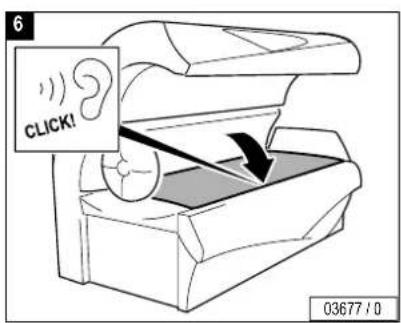
text_image
6 CLICK! 03677 / 0
VITA LIZER

Lower section, VITALIZER
text_image
VITALIZER 04007 / 0


1
text_image
1 03645 / 0
text_image
2 2 1 03674 / 0
text_image
3 VITALIZER 4 6 3 5 VITALIZER 04005/0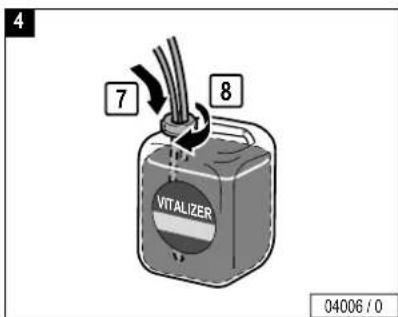
text_image
4 7 8 VITALIZER 04006 / 0
VITA LIZER
text_image
5 CLICK! 03677 / 0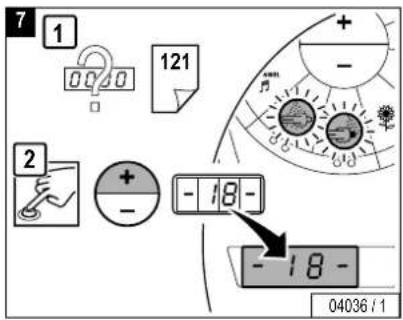
text_image
7 1 0000 121 + - 2 + - -18- -18- 04036 / 1
natural_image
Technical line drawing of a mechanical device with a circular component and an arrow indicating direction (no text or symbols)
text_image
6 1 2 3 03649 / 0
text_image
CHANNEL MANGO 04033 / 1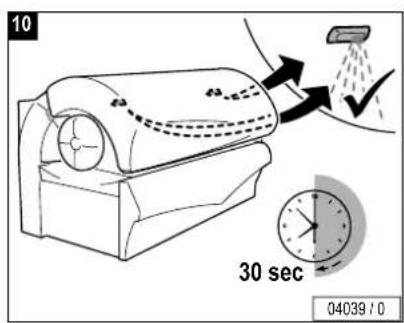
text_image
10 30 sec 04039 / 0

Changing presettings with the control panel
The setting mode enables you to call up operating states and make alterations to current settings.
Changing to Presetting mode
- Press the buttons – and + simultaneously for at least five seconds outside a tanning process.
- appears in the display.
- Enter the code (see Page 126).
- Press the START/STOP button four times when you run the Presetting mode for the first time.
- briefly appears in the display, then (Function 1) and the presetting value are displayed alternately (see column "On delivery").
- By pressing the + button you scroll up to the next function (from -01-to -20-).
- By pressing the – button you scroll down to the next function (from -20- to -01-).
Changing presettings
Increase the preset value:
- Press and hold the START/STOP button while simultaneously pressing the + button.
Decrease the preset value:
- Press and hold the START/STOP button while simultaneously pressing the – button.
Reset to the last value set:
- Press the START/STOP button.
Reset to the delivered state:
- See function . - 10 -

Note:
The sunbed will automatically return to 'idle' mode 30 seconds after the last button was pressed.
The presettings are listed beginning on Page 128.


Defining a code
- Select Function .
- Press the START/STOP button for 3 seconds until appears_
- Press the desired buttons consecutively:
- Press the buttons in the same sequence when appears again.
- appears in the display. The set code has been saved.
- Please note the code for Customer Service.
If you know the old code, you can define a new code at any time. We recommend that you already set a new access code during the initial start-up.

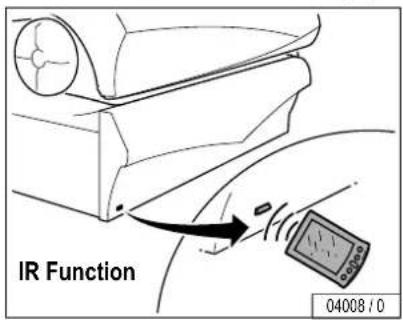
Changing presettings with a hand-held unit
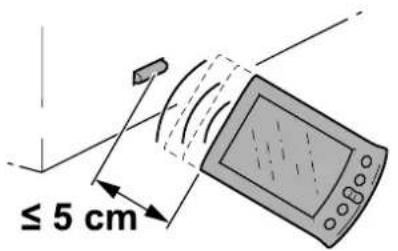
Some data can also be displayed and changed with a commercially available hand-held unit (e.g. from Palm). For this purpose you require special software (available in German and English), which you can download at www.soltron.de. The operating manual for this software is also available at the same website.

Caution!
The code for access via the infrared interface is preset in the software of the hand-held unit, and can therefore be used with any unit. Anyone, who downloads the software from the Internet can access the unit date with a hand-held unit. Please note that Customer Service changes the preset access code during initial start-up – see software operating manual. Please note the new code for future use!
This code is independent of the access code for the preset- tings via the control panel.

Note:
Please read the operating manual for the Soltron software for instructions on how to display or change data with a hand-held unit.
Information on operating the hand-held unit is contained in the manufacturer's documentation.
text_image
≤ 5 cmIR Function
04002/0

| Nr.No. | BeschreibungDescription | bei Auslieferungon delivery | Werte von-bisValues from-to |
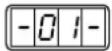 | D Betriebsstunden gesamtGB Total number of operating hours | 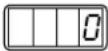 | 0 → 9999 |
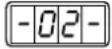 | D Restlaufzeit UV-Niederdrucklampen (h)GB Remaining operating time of UV low-pressure lamps (h) | —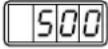 | 500 → 0000 |
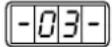 | D Restlaufzeit UV-Hochdrucklampen (h)GB Remaining operating time of UV high-pressure lamps (h) | —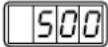 | 500 → 0 |
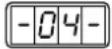 | D Restlaufzeit Schulterbräuner (h)GB Remaining operating time of shoulder tanner (h) | 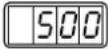 | 500 → 0 |
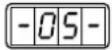 | D Restlaufzeit Filtermatten (h)GB Remaining operating time of filter mats (h) | 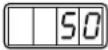 | 50 → 0 |
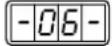 | D Betriebsstunden KlimagerätGB Air conditioning operating hours | 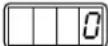 | 0 → 9999 |
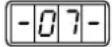 | D Laufzeit der Effektbeleuchtung (Minuten)Bei Überschreitung des Maximalwertes: Anzeige = DatebetriebGB Accent lighting operating hours (minutes)When the maximum value is exceeded: Display = continuous operation | 240 | 1 → 1440 |

Accent lighting front panel, replacing..... 109
Accent lighting in canopy, replacing ..... 107
Accent lighting maintenance intervals ..... 80
Accessories 37,60
Acrylic glass panels, product information ... 42
Air conditioner.... 33
maintenance 115
operation.... 66
Ambient temperature 76
AROMA
operation....69,70
replacing AROMA container 117
AVS-AROMA VITALIZER SYSTEM, product
information...... 42
B
Body cooling 67
Broadband radiators 43
C
Care.... 37
Changing presettings.... 125
Cleaning....40
Cleaning intervals 78
Code, defining, presettings 125
Condensate container, emptying 115
Conformity mark....75
Control panel....58
D
Danger of burns 31
Device operating time 36
Dimensions 76
Disinfection....40
Disposal 44
Draining.... 33
E
Environmental protection 44
Equipment.... 37
F
Face cooling....68
Faults 38
Filter in sunbed base, cleaning 110
Filter mats in canopy, cleaning/replacing..112
Filter mats in shoulder tanner, cleaning/ replacing.... 113
Filter panels.... 31
Frequency 75
Functions on start-up....61
Functions/Operating keys
M-50 58
M-55 59
Fuse 75
G
Guidelines ......35
H
Hand-held unit, changing presettings.....127
Headphone....32
Humidity 76
|
Installed lamps 81
Intended use....35
Interior lighting, replacing .....99
J
Loading of acrylic glass panel ....35
Low-pressure lamp(s)....31

Index
M
Maintenance and care 37
Maintenance intervals.... 79
UV lamps 81
Maintenance table 78
Manufacturer's guarantee.... 48
Maximum load, acrylic glass panel.... 35
Medications...... 46
0
Operation
Channel....73
facial tanner 64
VITALIZER....71,72
Volume....74
Order numbers.... 79
P
Packaging.... 44
Plastic surfaces...... 41
Power Consumption 75
Presettings.... 125
Press button.... 32
Product information.... 42
Protective measures.... 39
R
Replacing lamps
canopy....97
facial tanner.... 101, 104
shoulder tanner 93
side section 95
sunbed base....91
Running time effect lighting.... 63
S
Safety 36
Safety instructions.... 46
Safety switch.... 33
Shoulder tanner, operation.... 65
Skin sensitivity.... 45
Skin type 30
Small children.... 35
Spare parts.... 37
Stand-by....63
Starter 31
Sun creme.... 45
Sun screen products 46
Symbols 31
T
Tanning instructions.... 45
Tanning times.... 49
Technical data....75
Teenagers 35
U
UV high-pressure lamp(s) 31
UV high-pressure lamps,
product information....43
UV high-pressure lamps, replacing
canopy....104
side section....101
UV low-pressure lamp(s)....31
UV low-pressure lamps, replacing
canopy....97
shoulder tanner....93
side section......95
sunbed base 91
UV type....30
V
Visual inspection ....33
VITALIZER canister, replacing.....119
Voltage 75
W
Waste Disposal Act 44
SOLTRON GMBH
Member of the JK Group
soltron
THE SUNMAKER