
Clips1 - Headphones Lamax - Free user manual and instructions
Find the device manual for free Clips1 Lamax in PDF.


| Product Type | Clip-on wireless headphones |
| Dimensions | 40 x 30 x 20 mm (earbud) |
| Weight | 12 g (per earbud) |
| Power Source | Rechargeable lithium-ion battery |
| Charging Time | Approximately 1.5 hours |
| Battery Life | Up to 6 hours of playback |
| Wireless Connectivity | Bluetooth 5.0 |
| Frequency Response | 20 Hz – 20 kHz |
| Driver Unit | 10 mm dynamic driver |
| Microphone | Built-in for hands-free calls |
| Controls | Multi-function button, volume rocker |
| Water Resistance | IPX4 (splash-proof) |
| Comfort Features | Secure clip-on design, silicone ear hooks |
| Cleaning Instructions | Wipe with a dry cloth; avoid liquids |
| Safety Warnings | Do not use at high volume for extended periods |
| Spare Parts Available | Ear cushions, charging cable |
| Repairability | Battery replacement by authorized service |
| General Information | Brand: Lamax | Model: Clips1 |
Frequently Asked Questions - Clips1 Lamax
User questions about Clips1 Lamax
0 question about this device. Answer the ones you know or ask your own.
Ask a new question about this device
Download the instructions for your Headphones in PDF format for free! Find your manual Clips1 - Lamax and take your electronic device back in hand. On this page are published all the documents necessary for the use of your device. Clips1 by Lamax.
USER MANUAL Clips1 Lamax
| Switch on | Hold down the multifunction button for 3 seconds |
| Switch off | Hold down the multifunction button for 5 seconds in unpaired state |
| Play / Pause | Tap the multifunction button |
| Next song | Double tap the multifunction button on the right earphone |
| Previous song | Double tap the multifunction button on the left earphone |
| Volume up | Hold down the multifunction button on the right earphone for 2 seconds |
| Volume down | Hold down the multifunction button on the left earphone for 2 seconds |
| Answer call | Tap the multifunction button |
| End call | Hold down the multifunction button for 1 second |
| Reject a call | Hold down the multifunction button for 2 seconds |
| Activate mobile assistant | Triple tap the multifunction button on the left earphone |
| Music / Game mode | Triple tap the multifunction button on the right earphone |
Switching On
The earphones automatically switch on when removed from the charging station. To switch on manually, hold down the multifunction button for 3 seconds. When switching on manually, both earphones need to be turned on separately. An audible notification sounds when switching on.
Switching off
The earphones automatically switch off when inserted into the charging station. To turn off manually, unplug the earphones from the device and hold the multifunction button for 5 seconds on one of the earphones. An audible notification will sound when switching off.
Pairing
-
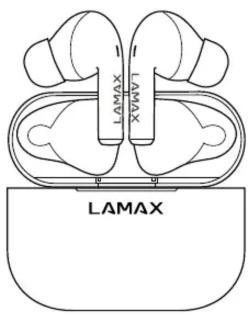
Remove the earphones from the charging station. The earphones will automatically connect to each other. The right earphone acts as the master and is ready for pairing as indicated by the alternate flashing of white and green LEDs. The left earphone flashes green at longer intervals.
-
Switch on Bluetooth on your device and search for LAMAX Clips1 in the list of available Bluetooth devices. After successful pairing, an audio notification will sound. The LED in both earphones flashes white at longer intervals.
If you have problems pairing, take the earphones out of the charging station and remove them from the list of paired devices on your phone. Then insert them into the charging station and pair them as described in step 1.
Charging
To charge the charging station, plug the cable into the USB-C port on the bottom of the charging station and plug the other end of the cable into a USB power supply with a maximum voltage of 5V. The LED will flash red while charging. When fully charged, it will glow red.
To charge the earphones, place them in a charged charging station. When charging, the LEDs on the earphones and on the charging station are green. When fully charged, the LEDs will turn off.
Parameters
| Wireless technology | Bluetooth 5.1 |
| Max. pairing distance | up to 10 metres |
| Supported codecs | AAC, SBC |
| Earphone battery capacity | 45 mAh |
| Charging station battery capacity | 500 mAh |
| Charging time of earphones | approx. 1 hour |
| Playback time | up to 8 hours |
| Weight of one earphone | 6 g |
| Weight including charging station | 43 g |
Subject to printing errors.
The latest version of the user guide can be downloaded here: https://lamax-electronics.com/clips1/manual


CE RoHS
LAMAX
Clips1
Steuerung
LAMAX
Clips1
Upravljanje


Brand : Lamax
Model : Clips1
Category : Headphones