Bluebot XPro - Vacuum Cleaner BLAUPUNKT - Free user manual and instructions
Find the device manual for free Bluebot XPro BLAUPUNKT in PDF.

| Product Type | Robot Vacuum Cleaner with Mopping Function |
| Brand | Blaupunkt |
| Model | Bluebot XPro |
| Dimensions (Diameter x Height) | 330 mm x 76 mm |
| Net Weight | 2.7 kg |
| Battery Type | 14.4 V, 2000 mAh Rechargeable Lithium-Ion |
| Charging Time | Approximately 5 hours |
| Running Time | Up to 100 minutes |
| Dust Container Capacity | 600 ml |
| Water Tank Capacity | 350 ml |
| Cleaning Modes | Auto, Single Room, Edge, Mop |
| Suction Power (Turbo Mode) | Yes, selectable via remote control |
| Filter System | HEPA Filter + Primary Filter (washable) |
| Side Brushes | 2 (Left and Right, included) |
| Remote Control | Yes, with IR sensor |
| Docking Station | Automatic charging and return |
| Sensors | Down-view sensor, drop detection, bumper |
| Scheduling | Daily schedule via remote control |
| Power Adapter | Included (factory-provided) |
| Accessories Included | Mopping cloth, cleaning brush, HEPA filter, dust container, water tank |
| Operating Temperature | 0°C to 40°C |
| Safety Features | Automatic return to base, low battery detection, cliff sensors |
Frequently Asked Questions - Bluebot XPro BLAUPUNKT
User questions about Bluebot XPro BLAUPUNKT
0 question about this device. Answer the ones you know or ask your own.
Ask a new question about this device
Download the instructions for your Vacuum Cleaner in PDF format for free! Find your manual Bluebot XPro - BLAUPUNKT and take your electronic device back in hand. On this page are published all the documents necessary for the use of your device. Bluebot XPro by BLAUPUNKT.
USER MANUAL Bluebot XPro BLAUPUNKT
natural_image
Line drawing of a robotic vacuum cleaner with control panel and mounting base (no text or symbols)Enjoy it.
PT MANUAL DE INSTRUÇÕES 2
EN INSTRUCTION MANUAL 20
PL PODRĘCZNIK UŻYTKOWNIKA 38
DA BRUGERVEJLEDNING 56
CZ UŽIVATELSKÁ PŘÍRUČKA 74
natural_image
Simple line drawing of a circular device with a rectangular component on top (no text or symbols)natural_image
Technical diagram of a circular mechanical assembly with labeled components (L, R) and two propellers above (no text or symbols present)natural_image
Line drawing of a vacuum cleaner with control panel and mounted base (no text or symbols)natural_image
Circular diagram with a hand holding a small object inside, no text or symbols presentLimpeza de Quartos Individuais
natural_image
Technical line drawing of a circular mechanical device with internal components (no text or symbols)natural_image
Technical line drawing of a mechanical device with mounting bracket and housing (no text or symbols)natural_image
Technical line drawing of a mechanical housing with internal components and a circular base (no text or symbols)natural_image
Line drawing of a mechanical device with an open lid and internal components (no text or symbols)natural_image
Line drawing of a robotic vacuum cleaner with internal components (no text or symbols)natural_image
Line drawing of a faucet releasing water from a drain (no text or symbols)natural_image
Line drawing of a hand inserting a component into a device housing (no text or symbols)natural_image
Line drawing of a sun shining on a device with two rectangular components, no text or symbols presentnatural_image
Line drawing of a circular mechanical device with a handle and mounting bracket (no text or symbols)natural_image
Technical line drawing of a mechanical component with a curved top and rectangular base (no text or symbols)natural_image
Technical line drawing of a mechanical component with no visible text or symbolsnatural_image
Hand holding a device casing with internal components (no text or symbols visible)natural_image
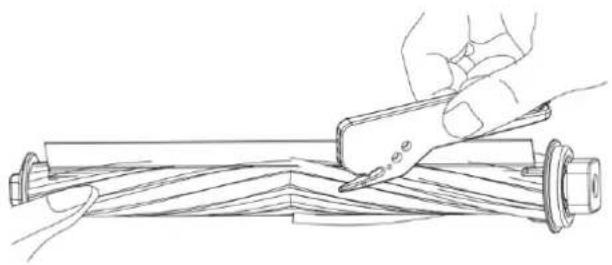
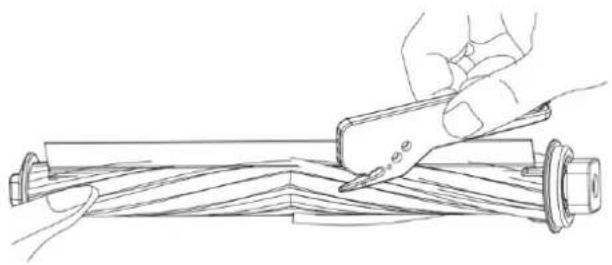
Technical line drawing of a mechanical component with internal parts and mounting holes (no text or symbols)- Utilizar a ferramenta de limpeza para remover pêlos emaranhados

natural_image
Line drawing of a hand using a tool to cut or mark a wooden beam, no text or symbols presentnatural_image
Technical line drawing of a circular mechanical device with internal components and no visible text or symbolsnatural_image
Line drawing of a hand holding a piece of paper or tape, with no text or symbols present.natural_image
Line drawing of a hand pressing a small component on a mechanical bracket (no text or symbols)natural_image
Diagram of a circular device with internal components and a hand pointing to a component (no text or symbols visible)Limpe as rosas motrizes e a universal

natural_image
Technical line drawing of a mechanical device with no visible text or symbolsCongratulations! And thank you for buying a great new product from Blaupunkt.
With the Blaupunkt Bluebot XPRO robot vacuum cleaner, you can clean most floor types with the greatest of ease.
This manual is specific to the Blaupunkt Bluebot XPRO robot vacuum Cleaner. Hereafter the Blaupunkt Bluebot XPRO robot vacuum cleaner will be referred to as 'the robot'.
This manual is intended to help the user to set up and operate the robot.
We kindly ask you to carefully read the information in this manual before using the robot, to familiarise yourself with its intended use and potential dangers and risks.
Support info
bluebotxpro.com
00800 357 00 753
@ blaupunktrobotics-PT@tamet.pt
All rights reserved. No parts of this work may be reproduced in any form or by any means – (graphic, electronic, or mechanical, including photocopying, recording, taping, or information storage and retrieval systems) – without the written permission of the publisher.
CONTENTS
EN
- Safety Regulations ......22
- Package Contents ......24
- Main parts ......25
- Remote control ......27
- Preparations before usage 28
- Product Use ......29
- Maintenance | Dust Container | Filters ....31
- Maintenance | Water Tank and Mopping Pad....33
- Maintenance | Main Brush | Side Brush ....34
- Maintenance | Charging Dock pins | Down View Sensor | Drive Wheel and Universal Wheel 35
- Troubleshooting ....36
- Parâmetro do Produto ....37
1. SAFETY REGULATIONS
Before using the XPRO robot, please read the following safety instructions and follow all routine safety precautions. Any operations inconsistent with the instruction manual may cause damage.
Note:
- Only authorized technicians can disassemble this robot. Users are not Recommended to disassemble this product by them selves.
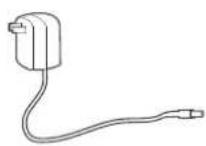
- This robot can only use the power adapter provided by the factory. If other adapters are used, the robot may cause damage.
- Do not touch wires, sockets or power adapters when your hands are wet.
- Take care to prevent fabric or body parts from coming into contact with the robot's drive wheels.
- Do not place this robot near cigarette butts, lighters and other smoldering fires.
- Please clean the robot after charging.
- Do not bend wires excessively or place heavy objects and sharp objects on the robot.
- This robot is an indoor household product. Do not use it outdoors.
- Do not sit on the robot.
- Do not use this robot in a wet environment (e.g. bathroom).
- Before using this robot, please remove all vulnerable items (e.g. glasses, lamps, etc.) from the ground as well as items (e.g. wires, paper sheets, curtains) that may get stuck in the side brushes and air suction passages.
- Do not put this robot in a place where it is easy to fall (e.g. on desks and chairs).
- Please carefully check whether the power adapter is connected to the socket before using it, otherwise it may cause battery damage.
-
To prevent tripping, please inform other people in the house when the robot is working.
-
Please empty the dust container before using this robot when the dust container is full.
- The temperature for this robot to be used in is 0 to 40 degrees Celsius.
- Do not use this robot in high temperature environment.
- Please remove the battery from the robot before disposing of this robot.
- Please make sure that this robot is not powered on when removing the battery.
- Please recycle the discarded batteries safely.
Warning:
- Use only the original rechargeable battery and charging station specially equipped by the manufacturer. Non -rechargeable batteries are strictly prohibited.
- Do not use robot in an environment with open flames or fragile objects.
- Do not use robot in extremely hot (above 40 ☒) or extremely cold (below 0 ☒) environments.
- Do not allow human hair, clothes, fingers and other parts to come into contact with the opening and operating parts of the robot.
- Do not use robot on wet or ponding ground.
- Do not allow robot to collect any items such as stones and waste paper, this may clog the robot.
- Do not allow robot to collect any inflammable substances, such as petrol, toner and pastels used for printers or photocopies. Do not use the robot to clean areas with flammable items.
- Do not allow robot to collect any burning items, such as cigarettes, matches, ashes and other articles that may cause fire.
- Do not place articles at the suction opening. Do not use the robot when the suction port is blocked. Use a small item such as dust, cotton wool, hair, etc. at the suction opening to check that the suction air flow is working.
- Use the power cord carefully to avoid damage. Do not use the power cord to drag or pull the product and the robot charging station. Do not use the power cord as a handle. Do not clamp the power cord in the crack of the door. Do not pull the power cord around corners. Do not allow the robot to operate on the power cord, the power cord should be far away from the heat source.
- Do not use a damaged charging station.
- Even if the robot has been severely damaged, burning of the product is prohibi-
ted, this may lead to the explosion of the battery of the product.
2. PACKAGE CONTENTS


XPRO Robot Charging dock Instruction manual Side Brush


Adapter Cleaning Brush Mopping cloth Dust Container


HEPA filter Remote Control 2 x battery Water tank


3. MAIN PARTS
EN

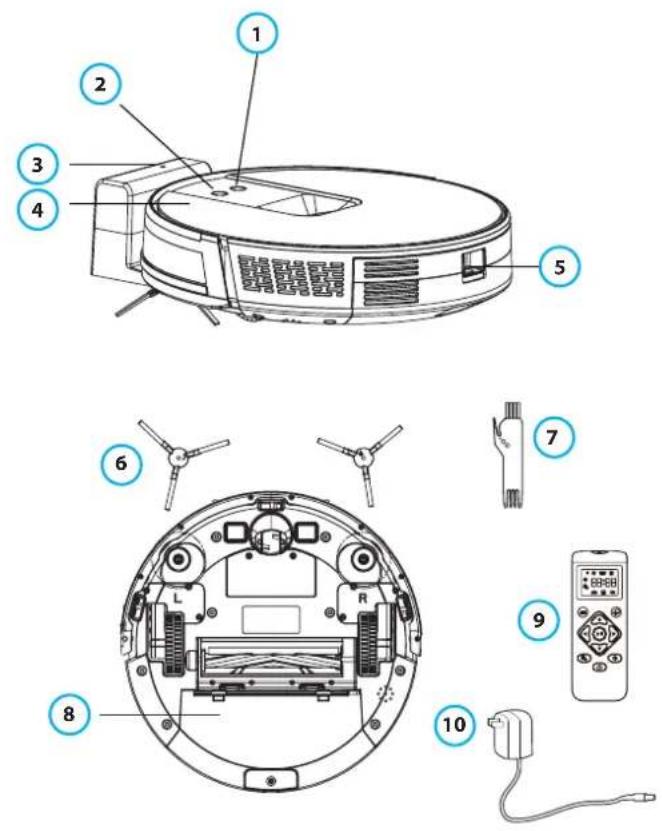
- Power key | on/off button
- Recharge button | return to charging station
- Docking | charging station
- Robot cover
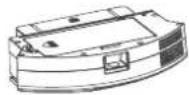
- Dust container button (remove | insert dust container)
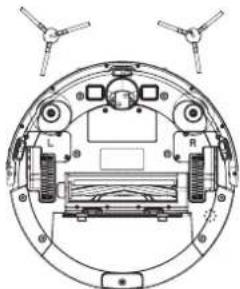
- Side brush 1 x left (L) + 1 x right (R)
- Cleaning brush
- Dust container
- Remote control
- Power Adaptor

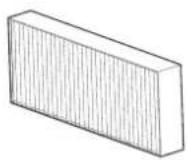
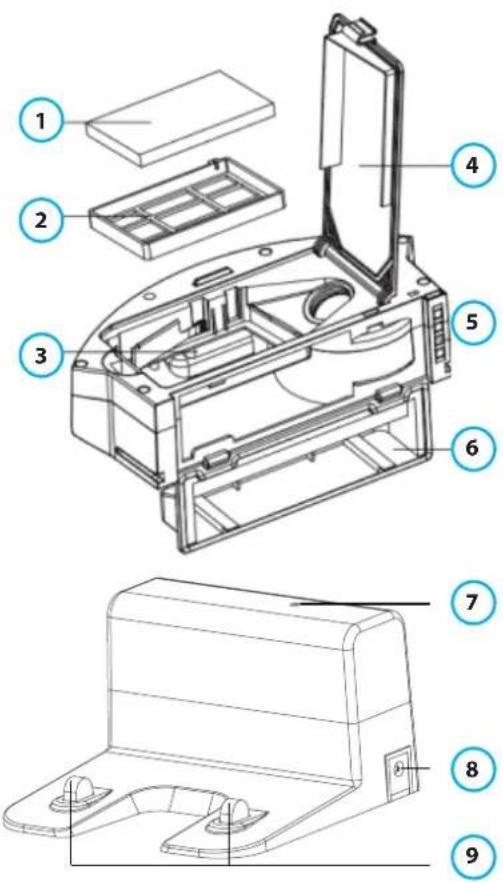
- Main filter HEPA
- Primary Filter
- Dust Box Metal Sheet
- High Efficiency Filter Cover
- Dust Box Side Cover
- Dust tank
- Signal Indicator
- Adapter output
- Charging Dock Pins
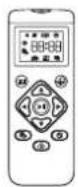
4. REMOTE CONTROL
EN

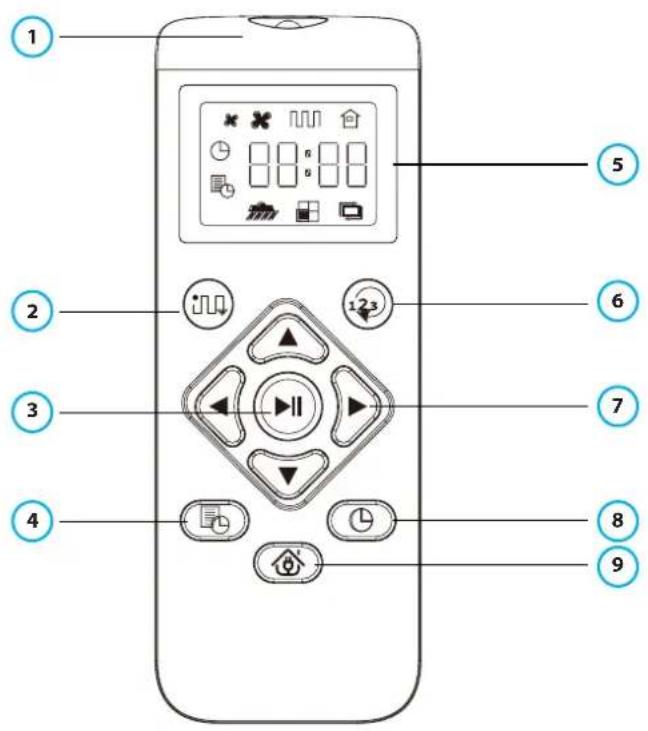
- Infrared sensor
- Auto clean mode
- Start | Pause robot
- Set daily program | time schedule cleaning
- Display
- Change mode
- Direction control
- Clock settings
- Back to charge | docking station
5. PREPARATIONS BEFORE USAGE
Please remove the protective strip from your robot vacuum cleaner and the protective film from your docking | charging station.

natural_image
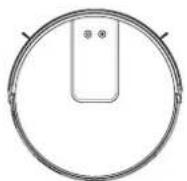
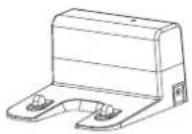
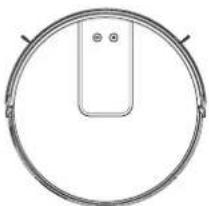
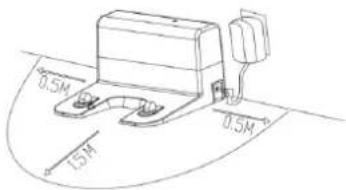
Simple line drawing of a circular object with a rectangular component on top, no text or symbols present.- Position your docking | charging station correctly against the wall and on a flat surface. Do not place any items within a range of 0.5m left + 0.5m right and 1.5m frontal.

- Connect the docking | charging station to the power supply.
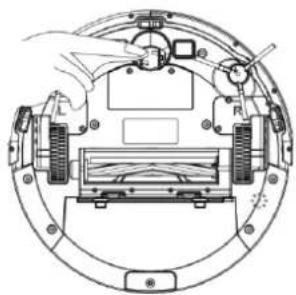
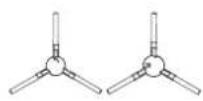
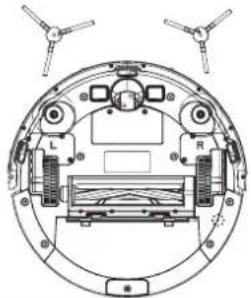
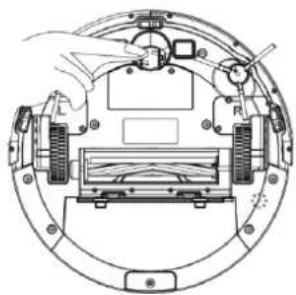
- Install the side brushes (L) is left and (R) is right.

natural_image
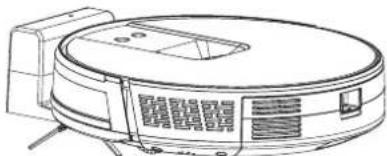
Technical diagram of a circular mechanical assembly with labeled components (no text or symbols present)- Charging: put the robot vacuum cleaner correctly on the docking station for charging (during charging, the indicator light on the robot flashes. When the robot is fully charged, the light on the robot remains on. The charging time is about 5 hours.

natural_image
Line drawing of a vacuum cleaner with control panel and mounting bracket (no text or symbols)During the cleaning process, the robot can sense that its power is running low. It will than automatically enter "Back to Charge" mode or you can also command the Robot to enter "Back to Charge" mode through the "Back to Charge" button on the remote control.
Charging attention:
- The docking | charging station cannot be used in environments with a strong reflection such as direct sunlight and nearby mirrors. If there are any objects with strong reflection, please cover these 7cm from the bottom. As it can confuse the signal.
- In order to ensure the normal working hours of the Robot, please fully charge it before use.
- When charging, do not attach the water tank to ensure the safety of charging and to prevent possible damage to the floorings
6. PRODUCT USE
EN
Start Cleaning | Cleaning Modes
You can start your XPRO robot vacuum cleaner with ONE push at the button on the robot or with your remote control. With the remote control you can also select various cleaning modes.
Auto Cleaning
The most commonly used cleaning method is that the Robot uses a bow-shaped (Zigzag) path to plan and clean the house according to the actual home environment.
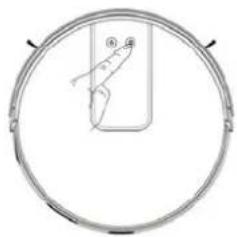
How to start Auto cleaning: In the shutdown state, press and hold the on/off button, when the indicator light of the Robot is lit, it's powered on.
When you short press the same on/off button now or press the automatic cleaning button 📊 on the remote control, the Robot starts automatic cleaning.
To select the Robot super suction (Turbo) mode, Press the ☑ once more.

natural_image
Simple line drawing of a circular frame with a rectangular object inside, no text or symbols present.Single Room Cleaning
Use to clean a single room
Click the "Change mode" button ⏻ on the remote control to start the
Single Room Cleaning
Remark: please close the door and the Robot will do centralized cleaning in the room.
If this room does not have the docking station inside, the Robot will return to the original starting point after cleaning.
Single Room Cleaning mode is always in super suction (Turbo) cleaning mode.
Edge Cleaning
For indoor edge cleaning, the Robot cleans along the perimeter of fixed objects (such as walls), and returns to the docking station after the edge cleaning is finished.
Click the "Change mode" button ⓤ on the remote control to select the Edge cleaning mode to start the edge cleaning.
Manual Control
Suitable for manual control cleaning.
Click the "Direction" button on the remote control 📋 to control the Robot to direct the robot: left, right, front, back.
'ause | Sleep mode | Shutdown
Pause: During the operation of the Robot, press the on/off button | robot key or "Pause" 🤨 button on the remote control to pause the operation of the Robot.
sleep mode: If the Robot stops working for more than ten minutes, it will automatically enter sleep mode (all the Robot lights are off).
To wake up the Robot please Tap the on/off button firstly. Than tap the on/off button again / or use the remote control to start operation again.
shutdown: when the robot stops working and you want to shut it down completely, long press the on/off button | robot key to fully shut down the robot (all the Robot lights are off). Be aware that once the robot is shut down it will not go back to its docking station automatically.
set a Time Schedule
"ap the "Time Schedule" button non the remote control to set the robots cleaning time schedule.
After the setting is completed successfully, the Robot will automatically start its cleaning cycle at the scheduled time every day.
Remark! Before you schedule a time, you need to set the current time through Clock settings 📊 on remote control.
7. MAINTENANCE | DUST CONTAINER | FILTERS
EN
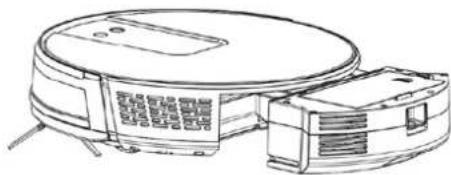
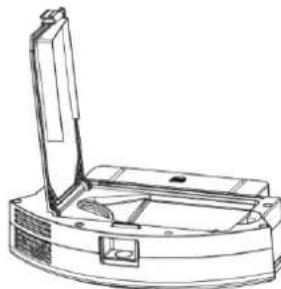
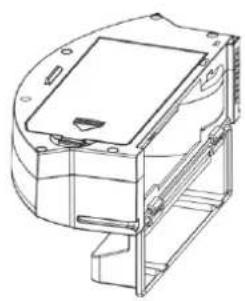
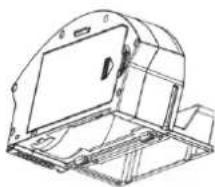
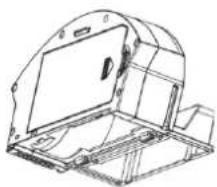
A. Press the dust container button to remove the dust container

natural_image
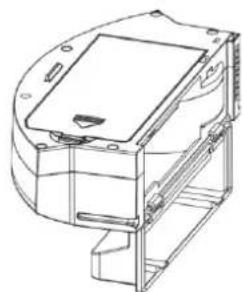
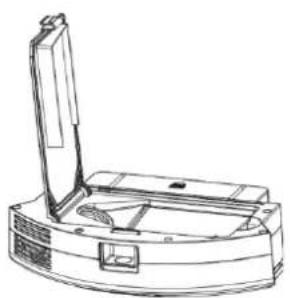
Technical line drawing of a circular device with internal components and mounting brackets (no text or symbols)B. Open the dust container side cover

natural_image
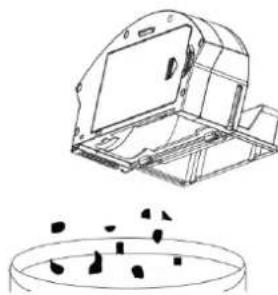
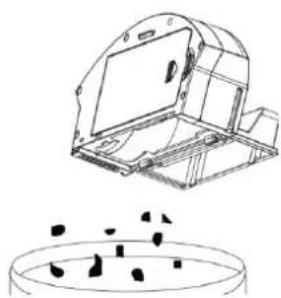
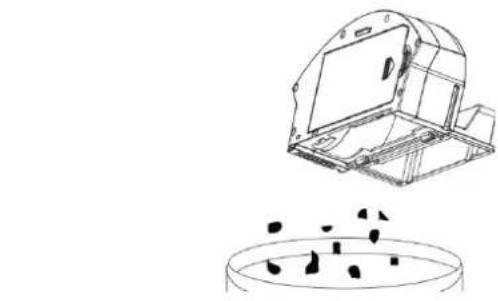
Technical line drawing of a mechanical device housing (no text or symbols)C. Empty the dust container

natural_image
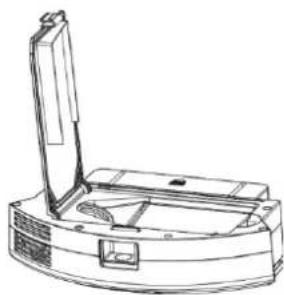
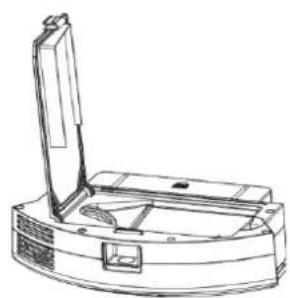
Technical line drawing of a mechanical housing component with internal components and a circular base (no text or symbols)D. Open the high efficiency filter cover

natural_image
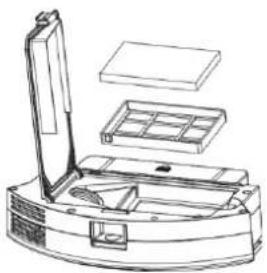
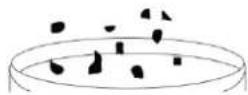
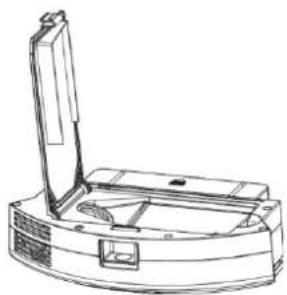
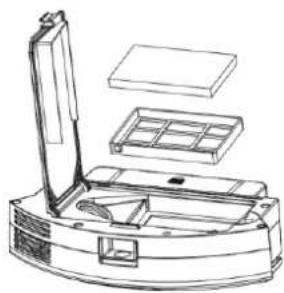
Line drawing of a robotic device with a lid and base (no text or symbols). Take out the HEPA filter and the primary filter. It is not recommended to lean the HEPA filter with water. Tap gently to remove the dust.

natural_image
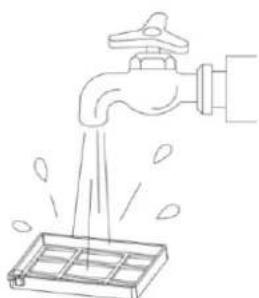
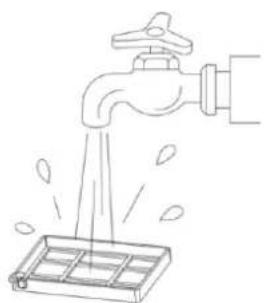
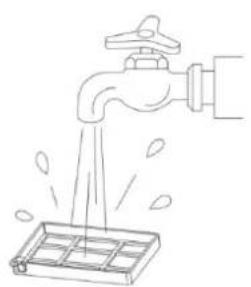
Line drawing of a robotic vacuum cleaner with open lid, internal compartments, and mounting base (no text or symbols). Rinse the primary filter

natural_image
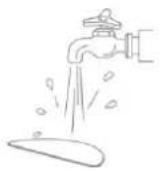
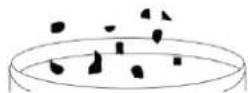
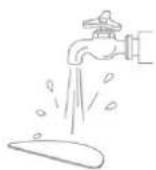
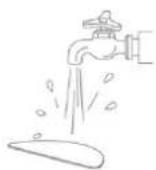
Line drawing of a faucet spraying water into a container with leaf drops (no text or symbols)G. The dust container can be cleaned with a soft cloth, brush or i.e. the mop pad. Please pay attention: It is not recommended to wash the dust container with water.

natural_image
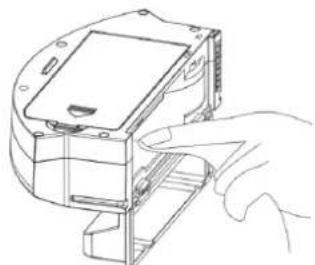
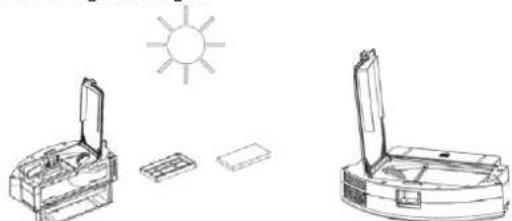
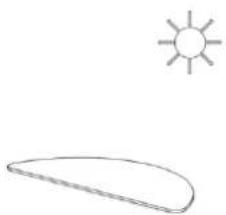
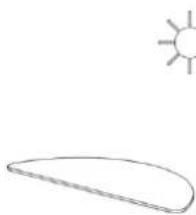
Line drawing of a hand inserting a component into a device housing (no text or symbols)H. Let the wet parts of the dust container fully dry before inserting it again to the Robot to ensure its service life and do NOT dry the primary and HEPA filter in bright sunlight.

natural_image
Line drawing of a sun shining on an open box and its side view, with no text or symbols present.Remark!: it is recommended to wash the primary filter with water (after 15 – 30 days) and to replace the HEPA filter each 3 months.
I. Insert the Primary filter and the HEPA filter into the dust container J. Close the dust container cover and install the dust container in the Robot.
Note: Do not wash the dust container with water.
8. MAINTENANCE | WATER TANK AND MOPPING PAD
EN
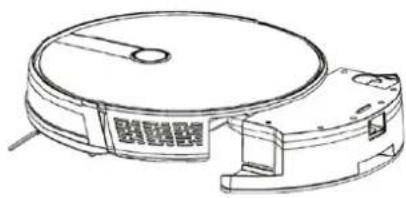
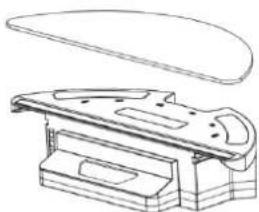
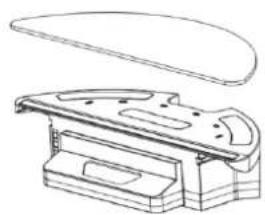
- Press the water tank button to remove the water tank

natural_image
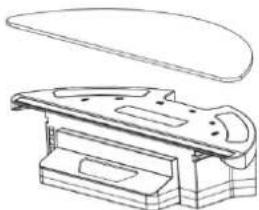
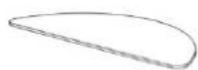
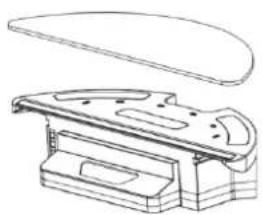
Line drawing of a circular vacuum cleaner with attached components (no text or symbols)- Remove the mopping cloth

natural_image
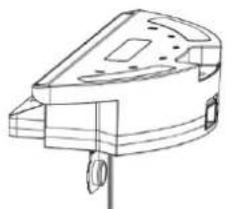
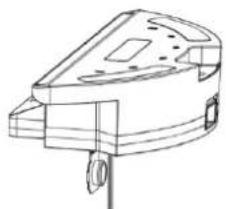
Technical line drawing of a mechanical component with a curved top and rectangular base (no text or symbols)- Empty the Water Tank

natural_image
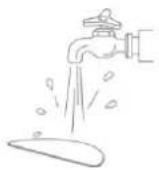
Technical line drawing of a mechanical component with no visible text or symbols- Wash the mopping cloth

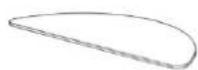
- Dry the mopping cloth


- Dry the water tank

natural_image
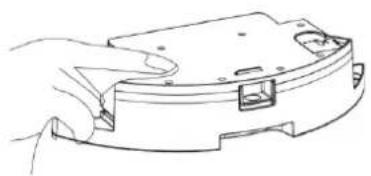
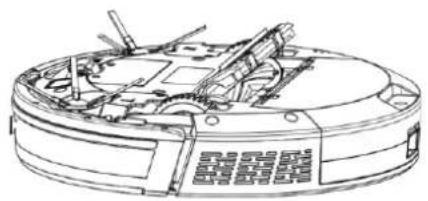
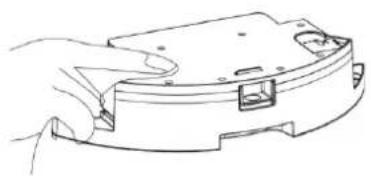
Hand holding a device casing with internal components (no text or symbols visible)- Open the main brush cover

natural_image
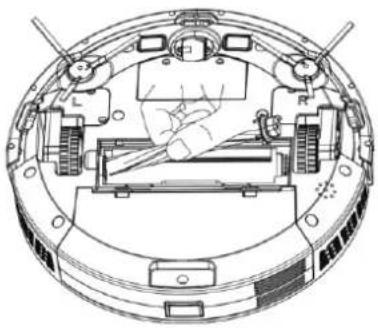
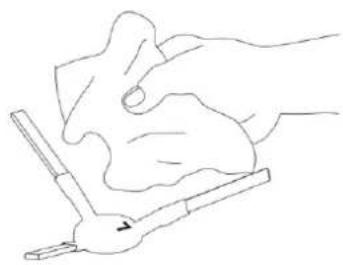
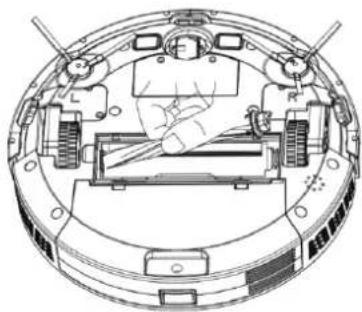
Technical line drawing of a mechanical component with internal parts and mounting holes (no text or symbols)- Use the cleaning tool to remove tangled hair
natural_image
Line drawing of a hand using a tool to cut or mark a wooden beam, no text or symbols present- Take out the main brush shaft

natural_image
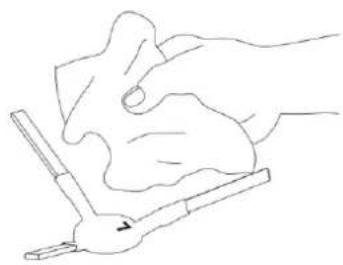
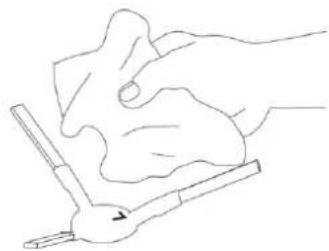
Technical line drawing of a circular mechanical device with internal components and no visible text or symbols- Clean side brush

natural_image
Line drawing of a hand holding a piece of paper or tape, with no text or symbols present.10. MAINTENANCE | CHARGING DOCK PINS | DOWN VIEW SENSOR | DRIVE WHEEL AND UNIVERSAL WHEEL
EN
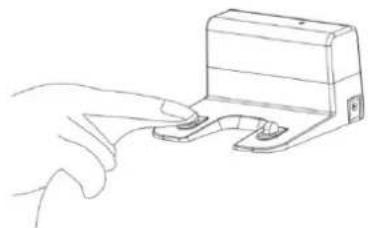
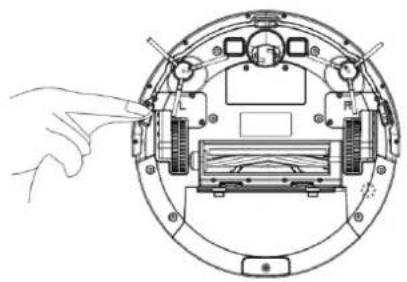
Kindly reminder: The interior of the charging dock pins, the down-view sensor and the bumper all contain sensitive Electronic components, please use a dry and soft cloth when cleaning, and do not use a wet cloth, to prevent damage caused by water.
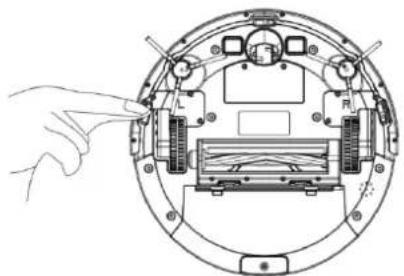
Clean the charging dock pins

natural_image
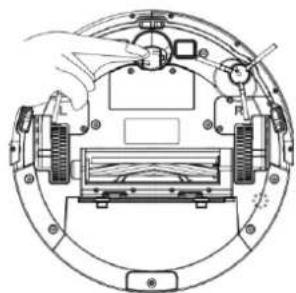
Line drawing of a hand pressing a small component on a mechanical bracket (no text or symbols)Clean the down-view sensor

natural_image
Diagram of a circular device with internal components and a hand pointing to a component (no text or symbols visible)Clean drive wheels and universal wheel

natural_image
Technical line drawing of a mechanical device with no visible text or symbolsIf you do not use the robot for a long time, please fully charge the robot before storing it and before storing it completely shut it down / turn it off. It is still recommended even when not using the robot to charge it every 3 months to maintain the battery life. If the battery is over discharged or is not used for a long time, the robot may not be able to be charged. Please contact our company for after-sales maintenance do not disassemble it yourself.
- TROUBLESHOOTING
| No. | Prompt Tone | Cause of Failure | Solution |
| 1 | Wheels off the ground | Robot suspended | Please put the Robot back to the ground and press the cleaning key | on/off button again. |
| 2 | Dust container not installed | Dust container removed / not installed | Insert the dust container in to the Robot and press the cleaning key | on/off button again. |
| 3 | Battery failure | Abnormal battery charging | Contact the support department | test battery |
| 4 | Please check if the wheel is stuck | Wheel jammed | Remove any possible objects that can cause the jammed wheel |
| 5 | Please check if the front of the robot is stuck | Front impact bracket stuck | Check whether the front of the robot can rebound normally |
| 6 | The battery is low, please charge the machine | Battery power less than 20 % | The machine automatically enters the recharge mode | charge the robot |
| 7 | Please check whether the side brush is tangled or jammed | Abnormal edge cleaning | Remove any possible objects that can cause the jammed side brush |
| 8 | Please move the robot to an open area | The robot got stuck | Please move the Robot to an open area and press the cleaning key | on/off button again |
12. PARÂMETRO DO PRODUTO
EN
| Classification | Projects | Parameter |
| Structural class | Diameter | 330 mm |
| Height | 76mm | |
| Net weight | 2.7 kg | |
| Battery | Voltage | 14.4 volts |
| Battery | 2000 mAh rechargeable lithium battery pack | |
| Parameter | Dust container capacity | 600 ml |
| Water tank capacity | 350 ml | |
| Charging type | Automatic charging / manual charging | |
| Cleaning mode | Auto / single room / edge / mop | |
| Primary charging time | Approx. 5 hours | |
| Working time | Up to 100 minutes | |
| Robot | Rated power (W) | Approx. 28 |
| Operating voltage (V) | 14.4 |
* Due to the continuous improvement of the product, this information is subject to the physical object. We reserve the right to update the product at any time.
PRZEDMOWA
natural_image
Simple line drawing of a circular device with a rectangular component on top (no text or symbols)natural_image
Technical diagram of a circular mechanical assembly with labeled components (no text or symbols present)natural_image
Line drawing of a vacuum cleaner with control panel and mounted base (no text or symbols)natural_image
Simple line drawing of a circular frame with a rectangular object inside, no text or symbols present.natural_image
Technical line drawing of a circular device with internal components and mounting brackets (no text or symbols)natural_image
Technical line drawing of a mechanical device housing (no text or symbols)natural_image
Technical line drawing of a mechanical housing component with internal components and a circular base (no text or symbols)natural_image
Line drawing of a robotic device with a lid and base (no text or symbols)natural_image
Line drawing of a robotic vacuum cleaner with open lid, internal compartments, and mounting base (no text or symbols)natural_image
Line drawing of a faucet dispensing water into a tray (no text or symbols)natural_image
Line drawing of a hand inserting a device into a housing (no text or symbols)natural_image
Line drawings of sun, battery pack, and open circuit board (no text or symbols)natural_image
Line drawing of a circular vacuum cleaner with attached components (no text or symbols)natural_image
Technical line drawing of a mechanical device with a curved top and rectangular base (no text or symbols)natural_image
Technical line drawing of a mechanical component with no visible text or symbolsnatural_image
Line drawing of a hand holding a cylindrical electronic device (no text or symbols)9. KONSERWACJA | SZCZOTKA GŁÓWNA | SZCZOTKA BOCZNA
natural_image
Technical line drawing of a mechanical device with internal components (no text or symbols)natural_image
Technical line drawing of a circular mechanical device with internal components and no visible text or symbolsnatural_image
Line drawing of hands using a tool to cut or mark a twisted rope or cable (no text or symbols present)natural_image
Line drawing of a hand using a tool to lift or press a piece of material (no text or symbols)10. KONSERWACJA | ZACZEPY STACJI ŁADUJĄCEJ | CZUJNIK WIDOKU Z DOŁU | KOŁO NAPĘDOWE I KOŁO UNIWERSALNE
PL
natural_image
Line drawing of a hand pressing a small component on a mechanical bracket (no text or symbols)natural_image
Diagram of a mechanical device with labeled components and a hand pointing to a component (no text or symbols present)natural_image
Technical diagram of a mechanical assembly with labeled components (no text or symbols)- Infrared sensor
- Auto clean mode
- Start | Pause robot
- Set daily program | time schedule cleaning
- Display
- Change mode
- Direction control
- Clock settings
- Back to charge | docking station
5. FORBEREDELSE F∅R BRUG
natural_image
Simple line drawing of a circular object with a rectangular component on top (no text or symbols)natural_image
Technical diagram of a circular mechanical assembly with labeled components (L, R) and two propellers above (no text or symbols present)natural_image
Line drawing of a robotic vacuum cleaner (no text or symbols)natural_image
Simple line drawing of a circular frame with a rectangular object inside, no text or symbols present.Enkel Rumsrengøring
natural_image
Technical line drawing of a vacuum cleaner with attached housing (no text or symbols)B. Åben støvbeholderens

natural_image
Technical line drawing of a mechanical device housing (no text or symbols)C. Tøm støvbeholderen

natural_image
Technical line drawing of a mechanical housing with internal components and a circular base (no text or symbols)natural_image
Line drawing of a robotic vacuum cleaner with open lid and mounting base (no text or symbols)natural_image
Line drawing of a robotic vacuum cleaner with open lid and internal compartments (no text or symbols). Rens det primære filter

natural_image
Line drawing of a faucet releasing water from a drain (no text or symbols)natural_image
Line drawing of a hand holding a device with a rack and a monitor (no text or symbols)natural_image
Line drawings of a sun and two open devices under different lighting or ventilation conditions (no text or symbols)natural_image
Line drawing of a circular vacuum cleaner with attached components (no text or symbols)- Fjern moppekluden

natural_image
Technical line drawing of a mechanical device with a curved top and rectangular base (no text or symbols)- Tøm vandtanken

natural_image
Technical line drawing of a mechanical component with no visible text or symbols- Vask moppe kluden

- Tør moppekluden


- Tør vandtanken

natural_image
Hand holding a device casing with a small inset component (no text or symbols visible)9. VEDLIGEHOLDELSE | HOVEDB∅RSTE | SIDEB∅RSTE
natural_image
Technical line drawing of a mechanical component with internal parts and mounting holes (no text or symbols)natural_image
Line drawing of a hand using a tool to cut or mark a wooden beam, no text or symbols presentnatural_image
Technical line drawing of a circular mechanical device with internal components and no visible text or symbols- Rens sidebørste

natural_image
Line drawing of a hand holding a piece of paper or tape, with no text or symbols present.10. VEDLIGEHOLDELSE | OPLADNINGSSTIFTER | NEDADVENDT SENSOR | DRIVHJUL OG UNIVERSALHJUL
DA
natural_image
Line drawing of a hand pressing a small electronic component (no text or symbols)Rens den nedadvendte sensor

natural_image
Diagram of a circular device with internal components and a hand pointing to a component (no text or symbols visible)Rens drivhjulene og universalhjulet

natural_image
Technical line drawing of a mechanical assembly with no visible text or symbolsnatural_image
Simple line drawing of a circular device with a rectangular component on top (no text or symbols)natural_image
Technical line drawing of a circular mechanical assembly with labeled components (no text or symbols)natural_image
Line drawing of a robotic vacuum cleaner (no text or symbols)natural_image
Simple line drawing of a circular frame with a rectangular object inside, no text or symbols present.natural_image
Technical line drawing of a circular device with internal components and mounting brackets (no text or symbols)natural_image
Technical line drawing of a mechanical device housing (no text or symbols)natural_image
Technical line drawing of a mechanical housing with internal components and a circular base (no text or symbols)natural_image
Line drawing of a robotic vacuum cleaner with open lid and mounting base (no text or symbols)natural_image
Line drawing of a mechanical device with a lid, tray, and base (no text or symbols)natural_image
Line drawing of a faucet releasing water from a drain (no text or symbols)natural_image
Line drawing of a hand inserting a device into a housing (no text or symbols)natural_image
Line drawings of sun heating systems with open box, battery pack, and tray (no text or symbols)natural_image
Line drawing of a circular vacuum cleaner with attached components (no text or symbols)natural_image
Technical line drawing of a mechanical component with a curved top and rectangular base (no text or symbols)natural_image
Technical line drawing of a mechanical component with no visible text or symbolsnatural_image
Hand holding a device casing with internal components (no text or symbols visible)9. ÚDRŽBA | HLAVNÍ KARTÁČ | BOČNÍ KARTÁČ
natural_image
Technical line drawing of a mechanical component with internal parts and mounting holes (no text or symbols)natural_image
Line drawing of a hand using a tool to cut or mark a wooden beam, no text or symbols presentnatural_image
Technical line drawing of a circular mechanical device with internal components and no visible text or symbolsnatural_image
Line drawing of a hand holding a piece of paper or tape, with no text or symbols present.10. ÚDRŽBA | PINY NABÍJECÍHO DOKU | SPODNÍ SENZORY | HNACÍ KOLO A UNIVERZÁLNÍ KOLO
CZ
natural_image
Line drawing of a hand pressing a small component on a device (no text or symbols)natural_image
Diagram of a circular device with labeled components and a hand pointing to a component (no text or symbols present)natural_image
Technical line drawing of a mechanical assembly with no visible text or symbolsEN Our website also offers a live chat function!
natural_image
Simple line drawing of a circular device with a rectangular component on top (no text or symbols)natural_image
Technical line drawing of a circular mechanical assembly with labeled components (no text or symbols)natural_image
Line drawing of a vacuum cleaner with control panel and sensor array (no text or symbols)natural_image
Simple line drawing of a circular frame with a rectangular object inside, no text or symbols present.natural_image
Technical line drawing of a robotic vacuum cleaner with attached housing (no text or symbols)
natural_image
Technical line drawing of a mechanical housing or enclosure component (no text or symbols)
natural_image
Technical line drawing of a mechanical device housing (no text or symbols)
natural_image
Line drawing of a mechanical device with a vertical component and base plate (no text or symbols)E. Take out the HEPA filter and the primary filter. It is not recommended to clean the HEPA filter with water. Tap gently to remove the dust.
natural_image
Line drawing of a mechanical device with an open lid and internal compartments (no text or symbols)natural_image
Line drawing of a faucet pouring water into a drain (no text or symbols)natural_image
Line drawing of a hand inserting a device into a housing (no text or symbols)natural_image
Line drawings of two open portable devices under a sun, with no text or symbols present.natural_image
Technical line drawing of a circular mechanical device with internal components and mounting brackets (no text or symbols)natural_image
Technical line drawing of a mechanical component with a flat top and internal cavities (no text or symbols)natural_image
Technical line drawing of a mechanical component with no visible text or symbolsnatural_image
Line drawing of a hand holding a device casing (no text or symbols)natural_image
Technical line drawing of a mechanical device with internal components (no text or symbols)natural_image
Line drawing of hands using a tool to cut or spread a twisted cable or wire (no text or symbols present)natural_image
Technical line drawing of a mechanical device with no visible text or symbolsnatural_image
Line drawing of a hand using a compass to measure a piece of material (no text or symbols)10. WARTUNG | LADEDOCKSTIFTE | ABWÄRTSSENSOR | ANTRIEBSRAD UND UNIVERSALRAD
natural_image
Line drawing of a hand pressing a small electronic component (no text or symbols)natural_image
Technical line drawing of a circular mechanical component with labeled parts (no text or symbols)natural_image
Technical line drawing of a mechanical assembly with no visible text or symbolsnatural_image
Simple line drawing of a circular device with a rectangular component on top (no text or symbols)natural_image
Technical line drawing of a mechanical assembly with labeled components (no text or symbols)natural_image
Line drawing of a circular vacuum cleaner with attached circuit board (no text or symbols)natural_image
Diagram of a circular mechanical component with a hand holding a small object, no text or symbols presentnatural_image
Line drawing of a vacuum cleaner with attached electronic components (no text or symbols)
natural_image
Technical line drawing of a mechanical housing or enclosure component (no text or symbols)
natural_image
Technical line drawing of a mechanical housing or enclosure component (no text or symbols)
natural_image
Line drawing of a mechanical device with a vertical opening and internal components (no text or symbols)natural_image
Line drawing of a mechanical device with open lid, internal compartments, and mounting base (no text or symbols)natural_image
Line drawing of a faucet releasing water from a drain (no text or symbols)natural_image
Line drawing of a hand inserting a device into a housing (no text or symbols)natural_image
Line drawings of two open portable devices under a sun, with no text or symbols present.natural_image
Technical line drawing of a circular mechanical device with internal components and mounting brackets (no text or symbols)- Retire la toallita.

natural_image
Technical line drawing of a mechanical component with a curved top and rectangular base (no text or symbols)natural_image
Technical line drawing of a mechanical component with no visible text or symbols- Lavar la toallita.

- Seca la toallita.

natural_image
Simple line drawing of a sun above a leaf (no text or symbols)natural_image
Line drawing of a hand holding a device casing (no text or symbols)natural_image
Technical line drawing of a mechanical device with internal components (no text or symbols)natural_image
Line drawing of hands using a tool to cut or spread a twisted cable or wire (no text or symbols present)natural_image
Technical line drawing of a mechanical device with no visible text or symbolsnatural_image
Line drawing of a hand using a compass to measure a piece of material (no text or symbols)10. MANTENIMIENTO | CLAVIJAS DE CARGA | SENSOR DE DESCENSO | RUEDA MOTRIZ Y RUEDA UNIVERSAL
natural_image
Line drawing of a hand pressing a small electronic device (no text or symbols)natural_image
Technical line drawing of a circular mechanical component with labeled parts (no text or symbols)natural_image
Technical line drawing of a mechanical assembly with no visible text or symbolsnatural_image
Simple line drawing of a circular object with a rectangular element and two small dots, no text or symbols present.natural_image
Technical line drawing of a mechanical assembly with labeled components (no text or symbols)natural_image
Line drawing of a vacuum cleaner with control panel and sensor array (no text or symbols)natural_image
Simple line drawing of a circular frame with a rectangular object inside, no text or symbols present.natural_image
Technical line drawing of a robotic vacuum cleaner with attached housing (no text or symbols)
natural_image
Technical line drawing of a mechanical assembly with a circular base and internal components (no text or symbols)natural_image
Technical line drawing of a mechanical housing or enclosure component (no text or symbols)
natural_image
Line drawing of a mechanical device with a vertical opening and base plate (no text or symbols)natural_image
Line drawing of a mechanical device with open lid, internal compartments, and mounting base (no text or symbols)natural_image
Line drawing of a faucet releasing water from a drain (no text or symbols)natural_image
Line drawing of a hand inserting a device into a housing (no text or symbols)natural_image
Line drawings of two open sunbathing devices with a solar panel nearby (no text or symbols)natural_image
Line drawing of a circular vacuum cleaner with attached components (no text or symbols)natural_image
Technical line drawing of a mechanical component with a curved top and rectangular base (no text or symbols)natural_image
Technical line drawing of a mechanical component with no visible text or symbolsnatural_image
Line drawing of a hand holding a device casing (no text or symbols)9. PRIEŽIŪRA | PAGRINDINIS ŠEPETYS | ŠONINIS ŠEPETYS
natural_image
Technical line drawing of a mechanical device with internal components (no text or symbols)natural_image
Line drawing of hands using a tool to cut or spread a twisted cable or wire (no text or symbols present)natural_image
Technical line drawing of a mechanical device with no visible text or symbolsnatural_image
Line drawing of a hand using a compass to measure a piece of material (no text or symbols)10. TECHNINĖ PRIEŽIŪRA | APKROVOS KAIŠČIAI | NULEIDIMO JUTIKLIS | VARANTYSIS RATAS IR UNIVERSALUSIS RATAS
natural_image
Line drawing of a hand pressing a small electronic component on a surface (no text or symbols)natural_image
Diagram of a mechanical device with labeled components and a hand pointing to a component (no text or symbols present)natural_image
Technical line drawing of a mechanical assembly with gears and a central housing (no text or symbols)natural_image
Simple line drawing of a circular device with two ports and a central rectangular component (no text or symbols)- Pripojte dokovaciu | nabíjaciu stanicu k napájaniu.
- Nainštalujte bočné kefky (L) je lavá a (R) je pravá.

natural_image
Technical line drawing of a circular mechanical assembly with labeled components (no text or symbols)natural_image
Line drawing of a circular vacuum cleaner with control panel and mounting base (no text or symbols)natural_image
Simple line drawing of a mechanical component inside a circular frame (no text or symbols)natural_image
Line drawing of a vacuum cleaner with attached electronic components (no text or symbols)natural_image
Technical line drawing of a mechanical housing and a circular component with internal particles (no text or symbols)natural_image
Technical line drawing of a mechanical housing or enclosure component (no text or symbols)
natural_image
Line drawing of a mechanical device with a vertical component and mounting base (no text or symbols)natural_image
Line drawing of a mechanical device with internal components and a lid (no text or symbols)F. Rinse the primary filter

natural_image
Line drawing of a faucet pouring liquid into a water tank (no text or symbols)natural_image
Line drawing of a hand inserting a device into a folder (no text or symbols)natural_image
Line drawings of two open sunbathing devices with a separate box, no text or symbols presentnatural_image
Technical line drawing of a circular mechanical device with internal components and mounting brackets (no text or symbols)- Odstráňte handričku na vytieranie

natural_image
Technical line drawing of a mechanical component with a curved top and rectangular base (no text or symbols)natural_image
Technical line drawing of a mechanical component with no visible text or symbols- Vyperte handričku na vytieranie

- Vysušte utierku na mopovanie

natural_image
Simple line drawing of a sun above a curved shape (no text or symbols)natural_image
Line drawing of a hand holding a device casing (no text or symbols)natural_image
Technical line drawing of a mechanical device with internal components (no text or symbols)natural_image
Line drawing of hands using a tool to cut or mark a wooden component (no text or symbols)- Vyberte hriadel'hlavnej kefy

natural_image
Technical line drawing of a mechanical device with no visible text or symbols- Čistá bočná kefa