
Shield I - Uncategorized Lamax - Free user manual and instructions
Find the device manual for free Shield I Lamax in PDF.


| Product Type | IP Camera |
| Brand | Lamax |
| Model | Shield I |
| Image Sensor | SONY (low-light capable) |
| Connectivity | Wi-Fi |
| App Control | Yes (LAMAX Shield app) |
| Maximum Devices in App | 10 |
| Two-Way Audio | Yes |
| Recording Duration | Up to one week (with memory card) |
| Memory Card Slot | Yes (microSD? Not specified) |
| Power Supply | Mains powered (via electrical socket) |
| LED Indicators | Blue (power on), Red flashing (Wi-Fi connected) |
| Reset Button | Yes (pin included) |
| Default Password | 888888 |
| Operating Environment | Indoor, dry location |
| Safety | Do not operate in humid environment; keep ventilation space |
| Dimensions | Compact (exact not specified) |
| Weight | Lightweight (exact not specified) |
| Manufacturer | elem6 s.r.o., Prague, Czech Republic |
| Warranty | 24 months |
| Compliance | Directive 2014/53/EU |
Frequently Asked Questions - Shield I Lamax
User questions about Shield I Lamax
0 question about this device. Answer the ones you know or ask your own.
Ask a new question about this device
Download the instructions for your Uncategorized in PDF format for free! Find your manual Shield I - Lamax and take your electronic device back in hand. On this page are published all the documents necessary for the use of your device. Shield I by Lamax.
USER MANUAL Shield I Lamax
natural_image
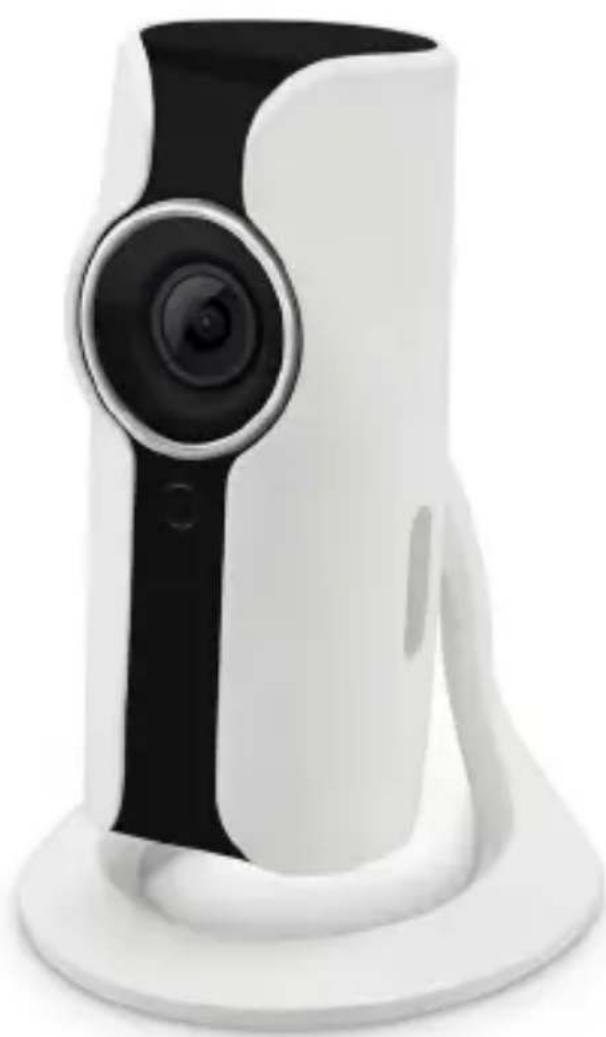
White and black digital camera with a circular lens, resting on a white base (no text or symbols visible)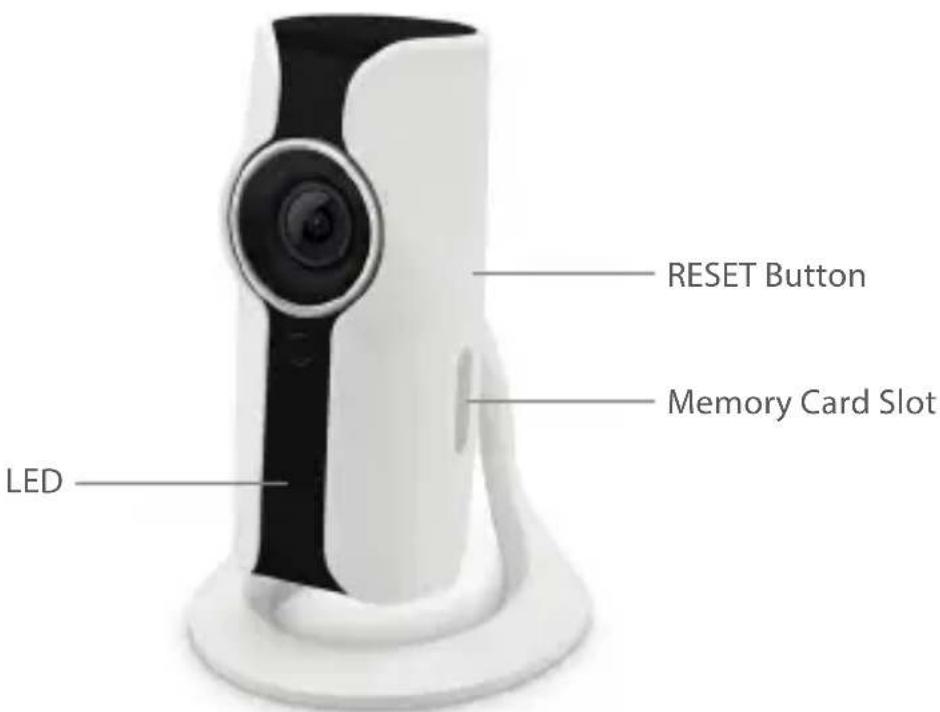
Features
- Requires Wi-Fi connection at the point of use.
- Up to 10 devices can be connected to the app.
- Controlled via a smartphone app.
- SONY image sensor ensures high-quality images even in low light conditions.
- 2-way communication possible.
- Records for up to one week.
LED
- LED Off - device is switched off
- Blue LED - power is on
- Red flashing LED - device is connected to Wi-Fi
Setup
1) Download the app from Google Play or the App Store. Type LAMAX Shield in the search box.
2) Install the app on your smartphone.
3) Press down the RESET button on the side of the camera until the camera beeps once and the LED flashes. Use the pin included.
4) Open the Wi-Fi settings on your phone and connect to the device named "HD WiFi Cam".
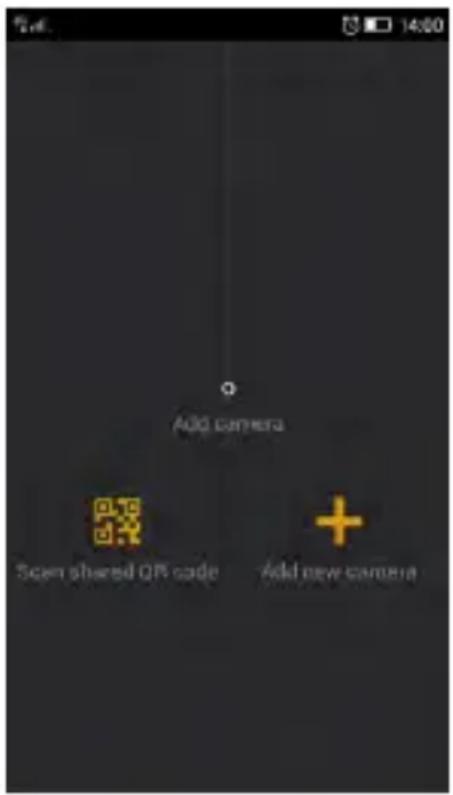
5) Run the app and select "Add new Camera".
6) Name the new camera, enter the password of the camera (default "888888") and enter the name and password of your Wi-Fi connection.
7) Once the camera is connected to a network, the LED turns blue.
Controls
1) Sharing Recordings
Third parties can also view camera recordings. On the start screen, select QR code. The app will then generate a QR code that can be sent to third parties. Those using the app can read the code to gain access to your device. To stop sharing, change the camera password. To get to the start screen from the home screen, swipe from top to bottom.
2) Recording Video and Taking Photos
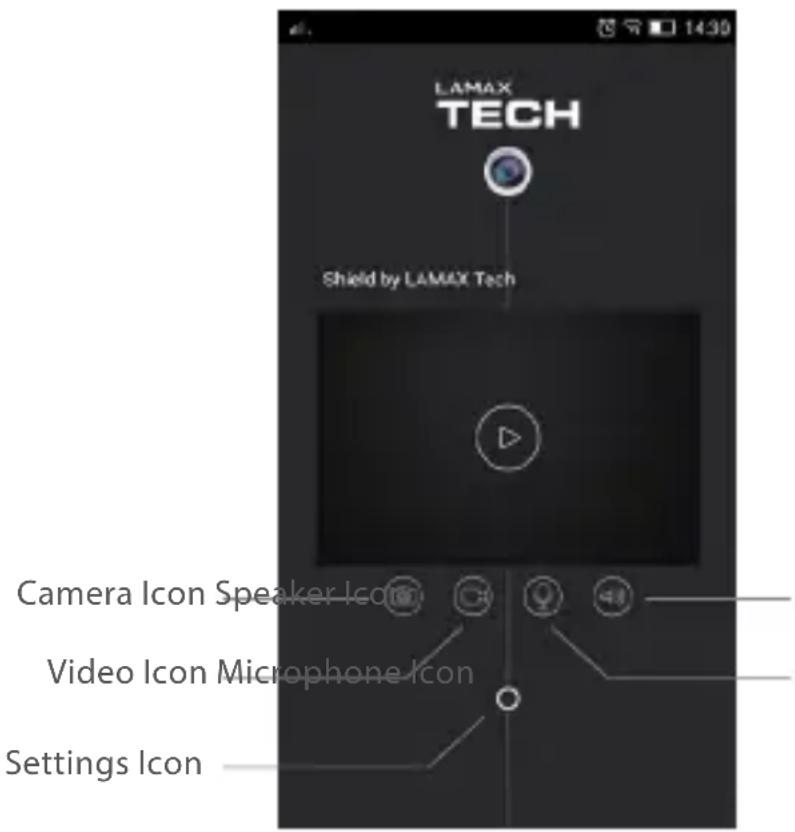
IP camera recordings can be made and stored on a memory card. If a memory card is not inserted, it saves the recording to your phone. Take a
photo by pressing the camera icon on the app home screen. Record video by pressing the video icon on the app home screen.
3) 2-way Communication
With the app makes it's possible to communicate with persons close to the IP camera. Press the speaker icon to enable audio recording. Press and hold the microphone icon to activate both the microphone on the smartphone and the speaker on the camera. Now you can hear what people are saying around the camera.
4) Settings
Press the settings icon on the home screen to adjust video quality, image rotation, Wi-Fi settings, synchronize the time on your phone or change the password.
5) Basic Controls
Swipe across the home screen from left to right to get to the menu. Here you can view all recordings, add another camera or go back to the home screen to view in real time.
Safety Precautions
- Do no operate in a humid environment. Never touch the device with wet hands or when your feet are in water.
- When plugged into an electrical socket, leave enough space around the unit for air to circulate. Do not cover the device with paper or other objects that could restrict cooling.
- Connect the device to the correct power source. The voltage requirements can be found on the product or its packaging.
- Do not use the device when clearly damaged. In case of damage, do not attempt to repair the device yourself!
- If the device excessively overheats, immediately disconnect the power supply.
Further Information
1) For households: This symbol (crossed-out wheelie bin) on the product or in the accompanying documentation indicates that used electrical or electronic products must not be disposed of with other household waste. To prevent possible harm to the environment or to human health from uncontrolled waste disposal, recycle it responsibly to promote the sustainable reuse of material resources. To return your used device, please use return and collection systems or contact the retailer where the product was purchased. They can take this product for environmentally safe recycling. If this kind of waste is incorrectly disposed of, the user can be fined according to national laws. User information for the disposal of electric and electronic devices in countries outside the EU: The symbol stated above (crossed out recycle bin) is valid only in countries in the European Union. For correct disposal of electric and electronic devices ask your city council or the distributor of these devices. The crossed-out wheelie bin symbol is applicable on the product, packaging or printed materials.
2) Warranty claims should be made at your local retailer. If you have any technical problems or questions, please contact your dealer who will inform you of what steps need to be taken next. Follow the rules for working with electrical equipment. Users may not disassemble the device or replace any part of it. When opening, or removing covers there is a risk of electric shock. Incorrect reassembly and reconnecting of devices also runs the risk of electric shock.
Declaration of Conformity
The company elem6 s.r.o. hereby declares that all LAMAX products are in compliance with the essential requirements and other relevant provisions of Directive 2014/53/EC. Products are intended for sale without any restriction in Germany, Czech Republic, Slovak Republic, Poland, Hungary and other EU countries. The warranty period for all products is 24 months unless otherwise stated.
Manufacturer
elem6 s.r.o., Braškovská 308/15, 161 00 Prague 6 http://www.lamax-electronics.com
Changes to the manual and printing errors reserved!
IP-Kamera
für Shield by
LAMAX TECH
natural_image
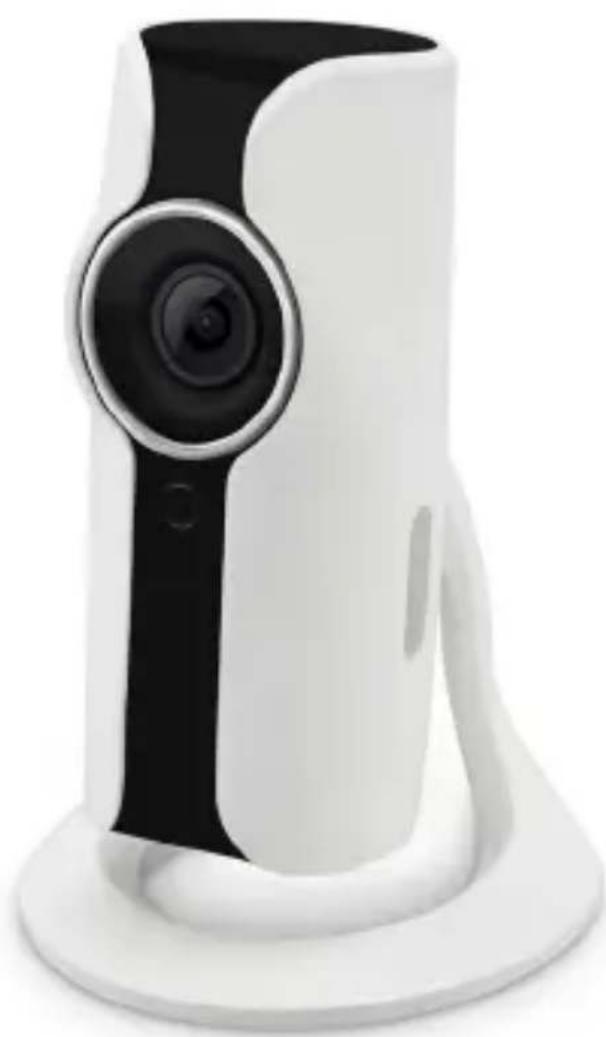
White and black digital camera with a circular lens, resting on a white base (no text or symbols visible)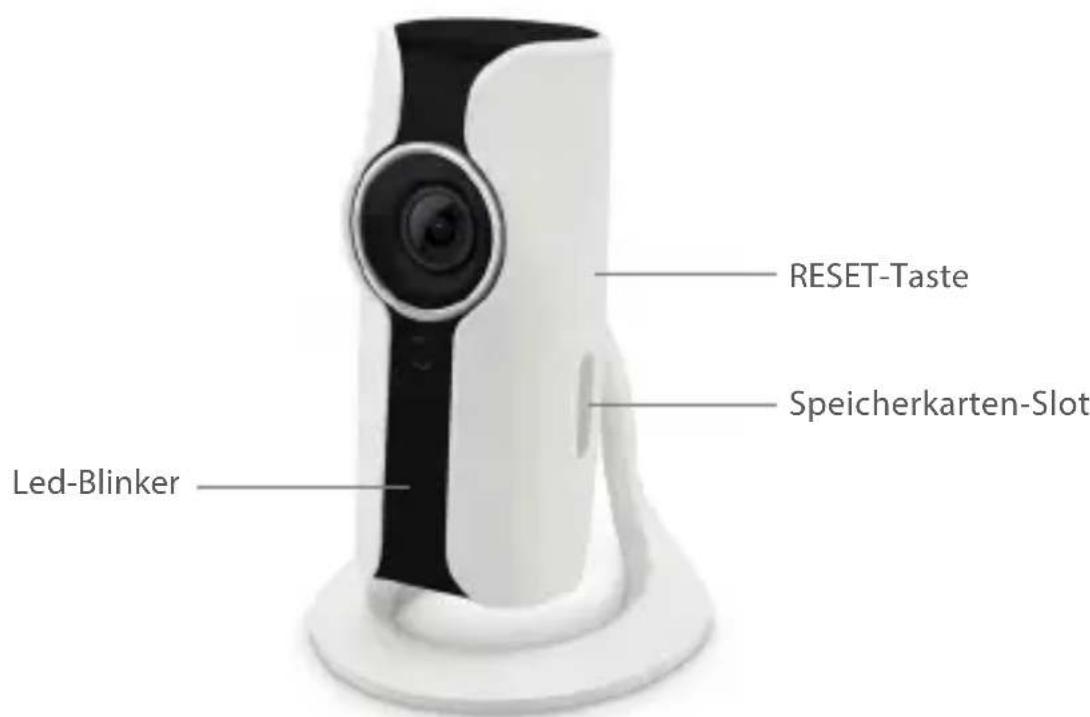
Eigenschaften
IP kamera pro Shield by
LAMAX TECH
natural_image
White and black digital camera with a circular lens, resting on a white base (no text or symbols visible)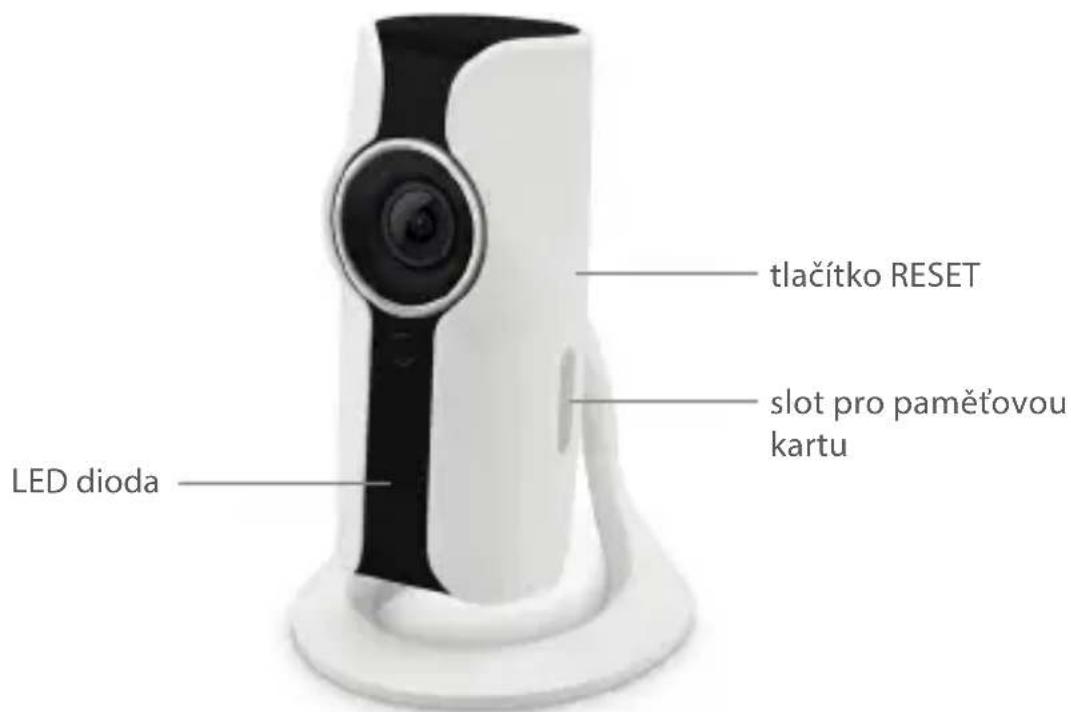
Kamera IP do Shield by
LAMAX TECH
natural_image
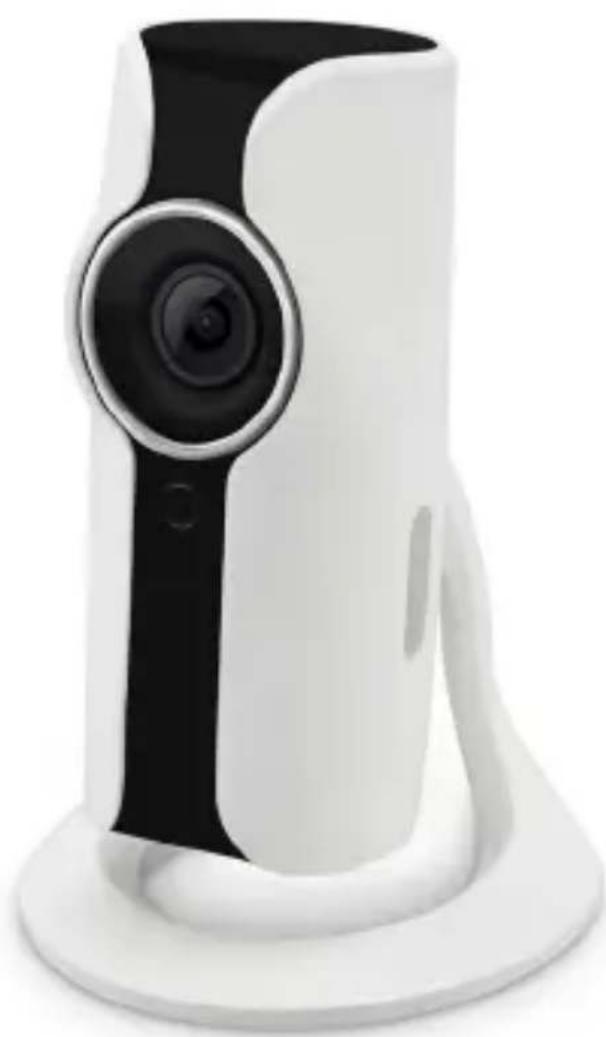
White and black digital camera with a circular lens, resting on a white base (no text or symbols visible)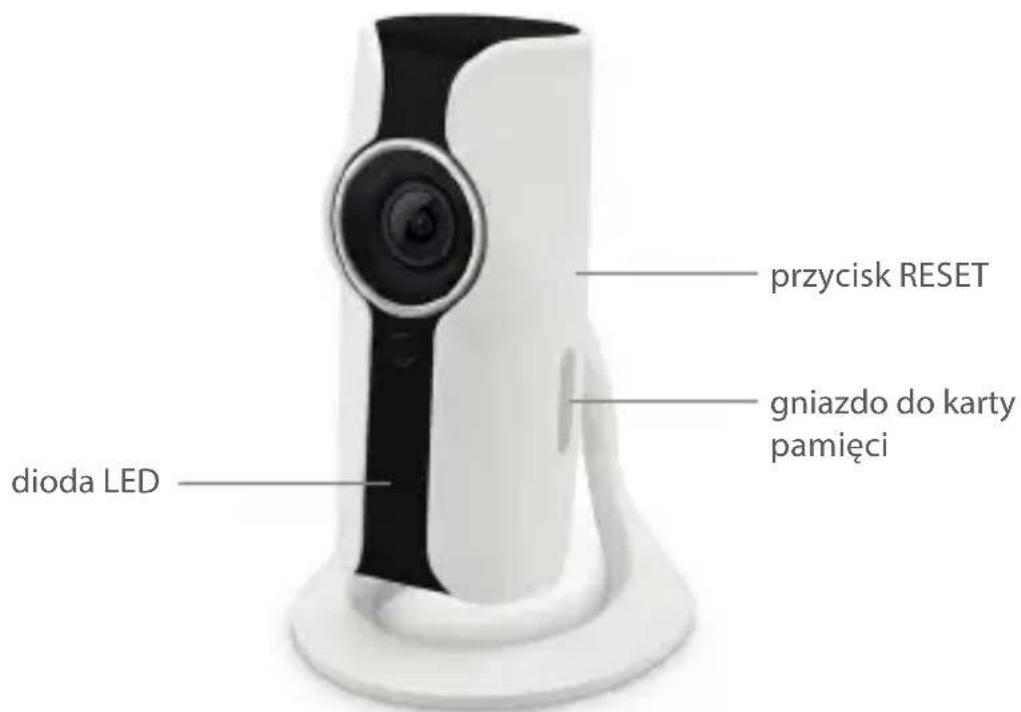



- Features
- LED
- Setup
- Controls
- 1) Sharing Recordings
- 2) Recording Video and Taking Photos
- 3) 2-way Communication
- 4) Settings
- 5) Basic Controls
- Safety Precautions
- Further Information
- Declaration of Conformity
- Manufacturer
- IP-Kamera
- für Shield by
- LAMAX TECH
- Eigenschaften
- IP kamera pro Shield by
- Kamera IP do Shield by
Brand : Lamax
Model : Shield I
Category : Uncategorized