KEH-2296ZT - Car stereo PIONEER - Free user manual and instructions
Find the device manual for free KEH-2296ZT PIONEER in PDF.


| Product type | Car stereo with cassette player |
| Brand | PIONEER |
| Model | KEH-2296ZT |
| Power supply | 14.4 V DC (10.8 - 15.1 V allowed) |
| Maximum current consumption | 8.5 A |
| Dimensions (chassis) | 178 (W) x 50 (H) x 150 (D) mm |
| Dimensions (front panel) | 188 (W) x 58 (H) x 19 (D) mm |
| Weight | 1.2 kg |
| Maximum output power | 40 W x 4 |
| Continuous output power | 22 W x 4 (DIN45324, +B = 14.4 V) |
| Load impedance | 4 Ω (4 - 8 Ω allowed) |
| FM frequency range | 87.5 - 108 MHz |
| MW frequency range | 531 - 1602 kHz |
| LW frequency range | 153 - 281 kHz |
| Cassette deck | Compatible with C-30 to C-90 |
| RDS functions | AF, TA, PTY, EON |
| Front panel | Detachable with carrying case |
| Sound adjustments | Fader/Balance, Bass, Treble, Loudness |
| Maintenance | Cleaning the read/write head |
| Security | Detachable front panel anti-theft |
Frequently Asked Questions - KEH-2296ZT PIONEER
User questions about KEH-2296ZT PIONEER
0 question about this device. Answer the ones you know or ask your own.
Ask a new question about this device
Download the instructions for your Car stereo in PDF format for free! Find your manual KEH-2296ZT - PIONEER and take your electronic device back in hand. On this page are published all the documents necessary for the use of your device. KEH-2296ZT by PIONEER.
USER MANUAL KEH-2296ZT PIONEER
The tuner frequencies on this unit are allocated for use in Western Europe, Asia, the Middle East, Africa and Oceania. Use in other areas may result in improper reception. The RDS function operates only in areas with FM stations broadcasting RDS signals.
About this Manual
This unit features a number of sophisticated functions ensuring superior reception and operation. All are designed for the easiest possible use, but many are not self-explanatory. This operation manual is intended to help you benefit fully from their potential and to maximise your listening enjoyment.
We recommend that your familiarise yourself with the functions and their operation by reading through the manual before you begin using this unit. It is especially important that you read and observe the "Precaution" on this page and in other sections.
In this Operating Manual, the Basic Operation for each sound source is outlined at the beginning of its explanation, covering simple operation for that source, such as merely playing music.
Precaution
- The Toyota CarStereo-Pass is for use only in Germany.
- Keep this manual handy as a reference for operating procedures and precautions.
- Always keep the volume low enough for outside sounds to be audible.
- Protect the unit from moisture.
- If the battery is disconnected, the preset memory will be erased and must be reprogrammed.
Theft Protection
The front panel of the main body is detachable to discourage theft.
Detaching the front panel
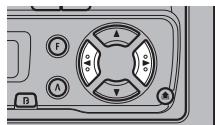
- Eject the front panel.
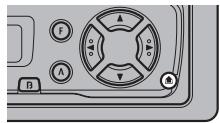
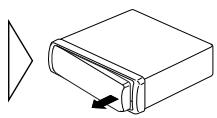
- To remove the front panel, pull its right-hand side towards you.
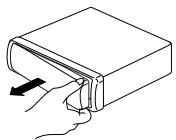
Take care not to grip it tightly or drop it.
- Use the protective case provided to store/carry the detached front panel.
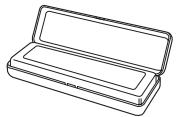
Replacing the front panel
- Replace the front panel by clipping it into place.
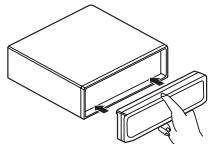
Precaution:
- Never use force or grip the display tightly when removing or replacing the front panel.
- Avoid subjecting the front panel to excessive shocks.
- Keep the front panel out of direct sunlight and avoid high temperatures.
With this menu you can perform initial settings for the unit. Setting options cover everything from tuning steps for the tuner to auto PI seek ON/OFF switching.
Entering the Initial Setting Menu
1. Enter the Initial Setting Menu with the sources off.
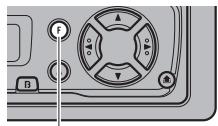
Hold for 2 seconds

To cancel the Initial Setting Menu, press the BAND button.
Note:
- Holding down the Function button for 2 seconds also cancels the Initial Setting Menu.
2. Select the desired mode.
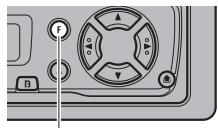
Each time the button is pressed the Mode is changed ...

Each time the Function button is pressed the mode changes in the order shown below: FM STEP A-PI
Changing the FM Tuning Step
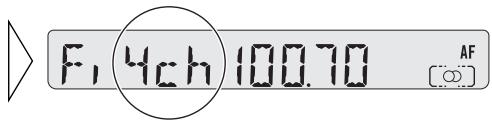
Normally set at 50kHz during Seek tuning in the FM mode, the tuning step changes to 100kHz when the AF or TA mode is activated.
It may be preferable to set tuning step to 50kHz in the AF mode.
- Select the desired tuning step.
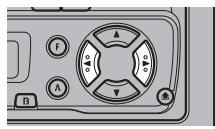

Note:
- The tuning step remains set at 50kHz during manual tuning.
- The tuning step returns to 100kHz if the battery is temporarily disconnected.
Switching the Auto PI Seek
During Preset Station PI Seek operation, you can switch the Auto PI Seek function ON/OFF. (Refer to "PI Seek Function" on page 12.)
- Switch the Auto PI Seek ON or OFF.
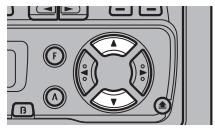

Basic Operation
Switching Power On
- Select the desired source (e.g. the tuner).
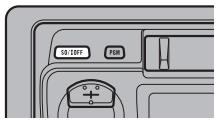

Each time the SOURCE button is pressed the source required is selected in the order shown below:
Tuner Tape
Note:
- If no cassette tape is inside the unit, the sound source will not change.
Switching Power Off
- Switch the sources OFF.
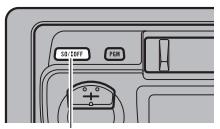
Hold for 1 second

Basic Operation of Tuner
1. Select Tuner. (See page 5.)
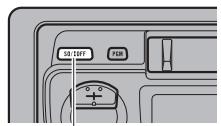
Each time the button is pressed, the source changes ...

The programme service name or frequency appears on the display. ("○") indicator lights when a stereo station is selected.)
2. Select the desired waveband.
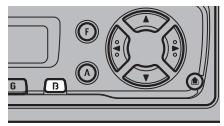
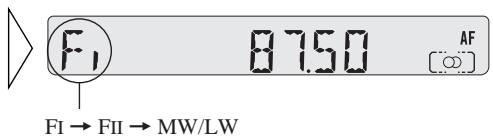
3. Tune the receiver to a higher or lower frequency.
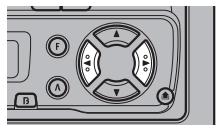

The tuner on this unit allows you to select the tuning by changing the length of the time you press the button.
| Manual Tuning (step by step) | 0.3 seconds or less |
| Seek Tuning | 0.3 – 2 seconds |
| Manual Tuning (continuous) | 2 seconds or more |
Note:
- To select a weak broadcasting station that cannot be tuned in using the Seek Tuning function, use Manual Tuning to tune the required station.
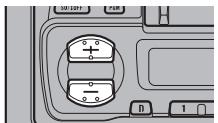
4. Increase/decrease volume.

5. Turn the source OFF. (See page 5.)
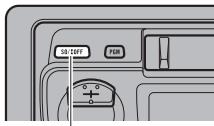
Hold for 1 second

AF Function Switching
The AF function on this unit can be switched ON and OFF. AF should be switched OFF for normal tuning operations.
- Switch AF OFF.
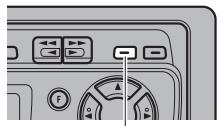
Hold for 2 seconds
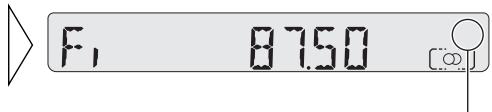
"AF" disappears
To switch on the AF function repeat the operation.
Note:
- You can also switch the AF Function ON and OFF in the Function menu.
Entering the Function Menu
In this menu you can select tuner functions.
Note:
- REG, TA, PTY and AF are RDS functions. Refer to "Using RDS Function" for details and instructions on how to use these functions.
- Select the mode you require in Function Menu.

Each time the button is pressed the mode is changed ...

Each time the function button is pressed the mode is selected in the order shown below: BSM REG LOCAL TA PTY SELECT AF
Note:
- You can cancel the Function Menu by pressing the BAND button.
- After selecting the Function Menu, if you do not perform an operation within about 30 seconds, the Function Menu is automatically cancelled.
This mode selects only stations with especially strong signals. The sensitivity can be adjusted in 4 steps for FM, and in 2 steps for MW/LW.
- Select Local mode in the Function Menu.
- Switch Local mode ON or OFF.
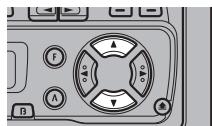

- Select the required Local Seek Sensitivity in the following order:
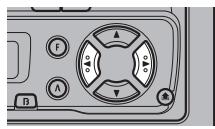

- Pressing the BAND button cancels the Function Menu.
- The LOCAL 4 setting permits reception of only the strongest stations, while lower settings allow you to receive stations with progressively weaker signals.
Preset Tuning
Up to 12 FM stations (6 in FI (FM1) and FII (FM2)) and 6 MW/LW stations can be stored in memory.
Store the stations in memory under buttons 1-6 beforehand with the BSM (Best Stations Memory) or Preset Memory function.
BSM (Best Stations Memory)
The BSM function automatically stores stations in the unit's memory.
- Select BSM mode in the Function Menu.
- Switch the BSM mode ON.
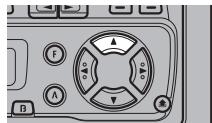

The stations with the strongest signals will be stored under buttons 1-6 and in order of their signal strength.
Note:
-
Pressing the BAND button cancels the Function menu.
-
To cancel the process press in the Function Menu before memorisation is complete.
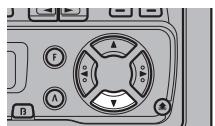

Preset Memory
The Preset Memory function enables you to store stations in memory manually.
- Select the frequency for the station you wish to store in memory.
- Press one of the buttons 1-6 for 2 seconds or longer to store the required station.
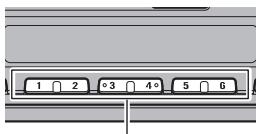
Hold for 2 seconds

The station is stored in memory under whichever of the buttons you selected.
Recalling Preset Stations
There are two ways to recall preset stations.
Direct Recall
- Press one of buttons 1-6 to recall a station preset under that buttons.
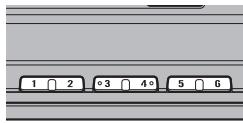
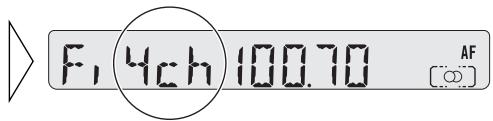
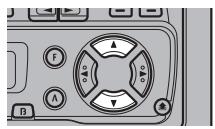
Sequential Recall
- Recall a station preset under button 1-6.
Using the Programmable Button
You can memorise Function Menu BSM, REG and LOCAL functions in the
Programmable button.
Initially, the BSM function is memorised in the Programmable button.
Setting the Programmable Button
- Select the Programmable button setting mode.
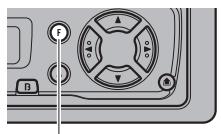
Hold for 2 seconds

- Select the function you want to memorise in the programmable button.
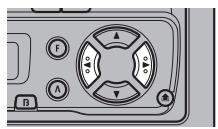

- Memorise the function in the Programmable button.
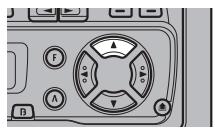

Note:
- Pressing the BAND button cancels the Programmable button setting mode.
Using the Programmable Button
The Programmable button operates differently according to how it has been programmed (memorised).
- Use the programmable button.
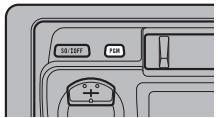
| Function | Press | Hold for 2 seconds |
| BSM | —— | ON/OFF |
| REG | ON/OFF | —— |
| LOC | ON/OFF | Entering the Local Seek Sensitivity mode |
What is RDS?
RDS (Radio Data System) is a system for transmitting data along with FM programs. This data, which is inaudible, provides a variety of features such as programme service name, programme type display, traffic announcement standby, automatic tuning and programme type tuning, which are all intended to aid radio listeners in tuning to a desired station.
Note:
- Some stations may not provide an RDS service.
- RDS functions, such as AF (Alternative frequencies search) and TA (Traffic Announcement standby) are only active when your radio is tuned to RDS stations.
Programme Service Name Display
With this function, the names of networks/stations providing RDS services replace the frequency on the display a few seconds after they are tuned in.
- Change the display.
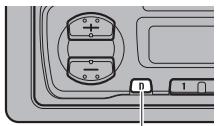
Each time the button is pressed the mode is changed ...

Each time the DISP/Clock button is pressed the mode is selected in the order shown below:
Programme Service Name PTY Information Frequency
Note:
- After switching displays, if you do not perform an operation within 8 seconds, the Programme Service Name automatically displays.
Displaying PTY information
PTY (Programme Type ID code) information for the station that is currently tuned in appears on the display for 8 seconds. See page 15 "PTY Function" for a list of the information types.
Displaying the Frequency
The frequency of the current station appears on the display.
AF Function
The AF (Alternative Frequencies search) function is used to search for other frequencies in the same network as the station that is currently tuned. It automatically retunes the receiver to another frequency in the network which is broadcasting a stronger signal when there are problems with reception of the currently tuned station or better reception is possible on a different frequency.
Note:
- AF tunes the receiver only to RDS stations when you use the Seek tuning or BSM Auto Memory with the "AF" indicator ON.
- When you recall a preset station, the tuner may update the preset station with a new frequency from the station's AF list. (This is only available when using presets on the FM1 band). No preset number appears on the display if the RDS data for the station being received differs from that for the originally stored station.
- Sound may be temporarily interrupted by another programme during an AF frequency search.
- When the tuner is tuned to a non-RDS station, the "AF" indicator flashes.
- AF can be switched ON or OFF independently for each FM band.
Activating/deactivating the AF Function
AF is set to ON by default.
- Turn AF to OFF.
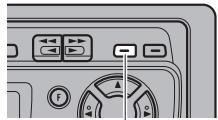
Hold for 2 seconds
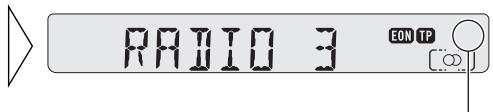
"AF" disappears
To turn AF back ON, repeat the preceding operation.
Note:
- You can also switch the AF Function ON/OFF in the Function Menu.
PI Seek Function
The tuner searches for another frequency broadcasting the same programming. "PI SEEK" appears on the display and the radio volume is muted during a PI Seek. The muted is discontinued after completion of the PI Seek, whether or not the PI Seek has succeeded. If the PI Seek is unsuccessful, the tuner returns to the previous frequency.
Auto PI Seek
If the tuner fails to locate a suitable alternative frequency or if the broadcasting signal is too weak for proper reception, the PI Seek will start automatically.
■ Preset Station PI Seek
When preset stations cannot be recalled, for example when you are travelling long distances, the unit can be set to perform PI Seek during the preset recall function. The default setting for PI Seek is OFF.
Note:
Refer to "Initial Setting Menu" for details on how to switch this unit ON/OFF.
REG Function
When AF is used to retune the tune automatically, REG (Regional) limits the selection to stations broadcasting regional programmes.
Note:
- Regional programming and regional networks are organised differently depending on the country (i.e. they may change according to the hour, region, or broadcast area).
- The preset number may disappear from the display if the tuner tunes in a regional station which differs from the originally set station.
Activating REG
The REG function can be turned ON independently for each FM band.
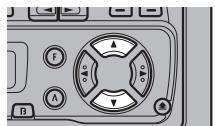
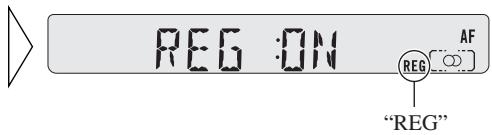
1. Select the REG mode in the Function Menu.
2. Activate or deactivate REG while in an FM band.
Note:
- Pressing the BAND button cancels the Function Menu.
TA Function
The TA (Traffic Announcement standby) function automatically transmits traffic announcements, no matter what source (tuner or cassette player) you are listening to. The TA function can be activated for either a TP station (a station that broadcasts traffic information) or an EON TP station (a station carrying information which cross-references TP stations).
Activating/Deactivating the TA function
1. Tune in a TP or EON TP station.
The "TP" indicator lights when the tuner is tuned to a TP station, and both the "EON" and "TP" indicators light when it is tuned to an EON TP station.
2. Activate the TA function.
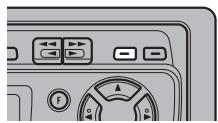
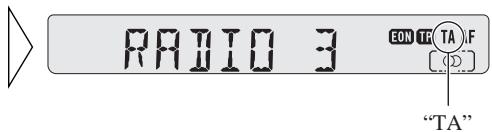
The "TA" indicator lights, indicating that the tuner is waiting for traffic announcements. Repeat the preceding operation when no traffic announcement is being received in order to deactivate the TA function.
Note:
- You can also switch the TA Function ON/OFF in the Function Menu.
- Only the (+), (-), TA/AF, AUDIO, DISP/Clock and SOURCE buttons can be used while a traffic announcement is being received.
- The system switches back to the original source once reception of the traffic announcement has finished.
- The TA function can be activated from cassette player mode if the tuner was last set to the FM band, but not if it was last set to the MW/LW band.
- If the tuner was last set to FM, turning on the TA function enables you to operate other tuning functions while listening to a cassette.
- Only TP or EON TP stations are tuned in during the Seek Tuning mode when the "TA" indicator is ON.
- Only TP or EON TP stations are stored by BSM when the "TA" indicator is ON.
Cancelling Traffic Announcements
- Press the TA/AF button while a traffic announcement is being received to cancel the announcement and return to the original source.
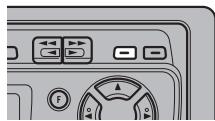
The announcement is cancelled but the tuner remains in TA mode until the TA/AF button is pressed again.
Adjusting the TA volume
When a traffic announcement begins, the volume automatically adjusts to a preset level to enable you to hear the announcement clearly.
- Set the volume by adjusting it during reception of a traffic announcement.
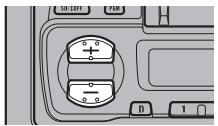

The newly set volume is stored in memory and is recalled for subsequent traffic announcements.
TP Alarm function
About 30 seconds after the "TP" or "EON" indicator is extinguished due to a weak signal, a 5 second beep sounds to remind you to select another TP or EON TP station.
- If you are listening to the tuner, tune in another TP station or EON TP station.
In cassette player mode, the tuner automatically seeks out the TP station with the strongest signal in the current area 10 (or 30 )* seconds after "TP" disappears from the display.
- Time taken before Seek begins.
| TA function ON | 10 seconds |
| TA, AF functions ON | 30 seconds |
PTY Function
The PTY function enables you to select stations by the type of programmes they broadcast (PTY search). It also provides automatic tuning to emergency broadcasts (PTY Alarm).
Note:
-
PTY code programme types are as follows:
-
NEWS: News.
2.AFFAIRS: Current affairs. - INFO: General information and advice.
4.SPORT: Sports programmes. - EDUCATE: Educational programmes.
- DRAMA: All radio plays and serials.
- CULTURE: Programmes concerned with any aspect of national or regional culture.
- SCIENCE: Programmes about nature, science and technology.
- VARIOED: Light entertainment programmes.
- POP MUS: Popular music.
- ROCK MUS: Contemporary modern music.
- EASY MUS: Easy listening music.
- L. CLASS: Light classical music.
- CLASSICS: Serious classical music.
- OTH MUS: Other types of music, which cannot be categorised.
- WEATHER: Weather reports/Meteorological information.
- FINANCE: Stock market reports, commerce, trading etc.
- CHILDREN: Children's programmes.
- SOCIAL: Social affairs programmes.
- RELIGION: Religious affairs programmes or services.
- PHONE-IN: Programmes that invite listener's calls.
- TOURING: Travel programmes, but not traffic announcements.
- LEISURE: Programmes about hobbies and recreational activities.
- JAZZ: Jazz music based programmes.
- COUNTRY: Country music based programmes.
- NAT MUS: National music based programmes.
- OLDIES: Oldies music, "Golden Age" based programmes.
- FOLK MUS: Folk music based programmes.
- DOCUMENT: Documentary programmes.
- If a PTY code of zero is received from a station, "NONE" will be displayed. This indicates that the station has not defined its programme contents.
- If the signal is too weak for this unit to pick up the PTY code, "NO PTY" will be displayed.
PTY Search Setting Function
1. Enter the PTY Search setting mode.
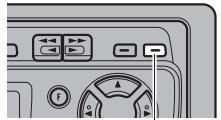
Hold for 2 seconds
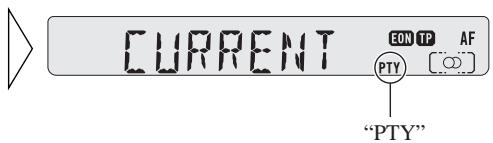
The "PTY" indicator lights and the name of a programme type appears on the display for 5 seconds.
Note:
- CURRENT sets the desired PTY to the programme type of the current station (only for RDS stations broadcasting PTY information).
2. Select one of the PTYs.
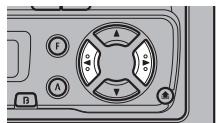

3. When the required programming type appears on the display, return to the normal display.
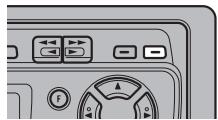

Note:
- You can also select the PTY Search Setting PTY Code in the Function Menu, and switch the PTY Search Function ON/OFF.
PTY Search Function
- Initiate a PTY search.
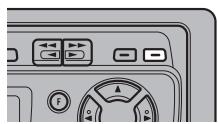

The tuner searches for a station broadcasting the desired PTY.
Note:
- The programme of some stations may differ from that indicated by the transmitted PTY.
- If no station broadcasting the selected programming type is found, "NOT FOUND" is displayed for about 2 seconds, and the tuner returns to the original station.
PTY Alarm
PTY Alarm is a special PTY code for announcements regarding emergencies such as natural disasters. When the tuner receives the ratio alarm code, "ALARM" appears on the display and the volume adjusts to the TA volume. When the station stops broadcasting the emergency announcement, the system returns to the previous source.
ALARM
EON TP AF
PTY
Note:
- Only the (+), (-), TA/AF, AUDIO, DISP/Clock and SOURCE buttons can be used during emergency announcement reception.
- The system switches back to the original source following emergency announcement reception.
Cancelling Emergency Announcements
- Press the TA/AF button during emergency announcement reception to cancel the announcement and return to the previous source.
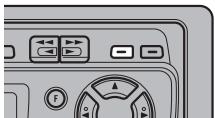

RADIIO 3
EON TP AF
[O]
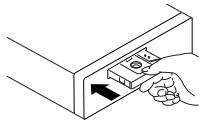
Basic Operation of Cassette Player
1. Insert the cassette tape.

2. Switch tape playback from side A to side B, or vice versa.
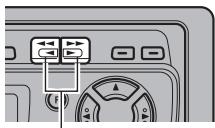
Same Time
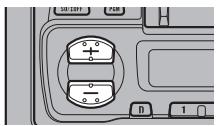
3. Increase or decrease the volume.

4. Remove the cassette tape.
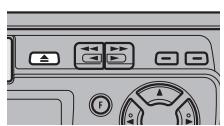
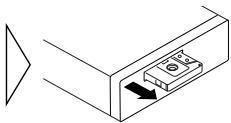
Note:
- The tape function can be turned ON/OFF with the cassette tape remaining inside the unit. (See page 5.)
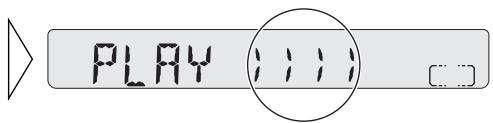
Fast Forward/Rewind
Fast Forward
While <<-> is displayed, the system fast-forwards the cassette tape to the end of the current side.
- Fast-forward the cassette tape by pressing the button for the same direction as the tape play indicator.
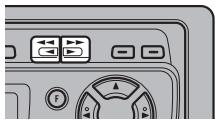

Rewind
While <<-> is displayed, the system rewinds the cassette tape to the beginning of the current side.
- Rewind the cassette tape by pressing the button for the opposite direction to the tape play indicator.
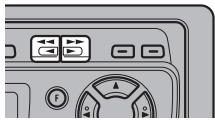

Entering the Function Menu
In this menu you can select Tape functions.
- Select the Radio Intercept mode in Function Menu.
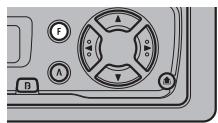

Note:
- You can cancel the Function Menu by pressing the BAND button.
- After selecting the Function Menu, if you do not perform an operation within about 30 seconds, the Function Menu is automatically cancelled.
- The Function Menu on this unit enable Radio Intercept mode ON/OFF switching only. If you press the Function button for 2 seconds or more and select the Programmable button Setting mode, you can memorise the Radio Intercept mode ON/OFF setting beforehand.
- You can cancel the Programmable button setting mode by pressing the BAND button.
Radio Intercept
This function allows you to listen to the radio during tape fast forwarding/rewinding.
- Switch the Radio Intercept mode ON or OFF.
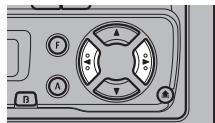

Note:
- You can also switch the Radio Intercept mode ON/OFF by pressing the Programmable button.
Cassette Player and Care
Precaution
About the Cassette Player
- A loose or warped label on a cassette tape may interfere with the eject mechanism of the unit or cause the cassette to become jammed in the unit. Avoid using such tapes or remove such labels from the cassette before attempting use.
About Cassette Tapes
- Do not use tapes longer than C-90 type (90 min.) cassettes. Longer tapes can interfere with tape transport.
- Storing cassettes in areas directly exposed to sunlight or high temperatures can distort them and subsequently interfere with tape transport.

- Store unused tapes in a tape case where there is no danger of them becoming loose or being exposed to dust.
Cleaning the Head
If the head becomes dirty, the sound quality will deteriorate and there will be sound dropouts and other imperfections in performance. In this case, the head must be cleaned.
Selecting the Mode
- Select the mode you want to adjust.
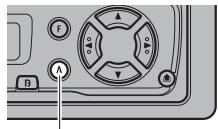
Each time the button is pressed, the Mode changes ...
Each time the AUDIO button is pressed, the mode is selected in the order shown below: Fader/Balance Bass Treble Loudness
When audio modes are selected for adjustment, the setting returns to the normal display after 30 seconds.
Balance Adjustment
This function allows you to select a Fader/Balance setting that provides ideal listening conditions for all the occupied seats.
1. Select the Fader/Balance mode.
After adjustment use the BAND button to return to the normal display.
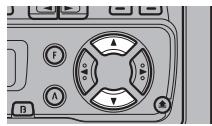
2. Shift the balance progressively to the front or rear speakers.
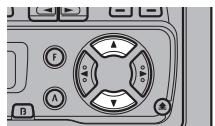

F4
"FAD F15" - "FAD R15" is displayed as it moves from front to rear.
Note:
- "FAD 00" is the proper setting when 2 speakers are in use.
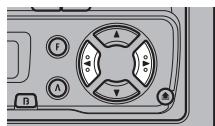
3. Shift the balance to the left or right speaker, respectively.

JALI
"BAL L 9" - "BAL R 9" is displayed as it moves from left to right.
Bass/Treble Adjustment
This unit is equipped with two tone adjustment modes, the Bass Adjustment and Treble Adjustment modes.
- Select "Bass Adjustment mode" or "Treble Adjustment mode".
After adjustment use the BAND button to return to the normal display.
- Increase or decrease the intensity of the bass or treble, whichever is selected.
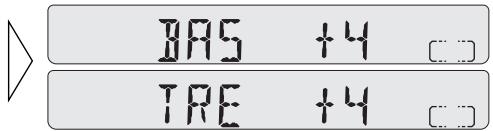
The display shows “+6” – “-6”.
- Repeat steps 1-2 above for the other Bass or Treble Adjustment mode.
Loudness Adjustment
The Loudness function compensates for deficiencies in the low and high sound ranges at low volume.
- Select the Loudness adjustment mode.
After selection use the BAND button to return to the normal display.
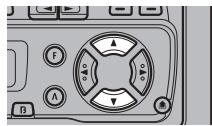
- Switch the Loudness function ON or OFF.

Displaying the time
- To turn the time display ON with the Source ON.
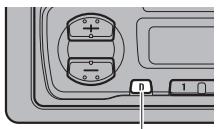
Hold for 2 seconds

The time display disappears temporarily when you perform another operation, but returns to the display after 25 seconds.
Setting the Hour
- While holding down the DISP/Clock button for at least 2 seconds, press button 1 to set the hour.

Hold for 2 seconds
Setting the Minutes
- While holding down the DISP/Clock button for at least 2 seconds, press button 2 to set the minute.

When you release the DISP/Clock button, the second count begins from 00 seconds.
Synchronising with the time announcement
- While holding down the DISP/Clock button for at least 2 seconds, press button 3 to reset the minute and second indications to zero. Example: When synchronising between 11:30 and 12:29.

Hold for 2 seconds
Note:
- The hour and minute can be advanced by pressing the respective buttons either consecutively or continuously.
Specifications
General
Power source 14.4 V DC (10.8 - 15.1 V allowable)
Grounding system Negative type
Max. current consumption 8.5 A
Dimensions
(mounting size) .... 178 (W) × 50( H) × 150( D) mm
(front face) 188 (W) × 58 (H) × 19 (D) mm
Weight 1.2 kg
Amplifier
Maximum power output 40 W x 4
Continuous power output 22 W x 4
(DIN45324, +B = 14.4 V)
Load impedance 4 (4-8 allowable)
Tone controls
(Bass) ± 12 dB (100 Hz)
(Treble) ± 12 dB (10 kHz)
Loudness contour +10dB (100Hz), + 7dB (10kHz)
volume: -30dB
Cassette player
Tape Compact cassette tape (C-30-C-90)
Tape speed 4.8 cm/sec.
Fast forward/rewinding time .... Approx. 90 sec. for C-60
Wow & flutter 0.13% (WRMS)
Frequency response 40-14,000 Hz (±3 dB)
Stereo separation 45 dB
Signal-to-noise ratio 52 dB (IEC-A network)
FM tuner
Frequency range 87.5-108 MHz
Usable sensitivity 11 dBf
(1.0~ V / 75 mono S/N: 30dB
50 dB quieting sensitivity 16 dBf
(1.7 V / 75 mono)
Signal-to-noise ratio 70 dB (IEC-A network)
Distortion 0.3% (at 65 dBf, 1 kHz, stereo)
Frequency response 30 - 15,000 Hz (±3 dB)
Stereo separation 40 dB (at 65dBf 1kHz
MWtuner
Frequency range 531-1,602 kHz
Usable sensitivity 18 V (S/N:20 dB)
Selectivity 50 dB (± 9kHz)
LWTuner
Frequency range 153-281 kHz
Usable sensitivity 30 V (S/N: 20 dB)
Selectivity 50 dB (± 9kHz)
Note:
- Specifications and the design are subject to possible modification without notice due to improvements.
- Internacionalmente, como el Code de Activar DESACTIVAR, se usa para la purpose of the purpose of the purpose of the purpose of the purpose of the purpose of the purpose of the purpose of the purpose of the purpose of the purpose of the purpose of the purpose of the purpose of the purpose of the purpose of the purpose of the purpose of the purpose of the purpose of the purpose of the purpose of the purpose of the purpose of the purpose of the purpose of the purpose of the purpose of the purpose of the purpose of the purpose of the purpose of the purpose of the purpose of the
(DIN45324A, +B = 14.4 V)
Impedancia de carga 4Ω (admite 4 - 8
Mandos del tono
(Graves) ± 12 dB (100 Hz)
(Agudos) ± 12 dB (10 kHz)
BSM (Best Stations Memory)
BSM (Best Stations Memory)
Radio Intercept (RI)
- Activez/désactivez le mode Radio Intercept.