
EH330UST - Projector OPTOMA - Free user manual and instructions
Find the device manual for free EH330UST OPTOMA in PDF.


| Product type | Ultra-short throw projector |
| Brand | Optoma |
| Model | EH330UST |
| Display technology | DLP |
| Native resolution | WUXGA (1920 x 1200) |
| Brightness | 3,500 ANSI lumens |
| Contrast ratio | 300,000:1 |
| Light source | Laser |
| Light source life | 20,000 hours (Normal mode), 30,000 hours (Eco mode) |
| Projection distance | Ultra-short (throw ratio 0.25:1) |
| Image size | 80 to 120 inches |
| Keystone correction | Automatic vertical |
| Connectivity | 2x HDMI, VGA, USB-A, USB-B, RS-232, RJ45, 3.5mm audio, audio out |
| Built-in speakers | 2 x 10W |
| HDR compatibility | Yes |
| 4K compatibility | Yes (Pixel Shift) |
| 3D functions | Yes (DLP Link) |
| Dimensions (L x W x H) | 343 x 343 x 115 mm |
| Weight | 5.5 kg |
| Power supply | 100-240 V AC, 50/60 Hz |
| Power consumption | 300 W (typical), 0.5 W in standby |
| Noise level | 27 dB (Eco mode) |
| Maintenance | Clean the air filter every 500 hours |
| Security | Kensington lock, password |
| Spare parts and repairability | Remote control, power cable, battery; repair by authorized service center |
Frequently Asked Questions - EH330UST OPTOMA
User questions about EH330UST OPTOMA
0 question about this device. Answer the ones you know or ask your own.
Ask a new question about this device
Download the instructions for your Projector in PDF format for free! Find your manual EH330UST - OPTOMA and take your electronic device back in hand. On this page are published all the documents necessary for the use of your device. EH330UST by OPTOMA.
USER MANUAL EH330UST OPTOMA
natural_image
Line drawing of an Optoma projector device (no text or symbols on the diagram itself)OBSAH
BEZPEČNOST 4
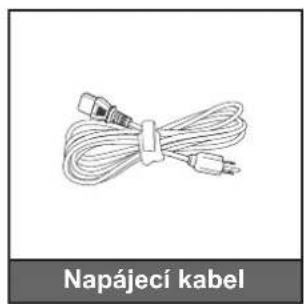
natural_image
Illustration of a bundle of cables with connectors, labeled 'Napájecí kabel' below (no other text or symbols)
natural_image
Diagram of a Kabel VGA connector with no text or symbols on the diagram itselfnatural_image
Line drawing of a person sitting in a chair watching a projector on a small table, with no text or symbols present.stropě vpředu
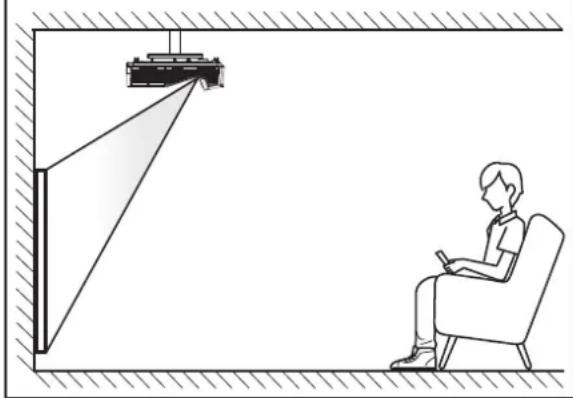
natural_image
Line drawing of a person sitting in a chair observing a small object mounted on a wall, with no visible text or symbols.natural_image
Line drawing of a person sitting in a chair watching a projector on a wall-mounted screen (no text or symbols)stropě vzadu
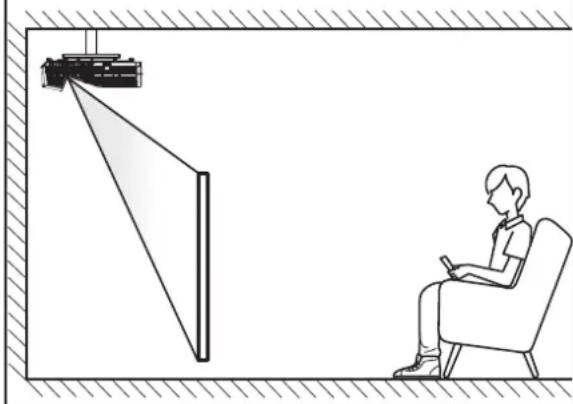
natural_image
Diagram showing a person seated in a chair observing a projector mounted on a wall, with no text or symbols present.natural_image
Diagram of a construction site with red X-shaped prohibition symbol (no text or labels)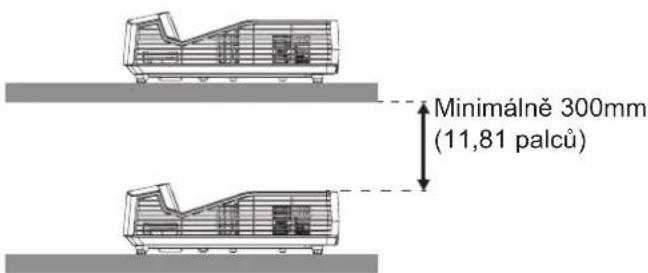
POUŽÍVÁNÍ PROJEKTORU
Optional Filter Installed
USB Power (pohotovost)
POUŽÍVÁNÍ PROJEKTORU
Hlavní stránka
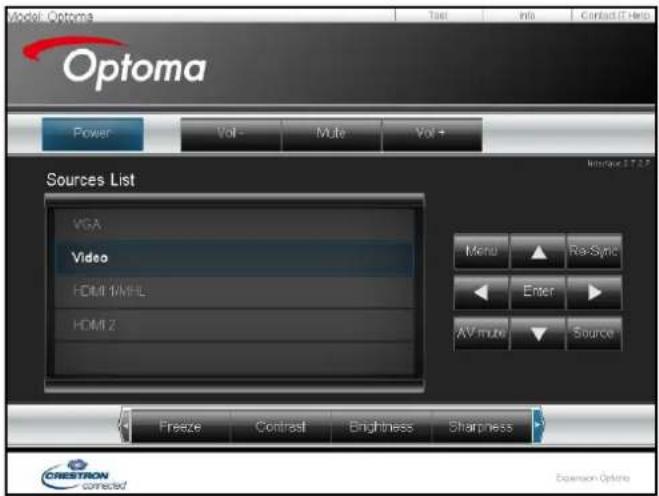
Stránka s nástroji
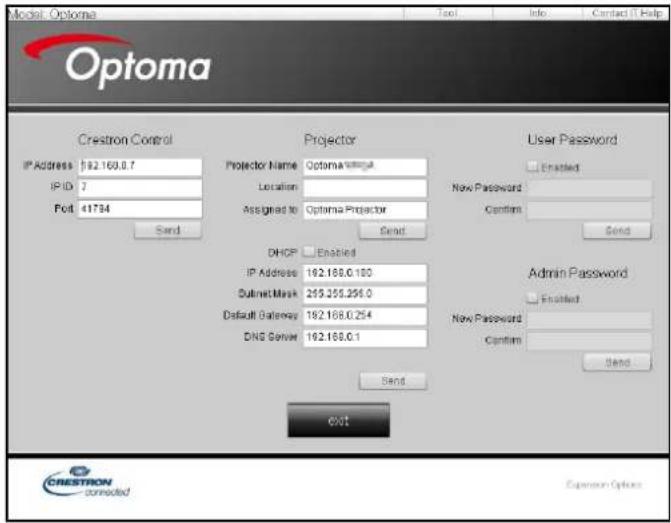
POUŽÍVÁNÍ PROJEKTORU
POUŽÍVÁNÍ PROJEKTORU
Poznámka:
natural_image
Technical line drawing of an optical projector module with internal components and a blue arrow indicating motion (no text or symbols)47697 Westinghouse Drive, 888-289-6786
Fremont, CA 94539, USA 510-897-8601
www.optomausa.com services@optoma.com
Kanada
47697 Westinghouse Drive, 888-289-6786
Fremont, CA 94539, USA 510-897-8601
www.optomausa.com services@optoma.com
Latinská Amerika
47697 Westinghouse Drive, 888-289-6786
Fremont, CA 94539, USA 510-897-8601
www.optomausa.com services@optoma.com
Evropa
Unit 1, Network 41, Bourne End Mills
Hemel Hempstead, Herts,
HP1 2UJ, United Kingdom +44 (0) 1923 691 800
www.optoma.eu +44 (0) 1923 691 888
Servisní tel : +44 (0)1923 691865 service@tsc-europe.com
Benelux BV
Randstad 22-123 +31 (0) 36 820 0252
1316 BW Almere +31 (0) 36 548 9052
The Netherlands
www.optoma.nl
Francie
info@os-worldwide.com
www.os-worldwide.com
Tchaj-wan
12F., No.213, Sec. 3, Beixin Rd.,
Xindian Dist., New Taipei City 231,
Taiwan, R.O.C.
www.optoma.com.tw
+886-2-8911-8600
+886-2-8911-6550
services@optoma.com.tw
asia.optoma.com
Hongkong
Unit A, 27/F Dragon Centre,
79 Wing Hong Street,
Cheung Sha Wan,
Kowloon, Hong Kong
+852-2396-8968
+852-2370-1222
www.optoma.com.hk
Čína
5F, No. 1205, Kaixuan Rd.,
Changning District
Shanghai, 200052, China
+86-21-62947376
+86-21-62947375
www.optoma.com.cn


Brand : OPTOMA
Model : EH330UST
Category : Projector