
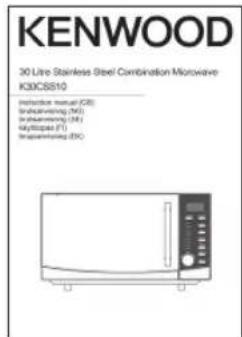
K30CSS10E - Microwaves KENWOOD - Free user manual and instructions
Find the device manual for free K30CSS10E KENWOOD in PDF.


| Product Type | Microwave Oven |
| Brand | Kenwood |
| Model | K30CSS10E |
| Capacity | 30 Liters |
| Power Output | 800 Watts |
| Dimensions (H x W x D) | 280 x 450 x 350 mm |
| Weight | 10 kg |
| Control Type | Digital Touch Panel |
| Functions | Auto Cook, Defrost, Express Cooking |
| Power Levels | 10 Levels |
| Timer | Up to 95 Minutes |
| Display | LED Digital Display |
| Interior Light | Yes |
| Turntable | Glass Turntable (300 mm) |
| Door Type | Pull Open, Stainless Steel |
| Child Lock | Yes |
| Installation Type | Freestanding |
| Power Supply | 230 V / 50 Hz |
| Power Consumption | 1200 Watts (Output: 800W) |
| Material | Stainless Steel / Plastic |
| Cleaning | Wipe with a damp cloth, avoid abrasive cleaners |
| Spare Parts | Available via Kenwood Service Centers |
| Warranty | 2 Years (Standard) |
Frequently Asked Questions - K30CSS10E KENWOOD
User questions about K30CSS10E KENWOOD
0 question about this device. Answer the ones you know or ask your own.
Ask a new question about this device
Download the instructions for your Microwaves in PDF format for free! Find your manual K30CSS10E - KENWOOD and take your electronic device back in hand. On this page are published all the documents necessary for the use of your device. K30CSS10E by KENWOOD.
USER MANUAL K30CSS10E KENWOOD
in your microwave....9
microwave heating categories 10
steam 11
condensation....11
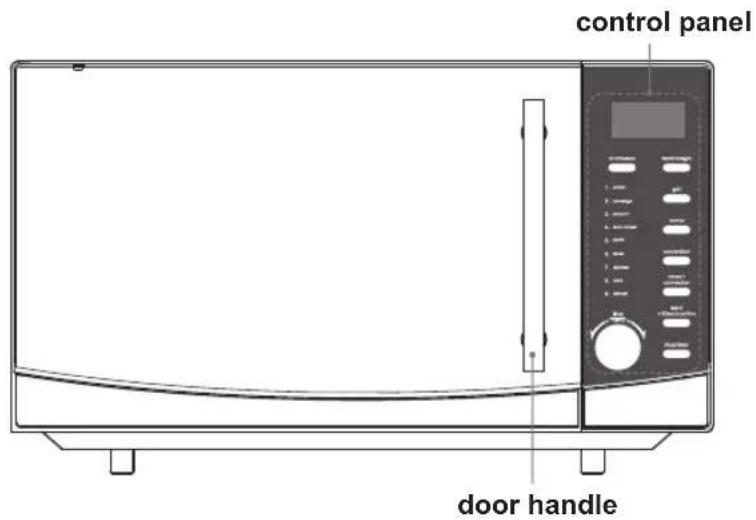
product overview....12
the main unit....12
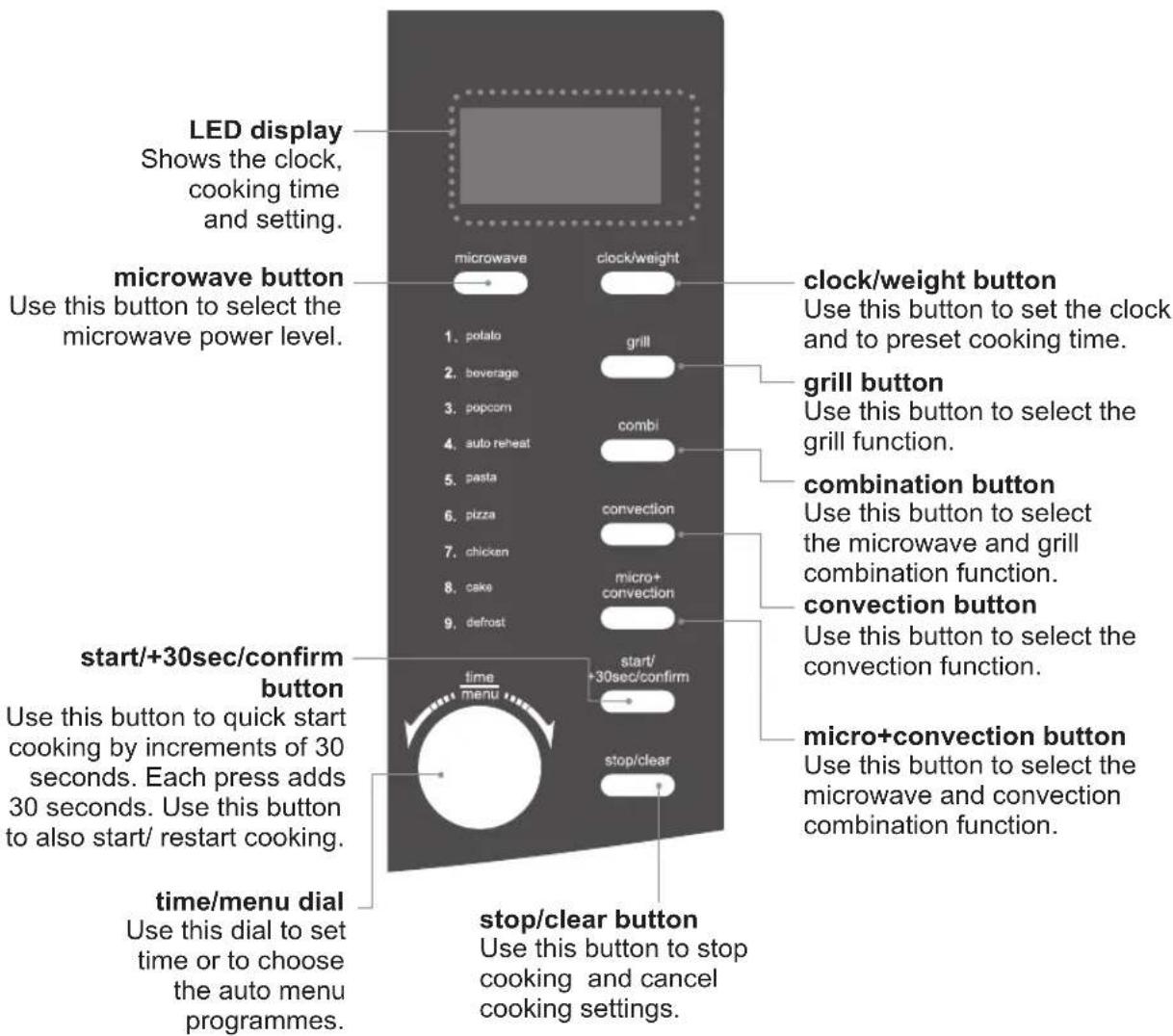
the control panel 12
checking your microwave....13
clock setting....14
setting the child lock....15
microwave cooking....16
grill or combination cooking ....17
convection combination cooking .....18
convection cooking
(with preheating)....19
convection cooking
(without preheating)....20
multi-stage cooking....21
auto cooking....22
auto menu....22
auto-cook menu table 23
defrosting....24
defrost by time 24
quick start cooking....25
querying the cooking function......25
to find out the
current cooking setting....25
cleaning your microwave....26
frequently asked questions......27
specifications......28
safety warnings ....121
Innhold
NO
pakke opp....29
klargjøring....30
hurtigstartkoking....48
Thank you for purchasing your new Kenwood Combination Microwave. These operating instructions will help you use it properly and safely.
We recommend that you spend some time reading this instruction manual in order that you fully understand all the operational features it offers.
Read all the safety instructions carefully before use and keep this instruction manual for future reference.
GB
unpacking
Remove all packaging from the unit. Retain the packaging. If you dispose of it please do so according to local regulations.
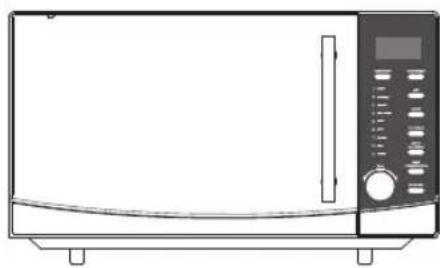
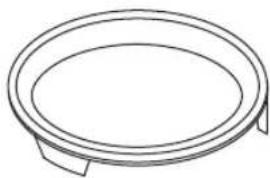
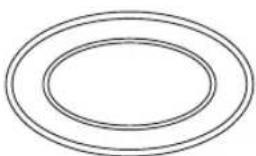
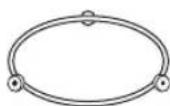
The following items are included:
natural_image
Line drawing of a microwave oven with control panel and door (no text or symbols)The Main Unit
natural_image
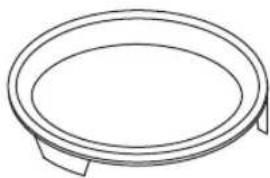
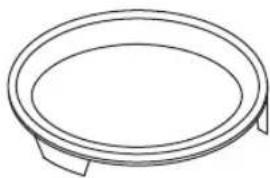
Simple line drawing of a circular object with two side supports (no text or symbols)Baking Plate x 1
natural_image
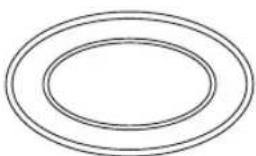
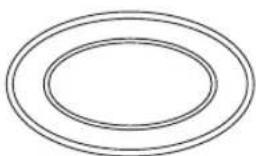
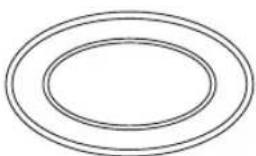
Simple diagram of two concentric ovals with no text or symbolsGlass Turntable Plate x 1 Turntable Support x 1
Instruction Manual x 1
getting ready
This microwave is designed for home use. It should not be used for commercial catering.
-
After unpacking your microwave, check that it has not been damaged whilst in the box. Make sure there are no dents on the microwave, and the door closes properly. A dented or damaged microwave could allow microwave energy to escape. Make sure that you have taken all the packaging from inside the microwave. Please dispose of the plastic wrappings or bags safely and keep out of the reach of babies and young children.
-
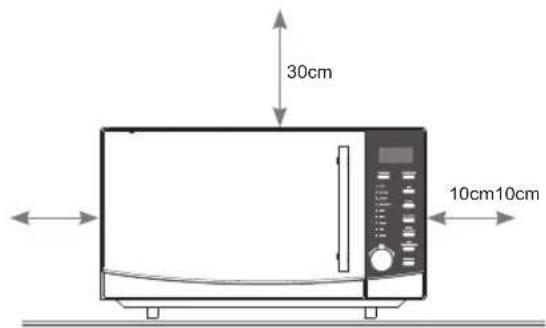
Choose a flat work surface for your microwave away from heat sources such as radiators or fires and away from cold areas. You should allow a 10cm space all around the microwave and 30cm above so that warm air can escape from the vents during cooking – This microwave is not designed to be built in.
-
Plug your microwave into a standard household electrical socket. Avoid using a socket that also has an adaptor and other equipment plugged in. Do not use a multi-adaptor.
-
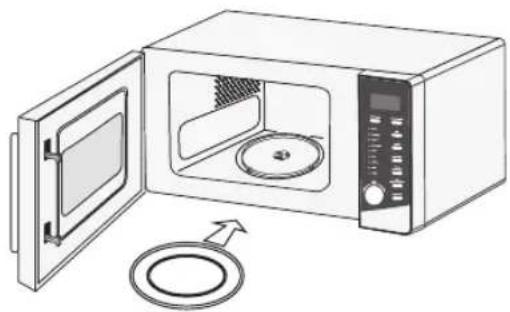
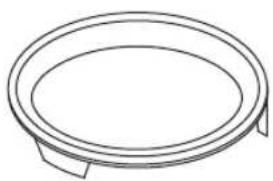
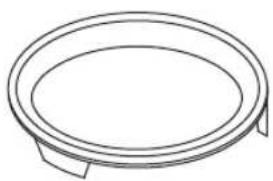
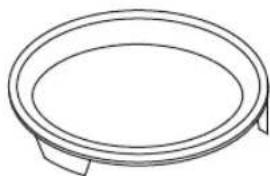
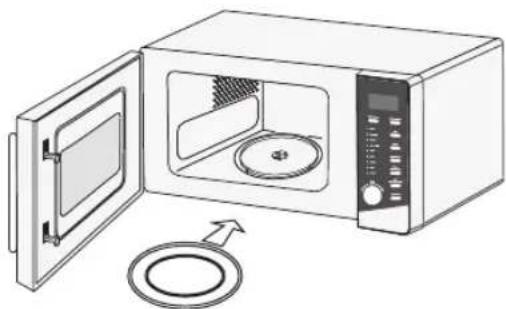
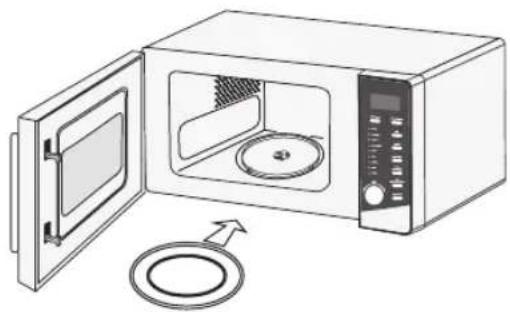
Put the turntable support inside the microwave and place the glass turntable plate on top of the support. The turntable support is shaped to sit securely on the spindle. You must always use the turntable plate and support whenever you use the microwave.
-
To protect your work surface, we recommend that you fix some non-slip cushion pads (not included) to the underside of the microwave.

Remove the turntable plate and turntable support before turning the microwave upside down.
natural_image
Illustration of a microwave oven with open door and circular lid, showing internal components (no text or symbols)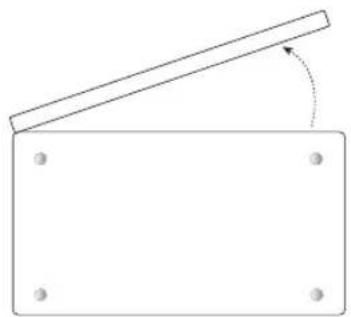
natural_image
Simple line drawing of a rectangular frame with a diagonal beam and corner holes, no text or symbols present.Underside View
introducing microwave cooking
Always remember the basic safeguards you would follow when using any cooking equipment or handling hot food.
See below for basic guidelines in microwave cooking.
If you are unfamiliar with using a microwave, refer to the back of this instruction booklet for more information.
cooking with a microwave
- Cooking with a microwave is much faster than conventional cooking and, whilst you should make sure that food is fully cooked, you should be careful not to overcook it.
- Microwave energy can heat unevenly so stirring to distribute heat is very important. Always stir from the outside, inwards.
- If you are cooking a number of individual foods at the same time, such as baked potatoes or small cakes, arrange them evenly on the turntable plate so that they cook evenly. Never stack food in your microwave.
- Turn larger foods such as meat roasts and poultry during cooking so that the top and bottom cook evenly. It is also recommended to turn pieces of meat or poultry, especially if they have not been deboned.
- Meat and poultry which is cooked for 15 minutes or more will brown lightly in it's own fat. Anything cooked for a shorter time can be brushed with a browning sauce to give an appetising colour.
- Strips of aluminium foil can be used to cover the thinner pieces of food to stop them overcooking before the thicker parts of the food have had a chance to cook. Use the aluminium foil sparingly and wrap around the food or container carefully to stop it touching the inside of the microwave which could cause sparks.
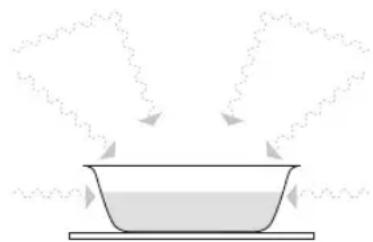
- Microwaves cook food using microwave energy that is similar to naturally occurring radio waves. Normally, these “waves” would fade as they disappeared into the atmosphere but in a microwave they are concentrated onto food causing it to heat up.
- Microwave energy can not pass through metal – so it can not escape from inside your microwave – but it can pass through materials like glass, porcelain, plastic, and paper. These are the things used to make microwave-safe cooking equipment.
- Microwave-safe cooking equipment will still get hot as the food it contains heats up.
- The microwave energy focuses on the moisture in the food causing lots of tiny vibrations. The vibrations get so great that the moisture, and the food heat up.
natural_image
Simple line drawing of a bowl with steam rising from its side, no text or symbols presentchecking your cooking utensils
Most heat-resistant, non-metallic cooking utensils are safe to use in your microwave. If you are not sure if you can use a utensil in your microwave, follow this simple test:
- Put the utensil into the microwave next to a cup of water – use a cup that you know is microwave safe. Close the door.
- Turn the microwave on for 30 seconds only.
- After 30 seconds, carefully check to see if the water has warmed up. If the water has not warmed up but the utensil has, the utensil is not microwave-safe and should not be used in the microwave.
- Do not use your hands to touch the utensil as it may already be hot.

• Never use equipment made of metal, except aluminium foil in your microwave.
- The microwave energy can not pass through the metal so it bounces off and sparks against the inside of the microwave.
- Stop the microwave straight away if any equipment does cause sparks.
- Remember that some crockery has a metal trim around the edge. Even this trim can cause sparks.
- Never use scratched, cracked or damaged glass in a microwave. Damaged glass can explode.
- Your microwave comes with a microwave safe baking plate. If you want to use another baking plate, please carry out this test to ensure that it is microwave safe.
using aluminium foil in your microwave
It is safe to use aluminium foil in your microwave as long as you follow these safety guidelines.
As with all metals, microwave energy cannot pass through aluminium foil, but provided you keep the aluminium foil away from the side of the microwave it will not cause sparks and there will not be any damage to your microwave.
Using aluminium foil is a good way of shielding parts of food that you do not want to cook as quickly as others – perhaps where the food is narrower and would otherwise overcook.
Place the aluminium foil over the area you want to shield, taking care that the aluminium foil will not touch the sides of the microwave when the turntable plate rotates. Only use one piece of aluminium foil at a time so that you do not get sparks between the separate pieces.
Follow these guidelines when using aluminium foil in your microwave:
- Remove aluminium foil lids from containers before using in the microwave. Some lids are made of card with a aluminium foil covering – these should be removed too. Use a microwave safe transparent lid if possible.
• Stir food during cooking if the container has a lid or film cover.
• Always use the glass turntable plate. - Use shallow containers with a large surface area. Do not use containers that are more than 1.25in (3.5cm) deep.
• Use gloves when handling hot aluminium foil containers. - Do not completely cover food with aluminium foil. The microwave energy cannot pass through the aluminium foil so the food will not cook.
- Do not let aluminium foil touch the inside of the microwave.
- Do not use more than one piece of aluminium foil in the microwave at the same time.
microwave heating categories
Your microwave has been tested and labelled to meet the government's voluntary agreement on the reheating of pre-cooked food.
The heating characteristics and output power levels of microwaves are usually calculated using a relatively large portion of food (a 1000 gram load, IEC 705) but many packs of pre-cooked food are sold in smaller packs, often about 350 grams.
The government, in partnership with food companies and microwave manufacturers, have set up a system of heating categories to help you choose the reheating time for pre-cooked food.
GB
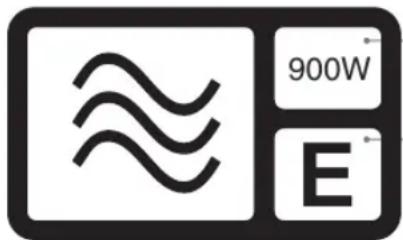
900W is the output power of the microwave.
E is the heating category for your microwave.
Check the cooking times for category E on the food's packaging to see how long it should be cooked for. Please see the below example for reference.
to microwave:
- Remove outer packaging.
- Pierce film lid SEVERAL TIMES.
- Place on a microwaveable plate.
- Heat on full power.
- Stir or turn halfway through heating.
| Heating Category | Wattage (IEC705) | |||
| B D | 650W 75 | 0W | ||
| Full power (in minutes) | 2 2 2 | 2 | ||
| Stir / Turn Stir / Turn Stir / Turn | ||||
| Full power (in minutes) | 2 1.5 | 2 1.5 | ||
| Standing time (in minutes) | 1 1 1 | 1 | ||
to microwave from frozen:
- Remove outer packaging.
- Pierce film lid SEVERAL TIMES.
- Place on a microwaveable plate.
- Heat on full power.
- Stir or turn halfway through heating.
| Heating Category | Wattage (IEC705) | |||
| B D | 650W 750W | |||
| Full power (in minutes) | 3 2.5 | 3 2.5 | ||
| Stir / Turn Stir / | Turn Stir / Turn | |||
| Full power (in minutes) | 4 3.5 | 4 3.5 | ||
| Standing time (in minutes) | 1 1 1 | 1 | ||
steam
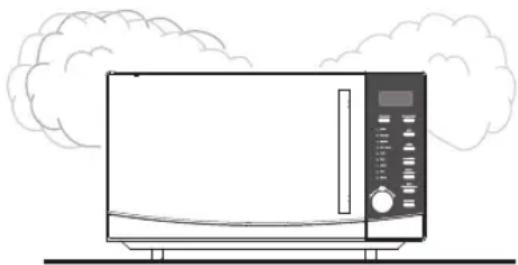
When you microwave food, steam is created as water in the food heats up and evaporates.
The steam formed during microwave cooking is entirely safe. It has to escape from the microwave to prevent pressure from building up inside the microwave. It does this through the vents on the back of the microwave and from around the door.
condensation
As the steam cools, you may find that condensation gathers in small pools inside your microwave and on the work surface beneath the door and vents. Always dry the microwave after cooking foods with a high moisture content.
Your microwave is designed to let steam escape from the vents and around the door without microwave energy escaping. There is no danger of microwave energy escaping with the steam.
natural_image
Line drawing of a microwave oven with cloud-shaped roof (no text or symbols)
product overview
the main unit
natural_image
Simple line drawing of a circular object with two side supports (no text or symbols)baking plate
For use when grilling, convection, combination or auto cooking.
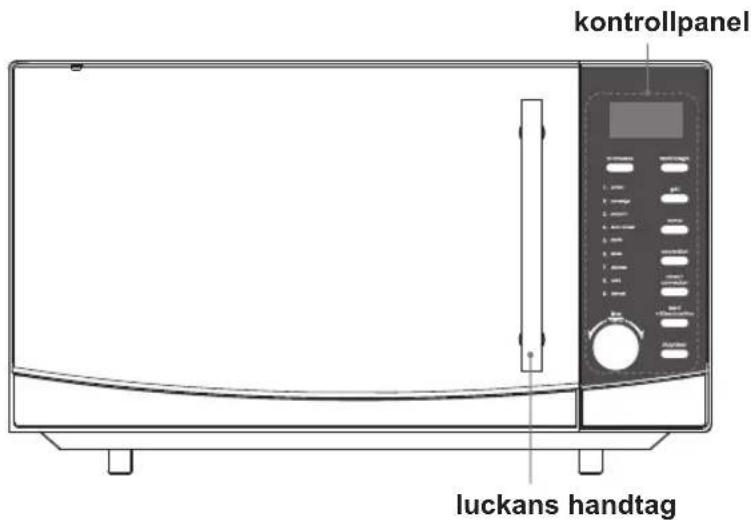
the control panel
checking your microwave
Check your microwave after unpacking.

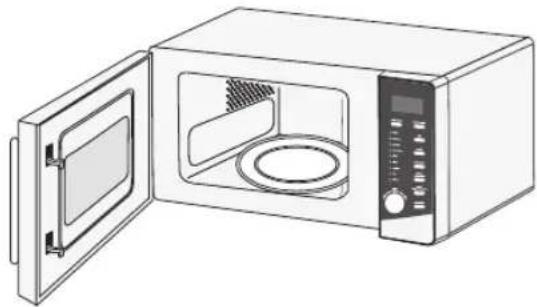
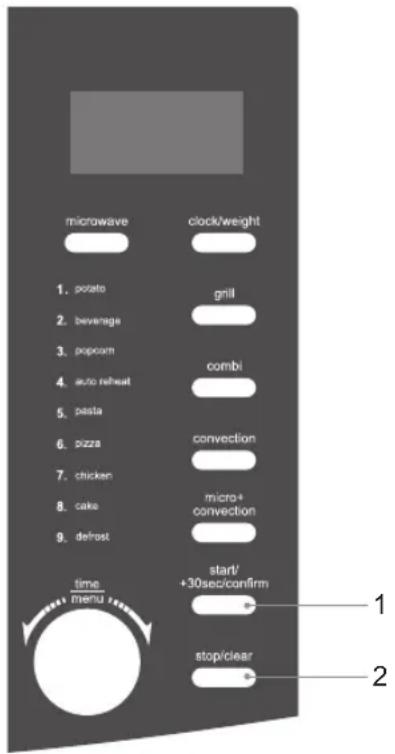
For your safety, the microwave stops if the door is opened during cooking. Close the door and press the start/+30sec/confirm button to continue the cooking cycle.
- Pull handle to open the door.
- Place a cup of water on the glass turntable plate. Make sure the cup is microwave safe (it should not have any decorative metal trim).
- Close the door.
- Press the stop/clear button to clear any settings that have already been made
- Press the start/+30sec/confirm button once to start a simple 30-second microwave cooking cycle and that allows you to check the operation of the microwave.
- When the cooking cycle has finished, the water should be hot (be careful when you take the cup out of the microwave). Press the stop/clear button to clear any settings.
natural_image
Line drawing of a microwave oven with open door and side panel (no text or symbols)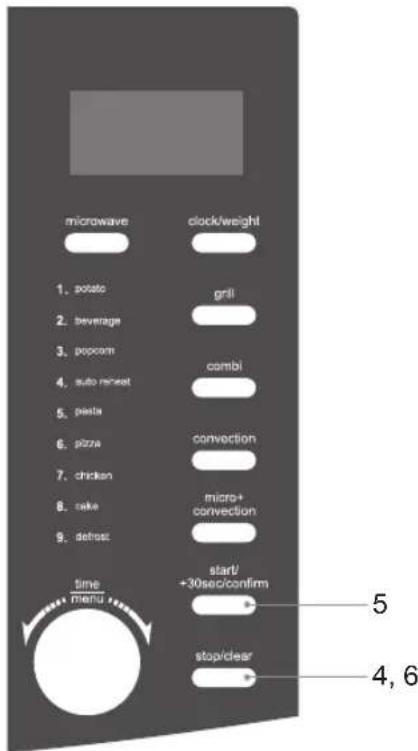
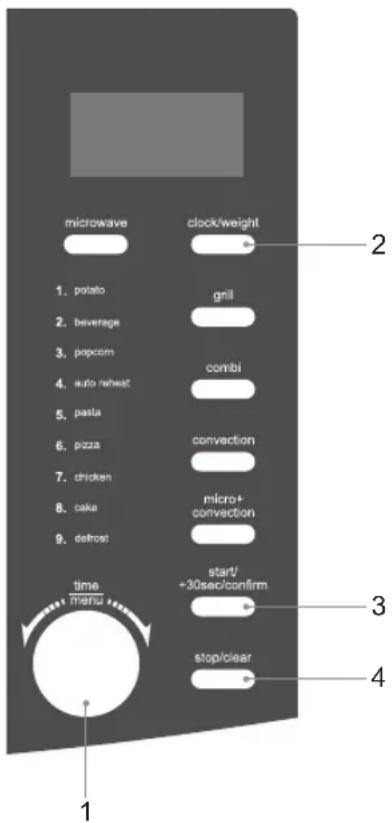
clock setting
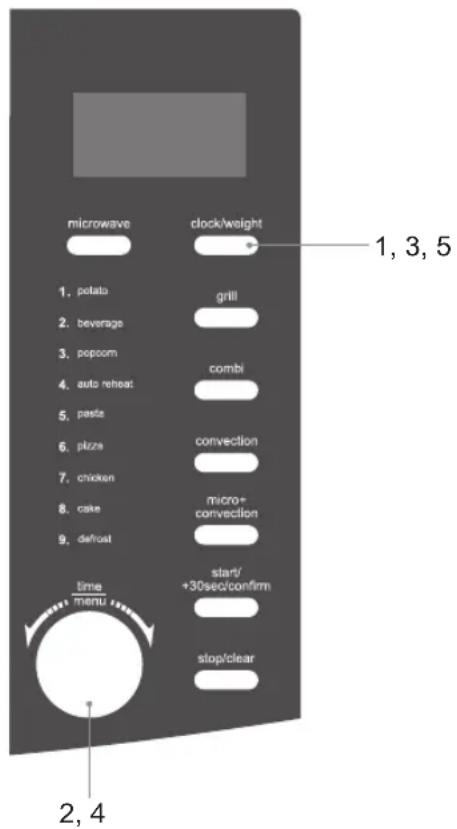
When the microwave is connected to the mains power, the LED display will show "1:01", and the microwave will sound once. Please ensure that you have set the clock prior to use.
Please follow the steps below to set the clock.
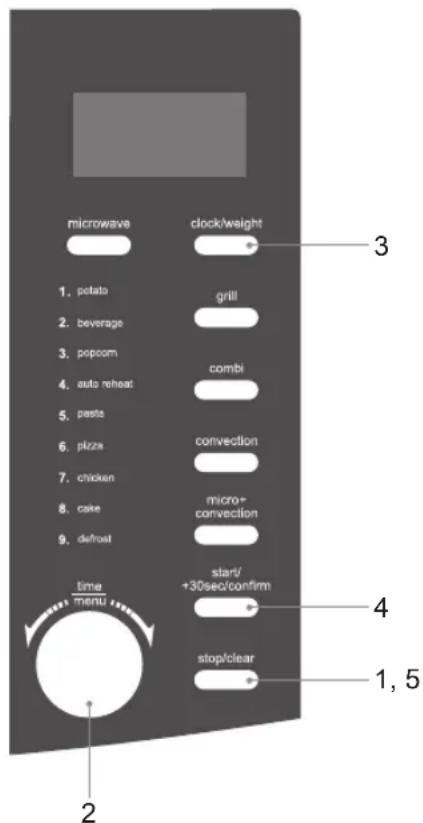
- Press the clock/weight button once for 12-hour setting. Press the clock/weight button again for 24-hour setting.
- Turn the time/menu dial to adjust the hour digits.
- Press the clock/weight button and the minute digits will display.
- Turn the time/menu dial to adjust the minute digits, the input time has to be within 00-59.
- Press the clock/weight button again to complete the clock setting.
“:” will start flashing and the time will illuminate.

- In the process of clock setting, if the stop/clear button is pressed or if there is no operation within 1 minute, the microwave will go back to the previous status automatically.
- If the clock needs to be reset, please repeat steps 1 to 3.
- To find out the current time while the microwave is operating, press the clock/weight button. It will last for 2-3 seconds and then return to its original display.
setting the child lock
This feature prevents the electronic operation of the microwave by locking the operation of the control panel until you have cancelled it.
Please follow the steps below to set the child lock.
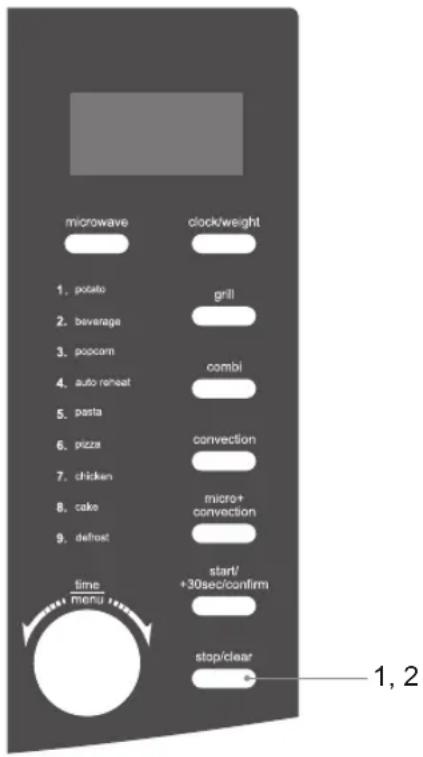
- Press the stop/clear button for 3 seconds and a tone will sound. The child lock indicator will illuminate on the LED display to indicate that the microwave has set the child lock.
- To release the child lock, press the stop/clear button again for 3 seconds and a tone will sound. The child lock indicator will disappear from the LED display to indicate that the microwave has released the child lock.
microwave cooking
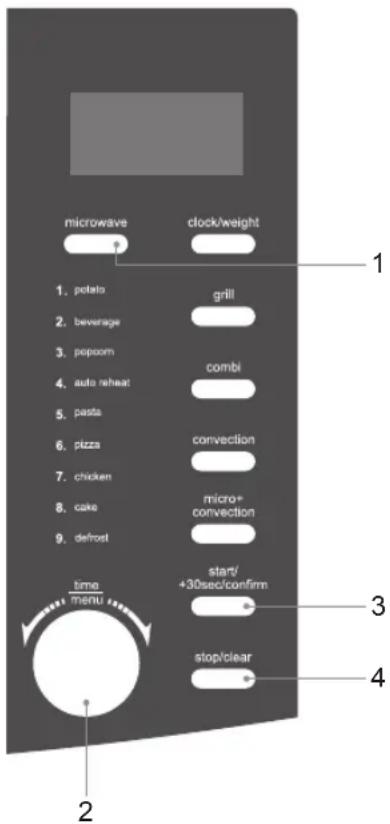
For simple microwave cooking, follow the steps below.
For instance: If you want to use 80% microwave power to cook for 20 minutes.
- Press the microwave button once and the LED display will show "P-100". Press the microwave button repeatedly until the LED display shows "P-80".
- Turn the time/menu dial to adjust the cooking time until the LED display shows "20:00".
- Press the start/+30sec/confirm button to confirm and start cooking.
- Press the stop/clear button to stop cooking. Press the stop/clear button again to cancel the setting.
| Microwave Button Control | ||
| Press Order | LED Display | Microwave Power |
| 1 P-100 | 100% | |
| 2 P-90 | 90% | |
| 3 P-80 | 80% | |
| 4 P-70 | 70% | |
| 5 P-60 | 60% | |
| 6 P-50 | 50% | |
| 7 P-40 | 40% | |
| 8 P-30 | 30% | |
| 9 P-20 | 20% | |
| 10 P-10 | 10% | |
| 0 P-00 | 0% | |

When P00 is selected, no microwave power will be present. This setting is for deodorising purposes only.

- When removing food from the microwave, please ensure that the microwave has stopped.
- Operating the microwave without food in it can result in overheating and damage the magnetron.
grill or combination cooking

- During first time use of grill cooking, operate the microwave empty for at least 20 minutes. Some smoke and/or odour may occur. This is normal and will stop.
• We recommend that you use the supplied baking plate. Place your food on the baking plate then place on top of the glass turntable plate.
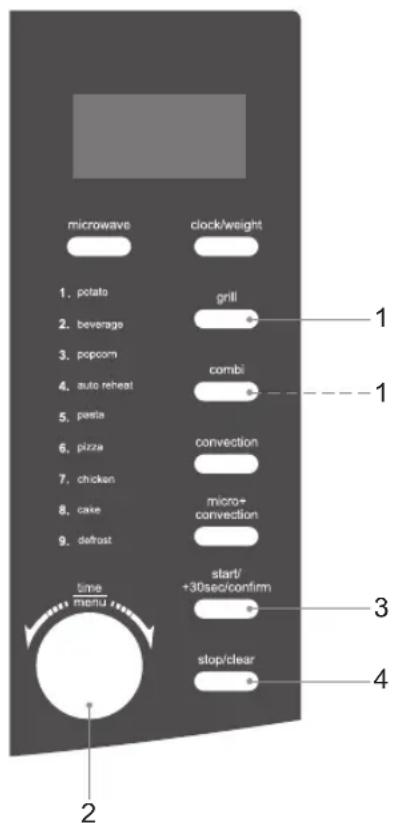
For grilling, follow the steps below.
- Press the grill button once and the LED display will show "GRILL".
- Turn the time/menu dial to adjust the cooking time.
- Press the start/+30sec/confirm button to confirm and start cooking.
- Press the stop/clear button to stop cooking. Press the stop/clear button again to cancel the setting.
For combination cooking (microwave and grill), follow the steps below.
- Press the combi button once and the LED display will show "GRILL", "MICRO" and "CO-1". Press the combi button again and the LED display will show "GRILL", "MICRO" and "CO-2".
- Turn the time/menu dial to adjust the cooking time.
- Press the start/+30sec/confirm button to confirm and start cooking.
- Press the stop/clear button to stop cooking. Press the stop/clear button again to cancel the setting.
| Combination Button Control | ||||
| Order | LED Display | Microwave Power | Grill Power | Cavity Temperature |
| 1 GRILL, MICRO, CO-1 30% 70% | Approximately keeping at 160°C | |||
| 2 GRILL, MICRO,CO-2 55% 45% | ||||

In order to obtain better grilling performance for your food, please turn your food over periodically. Press the stop/clear button once to stop cooking and open the door. Then, turn your food over and close the door. Press the start/+30sec/confirm button to continue cooking.

Do not use plastic microwave containers or covers when using grill, combination or convection cooking.
convection combination cooking
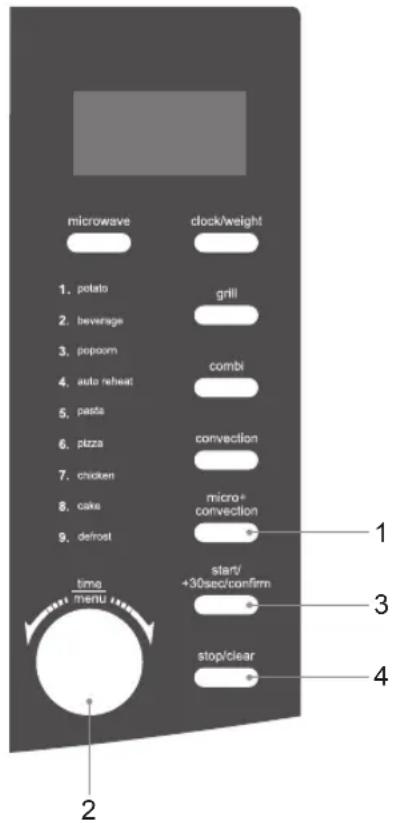
For combination cooking (microwave and convection), follow the steps below.

We recommend that you use the supplied baking plate. Place your food on the baking plate then place on top of the glass turntable plate.
- Press the micro+convection button and the LED display will show "200C". Press the micro+convection button repeatedly until the LED display shows your preferred temperature. The temperature ranges from 110^ C – 200^ C.
- Place your food in the microwave and close the door. Turn the time/menu dial to adjust the cooking time.
- Press the start/+30sec/confirm button to confirm and start cooking.
- Press the stop/clear button to stop cooking. Press the stop/clear button again to cancel the setting.
| Microwave + Convection Button Control | ||||
| Order | LED Display | Microwave Power | Convection Power | Cavity Temperature |
| 1 | 110°C ~ 200°C | 73% 27% | 110°C - 200°C | |

In order to obtain better convection performance for your food, please turn your food over periodically.
Press the stop/clear button once to stop cooking and open the door. Then, turn your food over and close the door. Press the start/+30sec/confirm button to continue cooking.

Do not use plastic microwave containers or covers when using grill, combination or convection cooking.
convection cooking (with preheating)
Convection cooking allows you to cook the food like a traditional oven.

• We recommend that you use the supplied baking plate. Place your food on the baking plate then place on top of the glass turntable plate.
- It is recommended to preheat the microwave to the appropriate temperature before placing the food in the microwave. Microwave power will not be used.
- Press the convection button once and the LED display will show "200C".
- Press the convection button repeatedly until the LED display shows your preferred temperature setting. The temperature ranges from 110°C to 200°C.
- Press the start/+30sec/confirm button to confirm the temperature setting and start preheating. Once the preheating temperature is reached, the microwave will sound and the timer shown on the LED display will pause.

Cooking time cannot be input until the preheating temperature is reached and the door should be opened and then closed.
- Place your food in the microwave and close the door. Turn the time/menu dial to adjust the cooking time.
- Press the start/+30sec/confirm button to confirm and start cooking.
- Press the stop/clear button to stop cooking. Press the stop/clear button again to cancel the setting.

Do not use plastic microwave containers or covers when using grill, combination or convection cooking.
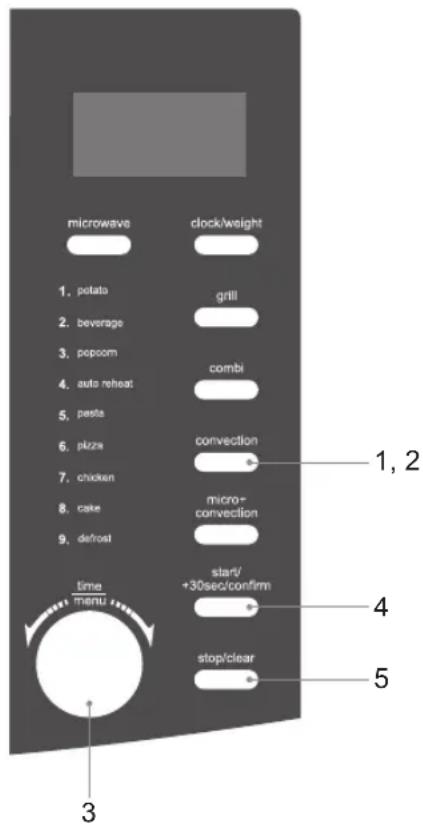
convection cooking (without preheating)
For convection cooking without preheating, please follow the steps below.

We recommend that you use the supplied baking plate. Place your food on the baking plate then place on top of the glass turntable plate.
For instance: If you want to cook your food for 16 minutes at 180^ C.
- Press the convection button once and the LED display will show "200C".
- Press the convection button repeatedly until the LED display shows "180C". The temperature ranges from 110°C to 200°C.
- Place your food in the microwave and close the door. Turn the time/menu dial to adjust the cooking time to 16:00.
- Press the start/+30sec/confirm button to confirm and start cooking.
- Press the stop/clear button to stop cooking. Press the stop/clear button again to cancel the setting.

Do not use plastic microwave containers or covers when using grill, combination or convection cooking.
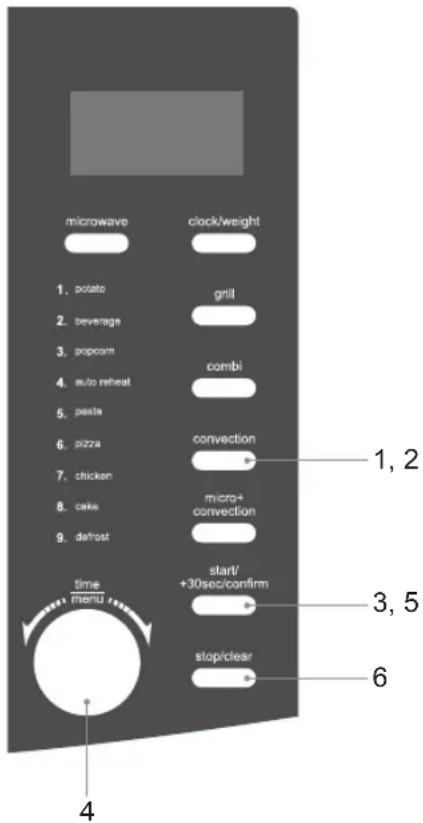
multi-stage cooking
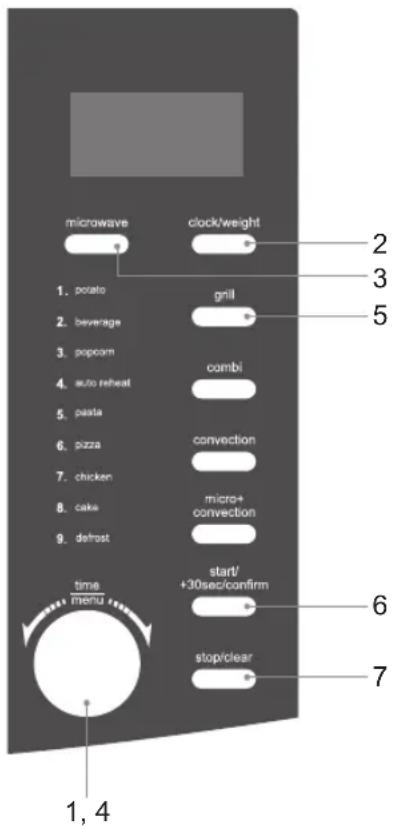
For multi-stage cooking, please follow the steps below.
For instance: If you want to defrost your food for 5 minutes, then to cook it with 80% microwave power for 7 minutes and finally grill it for 8 minutes.

You can set a maximum of 3 stages for multi-stage cooking. If defrosting is among one of the stages, then it will be set as the first stage. Auto cooking (CODE A-1 to CODE A-8) and quick start cooking are not available in multi-stage cooking.

- Turn the time/menu dial anti-clockwise to select the defrost function from the auto menu programme. The LED display will show "CODE A-9".
- Press the clock/weight button once and turn the time/menu dial to adjust the defrosting time until the LED display shows "5:00".
Do not press the start/+30sec/confirm button at this stage. - Press the microwave button once and the LED display will show "P-100". Press it again 2 more times and the LED display will show "P-80".
- Turn the time/menu dial to adjust the cooking time until the LED display shows "7:00".
- Press the grill button once and the LED display will show "GRILL". Turn the time/menu dial to adjust the cooking time until the LED display shows "8:00".
- Press the start/+30sec/confirm button to confirm and start cooking. The microwave will sound once to indicate that it has started the defrosting count down. The microwave will sound again as it starts the microwave cooking (the second stage) and the grill cooking (the third stage). Upon completion the microwave will sound five times.
- Press the stop/clear button to stop cooking. Press the stop/clear button again to cancel the setting.

Do not use plastic microwave containers or covers when using grill, combination or convection cooking.
auto cooking
This feature allows you to cook most of your food based on the food category and the weight. Select the category and choose the weight of your food. For quick reference of the cooking time and the weight, please refer to the auto menu table.
auto menu
- Turn the time/menu dial anti-clockwise to select the auto menu programme required. The LED display will show "CODE A-1", "CODE A-2" etc.
- Press the clock/weight button repeatedly to select the weight option for your chosen programme. Please refer to the auto menu table for information.
- Press the start/+30sec/confirm button to confirm and start cooking.
- Press the stop/clear button once to stop the cooking. Press the stop/clear button again to cancel the setting.
For instance: If you want to cook 1000g of chicken using the auto menu programme, please follow the steps below.
- Turn the time/menu dial anti-clockwise to select the auto menu programme for chicken. The LED display will show "CODE A-7".
- Press the clock/weight button to select the weight of your chicken until the LED display shows "1000".
- Press the start/+30sec/confirm button to confirm and start cooking.
auto-cook menu table
| Menu Weight Display | Cooking Time | Comments | |||
| CODE A-1 potatoes | 230g 1 5'00" | For best results, pierce the potato's skin before cooking. Once the potato is cooked, wrap it in aluminium foil for at least 5 minutes to ensure it is cooked thoroughly. | |||
| 460g 2 8'00" | |||||
| 690g 3 12'00" | |||||
| CODE A-2 beverage | 200ml 1 1'30" | Only use suitable microwavable containers and cling film in the microwave. Pierce the film with a fork before cooking. | |||
| 400ml 2 2'40" | |||||
| 600ml 3 3'50" | |||||
| CODE A-3 popcorn | 99g 99 3'00" | For best results, we recommend using ready mix packed popcorn. Cover it with a microwavable lid. | |||
| CODE A-4 auto reheat | 200g 200 1'30" | Make sure food is cooked thoroughly before consuming. Additional cooking time may be required for thicker pieces of food. | |||
| 300g 300 2'00" | |||||
| 400g 400 2'30" | |||||
| 500g 500 3'00" | |||||
| 600g 600 3'30" | |||||
| 700g 700 4'00" | |||||
| 800g 800 4'30" | |||||
| CODE A-5 pasta | 100g 100 22'00" | 100g of pasta + 800ml of cold water | Only use suitable microwavable containers and cling film in the microwave.Check the cooking regularly to make sure the water does not boil over. | ||
| 200g 200 27'00" | 200g of pasta + 1400ml of cold water | ||||
| 300g 300 32'00" | 300g of pasta + 2100ml of cold water | ||||
| CODE A-6 pizza | 150g 150 14'00" | This setting is designed for cooking pizza slices from frozen. Additional cooking time may be required for thicker pieces of pizza. | |||
| 300g 300 15'00" | |||||
| 450g 450 16'00" | |||||
| CODE A-7 chicken | 800g 800 30'00" | Make sure food is cooked thoroughly before consuming. Additional cooking time may be required for thicker pieces of chicken. | |||
| 1000g 1000 33'00" | |||||
| 1200g 1200 36'00" | |||||
| 1400g 1400 39'00" | |||||
| CODE A-8 cake | 475g 475 45'00" | For best results, we recommend using cake mix. Use a tin no larger than 8 inches and remember to preheat the microwave to 180°C first. We recommend using a grill rack to support the tin. Check the cake at regular intervals. | |||

CODE A-9 (defrost) allows you to defrost your frozen food only and it is not one of the Auto Menu programmes.
* It is recommended that when auto-cooking a potato, the potato should weight at least 200g. Note that potatoes will vary in water-content depending on age, type, weight, etc.
| potato | 200g per potato | 200 5'00" | For best results, pierce the potato's skin before cooking. Once the potato is cooked, wrap it in aluminium foil for at least 5 minutes to ensure it is cooked thoroughly. |
| 400 9'00" | |||
| 600 11'00" |

It is recommended that you use the lowest cooking time to prevent overcooking your food. Add more cooking time as necessary. Ensure all food is thoroughly cooked before consuming.
defrosting
This feature allows you to defrost your frozen foods simply by entering the time.
defrost by time
- Press stop/clear button once to clear any previous programme setting.
- Turn the time/menu dial anti-clockwise until the LED display shows "CODE A-9".
- Press the clock/weight button and then turn the time/menu dial to adjust the defrosting time.
- Press the start/+30sec/confirm button to start defrosting.
- Press the stop/clear button to stop defrosting. Press the stop/clear button again to cancel the setting.

- The microwave will sound 3 times and pause after 2/3 of the running time has elapsed. You will need to open the door. After you rotate the food, close the door and press the start/+30sec/confirm button to restart defrosting.
- Large items may be frozen in the centre. To ensure even thawing, turn them over from time to time and break them into smaller pieces during defrosting.
- Place roasts fat-side down or whole poultry breast-side down.
- Drain liquids during defrosting as the juices from food can get hot and cook the food.
quick start cooking
This feature allows you to quickly cook your food for 30 seconds with 100% microwave power. Please follow the steps below.
- Press the start/+30sec/confirm button to start the quick start cooking. Press the start/+30sec/confirm button again to add another 30 seconds. You may increase the cooking time up to 10 minutes.

Alternatively, turn the time/menu dial anti-clockwise to set the cooking time with 100% microwave power first.
Then, press the start/+30sec/confirm button to start cooking.
- Press the stop/clear button to stop cooking. Press the stop/clear button again to cancel the setting.

This feature is only applicable to microwave programme only.
querying the cooking function
This feature allows you to check and view the current cooking settings.
to find out the current cooking setting
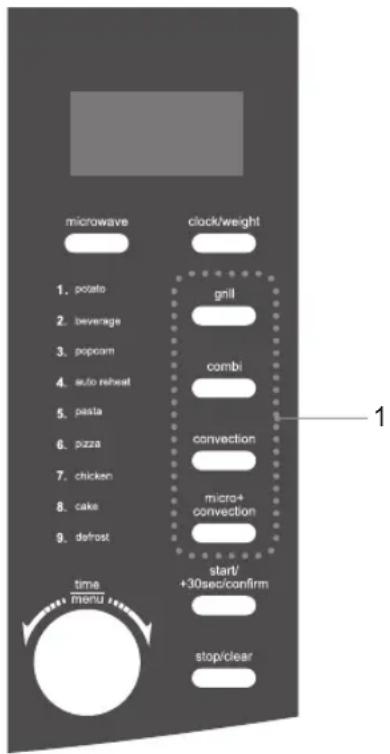
- Press the microwave, convection, or micro+convection button once and the LED display will show the current cooking setting while the microwave is in either microwave, convection, or micro+convection cooking respectively. It will last for 2 - 3 seconds and then return to its original display.
cleaning your microwave
Cleaning your microwave each time you use it will help to prevent a build up of stubborn marks that can be difficult to clean.
Unplug your microwave from the mains and wait for it to completely cool down before cleaning.
On the right hand side wall of the cavity is the wave guide cover. Microwaves are passed through this to enable your food to cook. It is important that this wave guide cover is kept clean at all times.
Wipe it with mild detergent and water and leave to dry.
GB
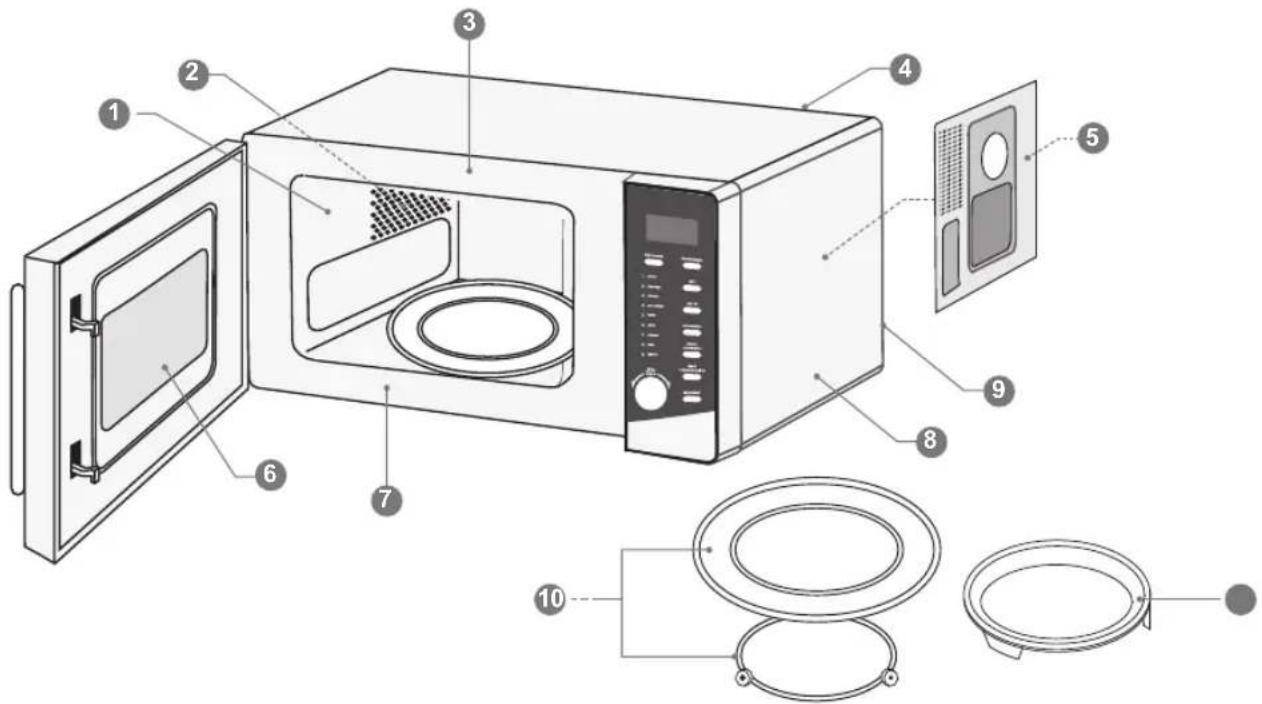
The microwave walls have a special enamel coating which makes cleaning very easy. Use a soft damp cloth to wipe off any splashes or a paper towel to mop up any spills. Wipe off grease with a damp cloth and a little detergent. Dry thoroughly. If grease is left to accumulate, it can smoke and even catch fire.
② Make sure you keep the outlet grids clean.
3 Keep the front of the microwave clean so that the door can close properly.
4 Be careful not to spill water into the vents.
5 Do not remove the wave guide cover: It is important to keep the cover clean in the same manner as the inside of the microwave. If grease is left to accumulate, it can smoke and even catch fire.
6 Keep the inside of the door clean with a damp cloth. Use warm soapy water for stubborn marks and dry thoroughly. The inside of the door has a special coating and must not be cleaned with abrasive pads or cleaning powders.
7 Clean behind the door ledge.
8 Use warm soapy water to clean the outside of the microwave. Do not use abrasive pads or powders that could scratch the surface.
9 Unplug the microwave before cleaning the power lead and the microwave. Wipe with a damp cloth and leave to dry before plugging it back in.
10 Treat the glass turntable plate as you would any glass plate. After you have used it for more than 15 minutes, allow it to cool down before you use it again. Do not wash the turntable plate in very hot water, this could crack it. Wash the turntable support in warm water. Do not use very hot water which could make it warp. Make sure the glass turntable plate and turntable support are dry before you put them back in the microwave.
11 Wash the baking plate in warm water. Do not use very hot water which could make it warp.

Do not remove any fixed parts from the inside of your microwave during cleaning or at any other time.
frequently asked questions
If a problem does occur, it may often be due to something very minor. The following Q & A may be able to resolve the problem.
| Questions Answers | |
| Why doesn't the food seem to cook? | Check that:·the cooking time has been set·the door is closed·the mains socket is not overloaded causing the fuse to blow. |
| Why does the food seem undercooked or overcooked? | Check that:·the correct cooking time has been set·the correct power setting has been used. |
| How can I stop eggs from popping? | When you bake or poach eggs in the microwave, the yolk can sometimes pop as steam builds up inside it. You can stop the egg from popping by piercing the yolk with a toothpick before cooking. Never cook eggs that are still in their shells. |
| Why is it so important that I allow standing time after cooking? | With microwave cooking, many foods build up enough heat inside them to continue cooking even after they've been taken out of the microwave. Because microwave cooking works from the outside of food inwards, standing time lets you cook the centre of the food without the outside being overcooked. |
| Why does my microwave sometimes take longer to cook than it says in the recipe? | First check that the microwave was set just as the recipe said. Cooking times and heat settings are suggestions to help prevent overcooking but differences in the weight, size, shape and starting temperature of food will all affect how long it takes to cook – just as it does with a conventional oven. Use your judgement along with the recipe to check whether the food has been cooked properly. |
| Why do I get condensation on the inside of the door? | Condensation is perfectly normal, especially when you are cooking food with a high moisture content such as potatoes. |
| Does the microwave energy get through the window on the door? | No. The door has a special metal screen with holes in that lets you see inside but stops microwave energy from getting out. |
| Steam comes out of the side of the door and vents. Can microwave energy get out too? | No. The door and vents are carefully designed to let steam out during cooking but keep microwave energy in. The gaps are not big enough for microwave energy to escape. |
| What happens if the microwave is switched on while the microwave is empty? | The microwave will be damaged. Do not switch the microwave on when there's nothing inside the microwave. It is a good idea to keep a cup of water in the microwave just in case someone accidentally starts the microwave. |
| Why doesn't the microwave's light illuminate? | Open the door. If the light does not illuminate, the bulb has probably blown. Call a qualified technician – do not try to change the bulb yourself. |
| There are sparks inside the microwave when I use the microwave. Will this cause any damage? | Yes. Make sure that you are not using any metal utensils and that your containers don't have a metal trim. You must not use metal in your microwave when you cook (except aluminium foil). |
| Light is showing through the vents and door. Does this mean the microwave energy can escape? | No. It is normal for the light to be visible and is nothing to be concerned about. |
| Why do I get interference on my TV and radio when I use the microwave? | Microwaves use radio waves similar to those received by TVs and radios. You can lessen the interference by moving your microwave further away from the TV or radio. |
specifications
| Model | K30CSS10E |
| Input | 230 - 240V~ 50Hz |
| Microwave Output | 850 - 900 Watts |
| Microwave Frequency | 2450MHz |
| Outside Dimensions(width x deep x height) | 540mm x 405mm x 300mm |
| Power consumption | |
| Microwave Input | 1350 - 1450 Watts |
| Grill Input | 1200 - 1300 Watts |
| Convection Input | 2100 - 2300 Watts |
Complies with EC directives 2004/108/EC and 2006/95/EC.
Features and specifications are subject to change without prior notice.
natural_image
Line drawing of a microwave oven with control panel and door (no text or symbols)Hovedenheten
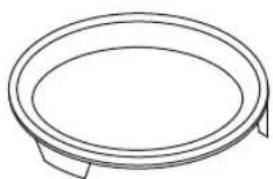
natural_image
Simple line drawing of a circular object with two side supports (no text or symbols)Bakeplate x 1
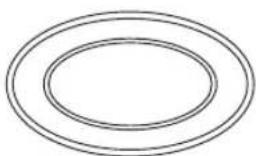
natural_image
Simple diagram of three concentric ovals with no text or symbolsBruksanvisning x 1
klargjøring
natural_image
Line drawing of a microwave oven with open door and circular drain, showing internal components (no text or symbols)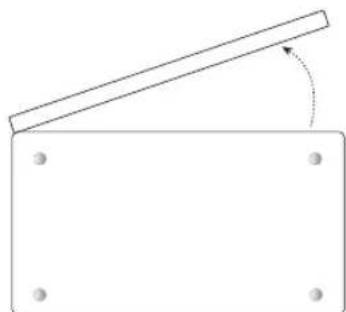
natural_image
Simple line drawing of a tilted rectangular block with four corner holes and an arrow indicating rotation (no text or symbols)Sett fra undersiden
NO
natural_image
Simple line drawing of a bowl with steam rising from its side, no text or symbols presentnatural_image
Line drawing of a microwave oven with cloud-shaped smoke clouds above (no text or symbols)NO
produktoversikt
hovedenheten
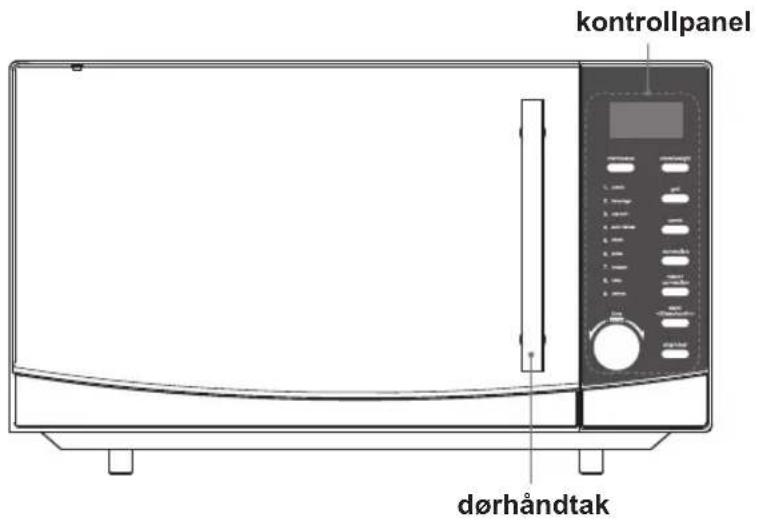
natural_image
Simple line drawing of a circular object with two side supports (no text or symbols)bakeplate
natural_image
Line drawing of a microwave oven with open door and side panel (no text or symbols)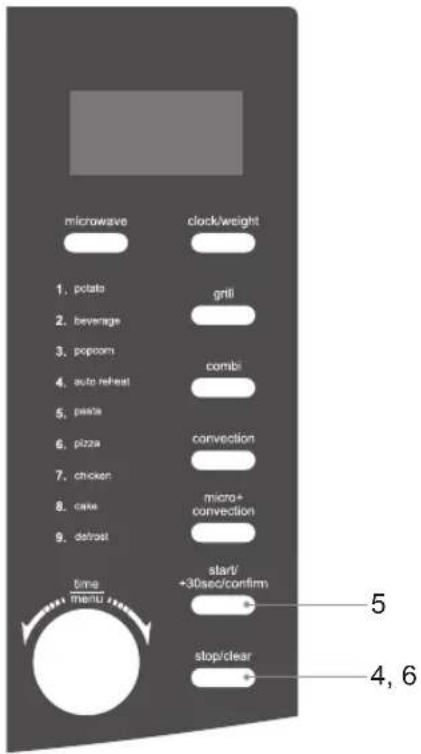
klokkeinnstilling
aktivere barnesikringen
mikrobølgekoking
| Kombinasjonsknappkontroll | ||||
| Nr. | LEDSkjerm | MikrobølgeovnEffekt | GrillEffekt | HulromTemperatur |
| 1 GR | ILL, MIKRO, CO-1 30% 70% | Holder omtrent 160 °C | ||
| 2 GR | ILL, MIKRO, CO-2 55% 45% | |||

flertrinnskoking

automenytabell
hurtigstartkoking
Med denne funksjonen kan du raskt tilberede maten i 30 sekunder med 100 % mikrobølgeeffekt. Følg trinnene nedenfor.
natural_image
Line drawing of a microwave oven with control panel and door (no text or symbols)Huvudenhet
natural_image
Simple line drawing of a circular object with two side supports (no text or symbols)Bakplåt x 1
natural_image
Simple diagram of two concentric ovals with no text or symbolsBruksanvisning x 1
förberedelse
natural_image
Illustration of a microwave oven with open door and circular lid, showing internal components (no text or symbols)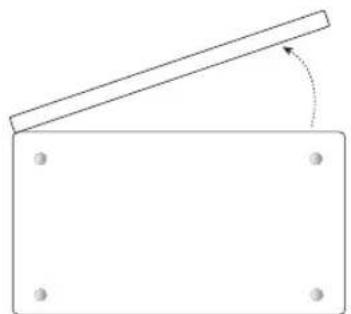
natural_image
Simple line drawing of a rectangular block with a diagonal beam and corner holes, no text or symbols present.Vy undersida
introduktion till matlagning i mikrovågsugn
natural_image
Simple line drawing of a steaming bowl with steam rising from its side (no text or symbols)kontrollera matlagningsutrustningen
natural_image
Line drawing of a microwave oven with cloud-shaped smoke clouds above (no text or symbols)SE
produktöversikt
huvudenheten
natural_image
Simple line drawing of a circular object with two side supports (no text or symbols)bakplåt
natural_image
Line drawing of a microwave oven with open door and side panel (no text or symbols)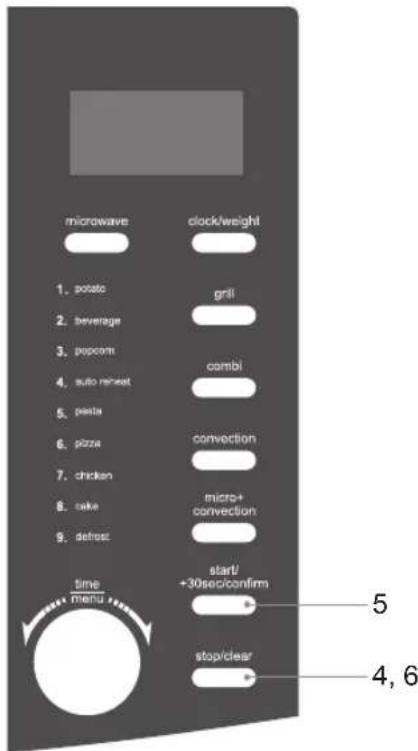
klockinställning
ställa in barnlåset
tillagning i mikrovågsugn
grill eller kombinationstillagning


automatisk tillagningstabell
snabbstartstillagning
natural_image
Line drawing of a microwave oven with control panel and door (no text or symbols)Laite
natural_image
Simple line drawing of a circular object with two side supports (no text or symbols)Leivontalautanen x 1
natural_image
Three concentric oval shapes with no text or symbolsKäyttöopas x 1
Valmistelut
natural_image
Line drawing of a microwave oven with open door and circular drain, showing internal components (no text or symbols)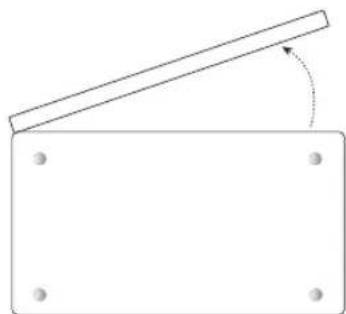
natural_image
Simple line drawing of a tilted rectangular object with a diagonal line and circular holes, no text or symbols present.Näkymä alta
natural_image
Simple line drawing of a steaming bowl with steam rising from its side (no text or symbols)natural_image
Line drawing of a microwave oven with cloud-shaped smoke clouds above (no text or symbols)natural_image
Simple line drawing of a circular object with two side supports (no text or symbols)leivontalautanen
natural_image
Line drawing of a microwave oven with open door and side panel (no text or symbols)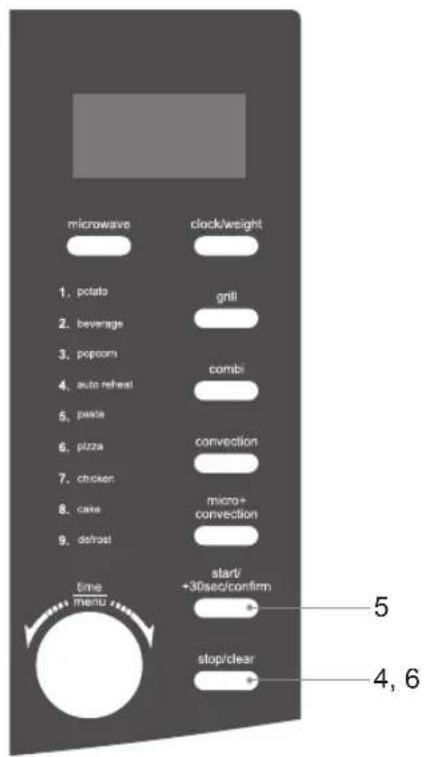
kellon asettaminen

FI
natural_image
Line drawing of a microwave oven with control panel and door (no text or symbols)Hovedenheden
natural_image
Simple line drawing of a circular object with two side supports (no text or symbols)Bageplade x 1
natural_image
Simple diagram of two concentric ovals with no text or symbols
natural_image
Illustration of a microwave oven with open door and circular base, showing internal components (no text or symbols)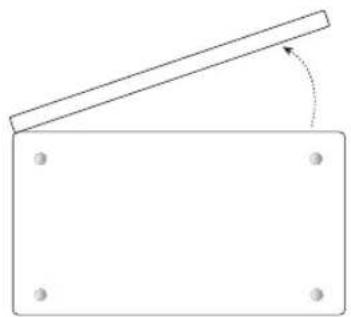
natural_image
Simple line drawing of a rectangular block with a diagonal beam and a rotation arrow, no text or symbols present.Set nedefra
natural_image
Simple line drawing of a bowl with steam rising from its side, no text or symbols presentnatural_image
Line drawing of a microwave oven with cloud-shaped roof (no text or symbols)DK
produktoversigt
hovedenheden
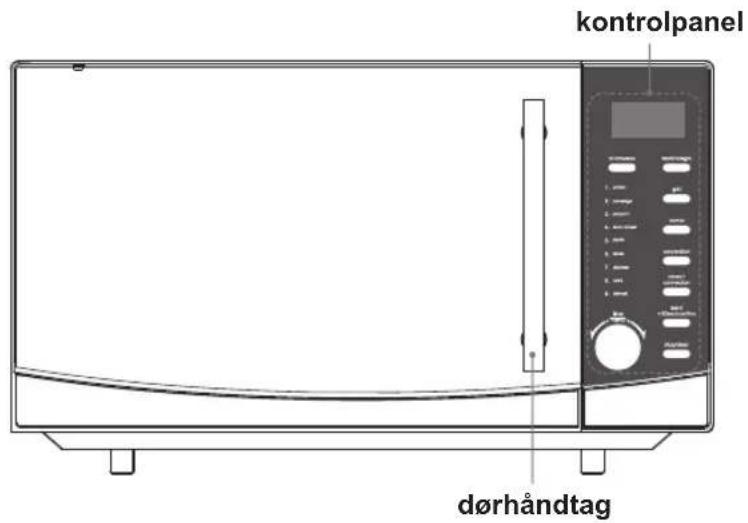
natural_image
Simple line drawing of a circular object with two side supports (no text or symbols)bageplade
Til brug med grill, varmluft, kombination og automatisk kogning.
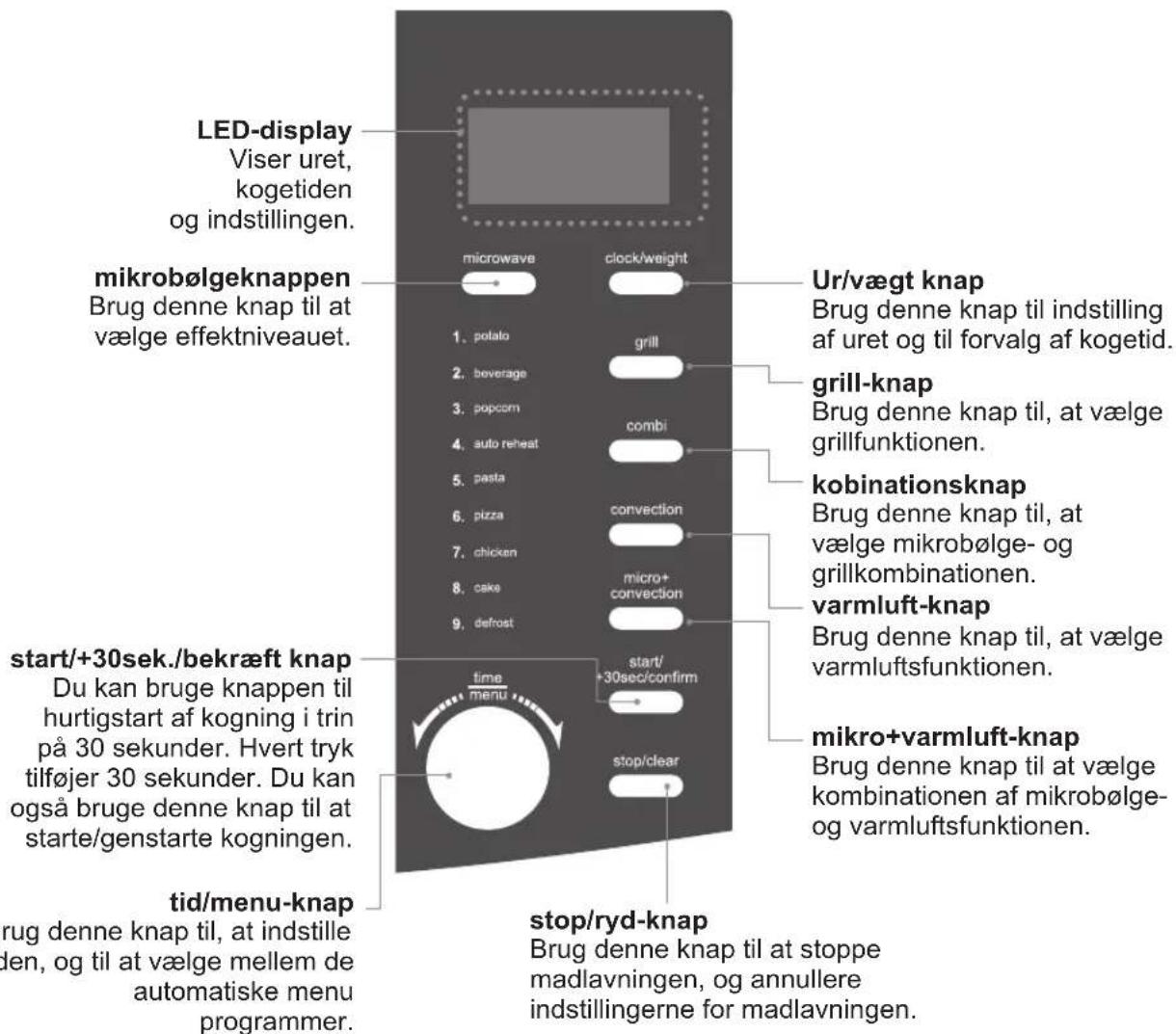
kontrolpanelet
natural_image
Line drawing of a microwave oven with open door and side panel (no text or symbols)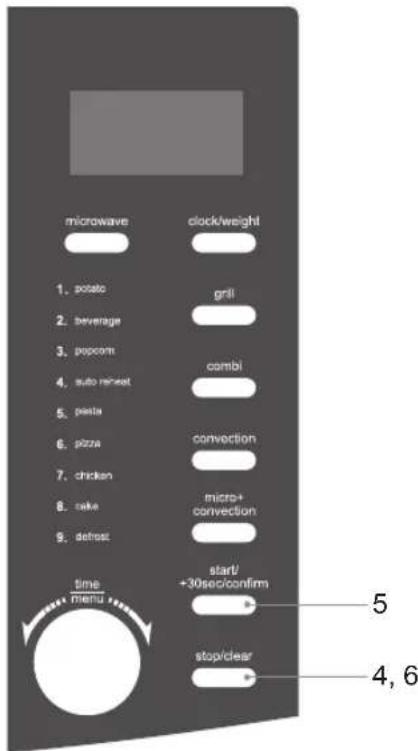
indstilling af uret
| Kombinationsknap | ||||
| Rækkefølge | LEDSkærm | MikrobølgeovnStrøm | GrillStrøm | OvnrumTemperatur |
| 1 GRILL, MIKRO, CO-1 30% 70% | Temperaturen holdes på ca.160°C | |||
| 2 GRILL, MIKRO,CO-2 55% 45% | ||||

fler-trins madlavning

autom. kogemenuoversigt
hurtigmadlavning
DK
- Switch off and unplug before fitting or removing tools/attachments, after use and before cleaning.
- Keep your fingers away from moving parts and fitted attachments.
• Never use a damaged appliance.
• Never operate the appliance when it is empty. - Keep the mains cable out of reach from children.
- Keep the unit, mains cable and plug away from water.
• Never exceed the maximum capacities. - When using an attachment, read the accompanying safety instructions.
• Take care when lifting this appliance as it is heavy. - You should always have your appliance checked by a qualified technician if it has been dropped or damaged to ensure it is safe to use.
- This appliance is not intended for use by persons (including children) with reduced physical, sensory or mental capabilities, or lack of experience and knowledge, unless they have been given supervision or instruction concerning the use of the appliance by a person responsible for their safety.
• Children should be supervised to ensure that they do not play with the appliance. - Only use the appliance for its intended domestic use.
maintenance of your microwave
warning : It is hazardous for anyone other than a qualified technician to carry out any service or repair operation which involves the removal of a cover that gives protection against exposure to microwave energy.
warning : If the door or door seals are damaged, the microwave must not be operated until it has been repaired by a qualified technician.
- If smoke is observed, switch off or unplug the microwave and keep the door closed in order to stifle any flames.
- If the mains cable is damaged, it must be replaced by a service agent or a qualified technician.
- If you have a pacemaker, please contact your doctor before using a microwave.
microwave use
• This microwave is not intended for commercial use.
- It should never be used for drying clothes or for other non-food purposes.
- The microwave should not be left unattended when in use.
- The temperature of accessible surfaces may be high when the microwave is operating.
- To prevent high moisture content gathering inside the microwave cavity, open the door immediately after the cooking function has stopped to allow steam to escape.
- Only use utensils that are suitable for microwave use.
- Care should be taken when using paper, plastic, wooden or other combustible materials in the microwave as they can catch fire.
- Oil & fat for deep frying should not be heated in the microwave.
- Only use cling film designed for microwave use and take extra care when removing the film to avoid steam burns.
- Only heat popcorn that has been designed for microwave use.
cooking use
- As the power of different microwaves can vary considerably, care must be taken when first using this microwave as it may cook faster than expected.
- Do not leave the microwave unattended during use.
• Take care when cooking food with a high sugar or fat content, such as Christmas pudding or fruitcake. The sugar or fat can overheat and in some cases catch fire.
warning : Only allow children to use the microwave without supervision when adequate instructions have given so that the child is able to use the microwave in a safe way and understands the hazards of improper use; DO NOT assume that because a child has mastered one cooking skill he/she can cook everything without close supervision. The microwave MUST NOT be treated nor used like a toy.
fire!
In the event of fire:
- Keep the microwave door closed.
- Turn off the power.
• Unplug the microwave from the mains power.
first aid
Treat scalding by:
- Quickly placing the scald under cold running water for at least 10 minutes.
- Cover with a clean dry dressing. Do not use creams, oils or lotions.
cleaning your microwave
The microwave should be cleaned regularly and food deposits removed. Failure to maintain the microwave in a clean condition can affect the life of the microwave and possibly result in a hazardous situation. (See cleaning your microwave)
do not use these in your microwave
- Metal objects are not to be used in the microwave. These include:
- Metal cooking utensils.
- Metal plates or trays
- Wire twist ties
- Crockery with metal trims
-
Meat thermometer
-
Never use equipment made of metal, except aluminium foil in your microwave. The microwave energy cannot pass through the metal so it bounces off and sparks against the inside of the microwave.
- Stop the microwave straight away if any equipment is causing sparks.
- Remember that some crockery has a metal trim around the edge. Even this trim can cause sparks.
containers
warning : Pressure will build up in sealed containers and can cause them to explode. Therefore, do not use the following in your microwave:
- Sealed containers
- Capped bottles
- Vacuum containers
- Sealed jars
- Hard-boiled eggs
- Eggs in their shells
- Nuts
• Always pierce the skin of fruit and vegetables, such as potatoes.
- Never use scratched, cracked or damaged glass in a microwave. Damaged glass can explode.
- When heating food in plastic or paper containers, keep an eye on the microwave due to the possibility of ignition.
delayed boiling
Liquids heated in a microwave can boil up when removing them from the microwave.
Take the following precautions :
• Always stir liquids, before and after cooking.
- Allow them to stand.
- Use containers that are wider at the top than at the bottom.
preparing food for babies
Extra care must be taken when preparing food or drink for babies and small children.
• Always test the food or liquid temperature before feeding it to the baby.
- When using a baby bottle, ensure the teat is removed before heating.
- When warming milk, ensure the bottle is shaken.
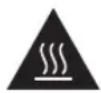
caution!
hot surface
During cooking the outer surface will become hot. Do not touch the outer casing of the microwave. Care should be taken not to store any items on top of your microwave.
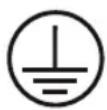
earthing instructions
warning: THIS APPLIANCE MUST BE EARTHED.
This appliance is equipped with a mains cord having an earthed plug.
The plug must be plugged into an appropriate mains socket that is installed and earthed in accordance with all local standards and requirements.
warning!
Improper connection of the appliance-earthing conductor can result in a risk of an electric shock.
Check with a qualified electrician or service representative if you are in doubt whether the appliance is properly earthed.
Never modify the plug provided with the appliance.
If the plug does not fit properly in the mains socket, have a qualified electrician install a proper mains socket.
The appliance is not intended to be operated by means of an external timer or separate remote-control system.
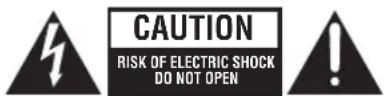
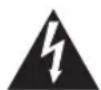
The lightning flash with arrowhead symbol, within an equilateral triangle, is intended to alert the user to the presence of uninsulated “dangerous voltage” within the unit’s enclosure that may be of sufficient magnitude to constitute a risk of electric shock.
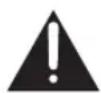
The exclamation point within an equilateral triangle is intended to alert the user to the presence of important operating and maintenance (servicing) instructions in the manual accompanying the unit.
generell sikkerhet
This symbol on the product or in the instructions means that your electrical and electronic equipment should be disposed at the end of its life separately from your household waste. There are separate collection systems for recycling in the EU.
For more information, please contact the local authority or your retailer where you purchased the product.
NO
DSG Retail Limited is responsible for after sales service.
NO
- Innhold
- GB
- unpacking
- getting ready
- introducing microwave cooking
- cooking with a microwave
- checking your cooking utensils
- using aluminium foil in your microwave
- microwave heating categories
- to microwave:
- to microwave from frozen:
- steam
- condensation
- product overview
- baking plate
- checking your microwave
- clock setting
- setting the child lock
- microwave cooking
- grill or combination cooking
- convection combination cooking
- convection cooking (with preheating)
- convection cooking (without preheating)
- multi-stage cooking
- auto cooking
- auto menu
- defrosting
- defrost by time
- quick start cooking
- querying the cooking function
- to find out the current cooking setting
- cleaning your microwave
- frequently asked questions
- klargjøring
- NO
- produktoversikt
- bakeplate
- klokkeinnstilling
- aktivere barnesikringen
- mikrobølgekoking
- flertrinnskoking
- hurtigstartkoking
- förberedelse
- introduktion till matlagning i mikrovågsugn
- kontrollera matlagningsutrustningen
- produktöversikt
- bakplåt
- klockinställning
- ställa in barnlåset
- tillagning i mikrovågsugn
- grill eller kombinationstillagning
- snabbstartstillagning
- Valmistelut
- leivontalautanen
- kellon asettaminen
- produktoversigt
- bageplade
- indstilling af uret
- fler-trins madlavning
- hurtigmadlavning
- maintenance of your microwave
- microwave use
- cooking use
- fire!
- first aid
- do not use these in your microwave
- containers
- delayed boiling
- preparing food for babies
- caution!
- hot surface
- earthing instructions
- warning: THIS APPLIANCE MUST BE EARTHED.
- warning!
- generell sikkerhet
Brand : KENWOOD
Model : K30CSS10E
Category : Microwaves