H-8023 - Industrial heating Uline - Free user manual and instructions
Find the device manual for free H-8023 Uline in PDF.


User questions about H-8023 Uline
0 question about this device. Answer the ones you know or ask your own.
Ask a new question about this device
Download the instructions for your Industrial heating in PDF format for free! Find your manual H-8023 - Uline and take your electronic device back in hand. On this page are published all the documents necessary for the use of your device. H-8023 by Uline.
USER MANUAL H-8023 Uline
ULINE H-8022, H-8023 IBC TANK HEATER
1-800-295-5510 uline.com
natural_image
Line drawing of a cylindrical device with attached electrical connector and wiring (no text or symbols)OPERATION
text_image
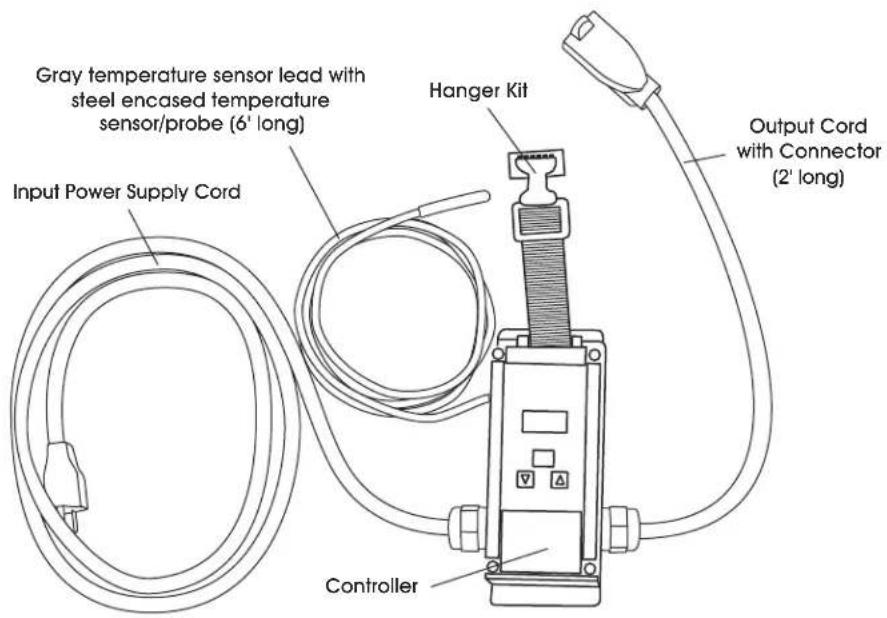
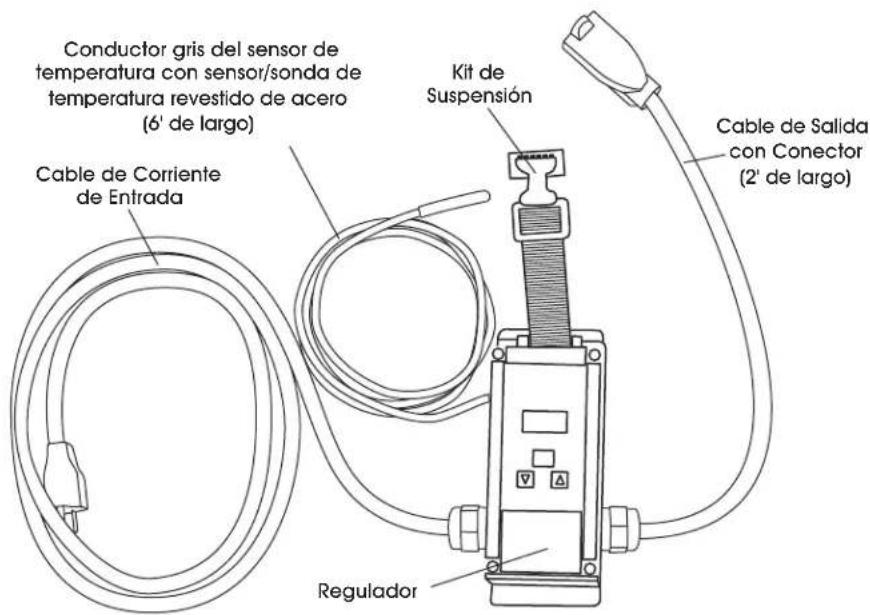
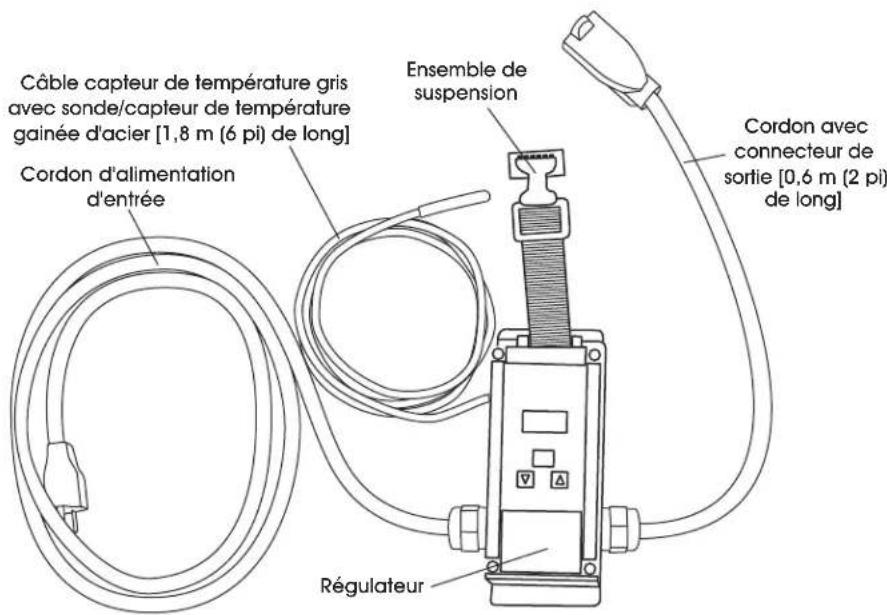
Gray temperature sensor lead with steel encased temperature sensor/probe (6' long) Hanger Kit Input Power Supply Cord Output Cord with Connector (2' long) Controller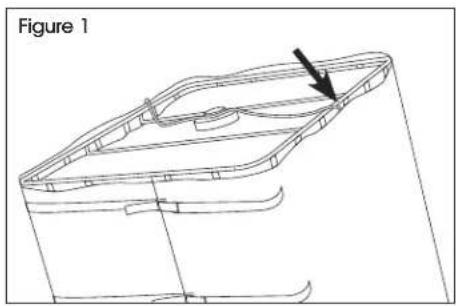
natural_image
Technical line drawing of a 3D mechanical part with a highlighted section and arrow (no text or symbols)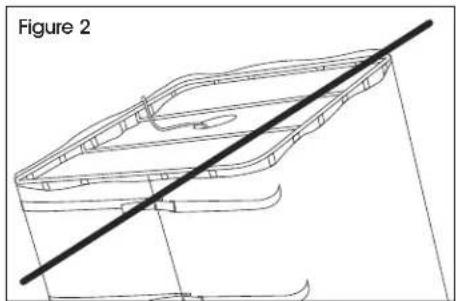
natural_image
Technical line drawing of a boat hull with a diagonal line indicating reference (no text or symbols)The controller plugs into the GFCI-protected power supply (wall, etc.). The controller will power up when power supply cord is plugged in.
The IBC tank heater plugs into the output receptacle cord of the controller. The controller regulates power to the receptacle depending upon the temperature of the probe/sensor versus the OFF and ON temperatures programmed into the controller.

NOTE: Place the temperature sensor between the blanket and the IBC. (See Figure 1)

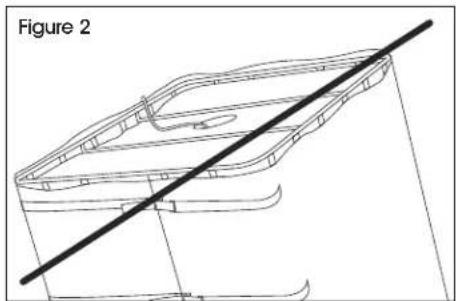
CAUTION! Improper probe placement can result in unsatisfactory performance and/or damage to your vessel, product or blanket. (See Figure 2)

CAUTION! Do not submerge the temperature sensor – it is not waterproof. (See Figure 2)
OPERATION CONTINUED
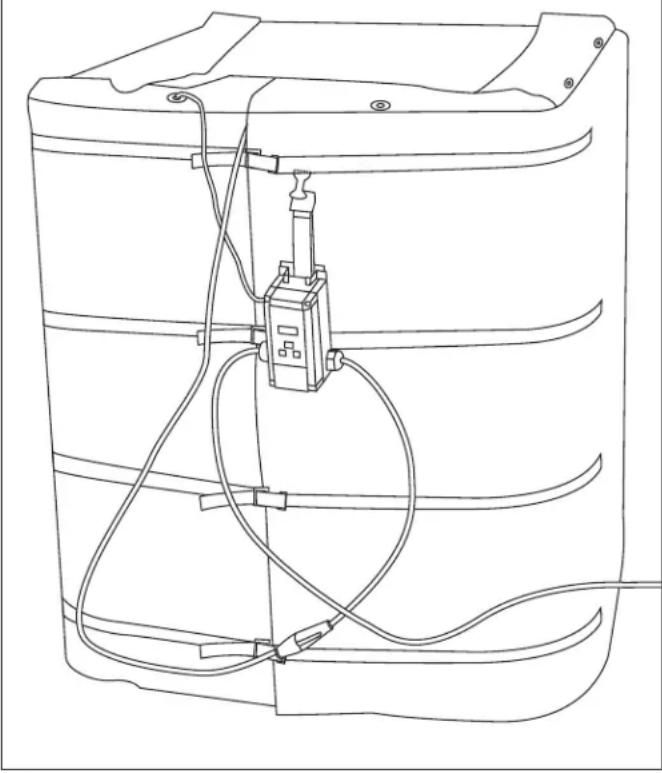
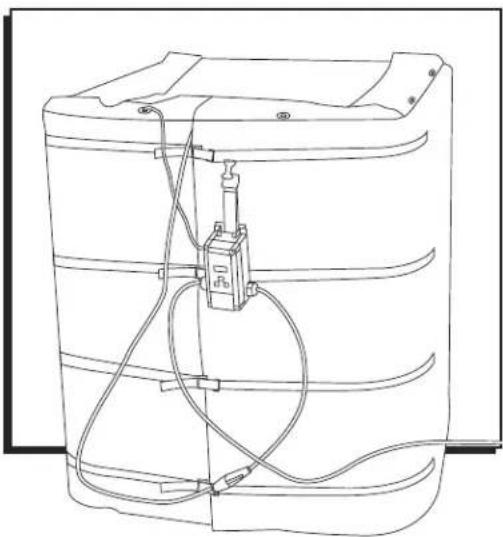
Figure 3 is an example application where the system is completely set up.
Please note:
- The controller is plugged into an approved GFCI circuit protector, which is plugged into an approved extension cord (not shown).
- The temperature sensor is placed between the heated wrap and the outside of the IBC.
- The heated wrap is plugged into the output receptacle of the controller.
- The controller is hanging from the top strap of the heated wrap.
- Removeable vinyl top is placed over the top of the IBC.
- The system is positioned on a solid, wood-topped pallet to reduce heat loss out of the bottom of the IBC.
Figure 3
natural_image
Line drawing of a device with coiled cables and a central connector (no text or symbols)The controller is programmed at the factory to be in its heating mode and to turn the heater OFF at the OFF set temperature and turn it back ON when the temperature of the probe/sensor reaches the ON set temperature. Unless in the programming mode, the display shows the current temperature of the probe. It is important to note that the temperature of the contents in the vessel will lag this displayed temperature. This amount may vary depending on application. As the contents in the vessel approach the desired temperature this difference will be much less.
The green light will glow when there is power to the output receptacle and go off when the power is not connected to the receptacle. There should be an audible click as the controller turns the power to the output receptacle on or off.
To program the thermostatic controller to the new OFF and ON temperatures, press MENU. The controller is now in programming mode. With OFF flashing, push MENU again. The controller will flash the current OFF temperature. Use the UP and DOWN arrow buttons to increase or decrease the temperature set point, one degree per push. When the correct OFF temperature is flashing on the display, press MENU again. This scrolls the controller to the ON variable. Press MENU again to access the ON variable. Use the UP or DOWN arrow buttons to increase or decrease the temperature set point, one degree per button push. Press MENU again to exit the ON variable. Press the UP or DOWN arrows simultaneously again to exit the programming mode. The display will revert to a steady display of the present temperature of the probe/sensor.

CAUTION! Do not program the controller to OFF > 170°F, as this may damage the heating blanket, vessel and/or product.

NOTE: If the unit is not heating, confirm the OFF temperature is higher than the ON temperature. When in heating mode, a flame will appear in the bottom right corner of the screen.
OPERATION CONTINUED
FOLDING INSTRUCTIONS

NOTE: Avoid creasing and crumpling when folding the blanket. Fold lines should have an arch to prevent damage to the product.

NOTE: Only fold the blanket as many times as necessary to prepare for storage. Excessive folding and creasing may damage the product.

NOTE: Never fold the blanket hot to hot. Never roll up the product.
-
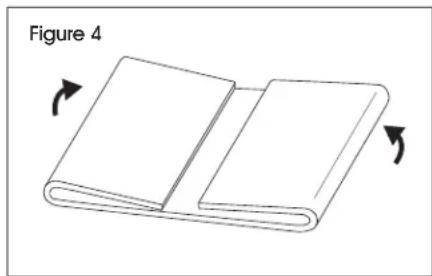
Lay the blanket out flat with the logo facing up.
-
Fold edges into center. (See Figure 4)
natural_image
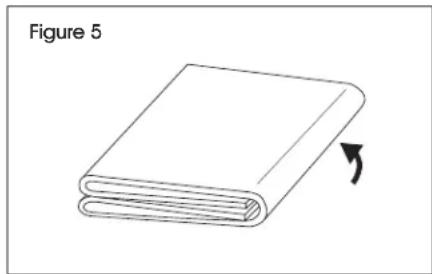
Illustration of an open book with two pages, showing a blank cover and page number 4 (no text or symbols on the pages themselves)- Fold blanket in half once more. (See Figure 5)
natural_image
Simple line drawing of a closed book with an arrow indicating rotation (no text or symbols)PROGRAMMABLE CONTROL FUNCTIONS
PROGRAMMABLE CONTROL FUNCTIONS
Off (Relay OFF Temperature) – Settable temperature at which the controller will turn off the heating blanket. Range: -40° to 212°F.
On (Relay ON Temperature) – Settable temperature at which the controller will turn on the heating blanket. Range: -40^ to 212^ F.
ASd – Anti-Short Cycle Delay – Preset to zero minutes, this is the wait time before the controller does anything after plugged in or after the power comes back on in the case of a temporary power outage. For example, ASd is useful when running a cooling pump where a quick power outage or temperature cycle will stall the compressor and it won't safely restart until the pressure has equalized in the system, which can take several minutes. For heaters, there is no reason to wait to restart the system.
SF – Sensor Failure Operation – This is preset to zero, which has the effect of turning off the heater in the rare case of sensor failure. Set this to one if user wants to run full power without temperature control if sensor malfunctions.
F or C – Temperature Units – The units can be switched from Fahrenheit to Celsius or back by pressing the UP and DOWN arrows simultaneously.
To change the values of any of these variables (except F or C), press and hold MENU until SP flashes on the screen, then release MENU. The controller is now in the programming mode. Use the UP or DOWN arrow to scroll to the desired function. Push MENU again to show the present value of that function. Use the arrow buttons to select the new value, then press MENU again to make that the new value in memory. If MENU key is not pressed within 30 seconds, the controller will exit the programming mode and the value will not be changed.
ADDITIONAL CONTROLLER INFORMATION
NEMA/UL 4X – Watertight enclosure.
120VAC GHT2002J (A419AEC), 15 Amps max for heating blankets.
More information via "A419 Series Electronic Temperature Controls with NEMA 1 or NEMA 4X Watertight Enclosures" also included with the controller.
ULINE H-8022, H-8023 CALENTADOR DE TANQUE IBC
800-295-5510 uline.mx
natural_image
Line drawing of a battery pack with internal circuit and wiring (no text or symbols)FUNCIONAMIENTO
natural_image
Technical line drawing of a 3D mechanical component with a diagonal line intersecting it (no text or symbols)natural_image
Line drawing of a server rack with attached electrical connector (no text or symbols)natural_image
Line drawing of a battery pack with internal circuit and wiring (no text or symbols)FONCTIONNEMENT
natural_image
Technical line drawing of a 3D mechanical part with an arrow indicating a feature, labeled 'Figure 1' (no text or symbols on the diagram itself)