
NATTBAD 306.016.08 - Speakers IKEA - Free user manual and instructions
Find the device manual for free NATTBAD 306.016.08 IKEA in PDF.
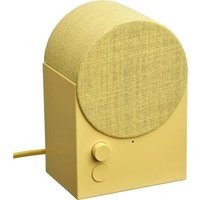


| Brand | IKEA |
| Model | NATTBAD 306.016.08 |
| Product type | Bluetooth speaker |
| Dimensions (W × D × H) | 123 × 92 × 179 mm |
| Power supply | 100-240 V~, 50-60 Hz |
| Power consumption (on) | 12.6 W |
| Power consumption (standby) | 0.3 W |
| Power consumption (off) | 0.1 W |
| Bluetooth version | 5.3 |
| Wireless range | 10 m (open field) |
| Frequency band | 2400-2483.5 MHz |
| Audio output power | 10 dBm (2.4 GHz) |
| Operating temperature | 0 °C to 40 °C |
| Operating humidity | 0 to 95% RH |
| Auto standby | 1 minute |
| Connectivity | Bluetooth, Spotify Tap™ |
| Compatibility | Smartphones, tablets (iOS/Android) |
| Functions | Play/pause, track change, volume, pairing |
| Multi-speaker mode | Yes (connectable with compatible speakers) |
| Maintenance | Unplug, wipe with damp cloth, dry before reconnecting |
| Safety | Do not expose to heat, avoid liquids, ventilation space 5 mm |
| Reparability | Do not open or repair yourself |
Frequently Asked Questions - NATTBAD 306.016.08 IKEA
User questions about NATTBAD 306.016.08 IKEA
0 question about this device. Answer the ones you know or ask your own.
Ask a new question about this device
Download the instructions for your Speakers in PDF format for free! Find your manual NATTBAD 306.016.08 - IKEA and take your electronic device back in hand. On this page are published all the documents necessary for the use of your device. NATTBAD 306.016.08 by IKEA.
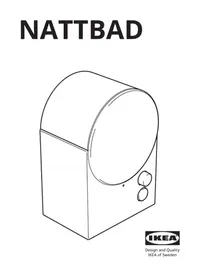
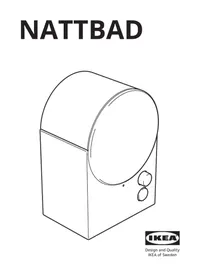
USER MANUAL NATTBAD 306.016.08 IKEA
Design and Quality IKEA of Sweden
1 2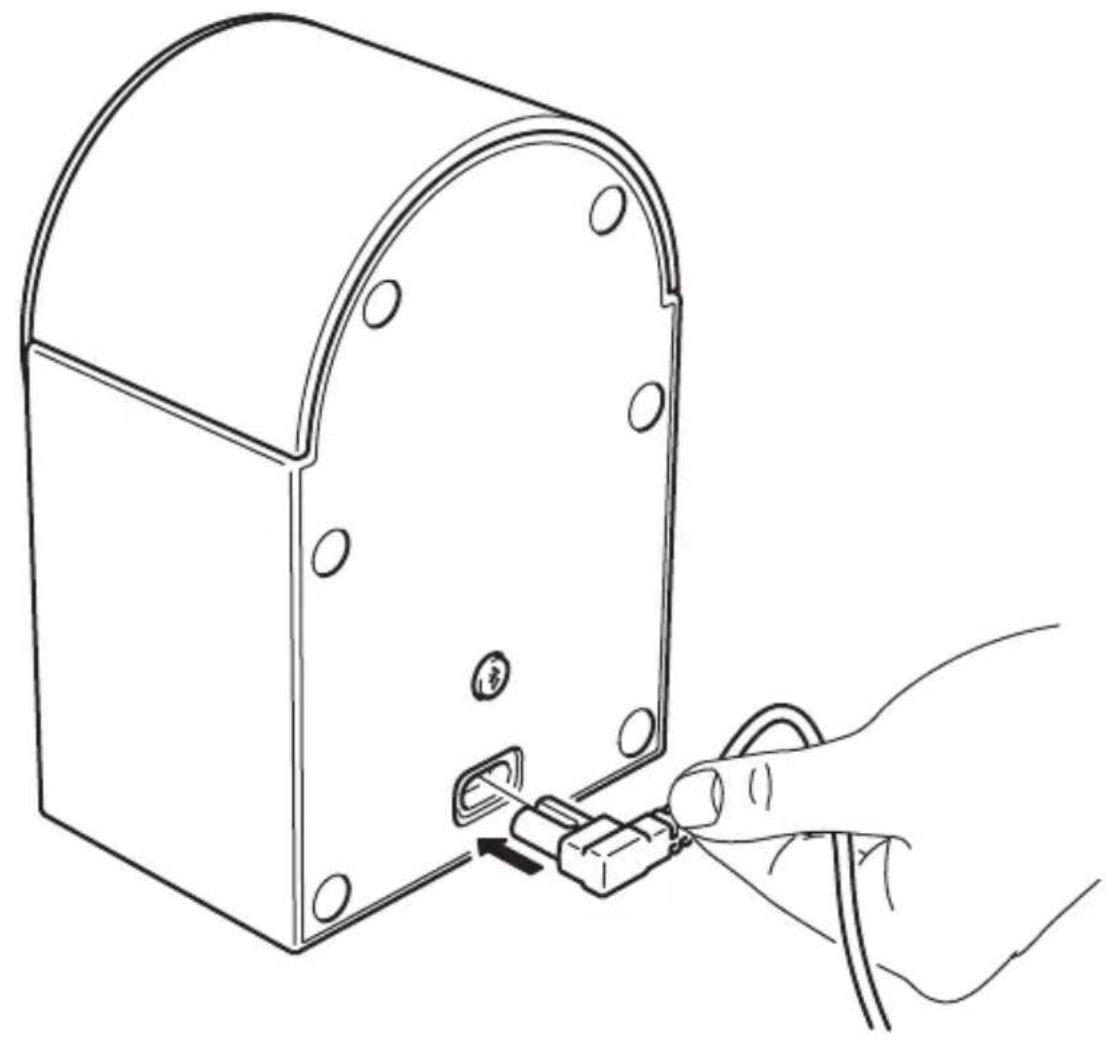

English 9 Eesti 51 Deutsch 12 Latviešu 54 Français 15 Lietuvių 57 Nederlands 18 Português 60 Dansk 21 Română 63 Íslenska 24 Slovensky 66 Norsk 27 Suomi 30 Hrvatski 72 Svenska 33 Ελληνικά 75 Česky 36 Українська 78 Español 39 Srpski 81 Italiano 42 Slovenščina 84 Magyar 45 Türkçe 87 Polski 48 90
English
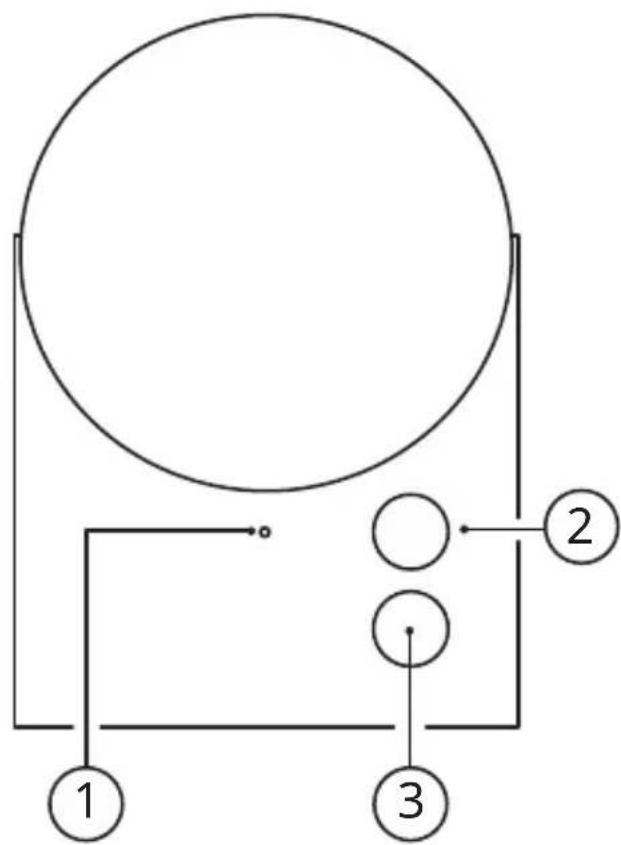
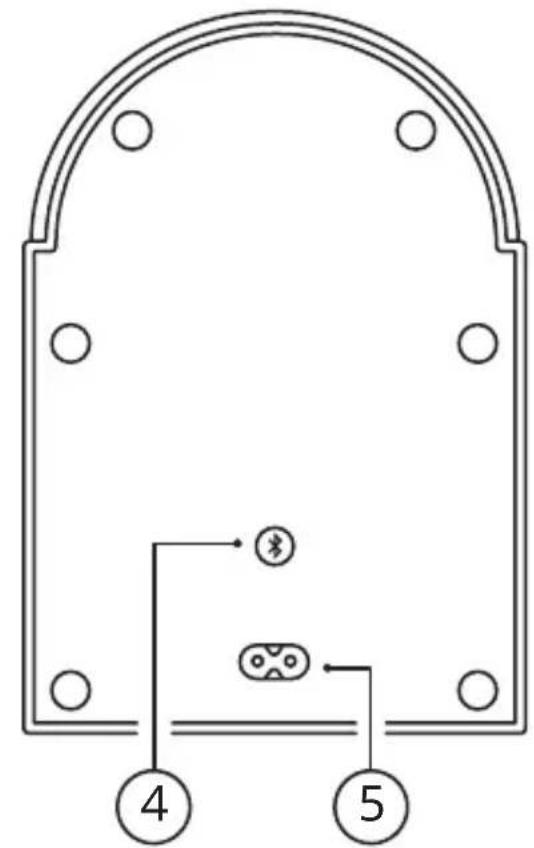
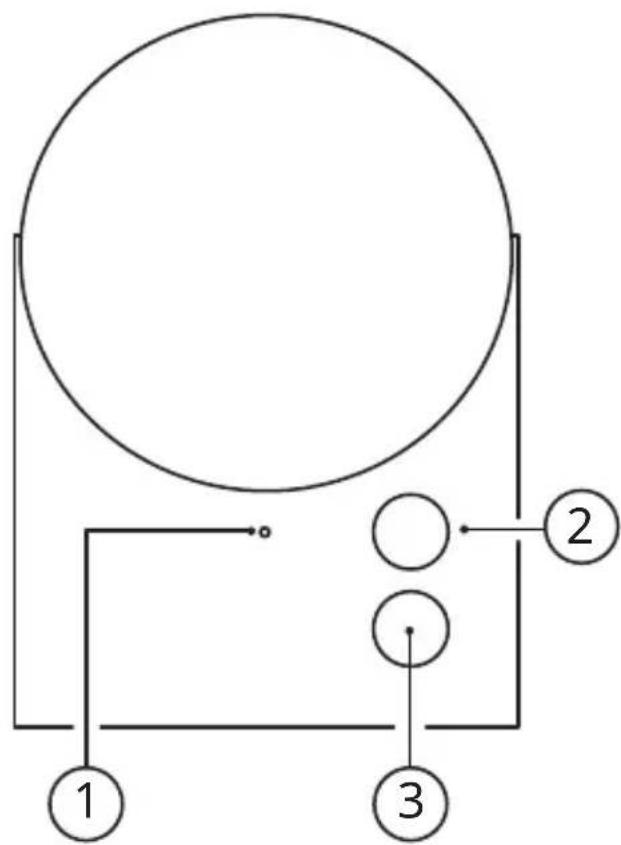
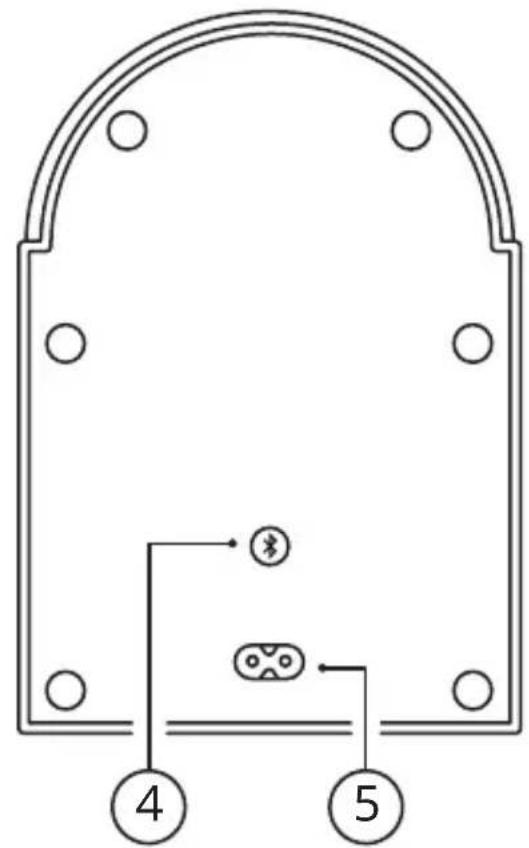
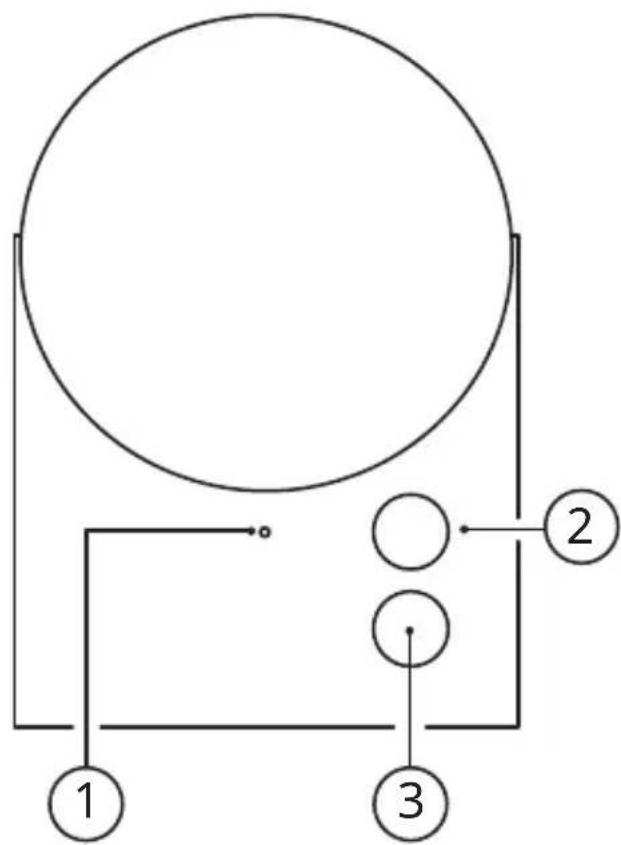
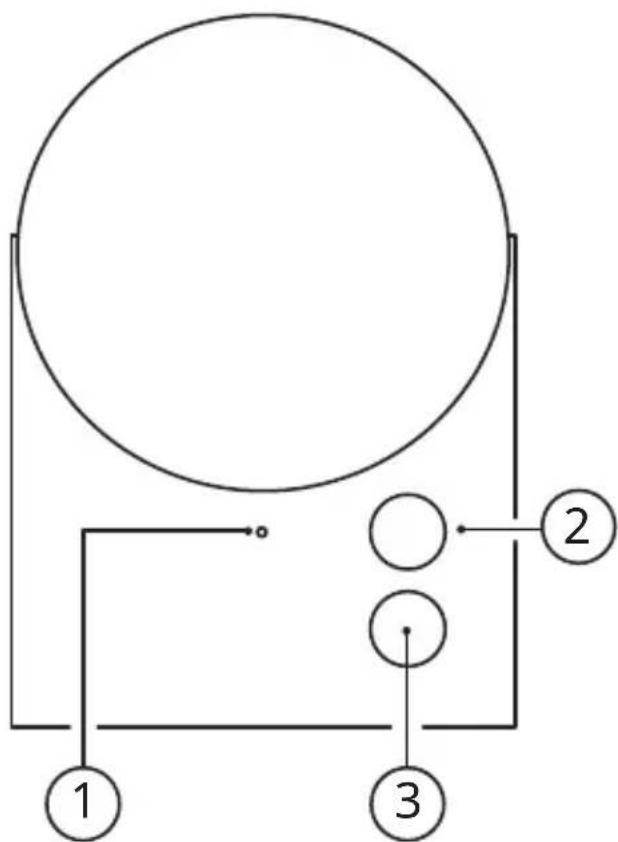
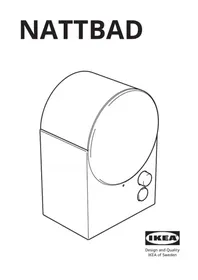
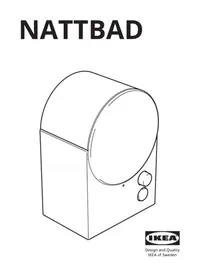
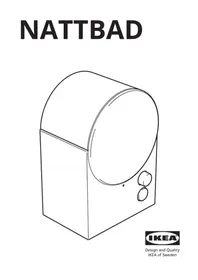
- LED status light.
- Sound knob.
- Spotify Tap™ button.
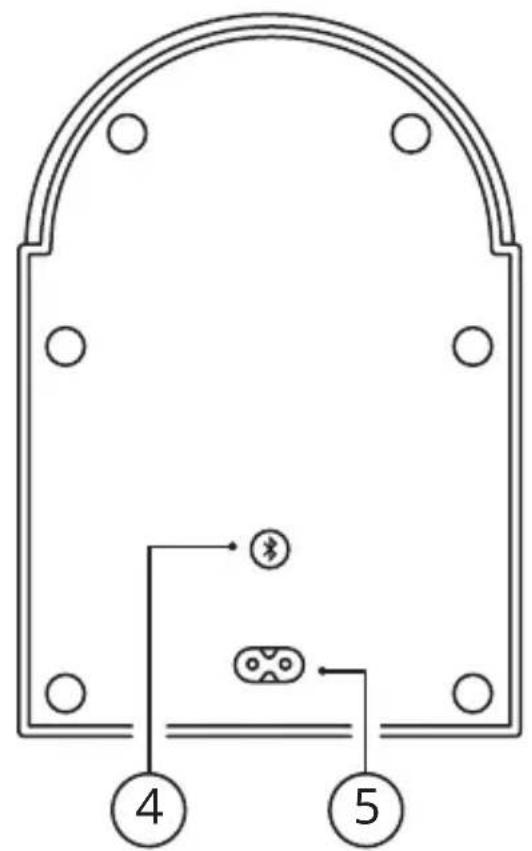
- System button.
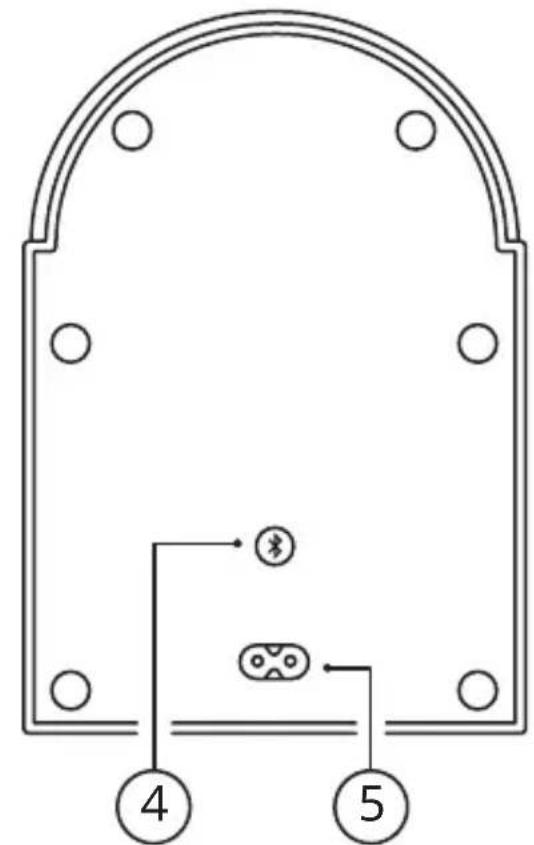
- AC power input.
LED status light (1)
Pulsating white: Bluetooth is searching for a device (pairing mode).
Steady white: Speaker is on and ready to be used.
Blinking red: Factory reset is ongoing.

Save these instructions for future use.
Get started
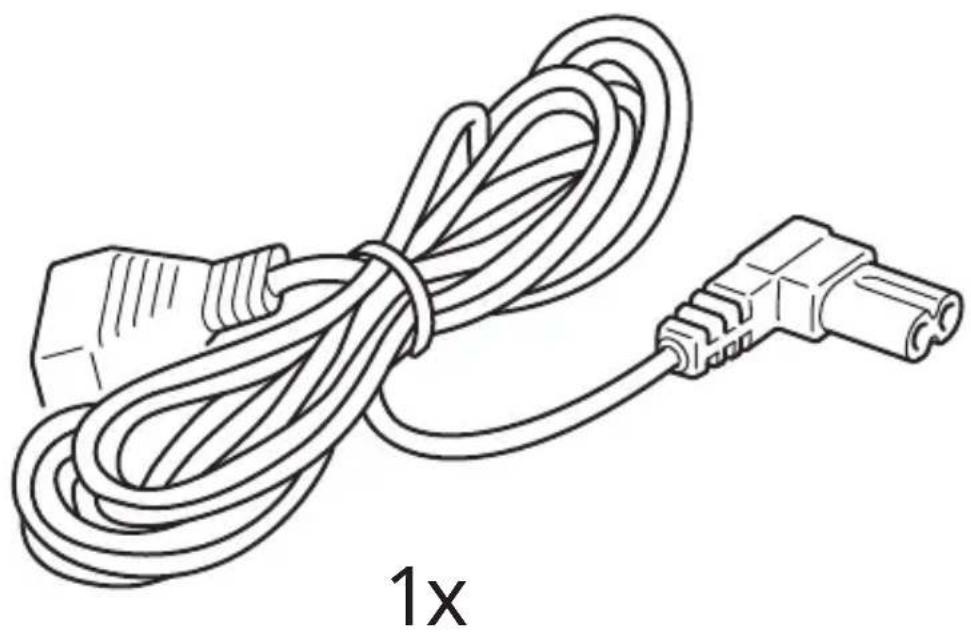
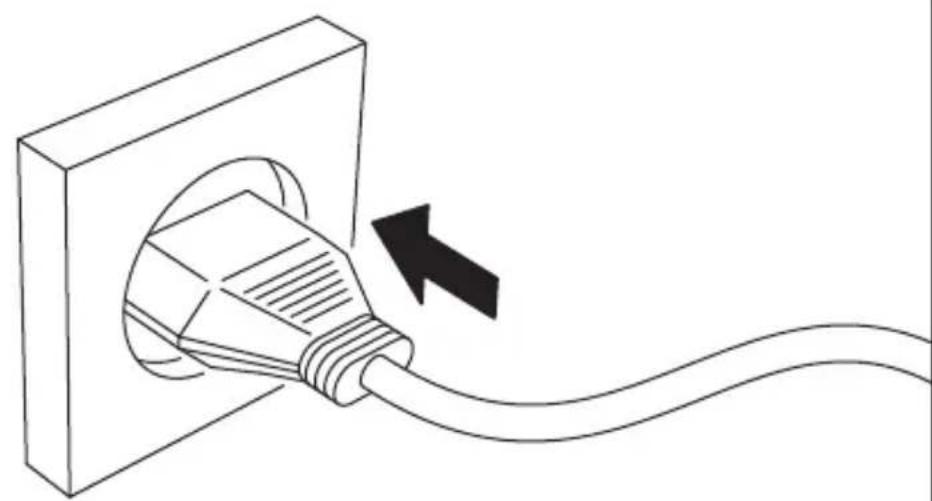
- Connect the mains cord to the AC power input (5) and the other end to a wall outlet.
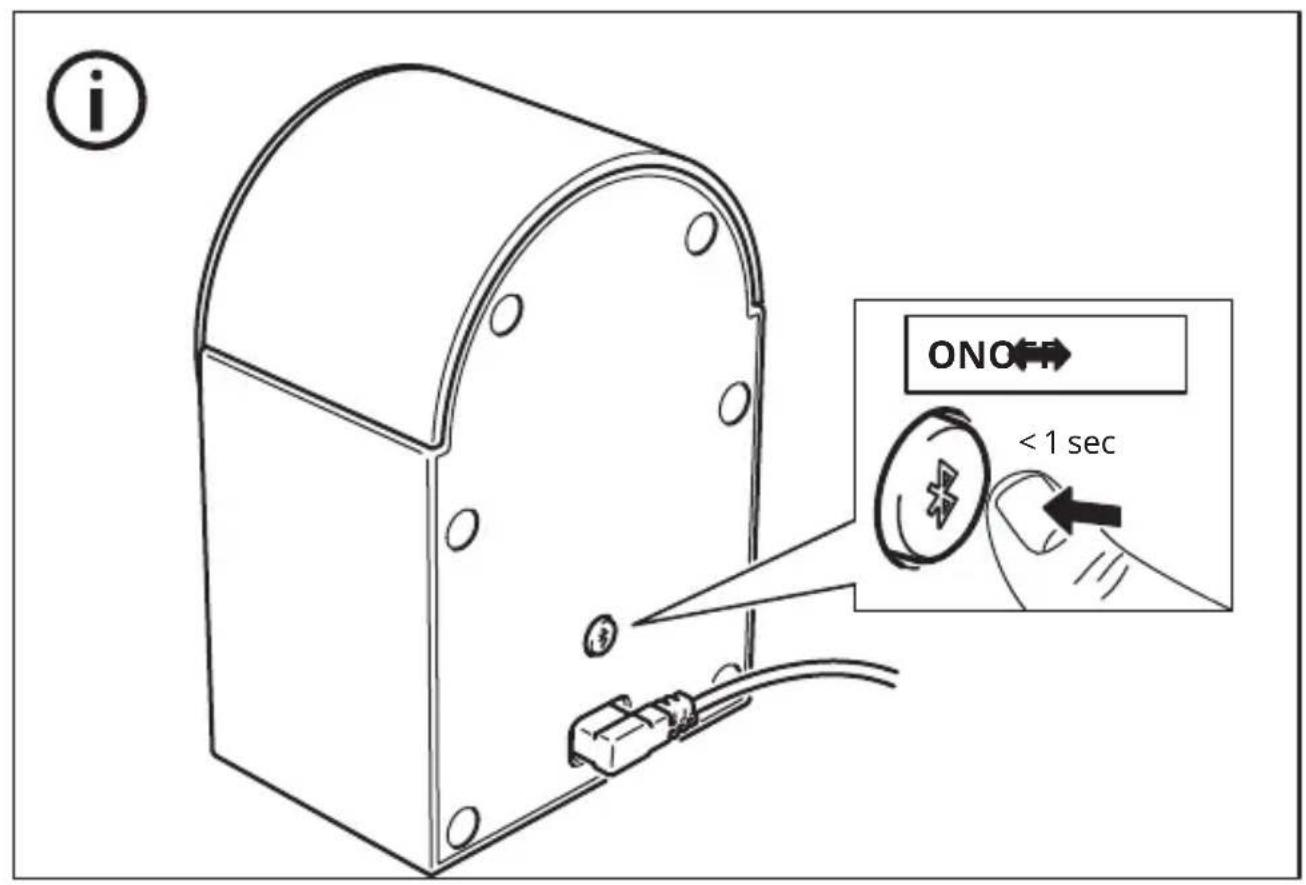
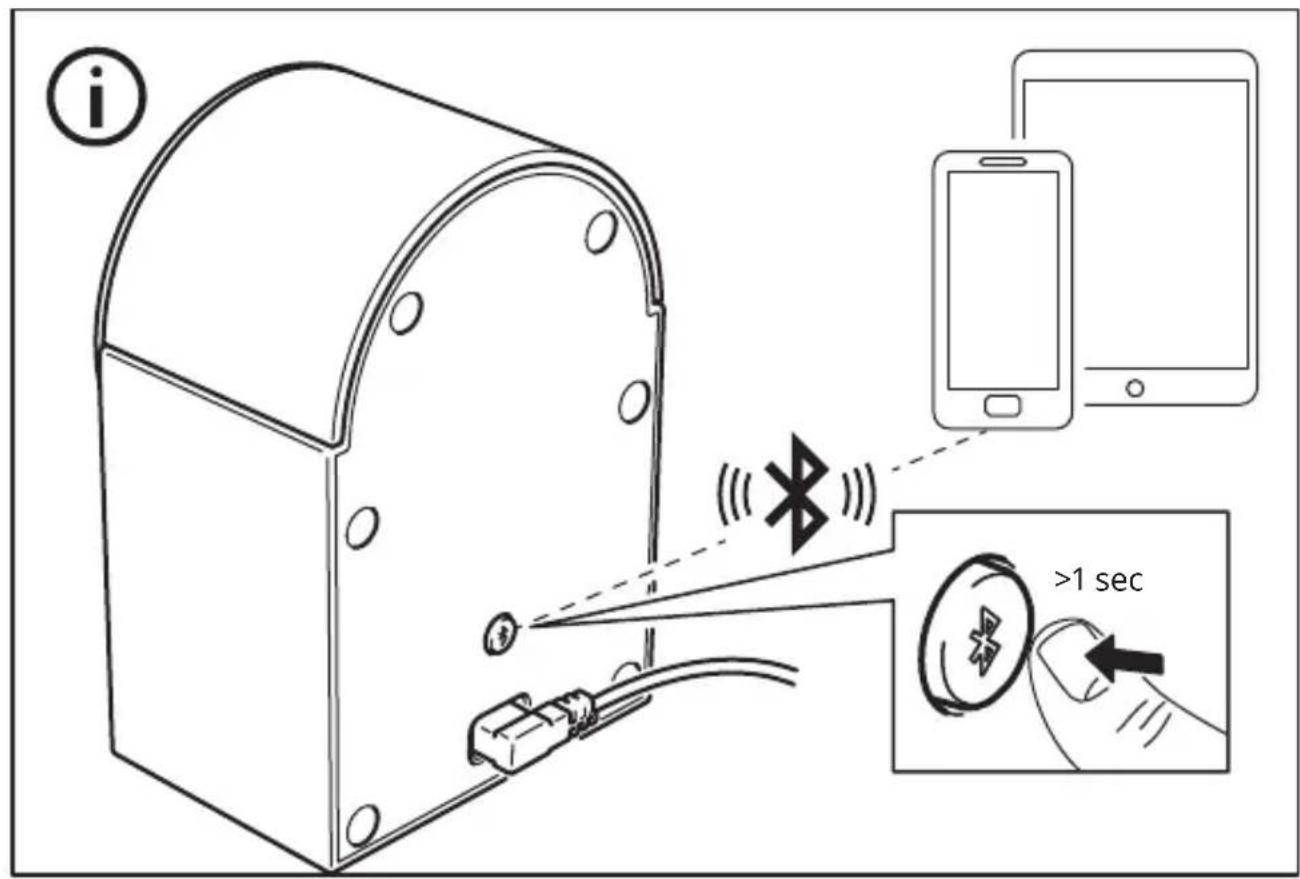
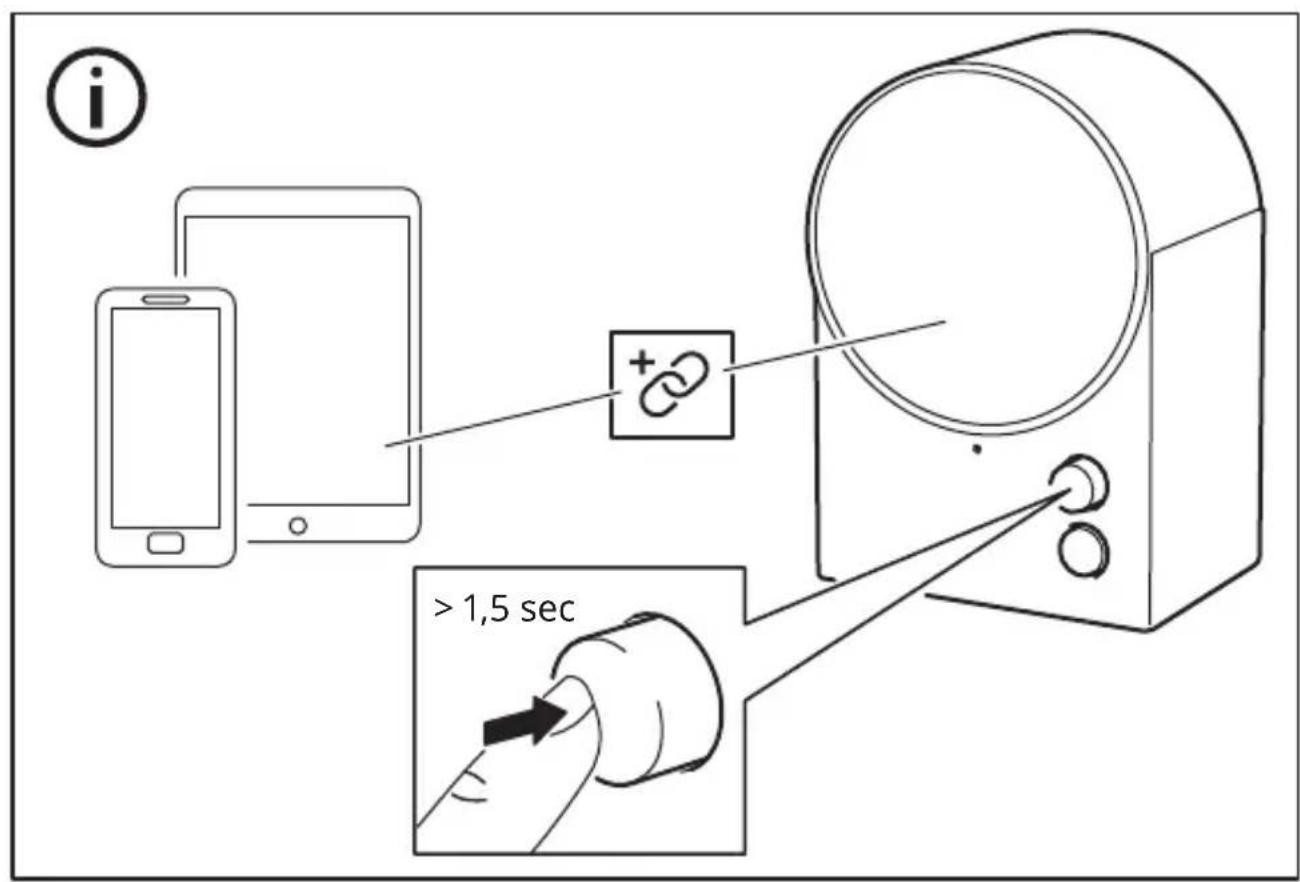
- Briefly press the system button (4) to turn the speaker ON. The LED status light will pulse with a white light while the speaker is in pairing mode. If pairing mode does not start automatically, press and hold the system button (4).
- Turn on Bluetooth on your device and pair it with NATTBAD. When the phone is paired with the speaker, a confirmation sound will be audible and the LED status light will blink twice.
Adjusting the volume
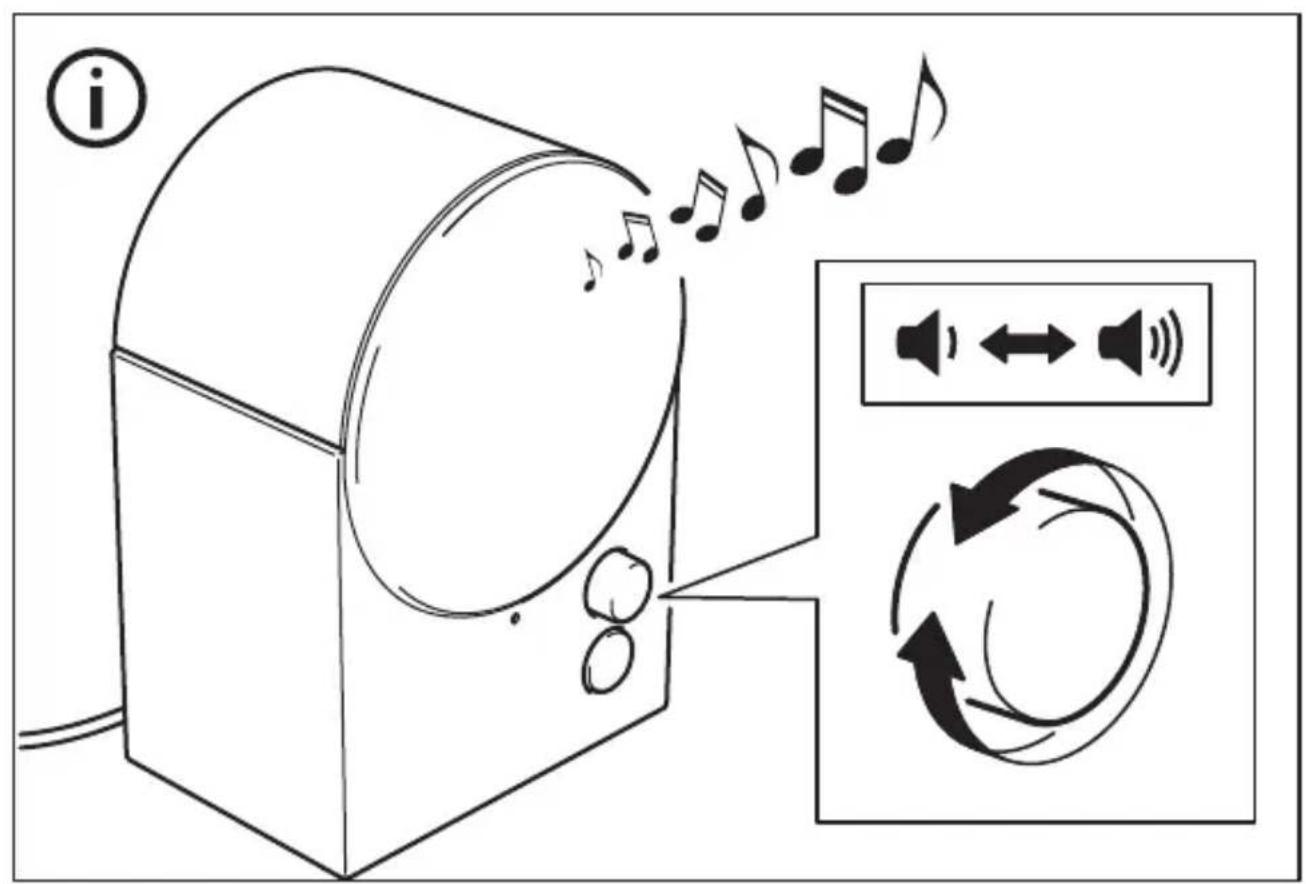
Turn the Sound knob (2) counterclockwise to decrease the volume or clockwise to increase it. Your connected device can also control the volume.
Changing the track
Briefly press the Sound knob (2) to pause/play the track. Double press to skip to the next track. Triple press to play the previous track.
Spotify TapTM
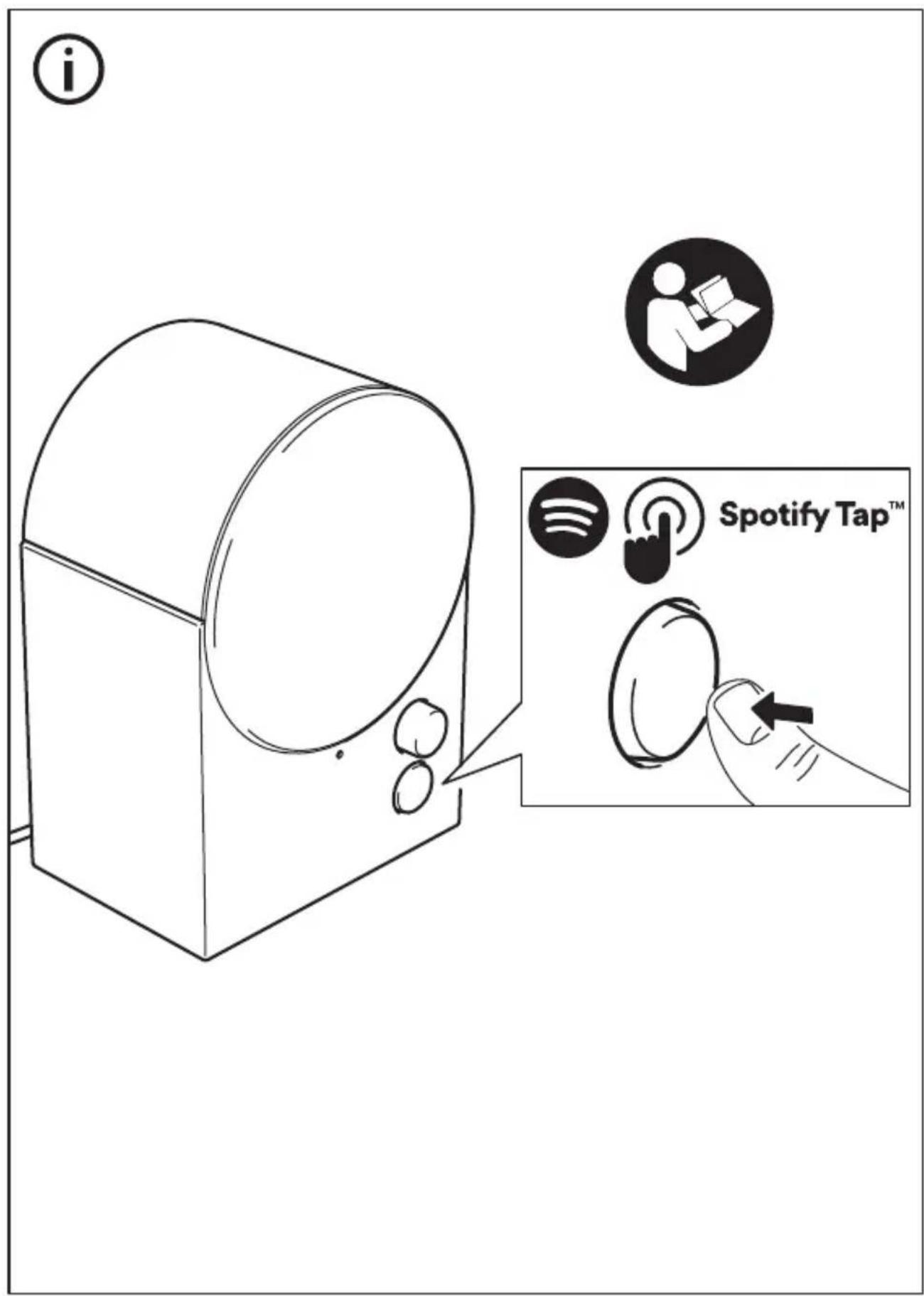
Spotify TapTM allows you to resume and change music directly from your Bluetooth speaker with the press of a button (3).
Getting started (Spotify TapTM)
- Start by downloading the Spotify app from the App Store (for iOS devices) or Google Play Store (for Android devices).
- Make sure your device is paired via Bluetooth to your NATTBAD speaker.
- Make sure the Spotify app is open. This will only be needed upon the first use.
- Press the Spotify TapTM -button (3) to start music.
From now on, whenever you quickly press the Spotify TapTM -button (3), the music resumes anytime your device is paired and in range.
Changing music (SpotifyTapTM)
While music is playing, press the button
(3) again to change what's playing to a recommended track.
Connecting more speakers together (multi-speaker mode)
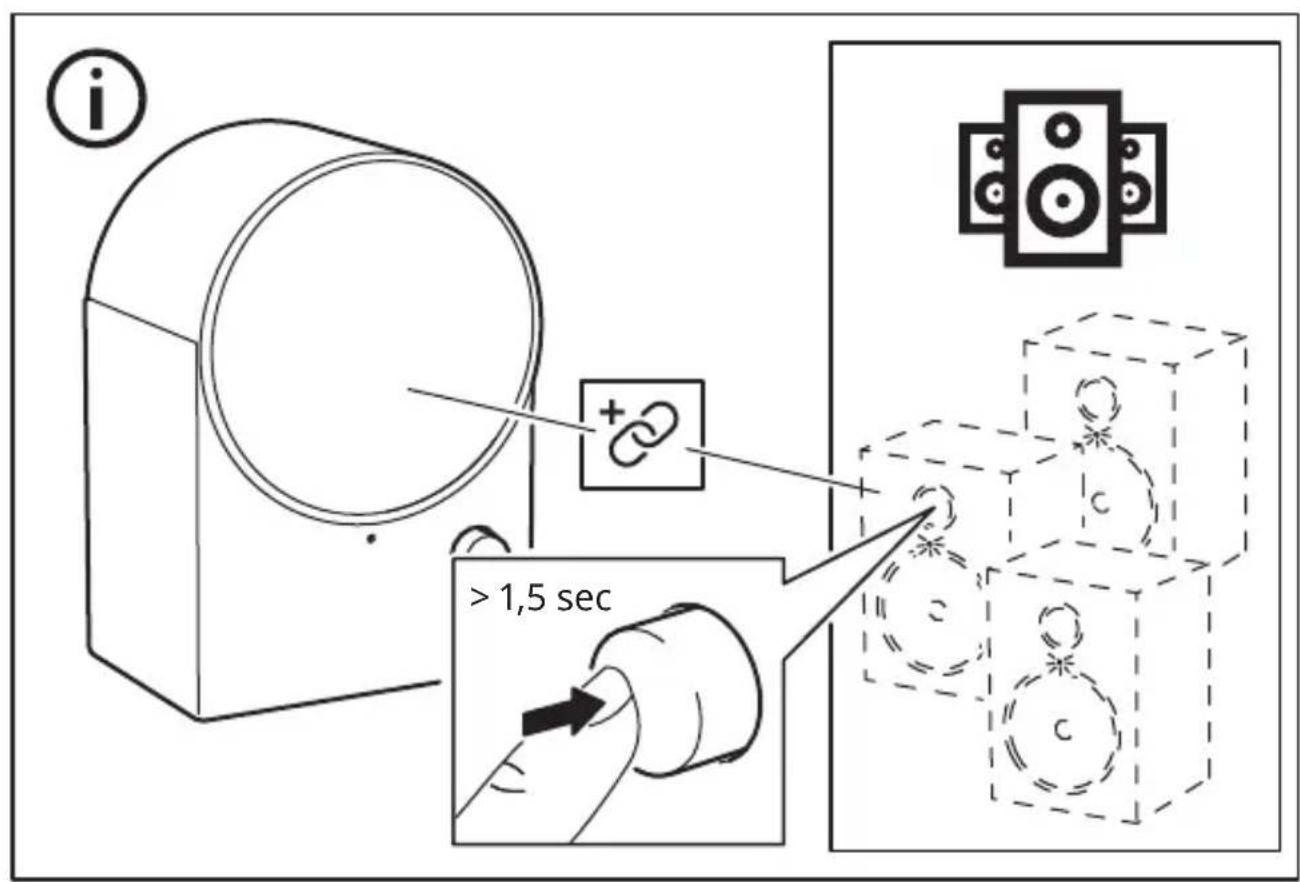
This speaker has a multi-speaker mode which means it can be connected with all our other speakers that have the same mode, so you can enjoy the same music from several speakers.
- Connect your device to one of the speakers via Bluetooth.
- Press and hold the Sound knob (2) on the other speaker you want to connect. The LED status light (1) will double blink white, and a confirmation sound will be audible from the speakers. Repeat this for every new speaker you want to add to your multi-speaker mode.
Disconnecting speakers from multi-speaker mode
Press and hold the System button (4) for more than 1.5 seconds on the speaker you want to disconnect in order to enter the pairing mode on that speaker.
Unpairing Bluetooth devices
If you want to connect another device to your speaker, simply turn off Bluetooth on the device you had paired. The speaker should go into pairing mode automatically. If not, press and hold the system button (4) to enter pairing mode.
Factory reset
If your speaker is not working properly, try to factory reset it. Press and hold the System button (4) for 8 seconds until the LED status light has stopped blinking red. You will now have to pair it with your device again.
Safety and important notice
WARNING:
- Risk of overheating! Never install the product in a confined space. Always leave a space of at least 5 mm around the product for ventilation. Ensure curtains or other objects never cover the ventilation slots on the product.
- Never place the product or batteries near open flames or other heat sources, including direct sunlight.
- Only use this product indoors. The apparatus shall not be exposed to dripping or splashing, and no objects filled with liquids, such as vases, shall be placed on the apparatus.
- Never place this product on other electrical equipment.
- If the supply cord is damaged, replace it with a new cord set which is type-approved for your country.
- No open flame sources, such as lit candles should be placed on the apparatus.
- The mains plug or an appliance coupler is to be used as a disconnect device, the disconnect device shall remain readily operable.
IMPORTANT
- Do not leave the speaker in direct sunlight or near any heat source, as it may overheat.
- Do not subject the speaker to wet, moist or excessively dusty environments, as this may cause damage.
- The range between the speaker and the receiver is measured in open air.
- Different building materials and placement of the units can affect the wireless connectivity range.
- Too high volume can damage your hearing.
- Do not touch the acoustic components.
- Do not use the product as a shelf or stand.
- For important markings, check the bottom side of the product.
Care instructions
To clean the speaker, firstly disconnect it from the power outlet. Then wipe with a slightly damp cloth. Never submerge the speaker in water. And wipe the speaker dry with a soft cloth before connecting the speaker to a power outlet again.
Note!
Never use abrasive cleaners or chemical solvents as this can damage the product.
Product servicing
Do not attempt to repair this product yourself, as opening or removing covers may expose you to dangerous voltage points or other risks.
Manufacturer: IKEA of Sweden AB
Address:
Box 702, SE-343 81 Almhult, SWEDEN
Bluetooth
The Bluetooth® word mark and logos are registered trademarks owned by Bluetooth SIG, Inc. and any use of such marks by IKEA is under license. Other trademarks and trade names are those of their respective owners.

Spotify Tap
Spotify Tap™ is a trademark owned by Spotify and any use of such marks by IKEA is under license. All other Spotify trademarks, service marks, trade names, logos, domain names, and any other features of the Spotify brand are the sole property of Spotify or its licensors.
Use of the Made for Apple badges means that an accessory has been designed to connect specifically to the Apple product(s) identified in the badge and has been certified by the developer to meet Apple performance standards. Apple is not responsible for the operation of this device or its compliance with safety and regulatory standards.
Technical data
Model Name: NATTBAD
Type number: E2405
Input: 100-240VAC 50-60Hz
Standby Power Consumption: 0.3 W
Off-mode Power Consumption: 0.1 W
Rated Power Consumption: 12.6W
Auto Standby: 1 min
Operating temperatures: 0°C to 40°C
Operating humidity: 0 to 95% RH
Dimensions (mm): 123 × 92 × 179 mm
Bluetooth Version: V 5.3
Wireless range (unobstructed): 10 m
Operating frequency: 2400 - 2483.5 MHz
Radio output power:
Bluetooth classic: 10 dBm,
2.4 GHz proprietary: 10 dBm
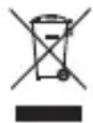
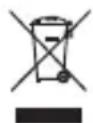
The crossed-out wheeled bin symbol indicates that the item should be disposed of separately from household waste. The item should be handed in for recycling in accordance with local environmental regulations for waste disposal. By separating a marked item from household waste, you will help reduce the volume of waste sent to incinerators or land-fill and minimize any potential negative impact on human health and the environment. For more information, please contact your IKEA store.
Bluetooth classic: 10 dBm,
PRODUCT REPAIR
Manufacturer: IKEA of Sweden AB
Address:
Box 702, SE-343 81 Almhult, SWEDEN
Bluetooth
Bluetooth classic: 10 dBm,
Auto stand-by: 1 min
Operating temperature: 0°C to 40°C
Humidity:
0 to 95 % relative humidity
Dimensions (mm): 123 × 92 × 179 mm
Bluetooth version: V 5.3
Manufacturer: IKEA of Sweden AB
Address:
Bluetooth classic: 10 dBm,
2.4 GHz proprietary: 10 dBm.
Bluetooth classic: 10 dBm,
2.4 GHz proprietary: 10 dBm
- LED status light.
- Volume control.
- Spotify Tap™ button.
- ON/OFF button.
- Power input.
LED status light (1)
Pulsing white: Bluetooth is searching for a device (pairing mode).
Steady white: The speaker is on and ready to use.
Blinking red: Resetting to factory settings is in progress.

Manufacturer: IKEA of Sweden AB
Address:
Box 702, SE-343 81 Almhult, SWEDEN
Bluetooth
Bluetooth classic: 10 dBm;
2.4 GHz, owner: 10 dBm
Bluetooth classic: 10 dBm,
Bluetooth classic: 10 dBm,
Range (without obstacles): 10 m
Standby power consumption: 0.3 W
Operating temperature: from 0°C to 40°C
Manufacturer: IKEA of Sweden AB
Address:
Box 702, SE-343 81 Almhult, SWEDEN
Bluetooth
Bluetooth classic: 10 dBm,
Manufacturer: IKEA of Sweden AB
Address:
Box 702, SE-343 81 Almhult, SWEDEN
Bluetooth
Bluetooth classic: 10 dBm;
2.4 GHz: 10 dBm
Manufacturer: IKEA of Sweden AB
Address:
Box 702, SE-343 81 Almhult, SWEDEN
Bluetooth
The Bluetooth word mark and logos are registered trademarks owned by Bluetooth SIG, Inc. and any use of such marks by IKEA is under license. Other trademarks and trade names are those of their respective owners.

Spotify TapTM
Bluetooth classic: 10 dBm,
2.4 GHz proprietary: 10 dBm
Produced by: IKEA of Sweden AB
Address:
Box 702, SE-343 81 Almhult, SWEDEN
Bluetooth
Power consumption in standby mode: 0.3 W
Power consumption in off mode: 0.1 W Nominal power consumption: 12.6 W
Auto Standby: 1 min
Operating temperature: 0°C - 40°C
Operating humidity: 0 - 95% RH
Dimensions (mm): 123 × 92 × 179 mm
Bluetooth classic: 10 dBm,
2.4 GHz proprietary: 10 dBm
Manufacturer: IKEA of Sweden AB
Address:
Box 702, SE-343 81 Almhult, SWEDEN
Bluetooth
Bluetooth classic: 10 dBm,
2.4 GHz proprietary: 10 dBm
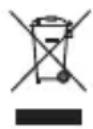
The symbol of the crossed-out container indicates that this product must be disposed of separately from normal household waste. The product should be handed in for recycling in accordance with local regulations for waste management. By separating the marked product from municipal waste, you help reduce the volume of waste sent to incinerators or landfills and minimize any potential negative impact on human health and the environment. For more information, please contact the IKEA store.
Bulgarian
- LED lighting.
- Sound button.
- Spotify TapTM button
- Control button. 5. Charging input.
LED indicator (1)
Turn on: Press the Bluetooth device (in pairing mode).
Constant light:
The speaker is turned on and ready for use.
Flashing red: The device is being restored to factory settings.

See the product label. Keep these instructions for future use.
Power button
- Connect the charging cable to the (5) DC input, and the other end to a power source.
- Press and hold the button on the device (4) to turn it on. The LED indicator will light up in blue while the speaker is in pairing mode. If pairing mode does not start automatically, press and hold the button on the device (4).
- Turn on Bluetooth on your device and connect it to the speaker. When your phone is connected to the speaker, you will hear a confirmation sound and the LED indicator will flash twice.
Adjusting the volume
Turn the volume knob (2) counterclockwise to decrease the volume, or turn it clockwise to increase the volume. The connected device can also control the volume.
Charging
Press the sound button briefly (2) to pause/resume the song. Press twice to skip songs. Press three times to play the previous song.
Spotify Tap™
Spotify Tap™ allows you to control your music directly via Bluetooth on the speaker by pressing a single button (3).
Pairing buttons (Spotify Tap™)
- Download the Spotify app from the App Store (for iOS devices) or Google Play Store (for Android devices).
- Make sure your device is connected to the speaker via Bluetooth.
- Make sure you have opened the Spotify app. This is only necessary for the first use.
- Press the Spotify Tap™ button (3) to play music.
From now on, whenever you press the Spotify Tap™ button (3), the music will start playing every time your device is connected and in range.
Press and hold the button on the device
(4) for more than 1.5 seconds on the speaker, when you want to turn it off, to enter pairing mode.
Removing Bluetooth devices
If you want to connect another device to the speaker, simply turn off the Bluetooth connection on the device you are connected to. The speaker should automatically enter pairing mode. If not, press and hold the button on the device (4) to enter pairing mode.
Factory settings
If the remote control does not work properly, try resetting the device. Press and hold the power button (4) for 8 seconds, until the LED indicator starts flashing red. After that, it may be necessary to pair it again with the device.
Safety and important information
WARNING!
Risk of interruption! Never install the product in a confined space. Always leave a gap of at least 5 mm around the product for ventilation. Make sure that curtains or other objects never cover the ventilation openings on the product. - Never place the product or its battery near open flames or other sources of heat, including candles. - Use this product only in a closed room. The device should not be placed on any surface, and no objects should be placed on top of the device, such as vases. - Never place this product on top of other electrical equipment. If the cable is damaged, replace it with a new cable approved for your country. Do not place the device near sources of open flames, such as lit candles. - [Unintelligible text]
Important
Do not place the remote control near a candle flame or close to a heat source, as it may overheat. Do not leave the remote control in humid or excessively hot environments, as this may damage it. - The range between the remote control and the receiver is measured in open space. Different building materials and the placement of the device can affect the range of the wireless connection. - Excessive sound levels can damage your hearing. Do not place the acoustic components. Do not use the product as a shelf or stand. - Regarding important markings, please check the product label.
MAINTENANCE INSTRUCTIONS
To clean the remote control, first disconnect it. Then wipe the surface with a slightly damp cloth. Never immerse it in water. Dry the remote control with a soft cloth before reconnecting it.
Important!
Never use abrasive cleaning agents or chemical solvents for cleaning, as this may damage the product.
Product repair
Do not attempt to repair the product yourself, as opening or removing the cover may expose you to dangerous voltage or other hazards.
Manufacturer: IKEA of Sweden AB
Address:
Bluetooth
Bluetooth® is a registered trademark of Bluetooth SIG, Inc. and any use of such marks by IKEA is under license. Other trademarks and trade names are property of their respective owners.

Spotify Tap
Spotify Tap™ is a registered trademark owned by Spotify, and any use of such marks by IKEA is under license. All other Spotify trademarks, service marks, trade names, logos, domain names and any other features of the Spotify brand are owned by Spotify or its licensors.
The Made for Apple badge means that the accessories have been specifically designed to connect to the Apple products mentioned on the badge, and have been certified by the developer to meet Apple performance standards. Apple is not responsible for the operation of this device or its compliance with safety and regulatory standards.
Technical data
Model name: NATTBAD
Model number: E2405
Input voltage: 100-240VAC 50-60Hz
Power consumption in standby mode: 0.3W
Power consumption in mode
"Excluded": 0.1 W
Rated power consumption: 12.6 W
Auto Standby: 1 min
Operating temperature: 0°C to 40°C
Operating humidity: 0 to 95% RH
Dimensions (mm): 123 x 92 x 179 mm
Bluetooth version: V 5.3
Wireless range (unobstructed): 10 m
Operating frequency: 2400 - 2483.5 MHz
Radio output power:
Bluetooth classic: 10 dBm,
2.4 GHz proprietary: 10 dBm
The crossed-out wheeled bin symbol indicates that the product must be disposed of separately from household waste. The product must be recycled in accordance with local regulations for waste disposal. By separating the product from household waste, you help reduce the amount of waste sent to incinerators or landfills and minimize potential negative effects on human health and the environment. For more information, please contact your local IKEA store.
Croatian

Manufacturer: IKEA of Sweden AB
Address:
Box 702, SE-343 81 Älmhult, SWEDEN
Bluetooth
The Bluetooth® word mark and logos are registered trademarks owned by Bluetooth SIG, Inc. and any use of such marks by IKEA is under license. Other trademarks and trade names are those of their respective owners.

Spotify Tap
Spotify Tap™ is a trademark owned by Spotify and any use of such marks by IKEA is under license. All other trademarks, service marks, trade names, logos, product names, and any other designations of Spotify are the exclusive property of Spotify or its licensors.
The use of the Made for Apple badge means that an accessory has been designed to connect specifically to Apple products identified in the badge and has been certified by the developer to meet Apple performance standards. Apple is not responsible for the operation of this device or its compliance with safety and regulatory standards.
Technical data
Model name: NATTBAD
Type: E2405
Input: 100-240VAC, 50-60Hz
Bluetooth classic: 10 dBm,
2.4 GHz proprietary: 10 dBm
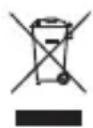
The symbol with the crossed-out wheeled bin indicates that the product requires separate waste collection. The product must be recycled in accordance with local environmental regulations. By separating a product marked with this symbol, you contribute to reducing the volume of waste sent to incinerators or landfills and minimize potential negative effects on health and the environment. For more information, please contact your local IKEA store.
Ukrainian

- Status indicator light.
- Sound button.
- Spotify Tap™ button. 4. Button system. 5. USB-C port.
CbitIOBni iHdkaTop cTaHy (1)
Bluetooth search (device name).
HemroTnnBn 6iNn: HAMIK rTOOBn DO BUKOPNCaHH.
Bluetooth classic: 10 dBm,
2.4 GHz proprietary: 10 dBm
0.3:1saaewklaaogglll
blg 0.1:labbI bao jic aoJI UxjwJ
12.6:
a 1 jalil
40 0:J
RH%95J0:Jgdb
179×92×123:()
V5.3
10: (gjlc)
2483.5-240:J
Box 702, SE-343 81 Almhult, SWEDEN
Bluetooth
Bluetooth® "g"
Bluetooth asjw asglao aljoo a jzto lox
LJU Joo oolal ool jol sgl.SIG,Inc
Spotify and Spotify Tap
Spotify and Spotify
(Made for Apple)
Apple and Apple
Apple and Apple
- ENGLISH
- LED STATUS LIGHT (1)
- SAVE THESE INSTRUCTIONS FOR FUTURE USE
- GET STARTED
- ADJUSTING THE VOLUME
- CHANGING THE TRACK
- SPOTIFY TAPTM
- GETTING STARTED (SPOTIFY TAPTM)
- CHANGING MUSIC (SPOTIFYTAPTM)
- CONNECTING MORE SPEAKERS TOGETHER (MULTI-SPEAKER MODE)
- DISCONNECTING SPEAKERS FROM MULTI-SPEAKER MODE
- UNPAIRING BLUETOOTH DEVICES
- FACTORY RESET
- SAFETY AND IMPORTANT NOTICE
- WARNING
- IMPORTANT
- CARE INSTRUCTIONS
- NOTE
- PRODUCT SERVICING
- MANUFACTURER: IKEA OF SWEDEN AB
- ADDRESS
- BLUETOOTH
- SPOTIFY TAP
- TECHNICAL DATA
- PRODUCT REPAIR
- PRODUCED BY: IKEA OF SWEDEN AB
- BULGARIAN
- LED INDICATOR (1)
- CONSTANT LIGHT
- SEE THE PRODUCT LABEL. KEEP THESE INSTRUCTIONS FOR FUTURE USE
- POWER BUTTON
- CHARGING
- SPOTIFY TAP™
- PAIRING BUTTONS (SPOTIFY TAP™)
- REMOVING BLUETOOTH DEVICES
- FACTORY SETTINGS
- SAFETY AND IMPORTANT INFORMATION
- MAINTENANCE INSTRUCTIONS
- CROATIAN
- UKRAINIAN
Brand : IKEA
Model : NATTBAD 306.016.08
Category : Speakers