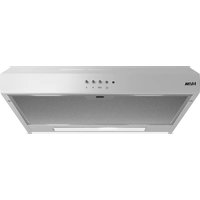
AO461WIT - Basket ETNA - Free user manual and instructions
Find the device manual for free AO461WIT ETNA in PDF.


| Product type | Chimney hood |
| Brand | ETNA |
| Model | AO461WIT |
| Number of speeds | 3 |
| Lighting | 4 W bulb, E14 base, 220-240 V |
| Electric damper | Yes, integrated |
| Chimney material | Stainless steel |
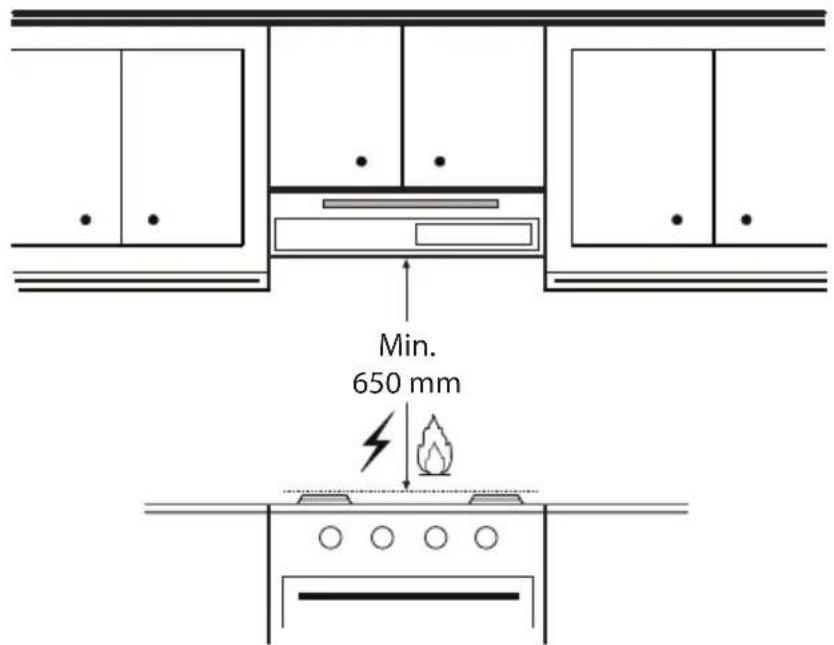
| Minimum safety distance | 65 cm (55 cm for electric/induction hobs) |
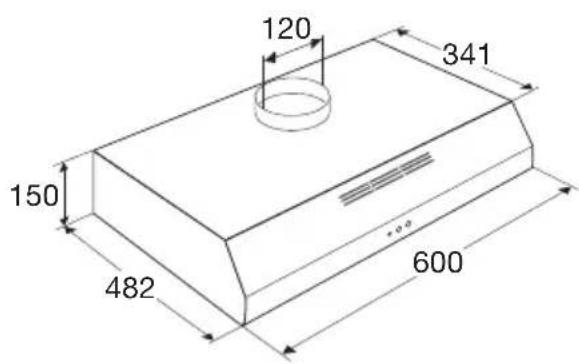
| Exhaust duct diameter | 125 mm |
| Grease filter type | Metal, dishwasher safe |
| Grease filter cleaning frequency | Monthly |
| Compatible odor filter | REC80 (charcoal) or HF3001 (for HR0001 set) |
| Charcoal filter replacement | Every 4 months |
| Power supply | 220-240 V ~ 50 Hz |
| Electric class | II (double insulation) |
| Optional accessories | Recirculation set HR0001 |
| Country of origin | Not specified |
Frequently Asked Questions - AO461WIT ETNA
User questions about AO461WIT ETNA
0 question about this device. Answer the ones you know or ask your own.
Ask a new question about this device
Download the instructions for your Basket in PDF format for free! Find your manual AO461WIT - ETNA and take your electronic device back in hand. On this page are published all the documents necessary for the use of your device. AO461WIT by ETNA.
USER MANUAL AO461WIT ETNA
natural_image
Diagram of a pipe joint with directional arrows indicating movement (no text or symbols)natural_image
Diagram of a mechanical assembly with rotating components and directional arrows (no text or symbols)natural_image
Simple line drawing of a rectangular container with a lid and side panel (no text or symbols)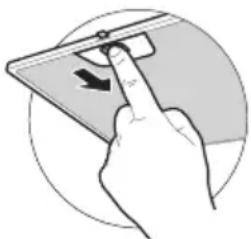
natural_image
Hand inserting a device into a smartphone (no text or symbols visible)natural_image
Technical diagram of a pipe joint with directional arrows indicating movement (no text or symbols)natural_image
Diagram of a mechanical assembly with rotating components and directional arrows (no text or symbols)- Application de recirculation.
natural_image
Simple line drawing of a rectangular container or enclosure with a handle and top panel (no text or symbols)natural_image
Illustration of a hand pressing a button on a smartphone (no text or symbols visible)Nettoyage
natural_image
Diagram of a pipe joint with directional arrows indicating movement or force (no text or symbols present)natural_image
Diagram of a mechanical assembly with rotating components and directional arrows (no text or symbols)natural_image
Line drawing of a rectangular electronic device with a top panel and base (no text or symbols)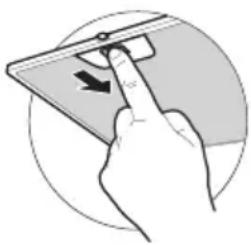
natural_image
Hand inserting a device into a tablet, showing the arrow indicating direction (no text or symbols present)| Cleaning | 7 | |
| Grease filter 8 | ||
| Odour/fine dust filter 9 | ||
| Lighting | 10 |
Faults
| What should I do if... 11 | |
| Faults table 11 |
Installation
| General | 12 | |
| Electrical connection 12 | ||
| Mounting the cooker hood 13 |
Matching accessories
| Matching accessories 13 |
Environmental aspects
| Disposal of appliance and packaging 14 |
Installation
16
Introduction
Congratulations on your choice of this appliance. This product was designed with simple operation and optimum comfort in mind.
This manual describes the best way to use this appliance. In addition to information on operation, you will also find background information that may be useful during the use and maintenance of the appliance.

Please read the separate safety instructions carefully before using the appliance.
Read this manual before using the appliance and keep it in a safe place for future use.
Description
AO161
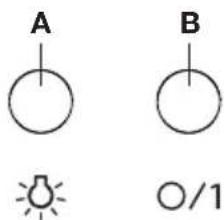
A Lighting
B Opening and closing the electric valve
AO461
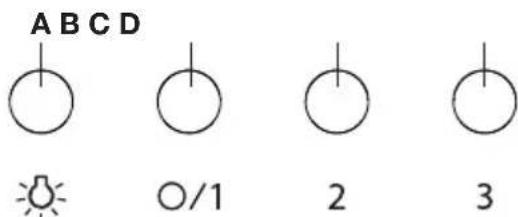
A Lighting
B Switching off and switching on fan position 1
C Fan position 2
D Fan position 3
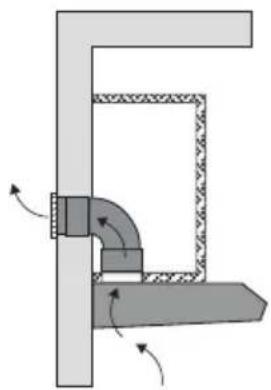
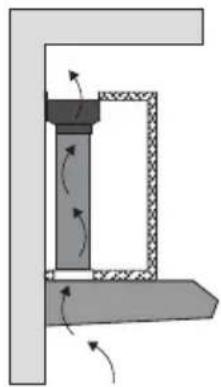
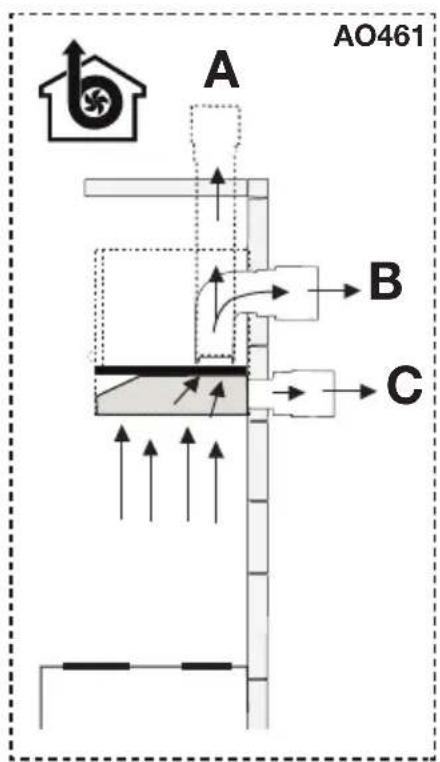
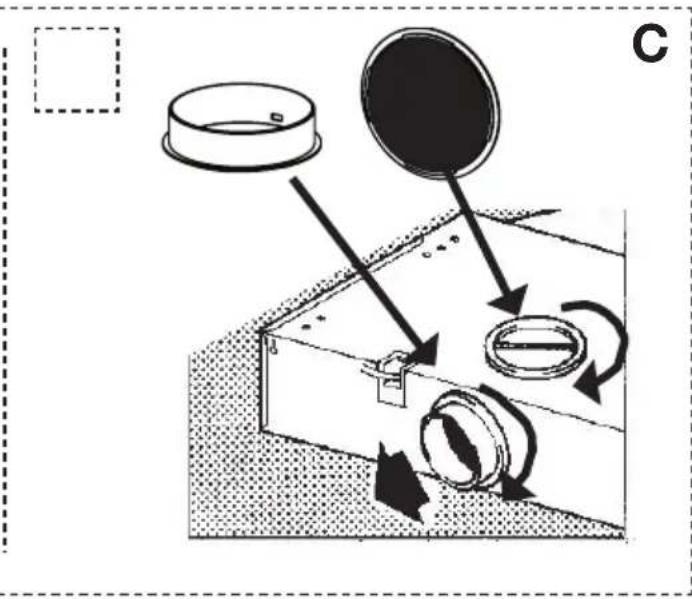
Extraction systems AO461

natural_image
Diagram of a pipe joint with directional arrows indicating flow or movement (no text or symbols)This appliance can be connected in two ways.
- Exhaust to the outside.
The cooking air drawn in is discharged to the outside via a drain hose. Make sure to install a shut-off valve in the drain to prevent cold air from entering through the drain hose. This appliance can be freely hung on the wall in this way, or mounted under a cabinet.

natural_image
Diagram of a mechanical assembly with rotating components and directional arrows (no text or symbols)- Recirculation application.
In this application, cooking air is not exhausted to the outside. Contaminated cooking air is filtered and blown back into the kitchen. This requires an additional odour/fine dust filter, which should be replaced regularly for optimal operation.
Attention! The odour/fine dust filter must be ordered separately.
Controls
AO161
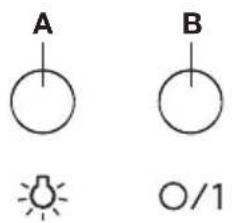
Opening and closing the electric valve
- Press button B.
The electric valve opens. - Press button B again.
The electric valve closes.
AO461
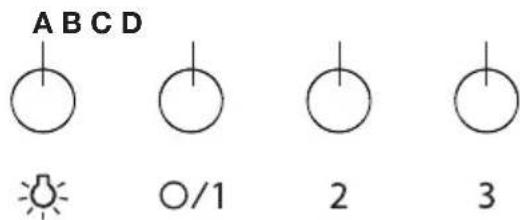
Switching the fan on and off
- Press button B, C or D
The extractor hood switches on in the corresponding position. - Then press the appropriate button again.
The fan will switch off.
Switching the lighting on and off
- Press the lighting button A.
The lighting switches on. - Press the lighting button A again.
The lighting switches off.
Cleaning

Note! Before each servicing, first disconnect the cooker hood by removing the plug from the wall socket or by switching off the main switch of the residence.

The cooker hood should be cleaned regularly (at least with the same frequency with which you carry out maintenance of the fat filters) internally and externally. Do not use abrasive products. Do not use alcohol!

Attention! Failure to carry out the basic cleaning recommendations of the cooker hood and replacement of the filters may cause fire risks. Therefore, we recommend observing these instructions. The manufacturer declines all responsibility for any damage to the motor or any fire damage linked to inappropriate maintenance or failure to observe the above safety recommendations.

Cooker hood
Clean the cooker hood with soapy water and a soft cloth. Then wipe with clean water to rinse. Do not use aggressive cleaning agents such as soda. The cooker hood paintwork will stay looking nice if you wax it occasionally.

Stainless steel canopy hoods
Do not use any sort of scourer. Treat with a stainless steel care product and polish with the structure of the stainless steel.

Metal grease filters
These must be cleaned once a month (or when the filter saturation indication system – if envisaged on the model in possession – indicates this necessity), using non aggressive detergents, preferably by hand or in the dishwasher, which must be set to a low temperature and a short cycle. The openings must be placed downwards to let the water run out of the filters. The cleaning agents will make the aluminium filter turn dull, this is normal.
Grease filter

Regular filter cleaning ensures optimal performance and prevents release of cooking odours when the appliance is not in use.
Clean the grease filters at least once a month. During cleaning, the aluminium parts of the filters may become dull as a result of the cleaning agents used, particularly when placed in the dishwasher. This is normal.
natural_image
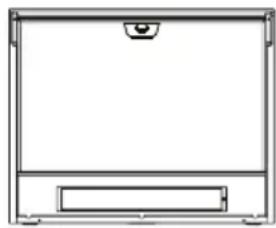
Simple line drawing of a rectangular container with a handle and top panel (no text or symbols)Removing the grease filter
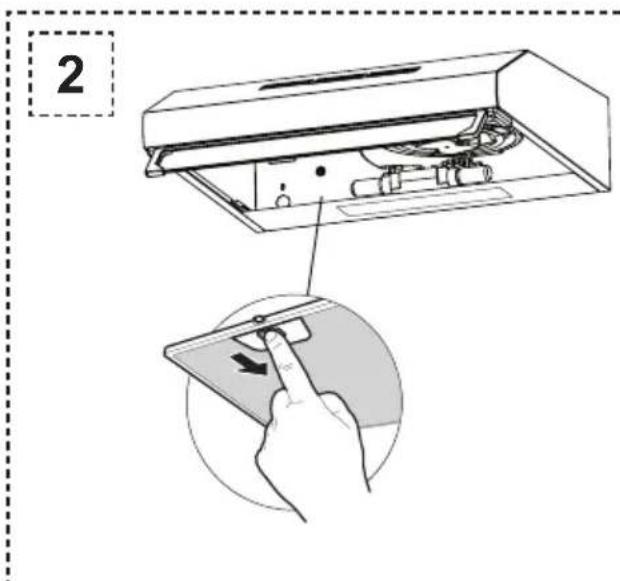
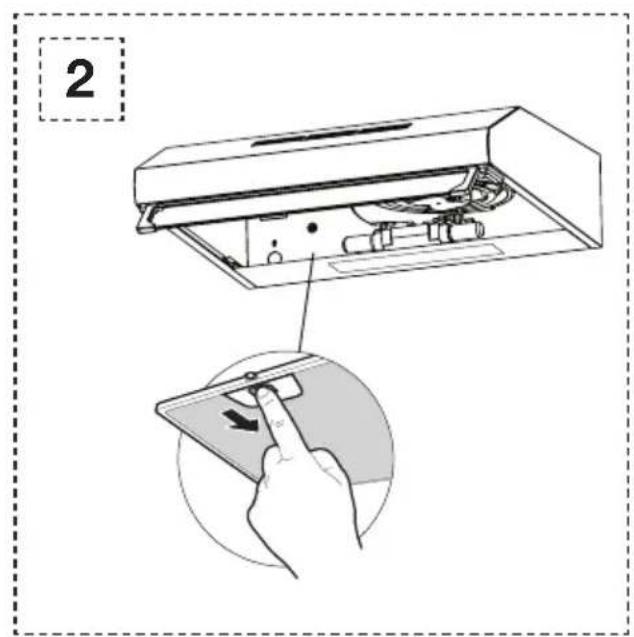
- Switch off the appliance and the lighting.
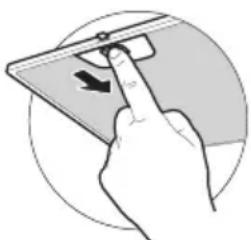
- Using the recess, press the grease filter backwards.
- Remove the grease filter from the hood.
natural_image
Illustration of a hand pressing a button on a smartphone (no text or symbols visible)Cleaning
- The grease filter can be easily cleaned by hand. Clean the grease filter in water and washing-up liquid and rinse them. Afterwards, let the grease filter drain and dry thoroughly before replacing it.
- You can also clean the grease filter in the dishwasher if necessary. Afterwards, let the grease filter drain and dry thoroughly before replacing it.
- The underside of the extractor hood can be cleaned with a mild cleaning agent and a moist cloth.
Reinstalling the grease filter
Make sure the grease filter is thoroughly dry before replacing it. The grease filter has to be installed with the locking mechanism at the front.
- Open the locking mechanism. This pulls the projections at the front of the filter inwards. When installing the filter, hold the locking mechanism in this position.
- Push the projections at the back of the filter into the openings provided for this purpose at the rear of the extractor hood.
- Hinge the filter upwards.
- Release the locking mechanism. The projections at the front of the filter move outwards into the openings provided for this purpose at the front of the extractor hood.
Odour/fine dust filter
Inserting and replacing the filter in the filter box
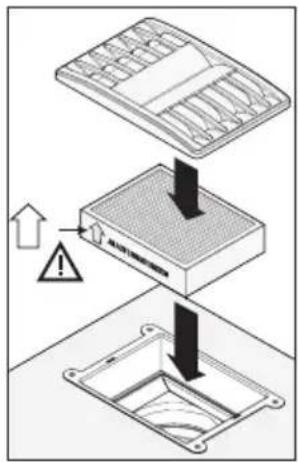
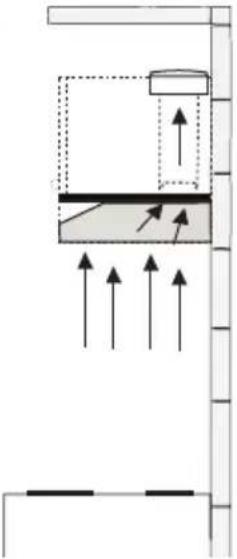
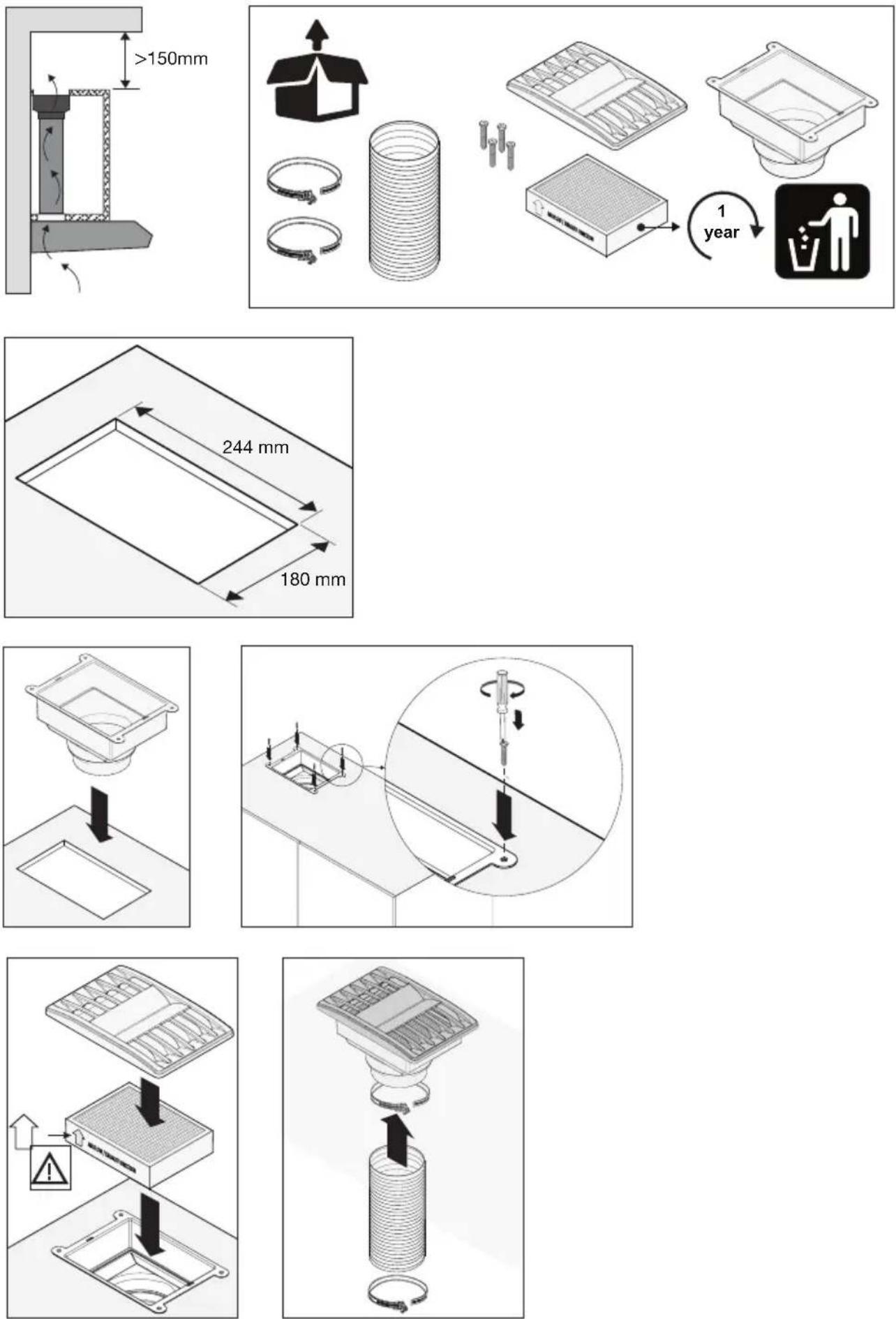
- When the appliance is used as a recirculation extractor, you use the separate filter box HR0001, which is installed in the upper cabinet.
- With the filter box, your extractor hood delivers optimum performance. The filter used cleans cooking vapours of odours and fine dust.
-
You only need to change the filter once a year.
-
Remove the cover grid by pulling it gently.
- Remove the old filter from the box.
- Insert the new filter into the box. When doing so, pay attention to the arrow on the side. This is the direction of the air flow.
- Place the cover grid back on the filter holder.
Alternative: Inserting and replacing an carbon filter
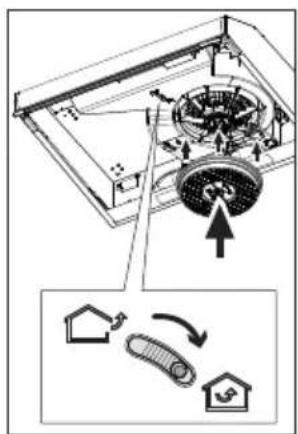
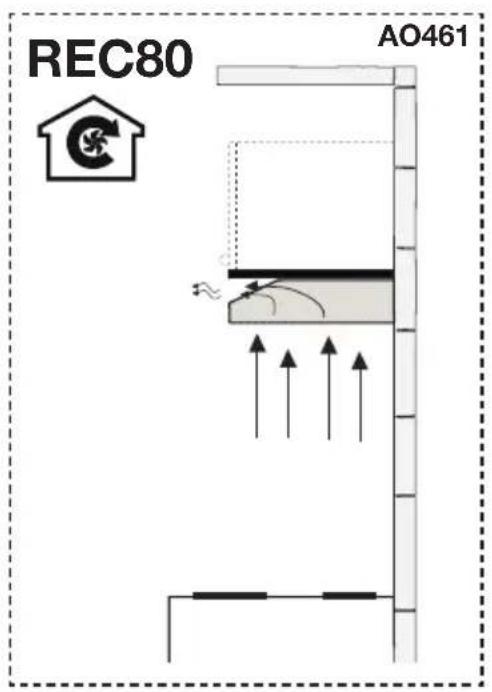
- If the appliance is not mounted under an overhead cupboard but freely suspended on a wall and cannot drain to the outside, you will alternatively need to install an internal filter to neutralise cooking odours.
- Note: This mode creates a lot of resistance on the motor, increases noise, and reduces suction capacity.
- Switch off the appliance and the lighting.
- Using the recess, press the grease filter backwards.
- Remove the grease filter from the hood.
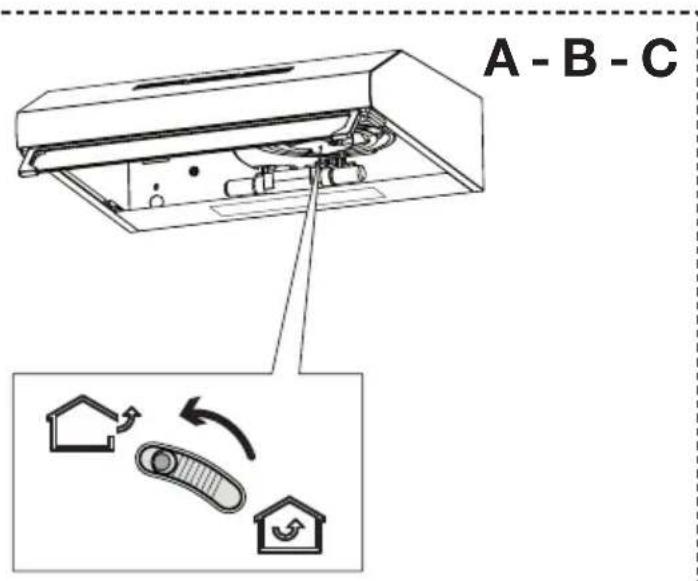
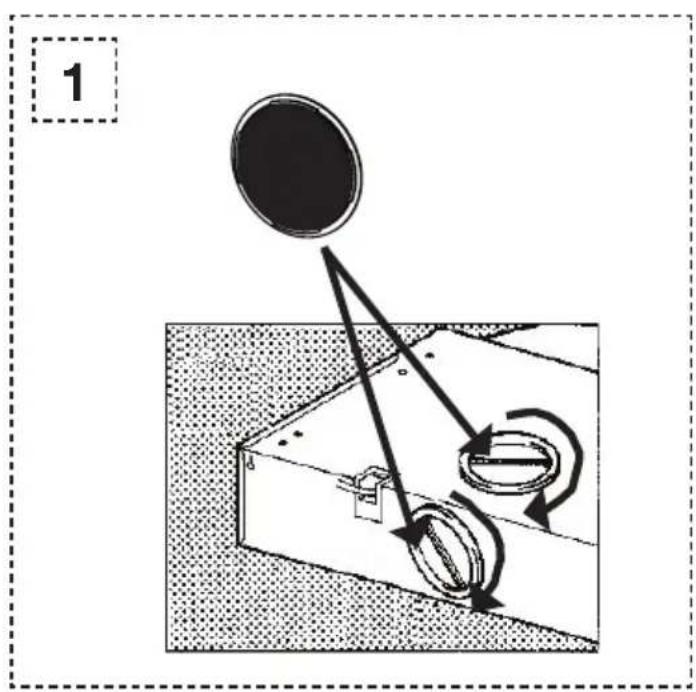
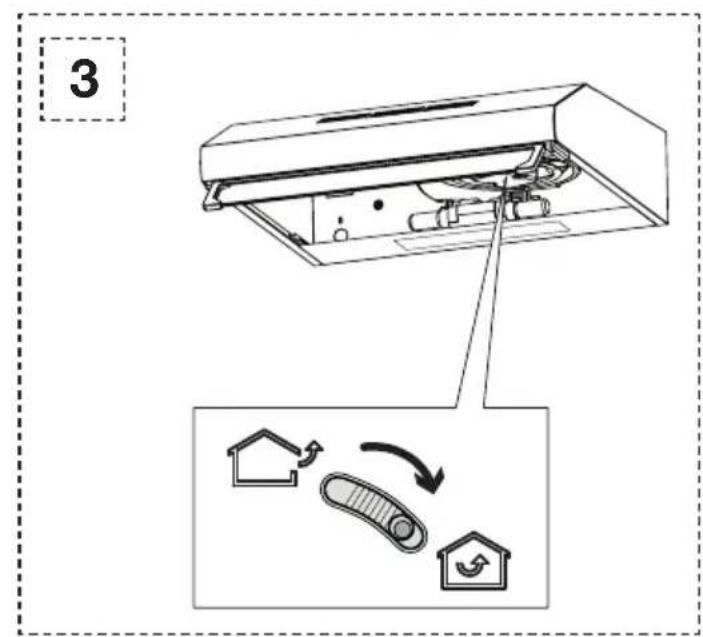
- Set the slide valve to recirculation mode.
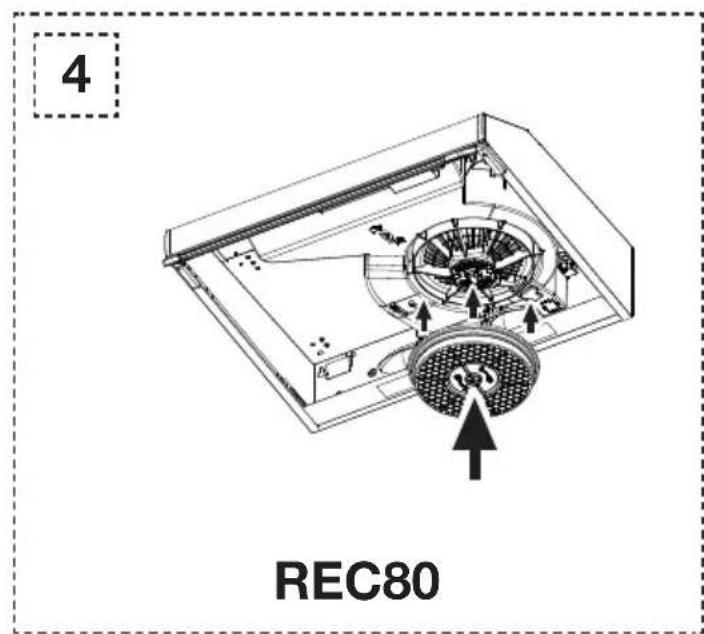
- Attach the REC80 carbon filter to the motor.
- Replace the grease filter.

Important:
- Filter saturation depends on the intensity of use, cooking methods and the regularity with which the grease filters are cleaned. When using recirculation mode, cook with lids on pans as much as possible.
- In all cases it is necessary to replace the cartridge at least every four months.
- DO NOT wash or reuse the carbon filter. Saturated carbon is not environmentally friendly, change the filter regularly.
Lighting

The lamp in this household appliance is only suitable for illumination of this appliance. The lamp is not suitable for household room illumination.

Please note!
Disconnect the appliance from the mains by removing the plug from the socket before the changing the light.
Change the light bulb
- Switch off the appliance and the lighting.
- Using the recess, press the grease filter backwards.
- Remove the grease filter from the hood.
- Unscrew the lamp from the fitting and replace it with a lamp of the same wattage.
- Replace the grease filter.
| Lamp Power (W) | Socket Voltage (V) | Dimension | (mm) | ILCOS Code |
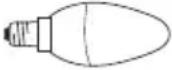 | 4 E14 220-240 | 107 x 37 D | RBB/F-4-220-240 | E14-35/100 |
What should I do if...
If the appliance does not work properly, this does not always mean that it is defective. Try to deal with the problem yourself first. Phone the service department if the advice given below does not work.

Attention!
Disconnect the appliance from the mains before starting the repair, preferably by removing the plug from the socket or setting the main switch to zero.
Faults table
| Symptom Possible cause Solution | ||
| Lighting is not functioning. Light bulb defective. Remove the grease filter and replace the lamp bulb. | ||
| Extractor hood makes a noise. | Discharge too long or too many bends in the duct. | Change the discharge ducting (see installation guide). |
| Internal odour/fine dust filters inserted. | For recirculation, preferably use the starter set HR0001. | |
| No extraction. Flap or controle defective. Phone the service department. | ||
General
This appliance should be connected to the power supply by a recognized fitter who is familiar with, and works according to the correct safety regulations. This appliance meets the European requirements.
Important that you know:
- The minimum distance between the supporting surface for the cooking vessels on the gashob and the lowest part of the range hood must be not less than 65 cm. For use with an electric, ceramic or induction hob, this distance must be at least 55 cm.
- If the cooker hood is to be fitted to an existing duct no other appliances, such as a geyser or heater, may be connected to that same duct.
- Consider local regulations with respect to the ventilation of gas appliances.
- The shorter the duct, and the fewer the bends in it, the better the cooker hood will work.
- Before you start drilling check that there are no installation cables present.
- The connecting pipe for the cooker hood has a diameter of 125 mm. It is best also to use a flue pipe of the same diameter.
- The installation material supplied with this range hood is designed for fixing to reinforced concrete or masonry walls. For some types of walls you may need special plugs and screws.
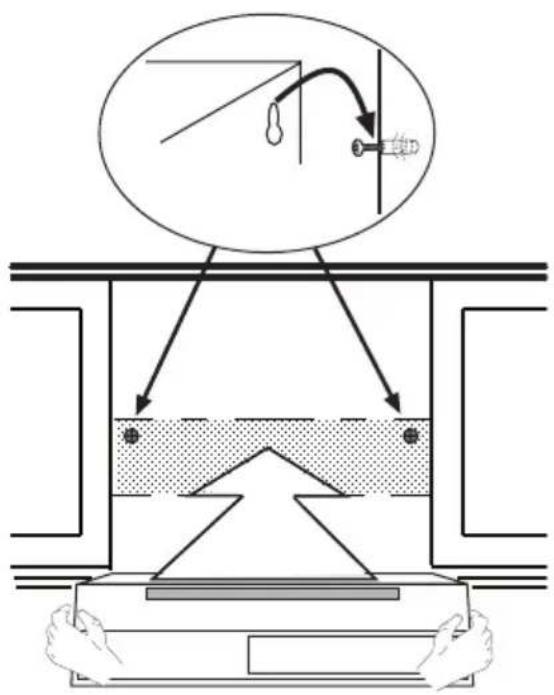
- Use if supplied, the mounting template for marking the mounting holes.
Electrical connection

The appliance has been manufactured as a class II, therefore no earth cable is necessary.
Make sure the supply voltage ratings correspond with those stated on the appliance data plate. The connection to the mains is carried out as follows:
$$ B R O W N = \text { phase } L $$
$$ B L U E = \text { phase N } $$
This canopy hood has been provided with a power plug. When installing the hood, make sure that this plug remains accessible. We recommend installing the wall socket out of view.

Attention:
If you want to make a fixed connection, ensure that a multi-pole switch with a distance between contacts of 3 mm is installed in the supply cable.
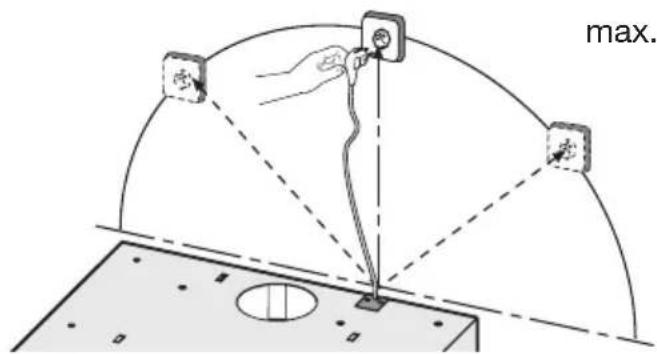
max. 100 cm
Mounting the cooker hood
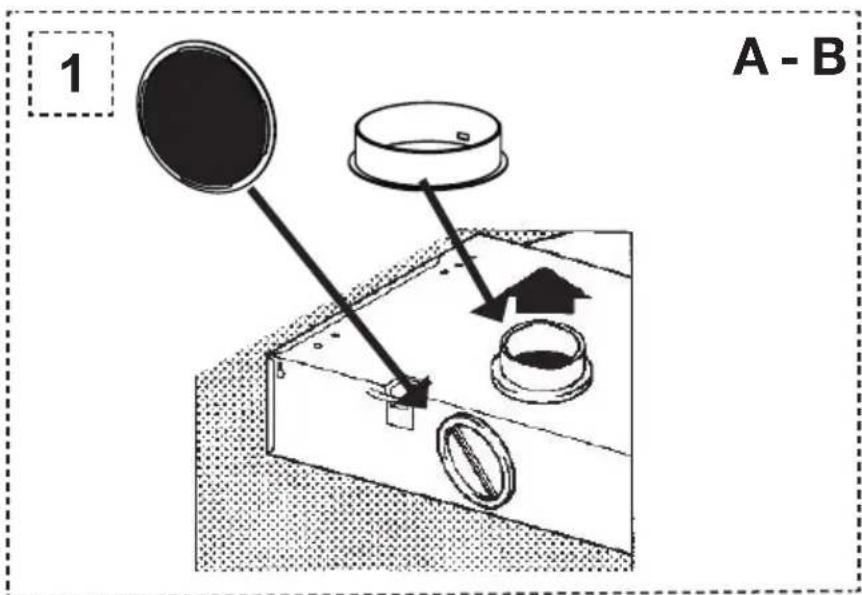
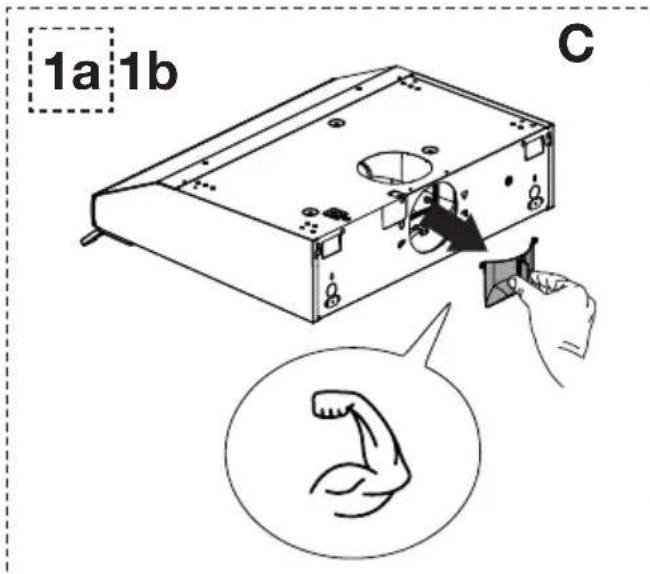
The last pages of this manual show the steps for mounting the cooker hood.
Matching accessories
- HR0001 starter set with connection material for recirculation including filter for odour/fine dust.
- HF3001 Odour/fine dust filter for use in the starter set (annually replaced).
Alternative (only for wall-mounted installation)
• REC80 carbon filter (replace every 4 months).
Scan the QR code to order the above accessories for your appliance.

Disposal of the appliance and packaging
Sustainable materials have been used during the manufacture of this appliance. This appliance must be disposed of responsibly at the end of its service life. Ask your local authorities for more information about how to do this.
The appliance packaging is recyclable. The following may have been used:
- cardboard;
- polyethylene film (PE).
Dispose of these materials in a responsible manner and in accordance with government regulations.

Warning! Never allow children to play with packaging material due to the danger of injury or suffocation. Store the packaging material safely or dispose of it in an environmentally-friendly way.
The product has been marked with a crossed-out dustbin symbol to remind you of the obligation to dispose of electrical household appliances separately. This means that the appliance may not be included with normal domestic refuse at the end of its service life. The appliance must be taken to a special municipal centre for separated waste collection or to a dealer providing this service.
A separate collection of household appliances helps to prevent any potential negative impact on the environment and on human health caused by improper disposal. It ensures that the materials of which the appliance is composed can be recovered to obtain significant savings in energy and raw materials.

Declaration of conformity
We hereby declare that our products satisfy the applicable European directives, orders and regulations, as well as the requirements stated in the referenced standards.
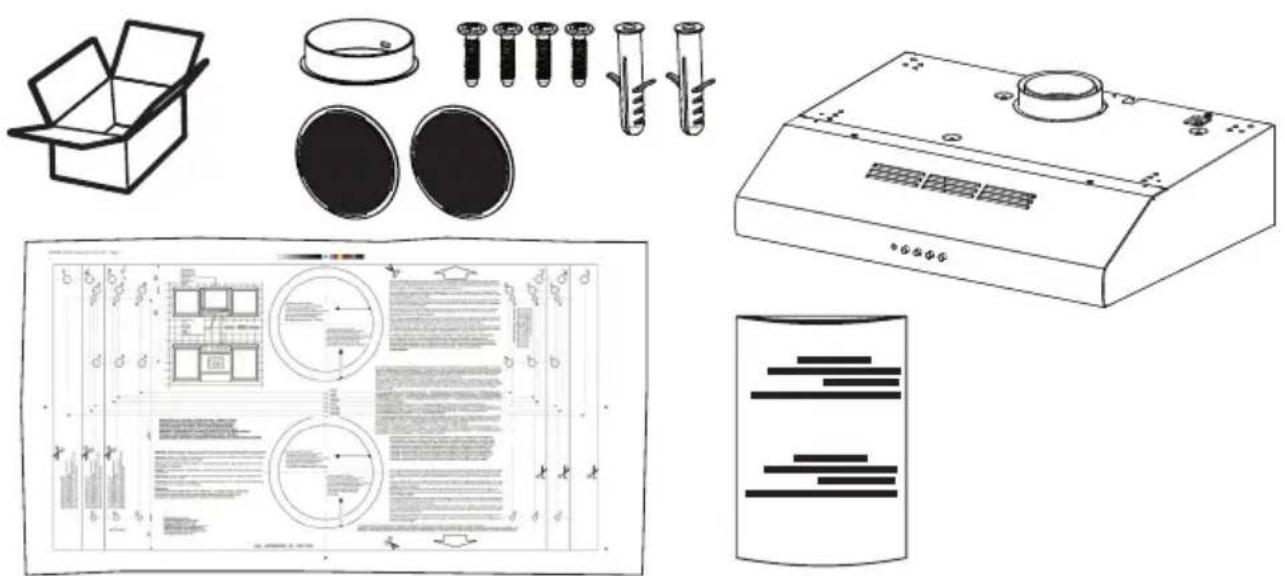
natural_image
Technical line drawings of various household appliances and fixtures including a box, flasks, test tubes, and a kitchen appliance (no text or symbols present)
AO161
AO461
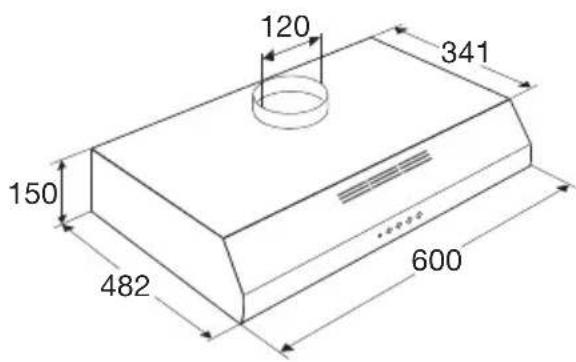
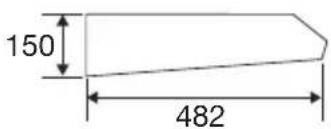
AO161 / AO461
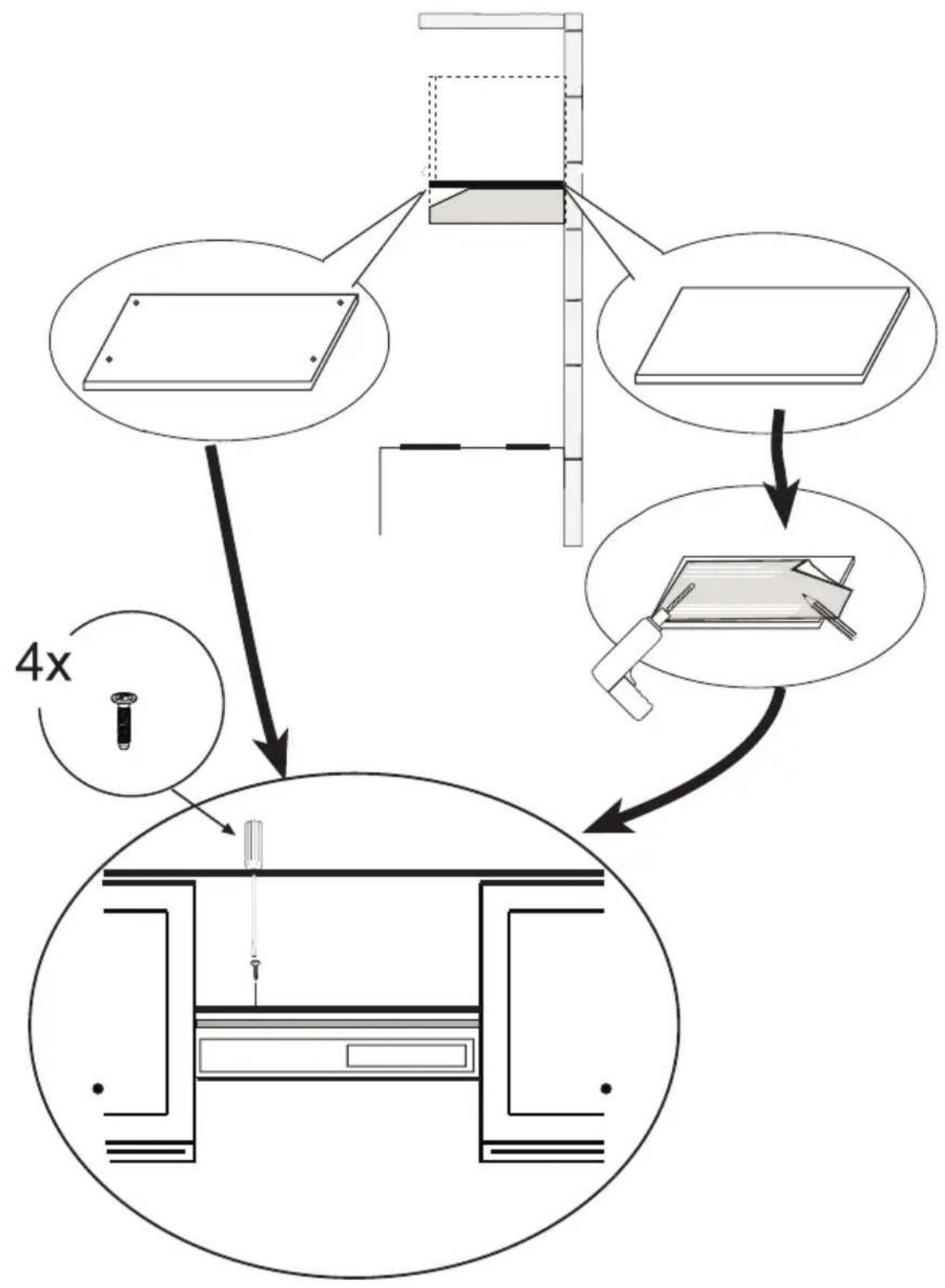
flowchart
graph TD
    A["Component 1: Panel with 4x ratio"] --> B["Component 2: Panel with 4x ratio"]
    B --> C["Component 3: Panel with 4x ratio"]
    C --> D["Central Device Setup"]
    D --> E["Output"]
1

2
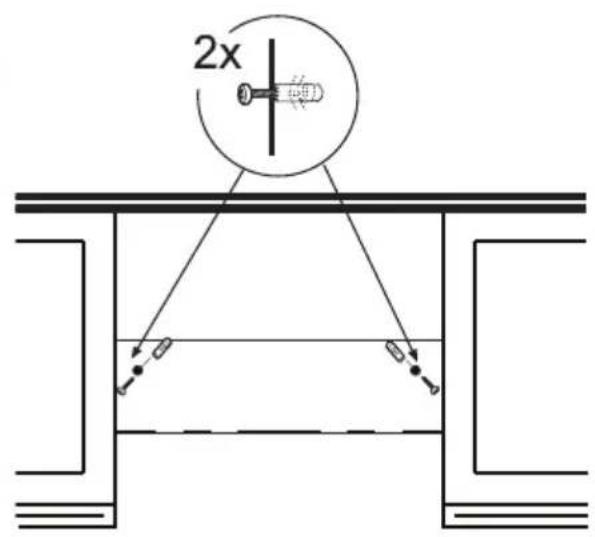
3
HR0001
AO461

natural_image
Diagram showing airflow or pressure distribution between two layered structures with upward arrows indicating direction (no text or symbols)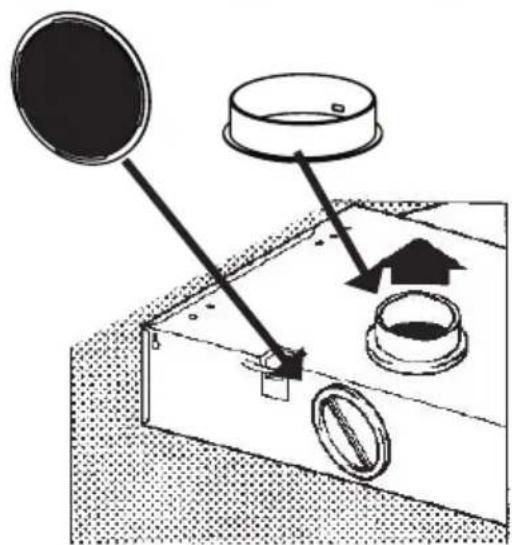
natural_image
Diagram of a mechanical device with a circular component and directional arrows indicating motion (no text or symbols)Mounting the HR0001 starter set for recirculation

Let op!
DO NOT flip the switch for recirculation on the motor; the discharge remains upwards.
Op onze website kunt u de meest recente versie van de gebruiksaanwijzing vinden. Vous pouvez trouver la version la plus récente de le mode d'emploi sur notre site Web. You can find the most recent version of the instructions for use on our website. Die neueste Version der Bedienungsanleitung finden Sie auf unserer Website.
www.etna.nl
www.etna.be

968703
