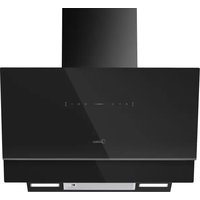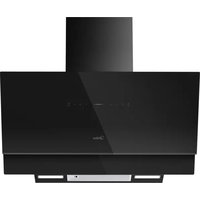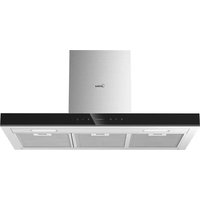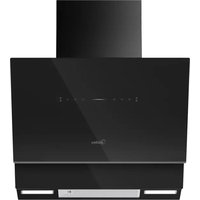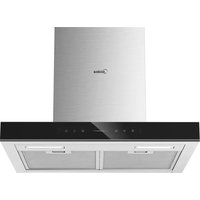
MH60M77T6B - Basket MIDEA - Free user manual and instructions
Find the device manual for free MH60M77T6B MIDEA in PDF.


| Product type | Range hood |
| Brand | Midea |
| Model | MH60M77T6B |
| Voltage | 220-240 V ~ 50 Hz |
| Rated power | 82 W |
| Lighting power | 2 x 1 W (LED) |
| Motor power | 80 W |
| Air outlet diameter | 150 mm (adaptable to 120 mm with flange) |
| Maximum airflow | 650 m³/h |
| Maximum noise level | 59 dB(A) |
| Dimensions (W x D x H min) | 598 x 500 x 485 mm |
| Energy efficiency class | A++ |
| Annual energy consumption | 15.1 kWh/year |
| Fluid dynamic efficiency | 37.7 (class A) |
| Lighting efficiency | 61 Lux/W (class A) |
| Grease filtering efficiency | 76% (class C) |
| Airflow at minimum speed | 220 m³/h |
| Airflow at maximum speed | 480 m³/h |
| Noise at minimum speed | 43 dB(A) |
| Noise at maximum speed | 59 dB(A) |
| Noise in boost mode | 67 dB(A) |
| Standby consumption | 2 W |
| Special functions | Gesture control, WiFi, Hob synchronization |
| Grease filter cleaning | Every 2 months, dishwasher safe |
| Activated carbon filter | Optional, replace every 4 months |
| Lighting | LED 1 W, replace complete module |
Frequently Asked Questions - MH60M77T6B MIDEA
User questions about MH60M77T6B MIDEA
0 question about this device. Answer the ones you know or ask your own.
Ask a new question about this device
Download the instructions for your Basket in PDF format for free! Find your manual MH60M77T6B - MIDEA and take your electronic device back in hand. On this page are published all the documents necessary for the use of your device. MH60M77T6B by MIDEA.
USER MANUAL MH60M77T6B MIDEA
natural_image
Simple geometric diagram with a vertical rectangle above a horizontal bar (no text or symbols)Dunstabzugshaube

SmartHome
natural_image
Simple line drawing of a T-shaped object with a vertical centerline and two horizontal bars below (no text or symbols)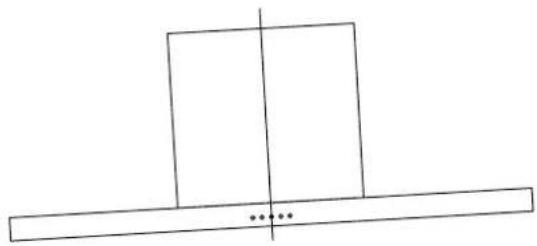
natural_image
Simple line drawing of a rectangular block with a vertical centerline and a horizontal base, no text or symbols present.Rechts Falsche
Verbindungen
natural_image
Illustration of a hand interacting with a smartphone displaying a small icon (no text or symbols present)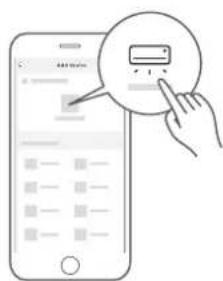
natural_image
Illustration of a hand using a tablet to interact with a device, showing a finger pointing at the screen (no text or symbols present)Aktivkohlefilter (Umluftversion)
natural_image
Technical line drawing of a solar panel installation (no text or symbols)Beleuchtung
natural_image
Line drawings showing three steps of installing or adjusting a device panel, from open to closed (no text or symbols present)natural_image
Symbol of a trash bin crossed with no visible text or labelsnatural_image
Recycling symbol with three chasing arrows forming a triangle (no text or labels)DATENSCHUTZHINWEIS
make yourself at home

natural_image
Simple geometric diagram with a vertical rectangle above a horizontal bar (no text or symbols)Hotte aspirante

SmartHome
APERÇU DU PRODUIT 06
INSTALLATION DU PRODUIT 08
INSTRUCTIONS D'OPÉRATION 11
CONFIGURATION ET FONCTIONNEMENT DE L'APP 13
NETTOYAGE ET ENTRETIEN 15
DÉPANNAGE 17
MARQUES, DROITS D'AUTEUR ET MENTIONS LÉGALES 18
ÉLIMINATION ET RECYCLAGE 19
AVIS DE PROTECTION DES DONNÉES 20
CONSIGNES DE SÉCURITÉ
Utilisation prévue
INSTALLATION DU PRODUIT
natural_image
Simple geometric diagram with a rectangle and a horizontal line, no text or symbols present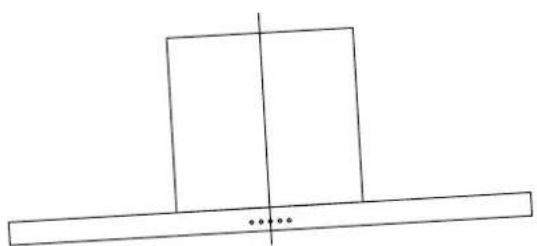
natural_image
Simple line drawing of a rectangular block with a vertical centerline and two horizontal bars, no text or symbols present.Correct Faux
Connector
natural_image
Illustration of a hand interacting with a smartphone displaying a simple UI element (no text or symbols present)natural_image
Illustration of a hand holding a tablet device with a finger pointing at it, showing a download arrow (no text or symbols present)natural_image
Technical line drawing of a solar panel installation (no text or symbols)Éclairage
natural_image
Technical line drawing of a mechanical device with internal components and a hand holding a tool (no text or symbols)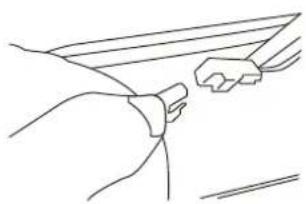
natural_image
Line drawing of a hand gripping a small object, possibly a tool or device (no text or symbols present)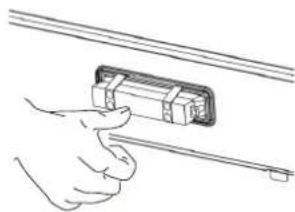
natural_image
Illustration of a hand inserting a cable into a device (no text or symbols)natural_image
Symbol of a trash bin crossed with a diagonal line, no text or labels presentnatural_image
Recycling symbol with three arrows forming a triangle (no text or labels)make yourself at home

natural_image
Simple geometric diagram with a vertical rectangle above a horizontal bar (no text or symbols)Cappa aspirante

SmartHome
natural_image
Simple geometric diagram with a rectangle and a horizontal line, no text or symbols present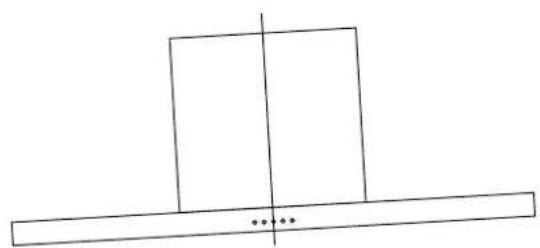
natural_image
Simple line drawing of a rectangular block with a vertical centerline and two horizontal bars below, no text or symbols present.Destra Sbagliato
Collegamenti
ISTRUZIONI OPERATIVE
natural_image
Line drawing of a hand interacting with a smartphone displaying a simple UI element (no text or symbols)natural_image
Hand holding a tablet device with a finger pointing at it, showing a downward arrow (no text or symbols present)natural_image
Technical line drawing of a solar panel installation with grid and mounting bracket (no text or symbols)Luce
natural_image
Technical line drawing of a mechanical device with internal components and a hand holding a tool (no text or symbols)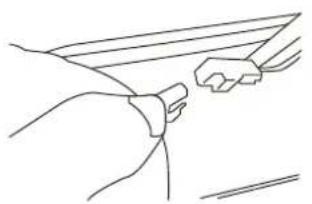
natural_image
Line drawing of a hand gripping a small object, possibly a tool or device (no text or symbols present)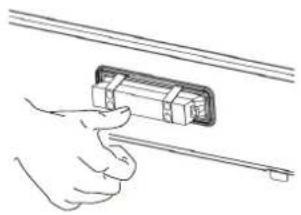
natural_image
Line drawing of a hand holding a rectangular object with a rod inserted (no text or symbols)natural_image
Symbol of a trash bin crossed with a diagonal line and a blank rectangular block below (no text or labels)natural_image
Recycling symbol with three chasing arrows forming a triangle (no text or labels)make yourself at home

natural_image
Simple geometric diagram with a vertical rectangle above a horizontal bar, no text or symbols present.Cooker Hood

SmartHome

Download the app & activate product
USER MANUAL
MH60M77T6B
MH90M77T6B
THANK YOU LETTER
Thank you for choosing Midea! Before using your new Midea product, please read this manual thoroughly to ensure that you know how to operate the features and functions that your new appliance offers in a safe way.
CONTENTS
THANK YOU LETTER 01
SAFETY INSTRUCTIONS 02
SPECIFICATIONS 05
PRODUCT OVERVIEW 06
PRODUCT INSTALLATION 08
OPERATION INSTRUCTIONS 11
APP SETUP AND OPERATION 13
CLEANING AND MAINTENANCE 15
TROUBLE SHOOTING 17
TRADEMARKS, COPYRIGHTS AND LEGAL STATEMENT
DISPOSAL AND RECYCLING 19
DATA PROTECTION NOTICE 20
SAFETY INSTRUCTIONS
Intended Use
The following safety guidelines are intended to prevent unforeseen risks or damage from unsafe or incorrect operation of the appliance. Please check the packaging and appliance on arrival to make sure everything is intact to ensure safe operation. If you find any damage, please contact the retailer or dealer. Please note modifications or alterations to the appliance are not allowed for your safety concern. Unintended use may cause hazards and loss of warranty claims.
Explanation of Symbols
 | DangerThis symbol indicates that there are dangers to the life and health of persons due to extremely flammable gas. |
 | Warning of electrical voltageThis symbol indicates that there is a danger to life and health of persons due to voltage. |
 | WarningThe signal word indicates a hazard with a medium level of risk which, if not avoided, may result in death or serious injury. |
 | CautionThe signal word indicates a hazard with a low degree of risk which, if not avoided, may result in minor or moderate injury. |
 | AttentionThe signal word indicates important information (e.g. damage to property), but not danger. |
 | Observe instructionsThis symbol indicates that a service technician should only operate and maintain this appliance in accordance with the operating instructions. |
Read these operating instructions carefully and attentively before using/commissioning the unit and keep them in the immediate vicinity of the installation site or unit for later use!

WARNING
- The instructions for Use apply to several versions of this appliance. Accordingly, you may find descriptions of individual features that do not apply to your specific appliance.
- This appliance is not intended for use by persons (including children) with reduced physical, sensory or mental capabilities, or lack of experience and knowledge, unless they have been given supervision or instruction concerning use of the appliance by a person responsible for their safety.
• Children should be supervised to ensure that they do not play with the appliance. - This appliance can be used by children aged from 8 years and above and persons with reduced physical, sensory or mental capabilities or lack of experience and knowledge if they have been given supervision or instruction concerning use of the appliance in a safe way and understand the hazards involved. (EN 60335-1 & EN 60335-2-31)
• Children shall not play with the appliance. (EN 60335-1 & EN 60335-2-31) - Cleaning and user maintenance shall not be made by children without supervision. (EN 60335-1 & EN 60335-2-31)
- If the supply cord is damaged, it must be replaced by the manufacturer or its service agent or a similarly qualified person in orderto avoid a hazard.
- This appliance incorporates an earth connection for functional purposes only.
- There shall be adequate ventilation of the room when the range hood is used at the same time as appliances burning gas or other fuels (not applicable to appliances that only discharge the air back into the room).
- There is a fire risk if cleaning is not carried out in accordance with the instructions;
- Do not flame under the range hood.
- CAUTION: Accessible parts may become hot when used with cooking appliances.
- The air must not be discharged into a flue that is used for exhausting fumes from appliances burning gas or other fuels (not applicable to appliances that only discharge the air back into the room).
- The minimum distance between the supporting surface for the cooking vessels on the hob and the lowest part of the range hood. (When the range hood is located above a gas appliance, this distance shall be at least 65 cm. If the instructions for installation for the gas hob specify a greater distance, this has to be taken into account. The distance of 65cm can be reduced for
• non-combustible parts of range hoods, and - parts operating at safety extra low voltage,
provided these parts do not give access to live parts if deformed) - Regulations concerning the discharge of air have to be fulfilled.
- The appliance uses 4 hob elements at most.
- The manufacturer will not be held liable for any damages resulting from incorrect or improper installation.
- Check that the mains voltage corresponds to that indicated on the rating plate fixed to the hood.
- For Class I appliances, check that the domestic power supply guarantees adequate earthing.
-
Connect the extractor to the exhaust flue through a pipe of minimum diameter 120mm.
-
This appliance is for indoor household use only.
- To protect against the risk of electrical shock, do not immerse the unit, cord or plug in water or other liquid.
- Please unplug before cleaning and maintenance the appliance.
- Use a soft cloth moisten with mild soap, and then use a dry cloth to wipe it again.
- The route of the flue must be as short as possible.
- The air must not be discharged into a flue that is used for exhausting fumes from appliances burning gas or other fuels (not applicable to appliances that only discharge the air back into the room).

CAUTION
- If the instructions for installation for the gas hob specify a greater distance specified above, this has to be taken into account.
- The extractor hood has been designed exclusively for domestic use to eliminate kitchen smells.
- Never use the hood for purposes other than for which it has been designed.
- Never leave high naked flames under the hood when it is in operation.
- Adjust the flame intensity to direct it onto the bottom of the pan only, making sure that it does not engulf the sides.
- Deep fat fryers must be continuously monitored during use: overheated oil can burst into flames.
- Extension sockets are forbidden.
- Please cut off the power before maintenance.
This appliance has been designed for home use only, and may cause danger if used in - special occasions.

ATTENTIION
- The cooker hood and its filter should be cleaned regularly according to the instruction.
- Switch off or unplug the appliance from the mains supply before carrying out any maintenance work.
- Clean the hood using a damp cloth and a neutral liquid detergent.
SPECIFICATIONS
| MH60M77T6B/MH90M77T6BProduct Model | |
| Voltage | 220V-240V~/50Hz |
| Rated Power | 82 W |
| Lighting Power | 1 W X 2 |
| Motor Input Power | 80 W |
| Diameter of air tube | 150 mm |
| Air flow | 650m^3/h |
| Noise | ≤slant 59 dB(A) |
PRODUCT OVERVIEW
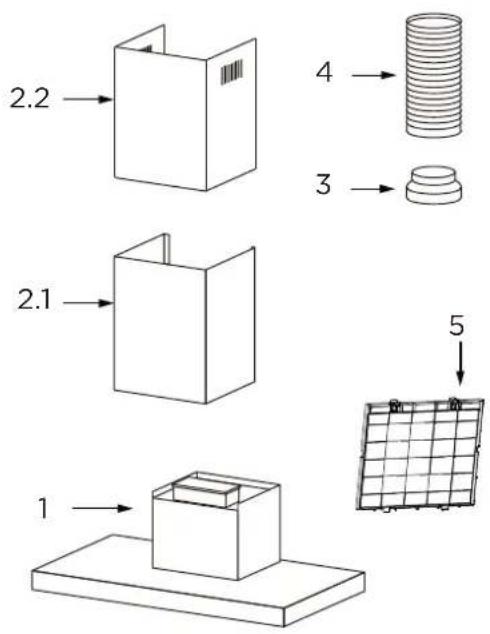
Components
| Ref. Qty. | Product Components |
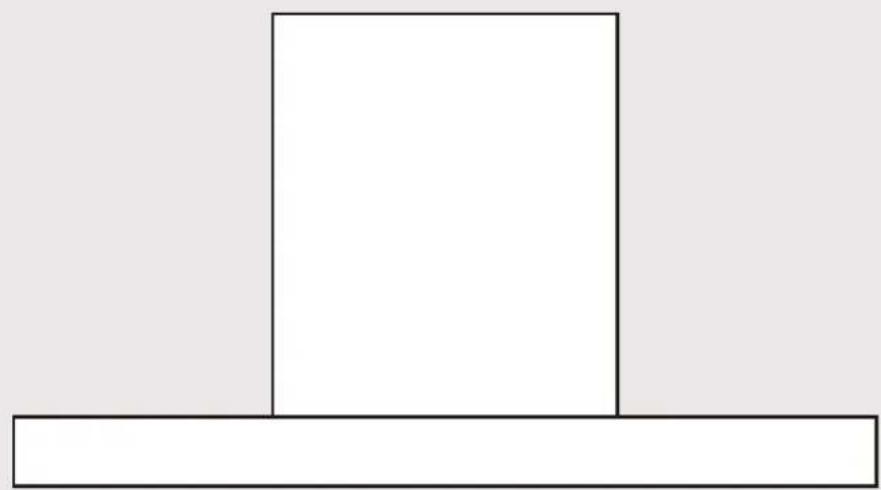
| 1 1 | Hood Body,complete with: Controls, Light, Blower,Filter. |
| 2.1 1 Lower Decorative Chimney | |
| 2.2 1 Upper Decorative Chimney | |
| 3 1 Flange (optional) | |
| 4 1 Exhaust Pipe (optional) | |
| 5 1 The Activated Charcoal filter (optional) | |
Qty. Documentation
1 Instruction Manual
Ref. Qty. Optional Installation Components
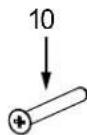
| 10 | 7 | Screws 5 x 50 |
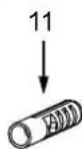
| 11 | 7 | Wall Plugs |
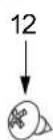
| 12 | 6 | Screws 4,2 x 9,5 |
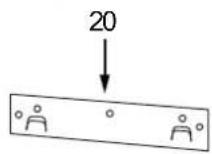
| 20 | 1 | Hood fixing bracket |
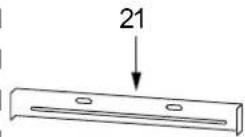
| 21 2 Chimney fixing bracket | ||
Dimensions
unit: mm
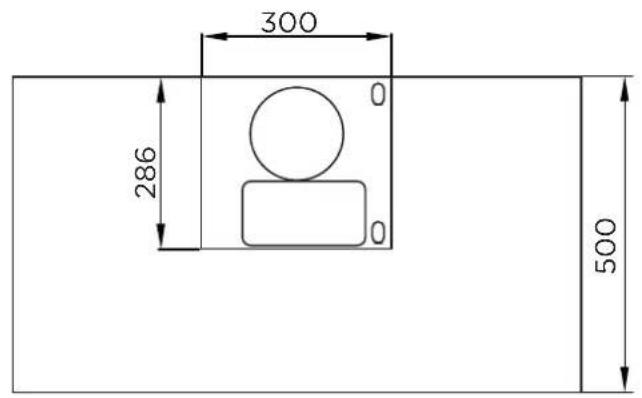
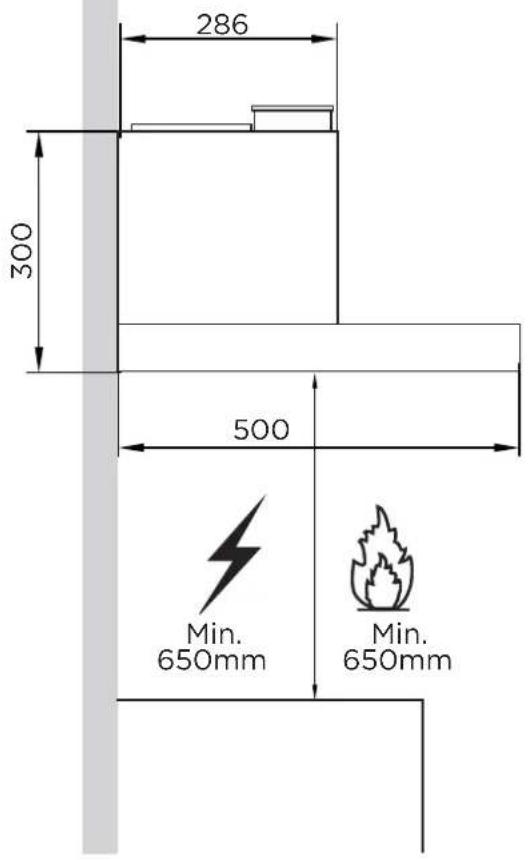
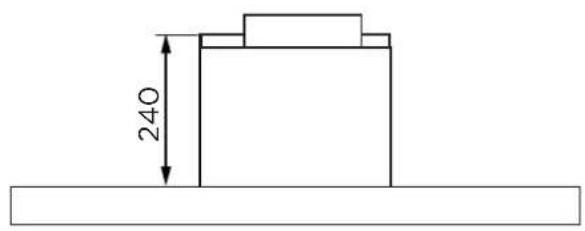
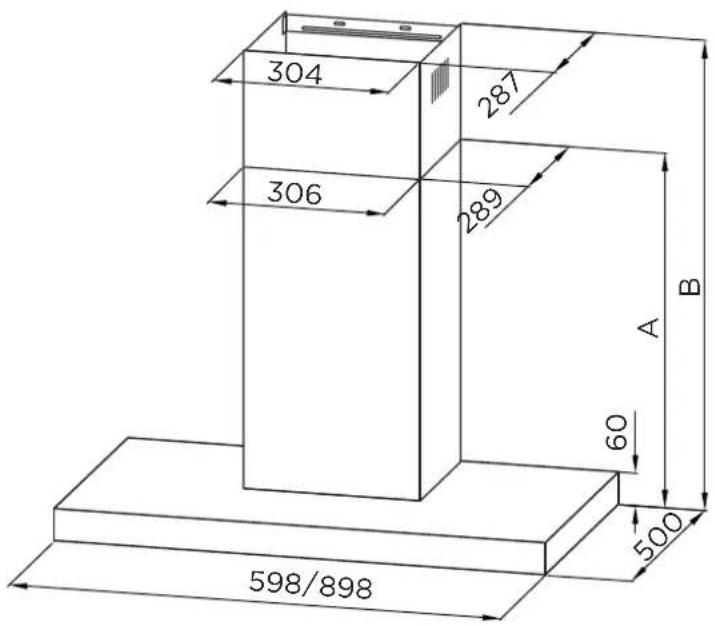
| Chimney | Height B | ||
| 400+390 | 450 | 485-820 | 450-820 |
PRODUCT INSTALLATION
Wall Drilling And Bracket Fixing
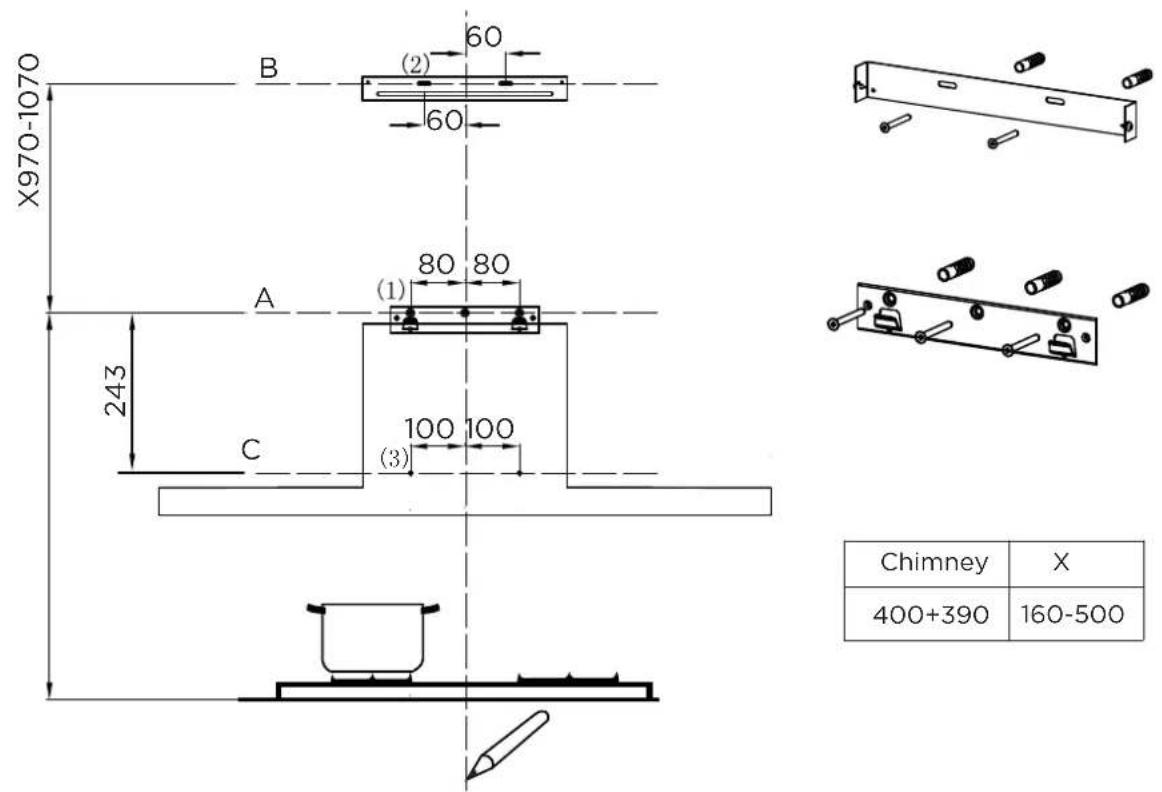
| Chimney | X |
| 400+390 | 160-500 |
As a first step, proceed with the following drawings:
- I line up to the ceiling or up to the upper limit, at the center of the area in which the hood is to be fitted.
• A horizontal line A at 970 - 1070 mm above the cooker top.
• A horizontal line B at a X mm above the horizontal line A.
• A horizontal line C at a 243 mm below the horizontal line A.
Mark Points:
- Mark a point (1) on the horizontal line A, 80 mm to the vertical reference line.
- Repeat this operation on the other side and on the vertical reference line, checking that the three marks are leveled.
- Mark a point (2) on the horizontal line B, 60 mm to the vertical reference line.
- Repeat this operation on the other side, checking that the two marks are on the same horizontal line.
- Mark a point (3) on the horizontal line C, 100 mm to the vertical reference line.
- Repeat this operation on the other side, checking that the two marks are leveled.
Fix the brackets :
- Drill holes at the marked points with a 10 mm drill bit.
- Insert the Wall Plugs 11 into the holes.
• Fix the hood fixing bracket 20 with 3 screws 10 (5 x 50) at the horizontal line A.
• Fix a Chimney fixing bracket 21 with 2 screws 10 (5 x 50) at the horizontal line B.
Lower Decorative Chimney
• Fix the exhaust pipe on the hood body, connect chimney and hood body with 2 screws 12. connect chimney fixing bracket and chimney with 2 screws 12.
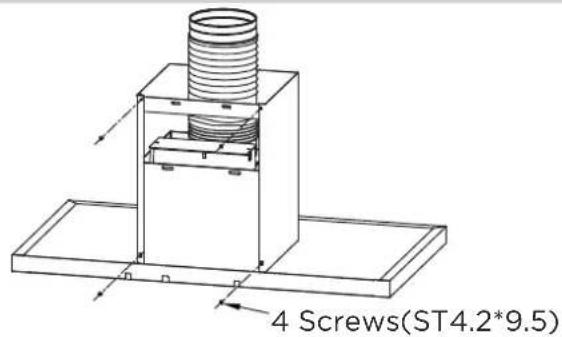
Hook The Hood Body
- Hook the hood body to the bracket 20.
• Level the hood body itself. - Remove the filter from the inside of the hood body, fix the screws 10 to Wall Plugs 11 at the points (3).
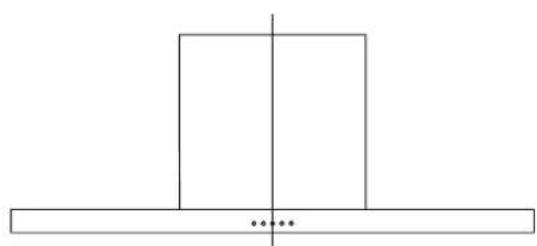
natural_image
Simple line drawing of a rectangular block with a vertical centerline and three small dots below (no text or symbols)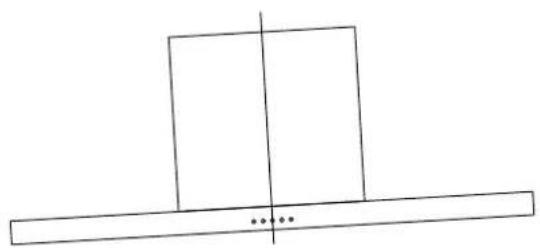
natural_image
Simple line drawing of a rectangular block with a vertical centerline and a horizontal base, no text or symbols present.Right Wrong
Connections
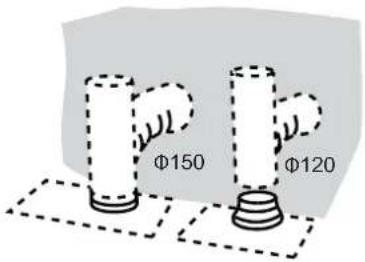
When installing the ducted version, connect the hood to the chimney using either a flexible or rigid pipe 150 or 120 mm, the choice of which is left to the installer.
- If to install a 120 mm air exhaust connection, insert the reducer flange 3 on the hood body outlet.
- Fix the pipe 4 in position using sufficient pipe clamps (not supplied).
- Remove possible charcoal filters.
Upper Decorative Chimney
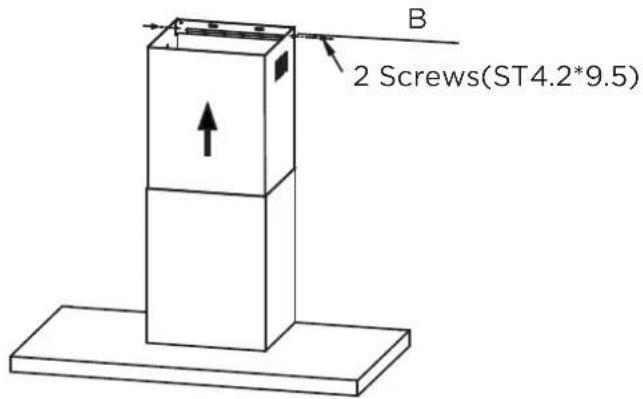
- Insert the upper decorative chimney 2.2 into the lower decorative chimney 2.1 and drag it up to the horizontal line B.
- Connect upper decorative chimney 2.2 and chimney fixing bracket 21 with 2 screws 12.
OPERATION INSTRUCTIONS
Speed Adjustment. See Below Fig(For Some Models)

natural_image
Pure graphical toolbar with icons for lighting, Wi-Fi, cloud, and control buttons (no text or symbols)Gesture control left Gesture control right
Short Press:0.5 s
Long Press:2-3 s
 | Short Press:turn on/off the light.Light | |
 | Wireless Network | The button is invalid when the hood is off;)Long press: Turn on the WLAN function,Connecting the indicator light flashes ,Connection successful the indicator light is always on ,Connection failed the indicator light is Semi-bright ;Short press: Turn off the WLAN function.(When WLAN function is on) |
 | Linkage of hood & stove | Long press: enter the linkage function.Pairing: the indicator light flashes.Pairing is completed: the indicator light is always on.Short Press : close the function.(When the function is on) |
 | Boost Short | press: Turns the Motor on at Boost. |
 | Speed1-2-3 | 1^st Short press: Turns the Motor on at speed 1; 2^nd Short press: Turns the Motor on at speed 2; 3^rd Short press: Turns the Motor on at speed 3. |
 | Switch | 1^st Short press: Start up; 2^nd Short press: Delay 3 mins; 3^rd Short press:Standby 5 mins; 4^th Short press: OFF immediately. |
 Gesture control Gesture control | Wave hand from left to right in stand by status to turn on the product. The default speed is the last speed set by user. Default speed is the 03 speed at the first switch on. In running state, waving hand to the left side to enter the delay off state for 3 minutes. Waving hand to the right side to switch speed (01-02-03-0b-01) repeatedly. | |
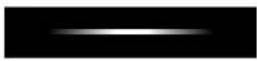 Light strip Light strip |  | When the Motor is at speed 1. |
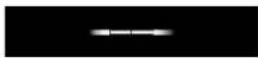 | When the Motor is at speed 2. | |
 | When the Motor is at speed 3. | |
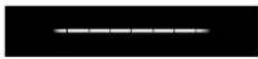 | When the Motor is at speed Boost. | |
APP SETUP AND OPERATION
Download the SmartHome app
On an app market (Google Play Store, Apple App Store), search for SmartHome* and find the SmartHome app. Download and install it on your phone. You can also download the app by scanning the QR code below.


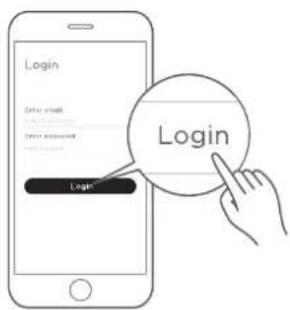
Register and log in
Open the SmartHome app, and create a new account to start (you can also register through a third-party account). If you already have an existing account, use the account to log in.
Connect your devices to SmartHome
- Please make sure your mobile phone is connected to a wireless network. If it is not, go to Settings and enable wireless networks and Bluetooth.
- Please power on your devices.
- Open SmartHome app on your phone.
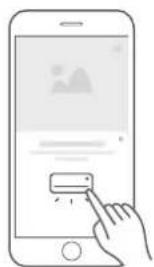
- If a message of "Smart devices discovered nearby" appears, click to add.
natural_image
Illustration of a hand interacting with a smartphone displaying a small icon (no text or symbols present)- If no message appears, select "+" on the page and select your device in the list of nearby devices available. If your device is not listed, please add your device manually by the device category and device model.
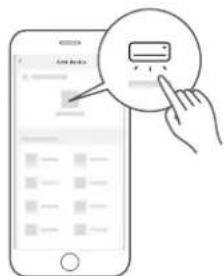
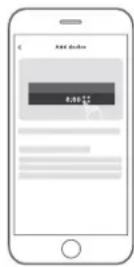
- Connect your device to the wireless network according to instructions on app. If the connection fails, please follow the instructions provided by the app to continue with the operation.
NOTE
- Make sure your devices are powered on.
- Keep your mobile phone close enough to your device when you are connecting your device to the network.
- Connect your mobile phone to the wireless network at home, and make sure you know the password of the wireless network.
- Check if your wireless router supports 2.4 GHz band and turn it on. If you are not sure whether the router supports 2.4 GHz band, please contact the router manufacturer.
- The device cannot connect to the wireless network that requires authentication, and it usually appears in public areas such as hotels, restaurants, etc. Please connect to a wireless network that does not require authentication.
- Turn of the WLAN+ (Android) or WLAN Assistant (iOS) function of your mobile phone when connecting your device to the network.
- In the case that your device connected to a wireless network before but it needs to reconnect, please click "+" on the app Home page, and add your device again by the device category and model according to the instructions on app.
CLEANING AND MAINTENANCE
Grease Filters
CLEANING METAL SELF-SUPPORTING GREASE FILTERS
- The filters must be cleaned every 2 months of operation, or more frequently for particularly heavy usage, and can be washed in a dishwasher.
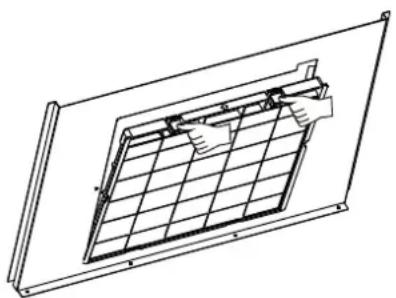
- Remove the filters one by one pushing them towards the back side of the hood unit and simultaneously pulling downwards.
- Any kind of bending of the filters has to be avoided when washing them. Before fitting them again into the hood make sure that they are completely dry. (The color of the filter surface may change throughout the time but this has no influence to the filter efficiency).
- When fitting the filters into the hood pay attention that they are mounted in correct position the handle facing outwards.

natural_image
Illustration of a hand pressing down on a device with a downward arrow (no text or symbols)Activated Charcoal Filter (Recirculation Version)
• These filters are not washable and cannot be regenerated, and must be replaced approximately every 4 months of operation, or more frequently with heavy usage.
Replacing The Activated Charcoal Filter
- Remove the metal grease filters.
- Remove the saturated activated charcoal filter.
- Fit the new filters.
- Replace the metal grease filters.
natural_image
Technical line drawing of a solar panel installation (no text or symbols)Lighting
LIGHT REPLACEMENT(Completed by professionals)
Replacing the light modules
- Cannot replaced the light bulbs, the entire light module has to be replaced.
- When changing the light modules, the contacts are live.
-
Before changing the light module(s), unplug the appliance from the mains or switch off the circuit breaker in the fuse box.
-
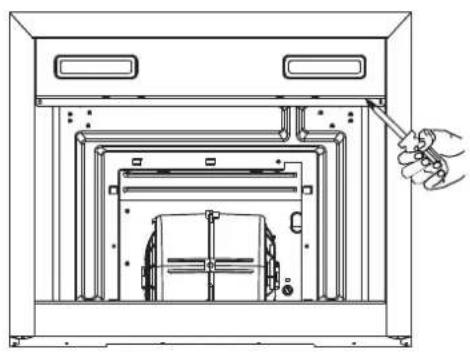
Remove the grease filter and carefully remove the 2 screws from the front plate (a cross headed screwdriver will be needed to remove the screws).
- Disconnect the terminal of LED light.
- Press LED light on the back of the front plate, take the LED light out.
- Replace the lamp(commercially available LED lamp (max.1 W).
natural_image
Technical line drawing of a cabinet interior with a hand pointing to the door panel (no text or symbols present)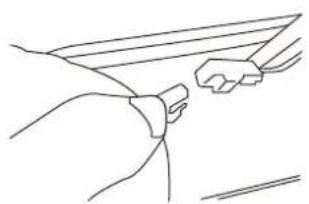
natural_image
Line drawing of a hand gripping a small object, possibly a tool or device (no text or symbols present)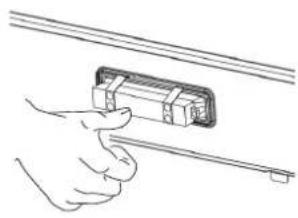
natural_image
Line drawing of a hand holding a rectangular object with a ruler, no text or symbols present| Max PowerL | amp type | Voltage Picture Lamp Cap IL | COS D code | ||
| LED modules, separate ballast | 1 W DC 12 | V | 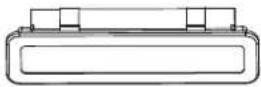 Square/Diameter: 33.2mmx120mm Square/Diameter: 33.2mmx120mm | -- | DSS-1-S-33.2/120 |
- Press LED light on the front of front plate, install the LED light on the front plate.
- Connect the terminal of LED light and light leads.
- Carefully fasten the 2 screws on the front plate, reinstall the grease filter.
TROUBLESHOOTING
| Possible reason SolutionProblem | ||
| Light on, but motor does not work | ·The blades are blocked. | Check the blades |
| ·The capacitor is damaged. | Replace capacitor. | |
| ·The motor is damaged. | Replace motor. | |
| ·The internal wiring of motor is cut off/disconnected. An unpleasant smell may be produced. | Replace motor. | |
| Both light and motor do notwork | Apart from the above mentioned, check the following: | |
| ·Light damaged. Replace lights. | ||
| ·Power cord loose. Connect the wires as the electric diagram. | ||
| Oil leakage | ·Outlet and the air ventilation entrance are not tightly sealed. | Take down the outlet and seal with glue. |
| Vibration | ·The blade, if damaged, can cause vibrating. | Replace the blade. |
| ·The motor is not tightly fastened. | Fasten the motor tightly. | |
| ·The cooker hood is not tightly fixed. | Fixed the cooker hood tightly. | |
| Insufficient suction | ·The distance between the cooker hood and the cooker top is too large. | Readjust the distance. |
| ·Too much ventilation from open doors or windows. | Choose a new place to install the appliance or close some doors / windows. | |
| The machine inclines | ·The fixing screws are not tight enough. | Tighten the fixing screw and make it horizontal. |
| ·The hanging screws are not tight enough | Tighten the hanging screw and make it horizontal. | |
TRADEMARKS, COPYRIGHTS AND LEGAL STATEMENT
Midea logo, word marks, trade name, trade dress and all versions thereof are valuable assets of Midea Group and/or its affiliates (“Midea”), to which Midea owns trademarks, copyrights and other intellectual property rights, and all goodwill derived from using any part of an Midea trademark. Use of Midea trademark for commercial purposes without the prior written consent of Midea may constitute trademark infringement or unfair competition in violation of relevant laws.
This manual is created by Midea and Midea reserves all copyrights thereof. No entity or individual may use, duplicate, modify, distribute in whole or in part this manual, or bundle or sell with other products without the prior written consent of Midea.
All the described functions and instructions were up to date at the time of printing this manual. However, the actual product may vary due to improved functions and designs.
DISPOSAL AND RECYCLING
Important instructions for environment
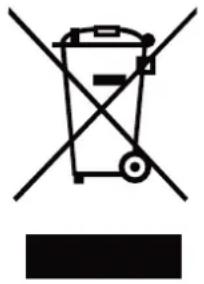
Compliance with the WEEE Directive and Disposing of the Waster Product: This product complies with EU WEEE Directive (2012/19/EU). This product bears a classification symbol for waster electrical and electronic equipment (WEEE).
This symbol indicates that this product shall not be disposed with other household wastes at the end of its service life. Used device must be returned to official collection point for recycling of electrical electronic devices. To find these collection systems please contact to your local authorities or retailer where the product was purchased. Each household performs important role in recovering and recycling of old appliance. Appropriate disposal of used appliance helps prevent potential negative consequences for the environment and human health.
natural_image
Symbol of a trash bin crossed with a diagonal line and a horizontal bar below (no text or labels)Compliance with RoHS Directive
The product you have purchased complies with EU RoHS Directive (2011/65/EU). It does not contain harmful and prohibited materials specified in the Directive.
Package information
Packaging materials of the product are manufactured from recyclable materials in accordance with our National Environment Regulations. Do not dispose of the packaging materials together with the domestic or other wastes. Take them to the packaging material collection points designated by the local authorities.

natural_image
Recycling symbol with three chasing arrows forming a triangle (no text or labels)DATA PROTECTION NOTICE
For the provision of the services agreed with the customer,
we agree to comply without restriction with all stipulations of applicable data protection law, in line with agreed countries within which services to the customer will be delivered, as well as, where applicable, the EU General Data Protection Regulation (GDPR).
Generally, our data processing is to fulfil our obligation under contract with you and for product safety reasons, to safeguard your rights in connection with warranty and product registration questions. In some cases, but only if appropriate data protection is ensured, personal data might be transferred to recipients located outside of the European Economic Area.
Further information are provided on request. You can contact our Data Protection Officer via MideaDPO@midea.com. To exercise your rights such as right to object your personal date being processed for direct marketing purposes, please contact us via MideaDPO@midea.com. To find further information, please follow the QR Code.
PRODUCT FICHE FOR DOMESTIC RANGE HOOD
According to Delegated Regulation (EU) No. 65/2014
| Supplier's name or trade mark | Midea |
| Model name / identifier | MH60M77T6B/MH90M77T6B |
| Annual Energy Consumption (AEChood) | 15,1 kWh/year |
| Energy Efficiency class (A+++ to D) | A++ |
| Fluid Dynamic Efficiency (FDEhood) | 37,7 |
| Fluid Dynamic Efficiency class (A to G) | A |
| Lighting Efficiency (LEhood) | 61 Lux / Watt |
| Lighting Efficiency class (A to G) | A |
| Grease Filtering Efficiency | 76 % |
| Grease Filtering Efficiency class (A to G) | C |
| Air flow in normal use(min. speed): | 220 m ^3 /h |
| Air flow in normal use(max. speed): | 480 m ^3 /h |
| Air flow (intensive or boost setting): Exterior | 650 m ^3 /h |
| Airborne acoustical A-weighted sound power emissions (min. speed) | 43 dB |
| Airborne acoustical A-weighted sound power emissions (max. speed) | 59 dB |
| Airborne acoustical A-weighted sound power emissions (intensive or boost setting) | 67 dB |
| Power consumption in off mode (Po) | N/A |
| Power consumption in standby mode (Ps) | 2 W |
NOTE: The BEP Best Efficiency Point test in boost setting needs to press the combination key ""power key + lighting key"" for at least 3 seconds to enter the test mode. The BEP test was conducted without a back flow preventer plate.

make yourself at home