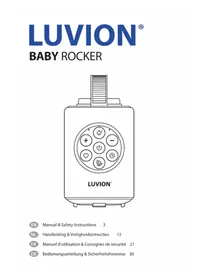
Baby Rocker - Baby swing Luvion - Free user manual and instructions
Find the device manual for free Baby Rocker Luvion in PDF.


| Product type | Baby rocker with cry detection and white noise |
| Brand | Luvion |
| Model | Baby Rocker |
| Dimensions (L x W x H) | 84 x 95 x 130 mm |
| Weight | 480 g |
| Power | Rechargeable lithium-ion battery, charges via USB-C (5V/1A) |
| Charging time | 3 to 5 hours |
| Battery life | 8 to 12 hours depending on usage |
| Protection rating | IPX2 (resistant to light rain) |
| Operating temperature | -10°C to +35°C |
| Bluetooth | Version 5.1, range up to 10 meters |
| Cry detection | Range of 1 meter, triggers vibration and white noise |
| White noise | 2 modes: heartbeat (70-120 BPM) and ocean waves (0.5-2 Hz) |
| Vibration | 3 intensity levels (low, medium, high), frequency 0.5-3 Hz |
| Timer | Adjustable auto-off: 15, 30, or 45 minutes |
| Volume | 3 levels in manual mode, adjustable via Bluetooth in connected mode |
| Attachment | Elastic strap with ratchet buckle, for stroller or crib |
| Maintenance | Clean with a slightly damp cloth, no soap or chemicals |
| Safety | Adult supervision required, secure attachment, do not leave unattended |
| Recommended age | From birth under adult supervision |
| Package contents | Baby Rocker, USB-C cable, user manual |
| Certification | CE |
Frequently Asked Questions - Baby Rocker Luvion
User questions about Baby Rocker Luvion
0 question about this device. Answer the ones you know or ask your own.
Ask a new question about this device
Download the instructions for your Baby swing in PDF format for free! Find your manual Baby Rocker - Luvion and take your electronic device back in hand. On this page are published all the documents necessary for the use of your device. Baby Rocker by Luvion.
USER MANUAL Baby Rocker Luvion
EN Thank you for purchasing the LUVION® Baby Rocker. With this instruction manual you have all the information to quickly start using your LUVION® product. Please preserve this guide for further reference.
- Secure the strap firmly to prevent falls.
- Keep speaker vents unobstructed.
- Charge in a dry area, away from children.
- Lock stroller brakes before use.
- Position stroller on level/flat surface.
- Remove device after use and store safely.
- Use lowest effective vibration setting.
- Maintain adult supervision at all times.
DON'T:
- Expose to water or extreme temperatures (outside -10°C to +35°C ).
• Cover ventilation holes during use. - Use while charging (safety feature prevents operation).
- Leave child unattended.
- Use on slopes without locked brakes.
- Expose to prolonged or heavy rain.
- Use excessive rocking force that might discomfort your child.

IMPORTANT WARNINGS:
- Adult supervision required – do not leave your child unattended.
- Not a toy – keep out of child's reach.
- Positioning critical – always orient vertically for proper function.
- Comfort check – ensure your child is comfortable with selected settings.
TECHNICAL SPECIFICATIONS
Charging Time: 3 – 5 hours (5V/1A)
Vibration Frequency: 0.5 Hz – 3 Hz
Bluetooth: Compliant with Bluetooth V5.1 + BR + EDR + BLE specification (iOS/Android compatible)
Weather Rating: IPX2 (light rain resistant)
Operating Temperature: -10°C to +35°C
Recommended Age: Adult supervision is required, do not leave your child unattended
Weight: 480g
Dimensions: 84 x 95 x 130 mm
PRODUCT OVERVIEW
GETTING STARTED
COMPONENTS
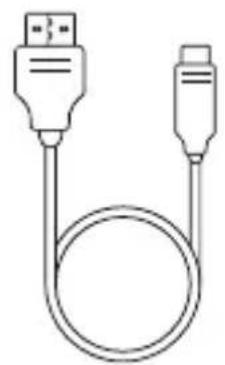
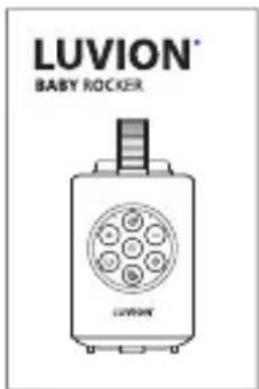
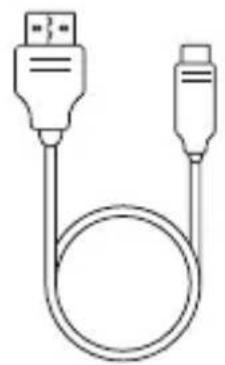
Baby rocker Charging cable
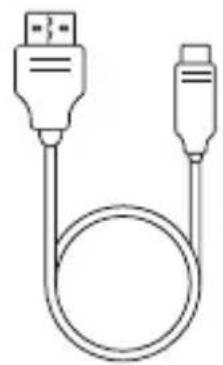
(USB A-C)
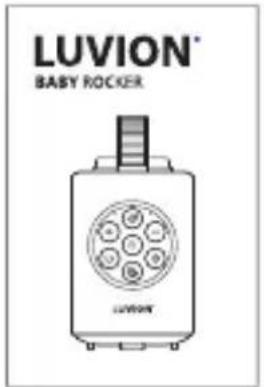
Instruction manual
INITIAL CHARGING
Important: Fully charge before first use.
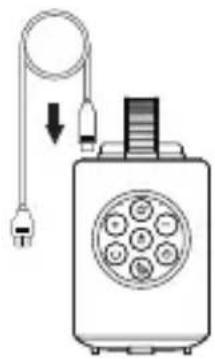
How to charge:
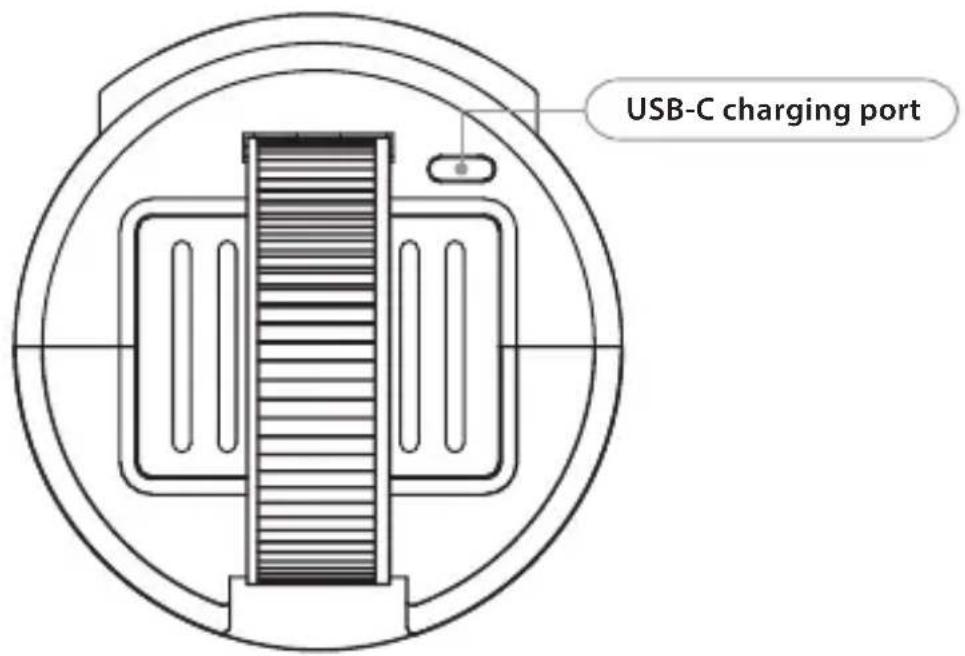
- Connect the USB-C cable to the top charging port.
- Plug the cable into a 5V/1A adapter (not included).
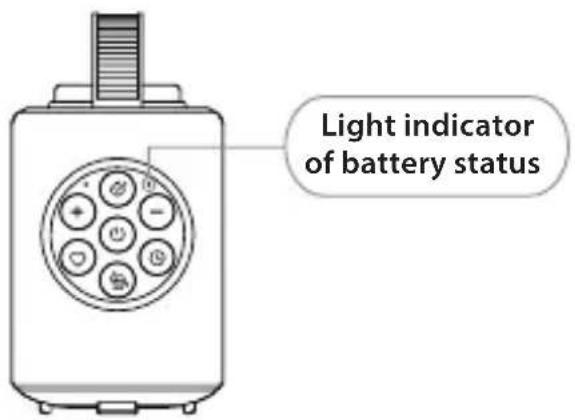
LED Indicator Light:
• Lights up green when powered on.
- If battery level falls below 25% after power-on, lights up red (indicating low battery; you can charge it now).
- Blinks red while charging.
- Remains steadily lit green when charging is complete.
INSTRUCTIONS
POSITIONING THE PRODUCT
- Place your hand under the device to prevent dropping during installation.
- Orient the device so the microphone (left side of front panel) faces your child for optimal cry detection.
- Position out of child's reach – attach high up on the main handlebar for best results.
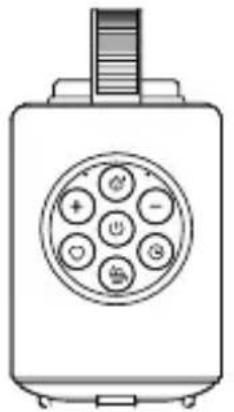
- Ensure vertical orientation – the device must hang vertically for proper motor function and maximum lifespan.
ATTACHING THE PRODUCT
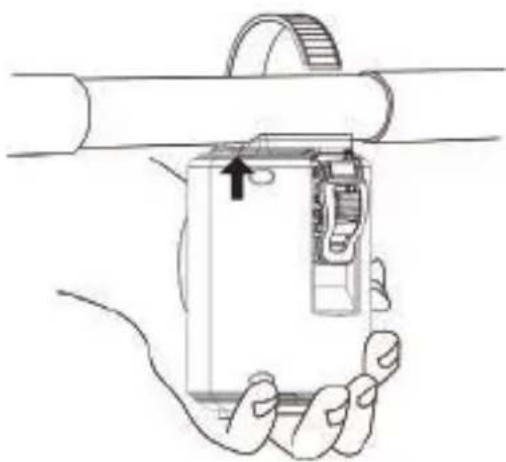
Step 1: Secure the elastic strap around the stroller handle or cradle frame.
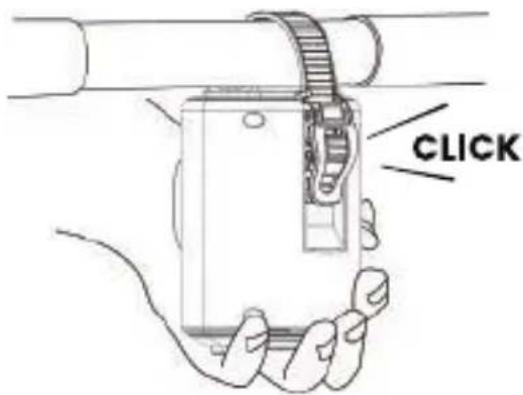
Step 2: Feed the strap through the ratchet buckle until you hear a CLICK.
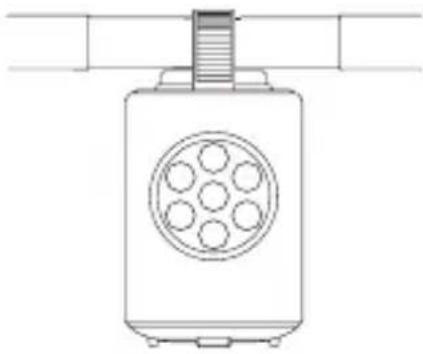
Step 3: Keep the product vertical as you tighten the ratchet.
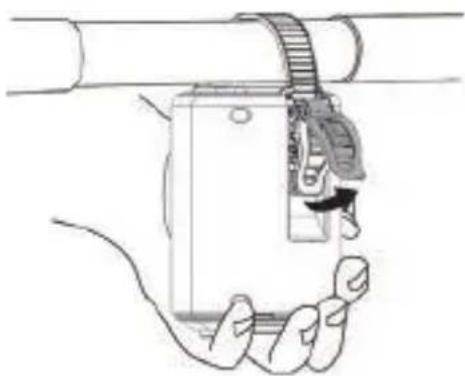
Step 4: Tighten by rotating the ratchet lever upwards, repeating until secure.
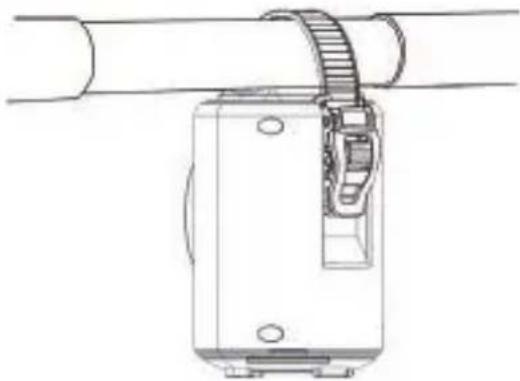
Step 5: Check attachment – the device should be firmly attached (not loose), but don't over-tighten to avoid deformation.
Safety check: ensure the device is securely fastened and cannot fall onto your child.
REMOVING THE PRODUCT
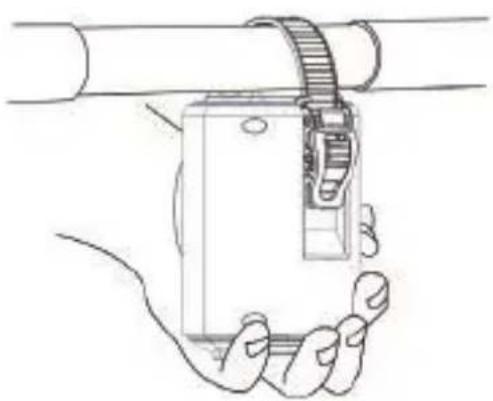
Step 1: Hold the device underneath to prevent dropping.
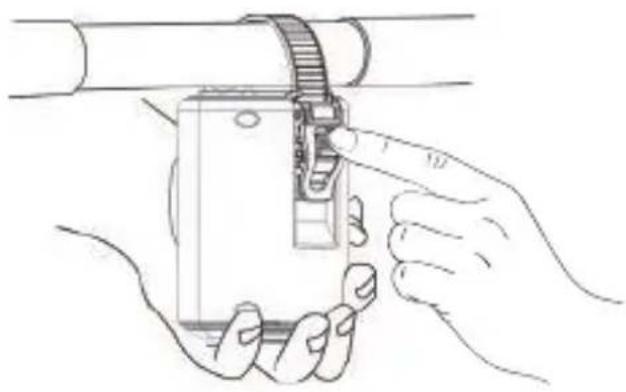
Step 2: Find the ratchet release (marked in grey), press it down, and move the strap upwards until the ladder strap is loose.
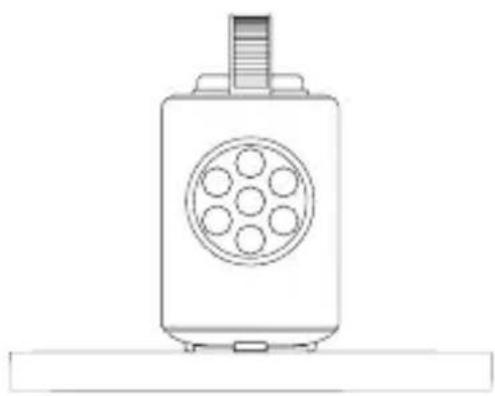
Step 3: Store in a safe, dry place out of direct sunlight and out of reach of children.
MAIN FEATURES
PHYSICAL DESIGN
Cylindrical body: streamlined shape with flared bottom for enhanced audio projection.
Universal strap: secure ratchet buckle attachment system for strollers/cradles.
Weather resistance: IPX2 rated (light rain protection).
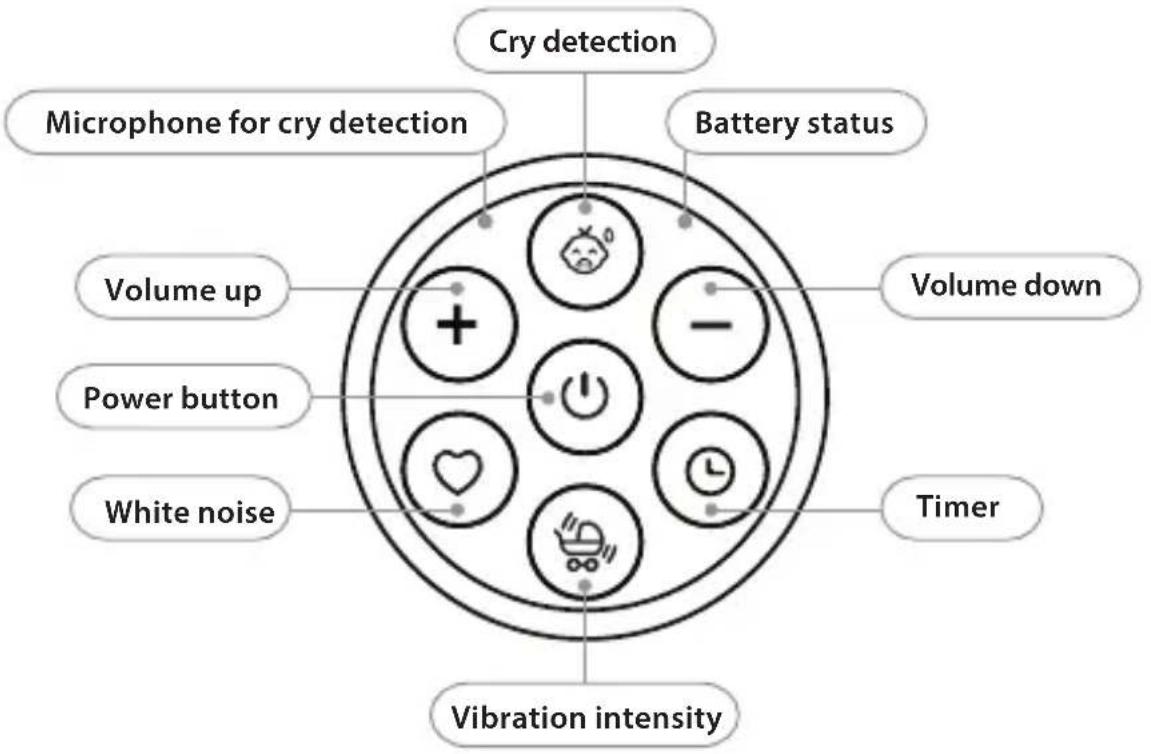
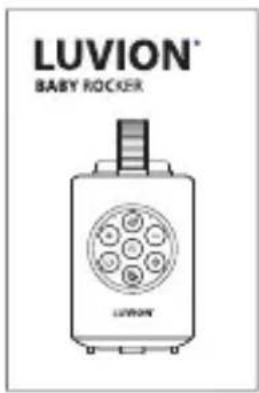
CONTROL PANEL LAYOUT
Cry detection
- Press the cry detection button to activate.
- Automatically triggers vibration and white noise at 30% volume when cries are detected.
- Detection range: within 1 meter of your baby.
- Press again to deactivate.
Note: ensure microphone is unobstructed and facing your child.
White noise
- Switch between heartbeat and ocean wave modes.
- Heartbeat: simulates maternal heartbeat (70–120 BPM).
- Ocean Wave: low-frequency rhythm (0.5–2Hz) for deep sleep.

Vibration intensity
- Intensity levels: low/medium/high (adjust via the vibration intensity button).
Power button
- Short press: Power on/off.
- Long press (2 seconds): bluetooth pairing mode (blue LED flashes).
Bluetooth connection
- Hold the power button for 2 seconds to enter pairing mode.
- Select "Baby Rocker" on your device.
- Range: Up to 10 meters.
- Compatibility: iOS/Android devices.
Volume control
- Normal mode: use volume +/- buttons (3 levels).
- Bluetooth mode: use your connected device.
Timer
• Cycle through auto-shutdown durations (15/30/45 mins).
POWER MANAGEMENT
Auto Shutdown Timer:
- Press the timer button to select duration.
- Options: 15/30/45 minutes.
- When switching, there is a voice prompt indicating the currently set timer time.
• Memory function: device remembers last used settings.
Battery Management:
- Runtime: 8–12 hours depending on usage.
- Battery indicator: green (full), red (charging).
CLEANING AND MAINTENANCE
STORAGE AND BATTERY CARE
- Remove device from stroller after use.
- Store in a dry place out of direct sunlight.
- When storing long-term, charge at least twice per year.
- Store in temperatures between +10° C and +30° C .
- To restore battery performance, complete several charge/discharge cycles.
CLEANING
• Use only water-dampened cloth.
- Do not use soap or chemicals.
- Never submerge in water or rinse under running water.
- Ensure completely dry before use.
TROUBLESHOOTING
| PROBLEM SOLUTION | |
| How to clean the device Wipe with | a dry or slightly damp cloth. Avoid contact with ports/microphone. Never submerge in water. |
| Cry detection isn’t working Ensure | the microphone is unobstructed, facing your child, and the device is within 1 meter of the baby. |
| Bluetooth won’t connect Reset the | device (hold power button 10 seconds) and ensure pairing mode is active (blue LED flashing). |
| Device stops after set time This is | normal, the auto-shutdown timer is working. Use cry detection mode for longer monitoring periods. |
| Vibration is too strong/weak Check secure attachment to stroller and adjust vibration intensity. Ensure device hangs vertically. | |
| All lights flash and device won’t run | This indicates motor difficulty (safety feature). Check vertical positioning, battery charge, and secure attachment. |
| Can I use it in the rain? Light rain | only (IPX2 rated). Do not expose to prolonged or heavy rain. |
RECYCLING INFORMATION
This product contains a rechargeable battery and should not be disposed of with normal household waste. Take to an official collection point for proper recycling. Follow your country's rules for electronic waste disposal.
This product complies with CE regulations regarding electromagnetic field exposure.
KEEP THIS INSTRUCTION MANUAL FOR SAFETY INFORMATION.
VEILIGHEIDSINSTRUCTIES
DOEN:
Baby rocker Oplaadkabel
(USB A-C)
Opladen:
Baby rocker Câble de charge
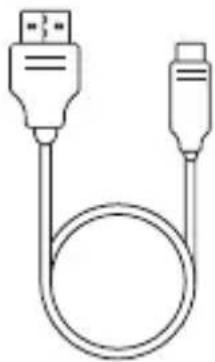
(USB A-C)
Voyant LED :
POSITIONNEMENT DU PRODUIT
Baby Rocker Ladekabel
(USB A-C)
Bedienungsanleitung
ERSTAUFLADUNG
So laden Sie auf:
Delft, The Netherlands
Visit us on www.luvion.com



- DON'T
- IMPORTANT WARNINGS
- TECHNICAL SPECIFICATIONS
- PRODUCT OVERVIEW
- GETTING STARTED
- COMPONENTS
- INITIAL CHARGING
- HOW TO CHARGE
- LED INDICATOR LIGHT
- INSTRUCTIONS
- POSITIONING THE PRODUCT
- ATTACHING THE PRODUCT
- REMOVING THE PRODUCT
- MAIN FEATURES
- PHYSICAL DESIGN
- CONTROL PANEL LAYOUT
- CRY DETECTION
- WHITE NOISE
- VIBRATION INTENSITY
- POWER BUTTON
- BLUETOOTH CONNECTION
- VOLUME CONTROL
- TIMER
- POWER MANAGEMENT
- AUTO SHUTDOWN TIMER
- BATTERY MANAGEMENT
- CLEANING AND MAINTENANCE
- STORAGE AND BATTERY CARE
- CLEANING
- TROUBLESHOOTING
- RECYCLING INFORMATION
- VEILIGHEIDSINSTRUCTIES
- DOEN
- OPLADEN
- VOYANT LED
- POSITIONNEMENT DU PRODUIT
- ERSTAUFLADUNG
- SO LADEN SIE AUF
Brand : Luvion
Model : Baby Rocker
Category : Baby swing