
IPOD NANO - Mp3 player APPLE - Free user manual and instructions
Find the device manual for free IPOD NANO APPLE in PDF.



| Product Type | MP3 player with docking station |
| Brand | Apple |
| Model | iPod Nano (2nd generation) |
| Storage Capacity | 1 GB, 2 GB or 4 GB |
| Dimensions | 40.2 x 90.7 x 6.5 mm |
| Weight | 40 g |
| Display | 1.5 inches, color (220x176 pixels) |
| Battery | Built-in rechargeable lithium-ion battery |
| Battery Life | Up to 24 hours of music playback |
| Connectivity | Dock port, 3.5 mm mini-jack |
| Supported Audio Formats | AAC, MP3, WAV, Apple Lossless, AIFF |
| Main Features | Music playback, FM radio, podcasts, photos |
| Power Source | Via computer (USB) or optional power adapter |
| Care and Cleaning | Wipe with a soft, dry cloth; avoid moisture |
| Safety | Do not expose to water; use only Apple accessories |
| Spare Parts and Repairability | Battery not user-replaceable; Apple service |
| Box Contents | iPod nano, earphones, USB cable, docking station, quick start guide |
Frequently Asked Questions - IPOD NANO APPLE
User questions about IPOD NANO APPLE
0 question about this device. Answer the ones you know or ask your own.
Ask a new question about this device
Download the instructions for your Mp3 player in PDF format for free! Find your manual IPOD NANO - APPLE and take your electronic device back in hand. On this page are published all the documents necessary for the use of your device. IPOD NANO by APPLE.
USER MANUAL IPOD NANO APPLE
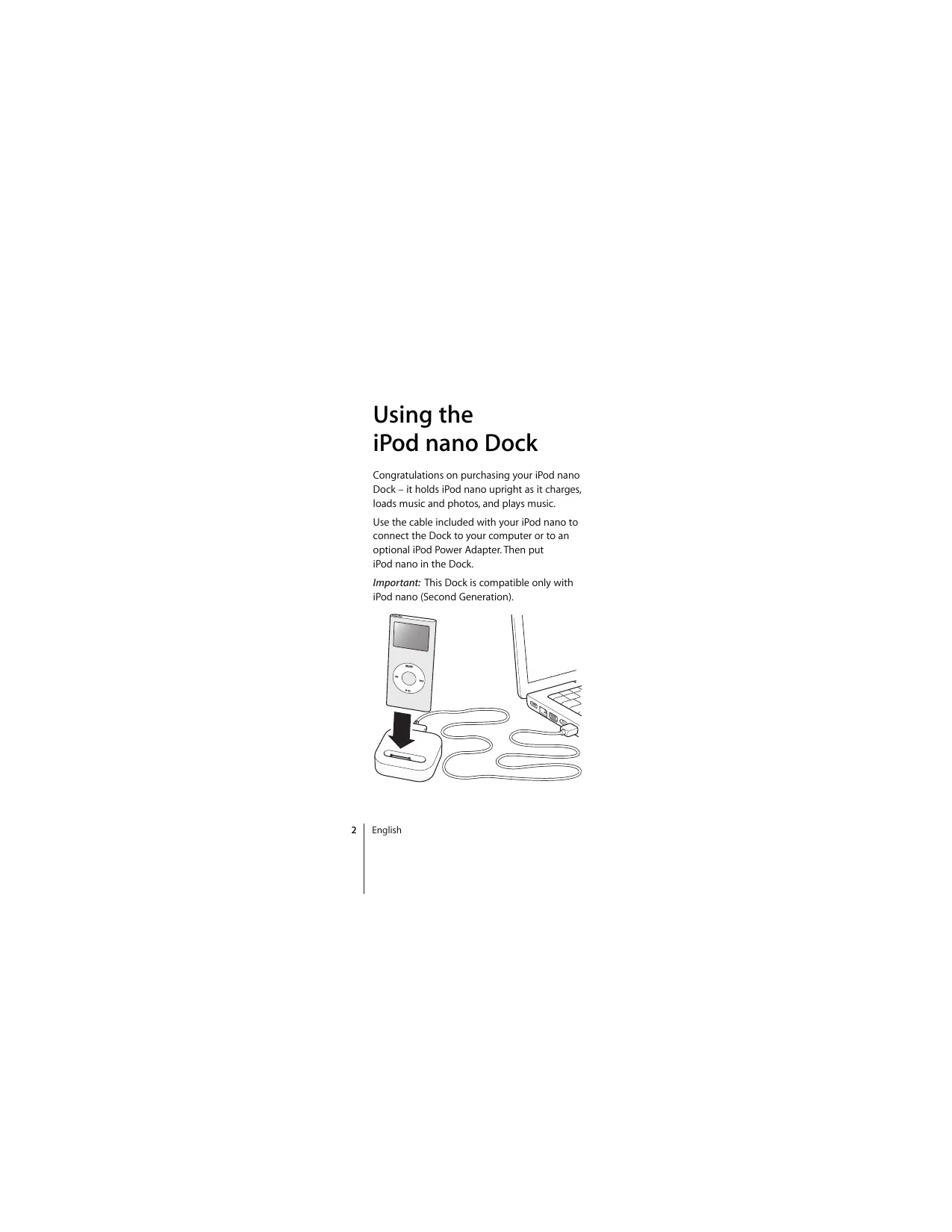
Congratulations on purchasing your iPod nano Dock - it holds iPod nano upright as it charges, loads music and photos, and plays music.
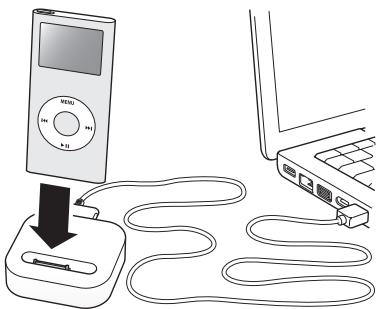
Use the cable included with your iPod nano to connect the Dock to your computer or to an optional iPod Power Adapter. Then put iPod nano in the Dock.
Important: This Dock is compatible only with iPod nano (Second Generation).
iPod nano Dock at a Glance
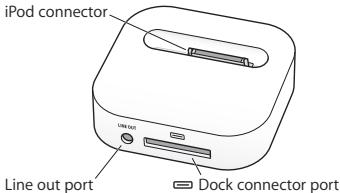
Dock connector port
Connect the Dock to your computer or an optional iPod Power Adapter using the cable included with your iPod nano.
iPod connector
Place iPod nano in the Dock to charge the battery, transfer songs and photos, and listen to music.
Line out port
Connect speakers or your home stereo using an audio cable with a standard 3.5 millimeter stereo miniplug.
Playing Music Through External Speakers or a Stereo
Using the iPod nano Dock, you can play music from iPod nano over externally powered speakers or a home stereo. You need an audio cable with a standard 3.5 millimeter stereo miniplug that's used by most external speakers.
To use your iPod nano with the Dock to play your music through speakers or a stereo:
1 Place iPod nano in the Dock.
2 Use the audio cable to connect the speakers or stereo to the Dock line out port.
3 Use the iPod nano controls to play music and use the volume controls on the external source to adjust the volume.
To play music when the Dock is connected to your computer, iPod nano must not be enabled for use as a disk (for information about using iPod nano as a disk, see the iPod nano Features Guide at www.apple.com/support/ipoD).
Note: You can use the optional iPod Power Adapter to charge your iPod nano while listening to music away from your computer.
Additional Accessories
You can purchase the following iPod accessories at www.apple.com/ipodstore:
- iPod nano Lanyard Headphones
- iPod nano Armband
- iPod In-Ear Headphones
- iPod USB Power Adapter
World Travel Adapter Kit - Speakers, audio cables, headsets, car adapters, power adapters, and more
Service and Support
For iPod service and support information, go to www.apple.com/support/ipod.
iPod nano Dock 使用的
Service et assistance
www.apple.com/support/ipod
© 2006 Apple Computer, Inc. All rights reserved. Apple, the Apple logo, and iPod are trademarks of Apple Computer, Inc., registered in the U.S. and other countries.
02034-3776-A Printed in XXXX
Brand : APPLE
Model : IPOD NANO
Category : Mp3 player