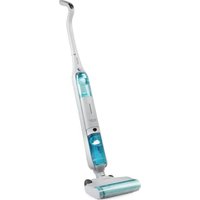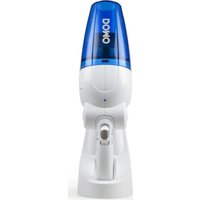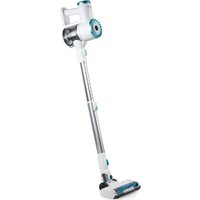
DO1151SV - Vacuum Cleaner DOMO - Free user manual and instructions
Find the device manual for free DO1151SV DOMO in PDF.


User questions about DO1151SV DOMO
0 question about this device. Answer the ones you know or ask your own.
Ask a new question about this device
Download the instructions for your Vacuum Cleaner in PDF format for free! Find your manual DO1151SV - DOMO and take your electronic device back in hand. On this page are published all the documents necessary for the use of your device. DO1151SV by DOMO.
USER MANUAL DO1151SV DOMO
natural_image
White and blue handheld vacuum cleaner with extended handle and blue filter (no visible text or symbols)EN Instruction booklet Stick vacuum cleaner
Read all instructions carefully.
Save this instruction manual for future reference.
⚠PRODUCTSPECIFIEKE WAARSCHUWINGEN
text_image
Labeled diagram of a vacuum cleaner with numbered parts and close-up insets for detailnatural_image
Three-step diagram showing a vacuum cleaner's internal structure, with labeled parts 1, 2, and directional arrows indicating assembly (no text or symbols on the device itself)MUURBEVESTIGING

natural_image
Product photo of a white handheld vacuum cleaner with blue filter and green handle, emitting exhaust smoke (no visible text or symbols)natural_image
Product photo of a white handheld air cleaner with blue handle and green ventilation slots, accompanied by three small mechanical components (no visible text or symbols)OPLADEN
natural_image
Close-up of a hand using a screwdriver to adjust a white appliance with a blue filter (no visible text or symbols)OPMERKINGEN:
natural_image
Close-up of a white vacuum cleaner with blue airflow control panel (no visible text or symbols)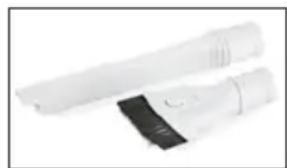
natural_image
Two white handheld devices with black covers, no visible text or symbolsnatural_image
Close-up of a black and white handheld device with blue internal structure, showing a downward arrow (no text or symbols visible)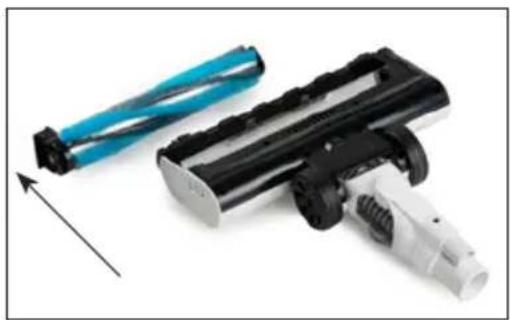
natural_image
Two cleaning tools: a blue cylindrical brush and a black cylindrical brush with black plastic body, both with a white handle (no text or symbols visible)natural_image
Four-panel image showing a hand operating a white electric shaver machine, with no visible text or symbols.natural_image
Symbol of a trash bin with crossed lines indicating no waste or discharge, and a solid black rectangle below (no text or labels)⚠AVERTISSEMENTS SPÉCIFIQUES AU PRODUIT
text_image
Labeled diagram of a vacuum cleaner with numbered parts and close-up insets for detailsAVANT LA PREMIÈRE UTILISATION
natural_image
Three-step diagram showing a device with internal components and a final assembly, labeled 1, 2, and directional arrows (no text or symbols on the devices themselves)SUPPORT MURAL

natural_image
Product photo of a white handheld vacuum cleaner with teal and black buttons, emitting exhaust smoke (no visible text or symbols)natural_image
Product photo of a white and blue electric vacuum cleaner with three separate plastic components (no visible text or symbols)CHARGE
natural_image
Close-up of a hand using a screwdriver to adjust a white appliance (no visible text or symbols)REMARQUES:
natural_image
Close-up of a white vacuum cleaner with blue filter and black adjustment knobs (no visible text or symbols)natural_image
Two white handheld devices with black covers, no visible text or symbolsnatural_image
Close-up of a black and white toy vehicle with blue visor, showing mechanical components and a downward arrow indicating motion (no text or symbols visible)
natural_image
Close-up of a black and white handheld device with blue cable connectors, shown with an upward arrow (no text or symbols visible)natural_image
Four-panel image showing a hand operating a white digital kitchen brush, with one tool inserted into the sink (no visible text or symbols)natural_image
Symbol of a trash bin crossed with two crossed lines, no text or numbers presenttext_image
Labeled diagram of a vacuum cleaner with numbered parts for identification and assembly reference.natural_image
Diagram showing a vacuum cleaner assembly with three sequential stages (1, 2, and an unlabeled arrow), no text or symbols present.WANDBEFESTIGUNG
natural_image
Product photo of a white handheld vacuum cleaner with blue filter and green handle, emitting exhaust smoke (no visible text or symbols)natural_image
Product photo of a white handheld vacuum cleaner with blue and teal casing, alongside three separate plastic clip components (no visible text or symbols)AUFLADEN
natural_image
Close-up of a hand using a screwdriver to adjust a white handheld device (no visible text or symbols)ANMERKUNGEN:
natural_image
Close-up of a white robotic vacuum cleaner operating a blue-lit device (no visible text or symbols)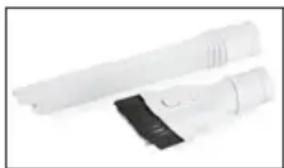
natural_image
Two white hairbrushes with black covers, no visible text or symbolsnatural_image
Close-up of a black cylindrical battery with blue internal structure and white handle, showing a downward arrow (no text or symbols visible)
natural_image
Close-up of a black and white electric shaver with blue cable connectors, shown with an upward arrow (no text or symbols visible)natural_image
Person using a white electric vacuum cleaner with a hand holding a tool, pouring colorful powder from a black bowl (no text or symbols visible)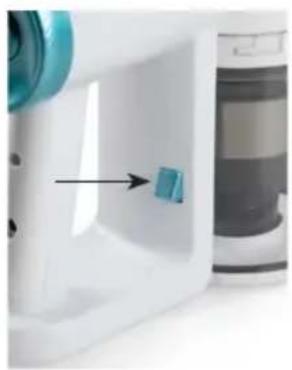
natural_image
Close-up of a white plastic container with a blue arrow pointing to a small blue component, next to a gray cylindrical container (no visible text or symbols)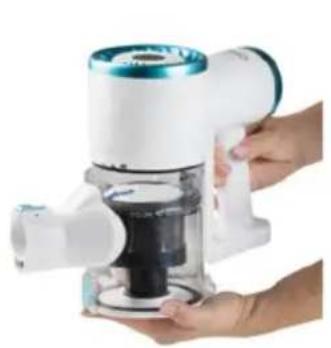
natural_image
Hand holding a white and blue cleaner brush with a black handle, no visible text or symbols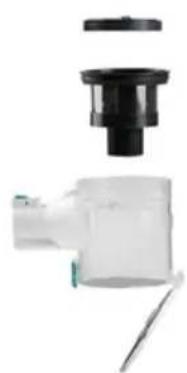
natural_image
Close-up of a mechanical component with a black cap and white housing, no visible text or symbolsnatural_image
Symbol of a trash bin crossed with two crossed lines and a solid black rectangle below (no text or labels)Thank you for your confidence in DOMO. We do hope you enjoy your new purchase. Before reaching you, all our products undergo a strict quality inspection. Should you still encounter problems with your appliance, then we are truly sorry and will do everything possible to resolve the situation quickly. Do not hesitate to contact our customer service. Our staff will do all they can to help you!
+32 14 21 71 91 info@linea2000.be

Monday - Thursday: 8.30 - 12.00 and 13.00 - 17.00
Friday: 8.30 - 12.00 and 13.00 - 16.30
This device has a warranty period of 2 years from the date of purchase. During this warranty period, the distributor will assume responsibility for any defects that can be shown to be the result of material, construction or manufacturing errors. Such defects will be remedied by repair or replacement of the device. The 2-year warranty period will be suspended during the repair period and will continue after the repair has taken place for the remaining duration of the warranty period. The warranty will be honoured if proof of purchase clearly showing the date of purchase is provided. If your device becomes defective within the 2-year warranty period, please return it with your proof of purchase to the store you purchased it from or follow the procedure of the relevant webshop if you bought it online.
The warranty does not cover damage to the device, accessories or parts caused by:
• normal wear and tear from use;
• non-compliance with the instructions for use, maintenance and cleaning in the manual;
- incorrect connection, e.g. electrical voltage too high;
- incorrect, heavy-handed or abnormal use;
• repairs or alterations carried out by the consumer or unauthorised third parties;
- use of parts or accessories not recommended nor supplied by the distributor.
SAFETY INSTRUCTIONS
When using electrical appliances, basic safety precautions should always be taken, including the following. Any injury or damage caused by failure to comply with these rules are at your own risk. Neither the manufacturer, importer, or the supplier may be held liable.
- Read all instructions carefully.
- Make sure all packaging materials and promotional stickers have been removed before using the appliance for the first time. Make sure children cannot play with the packaging materials.
-
This appliance is only suitable for use in domestic and similar environments, such as:
-
staff kitchen areas in shops, offices and other working environments;
- farm houses;
- by clients in hotels, motels and other residential type environments;
- bed and breakfast type environments.
- Children should be supervised to ensure that they do not play with the appliance.
- This appliance can be used by children aged from 16 years and above and persons with reduced physical, sensory or mental capabilities or lack of experience and knowledge if they have been given supervision or instruction concerning use of the appliance in a safe way and understand the hazards involved.
• Children shall not play with the appliance.
- Cleaning and user maintenance shall not be made by children unless they are older than 16 or supervised.
- Keep the appliance and its cord out of reach of children younger than 16 years.
- All repairs should be carried out by the manufacturer or its aftersales service.
▲ELECTRICAL WARNINGS
- In order to avoid a hazard this appliance must not be supplied through an external switching device, such as a timer or a
separate remote control, or connected to a circuit that is regularly switched on and off by the utility.
- The appliance must be disconnected from its power source when not in use, during service and when replacing parts. If present, first turn all the buttons to the 'off' position, then pull the plug out of the socket by grasping the plug itself. Never pull the cord or appliance to remove the plug from the socket.
- Before use, check carefully that the electric tension and frequency of the power net at your home match the indications on the rating label of the appliance.
- The appliance must be plugged into an appropriate outlet that is installed in accordance with local installation regulations.
- Do not let the power supply cord hang over the edge of a counter, or touch hot surfaces.
- Keep the power cord away from hot parts and don't cover the appliance.
- Unwrap the cord completely to prevent overheating of the cord. Do not allow the power cord supply to run underneath or around the unit.
- For safety reasons, never use the appliance if the cord, plug, or appliance itself is damaged, or after a malfunction of the appliance. Return the appliance to the DOMO Service Department or its service agent for examination, repair, or electrical or mechanical adjustment. Do not try to repair the appliance yourself.
⚠️INSTALLATION
- Do not place near flammable materials, gases or explosives.
- Do not use or store this appliance outdoors.
• Always use the appliance on a steady, dry and level surface.
- Never place this appliance near a gas stove or electrical stove or in a place where it may come into contact with a warm appliance.
⚠ USE
- Do not use this appliance for other than intended use.
- Never leave the appliance unattended while it is functioning.
- Do not operate the appliance with wet hands.
- The use of accessories that are not recommended or sold by the manufacturer can cause fire, electrical shock or injuries. Only use the utensils delivered with the appliance.
⚠ CLEANING AND MAINTENANCE
- To protect against electrical shock or burns, do not immerse unit, cord, or plug in water or other liquid.
- Failure to maintain this appliance in a clean condition could adversely affect the life of the appliance and possibly result in a hazardous situation.
⚠️PRODUCTSPECIFIC WARNINGS
- Do not use the vacuum cleaner to vacuum up detergents, liquids, needles, matches and other similar liquids, sharp objects or flammable objects.
- Do not use the vacuum cleaner to vacuum up cement, powder and other small particles. Avoid vacuuming large objects and items that could become entangled in the brush (long hair, plastic bags, string, etc.). Also avoid vacuuming up large objects. The vacuum cleaner could be clogged, the motor could overheat or other damage may occur.
- Make sure that the air intake or the floor suction opening do not become blocked.
- Make sure that the machine does not come into contact with liquids.
- First charge a new battery up completely.
- Only charge the battery using the supplied adapter.
- Pull the plug from the outlet when the vacuum cleaner is fully charged.
- This product contains a rechargeable battery. Batteries should be recycled. Do not drill into the battery or expose it to high temperatures; the battery could explode.
-
Under extreme circumstances, there could be leakage of the battery.
-
If the liquid from the battery comes into contact with the skin, remove all contaminated clothing and immediately wash the skin profusely with soap and water or take a shower. Contact a physician immediately if you continue to feel a burning sensation.
- If the liquid comes into contact with the eyes, rinse abundantly with water for at least 15 minutes until the irritation subsides and contact a doctor immediately.
- When inhaling any fumes that were released, immediately move into the fresh air and take a deep breath in and out.
Contact a doctor immediately if you experience shortness of breath, dizziness, or headaches.
- If a battery or the liquid from a battery is swallowed, seek medical assistance immediately. Try not to induce vomiting and do not eat or drink anything.
- Do not place foreign objects in the openings of your machine. Do not use the machine if an opening is blocked. Keep the machine free from dust, dirt, hair or anything that could reduce the air supply.
- Remove large and sharp objects from the floor to prevent damage to the plastic components, the brushes and the motor.
- Keep hair, loose clothing, fingers and other body parts away from openings and moving parts.
- Never use the appliance without filters. This will damage the motor and render it unusable.
SAVE THESE INSTRUCTIONS FOR FUTURE REFERENCE
All images and descriptions in this manual are purely indicative and may differ slightly from the actual device.
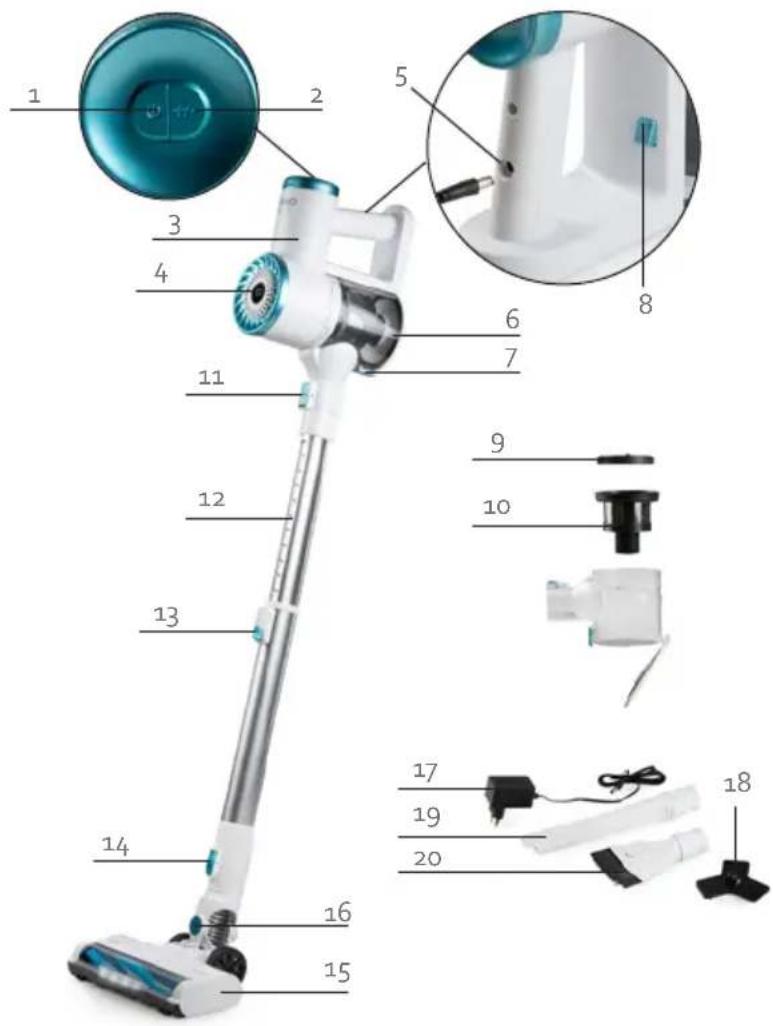
PARTS
- On-off button
- Adjust suction power
- Motor
- Battery level indicator
- Adapter connection
- Dust reservoir
- Button to open dust reservoir
- Unlock button for dust reservoir
- Round filter
- Coarse dirt filter
- Handle release button
- Telescopic tube
- Button for tube length
- Release button floor nozzle
- Floor nozzle with rotating floor brush
- Parking lock
- Adapter
- Wall fixing (screws and plugs included)
- Crevice vacuum cleaner
- 2-in-1 fabric brush
text_image
Labeled diagram of a vacuum cleaner with numbered parts and close-up insets for detailBEFORE THE FIRST USE
- Remove all packaging materials and any promotional stickers.
- Wipe the unit and all parts down with a soft, damp cloth.
-
Assemble all the parts:
-
Slide the tube into the motor part until it clicks into place. Make sure the power pins slide into the intended holes properly. Adjust the telescopic wand to your desired length. To do this, press the button on the wand and pull the upper part to extend it. Then release the button to let the wand click into place.
-
Slide the floor attachment on to the wand assembly until it clicks into place. Make sure the power pins slide into the intended holes properly.

flowchart
graph LR
    A["Device with two connectors"] -->|2| B["Intermediate component"]
    B -->|1| C["Final device with blue bulb"]
WALL MOUNT

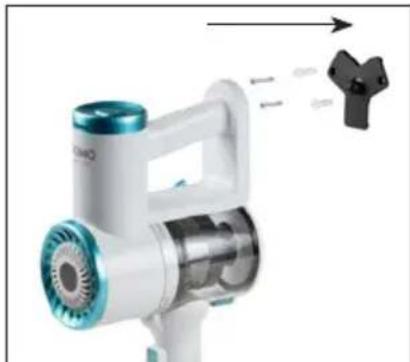
The wall mount serves to keep the stick vacuum cleaner upright. It is not intended to hang the vacuum cleaner on. The stick vacuum cleaner must always rest on the ground when clicked into the wall mount.
To mount the wall mount to the wall, please follow these steps:
- Place the stick vacuum cleaner into the wall mount and hold it where the wall mount will be attached. Make sure that the stick vacuum cleaner rests completely on the ground when doing so.
- Mark the two points on the wall where you will attach the mount.
- Drill 2 holes in the wall corresponding to these attachment points.
- Insert the supplied plugs into the wall.
- Fix the wall mount using the supplied screws.
- To store the appliance, place it flat on the ground until the floor nozzle clicks into the tube (parking lock) and click the appliance into the wall mount.
Please note: A mounting plate is included with the wall mount. This is so you can stick the wall mount to a wall or cupboard without the need for drilling holes. The mounting plate has a self-adhesive panel so that one side adheres to the wall mount and the other side adheres to a wall or cupboard. Make sure the surface you want to stick the wall mount against is flat, moisture-free, and dust-free.
- First remove the film from one side of the mounting plate and then stick this part to the back of the wall mount. Press firmly.
- Ensure the floor nozzle is attached to the appliance and place it in the wall mount. Allow the floor nozzle to rest on the floor.
- Then remove the film from the other side
- Stick the wall mount to the wall.
natural_image
White handheld vacuum cleaner with blue filter and green handle, emitting exhaust air (no text or symbols visible)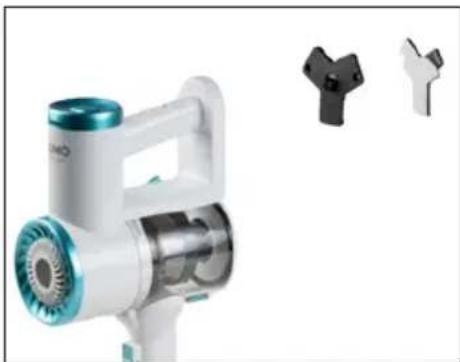
natural_image
Product photo of a white handheld vacuum cleaner with teal and black buttons, alongside three separate plastic clip components (no visible text or symbols)CHARGING
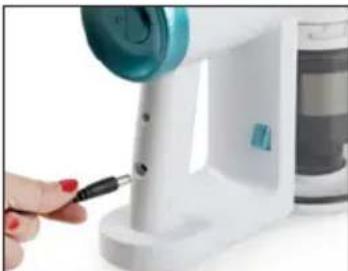
- Connect the adapter via the provided connection, and then plug the adapter into the wall socket.
- The battery symbol will flash on and off while charging. The battery percentage will increase by 5% increments until fully charged at 100% . When fully charged, the battery symbol and battery percentage will stop flashing and remain lit.
• The machine cannot be started during charging.
- Prior to first use, charge the machine for 24 hours in order to be able to utilize the full capacity of the battery.
- It is recommended that the battery be fully charged for the first three charges.
REMARKS:
- The temperature while charging should be between 15 °C and 25 °C. Higher or lower temperatures reduce battery life.
natural_image
Close-up of a hand using a screwdriver to adjust a white appliance with a blue and teal component (no visible text or symbols)- It is recommended that the vacuum cleaner be charged after each use regardless of the duration of the use.
- Do not charge the battery for extended periods. This can damage the battery. Disconnect the adapter once the battery is fully charged.
- The recommendation is to disconnect the adapter if the vacuum cleaner is not used for more than two months. To ensure a longer lifespan, the battery must be charged at least once every two months.
- The battery and adapter may become hot during charging. Take the necessary precautions to avoid coming into contact with it during this time.
USE
-
Choose the correct accessory for the cleaning task you want to carry out:
-
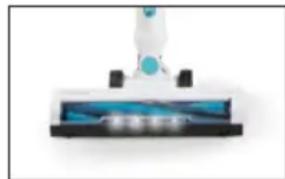
Floor attachment with rotating floor brush: suitable for floors and carpets. When you switch on the machine, the rotating floor brush at the bottom of the floor nozzle will begin to turn. This will cause the dirt in the opening to be shifted and thereby vacuumed up.
- Crevice tool: for corners, cracks, skirting board edges and hard-to-reach places.
- 2-in-1 fabric brush: use on upholstered surfaces, keyboards, lamps, curtains, blinds, ventilation openings, etc. The brush offers extra friction to make it easier to loosen hair and dust stuck on fabric. Use the short crevice tool for regular cleaning of small surfaces. To switch
between brush and crevice tool, press the button to unlock the brush and slide it up or down.
natural_image
Close-up of a white vacuum cleaner with blue filter and black base (no visible text or symbols)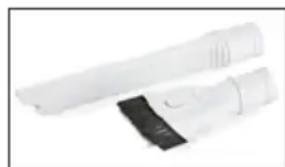
natural_image
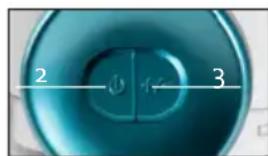
Two white cylindrical devices with black bands, no visible text or symbols- Press the on/off button to turn the device on.
- Press the suction power adjustment button to switch between the two suction power levels: MIN (energy efficient) or MAX (maximum suction power).
text_image
2 3NOTE:
- The various accessories can be clicked onto the wand assembly (stick vacuum cleaner) or directly onto the motor part, without the handle (hand vacuum cleaner).
- When the battery is low, the battery symbol will flash on and off on the display. The device will then switch itself off.
- The autonomy depends on the type of surface. It will work for less time on carpets than on a hard surface.
- While vacuuming, warm air will come out of the motor compartment. This is normal.
- This appliance must only be used on a dry surface. When you switch on the machine, the rotating floor brush at the bottom of the floor nozzle will begin to turn. This will cause the dirt in the opening to be shifted and thereby vacuumed up. Dirt will collect in the container. Be careful not to suck up large pieces of dirt, as this could block the suction opening and damage the appliance.
- The machine is equipped with a safety which will ensure that the machine shuts itself off if, for example, objects which are too large are sucked up, or if fingers become tangled in the floor brush. This is for personal safety and to protect the motor. To reverse the floor brush, press the on/off button once more.
- For the best results, clean the dust reservoir and the filters after each use. This is better for the suction power and the life span of the machine. Make sure that the dust in the dust reservoir does not exceed the maximum level.
CLEANING AND MAINTENANCE
CLEANING THE MACHINE
Clean the machine with a slightly moist soft cloth. Dry the machine off well. Never submerge the machine in water!
THE FLOOR BRUSH
-
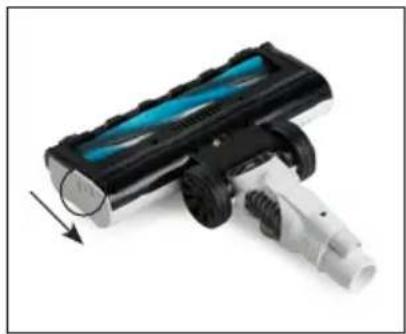
Remove the floor nozzle from the upright vacuum cleaner. Press the release button at the back of the floor nozzle and remove it from the machine.
-
Slide the lock on the side of the brush downwards to remove the floor brush.
-
Remove the rotating floor brush from the floor nozzle.
-
Remove hairs and other dirt that have wrapped around the floor brush. If you do not clean the floor brush regularly, it will become damaged and your machine will become unusable.
-
The rotating floor brush may be rinsed off under running water. Make sure that it is completely dry before using it.
-
Place the floor brush back into the floor nozzle when it is clean. You will hear a click when the brush is back in place.
-
Push the nozzle back onto the stick. The machine is now again ready for use.
natural_image
Close-up of a black and white handheld device with blue internal structure, showing motion arrow (no text or symbols visible)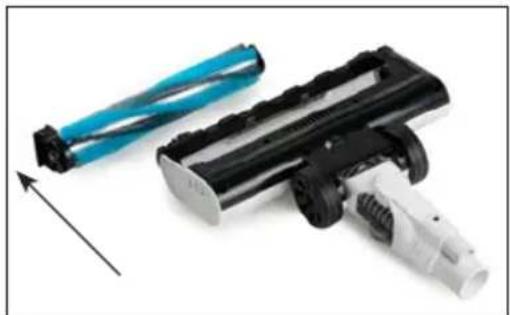
natural_image
Close-up of a black and white handheld device with blue cylindrical components, no visible text or symbolsStuck hairs can damage the machine or your floor. Always remove the hairs stuck on the brushes.
THE TUBE
Remove the tube and check it for blockages.
THE DUST RESERVOIR
Regularly clean the dust container.
-
Never exceed the maximum indicator on the dust container. Remove the wand. Empty the dust container by pressing the button at the bottom of the dust container while holding it over a garbage bin. The dust container falls open and you can then remove the coarse dirt.
-
Press the dust container release and unscrew the dust container from the motor unit. The dust container contains the following parts:
-
Round filter: this dust filter captures the small dust particles.
- Coarse debris filter: this ensures that the large dust particles remain in the dirt receptacle.
-
Dirt receptacle: this is where all large dirt particles are collected.
-
Remove the round filter from the coarse dirt filter.
-
Remove the coarse filter from the dust container.
-
You can now clean all the parts separately. We recommend you do this with compressed air. If you do not have compressed air, you can wash out the filters. Make sure they are completely dry before using them again.
-
Reinsert the round filter into the coarse dirt filter.
-
Put the filters back in the dirt receptacle.
-
Put the dirt receptacle back on the motor section. A click will be heard when the dust container is in place.

natural_image
Four-panel image showing a hand operating a white appliance in different stages: cleaning, adding a small item, adjusting a blue control panel, and holding a vacuum cleaner.We advise replacing the filters regularly to ensure an optimal operation of the machine. Dirty filters will reduce the suction power drastically. After every cleaning, clean the dust reservoir and the filters to extend the life span of your machine.
Do not immerse unit, cord, or plug in water or other liquid.
⚠️ Never use aggressive or abrasive cleaning agents.
PROBLEMS AND SOLUTIONS
| PROBLEMS SOLUTIONS | |
| The machine does not start up. • The battery is empty. Charge the machine. | |
| The appliance has stopped working. • The appliance has overheated. Allow the appliance to cool down and clean the appliance.• The battery is empty. Charge the machine. | |
| The machine does not vacuum. • The filters are dirty.• The dust container is full.• The floor brush is blocked.• The suction opening is blocked.• Clean the appliance as described in this manual. | |
| Suction power is reduced significantly. • We recommend that you thoroughly clean the filter as well as the dust container and the accessories as described in this manual. If the filters are saturated, they can be reordered.The floor nozzle or tube is clogged. Turn off the vacuum cleaner and remove the object blocking the floor nozzle or tube. | |
| The rotating floor brush is not rotating. | • The floor brush is blocked. Turn off the vacuum cleaner and remove the object blocking the floor brush.The floor brush is assembled incorrectly. Follow the instructions to correctly assemble the floor brush as described in this manual. |
| The display does not light up while charging. • There is no proper contact.Make sure the adapter is connected properly. | |
| The operating time of the appliance is getting shorter and shorter. | • The battery is broken. Contact our customer service.Charge the appliance for a full day and try again. We also recommend that you regularly allow the battery to drain and recharge it fully. The operating life of the appliance will be longer on flat surfaces than on carpets. |
| Device not charging. • Check that the plug is properly inserted.Ensure the correct supplied adapter is used. | |
GUIDELINES
natural_image
Symbol of a trash bin crossed with two crossed lines and a solid black rectangle below (no text or labels)This symbol on the product or on its packaging indicates that this product may not be treated as household waste. Instead it must be brought to the applicable collection point for recycling of electrical and electronic equipment. By ensuring this product is disposed of correctly, you will help prevent potential negative consequences for the environment and human health, which could otherwise be caused by inappropriate waste handling of this product. For more detailed information about recycling of this product, please contact your local city office, your household waste disposal service or the shop where you purchased the product.

The packaging is recyclable. Please treat the packaging ecologically.
NON-REMOVABLE BATTERY
The appliance is battery-operated, and the battery must not be disposed of with household waste, even after use. You can take the appliance to a collection point for discarded electrical appliances (Recupel) in your neighbourhood (container park, specialist shop, etc.). Batteries contain substances that are dangerous to human health and to the environment.

This appliance conforms to all European requirements in the areas of safety, health, and environmental protection.
The EU declaration concerning this appliance can be requested at any time from info@linea2000.be
GARANTIA
Estimado cliente,
text_image
Labeled diagram of a vacuum cleaner with numbered parts for identification and assembly reference.natural_image
Product photo of a white handheld device with blue and silver casing emitting exhaust, next to a black plastic component (no visible text or symbols)natural_image
Product photo of a white handheld vacuum cleaner with blue control panel and three separate plastic clip components (no visible text or symbols)CARGA
natural_image
Close-up of a hand using a screwdriver to adjust a white appliance with a blue filter (no visible text or symbols)natural_image
Close-up of a white vacuum cleaner with blue filter and black handle (no visible text or symbols)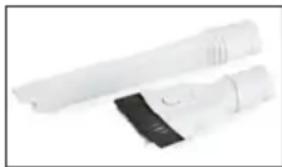
natural_image
Two white handheld devices with black buttons, no visible text or symbolsnatural_image
Close-up of a black and white toy vehicle with blue visor and mechanical components, no visible text or symbols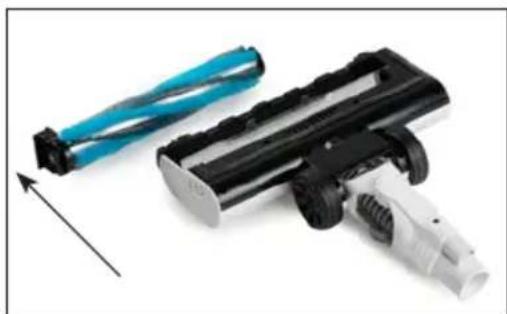
natural_image
Close-up of a black and white handheld device with blue cable connectors, no visible text or symbolsnatural_image
Four-panel image showing a hand operating a white electric shaver with a blue handle, alongside its internal components (no text or symbols visible)text_image
Warning symbol for a trash bin with crossed lines indicating no waste, and a solid black rectangle below.text_image
Labeled diagram of a vacuum cleaner with numbered parts and close-up insets for detailPRIMA DELL'USO
natural_image
Three-step diagram showing a vacuum cleaner with labeled parts: one with internal components, two with arrows indicating assembly (no text or symbols present)SOSTEGNO A PARETE

natural_image
Product photo of a white handheld vacuum cleaner with blue filter and green handle, emitting exhaust smoke (no text or symbols visible)natural_image
Product photo of a white DNO air purifier with blue filter and green handle, alongside three small plastic clip cutouts (no text or symbols visible)CARICARE
natural_image
Close-up of a hand using a handheld tool to clean or store items, no visible text or symbolsNOTE:
natural_image
Close-up of a white electronic device with blue and black modules, possibly a remote control or scanner (no visible text or symbols)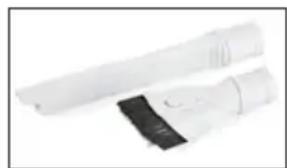
natural_image
Two white handheld devices with black covers, no visible text or symbolsnatural_image
Close-up of a black and white handheld device with blue internal structure, showing a downward arrow (no text or symbols visible)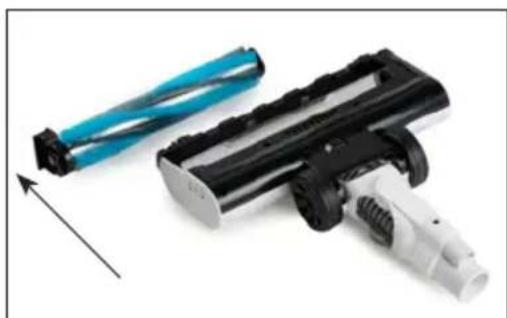
natural_image
Close-up of a black and white handheld device with blue cable, showing mechanical components and a directional arrow (no text or symbols)natural_image
Four-panel image showing a hand operating a white digital kitchen brush, with one tool partially visible and others showing different mechanical or cleaning states (no text or symbols present).natural_image
Symbol of a trash bin with crossed lines indicating no waste or discharge (no text or labels)text_image
Labeled diagram of a vacuum cleaner with numbered parts and close-up insets for detailPŘED PRVNÍM POUŽITÍM
natural_image
Three-step diagram showing a device with internal components, labeled 1, 2, and directional arrows (no text or symbols on the devices themselves)DRŽÁK NA STĚNU
natural_image
Product photo of a white handheld vacuum cleaner with blue filter and green handle, emitting exhaust smoke (no visible text or symbols)natural_image
Product photo of a white handheld vacuum cleaner with blue control panel and three separate plastic clip components (no visible text or symbols)NABÍJENÍ
natural_image
Close-up of a hand using a screwdriver to adjust a white appliance with a blue handle (no visible text or symbols)natural_image
Close-up of a white vacuum cleaner with blue filter blade and black base (no text or symbols visible)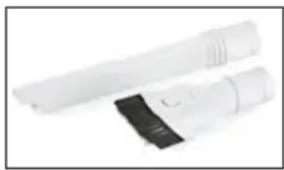
natural_image
Two white electronic devices with black connectors, one extending into a cylindrical body (no visible text or symbols)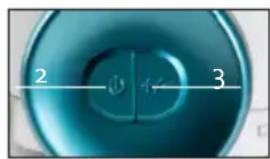
text_image
2 3POZNÁMKA
natural_image
Close-up of a black and white handheld device with blue light, showing a downward arrow (no text or symbols visible)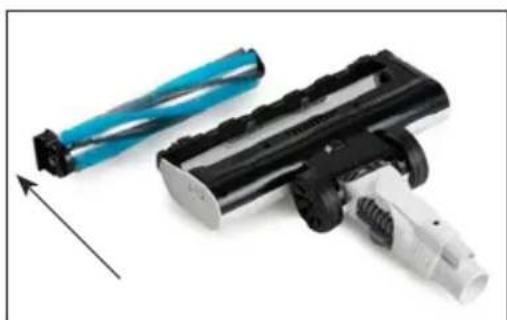
natural_image
Two cleaning tools: a blue cylindrical brush and a black-and-white handheld device, with an arrow indicating direction (no text or symbols visible)natural_image
Four-panel image showing a hand operating a white digital kitchen brush, with one tool being inserted and others handling it (no visible text or symbols)natural_image
Symbol of a trash bin crossed with two crossed lines, no text or numbers presenttext_image
Labeled diagram of a vacuum cleaner with numbered parts for identification and assembly reference.PRED PRVÝM POUŽITÍM
natural_image
Three-step diagram of a vacuum cleaner assembly: disassembly, internal structure, and final assembly (no text or symbols)DRŽIAK NA STENU

natural_image
Product photo of a white handheld vacuum cleaner with blue filter and green handle, emitting exhaust smoke (no text or symbols visible)natural_image
Product photo of a white and blue handheld vacuum cleaner with three separate plastic clip cutouts (no visible text or symbols)NABÍJANIE
natural_image
Close-up of a hand using a power tool to lift a white appliance with a teal lid (no visible text or symbols)POZNÁMKA:
natural_image
Close-up of a white vacuum cleaner with blue filter and black base (no visible text or symbols)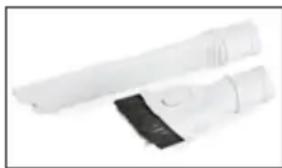
natural_image
Two white cylindrical devices with black bands, no visible text or symbolsnatural_image
Close-up of a black and white handheld device with blue internal structure, showing a downward arrow (no text or symbols visible)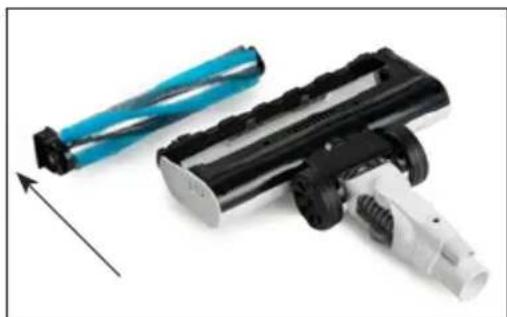
natural_image
Close-up of a black and white handheld device with blue cylindrical components, no visible text or symbolsnatural_image
Four-panel image showing a hand operating a white electric vacuum cleaner, with close-up views of the device's internal components (no text or symbols visible)natural_image
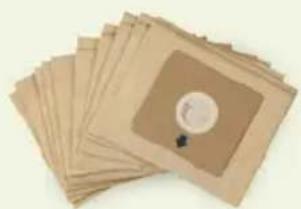
Symbol of a trash bin crossed with two crossed lines and a solid black rectangle below (no text or labels)Looking for extra accessories or you have a broken piece?
ORDER the original DOMO accessories and parts on our webshop.
text_image
QR code image containing encoded data, no visible human-readable textWebshop

natural_image
Stack of sheets of paper with a circular patch and small dark object, no visible text or symbols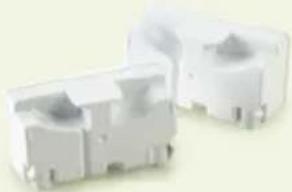
natural_image
Two white plastic electrical connectors with mounting holes (no text or symbols visible)
natural_image
White rectangular container with black interior, no visible text or symbols