
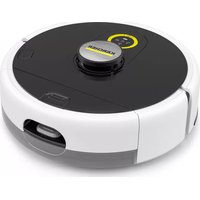
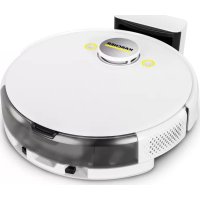
RVF 7 Comfort - Robot vacuum Kärcher - Free user manual and instructions
Find the device manual for free RVF 7 Comfort Kärcher in PDF.


Pick your language and provide your email: we'll send you a specifically translated version.
| Product type | Robotic vacuum cleaner |
| Brand | Kärcher |
| Model | RVF 7 Comfort |
| Dimensions (L x W x H) | 33 x 33 x 9 cm |
| Weight | 3.5 kg |
| Power supply | Li-Ion battery 14.4 V / 2600 mAh |
| Runtime | Approximately 90 minutes |
| Charging time | Approximately 180 minutes |
| Dust bin capacity | 400 ml |
| Noise level | 65 dB(A) |
| Filtration | Washable HEPA filter |
| Navigation | Infrared sensors and gyroscope |
| Scheduling | Yes, via Kärcher app |
| Connectivity | Wi-Fi, mobile app |
| Main functions | Suction, brushing, automatic return to base |
| Safety sensors | Fall detection, automatic shutdown |
| Maintenance and cleaning | Clean brushes and filter regularly |
| Spare parts | Available (brushes, filters, batteries) |
| Warranty | 2 years |
Frequently Asked Questions - RVF 7 Comfort Kärcher
How to start the RVF 7 Comfort robotic vacuum cleaner?
Make sure the battery is charged and the switch is ON. Press the Start button on the device or via the Kärcher app.
How to connect the vacuum to the Kärcher app?
Download the Kärcher app from the App Store or Google Play. Enable Wi-Fi on the vacuum and follow the instructions in the app to pair the device.
What to do if the vacuum does not charge?
Check that the charging base is plugged in and the contacts are clean. If the problem persists, try resetting the device by holding the Power button for 10 seconds.
How to empty the dust bin?
Open the top cover, remove the dust bin and empty it into a trash can. Wash the HEPA filter with clean water if necessary and let it dry before replacing.
How often should I clean the brushes?
It is recommended to clean the main and side brushes after each use to prevent accumulation of hair and debris.
The vacuum no longer detects obstacles, what to do?
Gently clean the infrared sensors with a soft, dry cloth. Avoid chemicals. If the problem persists, contact customer service.
How to schedule automatic cleaning?
Open the Kärcher app, select your device, then go to Scheduling. Choose the desired days and times.
What does a flashing red light mean?
A flashing red light generally indicates a fault: full bin, blocked wheel, or obstructed sensor. Refer to the manual for the specific code.
Does the vacuum automatically return to its base?
Yes, the RVF 7 Comfort is equipped with an automatic return function when the battery is low or at the end of the cycle. Make sure the base is clear.
Where can I buy spare parts?
Spare parts (brushes, filters, batteries) are available on the official Kärcher website or from authorized dealers.
User questions about RVF 7 Comfort Kärcher
0 question about this device. Answer the ones you know or ask your own.
Ask a new question about this device
No questions yet. Be the first to ask one.
Download the instructions for your Robot vacuum in PDF format for free! Find your manual RVF 7 Comfort - Kärcher and take your electronic device back in hand. On this page are published all the documents necessary for the use of your device. RVF 7 Comfort by Kärcher.
USER MANUAL RVF 7 Comfort Kärcher
Manual assistant
Powered by Anthropic
Waiting for your message
Product information
Brand : Kärcher
Model : RVF 7 Comfort
Category : Robot vacuum