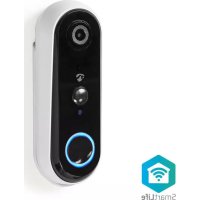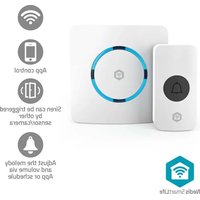
WIFIDB11CWT - Doorbells NEDIS - Free user manual and instructions
Find the device manual for free WIFIDB11CWT NEDIS in PDF.


| Brand | Nedis |
| Model | WIFIDB11CWT |
| Product Type | Connected doorbell |
| Power Supply | CR2032 battery, 3.0 V |
| Connectivity | Wi-Fi (2.4 GHz) |
| App | Nedis SmartLife |
| Free-field range | Up to 100 m |
| Dimensions (doorbell) | Approximately 60 x 60 x 20 mm |
| Weight (doorbell) | Approximately 50 g |
| Material | ABS plastic |
| Protection rating | IP44 |
| Operating temperature | -10 °C to 50 °C |
| Main features | Motion detection, smartphone notification, chime via app |
| Compatibility | iOS and Android |
| Installation | Wall mounting, wireless |
| Care and cleaning | Clean with a soft dry cloth |
| Safety | Do not immerse, use only recommended batteries |
| Battery included | Yes, 1 CR2032 battery |
| Warranty | 2 years |
| Package contents | 1 doorbell, 1 battery, 1 user manual |
| Certifications | CE, RoHS |
| Color | White |
| Battery type | CR2032 |
| Battery life | Approximately 6 to 12 months |
| Repairability | Not user repairable |
Frequently Asked Questions - WIFIDB11CWT NEDIS
User questions about WIFIDB11CWT NEDIS
0 question about this device. Answer the ones you know or ask your own.
Ask a new question about this device
Download the instructions for your Doorbells in PDF format for free! Find your manual WIFIDB11CWT - NEDIS and take your electronic device back in hand. On this page are published all the documents necessary for the use of your device. WIFIDB11CWT by NEDIS.
USER MANUAL WIFIDB11CWT NEDIS
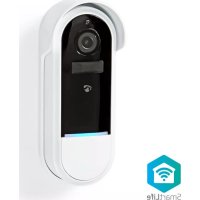
Wi-Fi Smart Wireless Doorbell
Safety instructions
WIFIDB11CWT

natural_image
Icon of a house with Wi-Fi signal symbol inside a hexagon (no text or numbers)Nedis SmartLife
natural_image
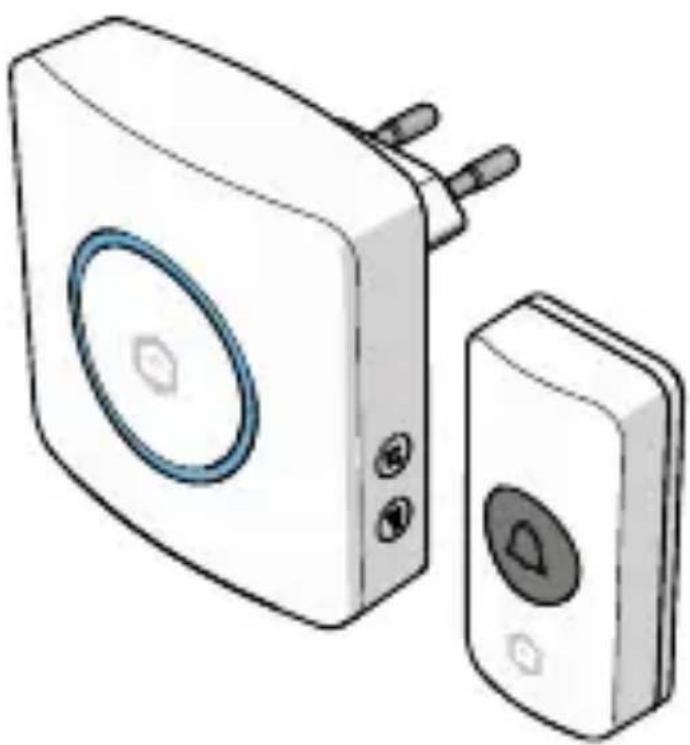
Illustration of a white electronic device with a circular button and two connected devices (no text or symbols)EN Safety instructions 3
This document is the user manual and contains all the information for correct, efficient, and safe use of the product.
Ensure you have fully read and understood the instructions in this document before you install or use the product. Keep the packaging and this document for future reference.
Symbolsused
WARNING!
Signal word used to indicate a potentially hazardous situation which, if not avoided, could result in death or serious injury.
CAUTION!
Signal word used to indicate a potentially hazardous situation which, if not avoided, could result in minor or moderate injury.
NOTICE
Signal word used to address practices not related to physical injury.
Intendeduse
This product is intended as a wireless doorbell.
This product is intended to be used with the Nedis SmartLife app.
Only use the product as described in this user manual.
Safetyinstructions
WARNING!
Safetyhazard:
- Do not dismantle, open or shred batteries.
Electricalhazard:
- The product may not be used by persons (including children) whose physical, sensory or mental capabilities or lack of experience and knowledge prevents them from using the product safely without supervision or instruction.
- Disconnect the product from the power supply before installation, cleaning or maintenance.
- Do not open the product. The product may only be opened by an authorised technician for maintenance.
- Cleaning and user maintenance shall not be done by children without supervision.
Chokinghazard:
- Do not let children play with the packaging material. Always keep the packaging material out of the reach of children.
- Seek medical advice immediately if a cell or battery has been swallowed.
Firehazard:
- Do not short-circuit a cell or a battery.
- Do not expose cells or batteries to heat or fire. Avoid storage in direct sunlight.
- Do not subject cells or batteries to mechanical shock.
- Store batteries only in a clean, cool, dry, ventilated, and weatherproof environment.
AUTION!
Safetyhazard:
- Do not use the product if a part is damaged or defective. Always replace a damaged or defective product immediately.
Electricalhazard:
- Do not immerse the product in water or other liquids.
NOTICE
Risk of damaging the product:
- Do not make any adjustments to the product. Adjustments may affect safety, warranty and proper operation.
- Children should be supervised to ensure that they do not play with the product.
- Do not drop the product and avoid bumping.
- Check that the battery contacts are clean and correctly positioned before inserting a battery. If necessary, clean with a slightly damp cloth and dry thoroughly before insertion.
- Always insert batteries according to the correct polarity (+/-). Use only a CR2032 3.0v battery with this product.
- Remove batteries immediately when the doorbell no longer functions properly or when the product will not be used for a longer period.
- Do not use aggressive chemical cleaning agents that can damage the product when cleaning the product.
Disposal
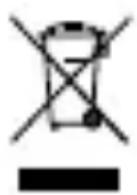
The product is designated for separate collection at an appropriate collection point. Do not dispose of the product with household waste.
For more information, contact the retailer or the local authority responsible for the waste management.
DeclarationofConformity
We, Nedis B.V. declare as manufacturer that the product WIFIDB11CWT from our brand Nedis ^® , produced in China, has been tested according to all relevant CE standards and regulations and that all tests have been passed successfully. This includes, but is not limited to the RED 2014/53/EU regulation.
The complete Declaration of Conformity (and the safety datasheet if applicable) can be found and downloaded via: nedis.com/WIFIDB11CWT#support

Sicherheitshinweise
Wi-Fi Smart Wireless Türklingel
WIFIDB11CWT
- Demonteer, open of versnipper batterijen niet.
Elektrischgevaar: