H-3029 - Forklift Uline - Free user manual and instructions
Find the device manual for free H-3029 Uline in PDF.


User questions about H-3029 Uline
0 question about this device. Answer the ones you know or ask your own.
Ask a new question about this device
Download the instructions for your Forklift in PDF format for free! Find your manual H-3029 - Uline and take your electronic device back in hand. On this page are published all the documents necessary for the use of your device. H-3029 by Uline.
USER MANUAL H-3029 Uline
natural_image
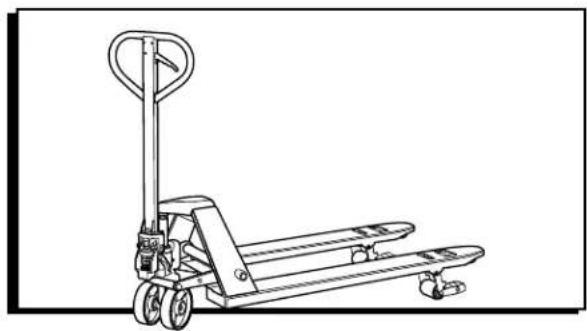
Line drawing of a manual pallet jack with handle and wheels (no text or symbols)TECHNICAL DATA
| MODEL H-3029 | |
| Standard Capacity 5,500 lbs. | |
| Lateral Capacity 3,300 lbs. | |
| Max. Fork Height 8" | |
| Min. Fork Height 3" | |
| Fork Length 48" | |
| Overall Fork Width 27" | |
| Fork Wheel Diameter 3" Polyurethane | |
| Lateral Wheel Diameter | 2.5" Nylon |
| Steering Wheel Diameter | 7" Polyurethane |
| Net Weight | 160 lbs. |
OPERATION

WARNING! Operator must read and understand instructions here and on truck prior to use.
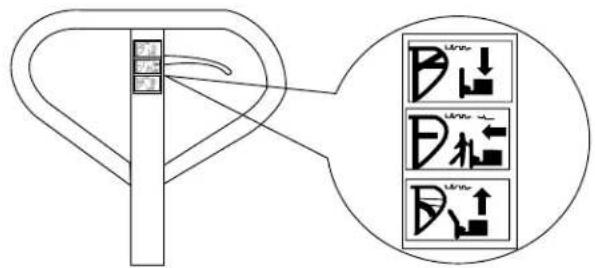
On the handle of the pallet truck, you will find the control lever, which can be set in three positions. (See Figure 1)
Figure 1
text_image
Diagram showing a mechanical component with three labeled directional arrows and a magnified inset highlighting the component.- DOWN = to lower the forks
- NEUTRAL = to move the load
- UP = to raise the forks
If the forks elevate while pumping in the NEUTRAL position, turn the setting screw clockwise until pumping the handle does not raise the forks and the NEUTRAL position functions correctly.
- If the forks descend while pumping in the NEUTRAL position, turn the setting screw counter-clockwise until the forks do not lower.
- If the forks do not descend when the control lever is in the DOWN position, turn the setting screw clockwise until raising the control lever lowers the forks. Then check the NEUTRAL position as per steps 1 and 2.
- If the forks do not lift while pumping in the UP position, turn the setting screw counter-clockwise until the forks elevate while pumping in the UP position. Then check the NEUTRAL and DOWN position as per steps 1, 2 and 3.

NOTE: When viewing the truck from the handle side, the setting screw is located on the right side of the pump above the right wheel. The truck will lower faster or slower depending on how far in or out the screw is adjusted.
MOVING TRUCK LATERALLY
natural_image
Technical line drawing of a mechanical lever system with wheels and a vertical rod (no text or symbols)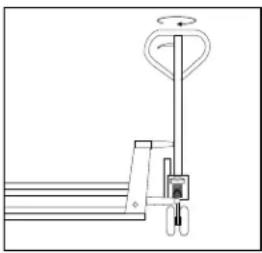
natural_image
Simple line drawing of a pallet jack mechanism with no text or symbols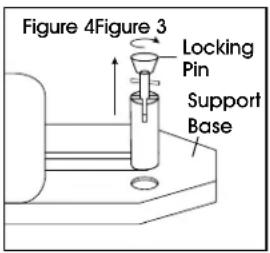
text_image
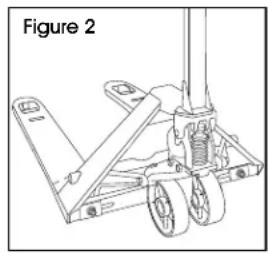
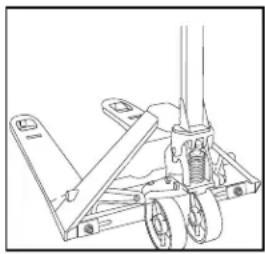
Figure 4Figure 3 Locking Pin Support Base- Pump the forks higher than 7" or until the lateral wheels touch the floor. (See Figure 2)
- Turn the handle 90° (See Figure 3)
-
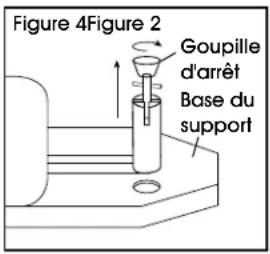
Locate the orange locking pin on the back side of the pump.
-
Pull the pin up and twist 90°. (See Figure 4)
- Lower the pin and ensure the handle is securely locked to the support base.
SAFETY
For safe operation of the Hand Pallet Truck, please read all warning signs and instructions here and on the pallet truck prior to use.
- Do not operate the pallet truck unless you are familiar with it and have been trained and authorized to do so.
- Do not use the truck on sloping ground.
- Never place any part of your body in the lifting mechanism or under the forks or load. Do not carry passengers.
-
We advise that operators should wear gloves and safety shoes.
-
Do not handle unstable or loosely stacked loads.
- Do not overload the truck.
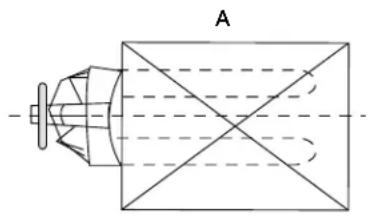
- Always center loads on the forks, not at the end of the forks. (See Figure 5)
- The capacity of the truck assumes an evenly distributed load with the center of the load being at the halfway point of the length of the forks.
- Make sure that length of the forks matches the length of the pallet load.
- Lower the forks to lowest height when the truck is not being used.
Figure 5
natural_image
Pure technical diagram of a cylindrical device with intersecting diagonal lines, no text or symbols present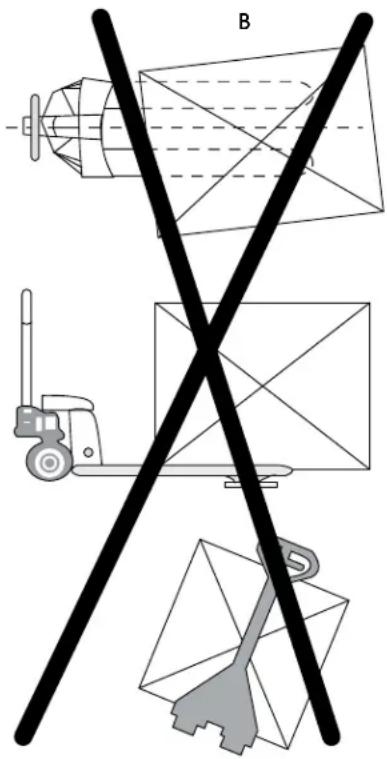
natural_image
Diagram showing three mechanical components: a helicopter, a forklift, and a gear mechanism, with no visible text or symbols.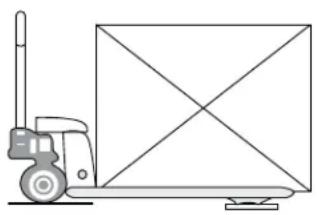
natural_image
Line drawing of a pallet jack with a diagonally extended box (no text or symbols)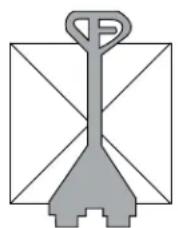
natural_image
Simple line drawing of a gray tool or plunger with no text or symbolsMAINTENANCE
HOW TO EXPEL AIR FROM THE PUMP UNIT
Air may enter the unit over time or when the seals are replaced. To expel the air, lift the control lever to the DOWN position and move the handle up and down several times.
DAILY CHECK AND MAINTENANCE
Daily checks of the pallet truck can limit wear and tear on the unit. Pay special attention to the wheels, the axles, the handle, the forks and lift and lower control.
LUBRICATION
Use motor oil or grease to lubricate all movable parts.
TROUBLESHOOTING
| OPERATING ISSUE CAUSES | RECOMMENDATIONS | |
| The forks do not raise. The setting | screw is not in the correct position.Air in the hydraulic oil. | Adjust the setting screw.(See Operation)Expel the air. (See Maintenance) |
| The forks do not descend. The rod | and/or cylinder are deformed resulting from a seriously unbalanced load.A part has been broken or deformed resulting from an unbalanced load.The setting screw is not in the correct position. | Replace the rod and/or cylinder.Repair or replace component.Adjust the setting screw.(See Operation) |
| Leaks. Seals worn out or damaged. | Some parts may be cracked or worn out. | Replace seals with new ones.Replace pump. |
| The forks descend without being lowered. | Air in the hydraulic oil.Components worn out or damaged.The setting screw is not in the correct position. | Expel the air. (See Maintenance)Replace components.Adjust the setting screw.(See Operation) |

NOTE: Do not attempt to repair the pallet truck unless you are trained and authorized to do so.
natural_image
Line drawing of a manual pallet jack with wheels and handle (no text or symbols)DATOS TÉCNICOS
text_image
Diagram showing a mechanical component with three labeled directional arrows and a magnified inset highlighting the component.natural_image
Technical line drawing of a mechanical lever system with pulleys and wheels (no text or symbols)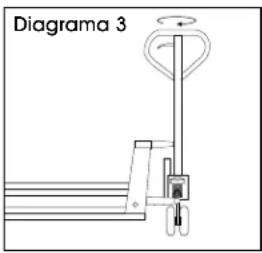
text_image
Diagrama 3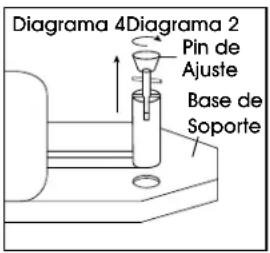
natural_image
Pure technical diagram of a mechanical component with cross-sectional lines, no text or symbols present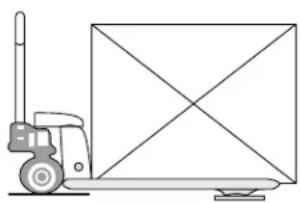
natural_image
Line drawing of a pallet jack with a diagonally placed box (no text or symbols)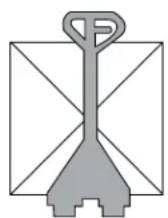
natural_image
Diagram showing three crossed-out mechanical components: a helicopter, a pallet box, and a gear mechanism (no text or symbols)MANTENIMIENTO
COMO EXPULSAR AIRE DE LA BOMBA
natural_image
Line drawing of a manual pallet jack with handle and wheels (no text or symbols)DONNÉES TECHNIQUES
text_image
Diagram showing a switch mechanism with labeled input/output ports and three directional arrows indicating flow or movement.DÉPLACEMENT LATÉRAL DES FOURCHES
natural_image
Line drawing of a mechanical lift or support structure with wheels and a central shaft (no text or symbols)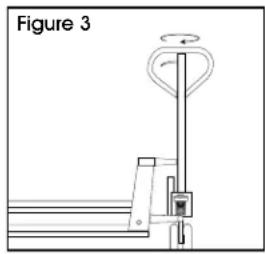
natural_image
Diagram of a mechanical lever mechanism with a rotating head and lever (no text or symbols)