
H-7704 - Office Uline - Free user manual and instructions
Find the device manual for free H-7704 Uline in PDF.


User questions about H-7704 Uline
0 question about this device. Answer the ones you know or ask your own.
Ask a new question about this device
Download the instructions for your Office in PDF format for free! Find your manual H-7704 - Uline and take your electronic device back in hand. On this page are published all the documents necessary for the use of your device. H-7704 by Uline.
USER MANUAL H-7704 Uline
TOOLS NEEDED
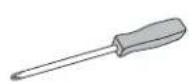
Phillips Head
Screwdriver
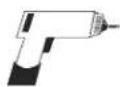
Drill
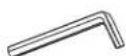
Allen Wrench (included)
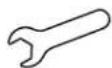
14 mm Wrench (included)
natural_image
Line drawing of a simple wooden table with two legs and wheels, no text or symbols present
Two Person Assembly Recommended
ASSEMBLY

NOTE: Count and inspect all pieces before disposing of any carton or packing materials.
| # DESCRIPTION QTY | ||
| 1 Channel 1 | ||
| 2 Leg 2 | ||
| 3 Leg Screw, 6 x 12 mm | 16 | |
| 4 | Side Frame 2 | |
| 5 | Table Top | 1 |
| 6 | Wood Screw, 4.8 x 16 mm | 18 |
| 7 | Lever | 1 |
| 8 | Foot | 2 |
| 9 | Foot Screw, 8 x 65 mm | 8 |
| 10 | Caster | 4 |
| 11 | Allen Wrench | 1 |
| 12 | 14 mm Wrench | 1 |
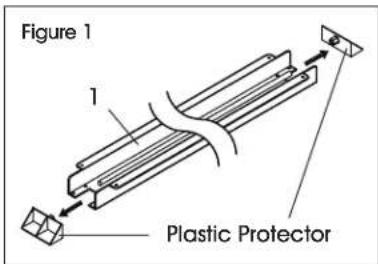
- Remove the two plastic protectors on the sides of the channel (1). (See Figure 1)
text_image
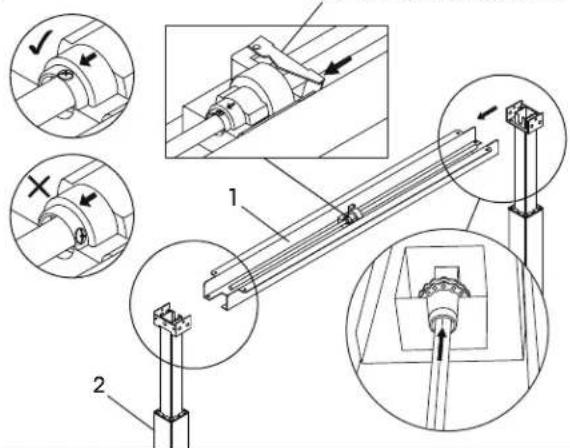
Figure 1 1 Plastic Protector- For easier assembly, place channel (1) on a raised surface, such as a table. Insert metal rod located inside of channel (1) into the mechanism opening on the top of the leg (2). Repeat this step on the opposite side. (See Figure 2)
Figure 2
Center Mechanism Lever
text_image
Technical diagram showing mechanical assembly with labeled components and directional arrows indicating motion or movement.
NOTE: If it is difficult to insert the rod into the mechanism opening on the top of the leg:
- Align the arrow on the mechanism with the screw. If metal rod will not insert into mechanism opening on top of leg, press center mechanism lever and rotate metal rod to align arrow with screw on top of metal rod. (See Figure 2)
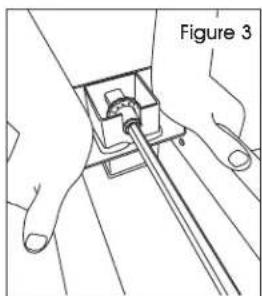
- If still experiencing difficulty inserting the rod into the mechanism opening, slowly press down on top of leg to turn mechanism opening. As opening turns, push rod into opening until it is inserted fully. (See Figure 3)
natural_image
Line drawing of hands operating a mechanical component with a rod, labeled as Figure 3 (no text or symbols on the diagram itself)ASSEMBLY CONTINUED
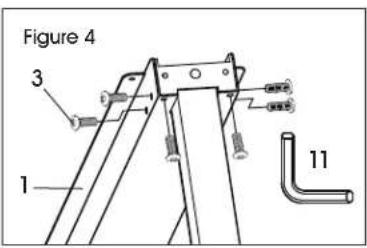
- Insert six leg screws (3) into the sides and underside of the channel (1). Tighten loosely using the Allen wrench (11). Repeat on opposite side. (See Figure 4)
text_image
Figure 4 3 1 11
NOTE: All screws will be fully tightened when frame is completely assembled.
- Attach the side frame pieces (4) to the end of each side by using four leg screws (3). Tighten loosely with the Allen wrench (11). (See Figure 5)
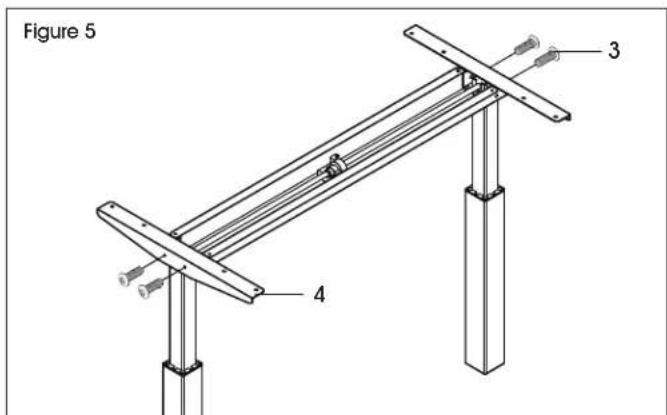
text_image
Figure 5 3 4- Place the table top (5) upside down on a clean, smooth, non-marring surface to prevent scratching.
- Place frame on table top (5). Adjust position of frame so that it is centered on the table top. (See Figure 6)

NOTE: Frame is designed to fit table tops that are 24" or 30" wide. For 30" wide table tops, side frames will be approximately 3" from front and back edges of table top. Figure 6 shows a 24" table top (5).

NOTE: Lever (7) should be on the opposite side of the two grommet holes. Back of table top has two grommet holes. Front of table top is the opposite side.
- Attach the side frames (4) and the channel (1) to table top (5) using the drill and fourteen wood screws (6). (See Figure 6)

NOTE: Table top does not include pre-drilled holes. Drill wood screws directly into table top to attach base.
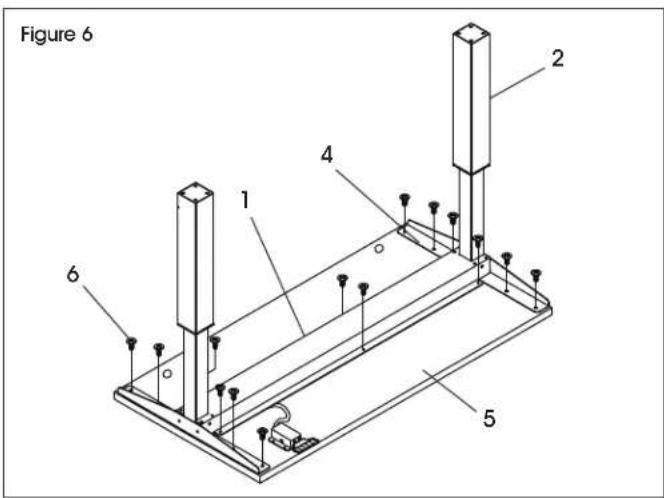
text_image
Figure 6 1 2 4 5 6- Place lever (7) so that the handle is flush with the front edge of table top (5). Attach using the drill and four wood screws (6). (See Figure 7)
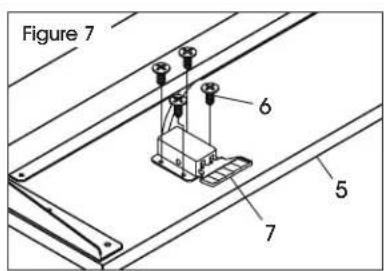
text_image
Figure 7 6 5 7
NOTE: The lever will be located on the right side of the table when flipped onto its feet.
- Attach foot (8) to leg (2) using four foot screws (9). Tighten using Allen wrench (11). Repeat on opposite side. (See Figure 8)

text_image
Figure 8 12 9 10 8 2 8- Insert casters (10) into holes on bottom of feet (8). Use 14 mm wrench (12) to tighten into place. (See Figure 8)
ASSEMBLY CONTINUED
Figure 9
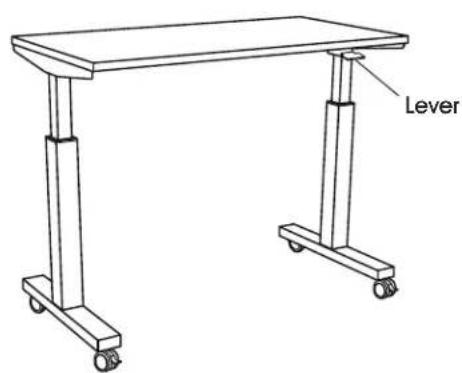
text_image
Lever- Table is now fully assembled. Using two people, carefully flip the table onto the feet. (See Figure 9)
OPERATION
PNEUMATIC HEIGHT ADJUSTMENT
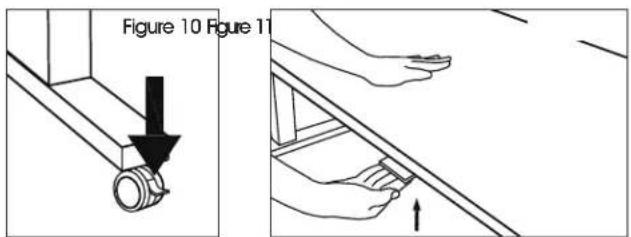
- Lock all casters. (See Figure 10)
- When raising/lowering table, use one hand to support the center of top and the other hand to lift lever. (See Figure 11)
- To raise table height, lift lever. Table will move up gradually. Release lever when desired height is reached.
- To lower table, lift lever and with one hand push the center of the table top downward. Release lever when desired height is reached.
text_image
Figure 10 Figure 11TROUBLESHOOTING
| OPERATING ISSUE RECOMMENDATIONS | |
| Legs are unusually noisy. The table has 2-stage | legs that produce more noise when one leg extends into the other.To reduce noise, apply silicon lubricant to legs. |
| Rod will not fit into leg mechanism. Slowly press | down on top of leg to turn mechanism opening. As opening turns, push rod into opening until it is inserted fully.Two or three person assembly is highly recommended. |
ULINE
natural_image
Line drawing of a two-legged table with wheels and legs, no text or symbols presenttext_image
Technical diagram showing mechanical assembly with labeled components and directional arrows indicating motion or movement.
natural_image
Line drawing of a two-legged table with wheels and legs, no text or symbols presenttext_image
Technical diagram showing mechanical assembly with numbered components and directional arrows indicating motion or force directions.
natural_image
Technical line drawing of hands operating a mechanical component, labeled 'Figure 3' (no text or symbols on the diagram itself)MONTAGE SUITE
text_image
Figure 5 3 4text_image
Figure 7 6 5 7


