
TAW05CMW0N - Air Conditioning TCL - Free user manual and instructions
Find the device manual for free TAW05CMW0N TCL in PDF.


User questions about TAW05CMW0N TCL
0 question about this device. Answer the ones you know or ask your own.
Ask a new question about this device
Download the instructions for your Air Conditioning in PDF format for free! Find your manual TAW05CMW0N - TCL and take your electronic device back in hand. On this page are published all the documents necessary for the use of your device. TAW05CMW0N by TCL.
USER MANUAL TAW05CMW0N TCL
Hi! Let's Get Started.
natural_image
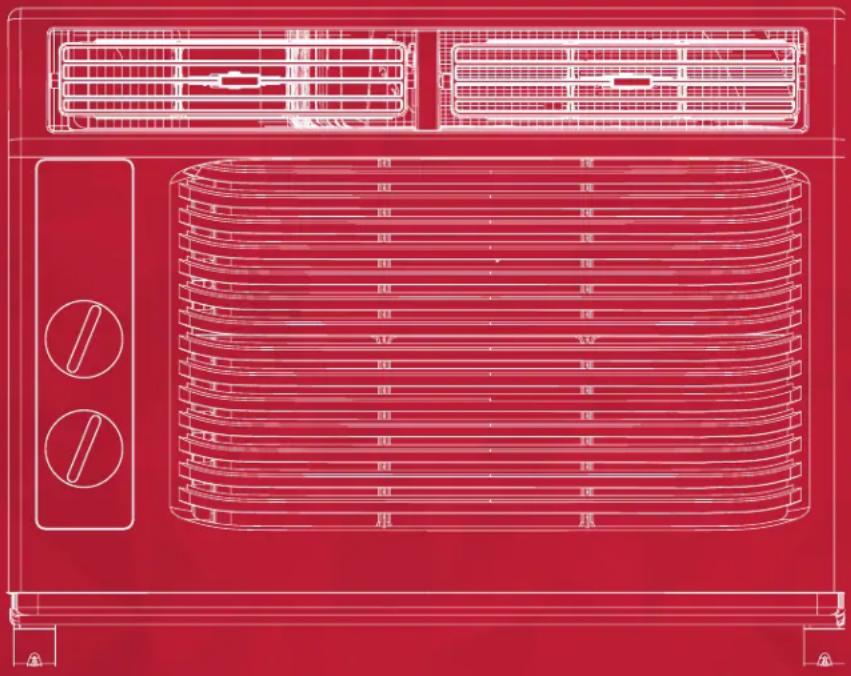
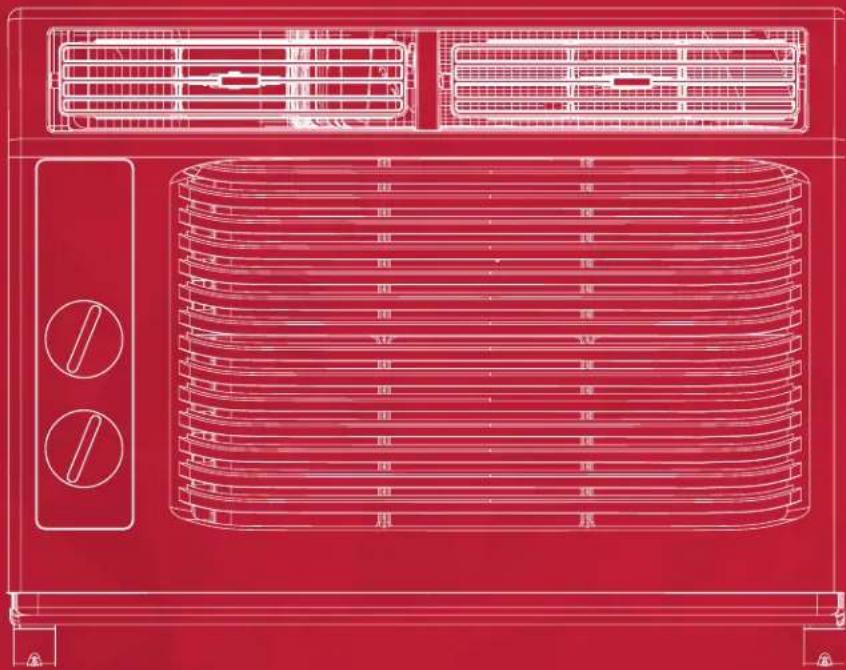
Red wireframe technical drawing of an air conditioner unit with ventilation grilles and control knobs (no text or symbols)5K Mechanical Window AC
English / Spanish / French
IMPORTANT SAFETY INSTRUCTIONS
Before installing and using your air conditioner, please read this owner's manual carefully. Store this manual in a safe place for future reference. Your safety and the safety of others is very important to us. Please pay attention to all safety messages outlined in this owner's manual.
WARNING: To reduce the risk of fire, electrical shock or injury when using your air conditioner, follow the following basic precautions:
ELECTRICAL REQUIREMENTS
The electrical ratings for your air conditioner are listed on the model and serial number label located on the front left side of the unit (when facing the front).
REGISTER YOUR APPLIANCE
You can register your appliance online by going to tclusa.com/registration
Be sure to retain your original sales receipt. A valid proof of purchase is required for all warranty claims.
Document your model and serial numbers here:
Model #
Serial #
You can locate your 20 digit serial number underneath the bar code (On the left hand side of the AC).
| WARNING | Specific electrical requirements are shown in the diagram below. Follow the requirements below for the type of plug on the power supply cord. | |
| Electrical Shock Hazard | Wiring Requirements Power | Supply Cord |
| Plug into a grounded 3 prong outlet.Do not remove the ground prong.Do not use an adapterDo not use an extension cord.Failure to follow these instructions can result in death, fire, or electrical shock | 115 Volt(103 min - 127 max)(0-8 amps)(10 amp time-delay fuse or circuit breaker)Use on single outlet circuit only | PREFERRED GROUNDING METHOD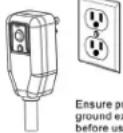 operistse. operistse. |
RECOMMENDED GROUND METHOD
For your personal safety, this air conditioner must be grounded. This air conditioner is equipped with a 3 prong power supply cord with a grounded plug. To minimize the possibility of electrical shock, the cord must be plugged into a 3 prong outlet and grounded in accordance with all local codes and ordinances. If a 3 prong outlet is not available, it is the customer's responsibility to have a properly grounded 3 prong outlet installed by a qualified electrician.
DO NOT RETURN TO STORE
WE ARE
READY TO
HELP contact us first with any questions

TCL SUPPORT:
www.tclusa.com/support
1-800-825-6747

BE CAREFUL WHEN REMOVING
THE AIR CONDITIONING UNIT
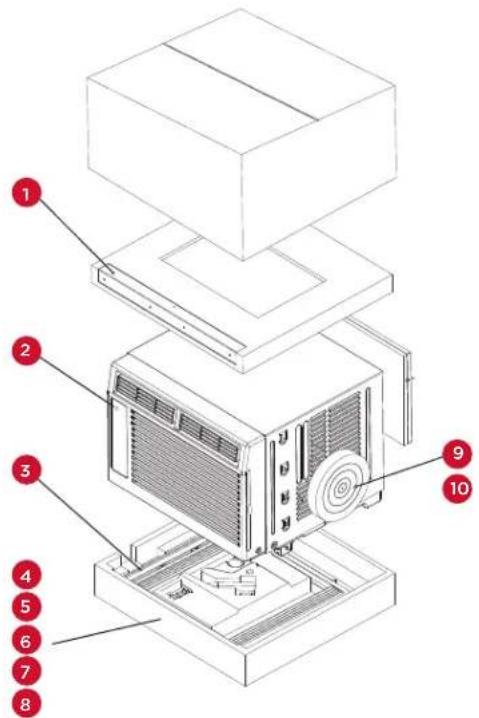
What's in the box
| NO. APPEARANCE PART NAME QUANTITY | |||
| 1 |  | Top Rail 1 | |
| 2 |  | AC Unit 1 | |
| 3 | 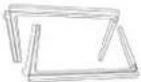 | Filler Panels (with “Left” & “Right” remark) | 2 |
| 4 |  | Sash Lock 1 | |
| 5 | 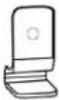 | Lock Frame 2 | |
| 6 | 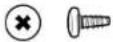 | 3/8” Screws 4 | |
| 7 | 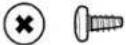 | 1/2” Screws 3 | |
| 8 | 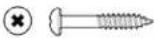 | 3/4” Screws 4 | |
| 9 |  | Window Sash Seal | 1 |
| 10 | 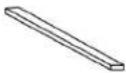 | Foam Top Window Gasket | 1 |
Tip! Before unboxing, cut the tape along the top of the box to loosen contents inside. Once you lift and remove the box, check the inside of the box as some parts may be stuck at the top. You can find the screws and other parts located in the tray beneath the AC unit.
text_image
Exploded view diagram of a refrigerator with numbered parts for identificationLet's get started!
Step 1: Testing
Before you install the AC, let's test it to make sure it made it safely to your home and is and your outlet is proving proper power. Place it on a flat surface, plug it directly into a wall outlet, and turn it on. Next, put the mode to High Cool ✉ and set the temperature to Max Cool 7. After 3 minutes, the AC should be blowing cool air. If so, please continue on to the next step. If not, please go to the Troubleshooting tips at the back of this guide or visit tclusa.com/support for additional help.
Step 2: Installation
A few quick notes before installing:
- This unit is made to fit inside a standard double-hung window between the sizes of 23" and 36".
- Check the size of your window before installing. The air conditioner can be installed without the accordion panels to fit in a narrower window opening.
- The Lower Sash (the lower part of the window that moves up and down) must allow for 14.5" of vertical clearance when open.
-
The electrical outlet must be within reach of the power cord.
-
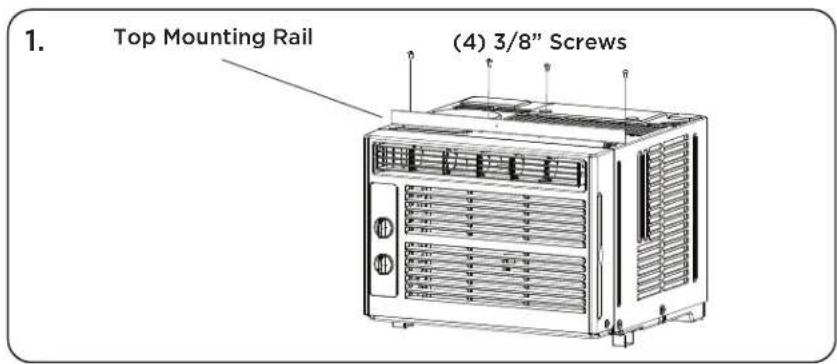
Use the included (4) 3/8" screws to fasten the top mounting rail to the unit.
text_image
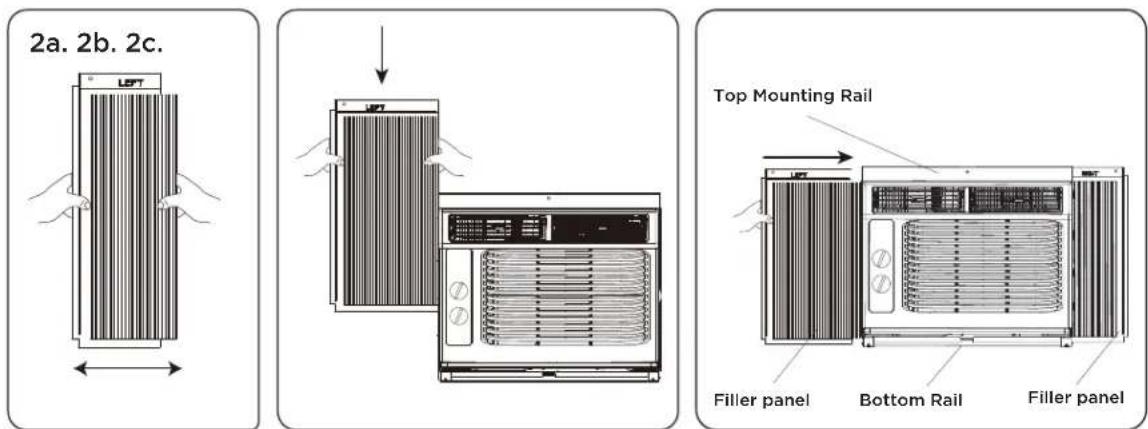
1. Top Mounting Rail (4) 3/8" Screws- Fasten the accordion style window panel expander pieces to the unit. They are marked "Right" and "Left". Pull the leading edge of them to its maximum width (Fig 2a). Then slide the panel expanders into the grooved notches (slide downward) on the sides of the unit (Fig 2b), and make sure they are inserted into the metal rails tightly (Fig 2c).
text_image
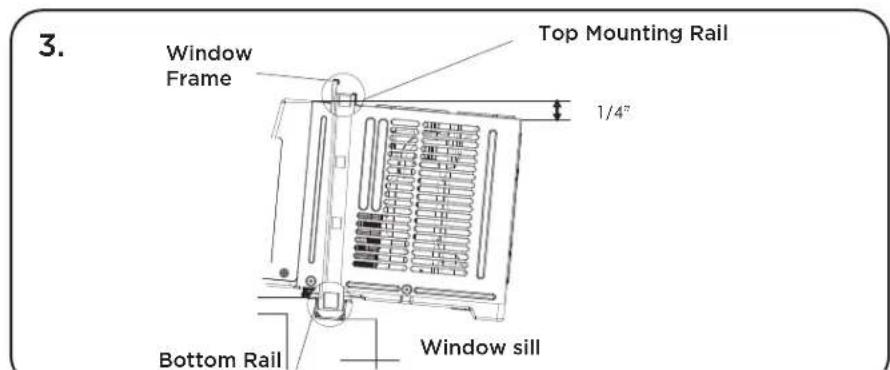
2a. 2b. 2c. Top Mounting Rail Filler panel Bottom Rail Filler panel- Carefully place the window air conditioner into the window where it is to be installed (2 people are recommended for this step). Close the window securely. The AC unit should be slightly tilted to the outside area to allow water to drain out from the unit.
text_image
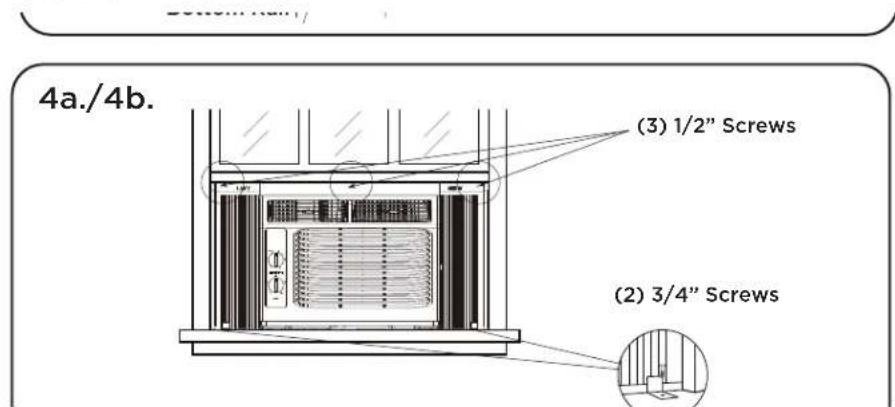
3. Window Frame Top Mounting Rail 1/4" Bottom Rail Window sill4a. Fasten the air conditioner to the window frame, using the included 12 " screws. Fasten each of the panel extenders (Left and Right). You may have to drill a pilot hole in the window frame to fasten these screws to the window sash.
text_image
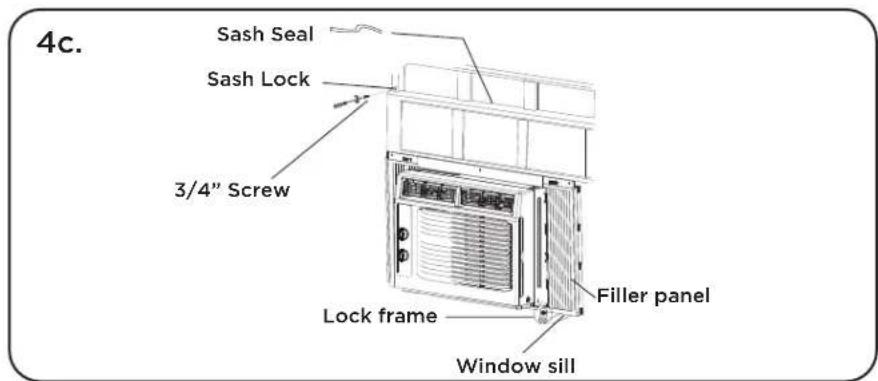
Bottom Hall 4a./4b. (3) 1/2" Screws (2) 3/4" Screws4b. Attach the lock frame between the panel extender and the window sill and fasten them together with the included 34 " locking screw. Repeat for each side.
4c. Attach the sash lock between the top of the sliding window and window frame, using 1 of the included 34 screw to secure the window closed.
text_image
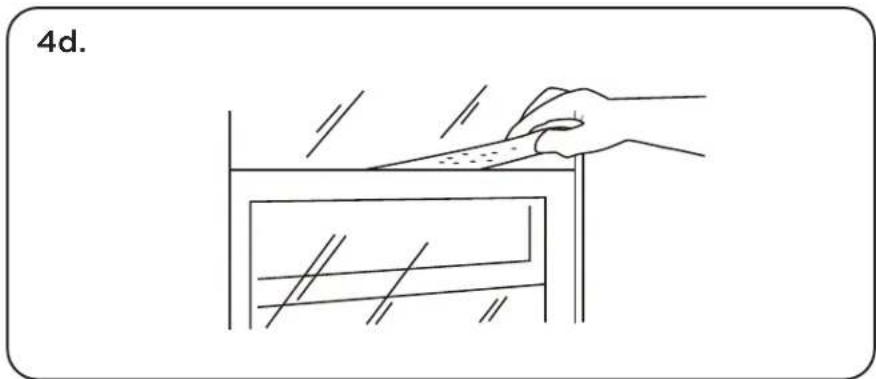
4c. Sash Seal Sash Lock 3/4" Screw Filler panel Lock frame Window sill4d. To prevent outside air from entering the room, insert the foam top window gasket, cut to the width of the window.
natural_image
Line drawing of a hand using a tool to cut or mark a rectangular object, no text or symbols present- Plug the unit into the electrical outlet as specified above in the electrical requirements. Move the control to the COOL mode.
How to Control Your AC
All the basics you need to know to stay cool!
- Power - Turn on the unit by rotating the MODE dial to the desired setting.
- Cooling Mode - For maximum cooling, set the MODE dial to ✝. In HIGH COOL mode, the fan will automatically go to high. This will circulate the air throughout the room.
- Fan Mode - For fan only modes choose either ⚙, or ⚠. The air conditioner will not cool the room in fan mode.
- Thermostat - Turn the TEMP dial to set the desired room temperature. For maximum cooling, turn the TEMP dial to "7" (Max Cool).
- Directional Vents - To direct the air flow, use the horizontal lever to control the horizontal (sideways) motion, and move the air deflector to control the vertical (up/down) direction.
- Minimize Wear and Tear - To minimize wear and tear, wait at least 3 minutes before changing MODES. This will prevent the compressor from overheating and the circuit breaker from tripping.
Normal Operating Sounds
You may hear a pinging noise, caused by the water hitting the condenser on rainy days, or when the humidity is high. This design feature helps remove moisture and increase efficiency.
You may hear the thermostat click when the compressor cycles on and off. Water will collect in the base pan on rainy days, or high humidity days. The water may overflow and drip from the unit on the outside. The fan may run, even when the compressor is not on.
Troubleshooting
Having trouble completing installation? Don't worry, it's usually an easy fix.
| PROBLEM POSSIBLE CAUSES SOLUTIONS | ||
| Air Conditioner will not start | Air conditioner is unplugged | ·Make sure the air conditioner plug is pushed completely into the outlet |
| Fuse is blown/circuit breaker is tripped | ·Check the house fuse/circuit breaker box and replace the fuse or reset the breaker | |
| Power Failure | ·The unit will automatically re-start when power is restored·There is a protective time delay (approx. 3 minutes) to prevent damage to the compressor. For this reason, the unit may not start normal cooling for 3 minutes after it is turned back on. | |
| Current interrupter device is tripped | ·Press the RESET button located on the power cord plug·If the RESET button will not stay engaged, discontinue use of the air conditioner and contact a qualified service technician | |
| Air Conditioner does not cool as it should | Airflow is restricted | ·Make sure there are no curtains, blinds, or furniture blocking the front of the air conditioner |
| Temperature control may not be set correctly | ·Lower the set thermostat tempera ture | |
| Air filter is dirty | ·Clean the filter. See the Cleaning and Care Section of the manual | |
| Room may be too warm | ·Please allow time for the room to cool down after turning on the air conditioner | |
| Cold air is escaping | ·Check for open furnace registers and cold air returns | |
| Cooling Coils are frozen · See “Air Conditioner Freezing Up” below | ||
| Air Conditioner is freezing up | Ice blocks the air flow and stops the air conditioner from cooling the room | ·Set the MODE to HIGH FAN or HIGH COOL and set the thermostat to a higher temperature |
| Water is dripping outside Hot and humid weather · This is normal | ||
| Water is dripping inside the room | Air conditioner is not correctly tilted outside | ·For proper water drainage, make sure the air conditioner is slightly tilted downward from the front of the unit to the rear |
| Water collects in the base pan | Moisture removed from the air is draining into the base pan | ·This is normal for a short period in areas with low humidity and nor mal for a longer period in areas with high humidity |
¡Hola! Comencemos.
natural_image
Red technical line drawing of a front air conditioner unit with ventilation grilles and control buttons (no text or symbols)www.tclusa.com/support
1-800-825-6747

text_image
Exploded view diagram of an air conditioner unit with numbered parts labeled 1 through 10¡Comencemos!
Paso 1: Pruebas
natural_image
Line drawing of a hand holding a tool above a rectangular object with diagonal lines (no text or symbols)natural_image
Red technical line drawing of a front-mounted air conditioner unit with ventilation grilles and control knobs (no text or symbols)CONSIGNES DE SÉCURITÉ IMPORTANTES
text_image
Exploded view diagram of an air conditioner unit with numbered parts for identificationC'est parti !
natural_image
Line drawing of a hand using a tool to cut or mark a rectangular object, no text or symbols presentwww.TCLUSA.com/support
1-800-825-6747
TCL
Copyright © 2019 by TCL. All rights reserved.
TCL and the TCL Logo are owned by
Corporation and under license to TTE Technology, Inc.
Part No.:XXXXX