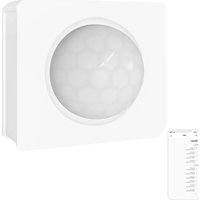
PIR3-RF - Motion Sensor Sonoff - Free user manual and instructions
Find the device manual for free PIR3-RF Sonoff in PDF.


| Product type | Motion sensor |
| Brand | Sonoff |
| Model | PIR3-RF |
| Power supply | 3V button cell (CR2450) |
| Operating frequency | 433 MHz |
| Detection distance | Up to 8 m (indoor) |
| Detection angle | 100° |
| Operating temperature | -10°C to 40°C |
| Operating humidity | 10-90% RH (non-condensing) |
| Housing material | PC (polycarbonate) |
| Dimensions (L x W x H) | 40 x 35 x 28 mm |
| Weight | Less than 1 kg |
| Main functions | Motion detection, Normal and Alert modes, low battery notification |
| Connectivity | Compatible with SONOFF 433 MHz RF Bridge gateway |
| Mobile app | eWeLink (iOS and Android) |
| Recommended installation | Height < 2 m, avoid metal surfaces |
| Maintenance and cleaning | Clean with a soft, dry cloth |
| Safety | Use only CR2450 battery, do not expose to moisture |
| Spare parts and repairability | Spare CR2450 battery available |
Frequently Asked Questions - PIR3-RF Sonoff
User questions about PIR3-RF Sonoff
0 question about this device. Answer the ones you know or ask your own.
Ask a new question about this device
Download the instructions for your Motion Sensor in PDF format for free! Find your manual PIR3-RF - Sonoff and take your electronic device back in hand. On this page are published all the documents necessary for the use of your device. PIR3-RF by Sonoff.
USER MANUAL PIR3-RF Sonoff
natural_image
Simple line drawing of a rectangular box with a semicircular top and a small square base (no text or symbols)Motion Sensor
· 中文 1-4
• Deutsch ----9-12
natural_image
Diagram of a mechanical component with a tool and blue arrow indicating motion (no text or symbols)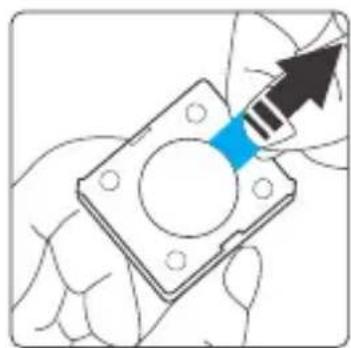
natural_image
Illustration of a hand holding a square mechanical component with a blue arrow pointing to it (no text or symbols present)设备分带电池和不带电池版本。
- 添加子设备
① 添加子设备前,请先连接网关。
natural_image
Line drawing of a square mechanical component with a circular cutout and a blue handle (no text or symbols)The device can be operated intelligently via working with the SONOFF 433MHz RF Bridge to communicate with other devices.
The device can work with other gateways supporting 433MHz wireless protocol. Detailed information is in accordance with the final product.
Operation instruction
1. Download APP


Android™ & iOS
2. Pull out the battery insulation sheet
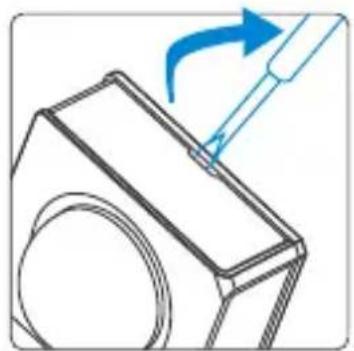
natural_image
Diagram showing a tool interacting with a mechanical component, no text or symbols present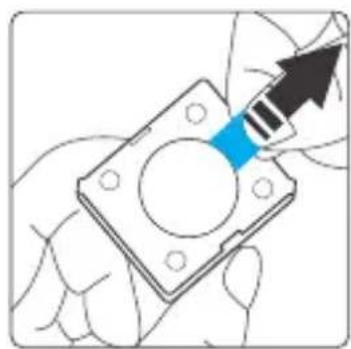
natural_image
Hand holding a mechanical flange with a blue arrow pointing to it, no text or symbols presentThe device has the version with battery and without battery(Battery model: CR2450).
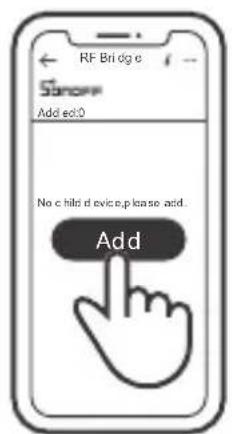
3. Add sub-devices
Connect the Bridge before adding the sub-device.
natural_image
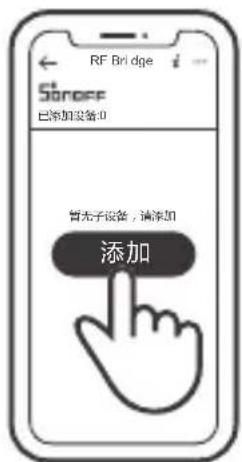
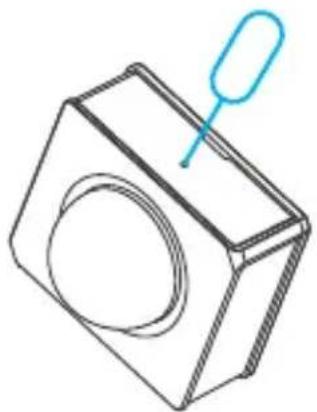
Line drawing of a square mechanical component with a circular center and a blue handle (no text or symbols)Launch eWeLink APP, select the Bridge to be paired, tap "Add" and select "Alarm", and you will hear a "Beep" that indicates the Bridge enters the pairing mode, then short press the pairing button on the device (or make the device detect the movement) that the pairing is successful when the red LED keeps on for 1s and the Bridge makes a "Beep-Beep" sound.
If the addition failed, move the sub-device closer to the Bridge and try again.
Installation methods
Method1:

Method 2:
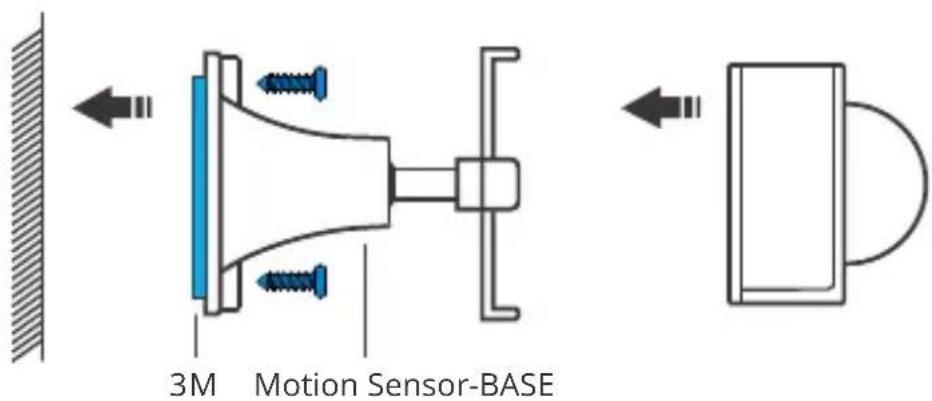
The motion sensor-base is not included, please purchase it separately.
Do not install on the metal surface, otherwise it will affect the wireless communication distance.
The device weight is less than 1 kg. The installation height of less than 2 m is recommended.
Specifications
| Model | PIR3-RF |
| RF | 433MHz |
| Power supply | 3V button cell(Battery model: CR2450) |
| Detection Distance | ≤8m (Indoor space) |
| Detection angle | 100° |
| Working temperature | -10°C~40°C |
| Working humidity | 10-90%RH (non-condensing) |
| Material | PC |
| Dimension | 40x35x28mm |
Product Introduction
natural_image
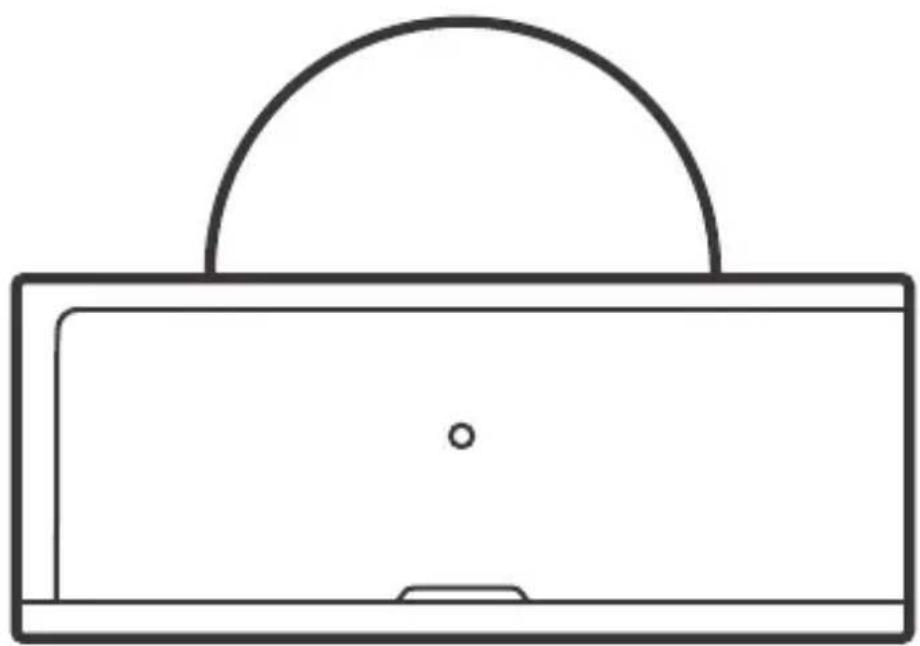
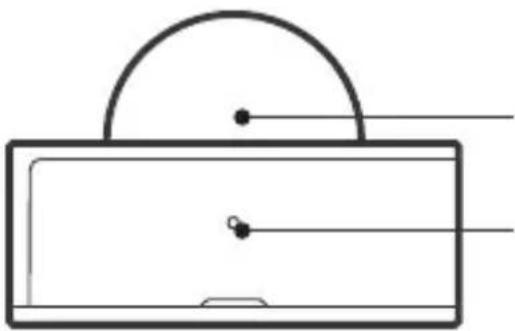
Simple line drawing of a rectangular object with a semicircular top and two small dots on its surface (no text or symbols)LED indicator
Pairing/Mode switching button
LED indicator status instruction
| LED indicator status | Status instruction |
| Red LED is stays on for 1s | A movement is detected |
| Red LED is stays on for 5s | Switched to the"Normal" mode. |
| Red LED flashes twice | Low-battery notification |
| Green LED is stays on for 5s | Switched to the "Alert" mode. |
Features
PIR3-RF is a 433MHz low-energy motion sensor that can detect the movement of objects in real time. Connect it with the Bridge and you can create a smart scene to trigger other devices.

Low-energy

Movement detection

Alarm push
notification

Share control (available for SONOFF 433MHz RF Bridge)

Smart scene
Application Modes
The device has the "Normal" and "Alert" mode. The "Alert" mode is set by the factory default.
In the "Alert" mode, long press the mode switching button for 5s until the LED indicator stays solid red for 5s, which means the device enters the "Normal" mode.
In the "Normal" mode, long press the mode switching button for 5s until the LED indicator stays solid green for 5s, which means the device enters the "Alert" mode.
"Normal" mode:
There is no movement is detected within 60s after the previous detection, and then the alarm message will be triggered again if a movement is detected. If a movement is detected within 60s, the countdown will be reset and start again.
"Alert" mode:
The countdown is changed into 5s from 60s compared to the "Normal" mode. If a movent is detected within 5s, the countdown will not be reset. This means the alarm message will be triggered once per 5s and pushed to your mobile phone when a movement is always detected.
natural_image
Diagram showing a tool interacting with a mechanical component, no text or symbols present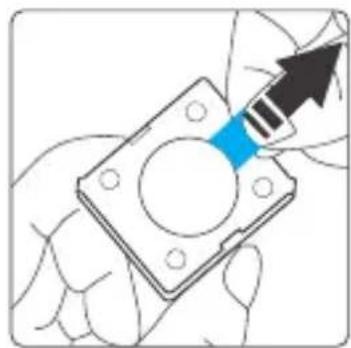
natural_image
Illustration of a hand holding a square mechanical part with a blue arrow pointing to it (no text or symbols)natural_image
Line drawing of a square box with a circular opening and a blue ribbon attached (no text or symbols)natural_image
Diagram showing a tool interacting with a mechanical component, no text or symbols present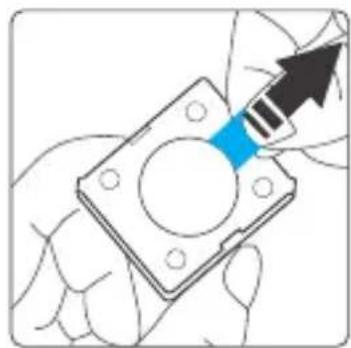
natural_image
Illustration of a hand holding a square mechanical part with a blue arrow pointing to it (no text or symbols)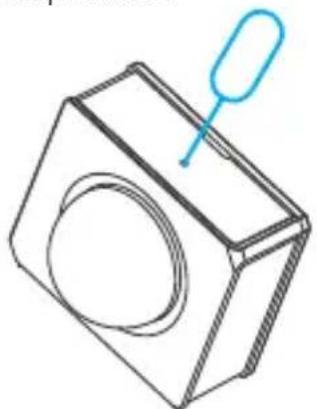
natural_image
Line drawing of a square mechanical component with a circular cutout and a blue handle (no text or symbols)natural_image
Diagram showing a tool interacting with a mechanical component, no text or symbols present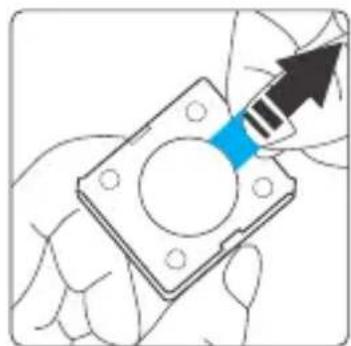
natural_image
Illustration of a hand holding a mechanical flange with a blue arrow pointing to it (no text or symbols)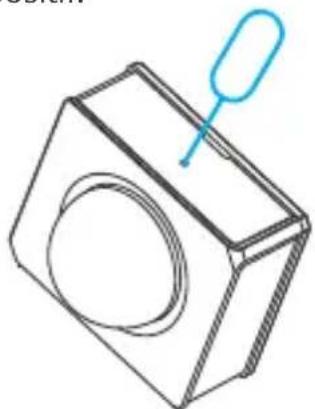
natural_image
Line drawing of a square mechanical component with a circular cutout and a blue handle (no text or symbols)natural_image
Diagram showing a tool interacting with a mechanical component, no text or symbols present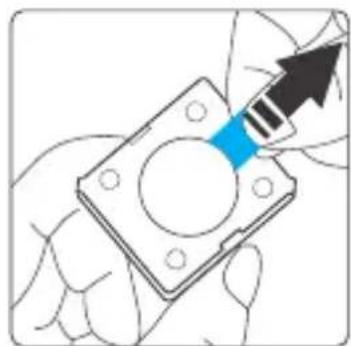
natural_image
Illustration of a hand holding a mechanical flange with a blue arrow pointing to it (no text or symbols)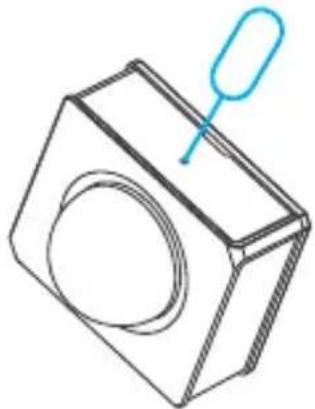
natural_image
Line drawing of a square box with a circular hole and a handle, no text or symbols presentnatural_image
Diagram showing a tool interacting with a mechanical component, no text or symbols present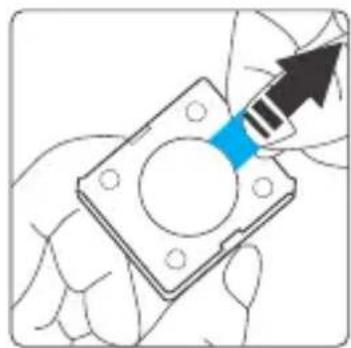
natural_image
Illustration of a hand holding a mechanical flange with a blue arrow pointing to it (no text or symbols)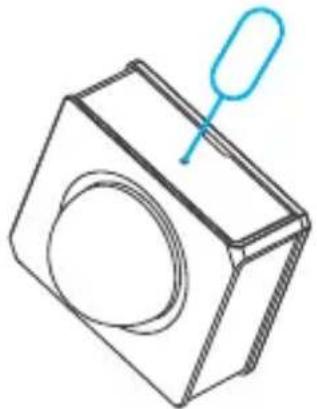
natural_image
Line drawing of a square box with a circular lens and a blue handle pointer (no text or symbols)natural_image
Diagram showing a tool interacting with a mechanical component, no text or symbols present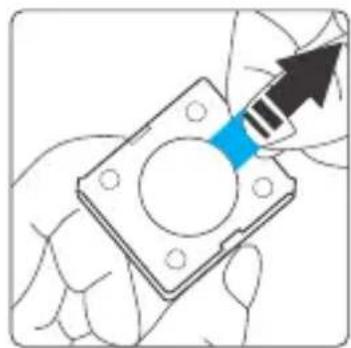
natural_image
Illustration of a hand holding a mechanical component with a blue arrow pointing to it (no text or symbols present)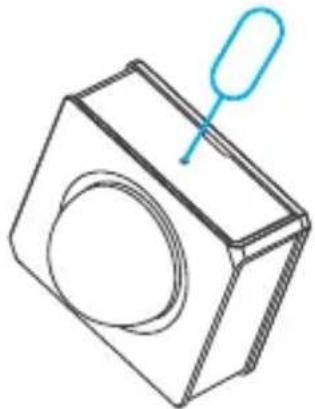
natural_image
Line drawing of a square box with a circular lens and a handle, no text or symbols presentChanges or modifications not expressly approved by the party responsible for compliance could avoid the user's authority to operate the equipment.
This device complies with part 15 of the FCC Rules. Operation is subject to the following two conditions: (1) This device may not cause harmful interference, and (2) this device must accept any interference received, including interference that may cause undesired operation.
FCC Radiation Exposure Statement:
This equipment complies with FCC radiation exposure limits set forth for an uncontrolled environment. This equipment should be installed and operated with minimum distance20cm between the radiator & your body. This transmitter must not be co-located or operating in conjunction with any other antenna or transmitter.
Note:
This equipment has been tested and found to comply with the limits for a Class B digital device, pursuant to part 15 of the FCC Rules. These limits are designed to provide reasonable protection against harmful interference in a residential installation. This equipment generates, uses and can radiate radio frequency energy and, if not installed and used in accordance with the instructions, may cause harmful interference to radio communications. However, there is no guarantee that interference will not occur in a particular installation. If this equipment does cause harmful interference to radio or television reception, which can be determined by turning the equipment off and on, the user is encouraged to try to correct the interference by one or more of the following measures:
— Reorient or relocate the receiving antenna.
— Increase the separation between the equipment and receiver.
— Connect the equipment into an outlet on a circuit different from that to which the receiver is connected.
— Consult the dealer or an experienced radio/TV technician for help.
Hereby, Shenzhen Sonoff Technologies Co., Ltd. declares that the radio equipment type PIR3-RF is in compliance with Directive 2014/53/EU. The full text of the EU declaration of conformity is available at the following internet address:
https://www.sonoff.tech/usermanuals

Shenzhen Sonoff Technologies Co., Ltd.
1001, BLDG8, Lianhua Industrial Park, shenzhen, GD, China ZIP code: 518000 Website: sonoff.tech
Brand : Sonoff
Model : PIR3-RF
Category : Motion Sensor