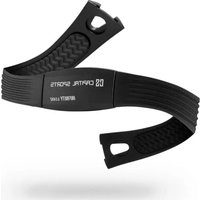
Puls3 BT - Sports accessory Capital Sports - Free user manual and instructions
Find the device manual for free Puls3 BT Capital Sports in PDF.


User questions about Puls3 BT Capital Sports
0 question about this device. Answer the ones you know or ask your own.
Ask a new question about this device
Download the instructions for your Sports accessory in PDF format for free! Find your manual Puls3 BT - Capital Sports and take your electronic device back in hand. On this page are published all the documents necessary for the use of your device. Puls3 BT by Capital Sports.
USER MANUAL Puls3 BT Capital Sports
text_image
QR code image containing encoded data, no visible human-readable textChal-Tec UK limited Unit 6 Riverside Business Centre Brighton Road Shoreham-by-Sea BN43 6RE United Kingdom
natural_image
Line drawing of a rotary switch with left and right buttons (no text or symbols)natural_image
Symbol of a trash bin crossed with a diagonal line, no text or numbers presentCongratulations on purchasing this device. Please read the following instructions carefully and follow them to prevent possible damages. We assume no liability for damage caused by disregard of the instructions and improper use. Scan the QR code to get access to the latest user manual and more product information.
text_image
QR code image containing encoded data, no visible human-readable textDECLARATION OF CONFORMITY

text_image
CE UK CAManufacturer:
Chal-Tec GmbH, Wallstrasse 16, 10179 Berlin,
Germany.
Importer for Great Britain:
Chal-Tec UK limited
Unit 6 Riverside Business Centre
Brighton Road
Shoreham-by-Sea
BN43 6RE
United Kingdom
The complete declaration of conformity of the manufacturer can be found at the following link:
https://use.berlin/10039939
SCOPE OF DELIVERY
• Heart rate transmitter
- Adjustable elastic strap
• CR2032 battery (already installed)
- Instruction manual
SAFETY INSTRUCTIONS
- This device is to be used for athletic purposes only and is not intended to replace medical equipment or medical advice.
• Patients with pacemakers or other implants should consult their physician before using the device. - This instruction manual contains important safety and care information and provides step-by-step instructions on how to use this device. Read the instruction manual carefully and keep it in a safe place for future use.
DEVICE OVERVIEW
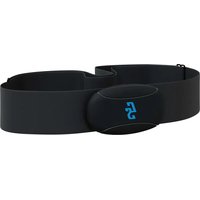
Heart Rate Transmitter
| Front view Rear view | |
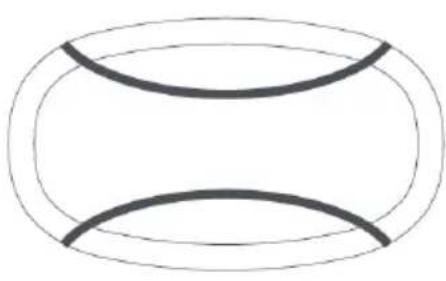 | 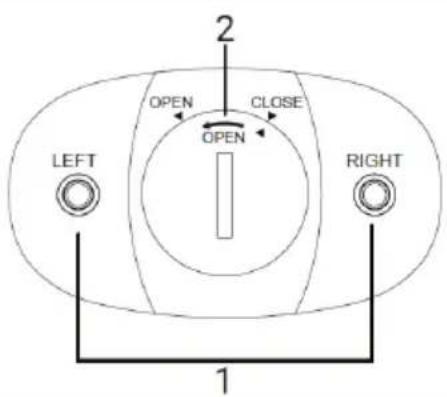 |
| 1 Attachment instructions for the right and left side2 Battery compartment cover |
Chest Strap
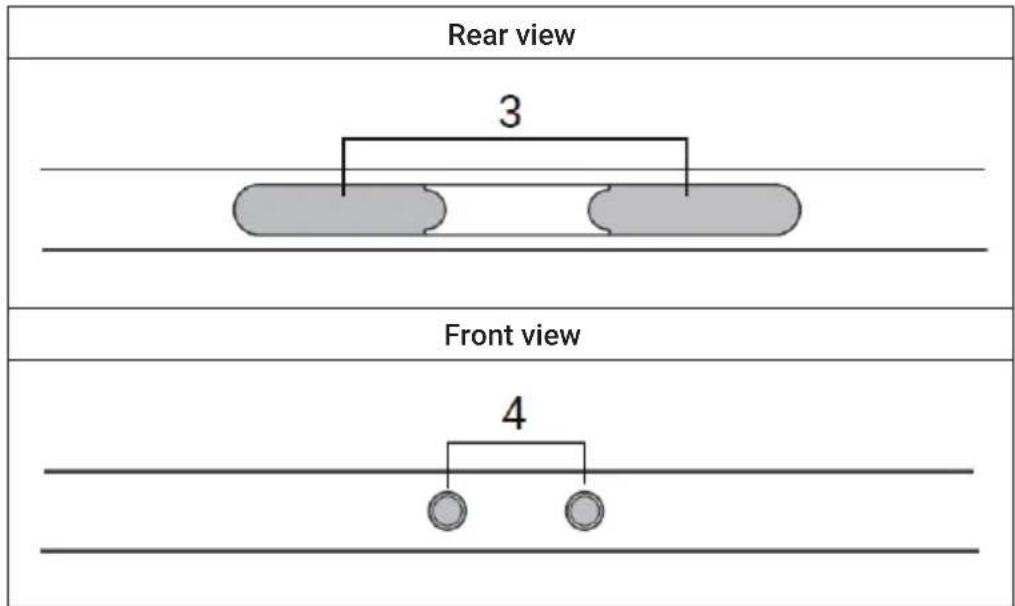
text_image
Rear view 3 Front view 4- Electrodes
- Fastening knobs
Note on connection with smartphone (not included): When the device is not worn, it is put into standby mode. When the device is in standby mode, wireless connection cannot be established. When the strap is worn correctly, the device will start automatically.
PUTTING ON THE CHEST STRAP
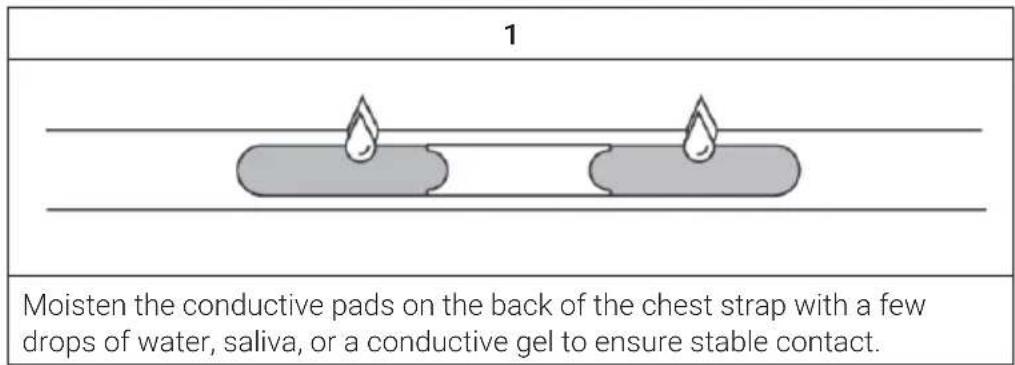
text_image
1 Moisten the conductive pads on the back of the chest strap with a few drops of water, saliva, or a conductive gel to ensure stable contact.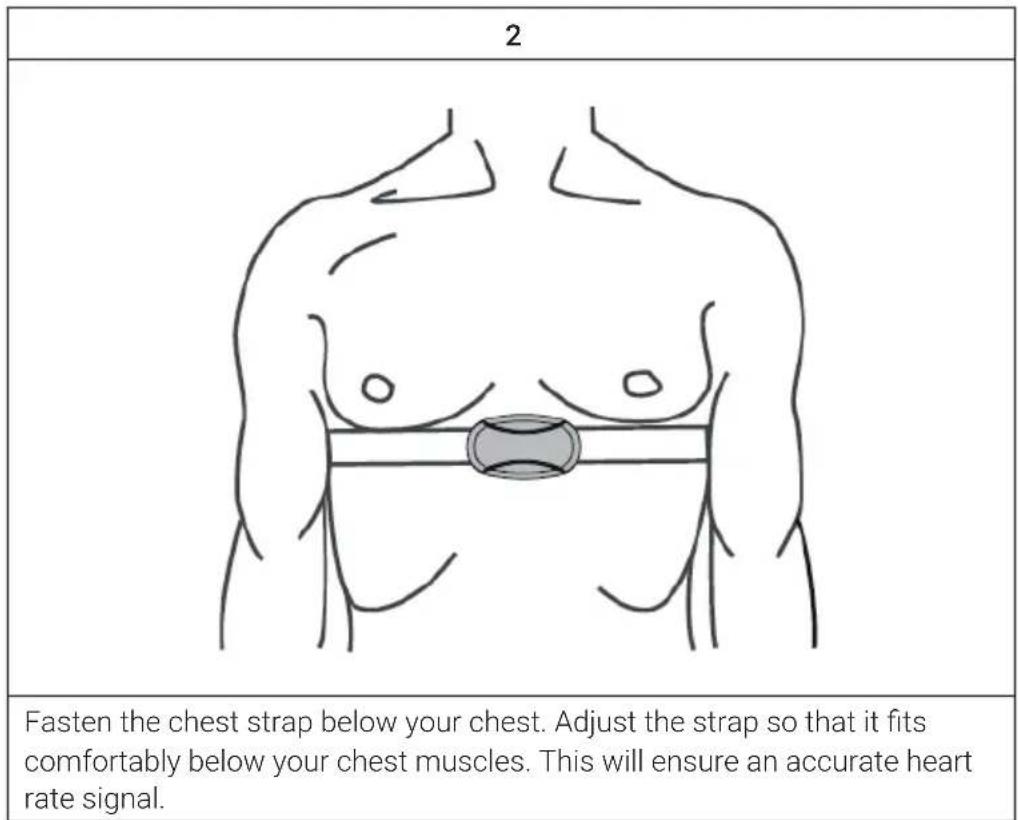
text_image
2 Fasten the chest strap below your chest. Adjust the strap so that it fits comfortably below your chest muscles. This will ensure an accurate heart rate signal.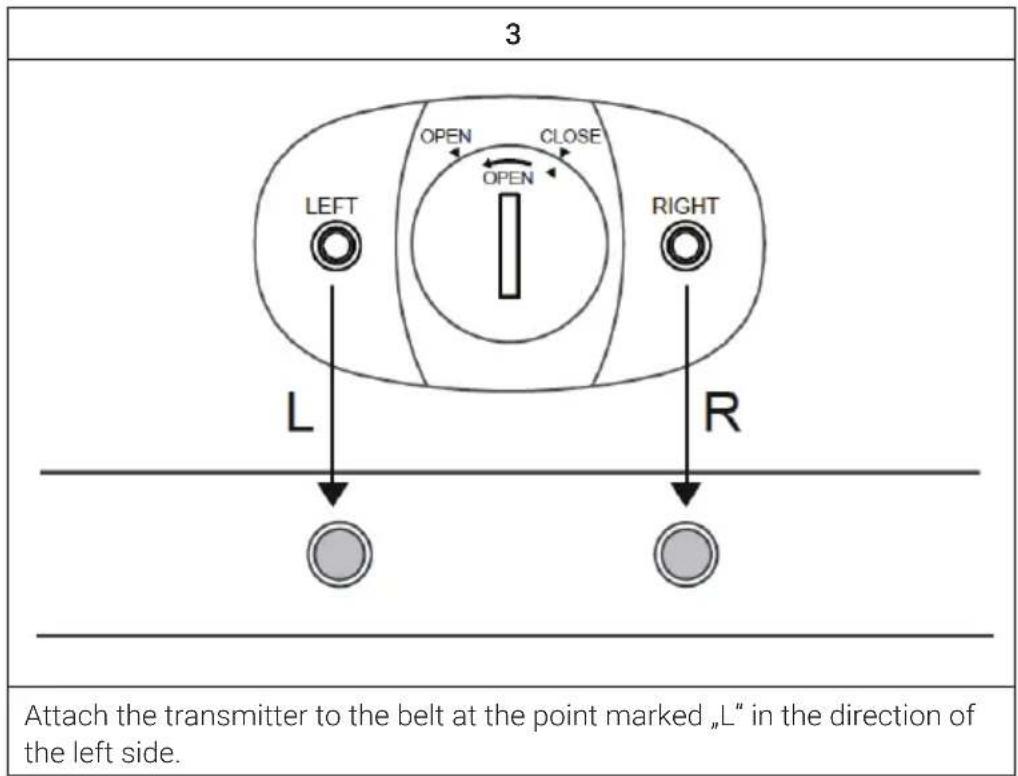
text_image
3 LEFT OPEN CLOSE OPEN RIGHT L R Attach the transmitter to the belt at the point marked „L“ in the direction of the left side.Note: Heart rate is not measured correctly and incorrect data is transmitted if the device is worn upside down or in the wrong direction.
First Steps
The appropriate software must be installed on the smartphone in order for the heart rate data to be transmitted.
Important Notes
- The transmitter and the strap must never be cleaned in the washing machine or dryer.
- Before hand washing the strap, remove the heart rate monitor transmitter on which the electrodes are located.
- When washing the strap, make sure that the water temperature does not exceed 30 °C.
Replacing Batteries
The transmitter requires one CR2032 3V battery. The battery is already installed. The battery usually lasts for one year. It is recommended to contact the manufacturer or customer service when you need to replace the batteries.
| 1 Use a coin to open the battery compartment cover counterclockwise. 2 Remove the old battery and insert a new battery into the battery compartment with the "+” side facing up. 3 Replace the battery compartment cover by turning it clockwise until it clicks into place. |
- Rechargeable and non-rechargeable batteries must be disposed of properly. Special containers are available for this purpose at recycling centers and shopping malls.
- Keep batteries and other small parts out of the reach of children. Go to the emergency room immediately if batteries are swallowed.
- Never recharge, otherwise reactivate, disassemble, dispose of in fire, or short-circuit the batteries included in the package.
- Never replace the batteries with batteries of the wrong type!
- Dispose of the batteries according to the instruction manual.
CONNECTING TO OTHER DEVICES
BT Connection
Follow the steps below to establish wireless connection to your smartphone.
1 Enable BT on your device.
2 Enable BT on your mobile device. The transmitter cannot be connected directly to the mobile device. A fitness app is required for this.
3 Select a compatible fitness app in the app store and download it to your smartphone. Compatible fitness apps include MooFit, Wahoo fitness, Endomondo, Runtastics, Strava, etc.
4 Connect the BT heart rate transmitter to the fitness app in the app settings.
Note: It is possible that the device is not compatible with certain fitness apps. Contact the app manufacturer for this.
ANT+
1 Wear the BLE & ANT+ and 5.3 KHz heart rate belt as described in the instruction manual.
2 Make sure the ANT+ sports watch is within a 10 meter radius.
3 When your heart rate is displayed on the sports watch, it means that the connection has been successfully established.
Note: Some apps with ANT+ connection cannot be used except smartphones with built-in ANT+ accessories or you need an ANT+ adapter to use it. If you want to know if your phone is equipped with it, please check the phone specifications.
5.3 KHz
1 Wear the BLE & ANT+ and 5.3 KHz heart rate belt as described in the instruction manual.
2 Make sure the 5.3 KHz sports watch is within a 0.5 meter radius.
3 When your heart rate is displayed on the sports watch, it means that the connection has been successfully established.
Important Notes
Each BT smart device has its own setting and operation method. Refer to the instruction manual of the device for how to pair it with the chest strap. BT-Smart and ANT+ and 5.3KHz can be used simultaneously. There is no problem with interference.
MEMORY
- When the device starts working, it records the heart rate every 2 seconds.
- If the training time does not exceed 2 minutes, the stored data will be discarded.
- The stored heart rate data can only be transferred via BT. Download a compatible fitness app for this purpose.
• Each time the device is started up, it will attempt to connect to the downloaded app to transfer the memory data. - This device has a total of 13 hours of heart rate memory. Once 13 hours is reached, the oldest workout data will be overwritten
COMPATIBLE DEVICES AND APPS
This device is a 3 in 1 wireless device that is both ANT+, 5.3 KHz and BLE compatible and can be used with many smartphones and GPS watches. These include:
- iOS devices: ios9.0 or later
• Android devices: android 4.3 or higher
• Garmin Forerunner 110
• Unencrypted 5.3 KHz watches
Use of the following apps is recommended for the device:
- Runtastic Pro
- Sports Tracker
- Endomondo
- Wahoo Fitness
• Under Armour Record
natural_image
Symbol of a trash bin crossed with a diagonal line, no text or numbers presentIf there is a legal regulation for the disposal of electrical and electronic devices in your country, this symbol on the product or on the packaging indicates that this product must not be disposed of with household waste. Instead, it must be taken to a collection point for the recycling of electrical and electronic equipment. By disposing of it in accordance with the rules, you are protecting the environment and the health of your fellow human beings from negative consequences. For information about the recycling and disposal of this product, please contact your local authority or your household waste disposal service.
This product contains batteries. If there is a legal regulation for the disposal of batteries in your country, the batteries must not be disposed of with household waste. Find out about local regulations for disposing of batteries. By disposing of them in accordance with the rules, you are protecting the environment and the health of your fellow human beings from negative consequences.
Estimado cliente:
text_image
QR code image containing encoded data, no visible human-readable textChal-Tec UK limited.
Unit 6 Riverside Business Centre
Brighton Road
Shoreham-by-Sea
BN43 6RE
Reino Unido
natural_image
Symbol of a trash bin crossed with a diagonal line, representing no waste or discharge (no text or labels)Cher client, chère cliente,
text_image
QR code image containing encoded data, no visible human-readable textDÉCLARATION DE CONFORMITÉ

text_image
CE UK CAFabricant :
Chal-Tec GmbH, Wallstraße 16, 10179 Berlin, Allemagne.
Unit 6 Riverside Business Centre
Brighton Road
Shoreham-by-Sea
BN43 6RE
Royaume Uni
natural_image
Line drawing of a rotary switch with labeled buttons (LEFT, RIGHT) and a central knob (no text or symbols beyond labels)APPAREILS ET APPLICATIONS COMPATIBLES
natural_image
Symbol of a trash bin crossed with a diagonal line, no text or numbers presenttext_image
QR code image containing encoded data, no visible human-readable textUnit 6 Riverside Business Centre
Brighton Road
Shoreham-by-Sea
BN43 6RE
Regno Unito