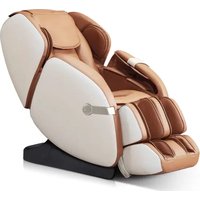
WES41-680 - Massage device WESTINGHOUSE - Free user manual and instructions
Find the device manual for free WES41-680 WESTINGHOUSE in PDF.


| Brand | Westinghouse |
| Model | WES41-680 |
| Product Type | Therapeutic Massage Chair |
| Power Consumption | 150 Watts max |
| Power Supply | 120 V AC (standard outlet) |
| Usage | Indoor only |
| Recommended Usage Duration | 15 minutes max per session |
| Massage Functions | Shiatsu, Kneading, Tapping, Knocking, Rolling |
| Automatic Modes | 6 preset modes |
| Massage System | 4 rotating heads, from neck to thighs |
| Footrest | Retractable with foot and calf massage |
| Heating | Integrated, activation via remote control |
| Zero Gravity Position | Yes, back angle 116° and leg angle 135° |
| Maximum User Weight | 120 kg (estimated) |
| Dimensions (approx.) | 120 x 70 x 100 cm (L x W x H) |
| Net Weight | Approximately 50 kg (estimated) |
| Maintenance | Unplug after use; clean with a dry cloth; no solvents |
| Warranty | 1-year limited warranty against defects in materials and workmanship |
| Customer Service | 1-866-967-7333 (Westinghouse) |
| Replacement Parts | Fuse, back and head cushions |
| Repairability | By Westinghouse authorized technician |
| Included Accessories | Remote control, Allen key, cushions |
Frequently Asked Questions - WES41-680 WESTINGHOUSE
User questions about WES41-680 WESTINGHOUSE
0 question about this device. Answer the ones you know or ask your own.
Ask a new question about this device
Download the instructions for your Massage device in PDF format for free! Find your manual WES41-680 - WESTINGHOUSE and take your electronic device back in hand. On this page are published all the documents necessary for the use of your device. WES41-680 by WESTINGHOUSE.
USER MANUAL WES41-680 WESTINGHOUSE
Thank you for purchasing this product. Please read this instruction manual carefully before operating this massage chair.
Please pay attention to the important safety warnings and keep this manual for future use.
Note: EBI reserves the right to revise the design and description of this product without notice.
CONTENT
- SAFETY WARNING
- ENVIRONMENT
- RESTRICTIONS
- MAINTENANCE
- TROUBLESHOOTING
- FEATURES AND BENEFITS
- INSTALLATION
- COMPONENTS
- OPERATION
- FLOOR PROTECTION
11.PRODUCT SPECIFICATIONS - WARRANTY
FRANÇAIS
1. SAFETY WARNING
- This product is not recommended for children.
- Disconnect the chair before cleaning.
- Please pull out the plug after use or before cleaning to avoid injury or damage to the product.
- Please operate this product according to the instructions in this manual.
- Use only accessories recommended by Westinghouse®.
- This product is designed for indoor use only.
- Recommended use time is 20 minutes or less.
- Please avoid use if the chair is damaged and call your Westinghouse® technician or dealer.
- Make sure the chair is well ventilated and not obstructed.
- Please make sure small objects are not dropped into the chair mechanism.
- Use of this chair under the influence of drugs or alcohol is not recommended.
- Do not use wet hands to pull the AC cord.
- Do not spill liquids onto this product to avoid electric shock or cause damage to this product.
- Maintain your chair and avoid damaging the wires.
- Do not use a wet cloth to clean the electric parts.
- In the event of a power failure disconnect the chair.
- If the chair works abnormally, stop using it, disconnect the chair and call your Westinghouse® service technician or customer service representative.
- This chair should be used only in a well ventilated, normally dry and dust-free environment.
2. RESTRICTIONS
People with osteoporosis, heart disease and heart pacemakers, pregnancies, injuries or any other health-related issues should consult their doctor before using this massage chair.
Stop immediately the use of this massage chair if you feel unwell and consult your doctor.
3. MAINTENANCE
- This product should only be maintained by Westinghouse® certified technicians. Otherwise, EBI reserves the right to void the warranty.
- Disconnect the power cord after use.
- Make sure the wall outlet is in good working order before use.
- If this chair will not be used for an extended period, store in a dry and dustless environment.
- Avoid chair exposure to high temperatures and direct sunlight.
- Clean this product with a dry cloth. Do not use thinner, benzene or alcohol.
- When moving the chair on a wood floor, rough ground or in a narrow space two people should lift the chair together.
- We recommend using the massage chair intermittently and not for long periods.
4. TROUBLESHOOTING
- It is normal for the motor to make noise while in use.
- If the controller doesn't normally work, please check that the plug and socket are properly connected, and the switch is turned on.
- When the programmed working time is over, the chair will power off automatically.
After several uses, the chair might power off because of overheating. It can be used again after half an hour of cooling time.
5. FEATURES AND BENEFITS
Enjoy the new Westinghouse WES41-680 massage chair. The Body Scanning Technology maps the back of each individual user to provide a customized massage. The unique vertical to horizontal movable quad rollers enhance the massage realism. The handy retractable footrest gives you maximum configuration options. The Westinghouse WES41-680 massage chair reproduces over 5 massage actions with the sensation of a professional massage in the comfort of your very own home! It even includes shoulder, feet and under the feet massages. The Westinghouse WES41-680 massage chair will provide you with many years of soothing massage and comfort.
6. INSTALLATION
The WES41-680 massage chair comes partly assembled.
-
Assemble this massage chair according to the installation instructions provided in this guide.
-
Check the parts list carefully to make sure nothing is missing.
-
Sitting in the massage chair before it is completely assembled could result in permanent damage to the chair and personal injury.
-
This massage chair is equipped with a cord having a grounding conductor. The cord must be plugged into an appropriate AC wall outlet.
-
If the massage chair fuse is burned out, please use the chair's main On/Off button to turn it off and unplug the AC power cord. You can unscrew the fuse located in the switch box at the bottom right of the chair in the back.
Use a same size and type of fuse to replace the old one and then cover the lid.
You can call Westinghouse at 1-866-967-7333 ext 227 if you need help.
CAUTION: Never substitute a missing part with one of your own. If a part is missing, contact customer service at: 1-866-967-7333 ext 227
Unpacking
1) Remove the massage chair, cushions and accessories from the main box.
2) Remove all plastic wraps.
Leg and foot massager installation
Step 1) Place the leg and foot massager close to the front of the massage chair. Connect the air tube of the chair into the leg and foot massager. Connect the square power cords together. Make sure they are secured and tight.
IMPORTANT: Avoid bending the air tube.
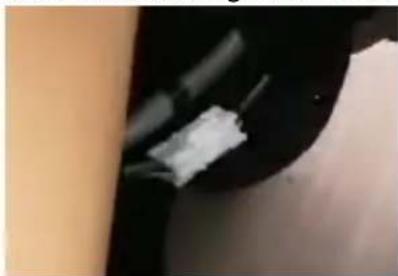
Step 2) Unscrew the locking pin from the massage chair.
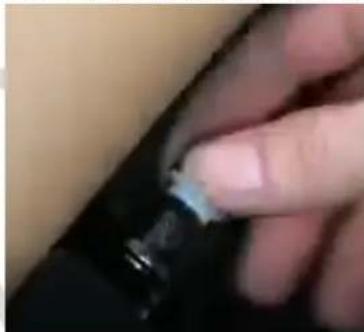
Step 3) Insert the locking pin of the foot massager all the way into the flat washer then into the foot massager holding support and then through the foot massager washer.
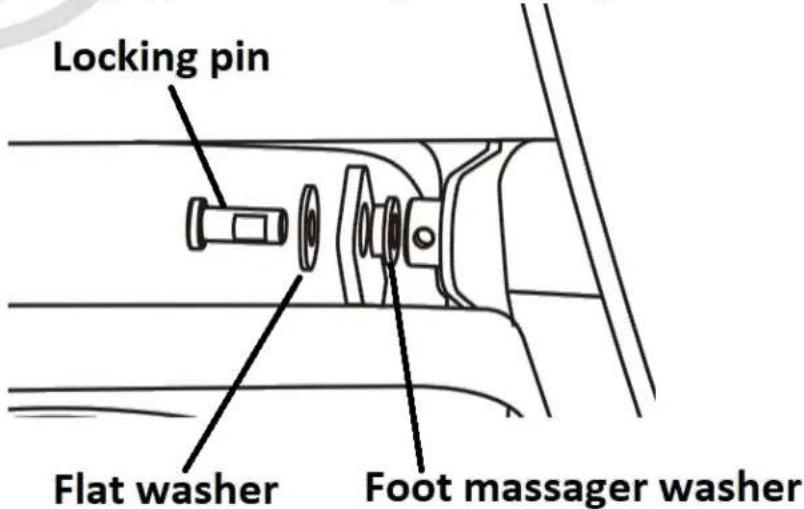
Step 4) Make sure it is inserted all the way in as per picture.
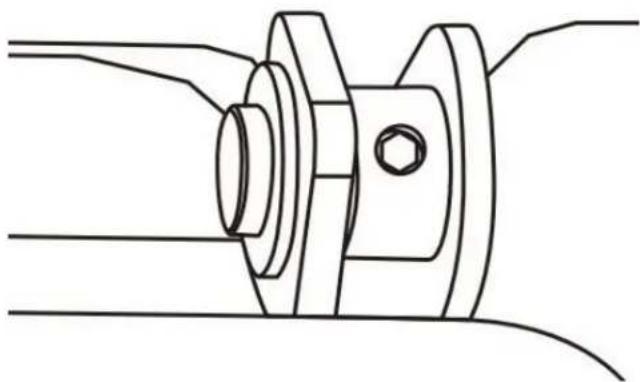
Step 5) Do the same for the right side.
Step 6) Using the provided Alen key, screw the locking screw.
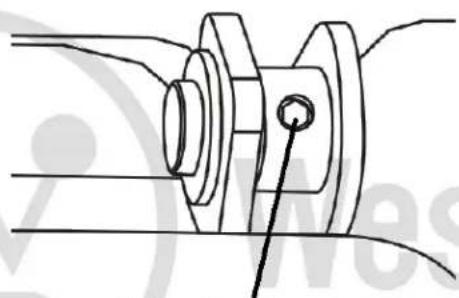
Allen locking screw
Step 7) Flip the foot massager cover.
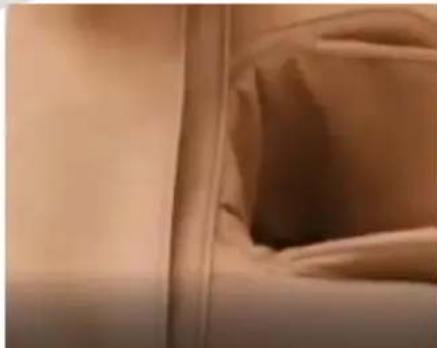
Step 8) Flip the massage chair seat cover.
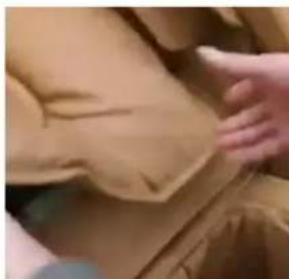
Step 9) Back and seat cushions
Install the back and head cushions using the cushion's Velcro tape and zipper.
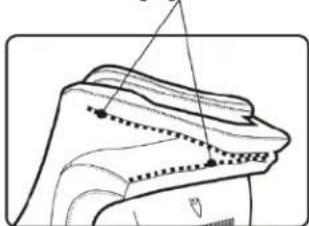
Zipper
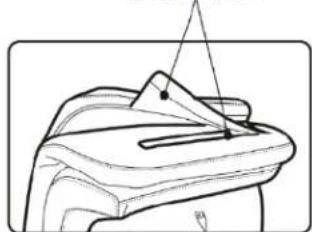
Velcro
Note: For an even more intense massage, you can flip back the head and seat cushion.
Final Installation
1) Insert the AC power cord into the massage chair power socket behind the chair at the base and then into the wall power outlet.
2) Turn on the main power switch behind the chair at the base.
3) Congratulations!
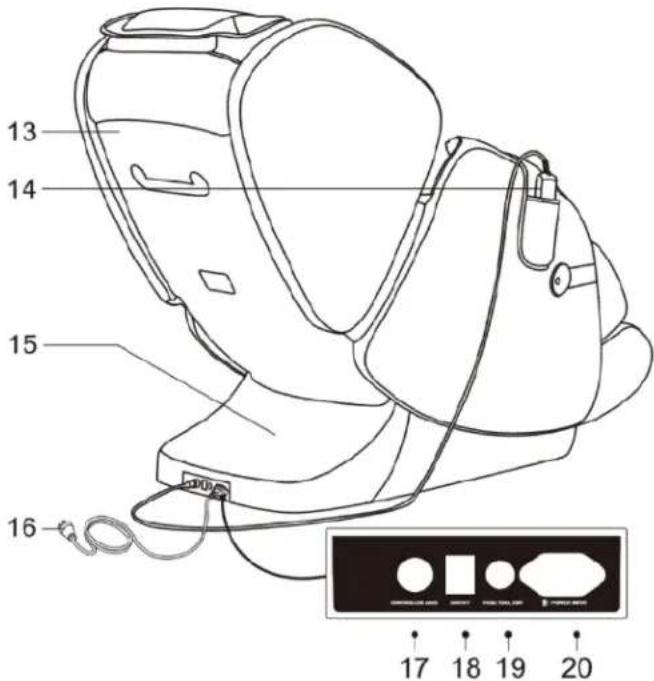
7. COMPONENTS
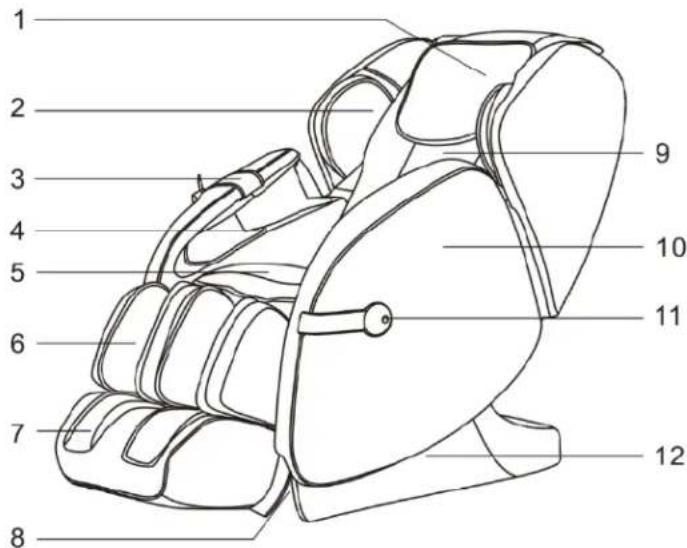
- Head cushion pad
- Shoulder massager
- Remote control pocket
- Arm massager
- Seat cushion
- Leg massager
- Foot massager
- Base
- Back cushion
- Side panel
- Decoration
- Base
- Back panel
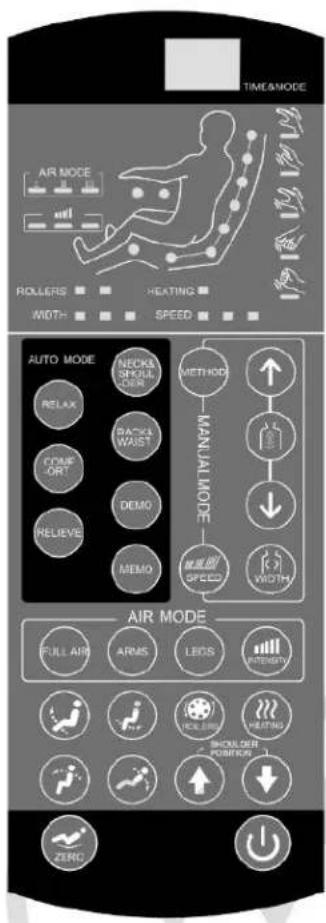
- Remote control
- Bottom panel
- AC power cord
- Remote control connector
- Main power switch
- Fuse box
- AC power cord socket
8. OPERATION
We recommend adjusting the chair angle before powering up the chair. This will insure maximum comfort.
Back section up and down adjustments


Press this button
to lower or to raise
the back massage section.
Leg massage up and down adjustments


Press this button
to lower to raise
the leg massag
section independently.
Then, press on the power On/Off button to start massage. The WES41-680 will scan the length of your back. Once done (about 20 seconds), the automatic massage mode will start.
Automatic massage modes
You can then choose another your preferred automatic massage mode. There are six automatic massage modes.






You can interrupt the automatic massage mode at any point by shutting off the unit. The massage chair will then return to its original position.
If you prefer a specific massage mode, you need to use the manual massage mode. If so, you can choose the type of massage you want (Shiatsu, knead, flap, etc.). The massage chair will then use the massage mode you have chosen. You can press on the power On/Off button again at any time and the massage chair will come back to its original position and shut off.
Press on the 'adjust shoulder' button to adjust the massage chair course length to your preference. Press on the arrows (up or down).
Memory mode

When a massage mode or running time is expired, the remote control display will show the word
'Memory' and flicker at the same time. Pressing at this time on the button, will store the massage height adjustment that just ended. You can recall this stored memory mode the next time you use your massage chair by pressing on this same button after having activated your massage chair. The shoulder massage height adjustment for the Upper body massage will be the same as the last time you used your massage chair.
Zero Gravity
Press on the zero gravity button

back section will adjust at an angle of 116^ and the leg section at an angle of 135^ and simulate a weightlessness effect.
Manual massage mode button
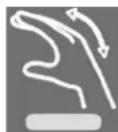
Knead

Press the
button repeatedly to activate the Kneading massage feature. The display will show:
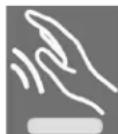
Tap

Press the
button repeatedly to activate the Flap massage feature. The display will show:
Knock

Press the button repeatedly to activate the Knock massage feature. The display will show:
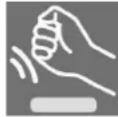
Knead & Flap

Press the button repeatedly to activate the Knead & Flap massage feature. The display will show:
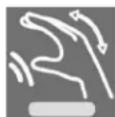
Shiatsu

Press the button repeatedly to activate the Shiatsu massage feature. The display will show:
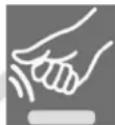
Upper and lower body areas massage adjustments
The massage mechanism of the WES41-680 moves from the neck area all the way down to the thigh

area. Pressing repeatedly on the back Stretch button will determine the area of the massage.


Press once to massage a fixed point. You must then use the up and down buttons determine the exact area. The remote will display HO.
Press twice to massage a small area. You must then use the up and down buttons to determine the exact area. The remote will display H1.
Press three times to massage the back. The remote will display H2.
Press four times to massage the neck and shoulder. The remote will display H3.
Press five times to massage the lower back and waist area. The remote will display H4.
Under the feet massage roller

The rolling massage under the feet has three speed levels. Press repeatedly to choose the speed of your choice.
Heat

Press on the heat button deactivate it.
to start the back heat feature. Allow about 3 minutes to feel it. Press again to
There are three massage speed options available. Press repeatedly to choose the speed of your choice.
Width
There are three massage width adjustment options. Press repeatedly to choose the width of your choice.
Air bag massage mode adjustments
There are three air bag massage mode adjustments. Press on the mode you prefer.
FULLAIR
All massage air bags are activated.
ARMS
The arms massage air bags are activated.
LEGS
The calf and feet massage air bags are activated.
Air bag massage intensity adjustments
There are 3 intensity levels for each air massage mode. Press on the intensity button repeatedly to choose the intensity level of your choice (low, medium and strong).
9. MOVING THE CHAIR
Make sure that the AC power cord is pulled out of the chair. Turn the back backward to a proper angle so the centre gravity falls onto the casters. Pull the massage chair forward or backward as you wish.
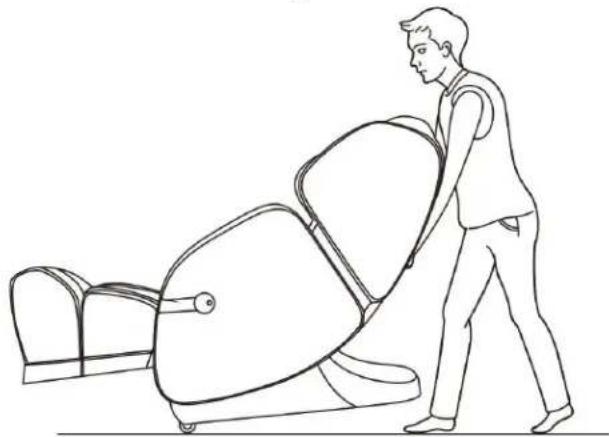
10. FLOOR PROTECTION
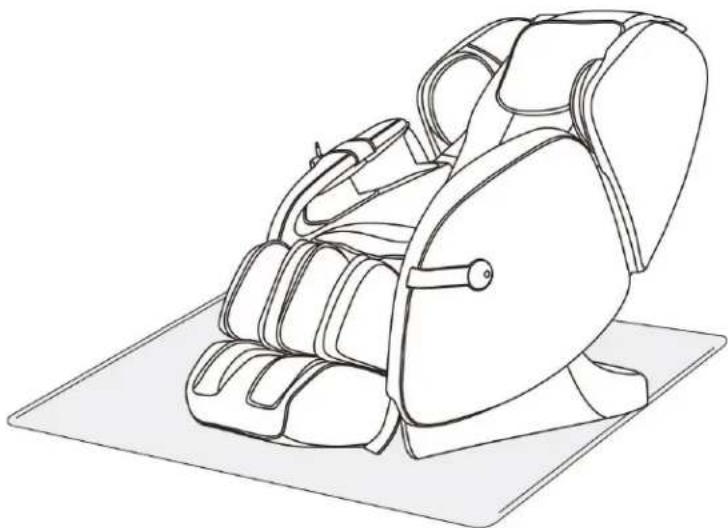
Prolonged use of this massage chair can damage wood floors. To prevent permanent damage, place a carpet or mat under the chair.
11.PRODUCT SPECIFICATIONS
Power: 150 Watts
12. WARRANTY
LIMITED ONE (1) YEAR WARRANTY
This product is guaranteed against all manufactured faults and defects for a period of one (1) year from the date of purchase.
For repairs or product defects, please call our customer service department at: 1-866-967-7333. Please have your proof of purchase on hand. If we are not able to replace your defective part, we will send you a service technician for repairs. Important notes: Any damages caused by an accident or an abusive usage are NOT covered under warranty. We also decline all responsibility concerning indirect or consecutive damages. In certain Canadian provinces, it is not permitted to limit indirect or consecutive damages. Therefore, it is possible these limitations are not applicable to you. This warranty gives you specific legal rights. You may also have other legal rights which vary from one province to another.
CUSTOMER SERVICE: 1-866-967-7333 Ext 227
- CONTENT
- FRANÇAIS
- SAFETY WARNING
- RESTRICTIONS
- MAINTENANCE
- TROUBLESHOOTING
- FEATURES AND BENEFITS
- INSTALLATION
- Unpacking
- Leg and foot massager installation
- Final Installation
- COMPONENTS
- OPERATION
- Back section up and down adjustments
- Leg massage up and down adjustments
- Automatic massage modes
- Memory mode
- Zero Gravity
- Manual massage mode button
- Knead
- Press the
- Tap
- Knock
- Knead & Flap
- Shiatsu
- Upper and lower body areas massage adjustments
- Under the feet massage roller
- Heat
- Width
- Air bag massage mode adjustments
- FULLAIR
- ARMS
- LEGS
- Air bag massage intensity adjustments
- MOVING THE CHAIR
- FLOOR PROTECTION
- 11.PRODUCT SPECIFICATIONS
- WARRANTY
Brand : WESTINGHOUSE
Model : WES41-680
Category : Massage device