USER MANUAL WF 1214 A W566C3 VALBERG

Thank you!
Thank you for choosing this VALBERG product. VALBERG products are chosen, tested, and recommended by ELECTRO DEPOT, so you can be sure you are getting a top-quality, easy-to-use product that won't let you down.
We're confident your new device will be a pleasure to use every day!
Welcome to ELECTRO DEPOT.
Table of Contents

Product overview
Parts
Specifications

Product usage
Installation
Operation

Cleaning and maintenance
Cleaning and maintenance
Troubleshooting
Transport
A
Product overview
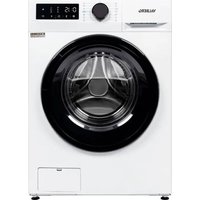
Parts
A Door service flap

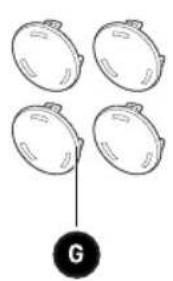
B Detergent dispenser 4 x Cover caps

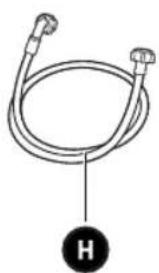
C Control panel 1 x Supply hose cold water

D Drain hose Acoustic sponge

E Power supply cord

Note:
- The product picture is for illustration only, please refer to the real product as reference.
Specifications
Model: 10009855 - WF 1214 A W566C3
Power Supply: 220-240V~, 50Hz
MAX. Current: 10A
Standard Water Pressure: 0.05MPa ~ 1MPa
Washing Capacity: 12.0 kg
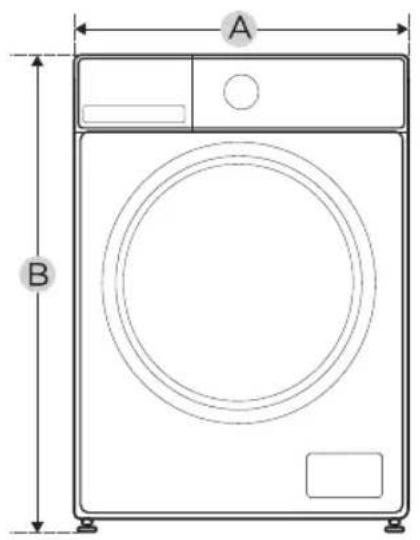
Dimension
A: 600mm
B: 850mm
C: 600mm
Weight: 73kg
Rated Power: 2000W
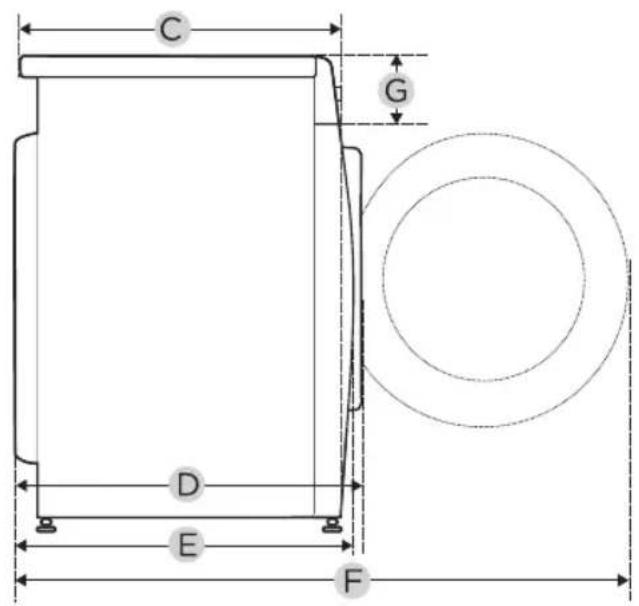
Reference Dimension
D: 660mm
E: 641mm
F: 1105mm
G: 135mm
B
Product usage
Installation

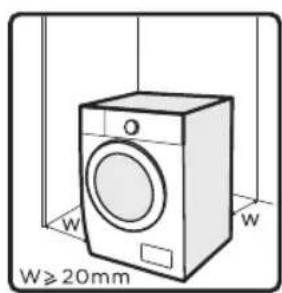
Installation area

Warning!
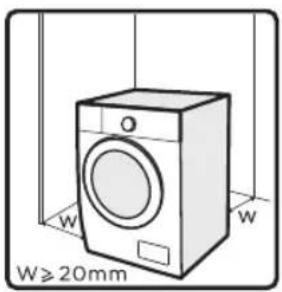
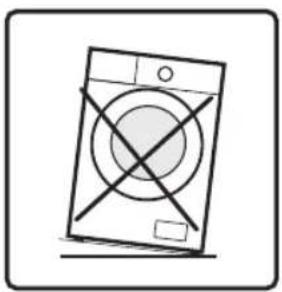
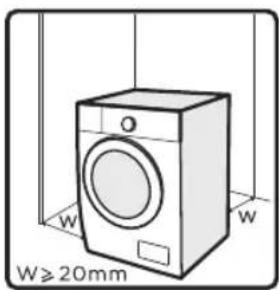
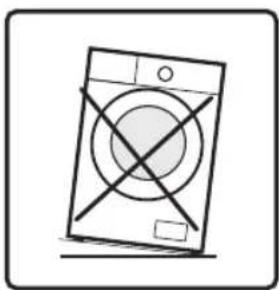
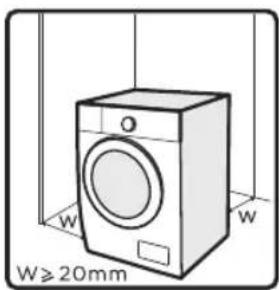
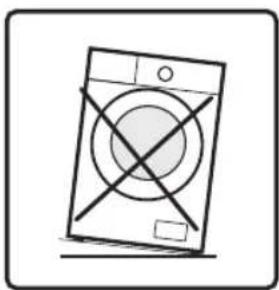
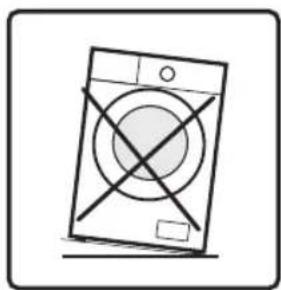
• Stability is important to prevent the product from wandering! • Make sure the machine is standing leveled and stable. • Make sure that the product does not stand onto the power cord. • Make sure to maintain the minimum distances from the walls as shown in the picture.
Before installing the machine, the location characterized as follows shall be selected:
• Rigid, dry, and level surface. • Avoid direct sunlight. • Sufficient ventilation. • Room temperature is above 5°C. • Keep far away from the heat sources such as coal or gas burning appliances.
Unpacking/Packing the Machine
B
Product usage

Warning!
- Packaging material (e.g. Films, Styrofoam) can be dangerous for children. • There is a risk of suffocation! Keep all packaging well away from children.
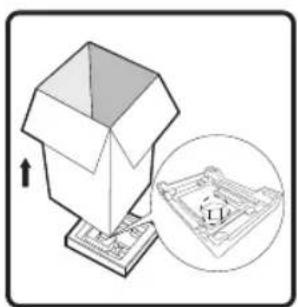
- Remove the cardboard box and styrofoam packing.
- Lift the machine and remove the base packaging.
- Remove the tape securing the power supply cord and drain hose.
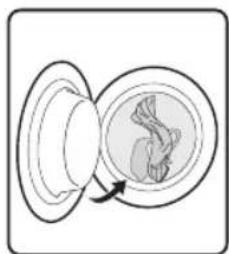
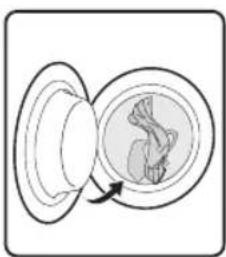
- Remove the inlet hose from the drum.
Remove transport bolts

Warning!
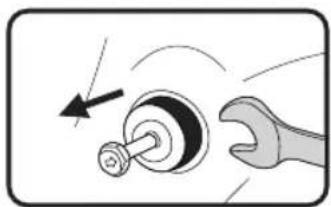
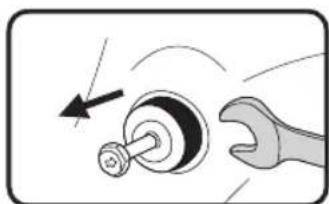
- You must remove the transport bolts from the backside before using the product.
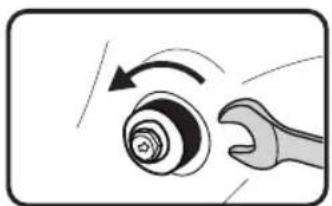
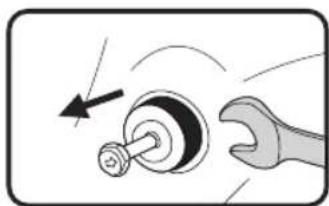
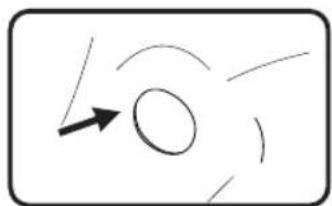
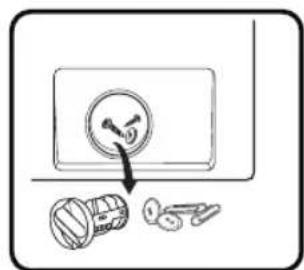
- Loosen the 4 transport bolts with a spanner.
- Remove the bolts including the rubber parts and keep them for future use.
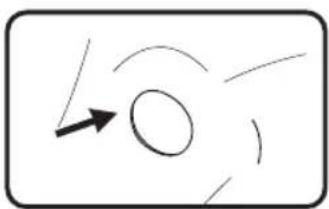
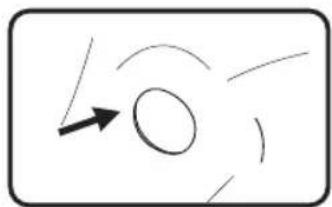
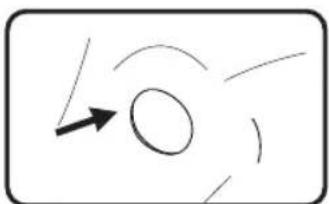
- Close the holes using the cover caps.
Levelling the washing machine

Warning!
- The lock nuts on all four feet must be screwed tightly against the housing.
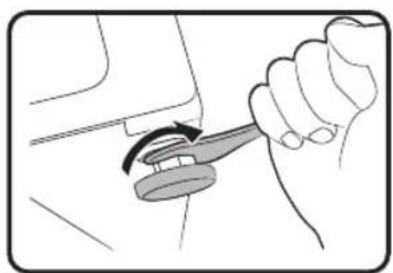
- Loosen the lock nut.
- Turn the foot until it reaches the floor.
- Adjust the legs and lock the nuts with a spanner. Make sure the machine is level using a spirit level.
B
Product usage
Connect the water supply hose

Warning!
To prevent leakage or water damage, follow the instructions in this chapter.
- Do not kink, crush or modify the water inlet hose.
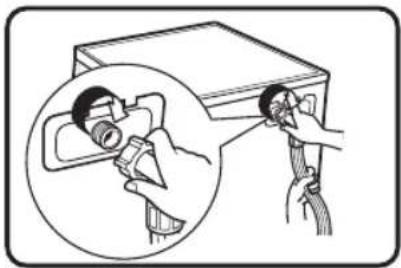
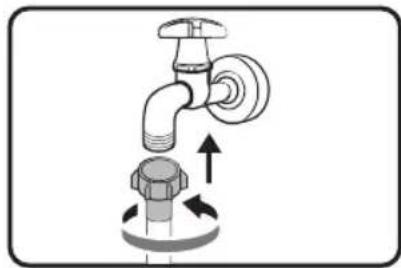
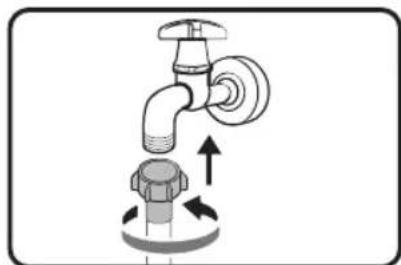
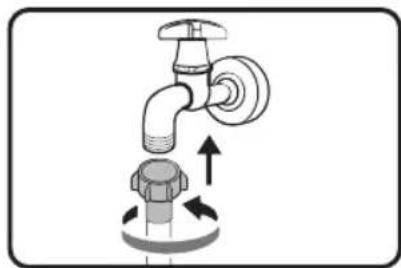
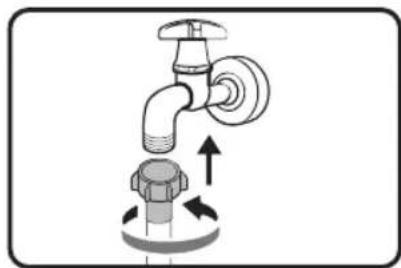
Connect the water supply hose to the water inlet valve and a water tap with cold water as indicated.

Note:
- Connect manually, do not use tools. Check if the connections are tight.
Drain Hose

Warning!
- Do not kink or protract the drain hose.
- Position the drain hose properly, otherwise damage might result from water leakage.
- It is not allowed to remove the buckle of the drain pipe.
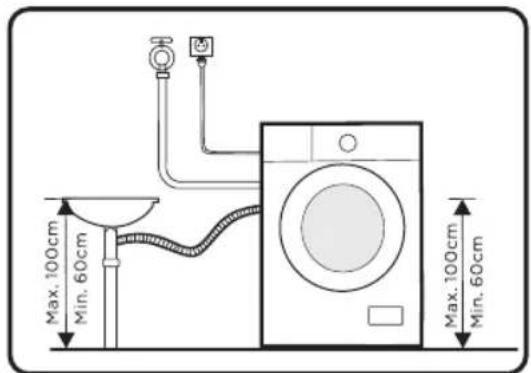
There are two ways to place the end of the drain hose:
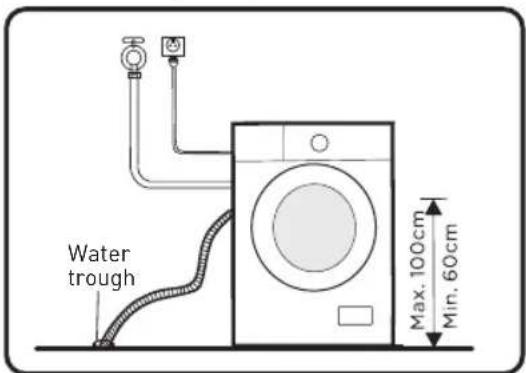
- Put it into the water trough.
- Connect it to the branch drain pipe of the trough.
B
Product usage
Acoustic Sponge
Note:
- Please make sure to assemble the acoustic sponges, which can effectively reduce the noise caused by the machine while working, in order to provide you with a more peaceful and quiet living environment.
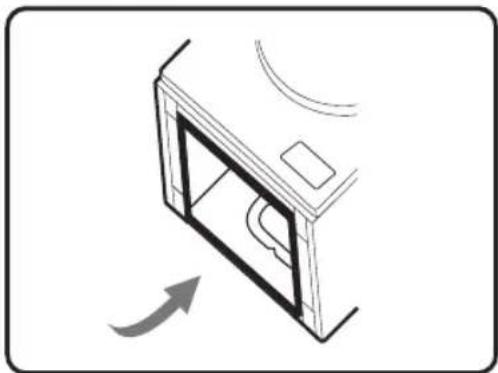
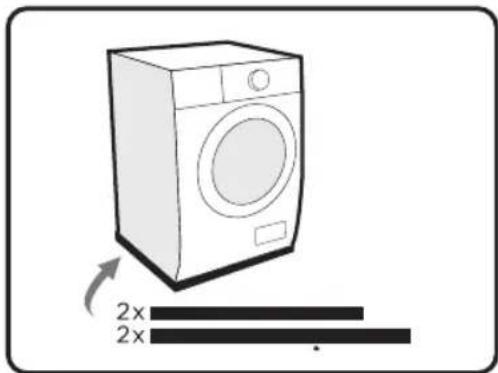
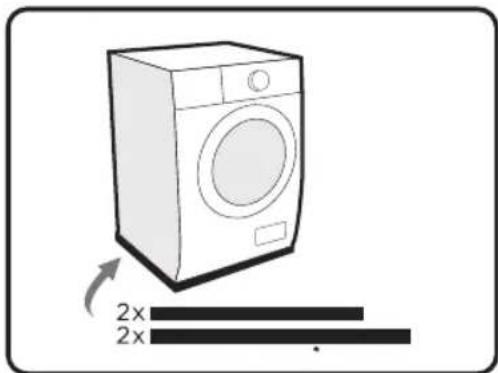
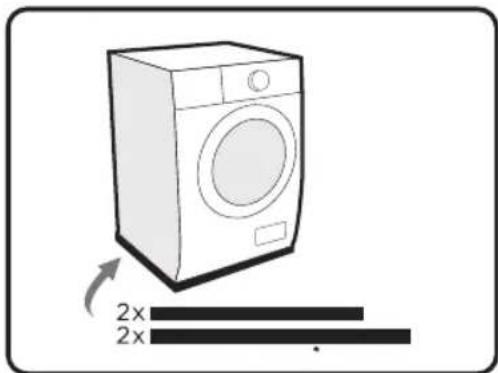
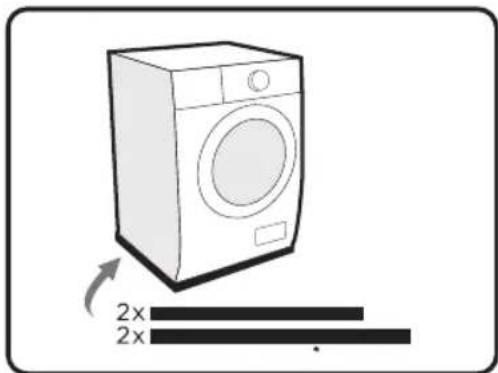
- Lay the machine on the floor, using some soft material like foam or clothes between the machine and floor for protection.
- Stick the 2x longer sponges to the longer bottom edges of the machine, and the 2x shorter sponges to the shorter bottom edges.
Operation
Quick Start
Caution!
• Before washing, please make sure the washing machine is installed properly. - Your appliance was thoroughly checked before it left the factory. To remove any residual water and to neutralize potential odors, it's recommended to clean your appliance before first use. For this reason, it is recommended to clean the inner drum by running the "Drum Clean" or other program with the optional temperature of 90°C. Be careful not to put laundry and detergent in the machine.
B
Product usage

Calibration!
It's recommended to calibrate the machine to provide the best performance. The appliance is able to detect the amount of laundry loaded. This function optimizes the product performance by minimizing energy and water consumption, saving you money and time. For this reason, it's recommended to calibrate the appliance for best use.
- Remove all accessories from the drum and close the door.
- Insert the mains plug into the socket.
- Switch on the washing machine, and within 10 seconds, press "Speed" continuously (normally for 3 seconds) until "t19" is displayed on the knob.
- Press to start the appliance. Initially, "---" is displayed, and then "***" (such as "126") is displayed to indicate the real-time drum speed. When the number reaches a certain value (stops changing), it means the washing machine is successfully calibrated.
- Before Washing
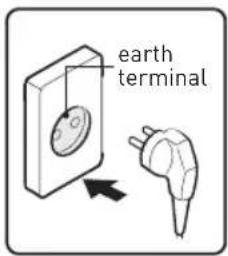
①
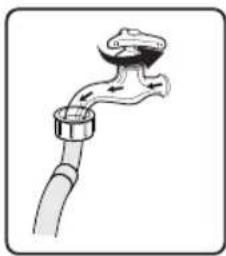
②
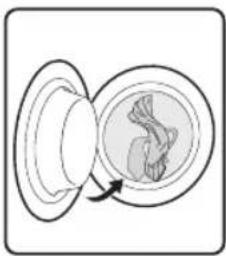
③
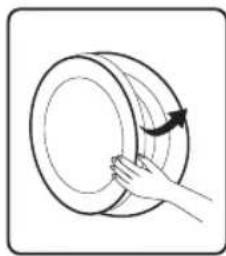
④
5
- Plug in
- Open tap
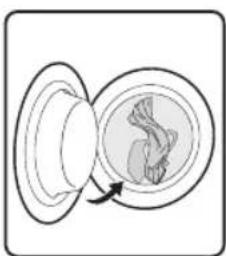
- Load
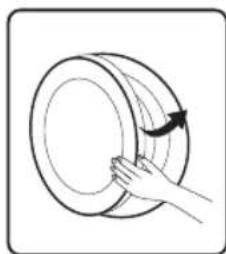
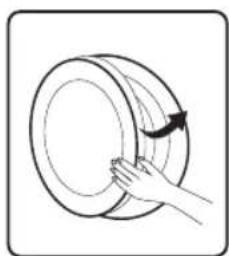
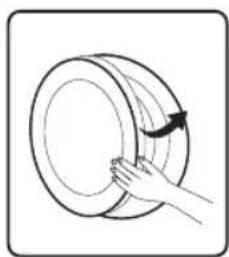
- Close door
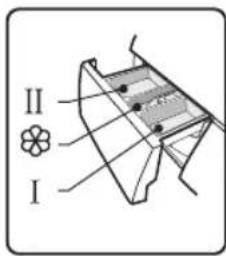
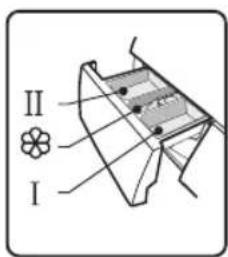
- Add detergent

Note:
- Detergent needs to be added in compartment I if the pre-wash function is selected.
- Washing
①
②
③
B
Product usage
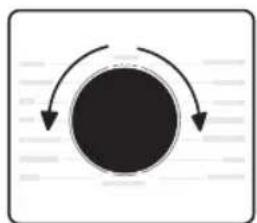
- Select programme
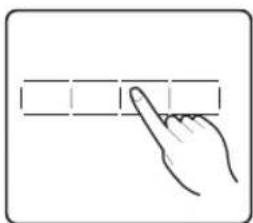
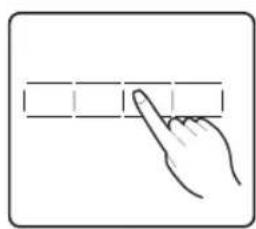
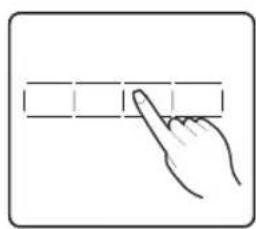
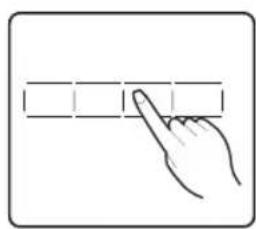
- Select function or remain default settings
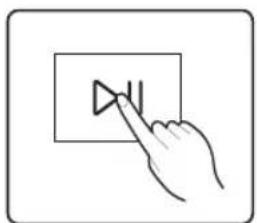
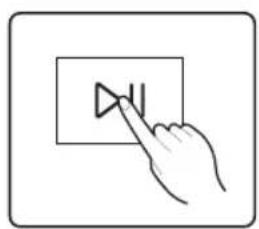
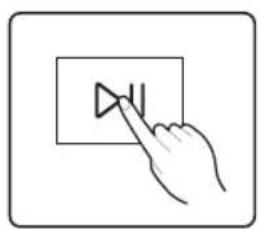
- Press Start/Pause to start the program

Note:
- If default is selected, step 2 can be skipped.
- The function button line chart is for reference only, please refer to real product as standard.
• After Washing
Buzzer beep and "End" on display.
Before Each Washing
- The ambient temperature of the machine should be 5°C-40°C. If used under 0°C, the inlet valve and draining system may be damaged. If the machine is installed under freezing conditions, it should be transferred to normal ambient temperature to ensure the water supply hose and drain hose can unfreeze before use.
- Please check your laundry care labels and the detergent use instructions before wash. Use non-foaming or less-foaming detergent suitable for washing machine properly.
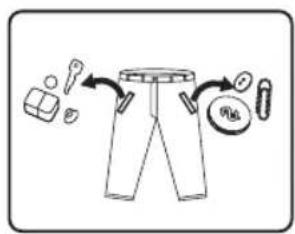
①
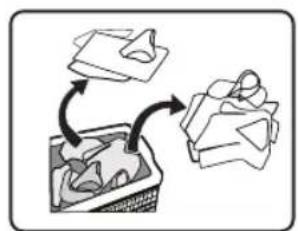
②
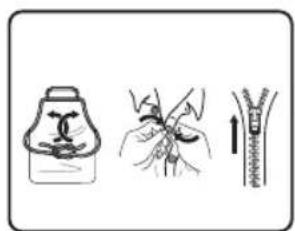
③
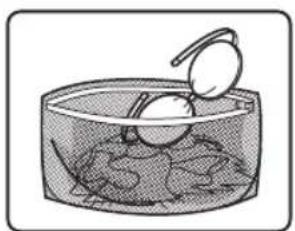
④
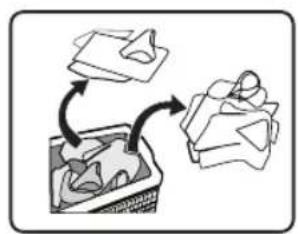
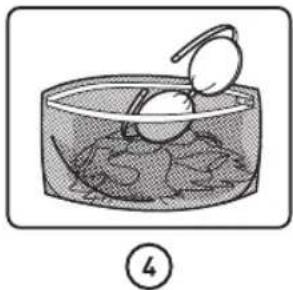
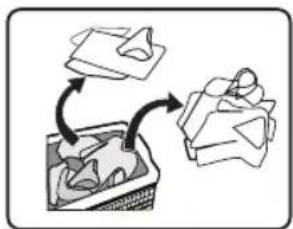
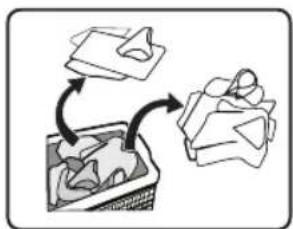
- Take all items out of the pockets
- Sort laundry according to color and textile type
- Tie together long textile strips and belts, close zips and button
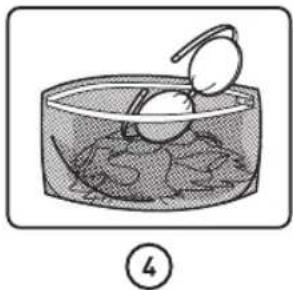
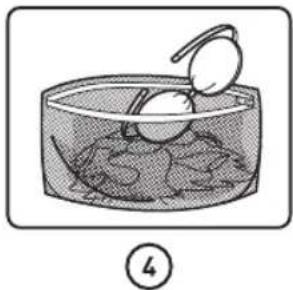
- Put small items into a laundry bag
B
Product usage

Warning!
- Do not wash or dry articles that have been cleaned in, washed in, soaked in, or dabbed with combustible or explosive substances like wax, oil, paint, gasoline, alcohol, kerosene, and other flammable materials.
- Washing single clothes items may easily create big eccentricity. Therefore it is suggested to add one or two more laundry items to the wash so that spin can be done smoothly.
- Do not wash, spin water-proof seats, mats, or clothing.
Detergent Dispenser
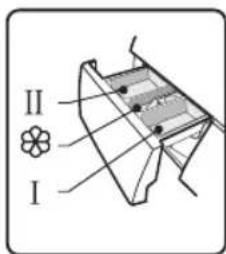
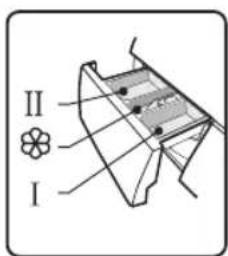
I
Pre wash
II
Main wash
Softener
Release button to pull out the dispenser
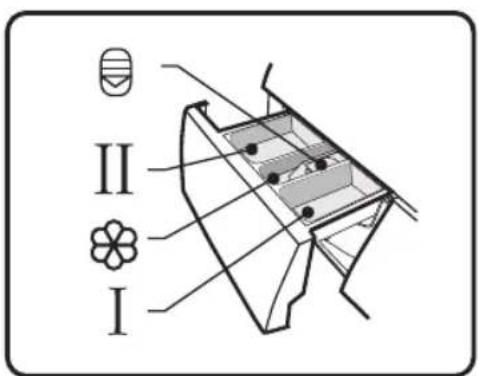

Caution!
- Detergent only needs to be added in "compartment I" after selecting the pre-wash function.
B
Product usage
Control Panel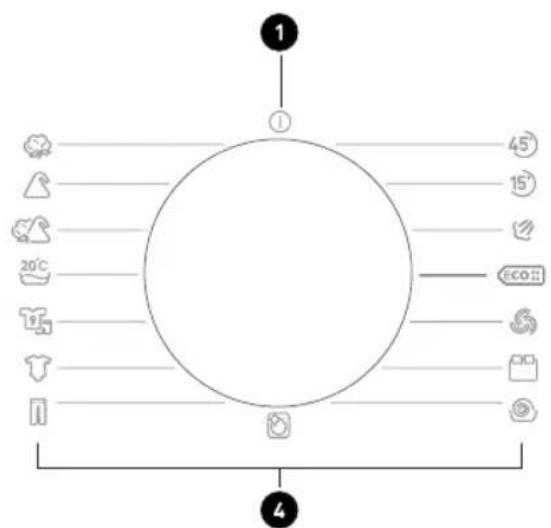
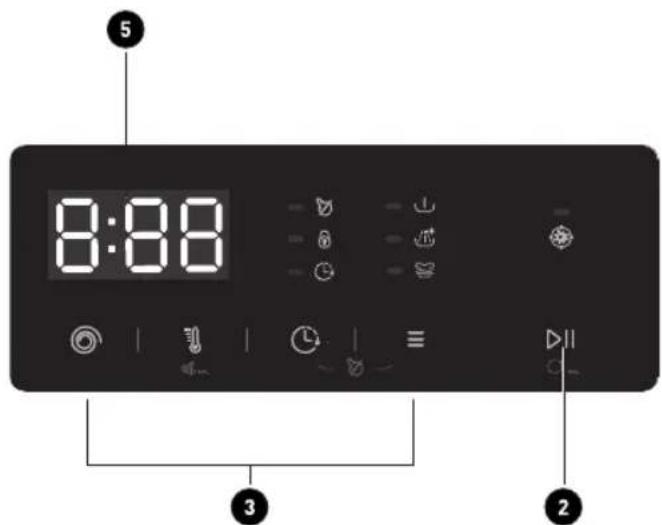
1 OFF Turn the appliance on and off. 2 Start/Pause Start or pause your programme. 3 Option This allows you to select additional functions and will light when selected. 4 Programmes Available according to the laundry type. 5 Display The display shows settings, estimated remaining time, options and status messages.

Note:
The chart is for reference only; please refer to the actual product as standard.
B
Product usage
Display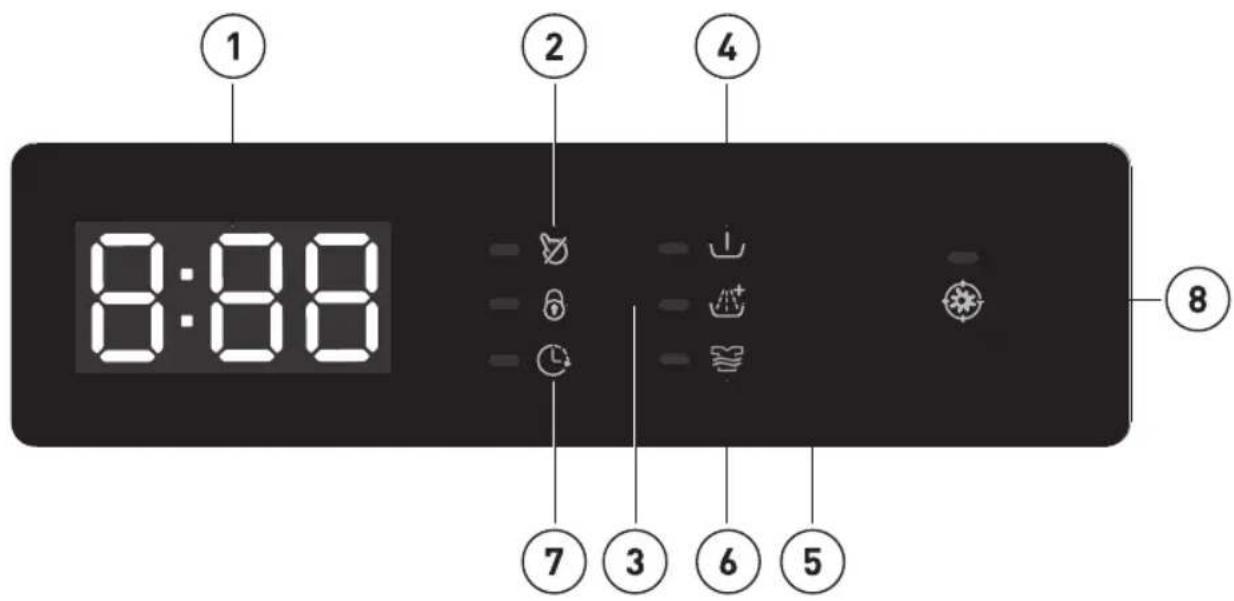
① Display Extra Rinse ⑤ ② Child Lock Strong Wash ⑥ ③ Door Lock Delay ⑦ ④ Pre Wash HYGIENE PRO ⑧
| Programme | I | II/◇ | |
| 45' | Rapid 45' | | ● | ○ |
| 15' | Quick 15' | | ● | ○ |
| Steam Wash | ○ ● ○ | | |
| ECO 40-60 | ECO 40-60 | | ● | ○ |
| Wool | | ● | ○ |
| Bulky | ○ ● ○ | | |
| Spin Only | | | |
| Drum Clean | | | |
| Jeans | ○ | ● | ○ |
B
Product usage
| [WOKW] | Baby Care | ○ | ● | ○ |
 | Sportswear | ○ | ● | ○ |
| [ABTX] | 20°C | | ● | ○ |
| [2448] | Mix | ○ | ● | ○ |
 | Synthetic | ○ | ● | ○ |
| [BDC2] | Cotton | ○ | ● | ○ |
● Means must ○ Means optional
Detergent Recommendation
| Recommended washing detergent | Type of laundry and textile | Wash cycles Washing temp. °C |
| Heavy-duty detergent with bleaching agents and optical brighteners | White laundry made from boil-proof cotton or linen | Cotton, ECO 40-60 | 40/60 |
| Colour detergent without bleaching agent and optical brighteners | Coloured laundry made from cotton or linen | Cotton 20/40 | |
| Color or mild detergent without optical brighteners | Coloured laundry made from easy care fibres or synthetic materials | Cotton, Synthetic 20/40 | |
| Mild washing detergent | Delicate textiles, silk, viscose | Synthetic 20 | |
Special wool detergent Wool Wool 20/40
B
Product usage

Note:
- Agglomerating or ropy detergent or additive can be diluted in some water before pouring it into the detergent dispenser, to avoid its inlet to get blocked and thus cause a water overflow.
- Please choose the suitable type of detergent to get a maximum of washing performance and a minimum of water and energy consumption. • To achieve the best cleaning result a proper detergent dosing is important.
- Use a reduced detergent amount if the drum is not filled completely.
- Always adjust the amount of detergent to the water hardness, if your tap water is soft, use less detergent.
- Dose according to how dirty your laundry is, less dirty clothes require less detergent. • Highly concentrated (compact detergent) requires particularly accurate dosing.
Following symptoms are a sign of detergent overdosing:
- Heavy foam formation – Poor washing and rinsing result
Following symptoms are a sign of detergent underdosing:
- Laundry turns grey
- Built-up of limescale deposits on the drum, the heating element and/or the laundry
Programmes
Programmes are available according to the laundry type.
Programmes
| 45 | Rapid 45' Washing few and not very dirty clothes quickly. |
| 15 | Quick 15' | Extra short programme approx, suitable for lightly soiled washing as a small amounts of laundry. |
| Steam Wash Steam is applicable for daily laundries. |
| ECO 40-60 | ECO 40-60 | Able to clean normally soiled cotton laundry declared to be washable at 40°C or 60°C, together in the same cycle. |
| Wool | Hand or machine-washable wool or richwool textiles.Especially gentle wash programme to prevent shrinkage, longer programme pauses (textiles rest in wash liquor). |
| Bulky This program is specially designed for washing Bulky. |
| Spin Only Spins and drains the water. |
B
Product usage
| Drum Clean | Specially set in this machine to clean the drum and tube. It applies 90 °C high temperature sterilization to make the clothes washing more green. When this programme is performed, the clothes or other washing cannot be added. When proper amount of chlorine bleaching agent is put in, the barrel cleaning effect will be better. The customer can use this programme regularly according to the need. |
| Jeans Specially for jeans. |
| Baby Care | Washing the baby's clothes, it can make the baby's wear cleaner and make the rinse performance better to protect the baby skin. |
| Sportswear Washing the activewear. |
| 20°C | Able to clean lightly soiled cotton laundry, at a nominal temperature of 20°C. |
| Mix | Mixed load consisting of textiles made of cotton and synthetics. |
| Synthetic | Wash synthetic articles, for example: shirts, coats, blending. While washing the knitting textiles, detergent quantity shall be reduced due to its loose string construction and easily forming bubbles. |
| Cotton | Hard-wearing textiles, heat-resistant textiles made of cotton or linen. |

Note:
- The chart is for reference only; please refer to the actual product as standard.
- When the programme is finished, "End" will flash on the display. Please turn the knob to the Off position.
Programme Load(kg) Display Time
| 12.0 12.0 |
| 45 | Rapid 45' 2.0 0:45 | |
| 15 | Quick 15' 2.0 0:15 | |
| Steam Wash | 6.0 1:58 |
| ECO4060 | ECO 40-60 12.0 4:00 | |
| Wool 2.0 1:07 | |
| Bulky 12.0 1:48 | |
B
Product usage
| Spin Only 12.0 0:12 |
| Drum Clean -- 1:28 |
| Jeans | 12.0 1:56 |
| Baby Care | 12.0 1:52 |
| Sportswear 6.0 0:57 |
| 20°C 6.0 1:11 |
| Mix 12.0 1:30 |
| Synthetic 6.0 3:28 |
| Cotton 12.0 3:49 |

Note:
- The parameters in this table are only for user's reference. The actual parameters may differ from those in the above table.
WF 1214 A W566C3
 | Nominal capacity in kg | Temperature setting °C | Cycle duration in hours and minutes | Energy consumption in kWh/operalling cycle | Water consumption in liter/operalling cycle | Highest temperature °C(1) | Residual moisture in % / spin speed in rpm(2) |
| 15 Quick 15' | 2.0 Cold 0:15 0.030 31 | Cold | 70%/800 | | |
 ECO 40-60[3] ECO 40-60[3] | 12.0 | -- | 4:00 | 1.186 | 82.0 | 42 | 53.9%/1350 |
| 6.0 | -- | 3:00 | 0.618 | 58.0 | 32 | 53.9%/1350 |
| 4.0 | -- | 3:00 | 0.254 | 46.0 | 24 | 53.9%/1350 |
 Bulky Bulky | 12.0 | 40 | 1:48 | 1.037 | 99 | 40 | 65%/1000 |
| [C4ZZ] 20°C | 6.0 | 20 | 1:11 | 0.224 | 58 | 20 | 65%/1000 |
 Mix Mix | 12.0 | 40 | 1:30 | 1.006 | 99 | 40 | 70%/800 |
 Cotton Cotton | 12.0 | 60 | 3:54 | 1.936 | 99 | 60 | 53%/1400 |
B
Product usage
- The above data is for reference only, and the data may change due to different actual use conditions. • The values given for programmes other than the ECO 40-60 programme are indicative only.
- 20°C is able to clean lightly soiled cotton laundry, at a nominal temperature of 20°C, which complies with the regulation (EU) 2019/2023.
- Concerning EN 60456: 2016/prA2019 with (EU) 2019/2014, (EU) 2019/2023, (EU) 2021/340, (EU) 2021/341.
The EU energy efficiency class is: A
Energy test program: ECO 40-60. Other as the default.
Half load for 12.0kg machine: 6.0kg.
Quarter load for 12.0kg machine: 3.0kg.
[1] The highest temperature reached by the laundry in the wash cycle for at least 5 minutes. [2] Residual moisture after the wash cycle in water content percent and the spin speed at which this was achieved. [3] The ECO 40-60 programme is able to clean normally soiled cotton laundry declared to be washable at 40°C or 60°C, together in the same cycle. This programme is used to assess the compliance with the regulation (EU) 2019/2023.
The most efficient programmes in terms of energy consumption are generally those that perform at lower temperatures and longer duration.
Loading the household washing machine up to the capacity indicated for the respective programmes will contribute to energy and water savings.
Noise and remaining moisture content are influenced by the spinning speed: the higher the spinning speed in the spinning phase, the higher the noise and the lower the remaining moisture content.

Caution!
- If there is any break in the power supply while the machine is operating, a special memory stores the selected programme. The machine will continue the programme when the power supply is re-established.
Option
| Cycle | Default Temp. (°C) | Default spin speed (rpm) | Additional functions |
| | 1400 | |
| 45' Rapid 45' 20 800 | | | ∅, ∅+ |
| 15' Quick 15' Cold 800 | | | ∅ |
| ∅ Steam Wash 40 1000 | | | ∅, ∪ ∅+ ≈ |
B
Product usage
| ECO 40-60 -- 1400 |
| Wool 40 600 | | |
| Bulky 40 1000 | | |
| Spin Only -- 1000 | | |
| Drum Clean | 90 -- | |
| Jeans | 60 | 800 |
| Baby Care | 60 1000 | |
| Sportswear | 20 | 800 |
| 20°C 20 1000 | | |
| Mix 40 800 | | |
| Synthetic 40 1200 | | |
| Cotton 40 1400 | | |
Note:
- For the maximum spin speed, program time, and other details of the ECO 40-60 program, please refer to the content on the Product Fiche page.
- The table shows which cycle offers which options for adjustment. If an adjustment is not possible for a cycle.

Speed
When needed, the spinning speed can be adjusted by pressing the Speed button in the following steps: 1400:0-400-600-800-1000-1200-1400

Delay
- Select a programme.
- Press the Delay button to choose the delaying time 0-24H.
- Press [Start/Pause] to start the delay operation.
Choose programme

Setting time

Start
To cancel the Delay function, press the "Delay" button before starting the program until the display shows 0 H. If the program has already started, switch the appliance off and then on and select a new programme.
Product usage
 | Pre WashExtra washing function before the main washing cycle starts to increase the washing performance.Note: Detergent needs to be added to the compartment I. |
 | Extra RinseThe laundry will undergo an extra rinse after selecting this function. |
 | Strong WashVery dirty clothes can choose it, select it can increase the washing time and intensity to increase the washing effect. |
 | HYGIENE PROWhen the Hygiene Pro light is on, this function is automatically activated in the program. The HYGIENE PRO function will be automatically activated during every washing cycle.Hygiene Pro sytem will keep your laundry always clean. |
 | Temp.When needed, the washing temperature can be adjusted by pressing the temperature button in the following steps: Cold - 20°C - 30°C - 40°C - 60°C - 90°C. |

Note:
Usage counter
- Unplug the equipment for 10 seconds and reconnect it again.
- Power on and within 10 seconds, press "Speed" and "Funct." on the control panel simultaneously and continuously for about 5 seconds until the device display shows digits – the value indicates the number of times the equipment has been used.
- Repeat step 1 again and the customer can resume normal operation.

Child Lock
To avoid misoperation by children.


Press [Delay] and [Funct.] simultaneously for 3 seconds until the buzzer beeps. The child lock indicator switches on.
Product usage

Caution!
- When the Child Lock is activated, the display will alternately show "CL" and the remaining time.
- Pressing any other button will cause the Child Lock indicator to flash. When the program ends, "CL" and "End" will alternate on the display.
- The Child Lock deactivates the function of all buttons except the Child Lock button! Only the simultaneous pressing of the two buttons [Delay] and [Funct.] can deactivate the Child Lock!
- Please deactivate the Child Lock before selecting a new program!

Mute the buzzer

Choose the Programme
Press the [Temp.] button for 3 seconds, the buzzer is muted.
To activate the buzzer function, press the button again for 3 seconds. The setting will be kept until the next reset.

Caution!
• After muting the buzzer function, the sounds will not be activated anymore.


Reload
This operation can be executed during the washing progress. When the drum is still rolling and there is a large amount of water with high temperature in the drum.
The state is unsafe and the door cannot be opened forcefully. To press [▶]B sec. to reload, and start the clothes adding in the midway function. Please follow the steps as below:
- Wait until the drum stops rotation.
- The door lock is unlocked.
- Close the door when the clothes are reloaded and press the [Start/Pause] button.

Press [Start/Pause] for 3 seconds.
Reload the clothes and start.

Cleaning and maintenance

Warning!
- Always unplug the appliance and close the water tap before cleaning and maintenance.
Cleaning the Cabinet
Proper maintenance of the washing machine can extend its working life. The surface can be cleaned with diluted non-abrasive neutral detergents when necessary. If there is any water overflow, use a towel to wipe it off immediately.
Never use sharp items to clean the appliance.
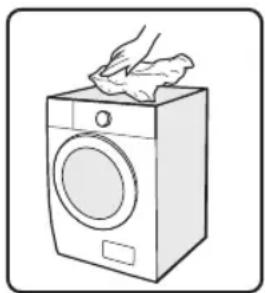

Caution!
- Never use abrasive or caustic agents, formic acids or their diluted solvents, or similar substances like alcohol or chemical products.
Cleaning the Drum
Any rust stains left inside the drum by metal articles must be removed immediately using chlorine-free detergents. Never use steel wool for cleaning the drum!

Note:
- Keep any laundry away from the machine while cleaning the drum.
Cleaning and maintenance
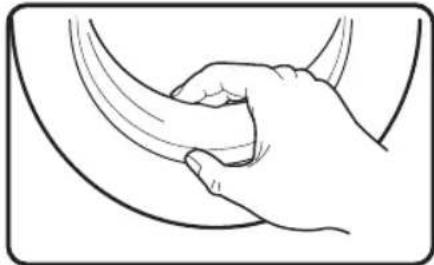
Cleaning the Door Seal and Glass
Wipe the glass and seal after each wash to remove lint and stains. If lint builds up, it can cause leakages.
Remove any coins, buttons, and other objects from the seal after each wash.
Clean the door seal and glass every month to ensure the normal operation of the appliance.
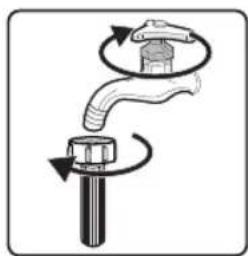
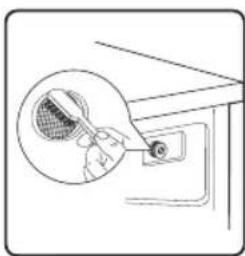
Cleaning the Inlet Filter

Note:
- Diminishing water flow is a sign that the filter needs to be cleaned.
①
②
③
④
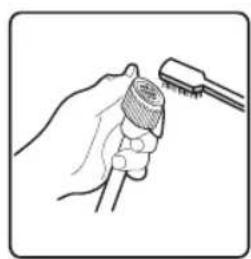
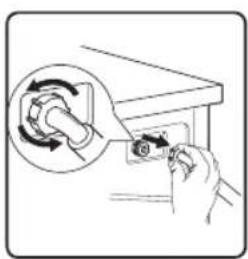
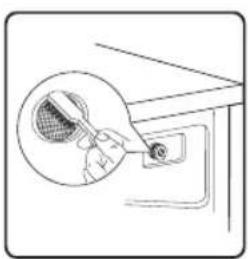
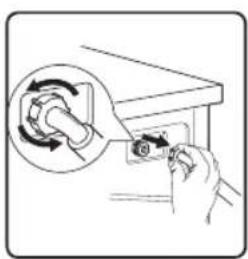
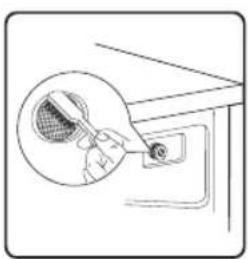
- Close the tap and remove the water supply hose from it.
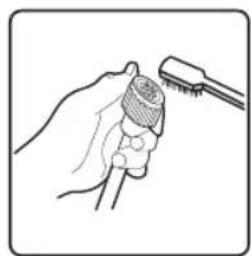
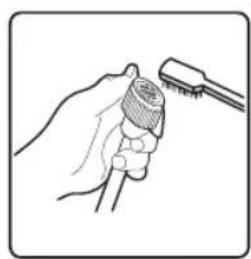
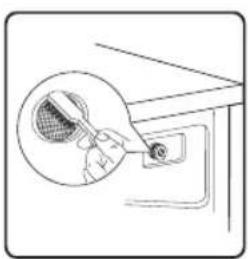
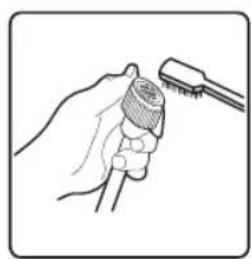
- Clean the filter with a brush.
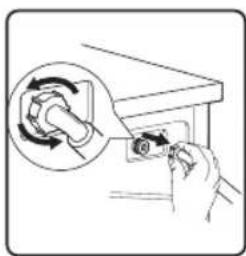
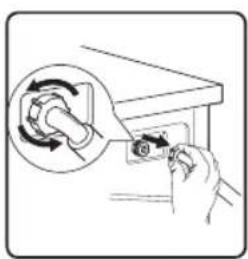
- Unscrew the water supply hose from the backside of the machine. Pull out the filter with long nose pliers.
- Use a brush to clean the filter.
- Reinstall the filter to the water inlet and reconnect the water supply hose.
- Clean the Inlet filter every 3 months to ensure the normal operation of the appliance.
C
Cleaning and maintenance
Clean The Detergent Dispenser
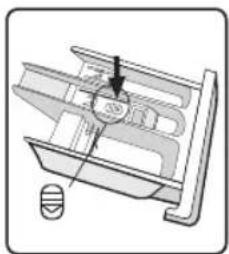
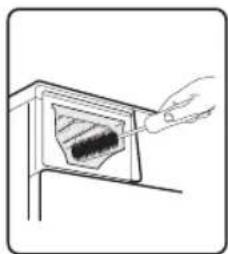
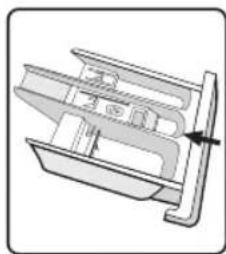
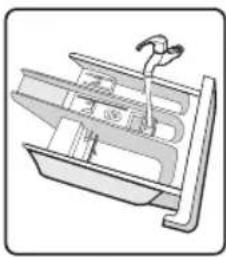
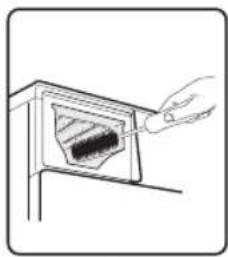
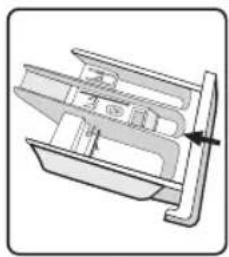
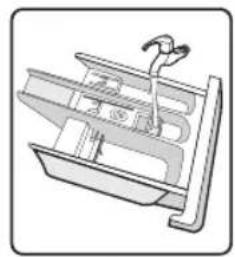
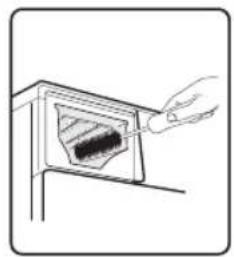
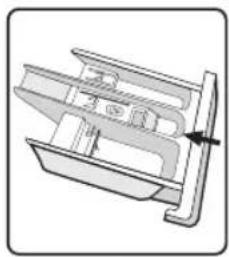
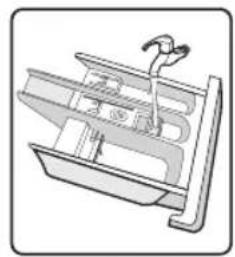
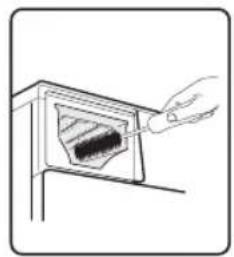
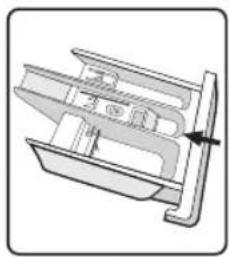
- Press down the release on the softener cover and pull the dispenser drawer out of the recess. Clean the inside of the recess with a brush.
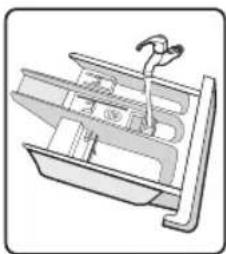
- Lift the softener cover off the dispenser drawer and wash both items with water.
- Restore the softener cover and push the drawer back into the recess.
①
②
③
④
- Press the release and remove the dispenser.
- Clean the dispenser drawer and the softener cover under water.
- Clean the recess with a soft brush.
- Insert the dispenser drawer.
Note:
- Do not use abrasive or caustic agents to clean plastic parts.
- Clean the detergent dispenser every 3 months to ensure the normal operation of the appliance.
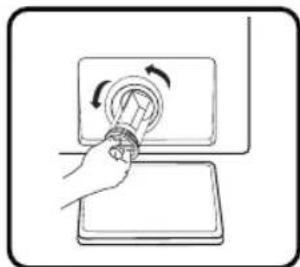
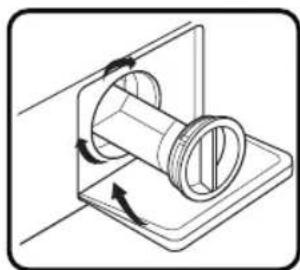
Cleaning the Drain Pump Filter

Warning!
- Make sure that the machine has finished the washing cycle and is empty. Switch it off and unplug it before cleaning the drain pump filter.
- Be careful of hot water. Wait for water to cool down. Risk of scalding!
- Clean the filter periodically every 3 months to ensure the normal operation of the appliance.
①
②
③
④
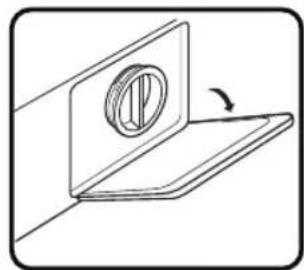
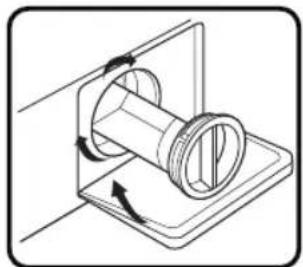
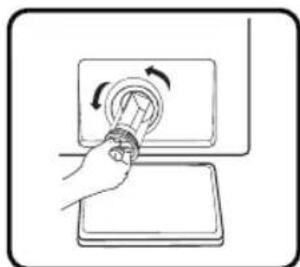
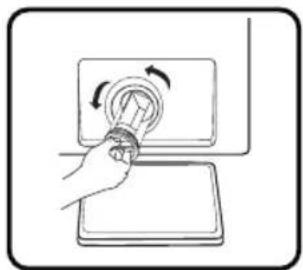
- Open the lower cover cap.
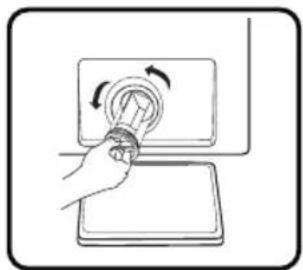
- Open the filter by turning it counterclockwise.
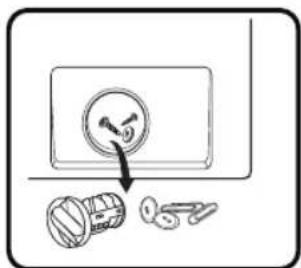
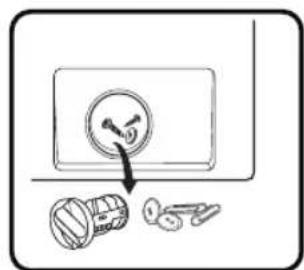
- Remove extraneous matter.
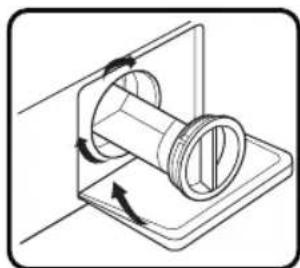
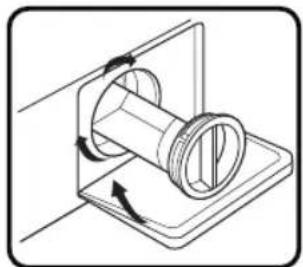
- Close the lower cover cap.

Caution!
- When the appliance is in use and depending on the programme selected there can be hot water in the pump. Never remove the pump cover during a wash cycle, always wait until the appliance has finished the cycle, and is empty. When replacing the cover, ensure it is securely re-tightened.
Troubleshooting
Whenever there is a problem with the appliance, check if you can solve it following the tables below.
Description Possible cause Solution
| Appliance does not start | Door is not closed properly.Clothes are stuck. | Close the door properly and restart.Check the laundry. |
| Door can’t be opened | Safety protection is activated. | Disconnect the power and restart. |
| Water leakage • Connections are not tight enough. | Check and fasten the water inlet pipe.Check and clean the outlet hose. |
| Detergent residues in the detergent dispenser | Detergent is damp and/or clotted. | Clean and wipe the detergent dispenser dry. |
| Indicator or display does not work | PC board or harness have connection problems. | Switch off the power and check if the mains plug is connected properly. |
| Abnormal noise • Fixing bolts still in place.Floor is not solid or level. | Check if the fixing bolts have been removed.Make sure the appliance is installed on a solid and level floor. |
Description Possible cause Solution Error Codes
| E30 | Door is not closed properly. | Close the door properly and restart. |
| E10 | Water injecting problem during wash cycle. | Check if the water pressure is high enough.Straighten the water pipe. Clean the inlet valve filter. |
| E21 | Overtime water draining | Check the drain hose for blockage. |
| E12 | Water overflow Restart the appliance. |
| EXX | Others Restart the appliance. If problem persists, please contact the customer service. |
Transport
IMPORTANT STEPS WHEN MOVING THE APPLIANCE
- Unplug the appliance and close the water inlet tap.
- Check if the door and the detergent dispenser are closed properly.
- Remove the water inlet pipe and the outlet hose from the house installations.
- Let the water drain completely from the appliance (see "Cleaning the Drain Pump Filter")
- Important: Re-install the 4 transport bolts in the back of the appliance.
- This appliance is heavy. Transport with care. Never hold any protruding part of the machine when lifting. The machine door can not be used as a handle.

Installation area

Warning!

Warning!

②
③
④
B

Attention!
4
④
①
②

③
④
Model: 10009855 - WF 1214 A W566C3
Power supply: 220-240 V ~, 50 Hz
MAX: Current: 10A
Installation area

Warning!

Warning!
②
③
④
⑤
①
②
③
①
②
B

Caution!
①
②
③
4
①
②
③
④
①
②
③
4
Model: 10009855 - WF 1214 A W566C3
Installation area

Warning!
Warning!
②
③
4
⑤
①
②
③
①
②
B

Caution!
①
②
③
④
①
②
③
④
①
②
③
This product is guaranteed against faults caused by defects in manufacturing or the materials used for a period of two years, starting from the date of purchase.* This warranty does not cover defects or damage caused by failure to install the device correctly, incorrect use of the product, or excessive wear and tear.
*proof of purchase required.
WARRANTY CONDITIONS